
MIDI Tidy — Turn SUNO MIDI into playable sheet music and DAW-ready tracks
- Digital1,500 JPY
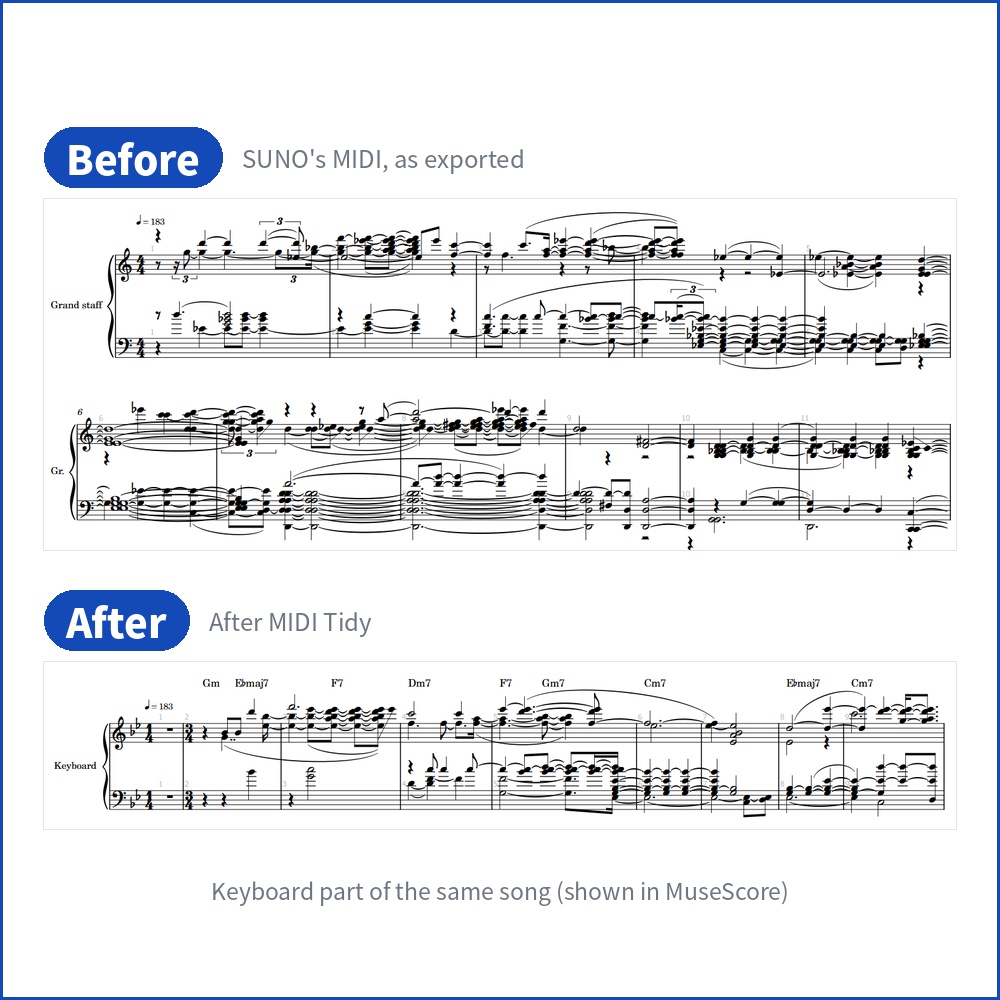
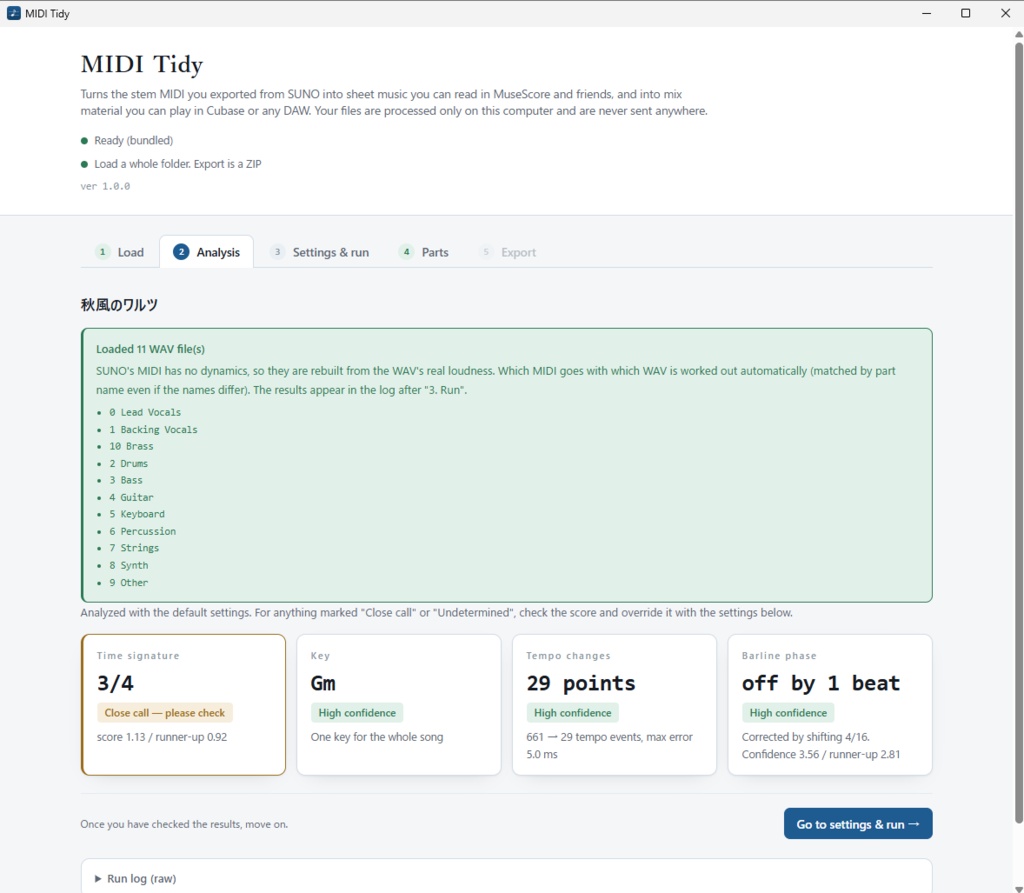
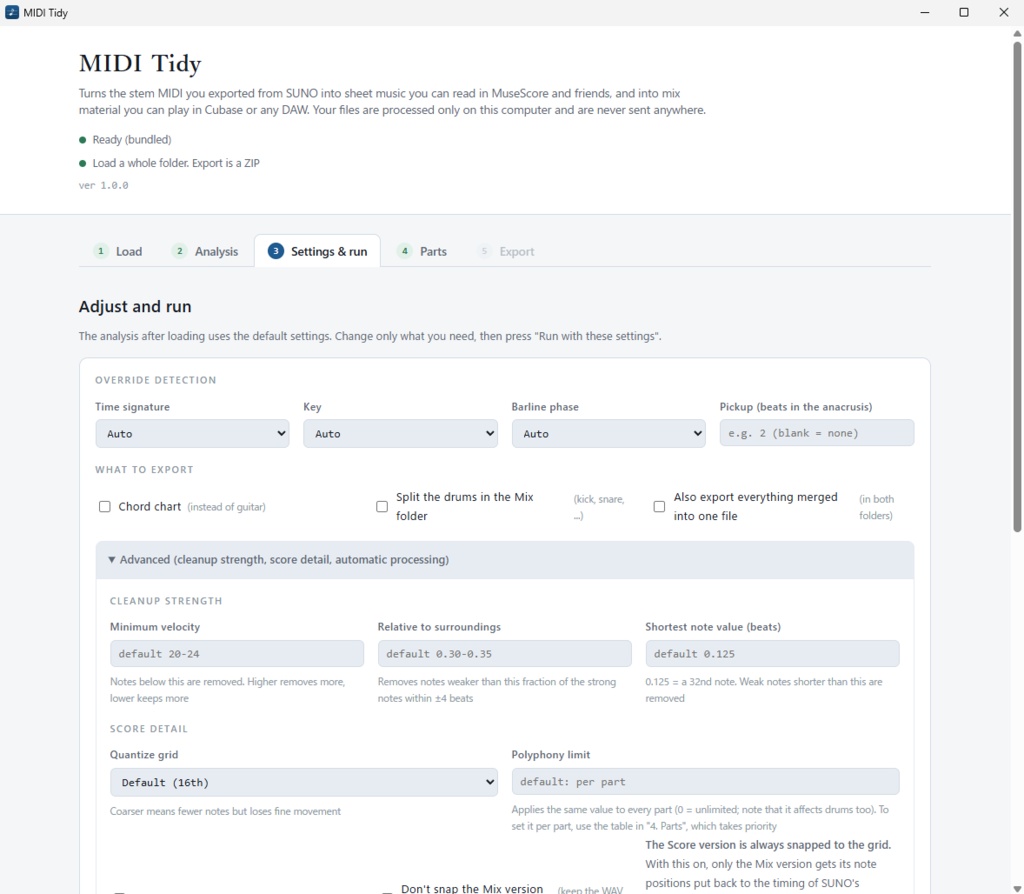
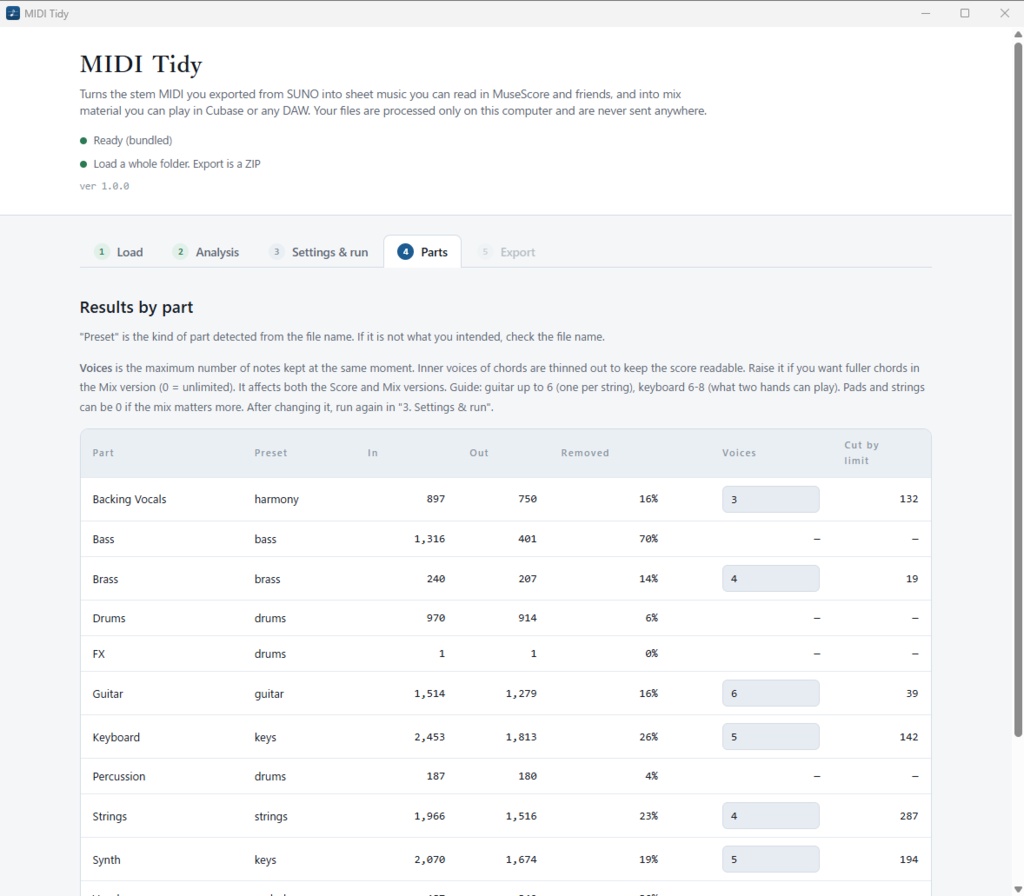
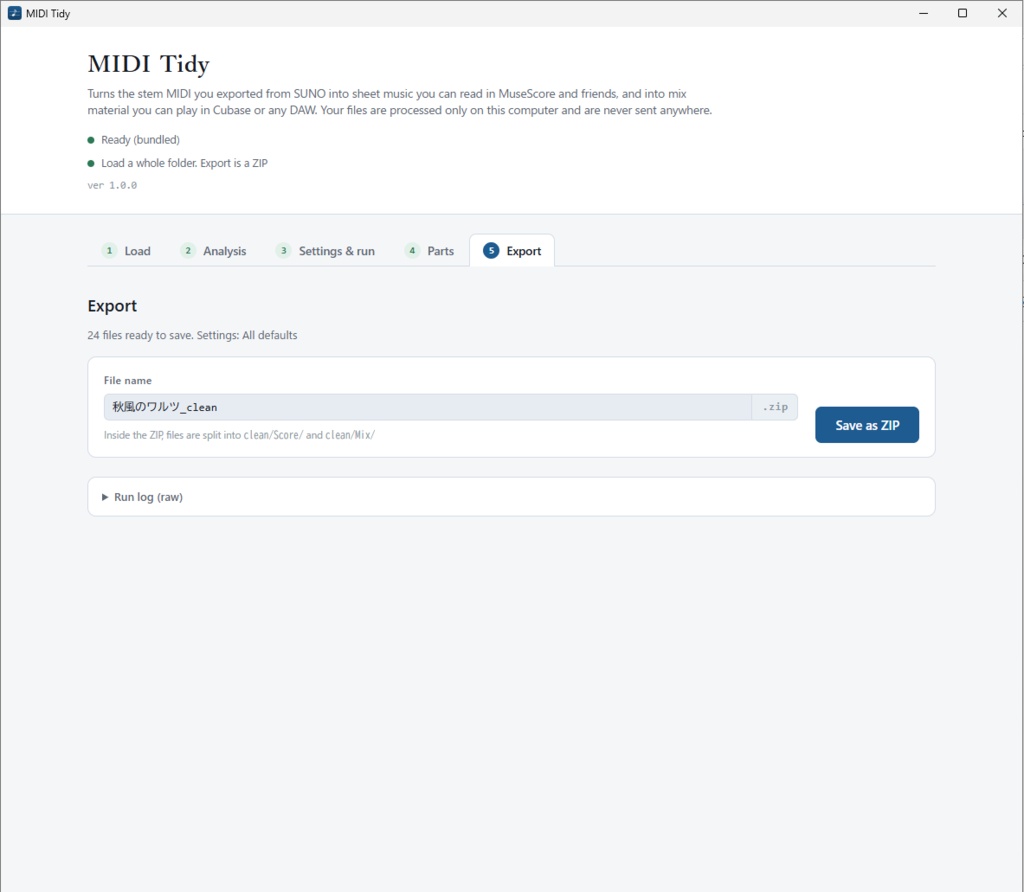


A Windows app that turns the stem MIDI you export from SUNO into sheet music you can read in MuseScore and mix material you can play in Cubase or any DAW.
★Sound familiar?
- You open the exported MIDI in notation software and get far more notes than any human could play - It is full of notes shorter than a 32nd and double triggers - Keyboard notes have leaked into the bass part - The barlines are half a beat off, and there is no time signature or key - In your DAW, the bass or drums play strangely quiet - The drums hit at exactly the same strength all the way through, with no accents
★What it does
①Makes the score readable
- Removes junk notes (extremely short notes, double triggers, duplicates). "Quiet notes" are judged by the WAV's real loudness (see below) - Quantizes to a grid (lines up timing across parts) - Detects and writes the time signature, key, tempo map and barline positions - Detects key changes and switches the key signature section by section - Removes notes from other parts that leaked in during stem separation - Removes reverb notes left after the song ends - Exports guitar and keyboard accompaniment as a chord chart (MusicXML)
②Rebuilds the dynamics
SUNO's MIDI carries no dynamics (in our measurements: 86% of 1,056 notes had the same value, and the correlation with the actual loudness was r = −0.001). The drums play at the same strength throughout. If the WAV files are in the same folder, MIDI Tidy measures their real loudness and rebuilds the dynamics from it. <Sample>Distinct velocity values Before → After ・Drums - Kick:1 → 38 ・Drums - Snare:1 → 53 ・Bass:3 → 71
③The same real loudness is used for cleanup.
Judging "quiet notes" by SUNO's velocity also removes notes that are actually heard. We re-measured the removed notes against the WAV across every part of our test songs.
④Separate outputs for separate jobs
- `Score/` … for MuseScore and score editors - `Mix/` … for your DAW. All parts, with initial MIDI volume (CC7). With WAV files, it also measures the offset between SUNO's MIDI and WAV and writes how to line them up in Cubase. You can also export it with the original timing, without snapping to the grid - Splits the drums into kick / snare / hi-hat / cymbals / toms (separate tracks in your DAW) - Includes a text file with a per-song starting point for the MixConsole (fader, pan, high-pass, compression, reverb)
★How to use
Install and start it, choose your stem folder and press a button. That's it. The result is saved as a ZIP (split into `Score\` and `Mix\`). WAV files in the folder are used automatically. Even if their names don't match the MIDI, they are matched by part name (`Song (Bass).mid` ↔ `3 Bass.wav` and so on). Just drop in the whole folder.
★Your files never leave your computer
All processing happens on your computer. No internet connection is needed. The processing engine (Python) is bundled with the app, so it works offline.
★System requirements
- Windows 10 / 11 (64-bit) - Mac is not supported - No internet connection needed (only on Windows 10 machines without WebView2 is a connection needed during installation)
★When installing
The app is made by an individual and is not code-signed, so opening the installer may show "Windows protected your PC". Click "More info" and then "Run anyway" to continue.
★Limitations (please check before buying)
- Dynamics within a chord cannot be separated note by note, because the energy of simultaneous notes cannot be split. The effect is strongest on bass, melody and drums, and more subdued on chord-based parts. - 2/4 vs 4/4 and 3/4 vs 6/4 cannot be told apart in principle. You can set it manually. - In songs without drums, barline detection is weaker. - It is designed for SUNO's output. With MIDI from other tools that has no tempo map, some processing does not work. - The app, manual and output are in English. Support is by BOOTH message (English is fine).
★Try the free trial first
The free trial exports the first 32 bars of a song. The processing is exactly the same as the full version, so you can judge the quality from the trial. [Trial version] https://kumanopitaro.booth.pm/items/8922440
★Terms of use (summary)
- The purchaser may install it on any number of their own computers. - You may use the exported MIDI freely, commercially or not (the terms of the original song follow those of SUNO or whichever service generated it). - Please do not redistribute, resell or share it. - As a digital product, it cannot be refunded after purchase. Please try the trial first. - Updates can be downloaded from your BOOTH purchase history. See the bundled `License Agreement.txt` for details.
★Contents
- `MIDI Tidy_<version>_x64-setup.exe` … installer - `Read Me First.txt` … installation steps and notes - `MIDI Tidy User Manual.pdf` … how to use the app, and how to bring the results into Cubase / MuseScore - `License Agreement.txt` … terms of use - `THIRD-PARTY-LICENSES.txt` … notices for the bundled open-source software
★Official Site
https://note.com/pitaro_crypt
★Release Note
[2026-10-01: v1.0.0] Release