

【VRChat・汎用】暗いワールドでも顔を照らす撮影ライト「手灯」(アバター用・PC)
- Digital500 JPY
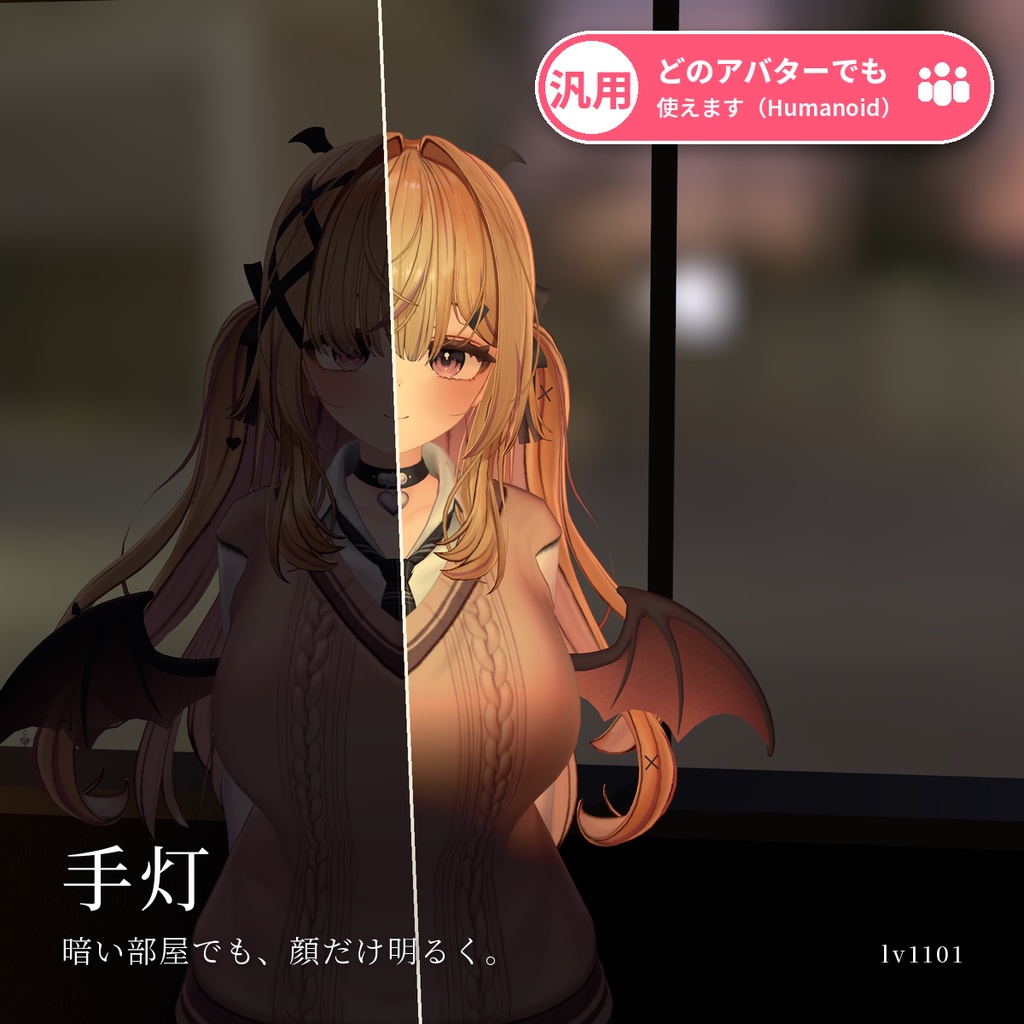
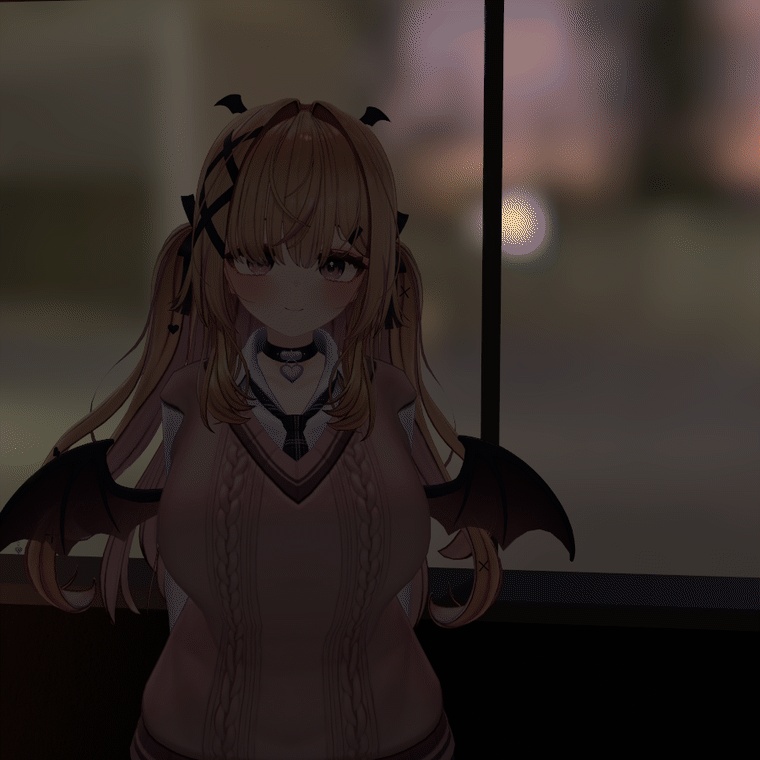
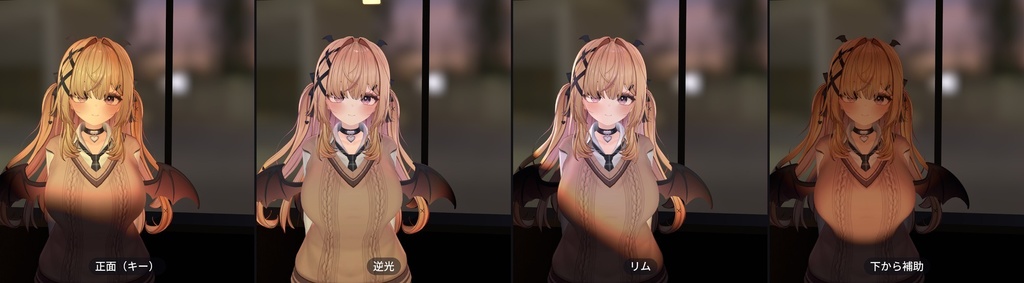
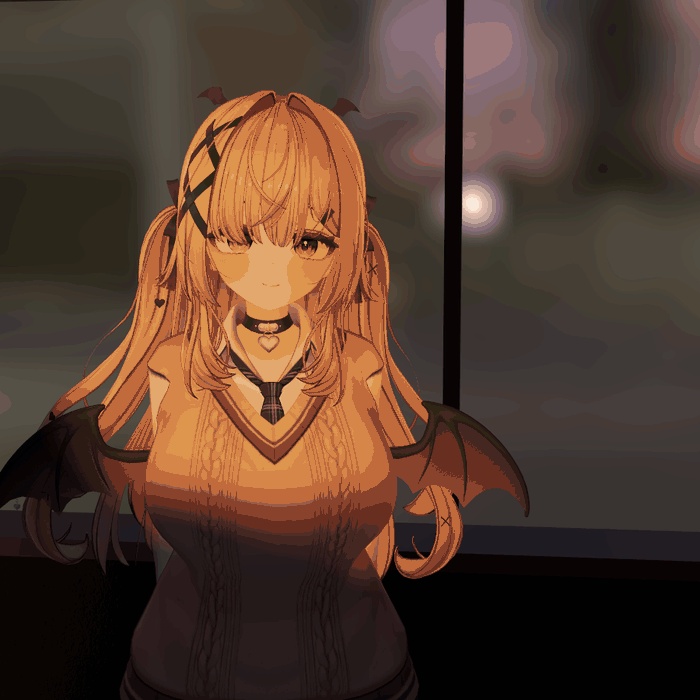
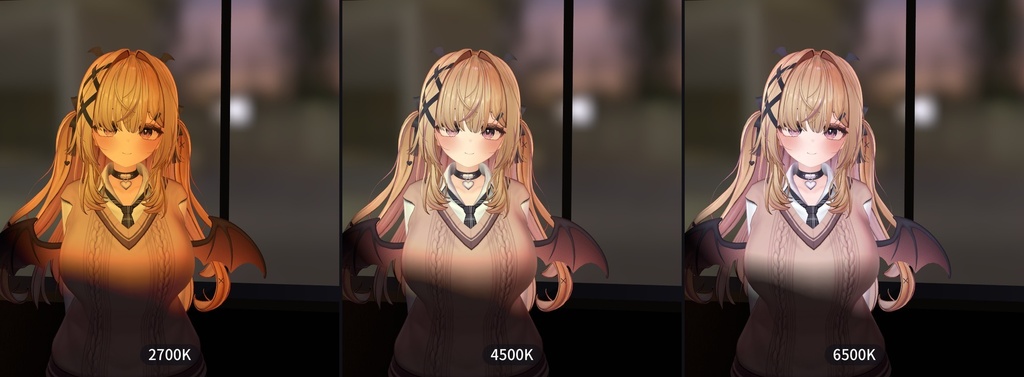
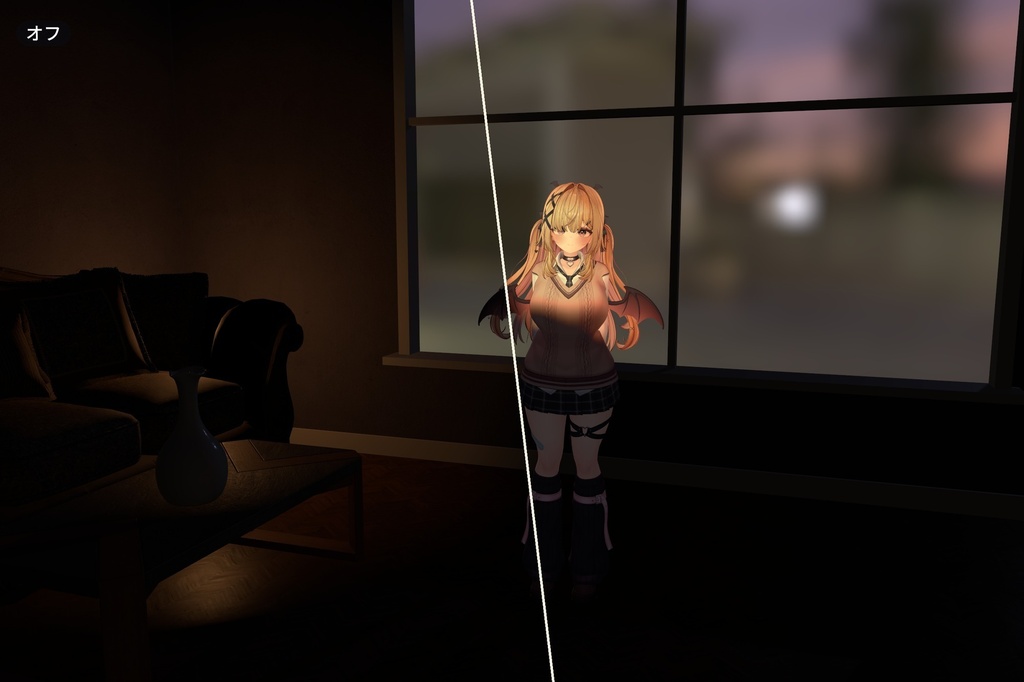
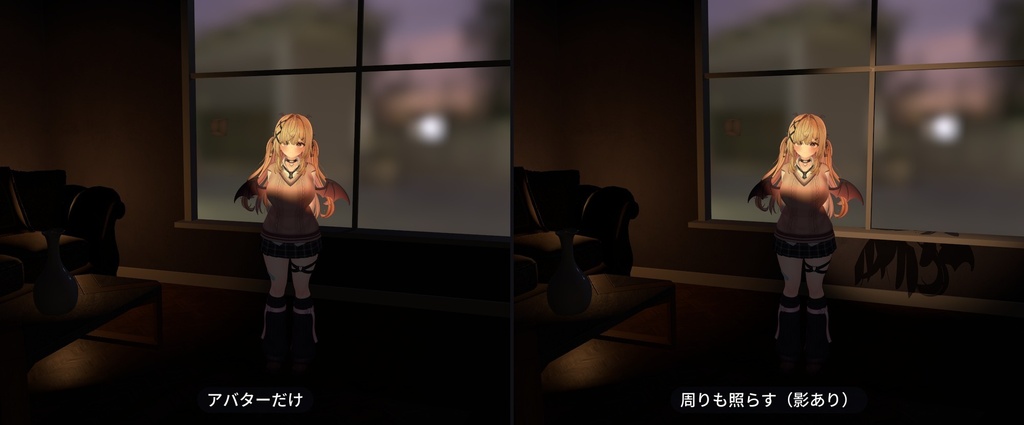
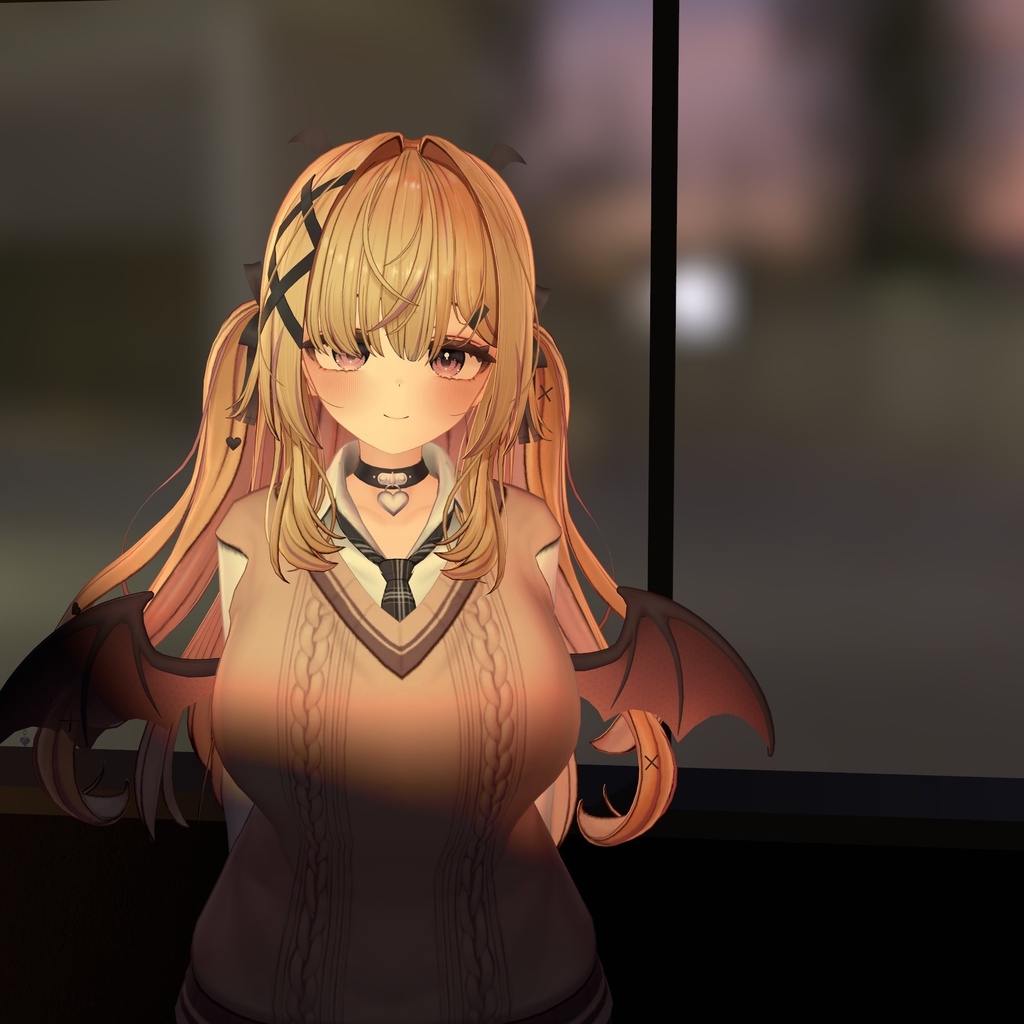
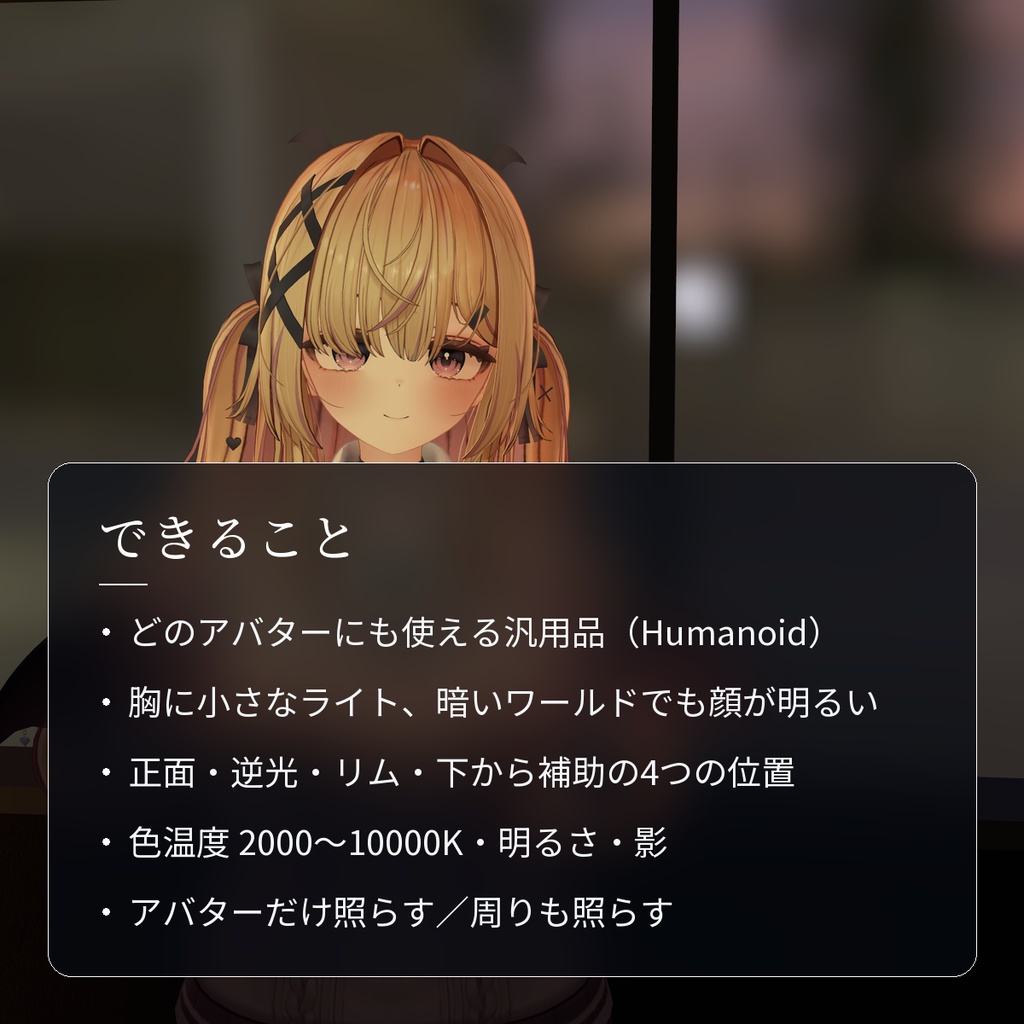
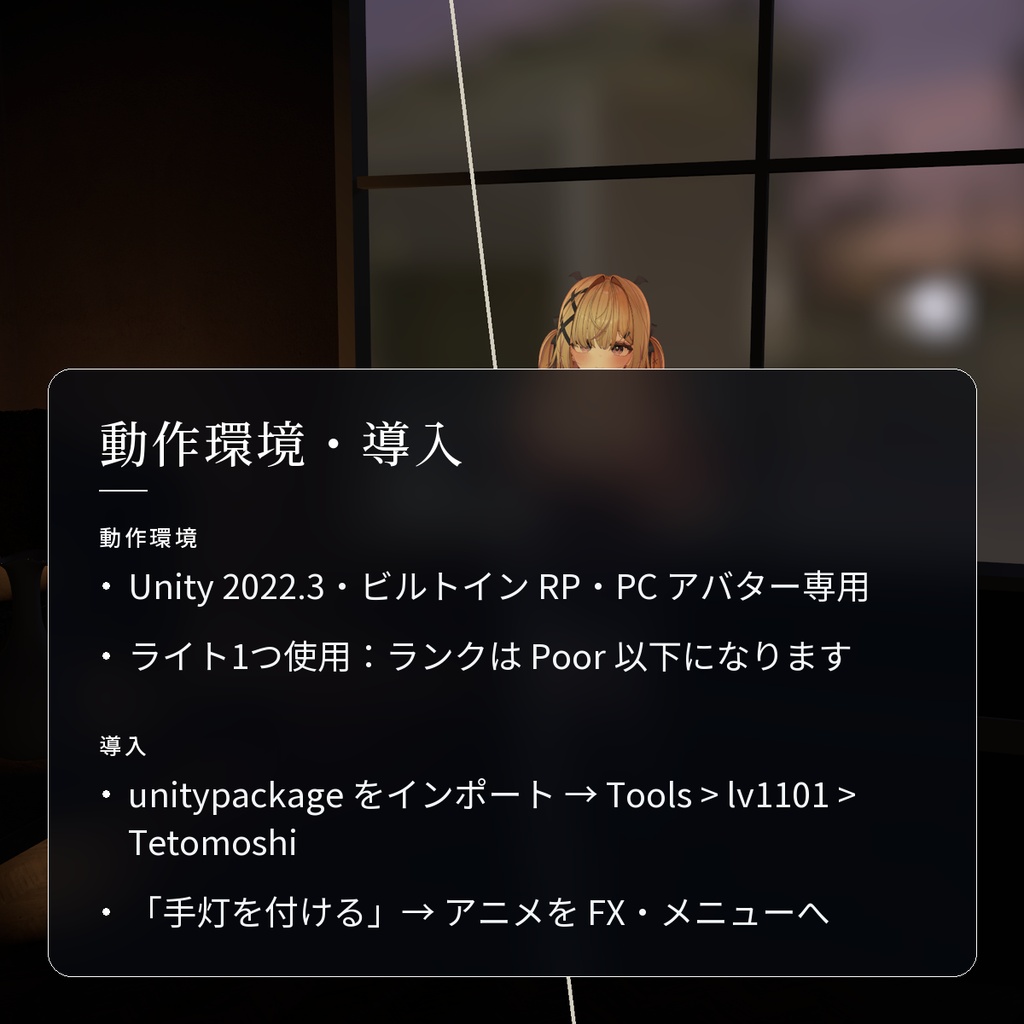
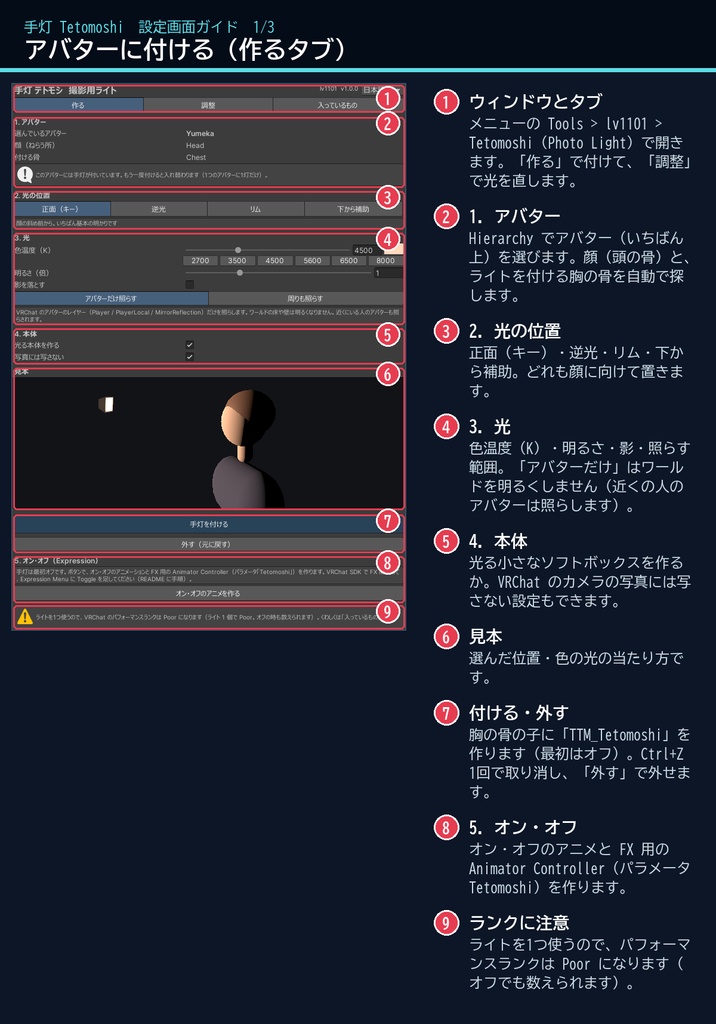
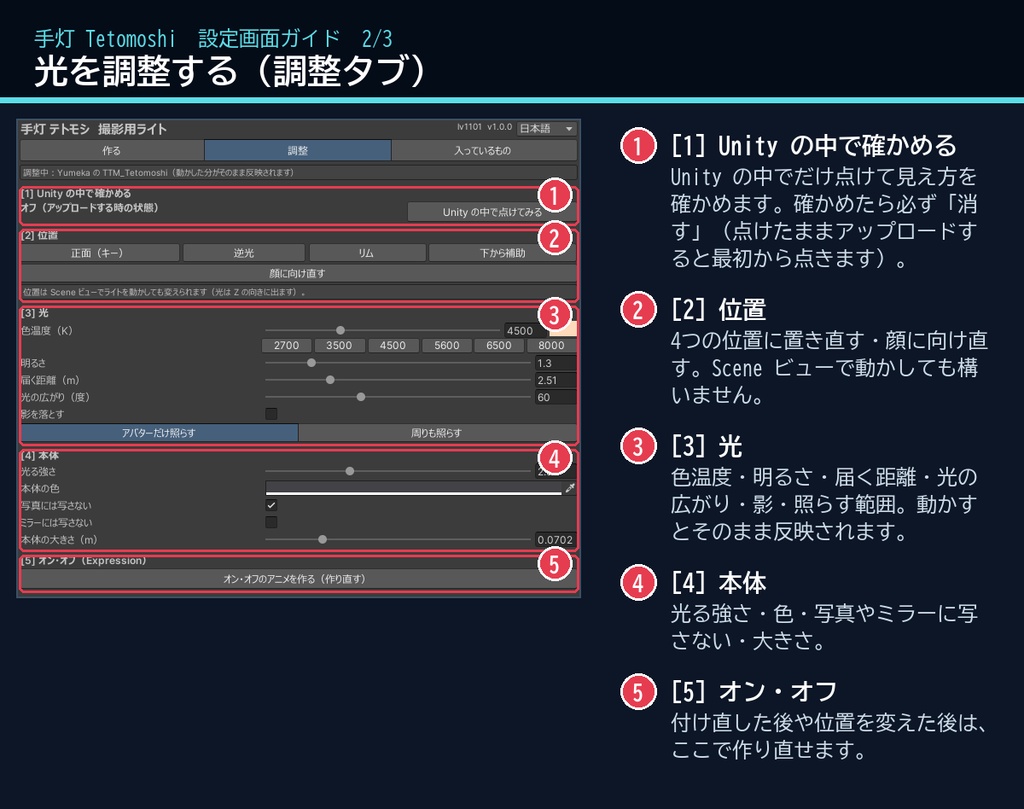
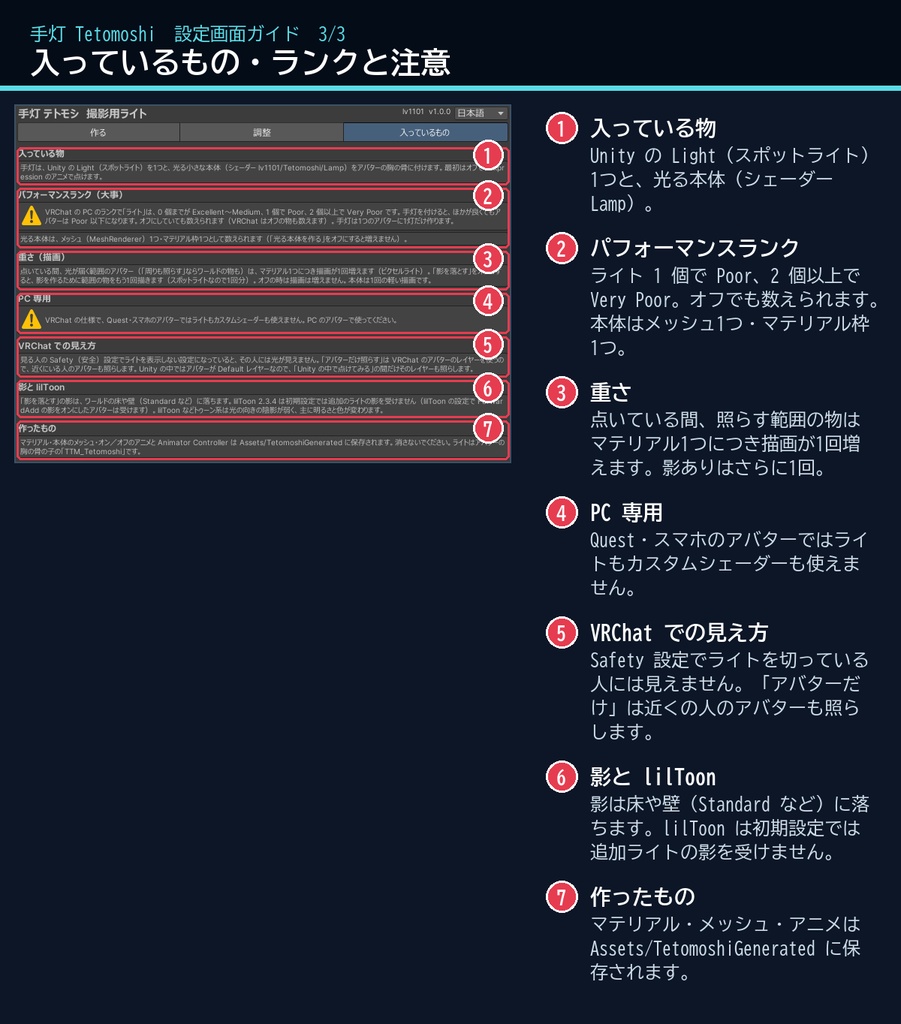
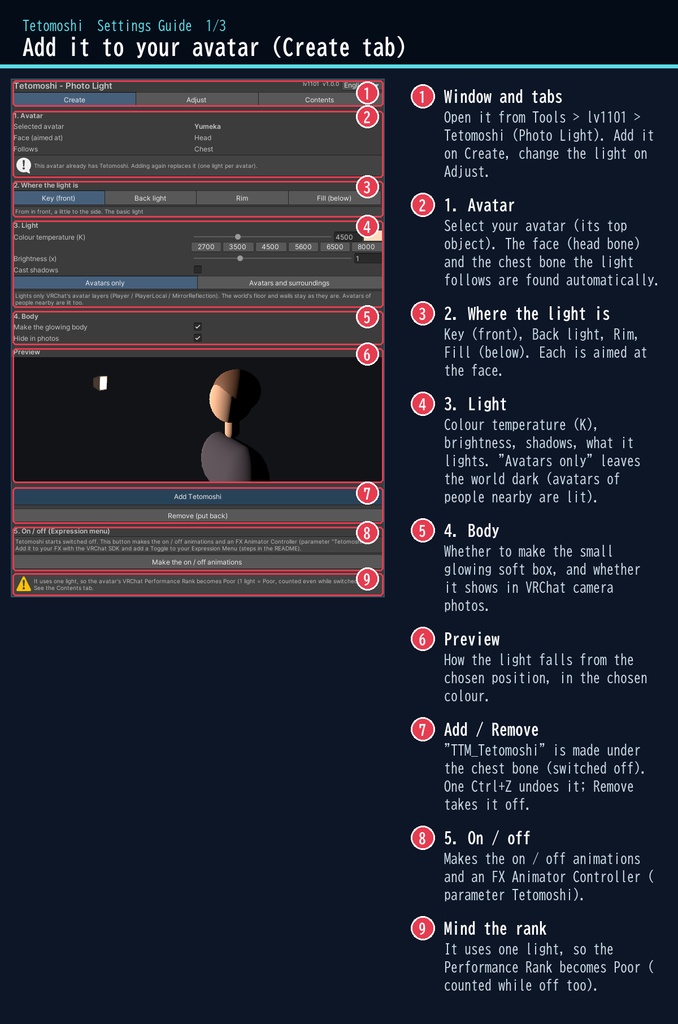
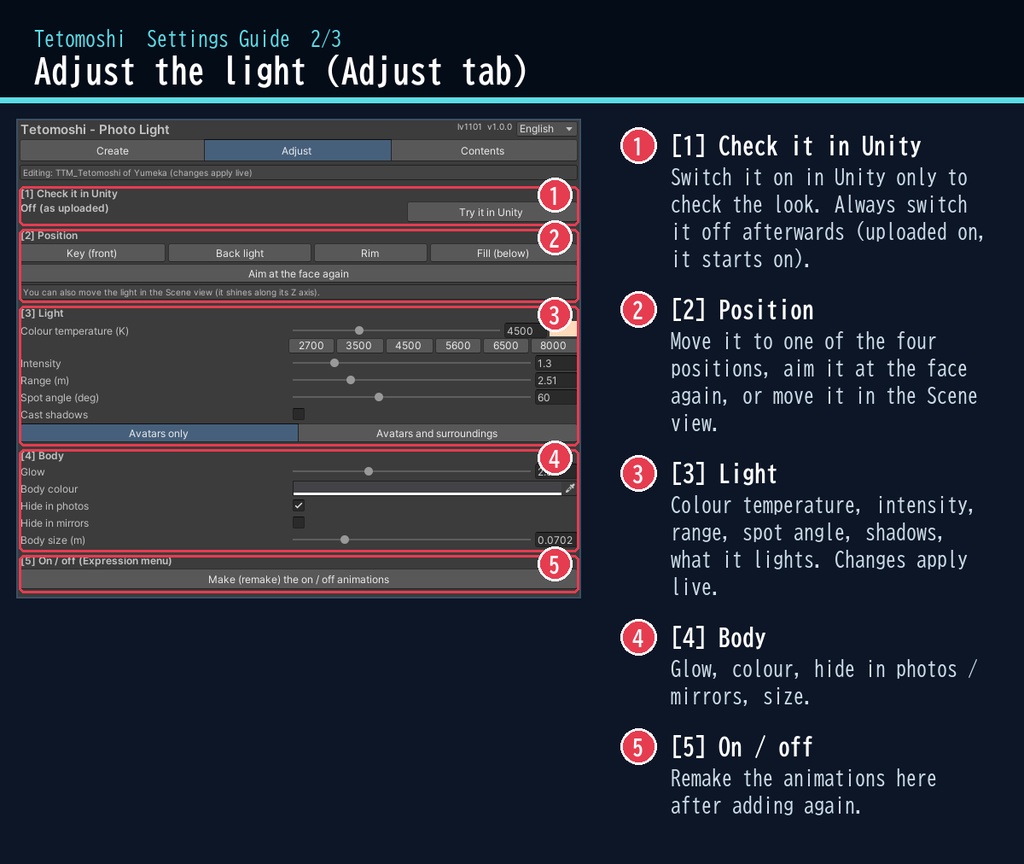
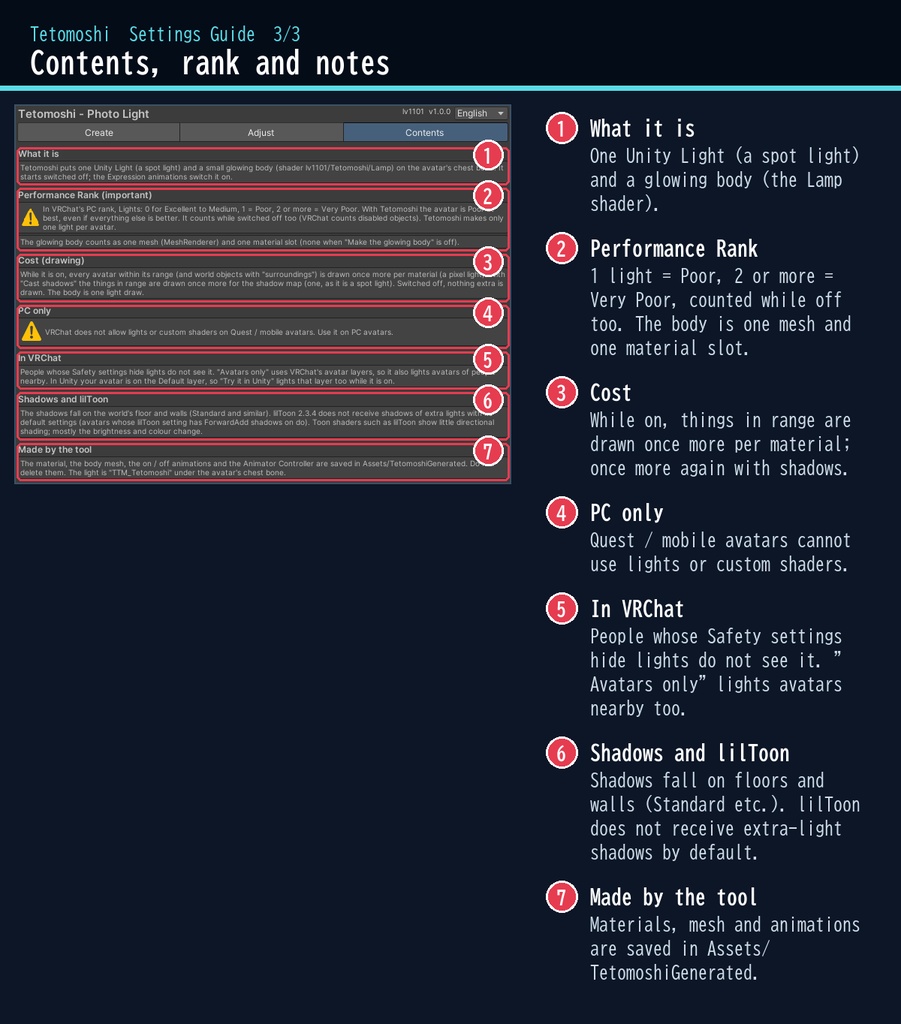


夜のワールドで写真を撮ったら、顔が真っ暗。そんな時のライトです。 「手灯」は、アバターの胸に小さな撮影用ライトを付けるツールです。 Expression メニューで点けると、暗い部屋でも顔がふわっと明るくなります。光の色は電球色から昼の白まで。 アバターだけを照らす設定なら、ワールドの暗い雰囲気はそのままです。 ■ ポイント ・ゆめか専用ではありません。Humanoid のアバターなら、どのアバターにも使える汎用品です ・顔に向けた小さなスポットライト+光る小さな本体(胸の骨についていく) ・位置:正面(キー)/ 逆光 / リム / 下から補助 ・色温度 2000〜10000K、明るさ・届く距離・広がり・影 ・アバターだけ照らす/周りも照らす ・最初はオフ。オン・オフのアニメと FX 用 Animator Controller をボタン1つで作成 ※ライトを1つ使うので、パフォーマンスランクは Poor 以下になります(下の説明を必ずお読みください) ↓ 点ける様子は2枚目の GIF、くわしくは下へ。 ■ くわしく ・光の位置:正面(キー)/ 逆光 / リム / 下から補助。どれも顔に向けて置きます(胸の骨についていくので、歩いても座っても顔の前) ・色温度(2000〜10000K):電球の暖かい色から青白い昼光まで。ライトと本体の色は同じです ・明るさ・届く距離・光の広がり、影を落とす(オン・オフ) ・照らす範囲:アバターだけ(VRChat のアバターのレイヤーだけ。ワールドは明るくなりません)/ 周りも照らす ・光る小さな本体(ソフトボックス)。VRChat のカメラの写真・ミラーには写さない設定もできます ・最初はオフ。オン・オフのアニメと FX 用の Animator Controller(Bool パラメータ「Tetomoshi」)をボタンで作成 ・Unity の中で点けて見え方を確かめるボタン付き ・ライトは Unity の標準の機能なので、スクリプト(U#)なしで、見ている全員に同じように見えます ・非破壊:アバターの子にオブジェクトを1つ足すだけ。「外す」で全部外せます。付けるのも Ctrl+Z 1回で取り消せます ■ パフォーマンスランク(必ずお読みください) ・VRChat の PC のランクで「ライト(Lights)」は、0 個までが Excellent〜Medium、1 個で Poor、2 個以上で Very Poor です ・手灯はライトを1つ使うので、ほかの項目が良くても、アバターのランクは Poor(以下)になります ・オフにしていても数えられます(VRChat はオフのオブジェクトも数えます) ・手灯は1つのアバターに1灯だけ作ります(もう一度付けると入れ替わります) ・光る本体は、メッシュ(MeshRenderer)1つ・マテリアル枠1つとして数えられます(本体を作らない設定もできます) 気をつけること ※「アバターだけ照らす」は VRChat のアバターのレイヤーを照らすので、近くにいるほかの人のアバターも照らされます。 ※影は、ワールドの床や壁(Standard など)に落ちます。lilToon 2.3.4 は初期設定では追加のライトの影を受けません(lilToon の設定で ForwardAdd の影をオンにしたアバターは受けます)。 ※lilToon などトゥーン系のシェーダーは光の向きによる陰影が弱く、どの位置からでも主に明るさと色が変わります。 ※見る人の Safety 設定でライトを表示しない設定になっていると、その人には光が見えません。 ■ 動作環境 ・対応アバター:汎用。Humanoid のアバターならどれでも使えます(画像はゆめかで撮影。lilToon 2.3.4 で確認) ・Unity 2022.3(VRChat で使うバージョン)・ビルトイン レンダーパイプライン ・PC 専用(VRChat の仕様で、Quest・スマホのアバターではライトもカスタムシェーダーも使えません) ・VRChat SDK3 Avatars(Expression メニューに入れる時に使います。ツールは SDK・Modular Avatar なしでもコンパイルできます) ■ 導入 1. unitypackage を Unity にドラッグ&ドロップしてインポート 2. メニューの Tools > lv1101 > Tetomoshi (Photo Light) でウィンドウを開く 3. Hierarchy でアバターを選び、光の位置・色温度などを選んで「手灯を付ける」を押す 4. 「オン・オフのアニメを作る」で作った FX のレイヤーとパラメータを、VRChat SDK で FX・Expression Parameters・Expression Menu に入れる 使い方は同梱の README_ja.txt に、設定画面の説明は商品画像の「設定画面ガイド」(日本語・英語)にあります。ウィンドウ右上で 日本語 / English を切り替えられます(Auto は PC の言語に合わせます)。 ■ 重さの目安 点いている間、光が届く範囲のアバター(「周りも照らす」ならワールドの物も)は、マテリアル1つにつき描画が1回増えます(ピクセルライト)。 「影を落とす」をオンにすると、影を作るために範囲の物をもう1回描きます(スポットライトなので1回分)。オフの時は描画は増えません。 本体は三角形 12 枚の軽い描画です。保存されるマテリアルとメッシュは あわせて 約 7 KB です。 ■ 内容物 ・Tetomoshi_1.0.0.unitypackage(README_ja.txt / README_en.txt 入り) ・利用規約.txt / TermsOfUse_en.txt ※商品ページの画像の部屋・家具は撮影用の見本です(商品に含みません)。画像は Unity 上(Linear)で、アバターを VRChat と同じレイヤーに置いて撮っています。 ※画像のアバター:ゆめか Yumeka(©Arka_X / https://booth.pm/ja/items/8672657 )。商品には含みません。 ※背景の素材:Poly Haven(CC0)。商品には含みません。 ■ 利用規約(概要) ・VRChat のアバター(Public/商用・有料イベントでの使用を含む)で使えます ・改変できます ・シェーダー・スクリプトの再配布、転売はできません(改変したものも含む) ・クレジット表記は任意です(書いていただけると嬉しいです) 詳しくは同梱の 利用規約.txt をご覧ください。 ■ English Works with any avatar (universal, Humanoid avatars) - the images just use Yumeka. Tetomoshi (Photo Light) is a photo light tool for VRChat avatars (PC only, Built-in RP, Unity 2022.3). It puts a small spot light (Unity's Light) and a small glowing soft box on the avatar's chest, aimed at the face, so your face stays bright in dark worlds for photos, streams and group shots. It starts switched off; one button makes the on / off animations and an FX Animator Controller (Bool parameter "Tetomoshi") for your Expression menu. A Light is a standard Unity feature, so no Udon / U# is needed and everyone sees the same. Positions: Key (front) / Back light / Rim / Fill (below). Colour temperature 2000-10000 K, intensity, range, spot angle, shadows on / off. Light avatars only (VRChat's avatar layers; the world stays dark) or the surroundings too. The glowing body can stay out of VRChat camera photos and mirrors. Non-destructive: one object is added under the avatar; "Remove" takes it off. Performance Rank: in VRChat's PC rank, Lights: 0 for Excellent to Medium, 1 = Poor, 2 or more = Very Poor. Tetomoshi uses one light, so the avatar is Poor at best, even while switched off (VRChat counts disabled objects). It makes only one light per avatar. The body counts as one mesh and one material slot (optional). Cost: while on, things within range are drawn once more per material (a pixel light), once more with shadows; nothing extra while off. Notes: "Avatars only" also lights avatars of people nearby. lilToon 2.3.4 does not receive shadows of extra lights with its default settings. People whose Safety settings hide lights do not see it. • Full English UI: switch Auto / 日本語 / English at the top right of the window • English README (README_en.txt) and Terms of Use (TermsOfUse_en.txt) included • English settings guide images are included in the product images • Avatar in the images: Yumeka (©Arka_X), not included. Room and background: showcase only, Poly Haven (CC0), not included. Install: import the unitypackage, open Tools > lv1101 > Tetomoshi (Photo Light), select your avatar and press "Add Tetomoshi", then "Make the on / off animations" and add them to your FX / Expression menu with the VRChat SDK. Terms (summary): usable on VRChat avatars, including public use, commercial use and paid events; modification allowed; redistribution or resale of the shader / scripts (including modified versions) is not allowed; credit is optional. ■ 更新履歴 / Version history 1.0.0 最初の版 / First release