

AutoAimGuard_for_VRChat_■■■■OSCをオンにしてください■■■■
- Digital0 JPY
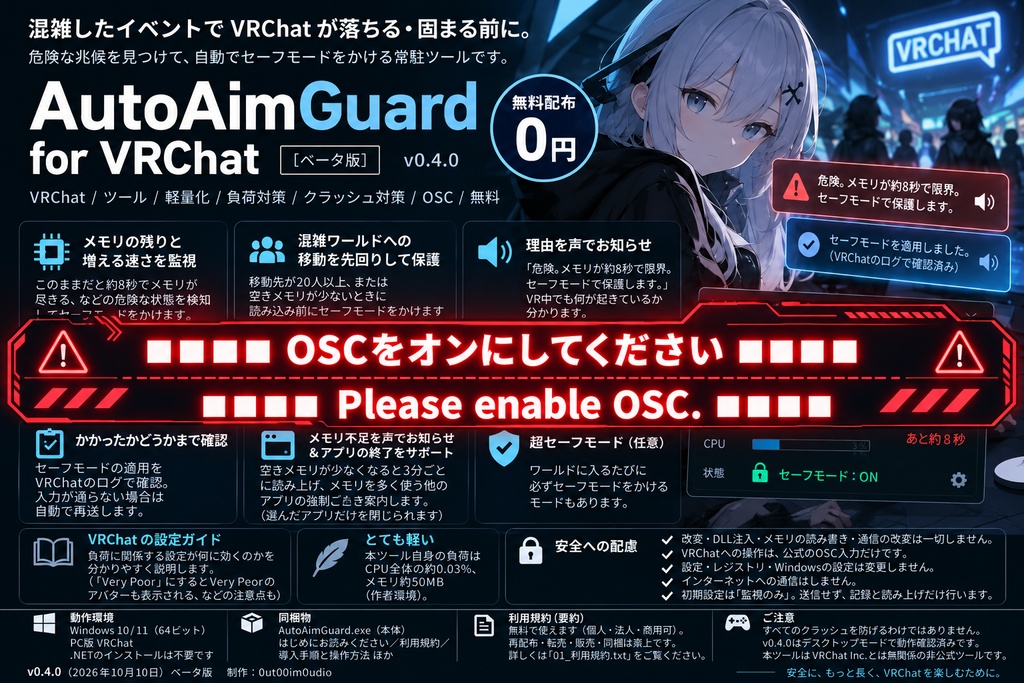
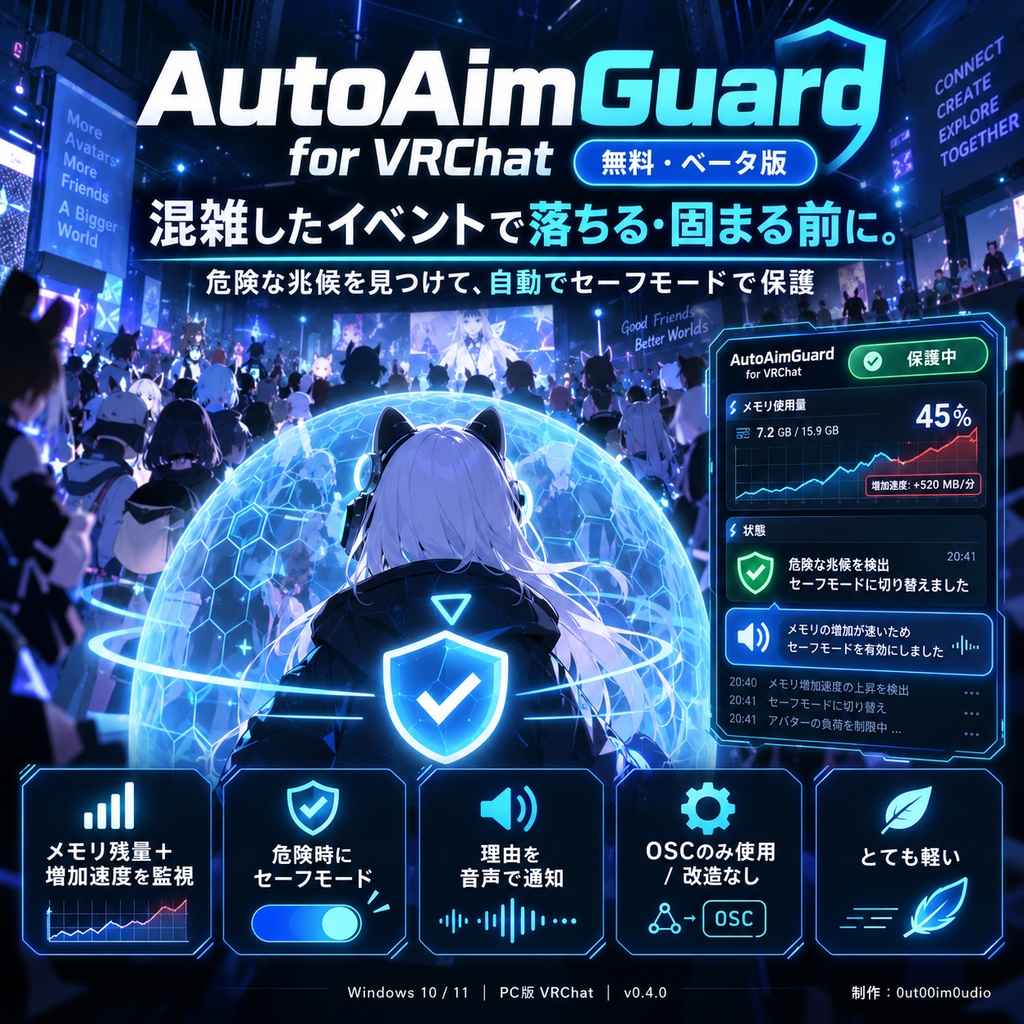


■■■■■【必須】VRChatのOSCをオンにしてください。オフのままでは、セーフモードは一切かかりません■■■■■ 混雑したイベントで、VRChat のメモリ不足などの兆候を見張り、 負荷を下げるために自動でセーフモードを要求できる常駐ツールです。 (落ちたり固まったりする前に作動することは保証できません) 作者が趣味で作って無料で公開しているものです。 使いたい方が、ご自身の判断と責任でお使いください。 ■ できること ・メモリの残りと「増える速さ」を見張ります 「今の増え方が続くと約8秒でメモリの上限に届く」という見積もりになったら、 セーフモードを要求します。 (最近の増え方からの概算で、クラッシュの時刻の予測ではありません) CPU使用率が高いだけでは反応しません。 ・混雑したワールドへの移動時の保護(任意) 移動先が20人以上、または空きメモリが少ないときに、セーフモードを要求します。 (読み込みより先に効くとは限りません) ・理由を声で知らせます 「危険。メモリが約8秒で限界。セーフモードで保護します。」 VR中でも何が起きているか分かります。 ・かかったかどうかを確認します セーフモードがオンになったことを VRChat のログで探し、 見つからないときは再送します(送信や確認が必ず成功するとは限りません)。 ・メモリ不足を声で知らせて、空ける手助け 空きメモリが少なくなると3分ごとに読み上げ、メモリを多く使っている 他のアプリ(ブラウザなど)の名前と量を伝えます。 トレイのメニューから、選んだアプリだけを閉じられます(自動では閉じません)。 ・超セーフモード(任意) ワールドに入るたびに必ずセーフモードをかけるモードもあります。 ・VRChat の設定ガイド 「最適化されていないアバターのブロック」「最大ダウンロードサイズ」 「表示するアバターの数」「シールドレベル」など、 負荷に関係する設定が何に効くのかを説明します。 (「Very Poor」にすると Very Poor のアバターも表示される、など 見落としやすい点も書いています) ・とても軽い(使用量はPCや状況によって変わります) 本ツール自身の負荷は CPU 全体の約0.03%、メモリ約50MB(作者環境)。 ■ 安全への配慮 ・VRChat の改造、DLL注入、メモリの読み書き、通信の改変は一切しません。 ・VRChat への操作は、公式に公開されている OSC 入力だけです。 ・VRChat の設定ファイル、レジストリ、Windows の設定を直接書き換えません。 (セーフモードを要求すると、VRChat 内の安全設定は切り替わります) ・インターネットへの通信はしません。 ・初期設定は「監視のみ」。危険と判断しても送信せず、記録と読み上げだけ行います。 ■ ご注意(必ずお読みください) ・すべてのクラッシュを防げるわけではありません。 クラッシュを減らす効果は、まだ比較できる形で確かめられていません。 ・セーフモード中は、VRChat の安全設定が切り替わり、他のユーザーのアバターが 置き換えられたり、声が聞こえなくなったりします(対象や表示は VRChat の仕様によります。 作者の環境ではフレンド以外の声が聞こえなくなりました)。 本ツールはセーフモードを自動で解除しません。 ・v0.4.0 はデスクトップモードで動作を確認しています。 VRモードでの動作は未確認です。 ・VRChat の OSC を有効にする必要があります。 ・「メモリを空ける」でアプリを閉じると、そのアプリの保存していない内容が 失われることがあります。先に保存してください。 ・VRChat の利用規約に沿ってお使いください。VRChat は VRChat Inc. の商標です。 ・本ツールは VRChat Inc. とは無関係の非公式ツールです。 ・無保証です。利用によって生じた一切の損害について、作者は責任を負いません (同梱の「01_利用規約.txt」第7条)。 ■ 動作環境 ・Windows 10 / 11(64ビット) ・PC版 VRChat ・.NET のインストールは不要です ■ 同梱物 ・AutoAimGuard.exe(本体) ・はじめにお読みください/利用規約/導入手順と操作方法/ 既知の制限と免責事項/サポート/ライセンス表記/更新履歴 ■ 利用規約(要約) ・無料で使えます。個人・法人、商用・非商用を問わず使用できます。 ・配信や動画で使っている様子を公開できます(クレジット不要)。 ・再配布・転載・販売・同梱は禁止です。紹介するときはこのページのURLを共有してください。 ・詳しくは同梱の「01_利用規約.txt」をご覧ください。 ■ バージョン v0.4.1(2026年10月10日)ベータ版 制作:0ut00im0udio ■ 免責 本ソフトは、個人が趣味で開発した無料の試験版です。現状のまま提供し、動作、クラッシュ防止効果、継続的な更新・サポートを保証しません。既知の制限を確認し、ご自身の判断でご利用ください。 本ソフトの利用または利用できなかったことにより生じた一切の損害について、作者は責任を負いません。 ご自身の判断と責任でお使いください。 (01_利用規約.txt 第7条) ■■■■VRChat_OSC must be ON!!■■■■ Monitors signs of memory pressure during VRChat and can automatically request Safe Mode to help reduce load. Detection and activation may not occur before a freeze or crash. A hobby project, shared for free. Use it at your own risk. ■ Features - Watches remaining memory AND how fast it is running out Estimates time to a monitored memory limit based on recent usage trends (e.g. "about 8 seconds at this rate") and requests Safe Mode. This is not a prediction of when VRChat will crash. High CPU usage alone never triggers it. - Optional pre-entry protection When you move to a world with 20+ players, or your free RAM is already low, Safe Mode is requested on entry (it may not take effect before loading). - Spoken alerts (Japanese voice) Tells you the reason and the action, so you know what happened even in VR. - Checks whether Safe Mode turned on Looks for confirmation in VRChat's log and retries when confirmation is not found. Activation and confirmation are not guaranteed. - Low-RAM warning (spoken every 3 minutes while RAM is low), naming the other apps that use the most memory; you can close the ones you choose from the tray menu (never closed automatically). - Optional "super safe mode": Safe Mode on every world entry. - VRChat settings guide Explains which VRChat settings reduce load (avatar performance blocking, download size limits, avatar culling, Safety Shield level) and common pitfalls. - Very lightweight: about 0.03% total CPU and ~50 MB RAM (author's PC). Usage varies by system and monitoring conditions. ■ Safety - No game modification, no DLL injection, no memory reading/writing, no network tampering. - The only action sent to VRChat is the official OSC input /input/PanicButton (to 127.0.0.1 only). - Does not directly edit VRChat configuration files, the registry, or Windows settings. Requesting Safe Mode changes the active Safety settings within VRChat. - No internet communication. - Starts in "monitor only" mode: nothing is sent until you enable auto protection or super safe mode. ■ Please note - It cannot prevent every crash. Its crash-reduction effect has not yet been verified in a controlled comparison. - Safe Mode changes VRChat's active Safety settings and can hide or replace avatars and mute other users (VRChat behavior). The app never turns Safe Mode off automatically. - Closing another app may cause loss of unsaved work. Save your work before using "free up memory". - Use it in accordance with VRChat's Terms of Service. VRChat is a trademark of VRChat Inc. - Provided "as is", without any warranty. The author accepts no liability for any damage arising from its use (see 01_利用規約.txt, Article 7). - v0.4.0 was tested in desktop mode. VR mode has not been tested yet. - VRChat OSC must be enabled. - The UI and documentation are in Japanese. - This is an unofficial tool, not affiliated with or endorsed by VRChat Inc. ■ Requirements Windows 10/11 (64-bit), VRChat for PC. No .NET installation required. Version: v0.4.0 (2026-10-10) Beta Author: 0ut00im0udio ■ Disclaimer This software is a free experimental version developed by an individual as a hobby. It is provided as is, with no guarantee of operation, crash-prevention effect, or continued updates and support. Please review the known limitations and use it at your own discretion. Please use this software at your own discretion and risk. The developer shall not be held liable for any damages arising from the use of, or inability to use, this software. (See Article 7 of 01_Terms_of_Use.txt)