

対応アバター以外の瞳テクスチャ・アイテクスチャを目に合わせる IrisFit【NDMF・非破壊】
- 製品版Digital900 JPY
- 無料お試し版Digital0 JPY
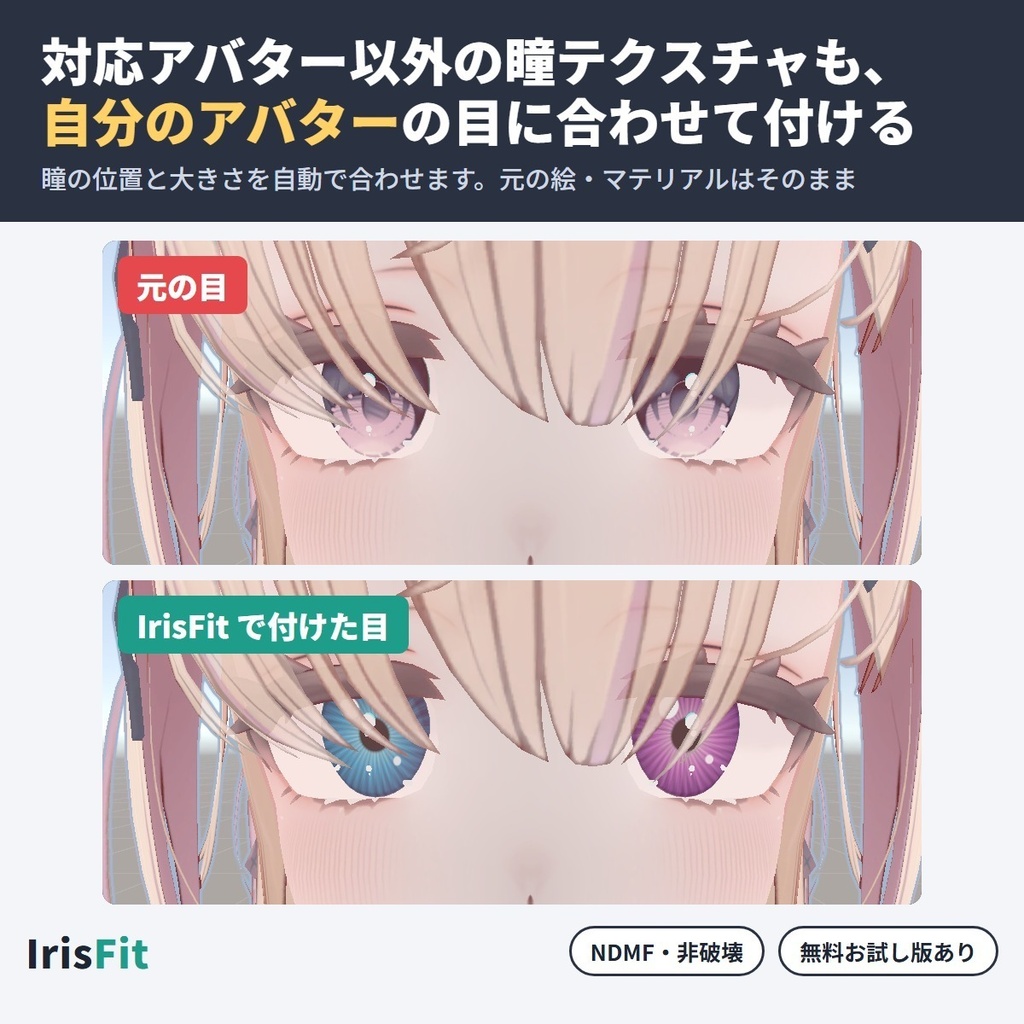
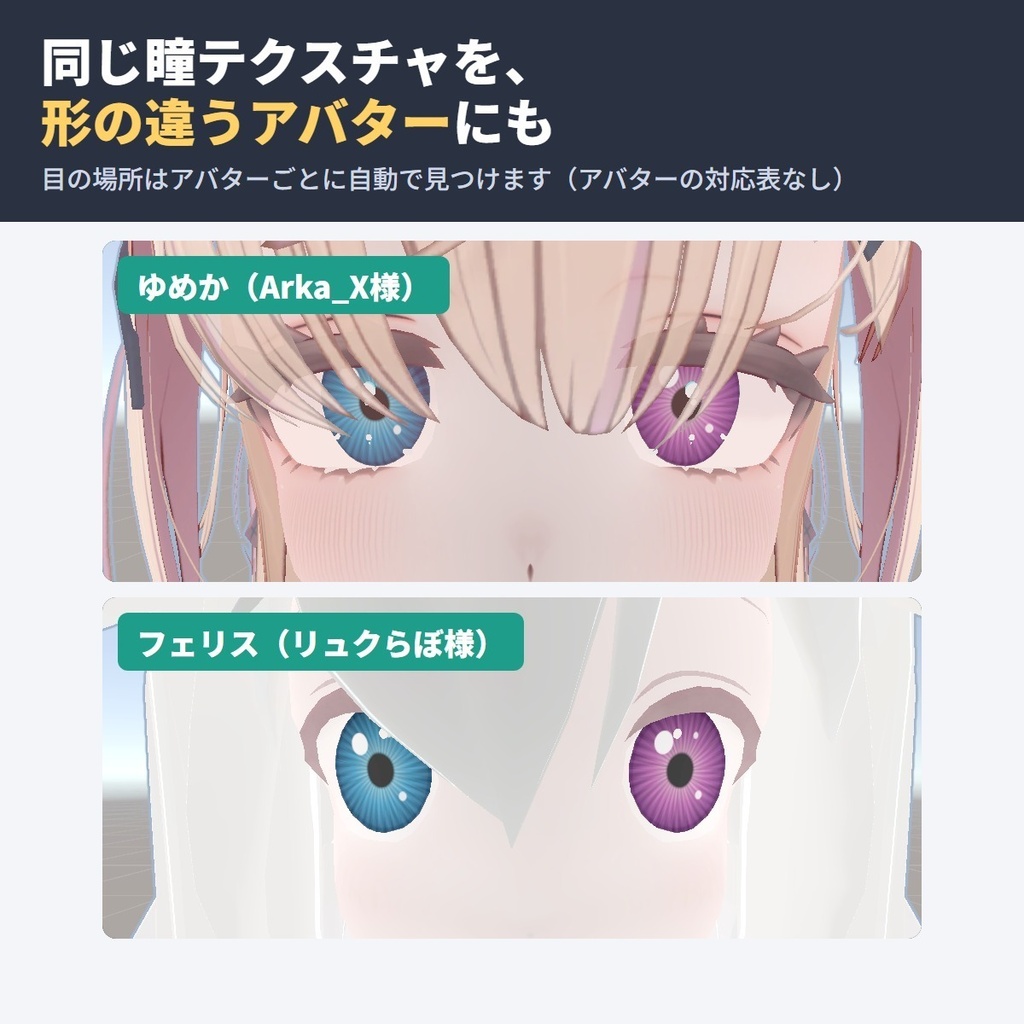
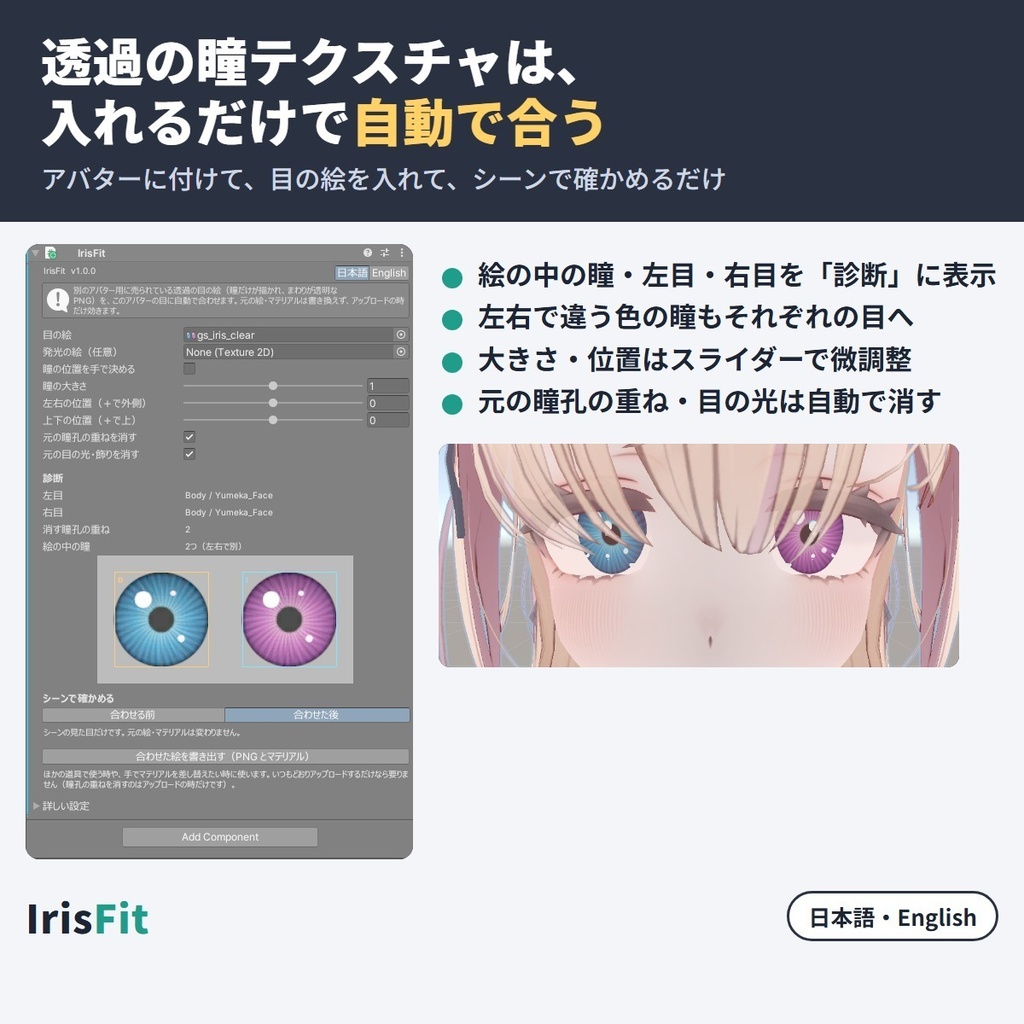
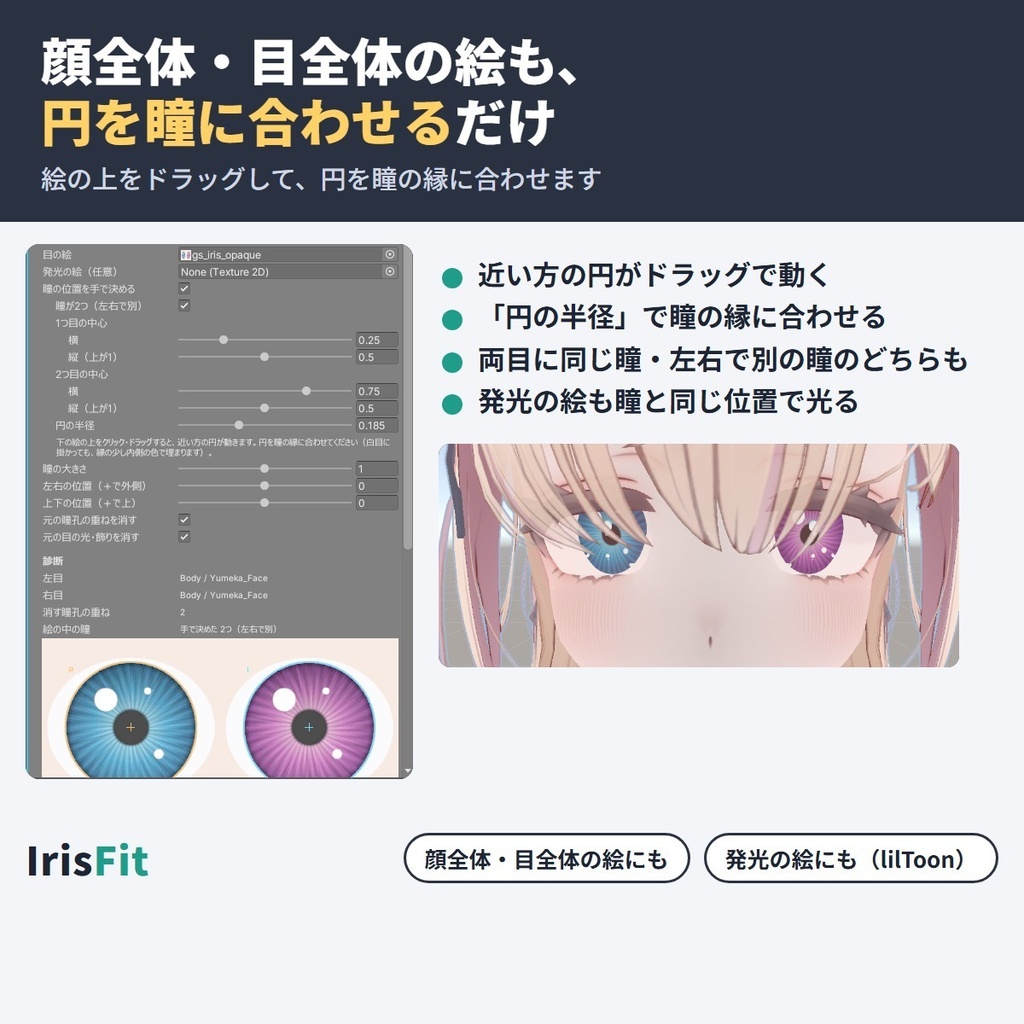
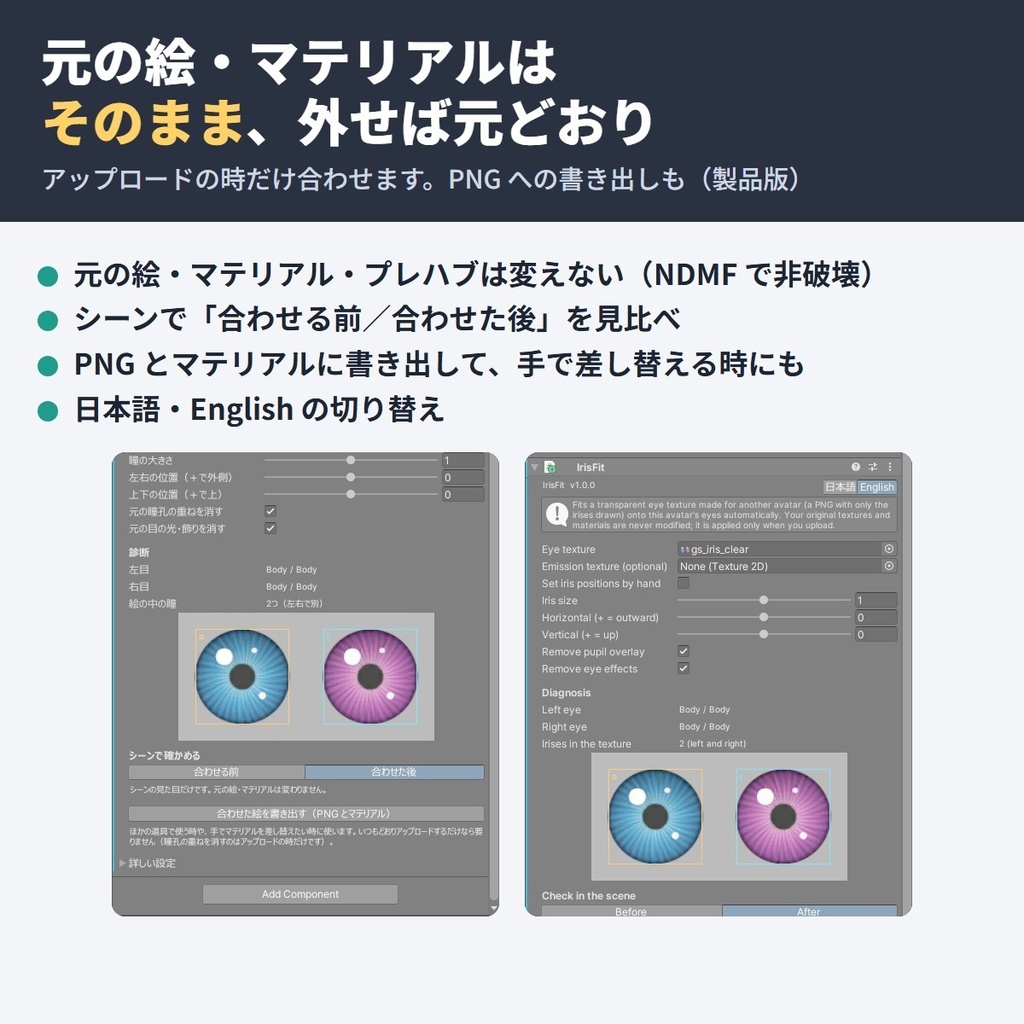
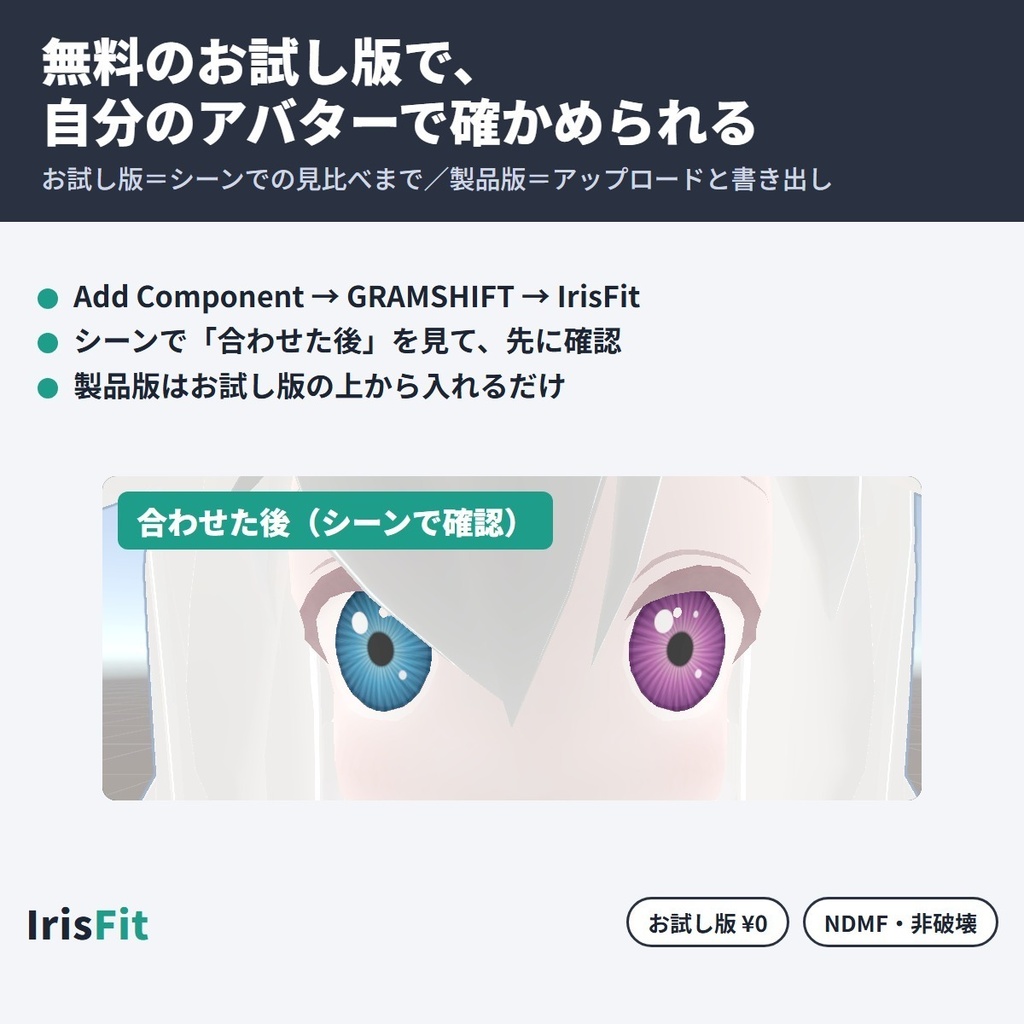


対応アバター以外向けの瞳テクスチャ(アイテクスチャ)も、いま使っている VRChat アバターの目に合わせて差し替えられる、NDMF 対応の非破壊 Unity エディタ拡張です。 瞳だけが描かれた透過の瞳テクスチャなら、入れるだけで瞳の位置と大きさを自動で合わせます。顔全体・目全体の絵も、円を瞳に合わせれば使えます。アバターの対応表はなく、目の骨(Humanoid の LeftEye / RightEye か Eye Look)が設定されたアバターで使えます。合わせた目はアップロードしたアバターにだけ入り、元の絵・マテリアルはそのまま残ります。 ■ できること ・対応アバター以外向けの瞳テクスチャも、自分のアバターの目に合わせて付ける(目の場所はアバターごとに自動で見つける) ・まわりが透明な目の絵は、絵の中の瞳・左目・右目を自動で見つけて「診断」に表示 ・左右で違う色の瞳も、それぞれの目へ(逆に付いた時は入れ替えのチェック1つ。左右の目が絵の同じ所を使うアバターを除く) ・顔全体・目全体の絵(瞳のまわりに白目や肌まで描かれた絵)も「瞳の位置を手で決める」で使える(絵の上をドラッグして円を瞳に合わせる) ・発光の絵(発光マスク)も、瞳と同じ位置に合わせて光らせる(lilToon) ・元の目にある暗い瞳孔の重ねや、目の光・反射は、瞳の所だけ自動で消す(残すこともできる) ・大きさ・左右・上下の位置をスライダーで微調整 ・シーンで「合わせる前」「合わせた後」を切り替えて、アップロード前に見比べられる ・元の絵・マテリアル・プレハブはそのまま。部品を外せば元どおり ・合わせた絵を PNG とマテリアルに書き出して、ほかの道具や手での差し替えにも使える ・日本語/English 切り替え ■ 使い方 1. unitypackage をプロジェクトに入れる 2. アバター(VRC Avatar Descriptor が付いた物)に「Add Component → GRAMSHIFT → IrisFit」を付ける 3. 「目の絵」に使いたい瞳テクスチャを入れ、「診断」とシーンの「合わせる前/合わせた後」で確かめる 4. いつもどおりアップロードする ■ 動作環境 ・Unity 2022.3(VRChat の推奨バージョン) ・VRChat SDK3 Avatars ・NDMF 1.14 以上(Modular Avatar 1.18 以上に含まれます) ・Humanoid の目の骨(LeftEye / RightEye)か Eye Look の目が設定されたアバター ・確認したアバター:ゆめか(Arka_X様)/フェリス(リュクらぼ様) ・確認したシェーダー:lilToon(ほかのシェーダーは未確認です。お試し版で先に確かめられます) ■ 無料お試し版 お試し版は、診断の表示と、シーンでの「合わせた後」の見比べまで使えます(アップロードしたアバターには反映されず、書き出しもできません)。自分のアバターと使いたい目の絵で合うかを先に確かめてから製品版をお選びください。製品版はお試し版の上から入れるだけで切り替わります。 ■ よくある質問 Q. 対応アバター以外に、ほかのアバター用の瞳テクスチャ(アイテクスチャ)を使えますか? A. 使えます。アバターの対応表はなく、目の骨が設定されたアバターなら、瞳の位置と大きさをそのアバターの目に合わせて付けます。使ってよいかは、その目の絵の規約を確かめてください。 Q. 瞳を差し替えたら位置がずれる・大きさが合わないのですが? A. 瞳の位置と大きさを自分のアバターの目に合わせて付け直します。「瞳の大きさ」「左右の位置」「上下の位置」で微調整でき、シーンの「合わせる前/合わせた後」で見比べられます。 Q. 顔全体のテクスチャ(瞳のまわりが透明でない絵)から瞳だけ使えますか? A. 使えます。「瞳の位置を手で決める」をオンにして、絵の上の円を瞳に合わせてください。 Q. 発光する瞳にできますか? A. 目の絵と同じ並びの発光マスクを「発光の絵」に入れると、瞳と同じ位置で光ります(目のマテリアルが lilToon の時)。 Q. 元のアバターのデータは変わりますか? A. 変わりません。合わせた目はアップロードしたアバターにだけ入ります。部品を外せば元どおりです。 Q. 合わせた絵を、ファイルとして手元に残せますか? A. 製品版の「合わせた絵を書き出す」で、PNG とマテリアルに書き出せます。 ■ 制限 ・使う目の絵の規約に従ってください(ほかのアバターで使ってよいかは、その絵の作者が決めています)。書き出した絵も元の絵の規約に従います ・目の骨で動かない目は対象外です ・元の目の絵の、瞳の所に描かれていたハイライトは新しい瞳に置き換わります ・元の目の絵で瞳と白目がひと続きに描かれているアバターは、白目の所も瞳の色で埋まることがあります ・左右の目が絵の同じ所を使うアバター(両目で1つの目の絵を共有する作り)は、左右で違う瞳にできず、両目とも同じ瞳になります(「診断」に出ます。どちらの瞳にするかは選べます) ・白目と瞳が別々の面に分かれている目は、白目の面に瞳が付くことがあります ・lilToon の 2nd / 3rd メインカラーに描かれた瞳は置き換えません ・絵の中で瞳どうしが重なって描かれている時は、自動では1つの瞳として扱います(「瞳の位置を手で決める」で使えます) ・手で決めた円の縁の少し内側までで瞳を取ります ・発光は lilToon の時だけです ・目のマテリアルの絵のタイリング・オフセットは初期値を前提にしています ・「元の瞳孔の重ねを消す」がオンの時、同じメッシュを変えるほかの道具とは、シーンの仮表示で一方しか映らないことがあります(アップロードでは両方入ります) ・IrisFit はアバター1体に1つだけ付けてください ■ 困った時は このページの「ショップへのお問い合わせ」から気軽にどうぞ(アバター名と表示されたエラーの文があると早く調べられます)。 --- Fits an eye (iris) texture made for another VRChat avatar onto the eyes of the avatar you use, as a non-destructive NDMF Unity editor extension. No supported-avatar list: it works on any avatar with eye bones. Iris-only transparent textures are matched automatically; for whole-face/eye textures, set circles by hand. Applied only to the uploaded avatar. Features - Transparent eye textures: the irises and left/right eyes are found automatically and shown in "Diagnosis" - Different left and right irises go to their own eyes (one checkbox swaps them; not on avatars whose eyes share one part of the texture) - Textures that are not transparent (whole face / whole eye): "Set iris positions by hand" and drag circles onto the irises - Emission mask fitted to the same place as the irises (lilToon) - The original dark pupil overlay and eye effects are cleared only on the irises (you can keep them) - Size, horizontal and vertical sliders for fine tuning - Before/After toggle in the Scene to compare before uploading - Non-destructive: your textures, materials and prefabs stay untouched; remove the component to undo - Export the fitted textures as PNG plus material for other tools or manual swapping - Japanese / English UI How to use 1. Import the unitypackage into your project 2. On your avatar (the object with VRC Avatar Descriptor), Add Component → GRAMSHIFT → IrisFit 3. Set the eye texture you want in "Eye texture" and check it with "Diagnosis" and Before/After in the Scene 4. Upload as usual Requirements: Unity 2022.3, VRChat SDK3 Avatars, NDMF 1.14+ (included in Modular Avatar 1.18+), Humanoid eye bones (LeftEye / RightEye) or Eye Look eyes. Tested avatars: Yumeka (Arka_X), Felis (リュクらぼ). Tested shader: lilToon (others not tested; check with the free trial first). Free trial: Diagnosis and the After preview in the Scene; not applied to the uploaded avatar and no export. Install the full version on top to unlock it. FAQ Q. Can I use an iris texture made for another avatar on an avatar that is not on its supported list? A. Yes. There is no supported-avatar list; the irises are fitted to any avatar with eye bones. Check the eye texture's terms. Q. After swapping the iris, it is off-center or the wrong size. Can this fix it? A. It refits the iris position and size to your avatar's eyes; fine-tune with the sliders and compare Before/After. Limitations: follow the eye texture's terms (exported textures too). Eyes not moved by eye bones are not covered. Highlights inside the original iris are replaced. If the original iris and white are drawn as one piece, the white may be filled too. If both eyes share one part of the texture, both get the same iris (shown in Diagnosis; you choose which). Eyes with the white and iris on separate faces may get the iris on the white. Irises in lilToon 2nd/3rd main color are not replaced. Overlapping irises are treated as one in automatic mode (use "by hand"). A hand-set circle takes the iris from just inside its edge. Emission is lilToon only. Texture tiling/offset is assumed default. With "Remove pupil overlay" on, another tool changing the same mesh may not show in the scene preview (both apply at upload). One IrisFit per avatar. Need help? Contact the shop from this page (include your avatar name and any error message shown).
利用規約
・VRChat などで使うアバターの改変に、個人・商用を問わず使えます ・このツールを使って作ったアバターの販売に制限はありません(使った目の絵・アバターの規約には従ってください) ・ツールそのもの(ファイル)の再配布・転売はできません ・同梱の「利用規約_Terms.txt」が正です Terms (summary): you may use it to modify avatars for VRChat etc., for personal or commercial use; avatars made with it can be sold without restriction (follow the terms of the eye texture and avatar you use); the tool files may not be redistributed or resold. The included "利用規約_Terms.txt" is authoritative.
更新履歴
1.0.0(2026-10)公開 1.0.0 (2026-10) released