

【VRChatワールド向け】HEZ Kiosk|アールデコ調のドリンク注文端末(モデル単体/注文システム同梱)
- モデル単体|Model EditionDigital200 JPY
- モデル+注文システム|Counter Service EditionDigital500 JPY


HEZ Kiosk | HEZ STUDIO v0.1.0
【日本語】
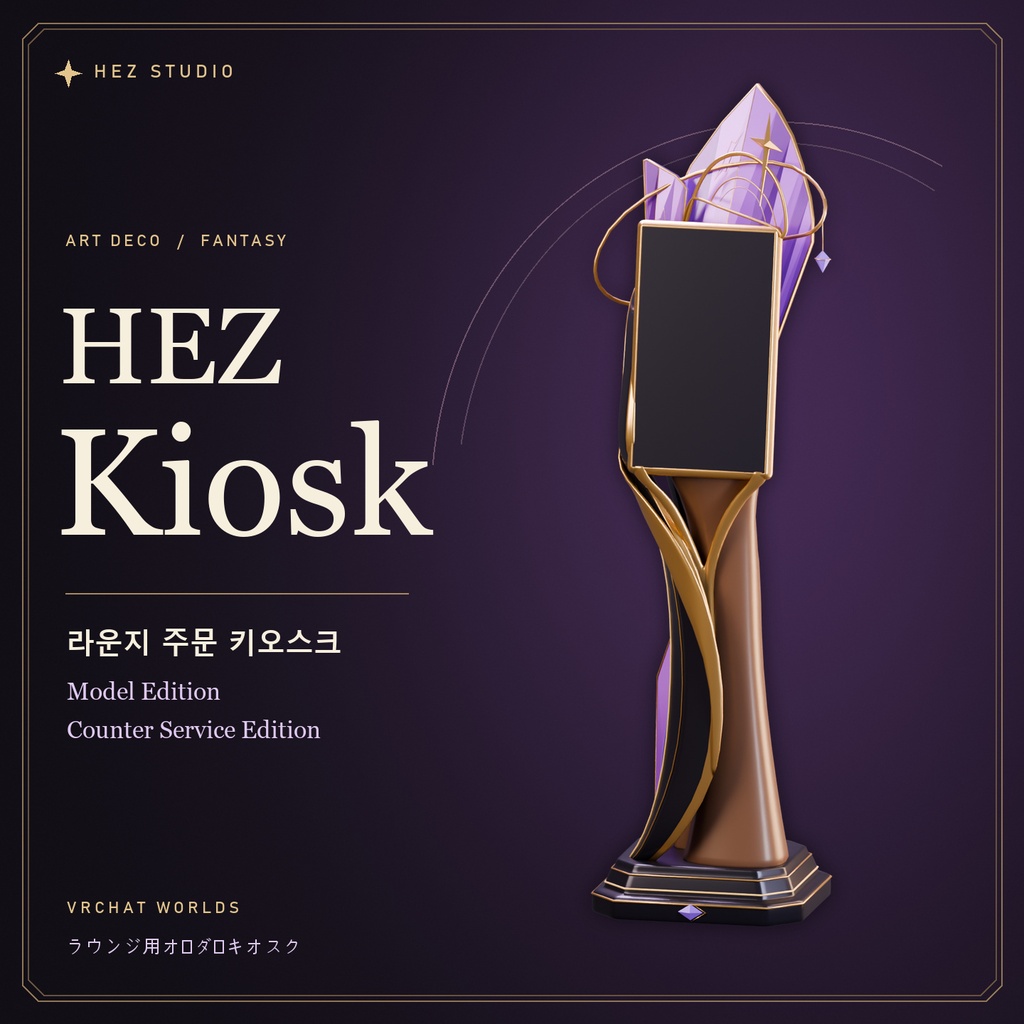
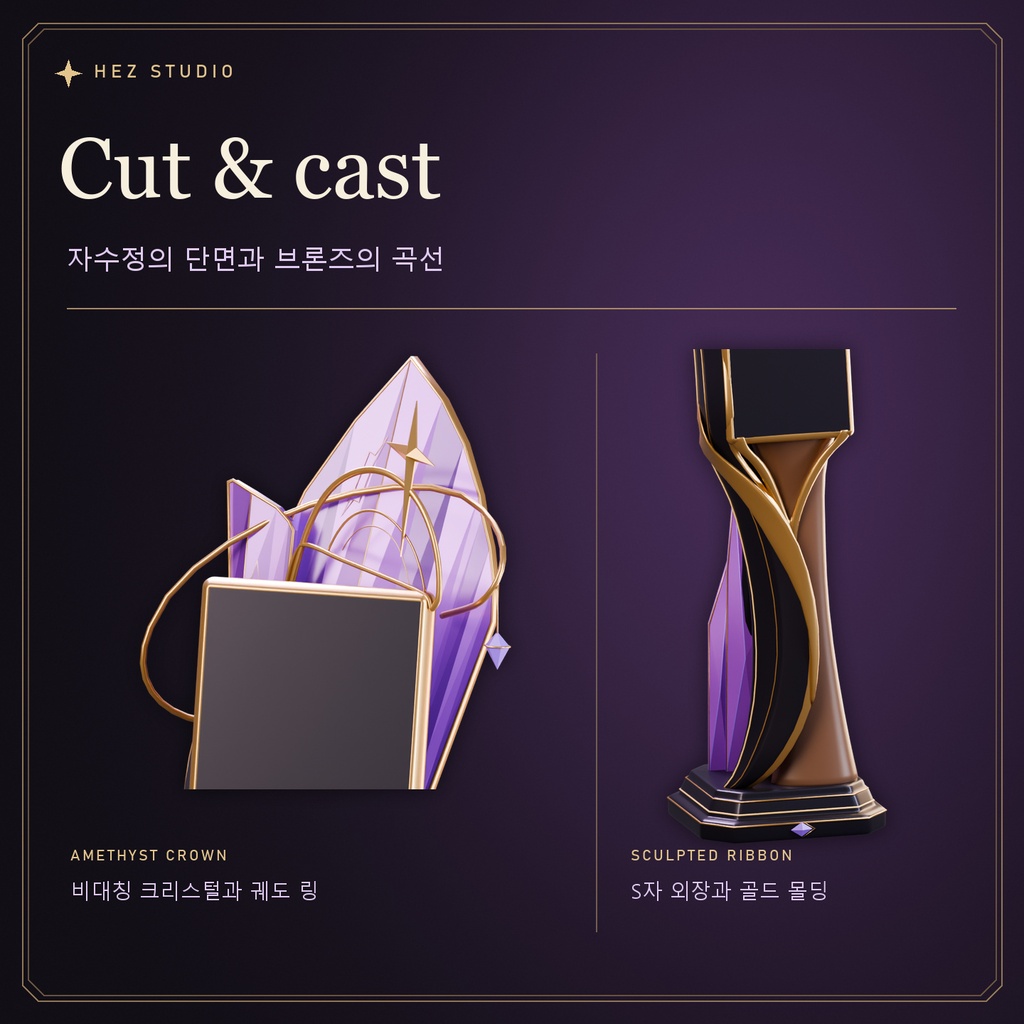
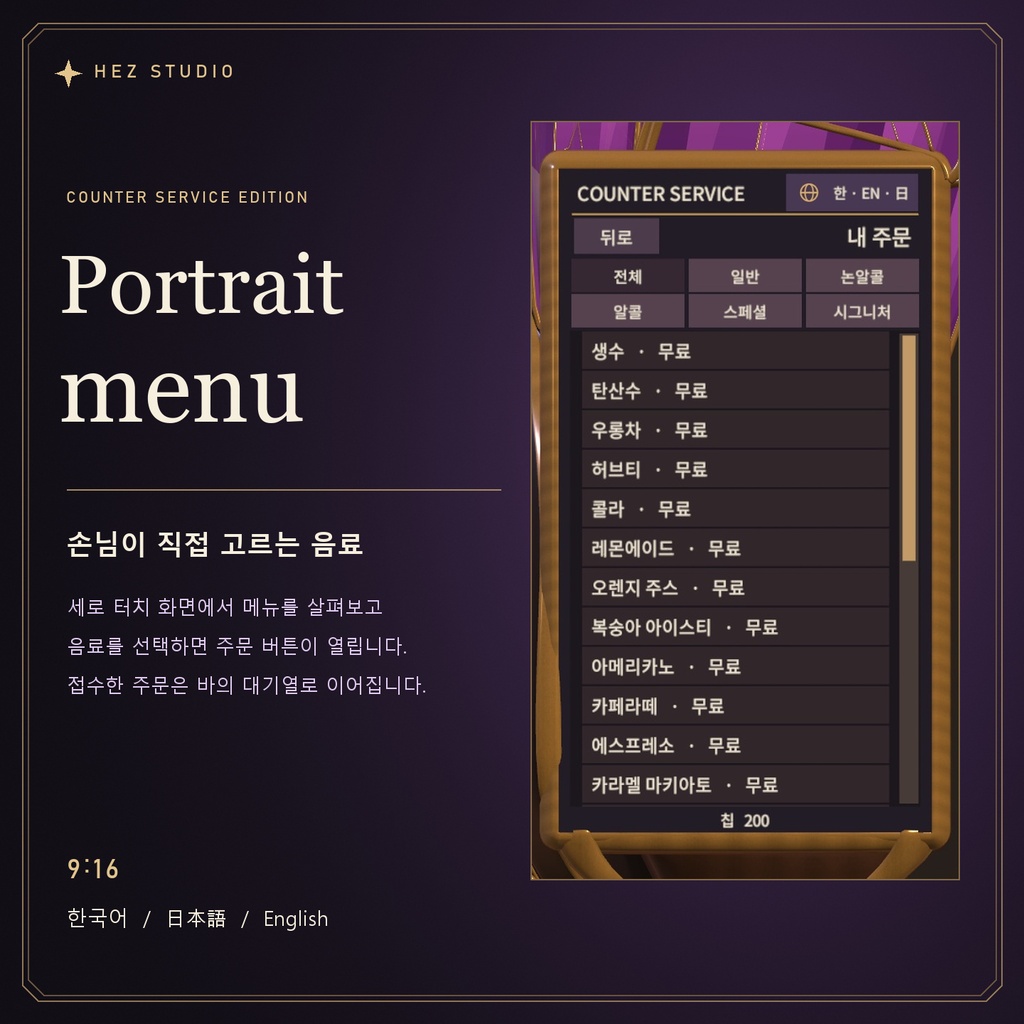
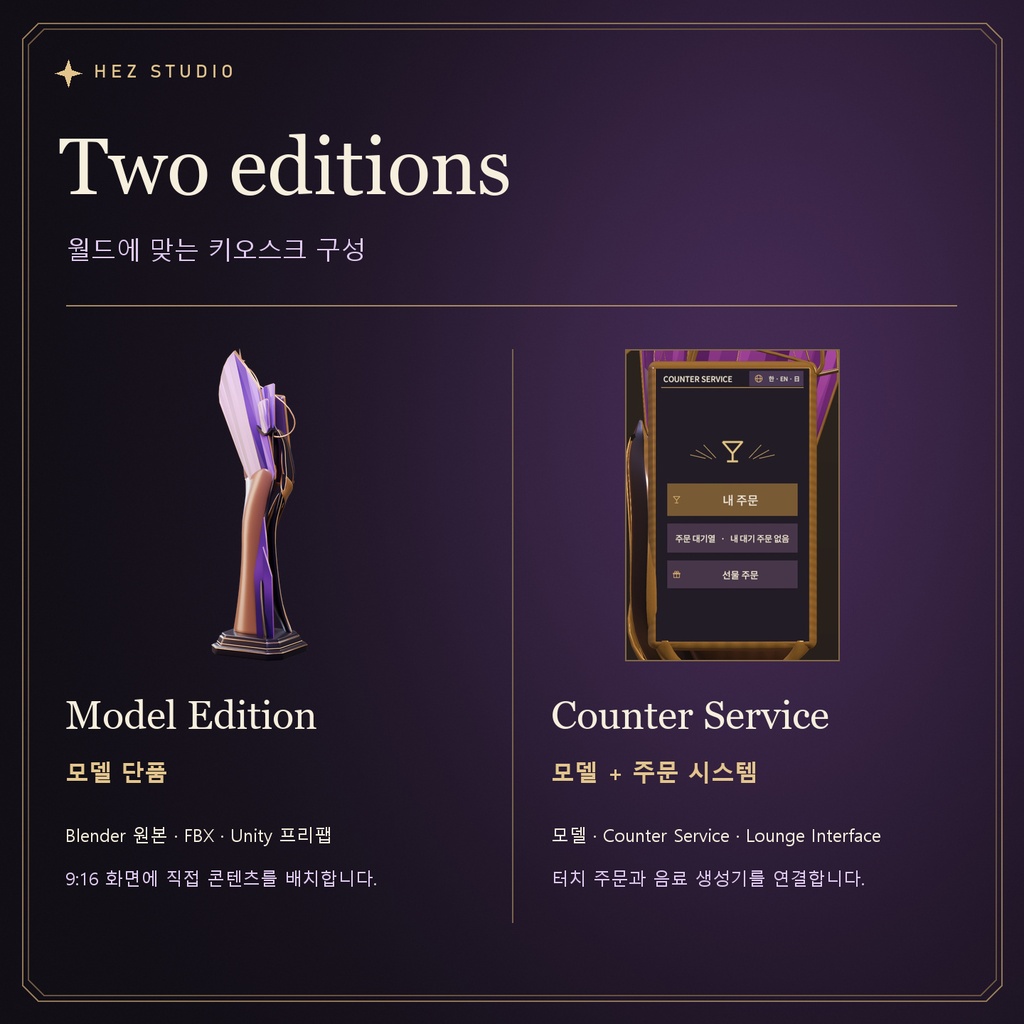
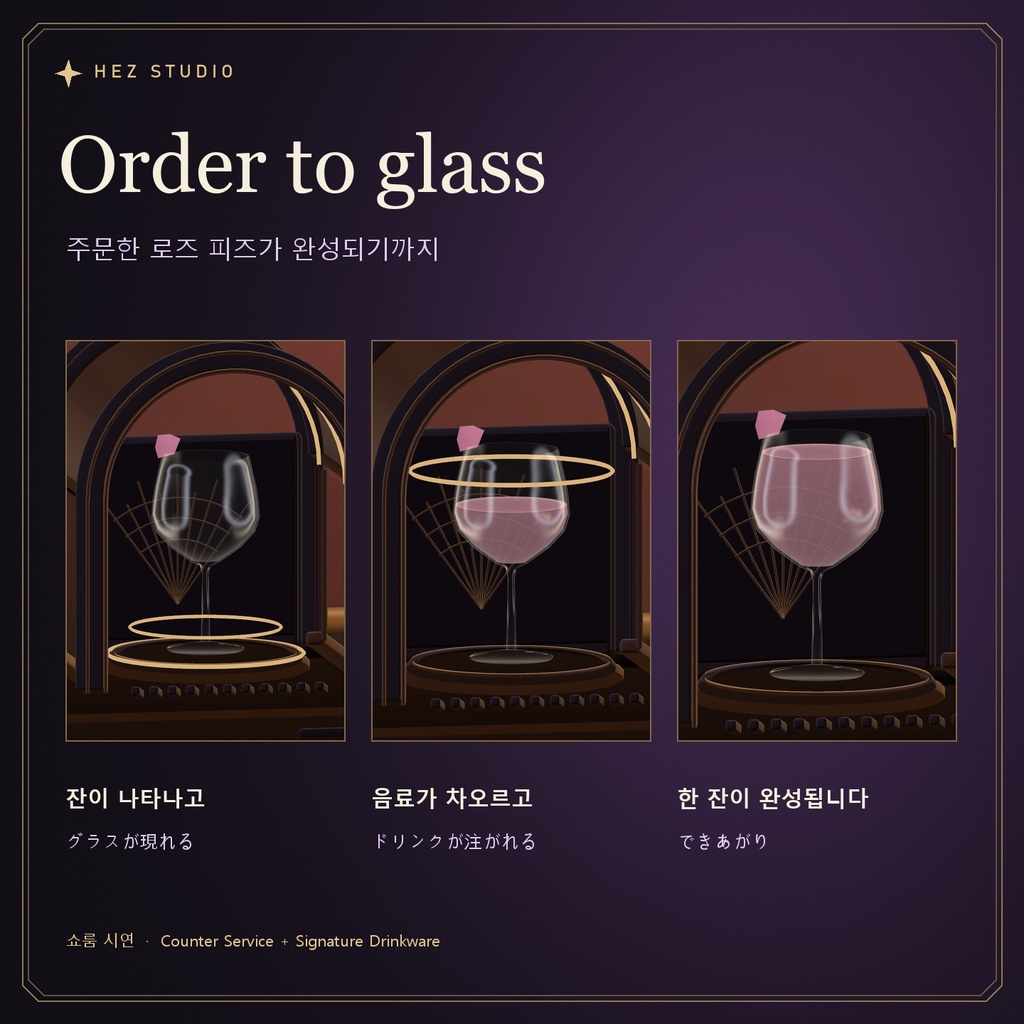
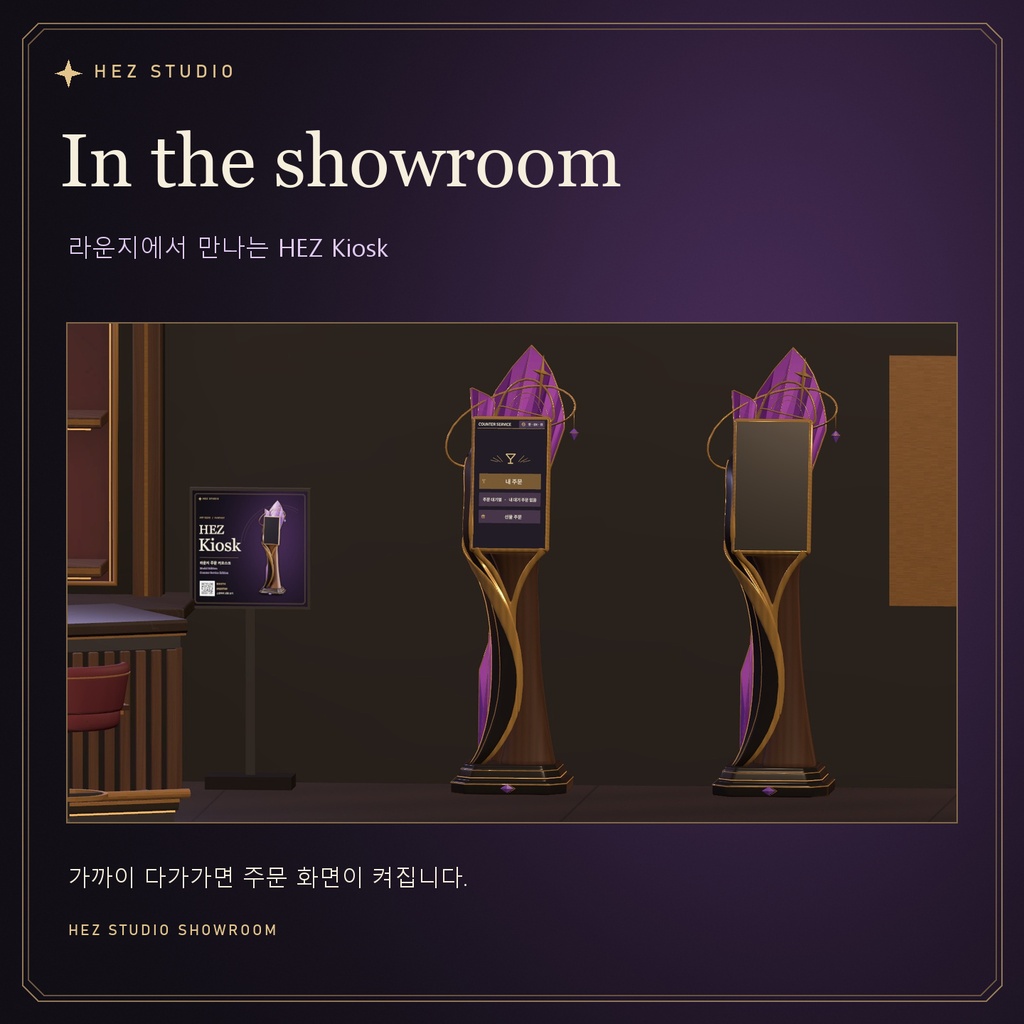
紫水晶の翼を背に、幅広い黒のリボンが足元からS字を描き、画面の左側を包み込みます。細いブロンズゴールドの縁と宙に浮かぶリングをあしらった、VRChatのバーやカジノラウンジ向けのアールデコ調キオスクです。 ■ エディションをお選びください 【モデル単体|Model Edition — ¥200】 キオスクの筐体モデルです。案内板やメニュースタンドとして使いたい方、すでにCounter Serviceをお持ちの方におすすめです。画面は無地で、ScreenAnchorにお好みのロゴやメニューを載せたWorld Space Canvasを取り付けられます。 ・設置用Unityプレハブ、FBX、マテリアル、テクスチャ ・編集用Blenderファイル。リボン、画面枠、クリスタルなどを個別に編集できます。 【モデル+注文システム|Counter Service Edition — ¥500】 モデル単体版の全内容に、Counter Service v0.1.1、Lounge Interface v0.1.1、接続済みのプレハブが付属します。新しく注文カウンターを作る場合は、このエディションひとつで設置できます。 正面から近づくと縦型のタッチメニューが開きます。お客様がドリンクを選んで注文すると、バーのスタッフ端末に注文番号と受取人が表示されます。スタッフが注文を選んで準備を確定すると、受け渡し台でグラスにドリンクが注がれます。そのままお客様の席まで運んで手渡せます。 ・注文画面は日本語・韓国語・英語に対応 ・基本グラス2種類を収録。別売のSignature Drinkwareを導入すると、25種類のドリンクメニューを利用できます。 ■ すでにCounter ServiceやFull版をお持ちの方へ Counter Service単品をお持ちの方は、Lounge Interface v0.1.1、Counter Service v0.1.1の順に更新し、キオスクは「モデル単体」をお選びください。Salon HEZ Casino Lounge Full v0.1.1には両モジュールが含まれています。 既存のバーに追加するには、シーン内でモデルのScreenAnchorと接続先のCounter Serviceを選択し、GameObject → HEZ STUDIO → Connect kiosk screen を実行します。同じカウンターにつないだ座席のタブレットとキオスクは、メニュー、お客様ごとのチップ残高、注文待ちリストを共有します。
【한국어】
자수정 날개 앞에서 넓은 검은 리본이 바닥부터 S자로 올라와 화면 왼쪽을 감쌉니다. 리본 가장자리를 따라 흐르는 브론즈 골드와 공중에 떠 있는 링이 특징인, VRChat 바와 카지노 라운지용 아르데코 키오스크입니다. ■ 에디션 선택 【모델 단품|Model Edition — ¥200】 키오스크를 안내판이나 메뉴 스탠드로 쓰거나, 이미 운영 중인 Counter Service에 주문 단말기를 추가할 때 선택하세요. 화면은 비어 있어 ScreenAnchor에 원하는 로고나 메뉴를 담은 World Space Canvas를 붙일 수 있습니다. ・Unity 배치용 프리팹, FBX, 머티리얼, 텍스처 ・편집용 Blender 파일. 리본, 화면 프레임, 크리스털 등을 개별적으로 수정할 수 있습니다. 【모델+주문 시스템|Counter Service Edition — ¥500】 모델 단품의 전체 구성과 Counter Service v0.1.1, Lounge Interface v0.1.1, 연결이 끝난 프리팹이 들어 있습니다. 새 주문대를 만드는 경우 이 에디션 하나로 설치할 수 있습니다. 손님이 정면으로 다가가면 세로형 터치 메뉴가 켜집니다. 음료를 골라 주문하면 바 안쪽의 직원 단말기에 주문 번호와 수령인이 표시됩니다. 직원이 주문을 선택해 제조를 확정하면 수령대에서 잔에 음료가 채워집니다. 완성된 잔을 손님의 자리까지 가져가 직접 건넬 수 있습니다. ・한국어·일본어·영어 주문 화면 ・기본 잔 2종 제공. 별도 상품인 Signature Drinkware를 연결하면 음료 메뉴 25종을 사용할 수 있습니다. ■ 기존 Counter Service·Full판 구매자 Counter Service 단품 구매자는 Lounge Interface v0.1.1 → Counter Service v0.1.1 순으로 업데이트한 뒤 키오스크는 Model Edition을 선택하세요. Salon HEZ Casino Lounge Full v0.1.1에는 두 모듈이 모두 들어 있습니다. 기존 바에 추가할 때는 씬에서 모델의 ScreenAnchor와 주문을 받을 Counter Service를 함께 선택하고 GameObject → HEZ STUDIO → Connect kiosk screen을 실행하세요. 같은 카운터에 연결한 좌석 태블릿과 키오스크는 메뉴, 손님별 칩 잔액, 주문 대기열을 공유합니다.
【English】
A broad black ribbon sweeps up from the base and around the left edge of the display. Amethyst wings fan out behind it, framed by bronze-gold trim and suspended rings. This Art Deco kiosk is designed for VRChat bars and casino lounges. ■ Choose your edition 【Model Edition — ¥200】 Choose the model for a welcome sign, a menu stand, or an extra terminal for a bar that already uses Counter Service. The display is blank and has a ScreenAnchor for a World Space Canvas with your own logo or menu. ・Unity placement prefab, FBX, materials and textures ・Editable Blender file with separate meshes for the ribbon, display frame, crystals and other details 【Counter Service Edition — ¥500】 Includes everything in the Model Edition, plus Counter Service v0.1.1, Lounge Interface v0.1.1 and a prewired prefab. Choose this edition to set up a new ordering station with a single package. Approach the kiosk from the front to bring up the portrait touch menu. When a guest places an order, the staff terminal behind the bar shows the order number and recipient. A staff member selects the order and confirms preparation. The glass fills at the pickup station, ready to carry to the guest’s seat. ・Ordering UI in Japanese, Korean and English ・Two house glass styles included. The optional Signature Drinkware adds a 25-drink menu. ■ Already own Counter Service or the Full world? If you own the standalone Counter Service, update Lounge Interface to v0.1.1 first, then Counter Service to v0.1.1, and choose the Model Edition. Salon HEZ Casino Lounge Full v0.1.1 already includes both modules. To connect the kiosk to your existing bar, select the model’s ScreenAnchor and the receiving Counter Service in the scene, then choose GameObject → HEZ STUDIO → Connect kiosk screen. Tablets and kiosks connected to the same counter share the menu, each guest’s chip balance and the order queue.
-
■ 仕様 / 사양 / Specifications 画面 / 화면 / Active display 36 × 64 cm · 9:16 画面中心の高さ / 화면 중심 높이 / Display center above floor 1.53 m Unity 2022.3.22f1 · Built-in Render Pipeline · Windows PC Counter Service Edition VRChat Worlds SDK 3.10.6 ■ ダウンロード / 다운로드 / Downloads Model Edition HEZ-Kiosk-Model-v0.1.0.zip Counter Service Edition HEZ-Kiosk-CounterService-v0.1.0.zip ■ 体験ワールド / 체험 월드 / Try it in VRChat HEZ STUDIO Showroom https://vrchat.com/home/world/wrld_8dc07153-88d5-438d-ab46-836c83c45518