

Callbell System 【呼び出しテーブルが分かるベルシステム】
- Digital1,500 JPY
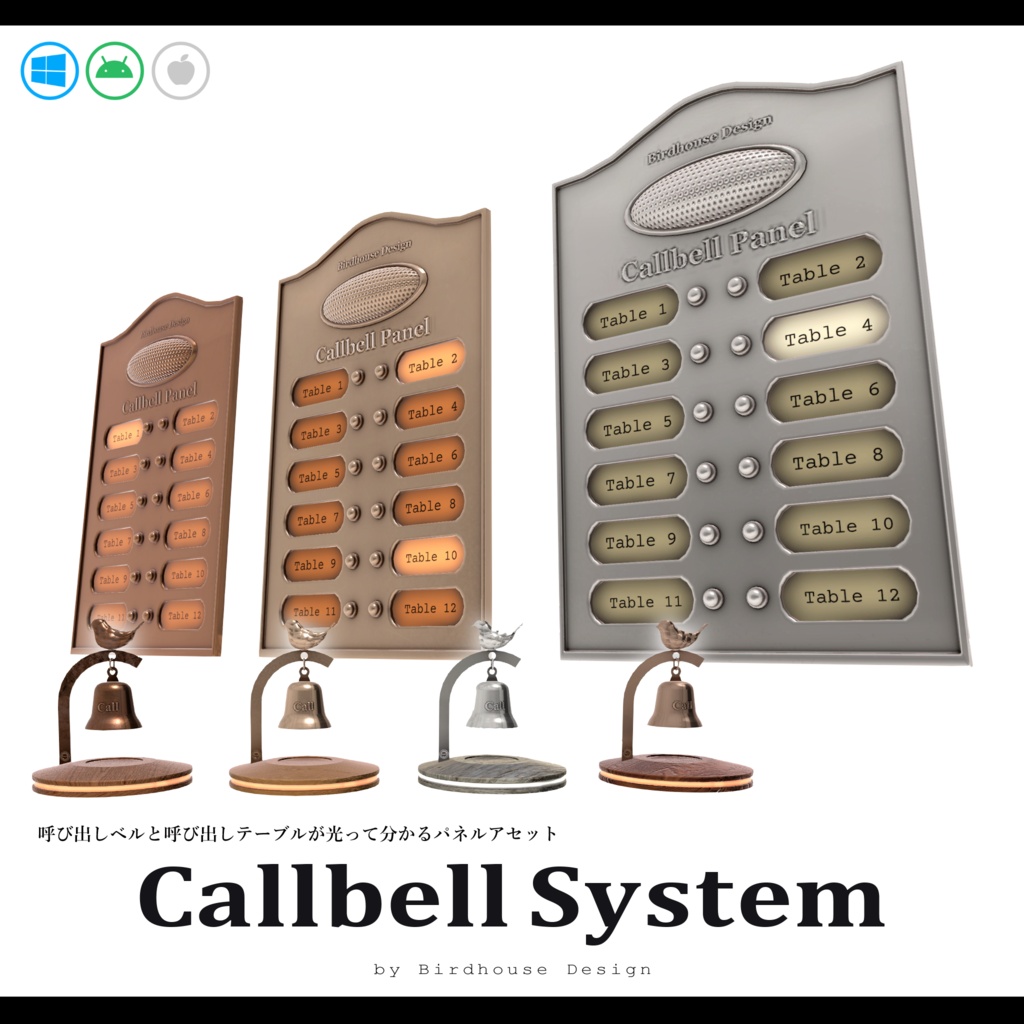
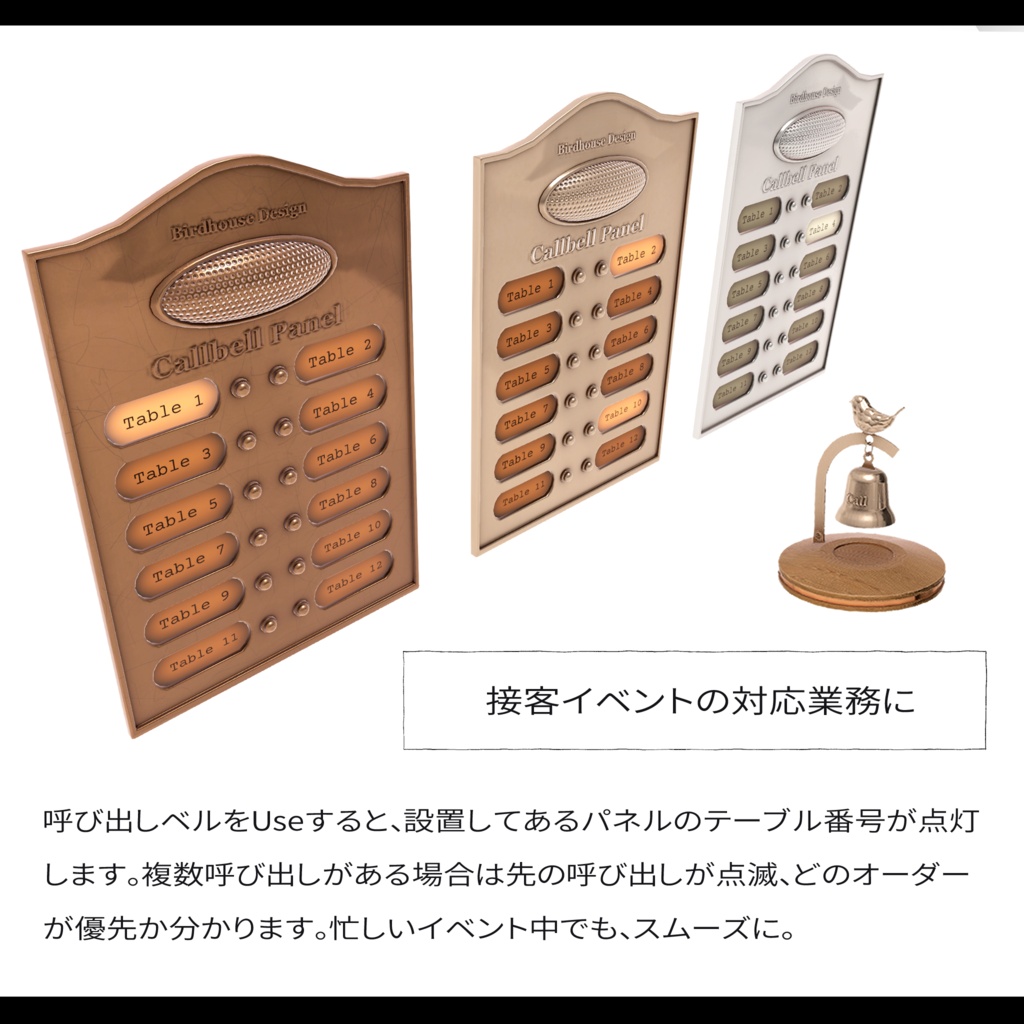
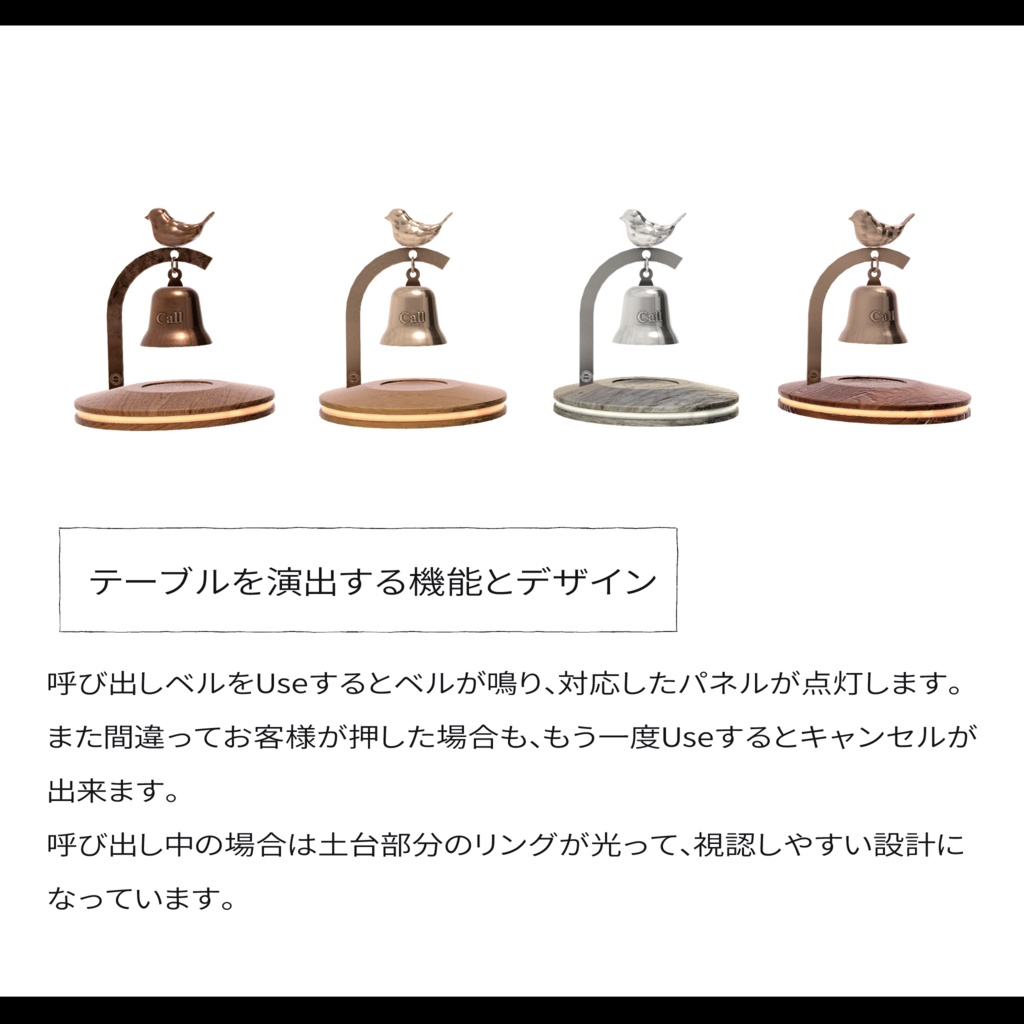
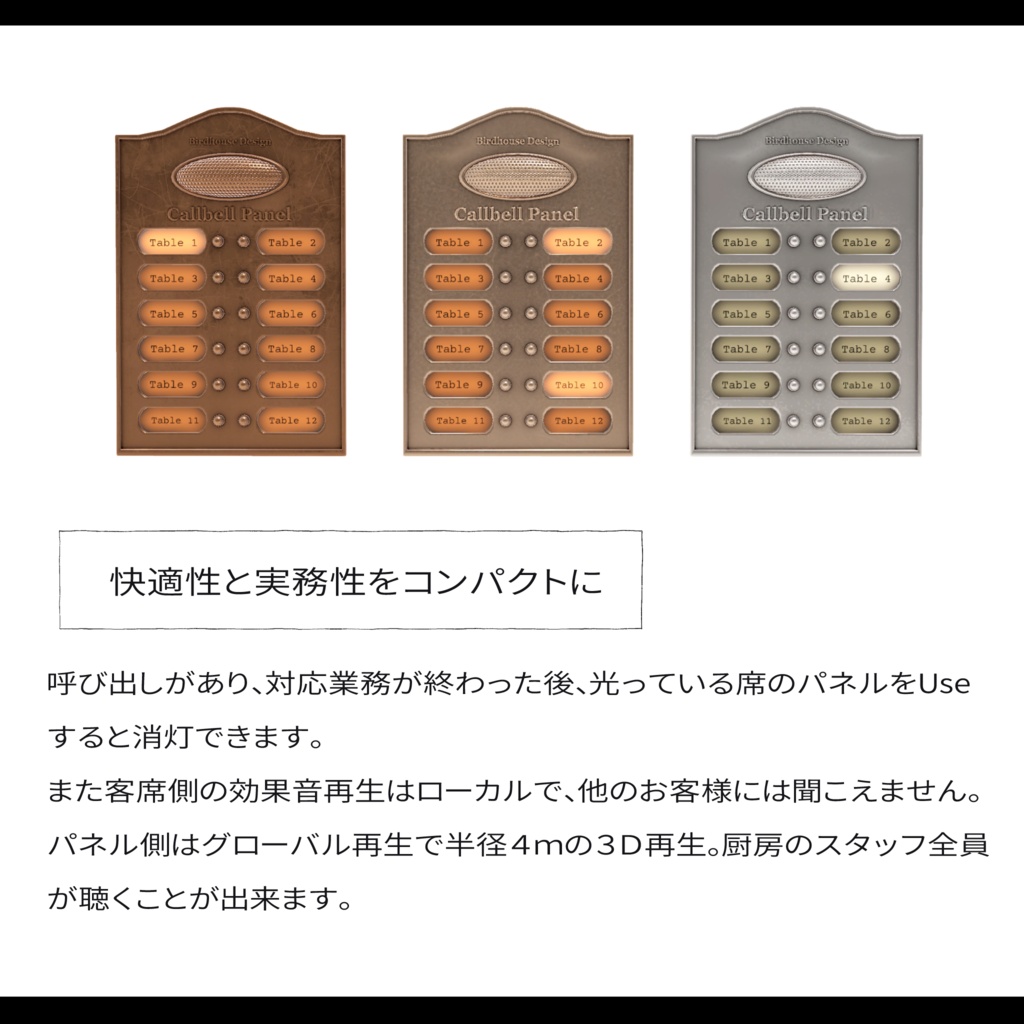
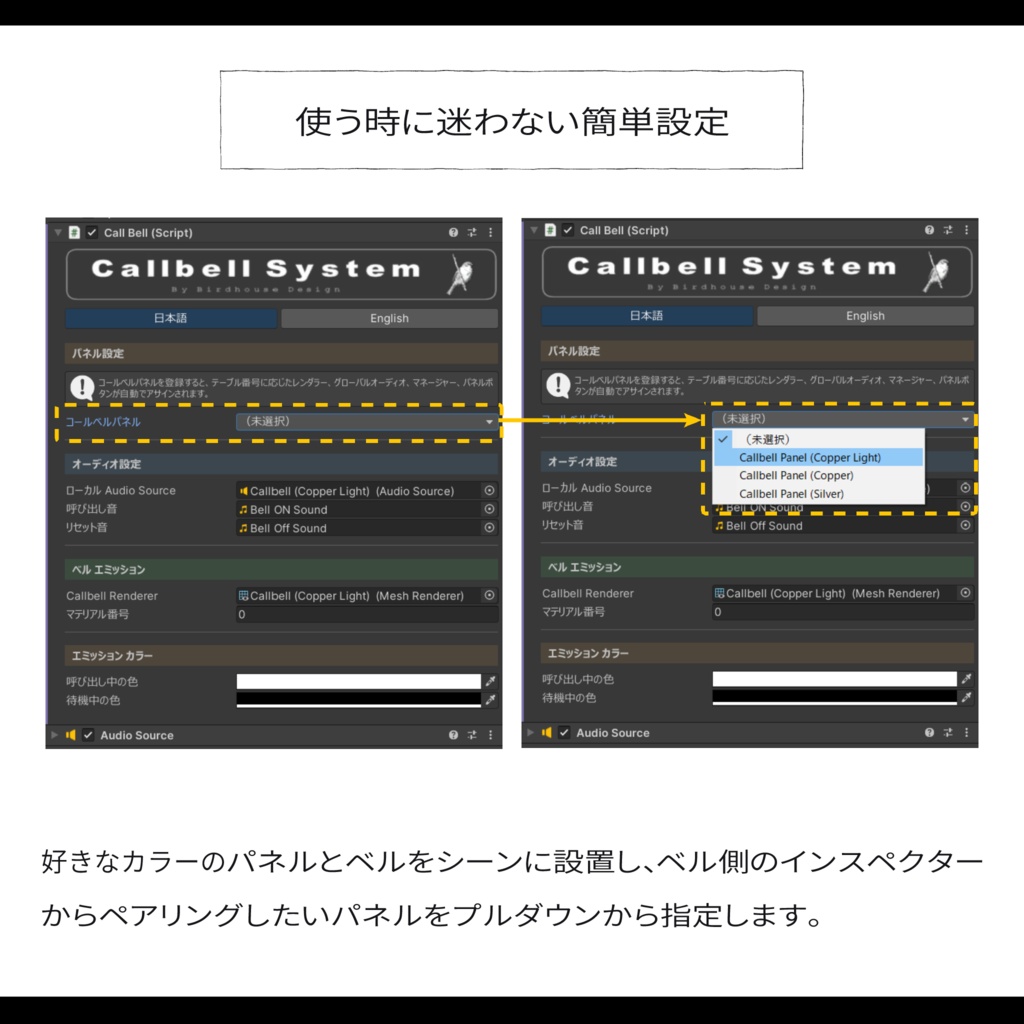
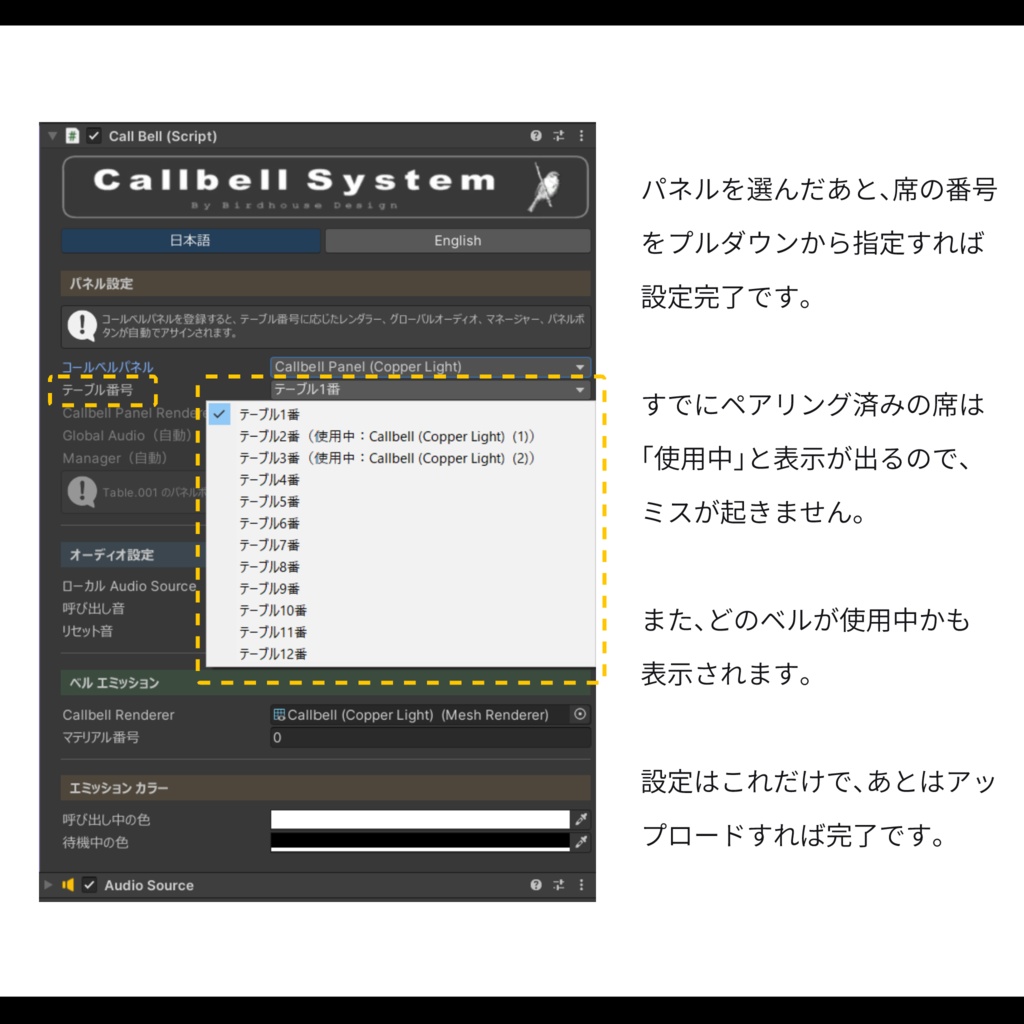
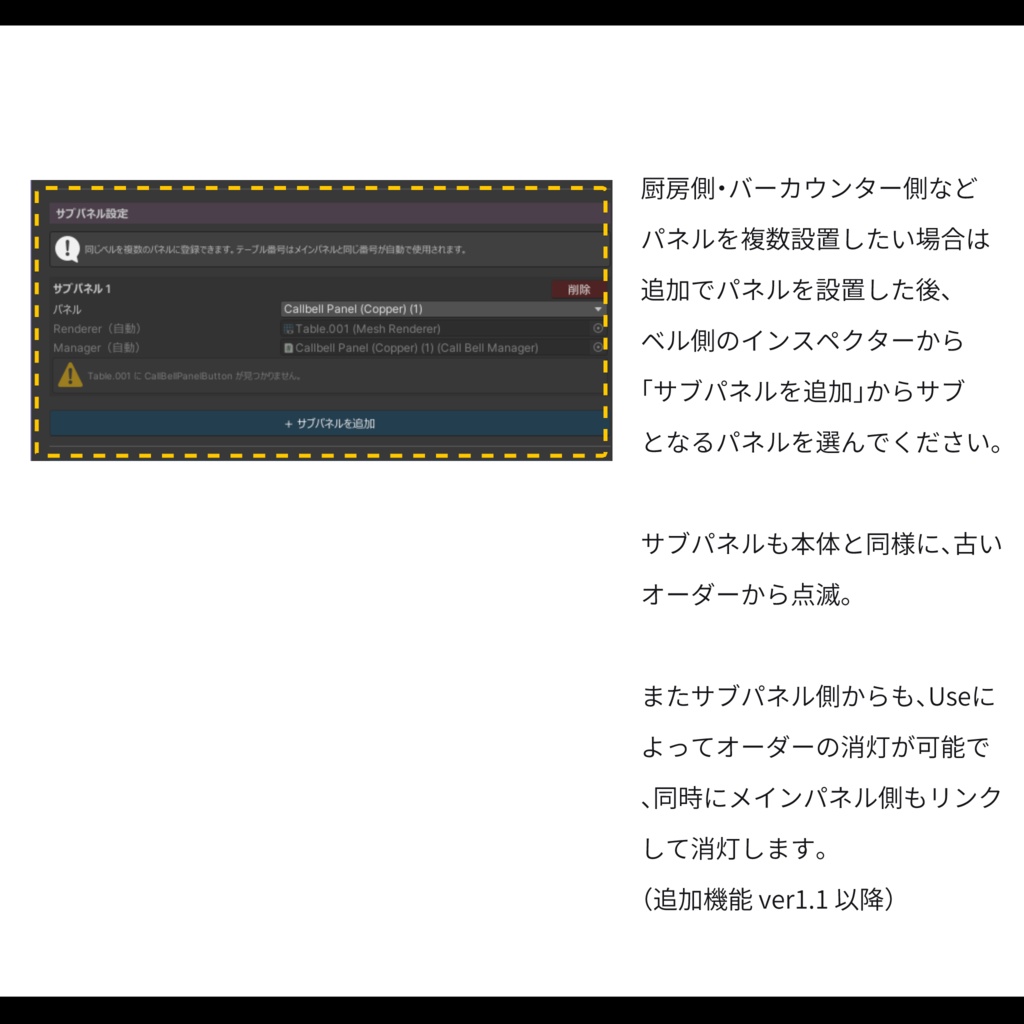
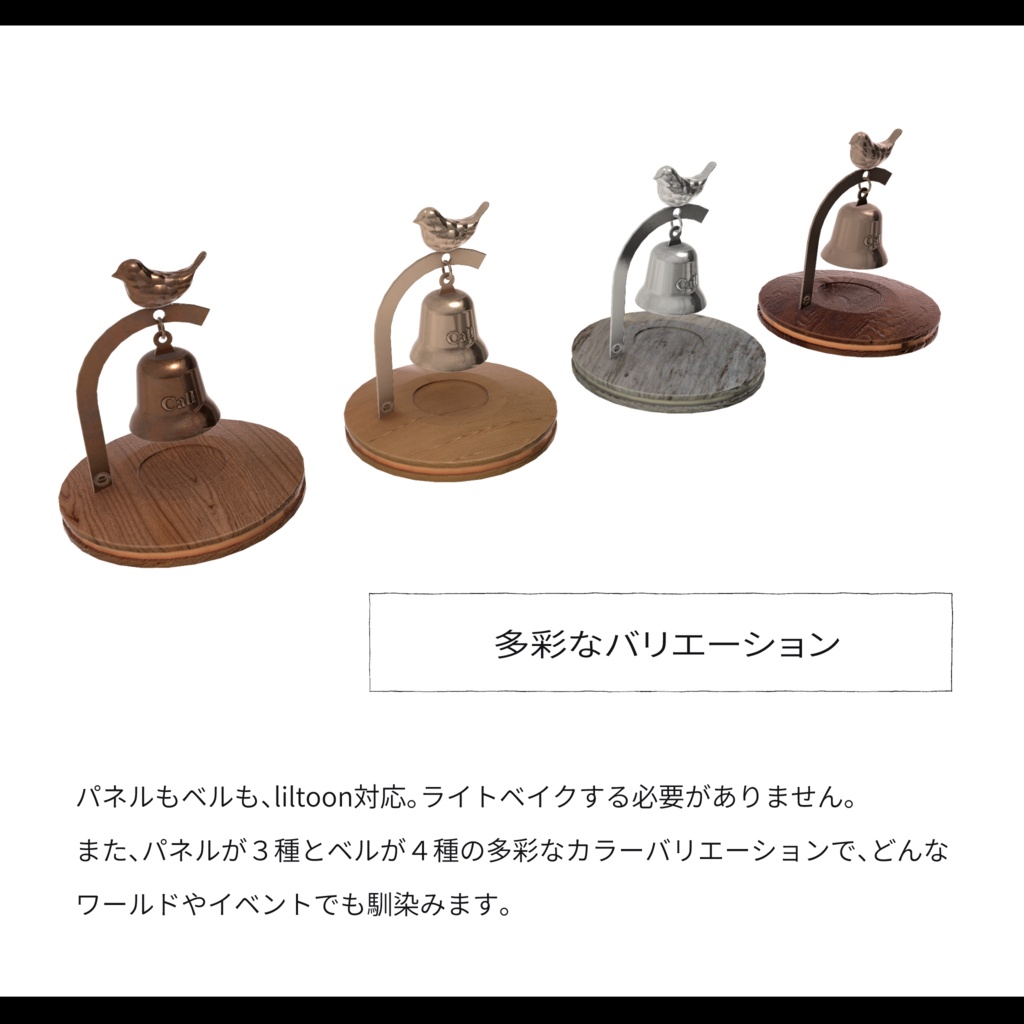
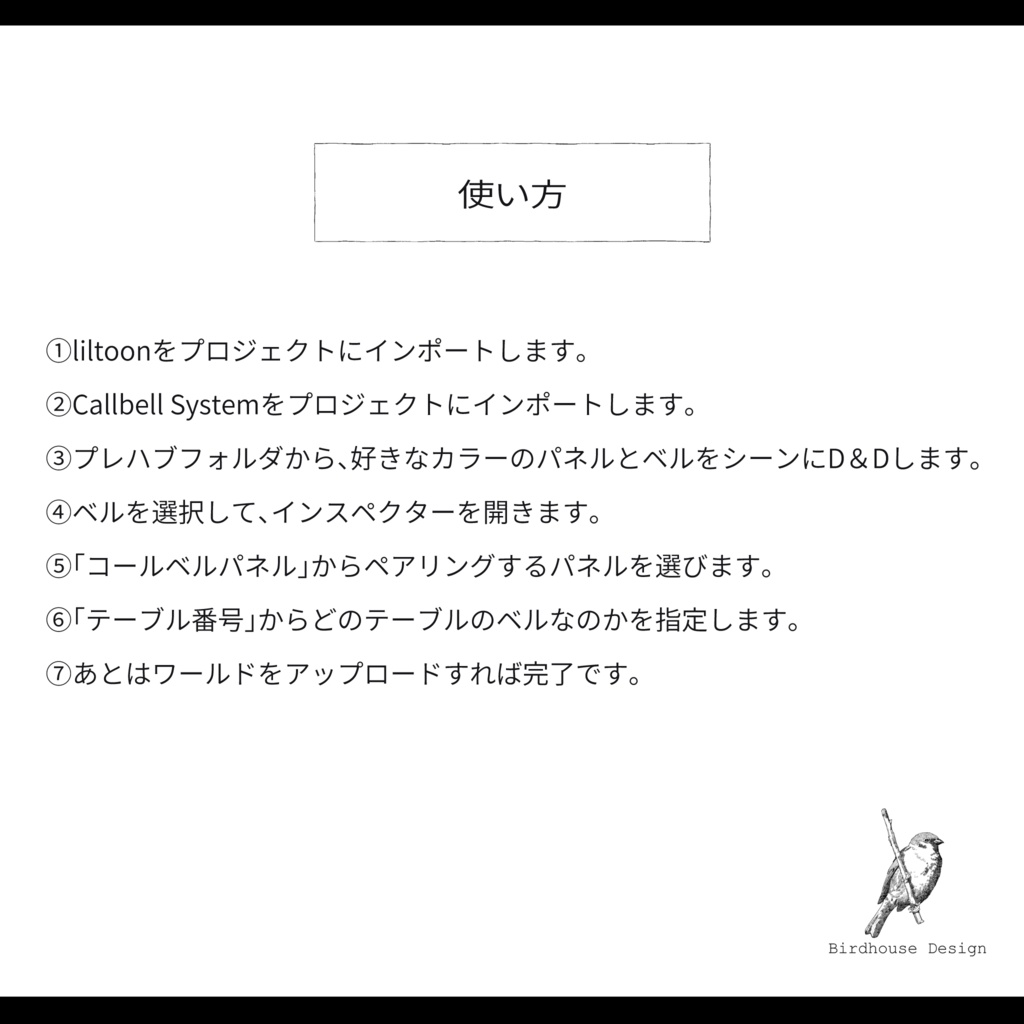


【Callbell System】 接客イベントの呼び出し業務をスムーズにする、ベルとパネルのセットです。 お客様がベルをUseすると、厨房やスタッフエリアに設置したパネルの対応テーブルが点灯。複数の呼び出しがある場合は、最も古い呼び出しが点滅して優先順位が一目で分かります。 対応が終わったら、パネル側をUseして消灯。お客様が間違えて押した場合も、もう一度ベルをUseすればキャンセルできます。 ベル側の効果音はローカル再生で、他のお客様には聞こえません。パネル側はグローバル3D再生で、近くにいるスタッフ全員に届きます。 設定はベルのインスペクターからパネルとテーブル番号をプルダウンで選ぶだけ。使用済みのテーブル番号は「使用中」と表示されるので、設定ミスが起きにくい設計です。日本語・英語の両対応エディターを搭載しています。 ーーーーーーーーーーーーーーーーーーーーーーーーーーーー 【内容物】 ・呼び出しベル × 4色(Copper / Copper Light / Gold / Silver) ・Callbell Panel × 3色(Copper / Gold / Silver) ・効果音 × 2種(ON / OFF) ・UdonSharpスクリプト一式(CallBell / CallBellManager / CallBellPanelButton) ・カスタムエディター(日本語・英語対応) ーーーーーーーーーーーーーーーーーーーーーーーーーーー 【主な機能】 ・ベルをUseで呼び出し、もう一度Useでキャンセル ・パネル側Useでスタッフが消灯 ・複数呼び出し時の点滅による優先順位表示(間隔はインスペクターで調整可能) ・ローカル/グローバル3Dオーディオの使い分け ・テーブル番号の重複防止機能 ・パネルとベルの自動ペアリング ーーーーーーーーーーーーーーーーーーーーーーーーーーー 【カラーバリエーション】 ベル4色 × パネル3色を自由に組み合わせできます。 ーーーーーーーーーーーーーーーーーーーーーーーーーーー 【動作環境】 liltoon 対応 PC / Android / iOS 対応 ※本アセットはUnity2022.3.22f1で制作されています。 ーーーーーーーーーーーーーーーーーーーーーーーーーー 【使用アセット】 商品名 :liltoon 権利者様:lilLab URL:https://booth.pm/ja/items/3087170 ーーーーーーーーーーーーーーーーーーーーーーーーーー 【使い方】 ①lilToonをプロジェクトにインポートします。 ②Callbell Systemをプロジェクトにインポートします。 ③プレハブフォルダから、好きなカラーのパネルとベルをシーンにD&Dします。 ④ベルを選択して、インスペクターを開きます。 ⑤「コールベルパネル」からペアリングするパネルを選びます。 ⑥「テーブル番号」からどのテーブルのベルなのかを指定します。 ⑦あとはワールドをアップロードすれば完了です。 【Callbell System】 A bell and panel set designed to streamline customer service operations at hospitality events. When a guest Uses the bell, the corresponding table lights up on a panel installed in the kitchen or staff area. If multiple tables are calling at once, the oldest call blinks to indicate priority at a glance. Once service is complete, staff can Use the panel to turn off the light. If a guest presses the bell by mistake, they can Use it again to cancel. The bell's sound effect plays locally, so other guests won't hear it. The panel side plays globally in 3D, reaching all nearby staff. Setup is simple — just select the panel and table number from dropdown menus in the bell's inspector. Table numbers already in use are marked as "In Use," preventing configuration errors. The custom editor supports both Japanese and English. ーーーーーーーーーーーーーーーーーーーーーーーーーーーー 【Contents】 ・Call Bell × 4 colors (Copper / Copper Light / Gold / Silver) ・Callbell Panel × 3 colors (Copper / Gold / Silver) ・Sound effects × 2 (ON / OFF) ・UdonSharp scripts (CallBell / CallBellManager / CallBellPanelButton) ・Custom Editor (Japanese & English) ーーーーーーーーーーーーーーーーーーーーーーーーーーー 【Key Features】 ・Use the bell to call, Use again to cancel ・Staff can turn off lights by Using the panel ・Blinking priority display for multiple calls (interval adjustable in inspector) ・Local / Global 3D audio separation ・Duplicate table number prevention ・Automatic pairing between panel and bell ーーーーーーーーーーーーーーーーーーーーーーーーーーー 【Color Variations】 Mix and match freely — 4 bell colors × 3 panel colors. ーーーーーーーーーーーーーーーーーーーーーーーーーーー 【System Requirements】 lilToon compatible PC / Android / iOS supported ※This asset was created with Unity 2022.3.22f1. ーーーーーーーーーーーーーーーーーーーーーーーーーーー 【Third-Party Assets Used】 Product: lilToon Author: lilLab URL: https://booth.pm/ja/items/3087170 ーーーーーーーーーーーーーーーーーーーーーーーーーーー 【How to Use】 ① Import lilToon into your project. ② Import Callbell System into your project. ③ Drag & drop your preferred panel and bell color from the Prefab folder into your scene. ④ Select the bell and open the Inspector. ⑤ Choose the panel to pair with from "Callbell Panel." ⑥ Select the table number from "Table Number." ⑦ Upload your world and you're done.
利用規約
・政治利用および宗教や特定の思想を目的とした使用を禁止します。 ・内部データの二次配布および販売を禁止します。 ・内部データの譲渡を禁止します。 ・パブリック化ワールドでの使用の際には著しく著作物の品位を貶める改変を禁止します。 ・撮影の際の映り込みなどは、自由に公開していただいて構いません。
更新履歴
2026.05.14 Ver 1.0 販売開始 2026.06.06 Ver 1.1 追加機能として、ベルに対応するサブパネルを設定可能に。