
【OBS】目標カウンター&なんでもカウンター|クリックで+1・目標バー・達成で紙吹雪【7デザイン/背景透明/わんコメ不要】
- Digital300 JPY
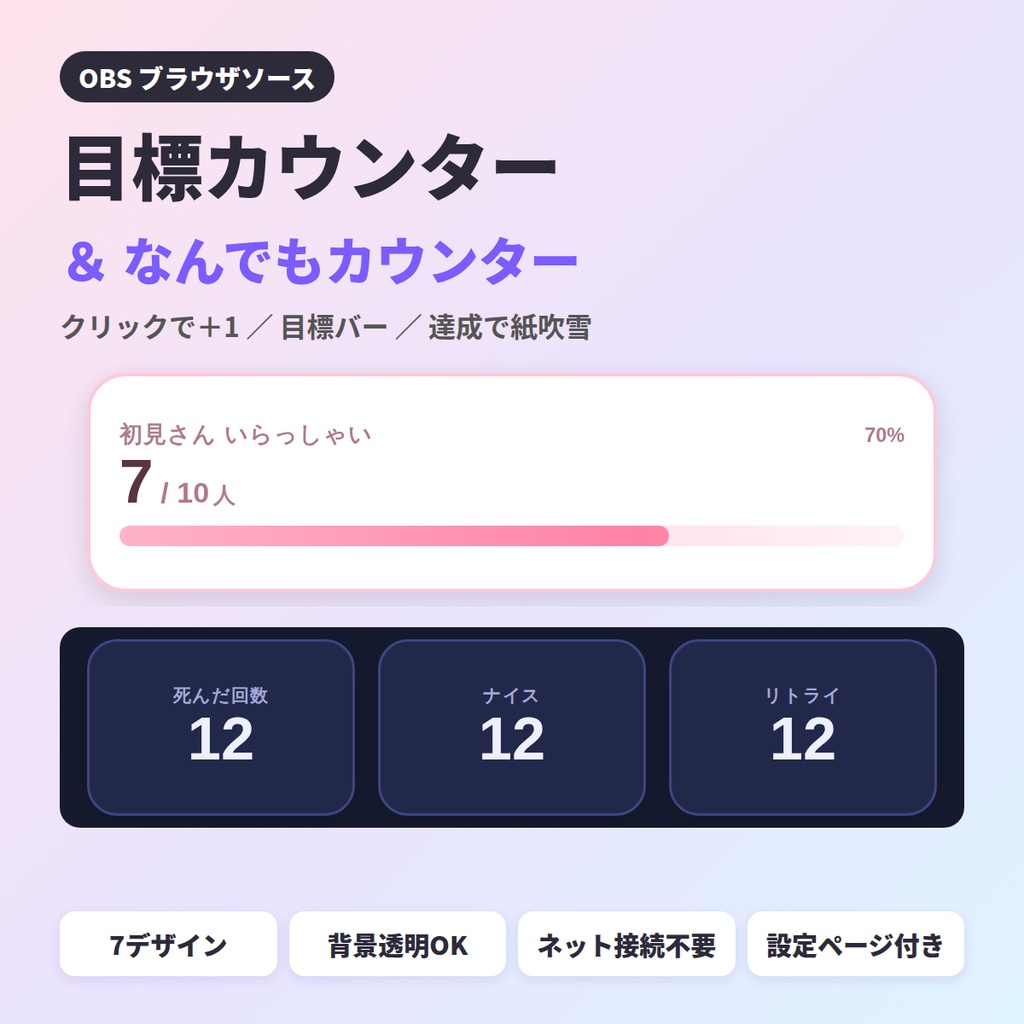
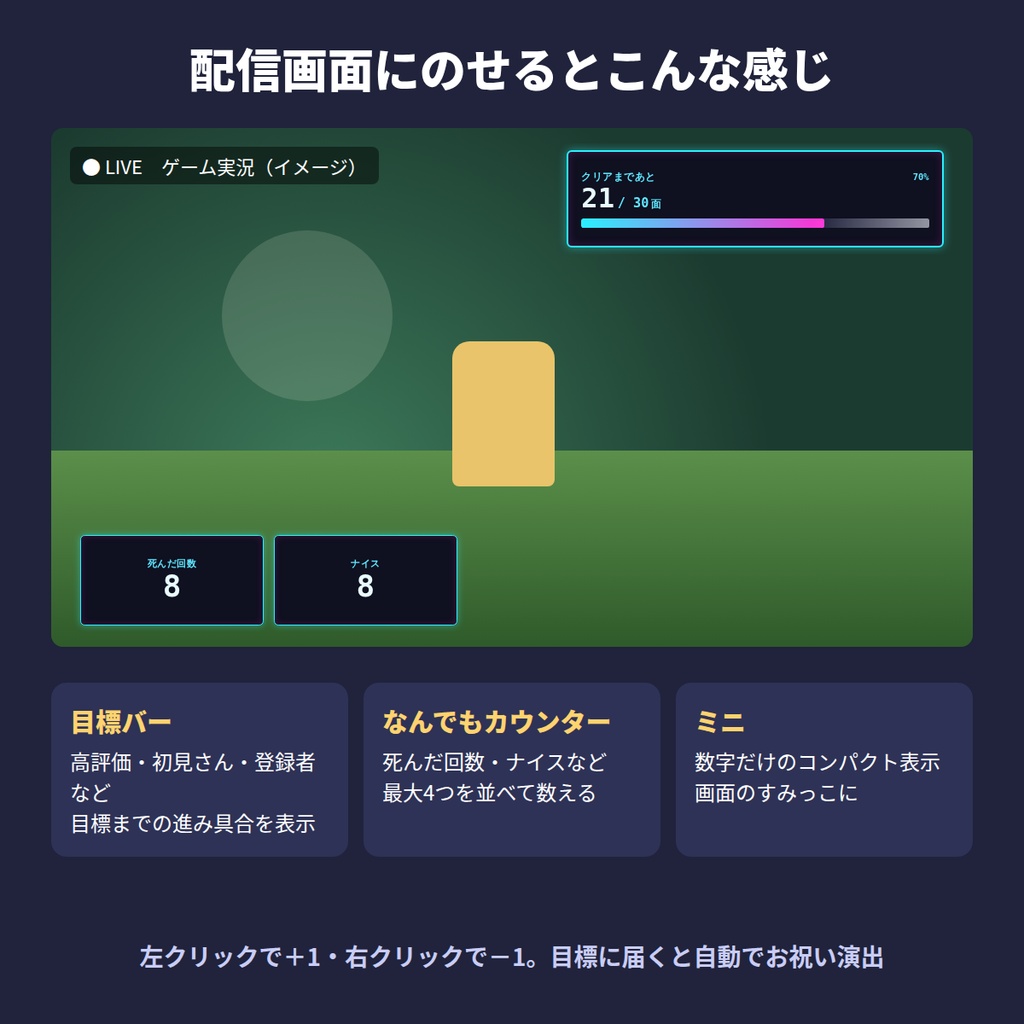
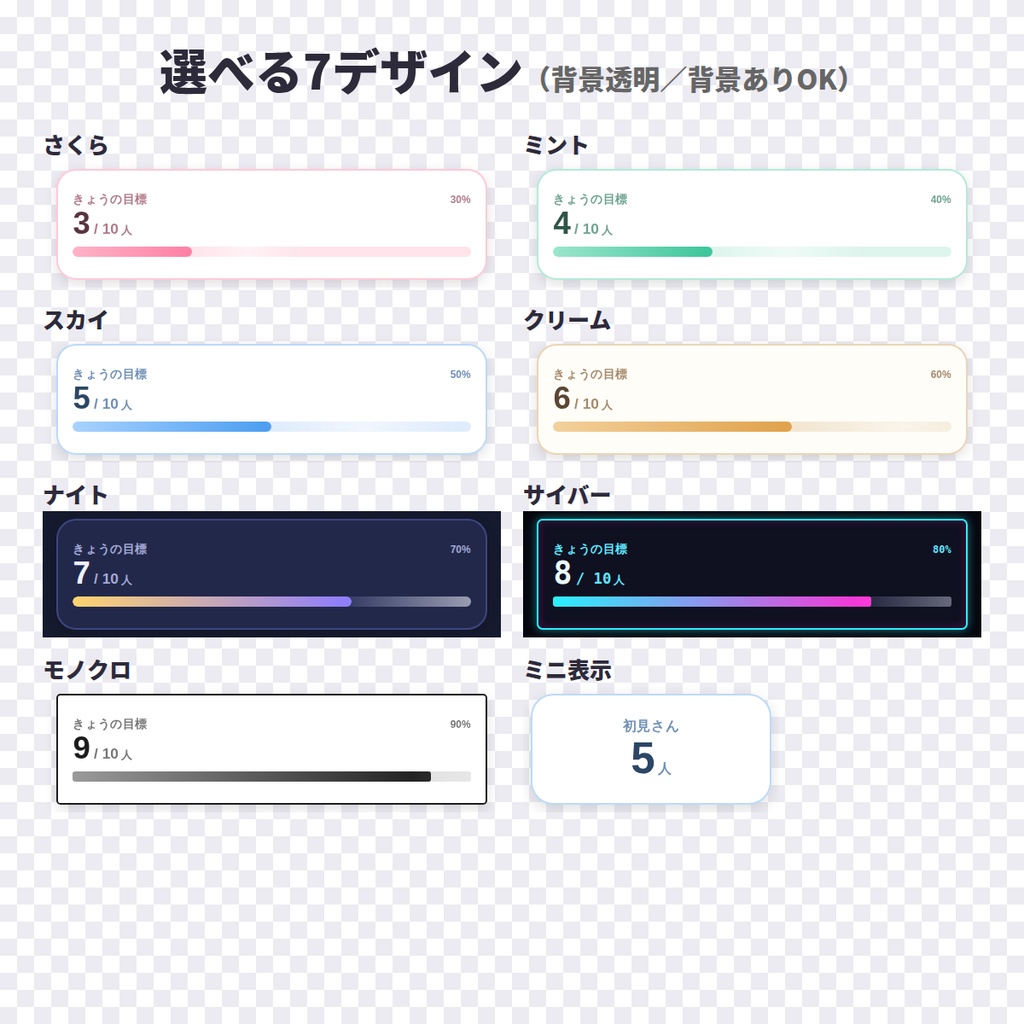
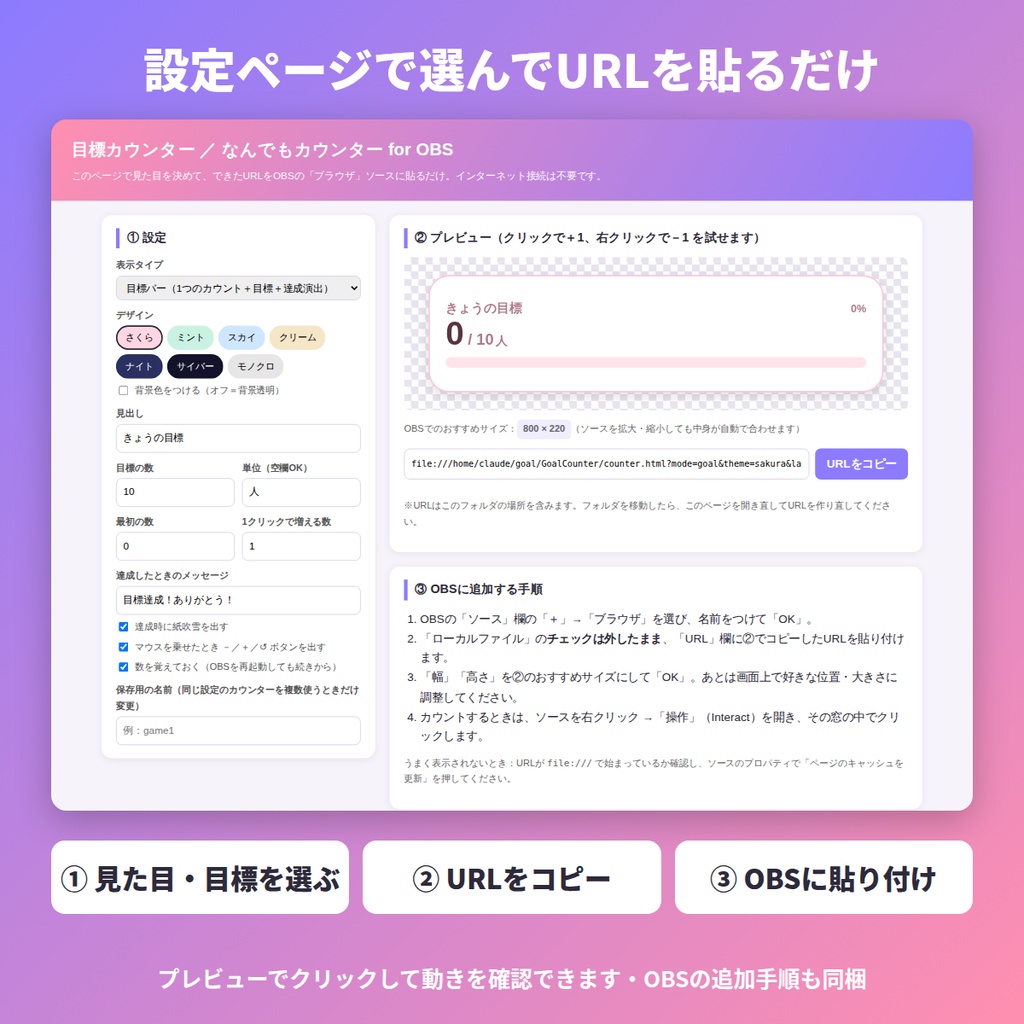


配信画面に「目標まであと何人?」「死んだ回数」「ナイス回数」などを表示できる、OBS用のカウンターです。 配信中はクリックするだけで数が増え、目標に届いた瞬間にメッセージと紙吹雪でお祝いします。 わんコメなどの連携ツールは不要。フォルダを置いて、設定ページで作ったURLをOBSに貼るだけで使えます。 ■ 入っているもの ・counter.html … カウンター本体(OBSのブラウザソースで表示) ・START_HERE.html … 設定ページ(見た目・目標を選んでURLをコピー/プレビュー/OBS追加手順/操作説明) ・readme.txt … 使い方・利用規約 ■ できること ・3つの表示タイプ 目標バー … 1つの数+目標+進み具合バー(例:初見さん 7 / 10人)。目標達成でメッセージ+紙吹雪 なんでもカウンター … 「死んだ回数」「ナイス」「リトライ」など最大4つを並べて表示 ミニ … 数字だけのコンパクト表示 ・左クリックで+1、右クリックで-1。キーボード(↑↓・+-・数字キー1〜4)でも操作OK ・リセットは「↺」ボタンをダブルクリック(誤操作防止) ・数を自動で記憶。OBSを再起動しても続きから数えられます ・見出し、目標の数、単位、最初の数、1回で増える数、達成メッセージを自由に設定 ・7デザイン(さくら/ミント/スカイ/クリーム/ナイト/サイバー/モノクロ) ・背景透明・背景あり どちらも可。ソースを拡大・縮小しても文字やバーが自動で合わせます ■ 使い方 1. ダウンロードしたzipを展開し、フォルダをわかりやすい場所(例:ドキュメント)に置きます 2. START_HERE.html をダブルクリックして開き、表示タイプ・デザイン・目標を選んで「URLをコピー」 3. OBSの「ソース」+ →「ブラウザ」→ URL欄に貼り付け、幅・高さをおすすめサイズにしてOK 4. 配信中は、ソースを右クリック →「操作」を開いてクリックでカウントします ■ 動作環境 ・OBS Studio 28以降(Windows / Mac)のブラウザソース ・Google Chrome / Microsoft Edge でも表示を確認できます ・入力した内容がどこかに送信されることはありません ・画面の文字には、インターネット経由でフォントを読み込みます(オフラインでも、パソコンに入っているフォントで動きます) ・YouTubeやTwitchの数値を自動で取得する機能はありません(手動でカウントするツールです) ■ ご利用について ・配信・動画・アーカイブでの利用OK(収益化した配信・動画でもOK) ・クレジット表記は不要です ・見出しや色のカスタマイズ、HTMLの改変は自由です ・ファイルの再配布・転売・改変したものの配布は禁止です ・このツールを素材として含む商品の販売は禁止です ■ 同じショップの配信ツール ・作業・雑談配信ツールセット(ポモドーロ/待機画面カウントダウン/お題ルーレット) https://rakuraku-sheet.booth.pm/items/8831465 ───────────────────────────── English A click-to-count overlay for OBS. Show "7 / 10 new viewers", a death counter, a retry counter — anything you count on stream. Left click adds 1, right click subtracts 1. When you hit your goal it shows a message with confetti. No companion app needed: extract the folder, build a URL on the settings page, paste it into an OBS browser source. What's inside ・counter.html … the counter itself (OBS browser source) ・START_HERE.html … settings page (pick the look and the goal, copy the URL, preview) ・readme.txt … guide and license Features ・Three display types: goal bar with progress, up to 4 counters side by side, or a compact number only ・Left click +1, right click -1. Keyboard also works (arrows, +/-, number keys 1-4) ・Reset by double-clicking the reset button, so you cannot do it by accident ・The count is remembered, so it survives an OBS restart ・You type the heading, goal, unit, starting number, step and the goal message yourself, so they can be in English ・7 designs (Sakura / Mint / Sky / Cream / Night / Cyber / Mono) ・Transparent or framed background; text and bar scale with the source size Requirements ・OBS Studio 28+ browser source (Windows / Mac) ・Runs from the extracted folder. Nothing you type is sent anywhere. Please note: the settings page itself is written in Japanese. Everything that appears on your stream is text you enter, so your viewers see English. License: fine for streaming and recording, monetized or not. No credit required. Please do not redistribute or resell the files.