

「ポプリ(Popuri)」オリジナル3Dモデル
- Digital5,500 JPY
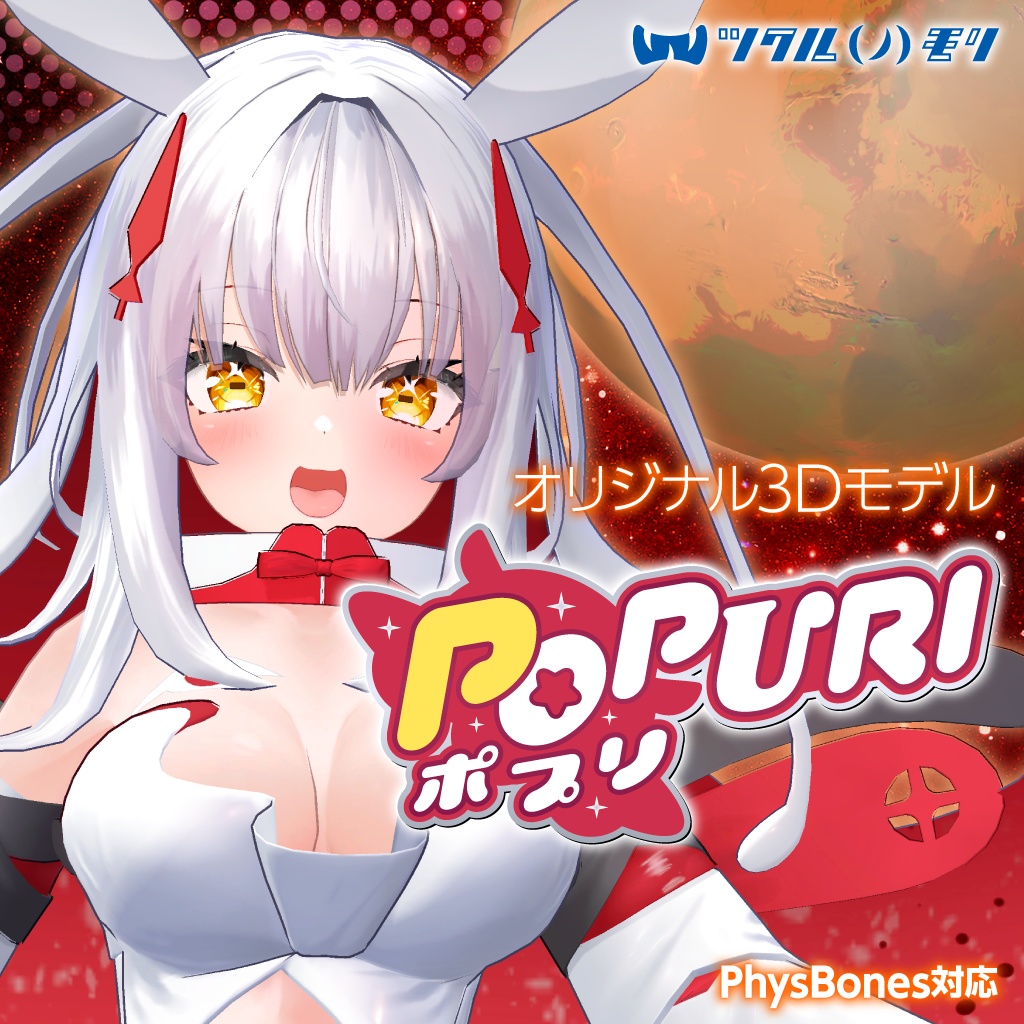
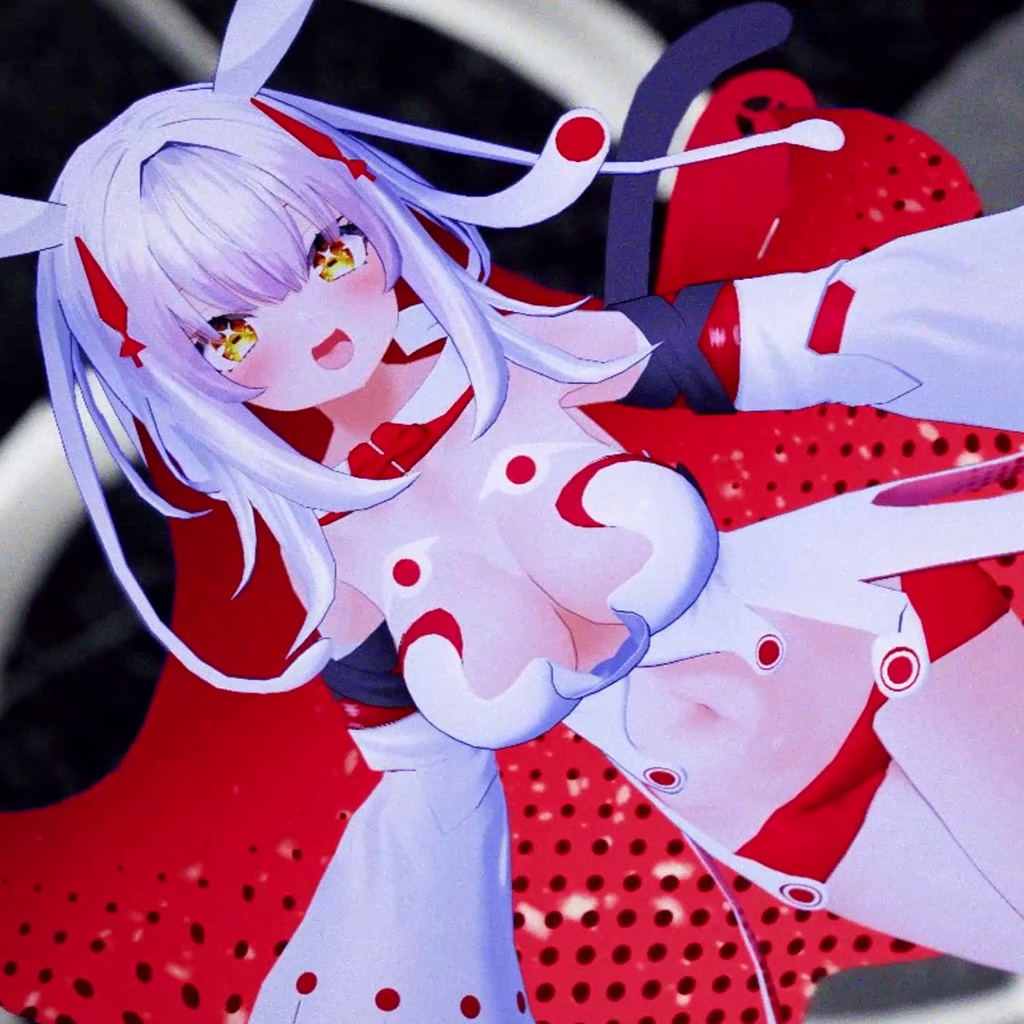
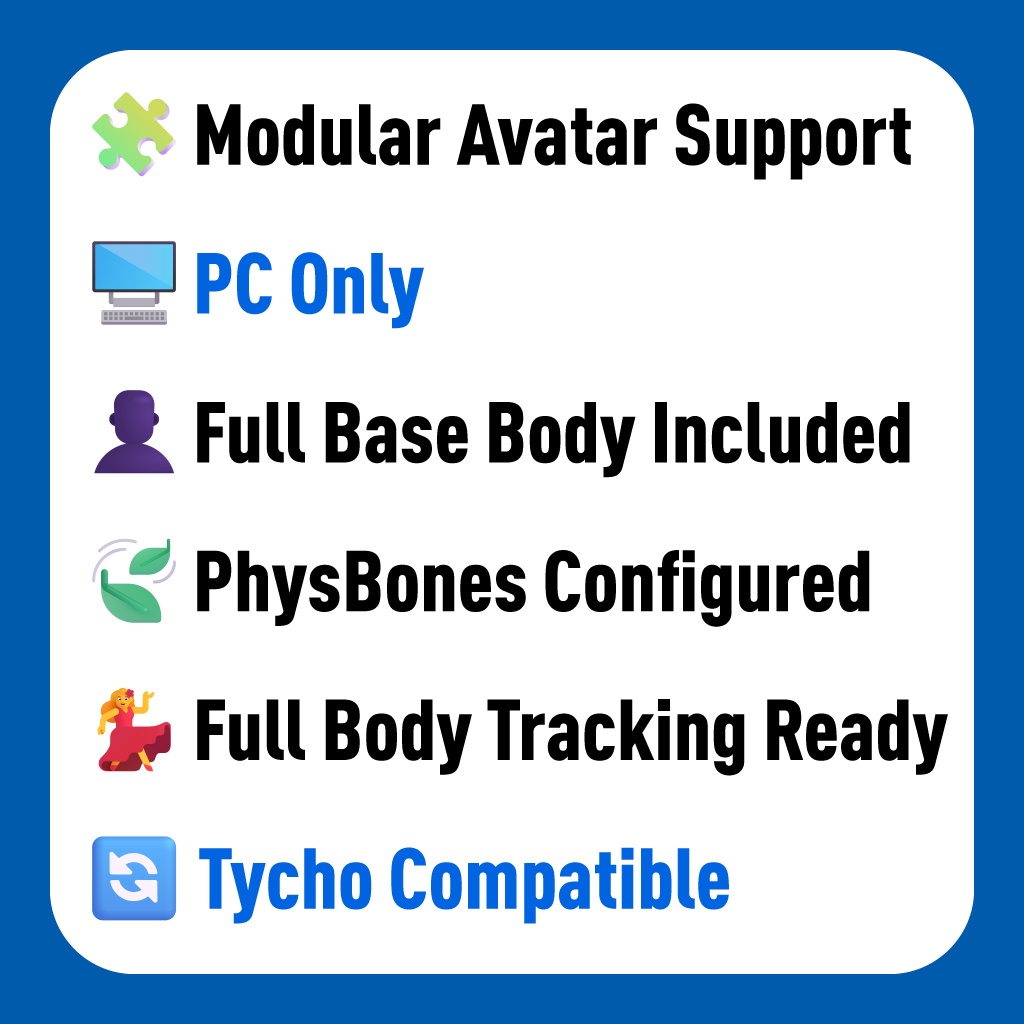




----------------------------------------------------------------- ・Platform: VRChat PC Only (Not compatible with Quest standalone/Mobile) ・Performance Rank: PC (Poor) ・Design: Chirol Kamioka (Character Designer of VTuber "Nekomata Okayu") ・Modering: Thw (Creator of "Munkki") ・VRChat Features: Full-body tracking, PhysBones, LipSync, Expressions Menu pre-configured. ・Modular Avatar: Compatible ・Included Data: Unitypackage, FBX, PSD (Layered), Blend. -----------------------------------------------------------------
宇宙をモチーフにしたアトラクションワールド。 艦影が交差し、遠くで星が弾ける。 何日も前からフレンドと予定を合わせて、 指折り数えて待っていたその日。 激しいアクションのたびに、 髪の内側に広がる宇宙がわずかに揺れる。 光の中に、ミステリアスな輪郭が浮かび上がる。 同じ景色を見て、同じ瞬間に声を上げて、 一つのことに夢中になる時間。 ポプリは「心から楽しいと思える体験」を貴方に齎します。
オリジナル3Dモデル「ポプリ(Popuri)」
デザイン:神岡ちろる(@kami_shun0505) モデリング:せう(@thw_VRC) 販売元:ツクルノモリ株式会社(https://tsukurunomori.co.jp/) 本モデルはUnityのHumanoid形式に対応したオリジナルモデルです。 VRChatでの使用を想定しておりますが、その他サービスや動画配信等でもご利用いただけます。 モデル説明の下に利用規約が記載されていますので、ご了承の上での購入をお願いします。
サンプルアバター Sample Avatar
本アバターは次のワールドでご試着いただけます。 You can try on this avatar in the following world. ・Tsukurunomori Avatars Garden https://vrchat.com/home/world/wrld_5eee9b86-8dd5-4c22-a779-174cccd61f5f ・Avatar Museum 9(ルーム25) https://vrchat.com/home/world/wrld_24334308-42cb-4b50-8670-7a4bd052be66
商品内容
・Popuri_v1.3.unitypackage PhysBonesを設定済みのprefab、マテリアル、アニメーションデータが含まれる3Dモデルのunitypackageです。導入方法に従って導入してください。 ・TXTR テクスチャのPNGデータです。必要に応じてご利用ください。 ・PSD テクスチャの改変用にレイヤーが分かれたPSDデータです。必要に応じてご利用ください。 ・FBX 3Dモデルのfbxデータです。必要に応じてご利用ください。 ・サムネイル アバターアップロードの際のサムネイル用画像です。必要に応じてご利用ください。
商品仕様
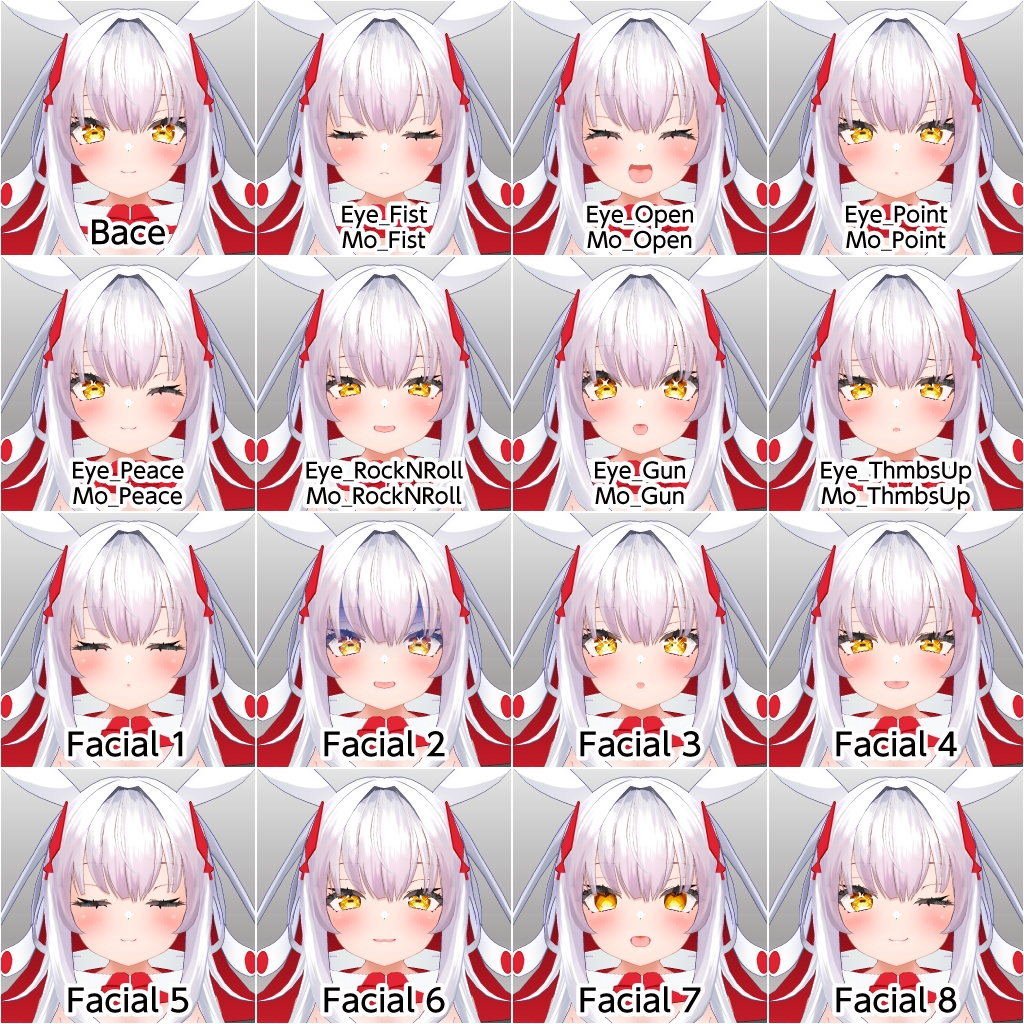
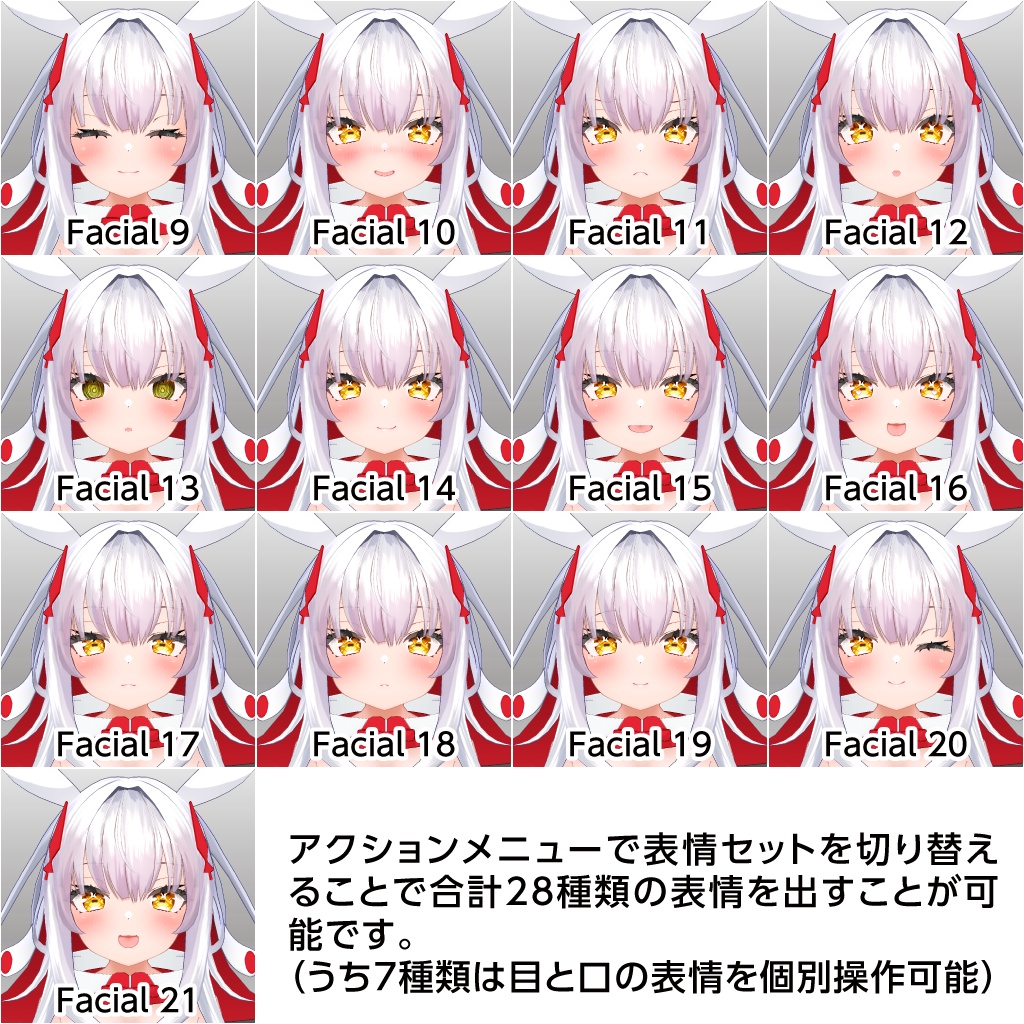
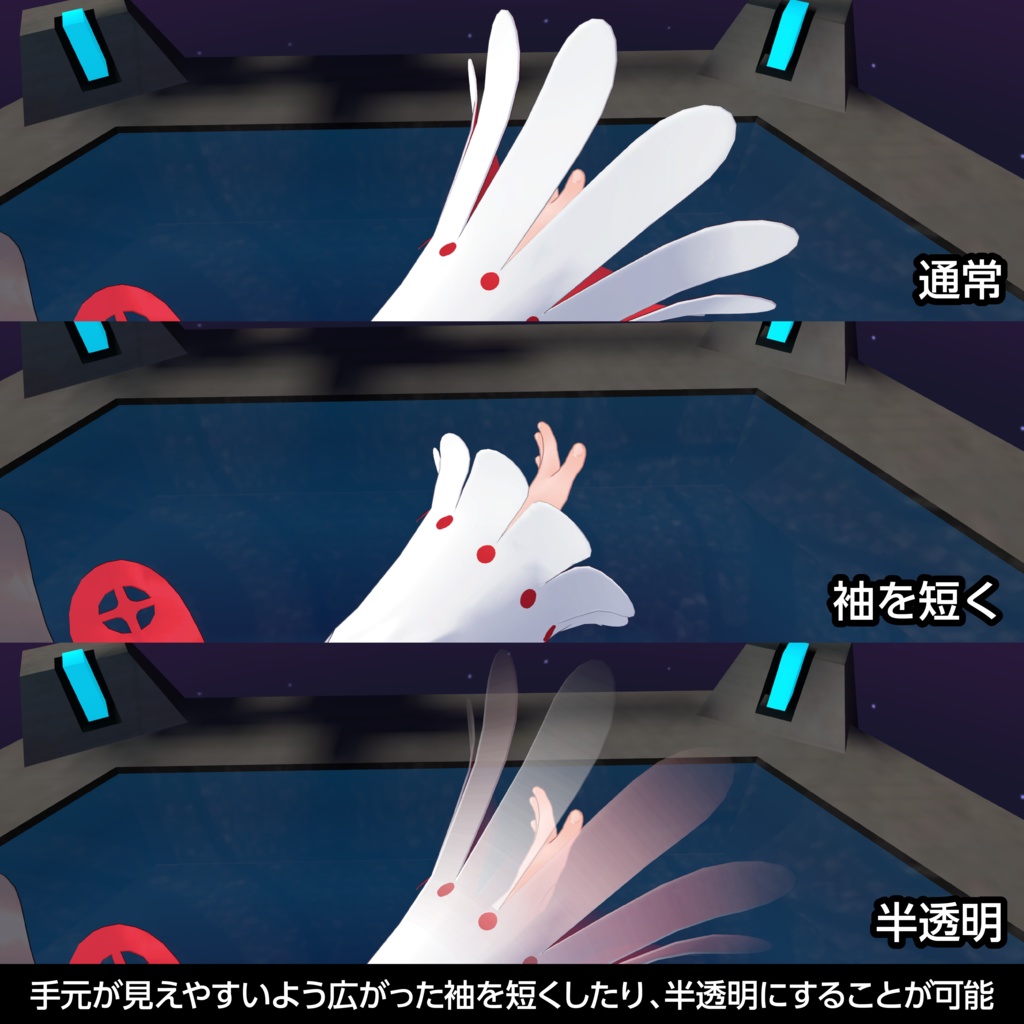
・VRChat対応について 本モデルはAvatar3.0に対応して各種設定済みです。 ・マテリアル設定 本モデルは「liltoon」シェーダーと「ParallaxSkyboxShader」を使用しております。 「ParallaxSkyboxShader」は3Dモデルのunitypackageに同梱しております。 「liltoon」を未導入の場合は予め導入をお願いします。 (VCCにインポートする方法がお勧めです) ・アバターダイナミクスについて 本モデルはPhysBonesが設定されております。 ・表情アニメーションについて アクションメニューによる表情セット切り替えによって合計28種類の表情を使うことが可能となっており、うち7種類は目と口の表情を個別に操作可能です。 ・モデルデータについて モデルデータには完全な素体を含みます。 素体には各部をシュリンクするシェイプキーが設定されており、衣装の貫通を防止できます。 専用シェイプキーにより「ティコ」のオリジナル衣装を着せることが可能な他、素体のシュリンクと併用することで、多くの「ティコ」に対応した衣装を着せることが可能となっております。 (※全ての「ティコ」衣装に対応することを保証するものではございません) ・アクションメニューについて 表情セットの切換、袖と脚部の衣装のON・OFF、袖パーツの短縮・半透明化、バストサイズの縮小が可能です。 ・メインビジュアルのポーズについて メインビジュアルのポーズのアニメーションデータを「Popuri」→「Anim」→「Pose」に同梱しております。必要に応じてご利用ください。
導入方法
1.VRChat Creator Companion(VCC)をインストールしていない場合、VRChatのWEBサイト(https://vrchat.com/home/download)から「Creator Companion」をダウンロードしてインストールしてください。 2.lilToonを未導入の場合、lilToonのgithub(https://lilxyzw.github.io/lilToon/#/)から「VRChat Creator Companion」をクリックしてVCCにlilToonをインポートしてください。 3.VCCを起動し「Create New Project」をクリックしてAvatarの新規Unityプロジェクトを作成してください。 4.作成したUnityプロジェクトの「Manage Packages」からlilToonを追加してください。 5.作成したUnityプロジェクトを「Open Project」で開いてください。 6.本商品から「Popuri_v1.3.unitypackage」をインポートしてください。 7.UnityのProjectウィンドウから「Popuri」フォルダ内の「popuri_v1.3.unity」をダブルクリックで開くか、「Popuri」→「Prefab」フォルダ内の「Popuri_v1.3.prefab」をHierarchy上にドラッグ&ドロップしてください。 8.「VRCHAT SDK」→「Show Control Panel」→「Authentication」からVRChatにログイン後、「Builder」の「Build & Publish for Windows」から「Popuri_v1.3」をアップロードしてください。 (アップロード時に必要なサムネイル用画像を商品に同梱しておりますので、必要に応じてご利用ください) VRChatを始めたばかりでトラストランクが足りない場合、アバターのアップロードができない場合があります。その場合はVRChatをプレイしてトラストランクを上げた後、再度操作を行ってください。
利用規約
ポプリ(Popuri) モデルデータ利用規約 デザイン:神岡ちろる(@kami_shun0505) モデリング:せう(@thw_VRC) 販売元:ツクルノモリ株式会社(https://tsukurunomori.co.jp/)※以下「当社」とします。 本モデルを利用、もしくは改変した時点で本規約に同意したものとします。 本ライセンスの内容は変更する場合があり、最新のものが適用されます。 本ライセンスは日本語のものが正本とされ、翻訳と差異がある場合は常に日本語のものが優先されます。 本モデル、本モデルの二次創作物を利用することによって生じた何らかのトラブル、損失に対し、神岡ちろる、せう、および当社は一切責任を負わないものとします。 本モデル、本モデルを改変した二次創作物の著作権法上の全ての権利は当社に帰属するものとします。 制定日:2023年9月21日 ツクルノモリ株式会社 E-mail:rep(@)tsukurunomori.co.jp ©ツクルノモリ 【利用規約】 本規約は、あしやまひろこ(@hiroko_TB)氏が作成したVN3ライセンス(https://www.vn3.org/)のテンプレートを使用しています。 規約全文は下記URLを参照してください。 規約全文(JP) https://tsukurunomori.co.jp/wp-content/uploads/2023/09/popuri_vn3license_ja.pdf Terms of use(EN) https://tsukurunomori.co.jp/wp-content/uploads/2023/09/popuri_vn3license_en.pdf 이용 약관(KO) https://tsukurunomori.co.jp/wp-content/uploads/2023/09/popuri_vn3license_ko.pdf 服務條款/服务条款(ZH) https://tsukurunomori.co.jp/wp-content/uploads/2023/09/popuri_vn3license_zh.pdf
更新履歴
2023年10月6日 ・販売開始 2023年10月24日 ・ヒールのある靴を履くための踵を上げるシェイプキーを追加 ・BodyとHaedのPSDデータのレイヤー分割を細分化 ・BodyのPSDデータに「胸を小さくする場合」と「肌に透ける静脈」のレイヤーを追加(デフォルト非表示) 2024年12月13日 ・目のボーンを動かしても視線が動かない不具合を修正 2025年7月22日 ・v1.2において、袖の透過が機能していなかった不具合を修正 ・v1.2において、Prefabの目がUnity上で正面を向いていなかった問題を修正 ・v1.2において、BoundsとAnchor Overrideが適切に設定されていなかった問題を修正
Original 3D Model "Popuri" (PCVR Only)
! IMPORTANT: PC ONLY !
This avatar is optimized for VRChat PC. It is NOT compatible with Quest standalone (Android/iOS) or VRM format.
Requirements / How to Upload
1. Use VRChat Creator Companion (VCC) & Unity 2022. 2. Import lilToon Shader (Recommended via VCC). 3. Import Modular Avatar or VRCFury (Highly recommended for easy setup). 4. Import Popuri_v1.3.unitypackage. ・Note: "ParallaxSkyboxShader" for the space effect is included in the package. 5. Open the Scene or Prefab and Upload!Features & High-Quality Design
Features & High-Quality Design
・Original Design by Chirol Kamioka: Designed by Chirol Kamioka ( @kami_shun0505 ), the famous character designer for VTuber "Nekomata Okayu". ・3D Modeling by Thw: Expertly modeled by Thw ( @thw_VRC ), the creator of "Munkki". ・Stunning "Space" Effect: Features a mysterious "inner universe" inside the hair that sways beautifully with movement using a custom Parallax shader. ・Excellent Outfit Compatibility: Popuri is specifically designed with shape keys to wear outfits made for "Tycho". This makes her perfect for users who enjoy high-quality fashion and kit-bashing. (Note: While many Tycho-compatible outfits work, 100% compatibility with all 3rd party assets is not guaranteed.) ・Advanced Expression System: 28 total expressions via the Action Menu, including 7 types where you can control eyes and mouth separately for maximum personality. ・Interactive Toggles: Toggle sleeves and leg parts ON/OFF, shorten/translucent sleeves, and even reduce bust size via the menu. ・Full Body Tracking & PhysBones: Fully rigged and tested for fluid movement in VRChat.
Technical Specs
・Performance Rank: PC (Poor) ・Polygon Count: 40,938 ・Bone Count: 202 ・Material Count: 8 ・Shader: lilToon / ParallaxSkyboxShader (Included)
What’s in the Box?
・Unitypackage (PC version) ・FBX & Blend (Source Files) ・Layered PSDs for easy re-texturing (Includes veins and bust-size layers) ・PNG Textures & Thumbnail image
Support
If you have any technical questions, please contact us via our official inquiry form. We are happy to assist you! Inquiry Form: https://tsukurunomori.co.jp/contact
Rules & Terms (VN3 License)
・Commercial Usage (Allowed): You ARE allowed to use this avatar for monetized streaming (VTubing) and video productions. Usage in Indie Games is also possible (please contact us for details). ・Asset Usage (Kit-bashing): You ARE allowed to use parts of this model (hair, clothes, etc.) for your personal, private avatars. ・Redistribution Prohibited: Selling or redistributing the avatar data, or selling new avatars that include parts of this model, is STRICTLY PROHIBITED. ・Public Uploads: PROHIBITED (Private upload only). ・Self-Derivation: Do not claim the original or modified model as your own creation. ・Refunds: Due to the digital nature of this product, NO REFUNDS are available. ・Full Terms: https://tsukurunomori.co.jp/wp-content/uploads/2023/09/popuri_vn3license_en.pdf