
【Warudo Plugin】PotaVolume Control - PotaToonボリュームコントローラー
- Digital5,300 JPY
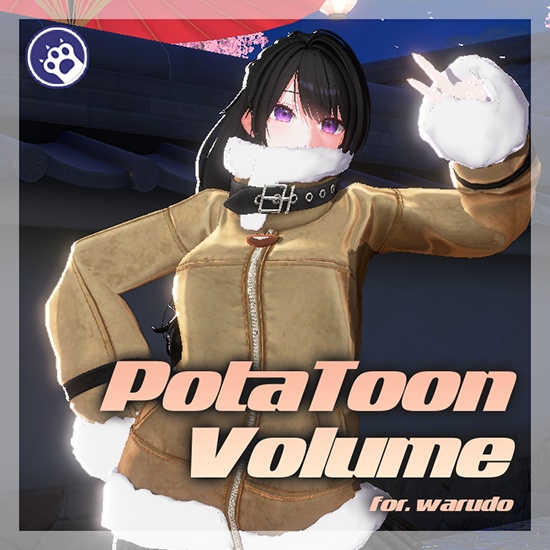
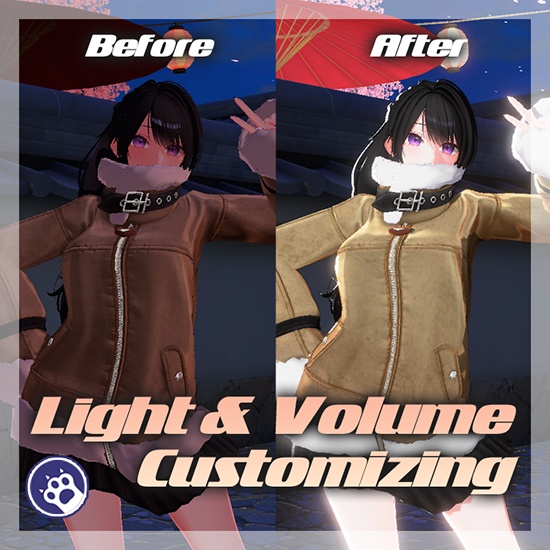
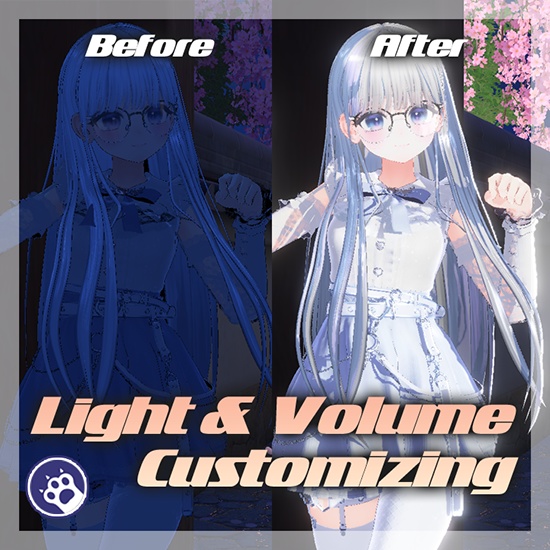
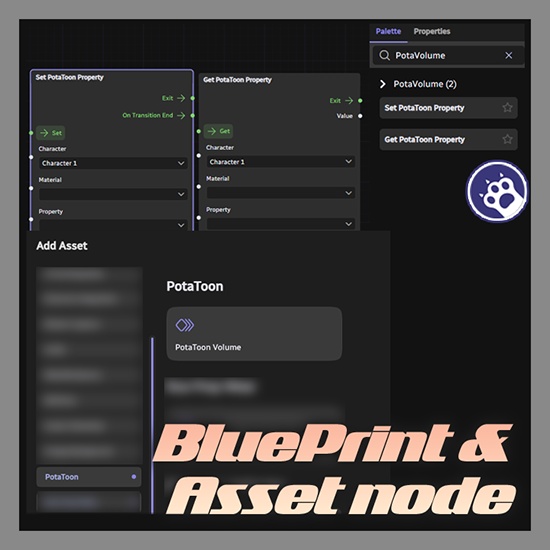
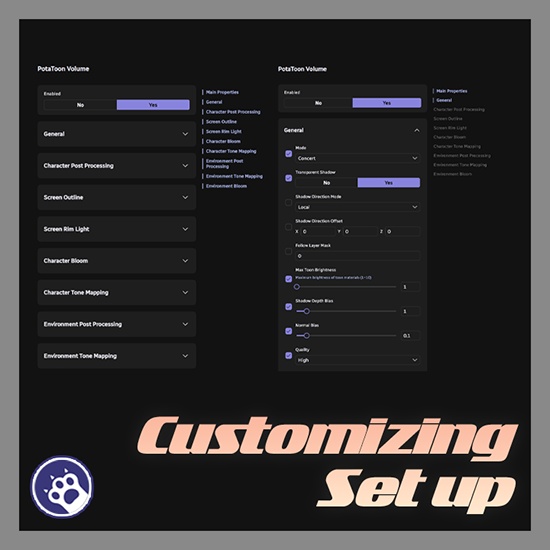


===================================== 한국어 ===================================== PotaVolume Control — Warudo 플러그인 「PotaToon의 모든 렌더링 설정을, Warudo 안에서.」 PotaToon 셰이더의 볼륨(전역 렌더링) 속성과 캐릭터 머티리얼 속성을 런타임에서 제어하는 Warudo 플러그인입니다. 씬이나 배경을 변경해도 안정적으로 유지되는 자체 Volume을 생성하고, 각 프로퍼티를 개별적으로 Override하여 적용할 수 있습니다. 노드 그래프에서는 캐릭터 머티리얼의 셰이더 속성을 직접 읽고 쓸 수 있어, 트랜지션 애니메이션까지 포함한 연출이 가능합니다. ◆ 주요 기능 ● PotaToon Volume 에셋 PotaToon VolumeComponent의 74개 프로퍼티를 Warudo 에셋에서 직접 제어합니다. 자체 Volume GameObject를 생성하여 씬/배경 변경 시에도 안정적으로 유지됩니다. 각 프로퍼티별 Override 체크박스로 원하는 항목만 선택적으로 적용할 수 있습니다. ● Set PotaToon Property 노드 PotaToon 셰이더를 사용하는 캐릭터 머티리얼의 속성을 노드 그래프에서 설정합니다. ● Get PotaToon Property 노드 캐릭터 머티리얼의 셰이더 속성 값을 노드 그래프에서 읽어옵니다. 모든 셰이더 프로퍼티 타입의 현재 값을 가져올 수 있습니다. ● 다국어 지원 한국어, 영어, 일본어 3개 국어를 지원합니다. ● 최적화 dirty flag 기반으로 값이 변경된 경우에만 Override를 적용하여 불필요한 연산을 줄입니다. ◆ 설치 방법 1. .warudo 파일을 다운로드합니다. 2. Warudo 데이터 폴더 → Plugins 폴더에 파일을 넣습니다. 3. Warudo를 재시작합니다. 4. 에셋 추가 목록에서 「PotaToon」 카테고리가 나타나면 설치 완료입니다. ◆ 설정 방법 — 에셋 1. Warudo에서 에셋 추가 → 「PotaToon」 카테고리 → 「PotaToon Volume」 선택 2. 제어하고 싶은 섹션의 프로퍼티에서 Override 체크박스를 활성화 3. 원하는 값으로 조절 4. Override를 해제하면 원래 PotaToon 기본값으로 돌아갑니다 ◆ 설정 방법 — 노드 1. 노드 그래프에서 「Set PotaToon Property」 또는 「Get PotaToon Property」 노드 추가 2. 대상 캐릭터 지정 3. 머티리얼 선택 (자동완성 지원) 4. 셰이더 속성 선택 (자동완성 지원, 타입 자동 감지) 5. 값을 설정하고 필요시 트랜지션 시간과 이징 설정 ◆ 라이선스 안내 본 플러그인은 1인 1라이선스입니다. 커미션 작업 시, 세팅하는 작가와 실제 사용하는 스트리머 양쪽 모두 각각 라이선스를 구매해야 합니다. 하나의 라이선스를 여러 명이 공유하거나 재배포하는 것은 금지됩니다. ===================================== English ===================================== PotaVolume Control — Warudo Plugin "All PotaToon rendering settings, right inside Warudo." A Warudo plugin that controls PotaToon shader volume (global rendering) properties and character material properties at runtime. It creates its own Volume that remains stable even when scenes or backgrounds change, and allows you to selectively override each property individually. In the node graph, you can directly read and write shader properties of character materials, enabling transitions and animated effects. ◆ Key Features ● PotaToon Volume Asset Control all 74 properties of the PotaToon VolumeComponent directly from a Warudo asset. Creates its own Volume GameObject that remains stable through scene/background changes. Selectively apply only the properties you want with per-property Override checkboxes. ● Set PotaToon Property Node Set shader properties of character materials using PotaToon shaders from the node graph. ● Get PotaToon Property Node Read shader property values of character materials from the node graph. Retrieve current values for all shader property types. ● Multilingual Support Supports 3 languages: Korean, English, and Japanese. ● Optimization Uses dirty flag to apply overrides only when values change, reducing unnecessary computations. ◆ Installation 1. Download the .warudo file. 2. Place the file in Warudo data folder → Plugins folder. 3. Restart Warudo. 4. If the "PotaToon" category appears in the Add Asset list, installation is complete. ◆ Setup — Asset 1. In Warudo, Add Asset → "PotaToon" category → select "PotaToon Volume" 2. Enable the Override checkbox for the properties you want to control 3. Adjust to desired values 4. Disabling Override will revert to the original PotaToon default values ◆ Setup — Nodes 1. In the node graph, add "Set PotaToon Property" or "Get PotaToon Property" node 2. Assign the target character 3. Select a material (autocomplete supported) 4. Select a shader property (autocomplete supported, type auto-detected) 5. Set the value and optionally configure transition time and easing ◆ License This plugin is licensed per individual user. For commission work, both the creator who sets it up and the streamer who uses it must each purchase their own license. Sharing a single license between multiple people or redistributing it is prohibited. ===================================== 日本語 ===================================== PotaVolume Control — Warudo プラグイン 「PotaToonの全レンダリング設定を、Warudoの中で。」 PotaToonシェーダーのボリューム(グローバルレンダリング)プロパティとキャラクターマテリアルプロパティをランタイムで制御するWarudoプラグインです。 シーンや背景を変更しても安定的に維持される独自のVolumeを作成し、各プロパティを個別にOverrideして適用できます。ノードグラフではキャラクターマテリアルのシェーダープロパティを直接読み書きでき、トランジションアニメーションを含む演出が可能です。 ◆ 主な機能 ● PotaToon Volumeアセット PotaToon VolumeComponentの74個のプロパティをWarudoアセットから直接制御します。 独自のVolume GameObjectを作成し、シーン/背景変更時も安定的に維持されます。 各プロパティごとのOverrideチェックボックスで必要な項目だけ選択的に適用できます。 ● Set PotaToon Propertyノード PotaToonシェーダーを使用するキャラクターマテリアルのプロパティをノードグラフから設定します。 ● Get PotaToon Propertyノード キャラクターマテリアルのシェーダープロパティ値をノードグラフから読み取ります。 全シェーダープロパティタイプの現在値を取得できます。 ● 多言語対応 韓国語、英語、日本語の3言語に対応しています。 ● 最適化 dirty flagベースで値が変更された場合のみOverrideを適用し、不要な計算を削減します。 ◆ インストール方法 1. .warudoファイルをダウンロードします。 2. Warudoデータフォルダ → Pluginsフォルダにファイルを配置します。 3. Warudoを再起動します。 4. アセット追加リストに「PotaToon」カテゴリが表示されればインストール完了です。 ◆ 設定方法 — アセット 1. Warudoでアセット追加 →「PotaToon」カテゴリ →「PotaToon Volume」を選択 2. 制御したいセクションのプロパティでOverrideチェックボックスを有効化 3. 好みの値に調整 4. Overrideを無効にすると元のPotaToonデフォルト値に戻ります ◆ 設定方法 — ノード 1. ノードグラフで「Set PotaToon Property」または「Get PotaToon Property」ノードを追加 2. 対象キャラクターを指定 3. マテリアルを選択(オートコンプリート対応) 4. シェーダープロパティを選択(オートコンプリート対応、タイプ自動検出) 5. 値を設定し、必要に応じてトランジション時間とイージングを設定 ◆ ライセンスについて 本プラグインは1人1ライセンスです。 コミッション作業の場合、セットアップを行う作家と実際に使用するストリーマーの双方がそれぞれライセンスを購入する必要があります。 1つのライセンスを複数人で共有したり、再配布することは禁止されています。
Changelog
v1.0.0 (2025-03-18) - 초기 릴리스 / Initial release / 初回リリース - PotaToon Volume 에셋: VolumeComponent 74개 프로퍼티 제어 - Set PotaToon Property 노드: 머티리얼 셰이더 속성 설정 (트랜지션 지원) - Get PotaToon Property 노드: 머티리얼 셰이더 속성 읽기 - 한국어/영어/일본어 3개 국어 지원 v1.0.0 (2025-03-18) - Initial release - PotaToon Volume asset: controls 74 VolumeComponent properties - Set PotaToon Property node: sets material shader properties (transition supported) - Get PotaToon Property node: reads material shader properties - Supports 3 languages: Korean, English, and Japanese v1.0.0 (2025-03-18) - 初回リリース - PotaToon Volume アセット: VolumeComponent の 74 個のプロパティを制御 - Set PotaToon Property ノード: マテリアルシェーダープロパティの設定(トランジション対応) - Get PotaToon Property ノード: マテリアルシェーダープロパティの読み取り - 韓国語・英語・日本語の 3 言語対応