

【無料】VRChatワールド制作・最適化ツール VRChat World Building&Optimization Toolkit|ポリ数確認 / Shader監査 / Occlusion / QuickOps
- ダウンロード Download AngelPanelDigital0 JPY
- Donation 寄付Digital200 JPY
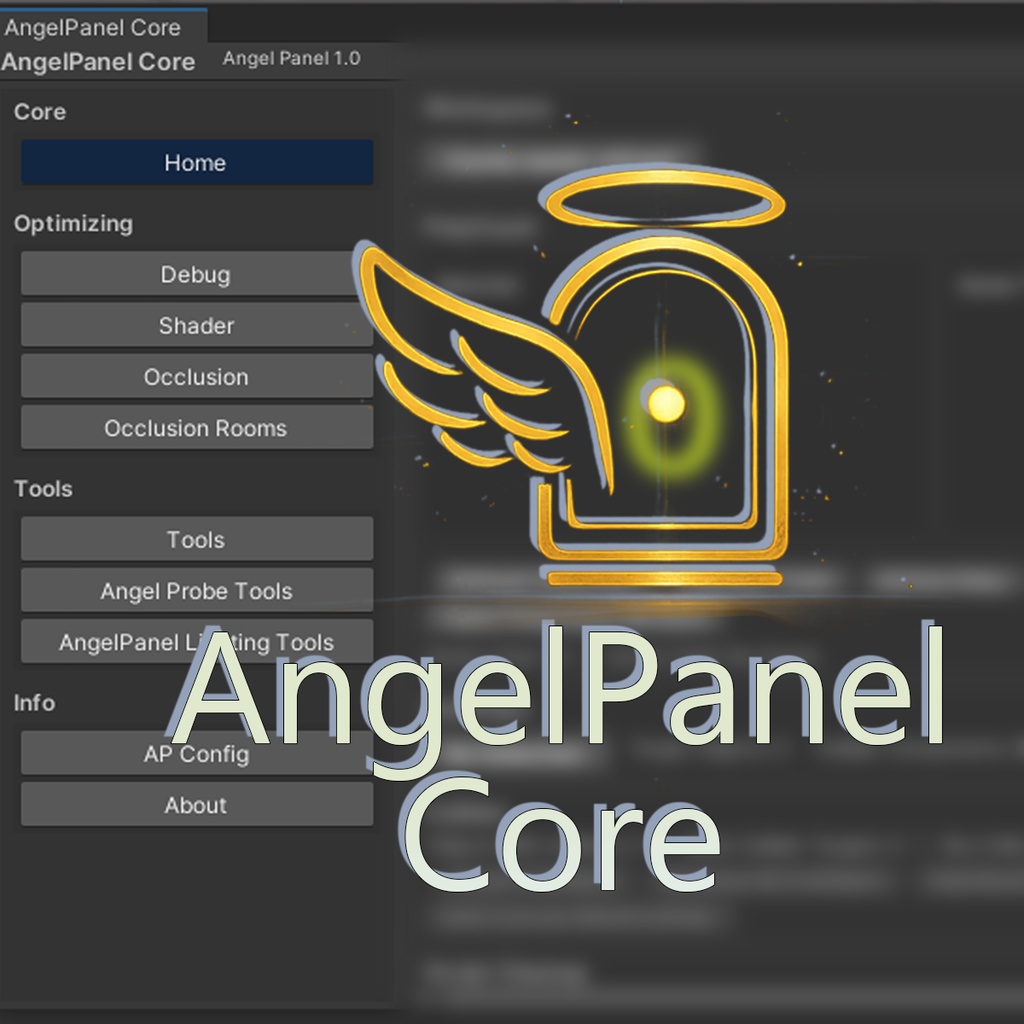
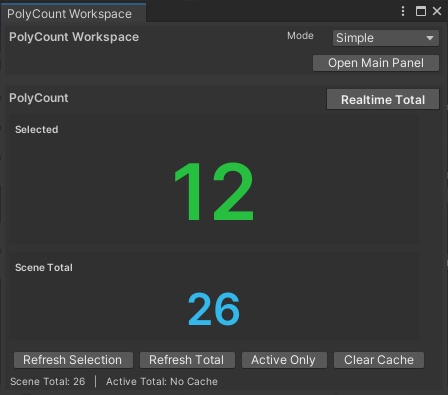
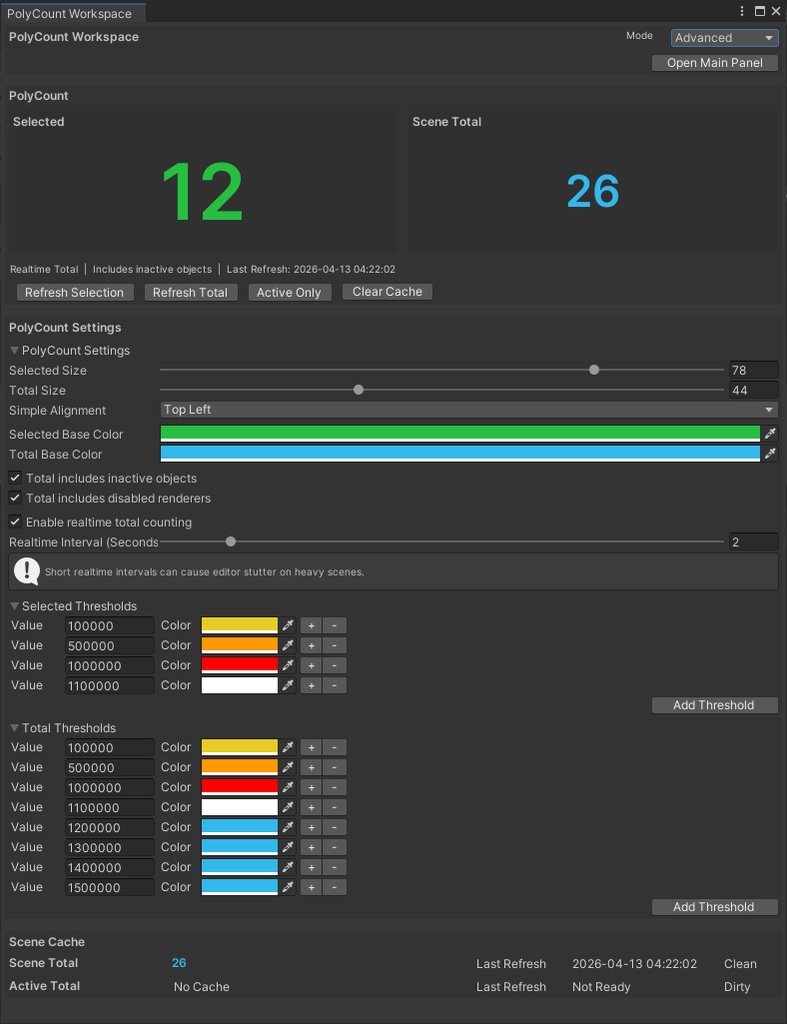
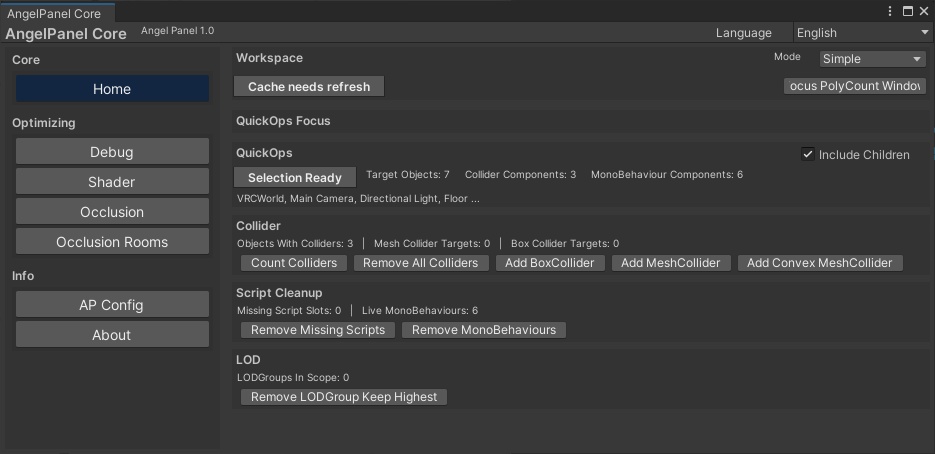
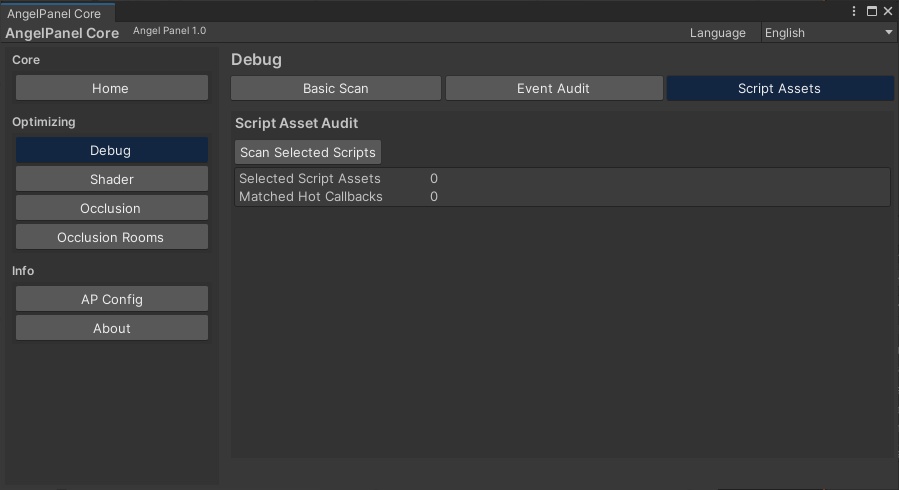
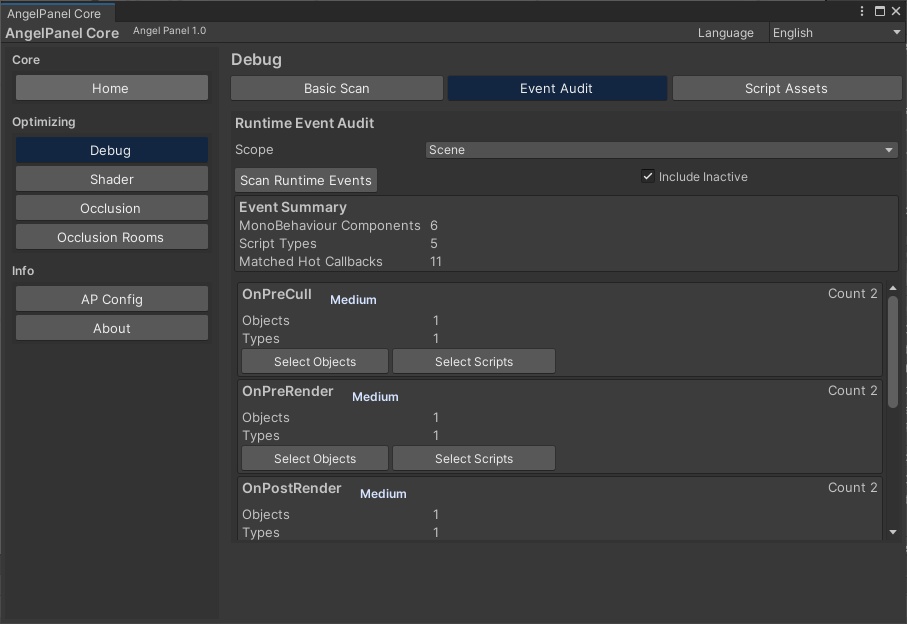
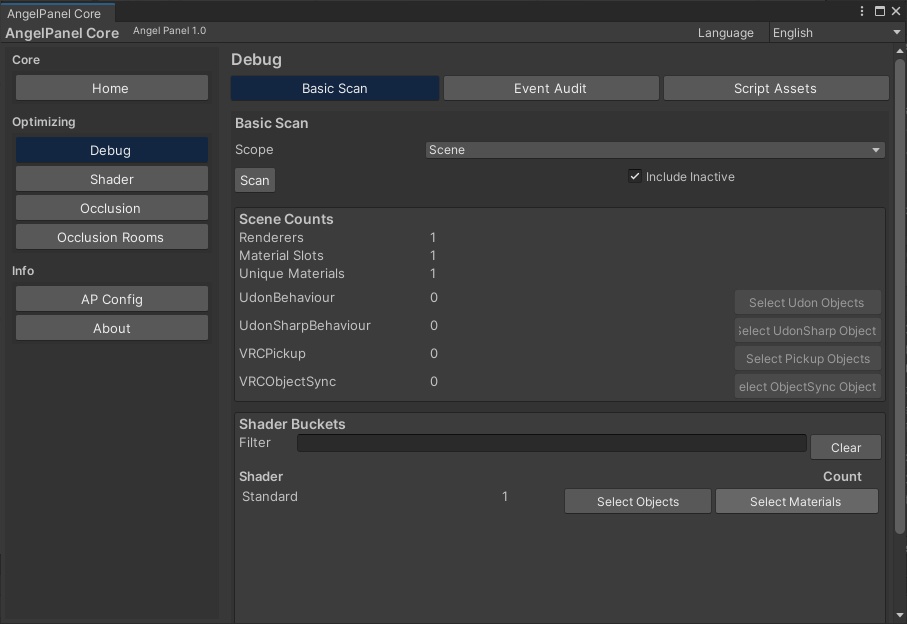
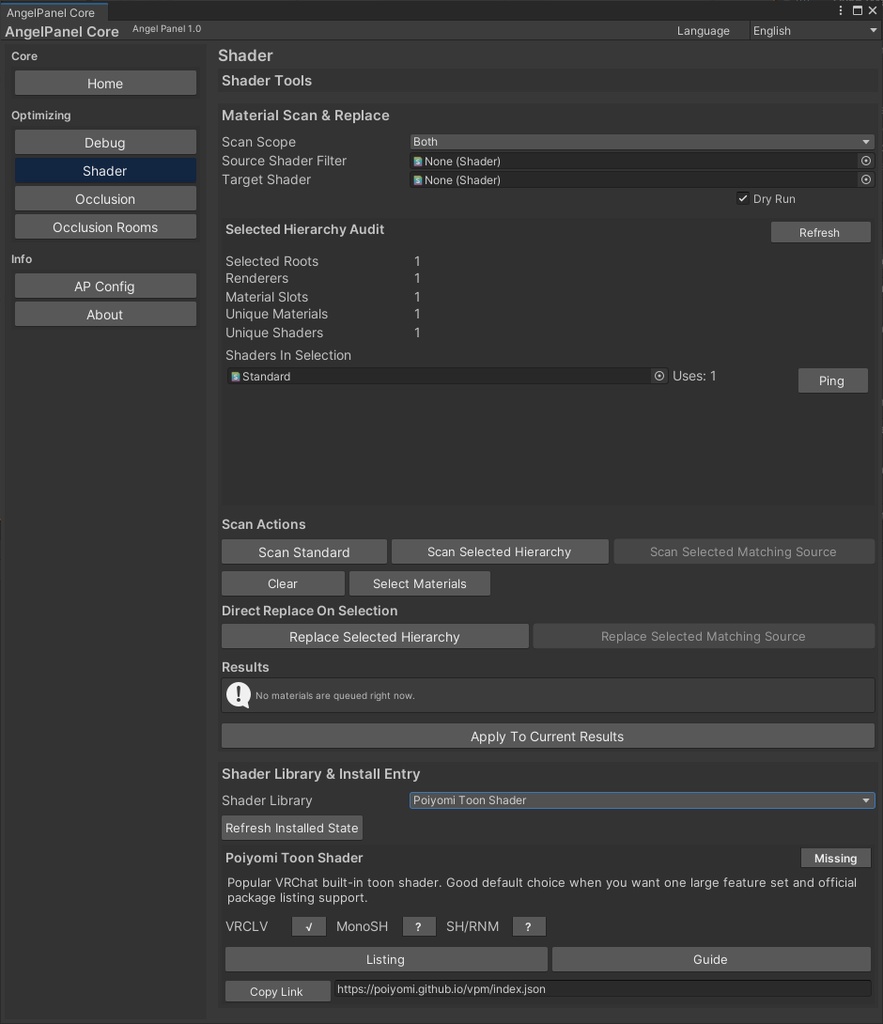
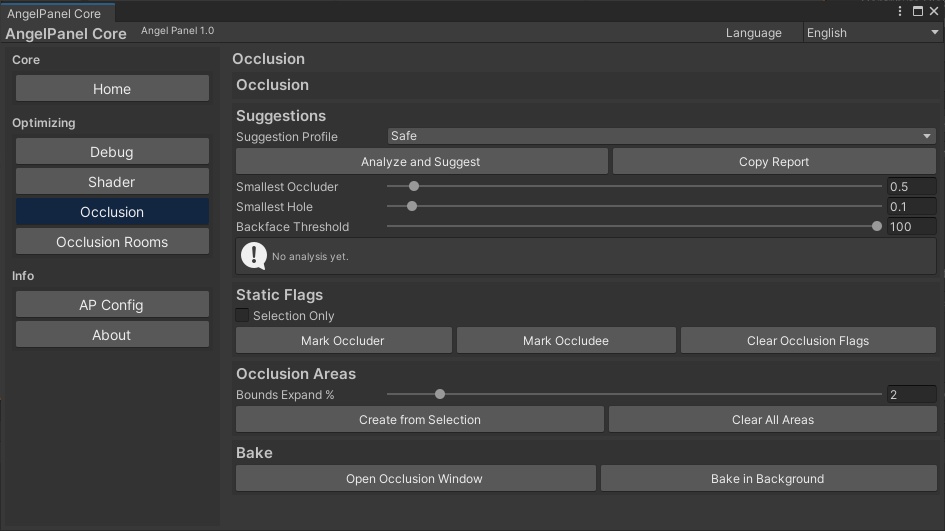
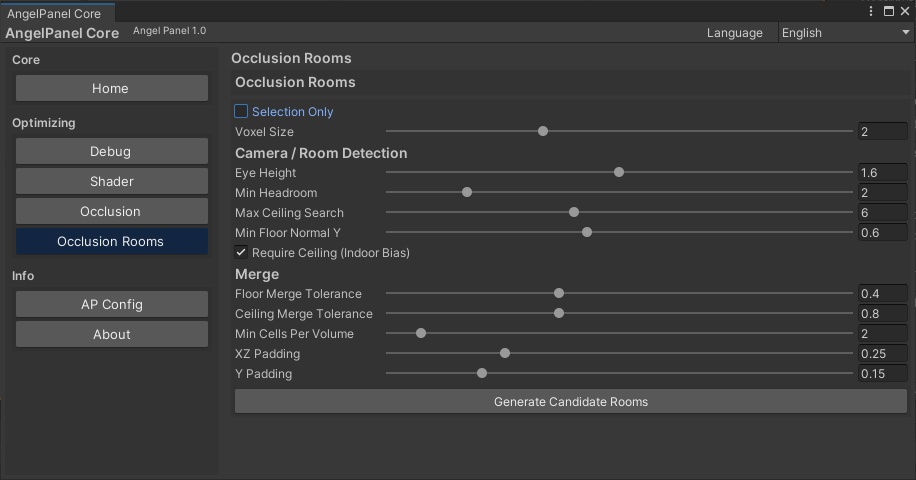
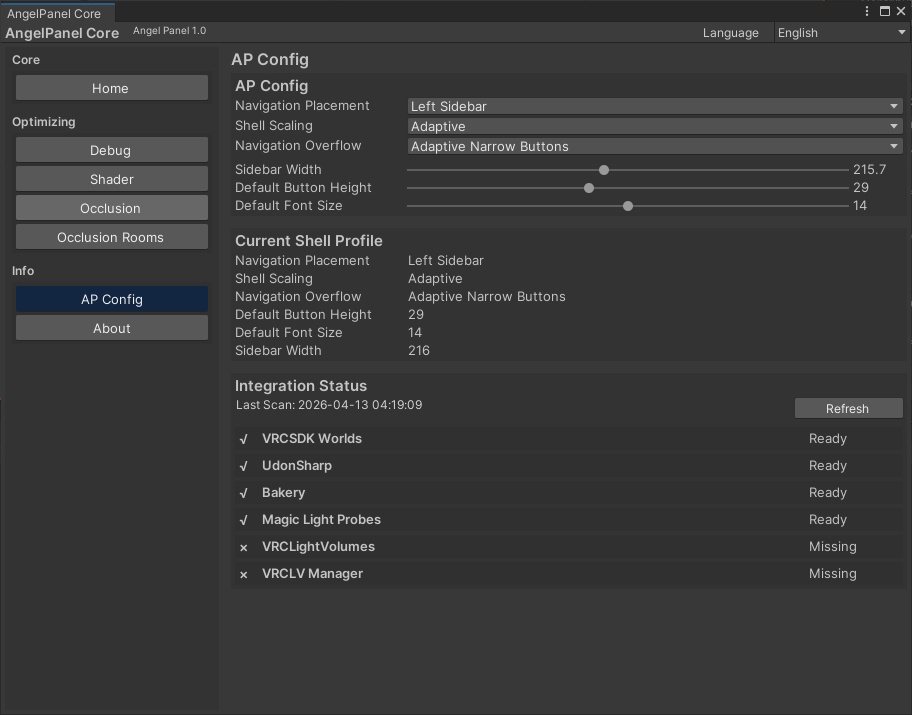
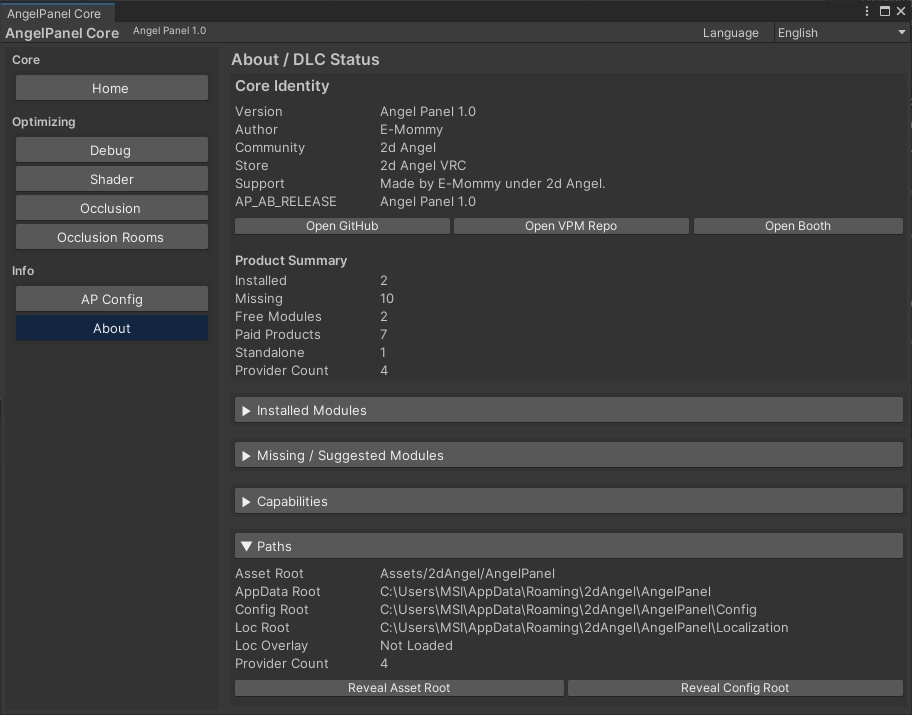


製品概要 AngelPanel Core は、VRChat ワールド制作のために設計された無料の Editor-side ホストシステムです。 ポリ数確認、シーン監査、Shader 整理、Occlusion 補助、QuickOps を 1 つのパネルにまとめ、Unity Editor 上での制作導線を整理します。 単なる小規模ツール集ではなく、今後の AngelPanel 系モジュールを接続できるコア基盤として設計されています。 「制作中に何度も行う確認・整理・監査作業を、ひとつの入口に集約したい」という目的で作られた製品です。 AngelPanel Core is a free editor-side host system built for VRChat world production. It brings polycount checking, scene auditing, shader organization, occlusion assistance and practical quick operations into a single Unity Editor panel. Rather than being just a small collection of utilities, it is designed as the core foundation that future AngelPanel-compatible modules can connect to. Its main purpose is to unify the repeated inspection, cleanup and optimization tasks that creators deal with during production.
この製品の強み Why It Is Useful
AngelPanel Core の大きな魅力は、制作で頻繁に必要になる「確認」「整理」「監査」「最適化」の入口をひとつにまとめている点です。 PolyCount Workspace では選択オブジェクトやシーン全体の三角形数を確認でき、QuickOps では Collider や Missing Script、LODGroup などの整理作業をまとめて実行できます。 さらに Debug ページではシーン監査や高頻度コールバック検査、Shader ページでは Shader 使用状況のスキャンと一括置換、Occlusion ページでは Unity の Occlusion Culling 導入支援まで扱えます。 無料でありながら、単発ではなく長く使えるコア環境として組まれているのが特徴です。 The main strength of AngelPanel Core is that it unifies the entry points for inspection, cleanup, auditing and optimization that creators repeatedly need during production. The PolyCount Workspace helps check triangle counts for selected objects and the whole scene, while QuickOps helps batch-handle colliders, missing scripts and LODGroup cleanup tasks. The Debug page adds scene auditing and hot callback inspection, the Shader page supports shader usage scanning and batch replacement, and the Occlusion page helps with Unity Occlusion Culling setup. Even though it is free, it is designed as a long-term core environment rather than a one-off utility.
主な機能 Main Features
PolyCount Workspace では、選択中オブジェクトのポリ数確認、シーン全体のポリ数集計、リアルタイム更新、閾値カラー表示、独立ウィンドウ表示に対応しています。 QuickOps では、Collider の一括追加・削除、Missing Script スロットの削除、MonoBehaviour の整理、LODGroup の削除や最高 LOD 維持整理を行えます。 Debug では、Missing Script、Missing Prefab Reference、UdonBehaviour、UdonSharpBehaviour、VRCPickup、VRCObjectSync などの監査や、Update 系コールバックの使用確認が可能です。 Shader では、シーンまたは選択範囲の Shader / Material 使用状況を確認し、Dry Run 付きの一括置換を実行できます。 Occlusion と Occlusion Rooms では、OcclusionArea 生成補助や室内向け候補ボリューム自動生成を通じて、空間最適化の初期作業を支援します。 PolyCount Workspace supports selected-object triangle checks, total scene triangle counting, realtime updates, threshold color display and detached workspace viewing. QuickOps can batch add or remove colliders, remove missing script slots, clean MonoBehaviour components and simplify LODGroups while preserving the highest LOD renderer set. Debug can inspect missing scripts, missing prefab references, UdonBehaviour, UdonSharpBehaviour, VRCPickup, VRCObjectSync and the usage of hot callbacks such as Update-family methods. Shader tools can scan shader and material usage in the scene or selection and perform batch replacement with Dry Run preview. Occlusion and Occlusion Rooms help speed up early optimization work by assisting OcclusionArea generation and candidate interior volume creation.
公式リンク Official Links
公式情報と更新先は以下を参照してください。 Public Repo は GitHub にて公開されており、VPM Repository と VPM Releases も別途用意されています。 Booth では配布ページとして本商品ページを使用し、GitHub 側では公開情報・案内・更新導線を確認できます。 導入時は必ず公式配布元から取得したデータを使用してください。 Please refer to the official sources below for public information and updates. The public repository is hosted on GitHub, and separate VPM repository and release pages are also provided. Booth serves as the product distribution page, while GitHub provides public information, guidance and update access points. Always use files obtained from official distribution sources.
リンク一覧 Link Listing
GitHub Public Repo https://github.com/AssenCypher/AngelPanel VPM Repository https://github.com/AssenCypher/AngelPanel-VPM VPM Releases https://github.com/AssenCypher/AngelPanel-VPM/releases Booth Store https://2dangel.booth.pm/
PolyCount Workspaceについて About PolyCount Workspace
PolyCount Workspace は、この製品の中でも特に使いやすさを重視した独立ワークスペースです。 制作中に気になるオブジェクトを選択するだけで、その場で三角形数を確認でき、必要に応じてシーン全体の数値も見られます。 Simple / Advanced モード切替、フォントサイズ調整、閾値カラー、リアルタイム更新など、日常的に確認作業を行う人に向けた実用的な設計になっています。 Unity の作業画面を大きく崩さず、必要な時だけポリ数確認を素早く行いたい人に向いています。 PolyCount Workspace is one of the most practical and accessible parts of this product. By simply selecting an object during production, you can immediately inspect its triangle count, and also check scene-wide totals when needed. It includes Simple / Advanced mode switching, font size adjustment, threshold color display and realtime refresh for everyday inspection work. It is especially useful for creators who want quick polycount visibility without disrupting their normal Unity workflow.
QuickOpsとDebugについて About QuickOps and Debug
QuickOps と Debug は、制作中の細かな整理作業と監査作業をまとめて効率化するためのページです。 Collider の追加や削除、Missing Script の除去、不要コンポーネント整理、LOD 整理など、手作業で繰り返すと時間がかかる部分を短縮できます。 また Debug では、シーンに残っている Missing Reference や高頻度コールバック、VRChat / Udon 関連コンポーネントの存在を確認できるため、後から重さや不具合の原因を探す時にも役立ちます。 「一括整理」と「確認の見える化」を同時に進めたい人に向いた構成です。 QuickOps and Debug are designed to improve efficiency for repetitive cleanup and inspection work during production. Tasks such as adding or removing colliders, clearing missing scripts, cleaning unwanted components and simplifying LOD structures can be handled more quickly than manual repetition. The Debug section also helps identify missing references, hot callbacks and VRChat / Udon-related components that may later become sources of performance issues or bugs. This makes it especially useful for creators who want bulk cleanup and clearer scene visibility at the same time.
Shader と Occlusion について About Shader and Occlusion
Shader ページでは、シーンや選択範囲の Material / Shader 使用状況を確認しながら、必要な Shader の一括置換を行えます。 単に差し替えるだけでなく、Dry Run による事前確認や、実用的なパラメータ再適用も考慮されているため、大きめのシーン整理時にも扱いやすくなっています。 Occlusion 関連ページでは、Safe / Balanced / Fast の提案値や、OcclusionArea 自動生成補助、室内向け候補ボリューム生成などを通じて、Occlusion Culling 導入の最初の負担を減らします。 Shader 整理と空間最適化の入口を同じホスト内で扱えるのが、この製品の特徴のひとつです。 The Shader page helps inspect material and shader usage in the scene or selected hierarchy and then apply batch replacement when needed. It is designed not only for direct replacement, but also for safer workflow through Dry Run preview and practical value reapplication support. The Occlusion-related pages reduce the initial setup burden of Unity Occlusion Culling by offering Safe / Balanced / Fast guidance, OcclusionArea creation assistance and candidate room-volume generation for interiors. Having both shader organization and spatial optimization entry points inside the same host is one of the product’s defining strengths.
使い方 How to Open and Use
インストール後は、Unity 左上メニューから開いてください。 メインパネルは「2dAngel → AngelPanel → Main Panel」、ポリ数専用画面は「2dAngel → AngelPanel → PolyCount Workspace」から開けます。 通常は Main Panel から各機能ページを切り替えて使い、ポリ数確認を独立表示したい場合のみ PolyCount Workspace を別ウィンドウで使う構成です。 初めて導入する場合でも、必要な入口がメニューにまとまっているため迷いにくいように設計されています。 After installation, open the tools from the Unity top menu. The main panel is available at “2dAngel → AngelPanel → Main Panel”, and the dedicated polycount window is available at “2dAngel → AngelPanel → PolyCount Workspace”. In normal use, you switch between functional pages inside the Main Panel, while the separate PolyCount Workspace is there for creators who want a detached monitoring window. The structure is designed so that even first-time users can find the main entry points easily.
対応環境 Supported Environment
本製品は Unity 2022.3 環境を前提としており、VRCSDK Worlds 3.7.6 以上を対象にしています。 パッケージ名は com.2dangel.angelpanel.core です。 現在の AngelPanel Core は、主に Editor-side host shell としての役割に重点が置かれており、Runtime gameplay system を主目的としたパッケージではありません。 また、Tools タブは対応モジュールや外部ツールが導入された時に機能が有効化される設計です。 This product is intended for Unity 2022.3 and targets VRCSDK Worlds 3.7.6 or newer. Its package name is com.2dangel.angelpanel.core. The current version of AngelPanel Core is focused mainly on its role as an editor-side host shell rather than a runtime gameplay systems package. The Tools tab is designed to become active when supported modules or external tools are installed.
License
本製品は 2dAngel による All Rights Reserved 方針のもとで提供されます。 無料で配布されていますが、オープンソースではありません。 改変版・非改変版を問わず、配布アーカイブ、パッケージ構成、製品アセットの無断再配布は禁止されています。 また、本製品が参照または連携するサードパーティ製のアセット、パッケージ、Shader、ツール類は、それぞれの元ライセンスに従います。 This product is provided under an All Rights Reserved policy by 2dAngel. It is distributed for free, but it is not open source. Unauthorized redistribution of release archives, package structure or product assets is prohibited, whether modified or unmodified. Any third-party assets, packages, shaders or tools referenced by this product remain subject to their own original licenses.
利用規約 Terms of Use
本製品をダウンロードまたは使用した時点で、利用者は本規約に同意したものとみなされます。 個人利用、VRChat ワールド制作での使用、商用・非商用プロジェクトでの利用は許可されます。 ただし、本製品そのものの再配布、再アップロード、再販売、無断転載、改変版の公開、別パッケージへの無断同梱、製品を自作物として偽る行為は禁止されています。 本製品は無料配布ですが、フリーソフトやオープンソースを意味するものではなく、クローズド運用のプロジェクトです。 将来の更新、配布形式、仕様、サポート方針は 2dAngel の判断により変更される場合があります。 By downloading or using this product, the user is considered to have agreed to these terms. Personal use, VRChat world production use and use in commercial or non-commercial projects are allowed. However, redistribution, reuploading, reselling, reposting, publishing modified versions, bundling it into another package without permission or falsely claiming the product as your own work are prohibited. This product is free to download, but that does not mean it is freeware or open source; it is a closed-operation project. Future updates, distribution formats, specifications and support policies may change at the discretion of 2dAngel.
補足 Final Notes
AngelPanel Core は、今後の AngelPanel 展開に向けた基盤でもあります。 そのため、現時点で完結した単発ツールとして見るよりも、「無料で使える正式コア」として捉えるのが最も正確です。 必要な確認機能を今すぐ使いながら、今後の拡張にも接続できる入口として導入したい人に向いています。 VRChat ワールド制作の整理・監査・最適化を、より見通しよく始めたい人におすすめです。 AngelPanel Core also serves as a foundation for future AngelPanel expansion. Because of that, it is more accurate to view it not simply as a one-off utility, but as the official free core of a larger ecosystem. It is well suited for creators who want to start using practical inspection tools now while also keeping a path open for future extensions. For users who want a clearer and more structured entry point into VRChat world cleanup, auditing and optimization, this is the intended base.