

【無料】VRChatワールド制作 プローブツール Probe Tools
- Digital0 JPY


Angel Probe Tools 手置きProbe、もうやめよう。 https://github.com/AssenCypher/AngelProbeTools
こういう人に向いています Who This Is For
部屋ごとに Reflection Probe を置き直すのが面倒な人。LightProbeGroup を毎回手で組むのが苦痛な人。Bounds を見ながらいちいち Box を作って、Collider を足して、空間の下準備をするのがしんどい人。ひとつひとつの作業は単純なのに、その積み重ねで制作テンポが削られていると感じている人。そういう人にとって、このツールはかなり素直に刺さるはずです。 This tool is for creators who are tired of manually rebuilding Reflection Probe setups for each room, tired of assembling LightProbeGroups by hand, and tired of creating boxes, colliders, and spatial scaffolds one by one while staring at bounds. The individual tasks are simple, but the repetition kills momentum. If that frustration sounds familiar, Angel Probe Tools will make immediate sense.
製品概要 Product Overview
毎回、Bounds を見て、Reflection Probe を置いて、LightProbeGroup を詰めて、必要なら Trigger 用の箱まで手で作る。その作業を何回も繰り返して、気付いたら「Probe のためだけに」無駄な時間を吸われている。そんな感覚にもううんざりしている人のために作ったのが Angel Probe Tools です。ひとつずつ手置きする面倒さを減らし、選択範囲から Probe 作業の土台を一気に組み上げるための、VRChat ワールド制作向け Editor-side ツールです。 Every time, you check bounds, place Reflection Probes, pack a LightProbeGroup, and sometimes even build trigger scaffolds by hand. After repeating that again and again, you realize you have wasted far too much time on probe setup alone. Angel Probe Tools was made for creators who are already tired of that. It is an editor-side utility for VRChat world production that reduces repetitive hand-placed setup and lets you generate a cleaner probe workflow from the current selection.
この製品の強み Why It Feels So Good To Use
このツールのいちばん大きな価値は、Probe 関連の面倒な初動をまとめて短縮できることです。手作業で少しずつ整えるのではなく、選択中オブジェクトを基準に、Reflection Probe、LightProbeGroup、Bounds 拡張、Zone Scaffold、必要に応じた Trigger Scaffold まで、一連の流れを整理された形で進められます。特に、部屋ごと、階ごと、区画ごとに Probe 作業を何度も繰り返す人ほど、時間差で効いてきます。 The biggest strength of this tool is how much repetitive probe setup it removes from the early workflow. Instead of slowly building everything by hand, it lets you use the current selection as a base and move through Reflection Probe generation, LightProbeGroup generation, bounds expansion, zone scaffolding, and optional trigger scaffolding in a much cleaner sequence. The more often you repeat probe work room by room, floor by floor, or area by area, the more valuable it becomes.
主な機能 Main Features
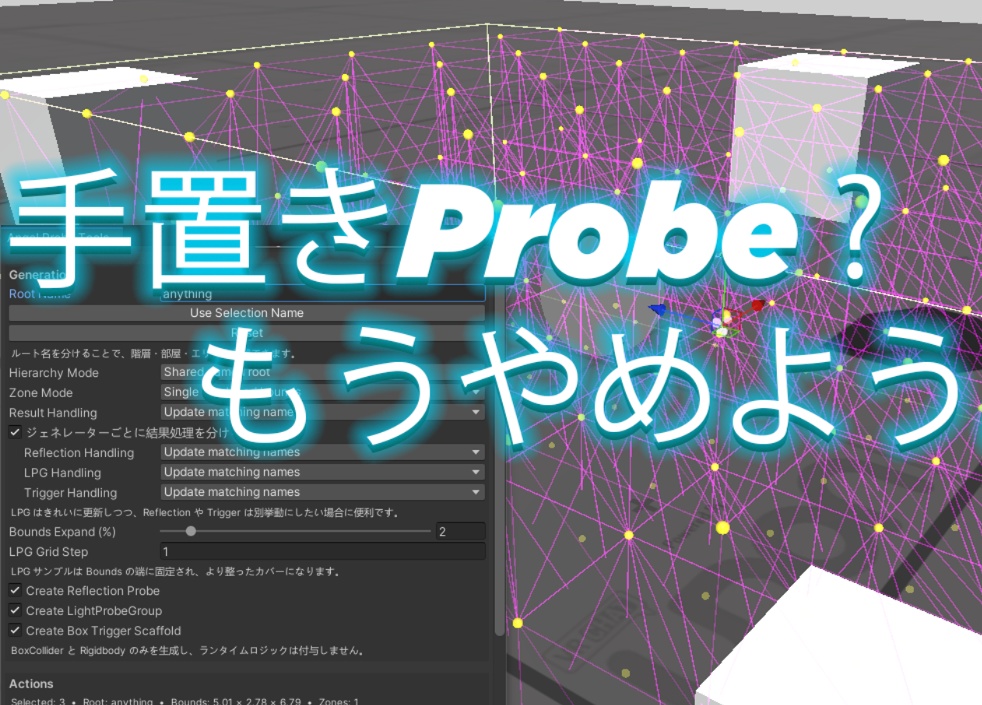
Angel Probe Tools では、現在の選択範囲をもとに Reflection Probe を生成できるほか、LightProbeGroup をより素早く組み上げるための生成フローも用意されています。Bounds の外側に少し余裕を持たせるための拡張設定、Zone ごとの分割や Scaffold 生成、軽量な Box Trigger Scaffold の作成にも対応しています。さらに、出力先の Root 名を自由に決められるため、1F 用、2F 用、Lobby 用、Room 用のように、実際の制作構造に合わせて整理しやすくなっています。 Angel Probe Tools can generate Reflection Probes from the current selection and also provides a faster workflow for building LightProbeGroups. It includes bounds expansion controls, zone split and scaffold generation, and optional lightweight Box Trigger scaffold creation. It also supports custom output root naming, which makes it much easier to keep results organized by real production structure such as 1F, 2F, lobby, room, or section-based hierarchies.
繰り返し作業に強い理由 Why It Is Better Than Doing It By Hand
Probe 作業は一回で終わりません。生成して、見直して、Bounds を広げたり、Grid の感覚を調整したり、また生成する。そのたびに Hierarchy がぐちゃぐちゃになっていくと、便利なはずのツールでも逆に使いづらくなります。Angel Probe Tools では、毎回新規生成するだけでなく、同名結果の置き換えや更新にも対応しているため、試行錯誤を前提にしたワークフローでも扱いやすくなっています。何度も試す前提で設計されていることが、このツールの使いやすさにつながっています。 Probe work is almost never done in a single pass. You generate, review, adjust bounds, tweak spacing, and generate again. If every iteration turns your hierarchy into a mess, even a useful tool becomes annoying. Angel Probe Tools supports not only always creating new results, but also replacing or updating matching results, making it much more comfortable for real iterative work. It is designed for repeated use, and that is exactly why it feels better than manual setup.
AngelPanel との関係 About AngelPanel Integration
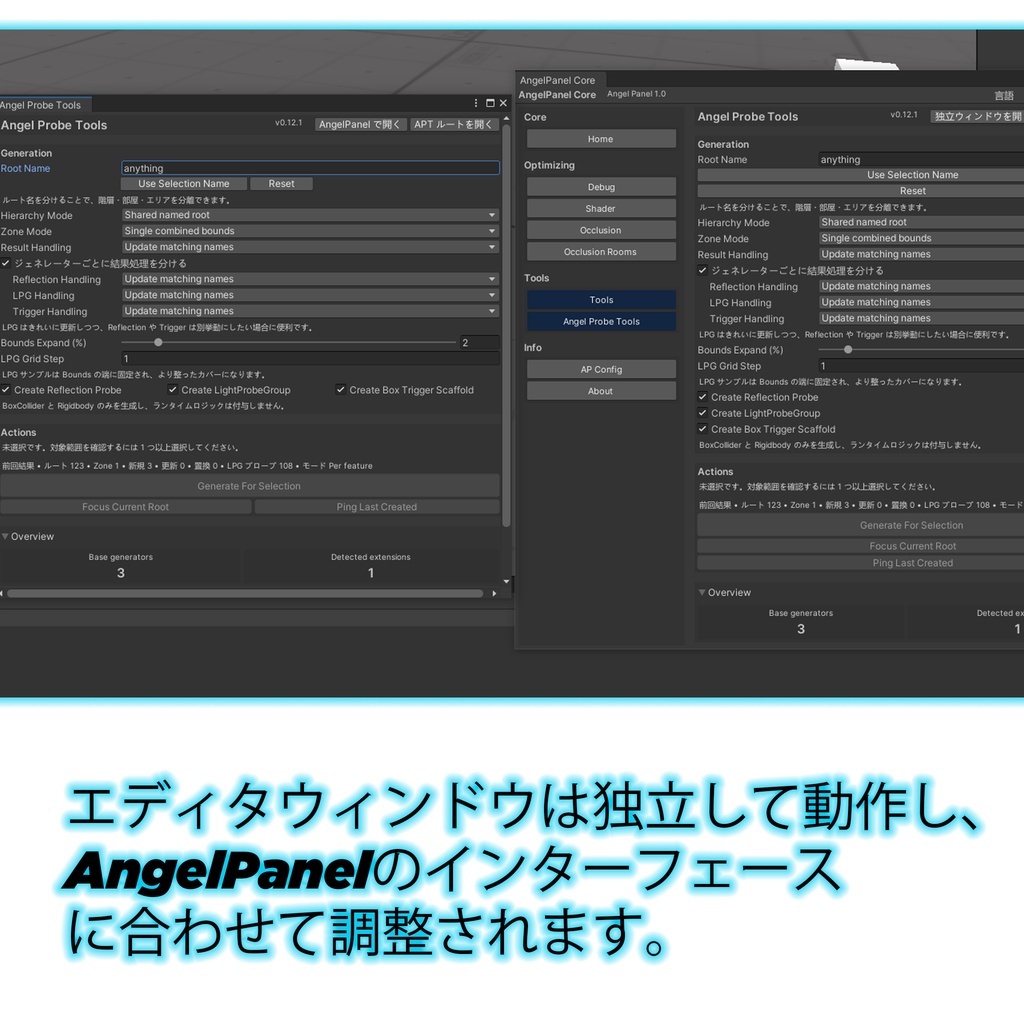
Angel Probe Tools は AngelPanel Core がなくても単体で動作します。一方で、AngelPanel Core が導入されている環境では、AP 側のツールページとして扱うこともできます。つまり、APT 単独でも使えますし、AP と組み合わせれば、よりまとまりのある制作環境の一部として運用できます。どちらかに強く縛られず、それでいて一緒に使うと自然に気持ちよく繋がるように設計されています。 Angel Probe Tools works perfectly fine as a standalone editor tool even without AngelPanel Core. At the same time, when AngelPanel Core is installed, it can also behave as an integrated hosted tool inside the AP environment. In other words, APT works on its own, but it also fits naturally into the wider AngelPanel workflow when both are present.
導入方法 How To Open
導入後は Unity 上部メニューから 2dAngel → Angel Probe Tools → Open で開いてください。AngelPanel Core が入っている場合は、AngelPanel 側のツールエリアからもアクセスできます。普段は単体ツールとして使い、必要に応じて AP の中に入れて使う、という流れでも問題ありません。 After installation, open the tool from the Unity top menu at 2dAngel → Angel Probe Tools → Open. If AngelPanel Core is installed, you can also access it from inside the AngelPanel tools area. You can use it as a standalone utility most of the time and still keep the option to work through AP when needed.
対応環境 Supported Environment
本製品は Unity 2022.3 環境を前提とし、VRCSDK Worlds 3.7.6 以上を対象にしています。パッケージ名は com.2dangel.angelprobetools.core です。現在のバージョンは、Editor-side の Probe 補助と Scaffold ワークフローに重点を置いており、Runtime gameplay system を主目的としたツールではありません。 This product is intended for Unity 2022.3 and targets VRCSDK Worlds 3.7.6 or newer. Its package name is com.2dangel.angelprobetools.core. The current version is focused on editor-side probe assistance and scaffold workflow rather than runtime gameplay systems.
公式リンク Official Links
更新情報や公開情報は、GitHub Public Repo、VPM 配布ページ、2dAngel の配布導線から確認してください。Booth は配布ページとして、GitHub 側は公開情報と更新導線として利用しています。導入時は必ず公式配布元から取得したデータを使用してください。 For updates and public information, please use the official GitHub repository, the VPM distribution page, and the 2d Angel distribution links. Booth serves as the public product page, while GitHub handles repository and update access. Please always use files obtained from official distribution sources.
利用規約 Terms of Use
本製品は 2d Angel による無料配布物ですが、オープンソースではありません。個人利用、VRChat ワールド制作での利用、商用・非商用プロジェクトでの利用は許可されます。ただし、本製品そのものの再配布、再アップロード、再販売、無断転載、改変版の公開、別パッケージへの無断同梱、自作物として偽る行為は禁止されています。製品に含まれないサードパーティ製アセットやツールは、それぞれの元ライセンスに従ってください。 This product is distributed for free by 2d Angel, but it is not open source. Personal use, VRChat world production use, and use in commercial or non-commercial projects are allowed. However, redistribution, reuploading, reselling, reposting, publishing modified versions, bundling it into another package without permission, or falsely claiming the product as your own work are prohibited. Any third-party assets or tools not included in this product remain subject to their original licenses.