
【無料あり】【VRoid】髪テクスチャ 11種 グラデーション・メッシュ ハイライト有/無|Hair Texture Pack【Tidebone Studio
- 本編 11種 / Full PackDigital400 JPY
- 無料サンプル / Free SampleDigital0 JPY
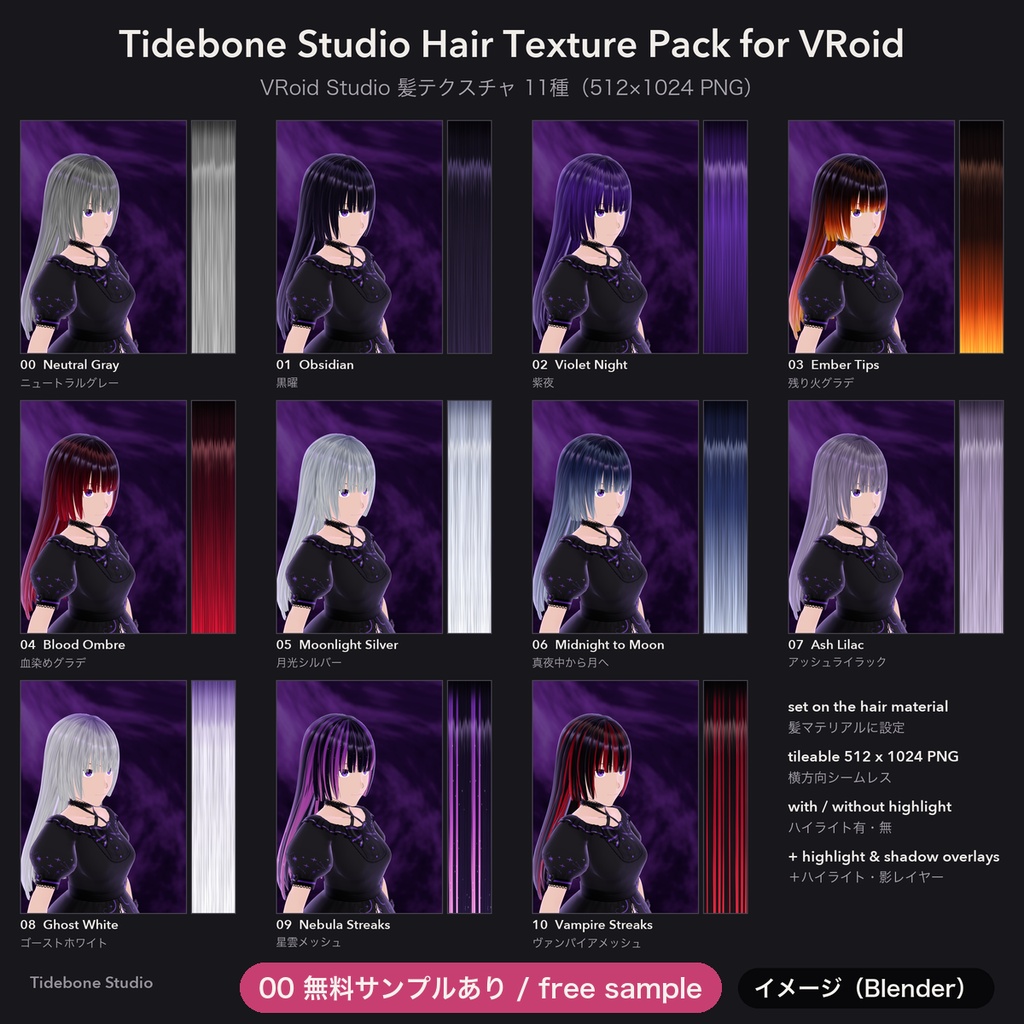
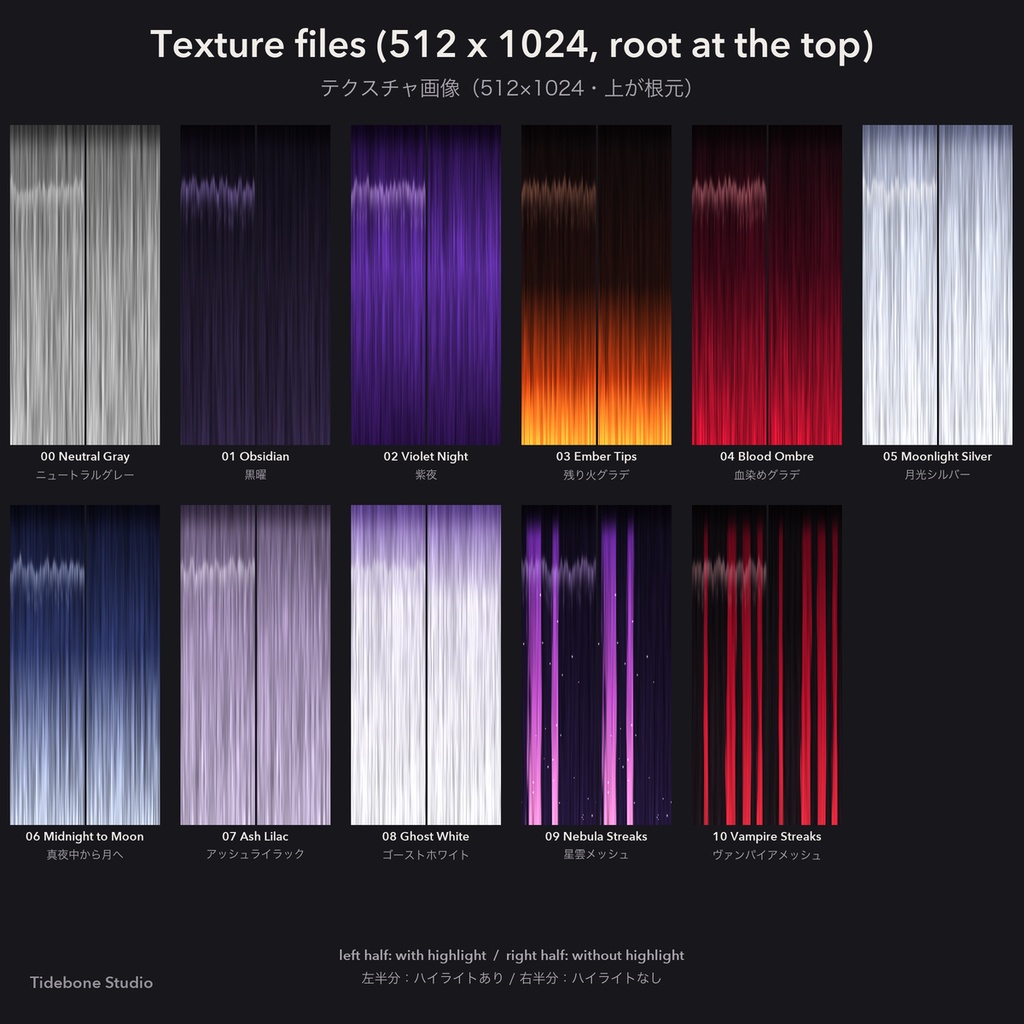
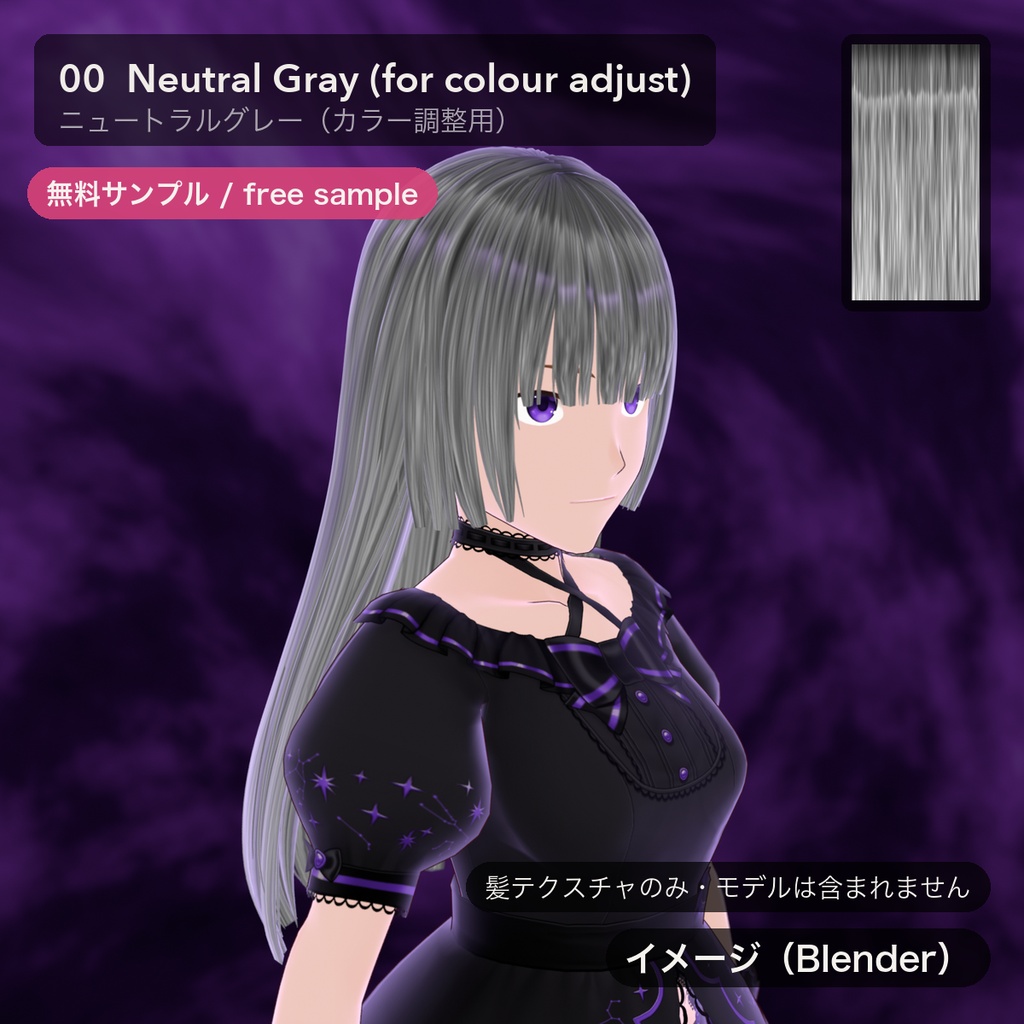
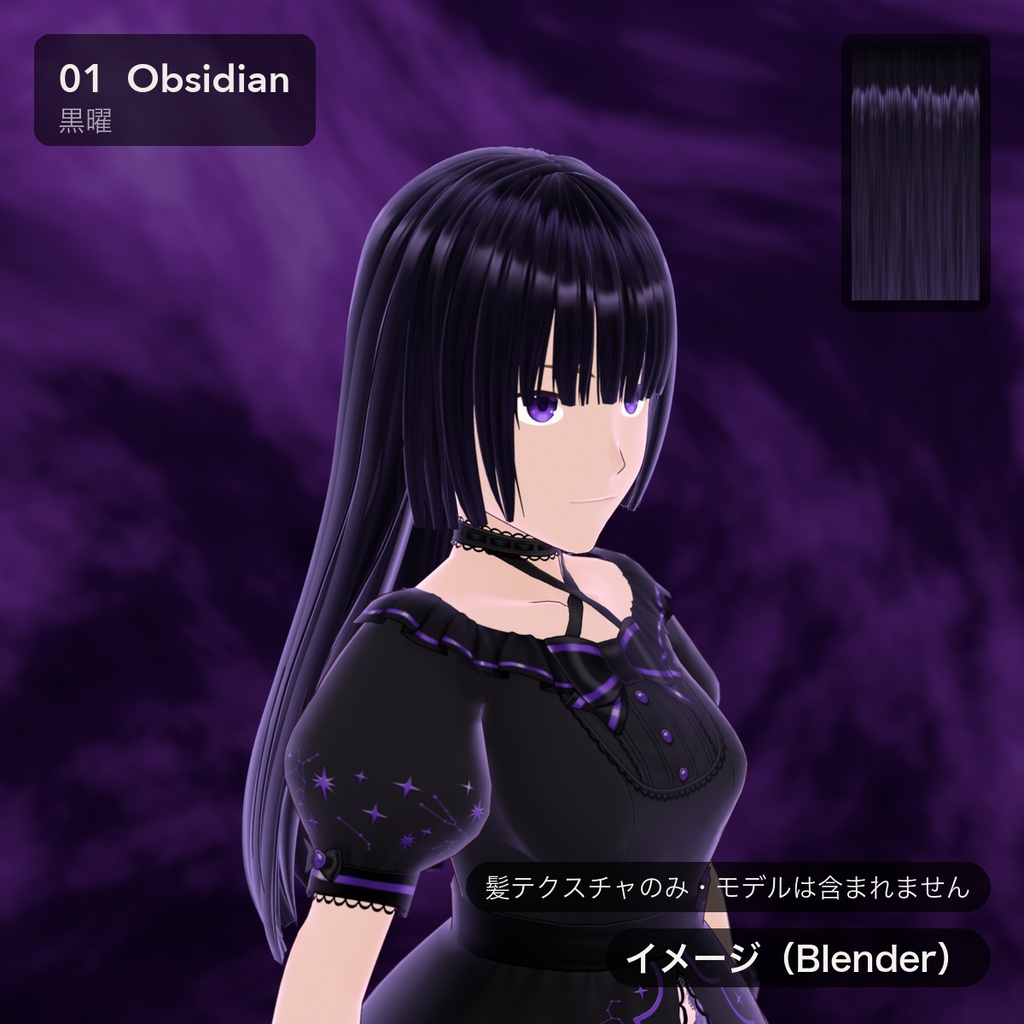
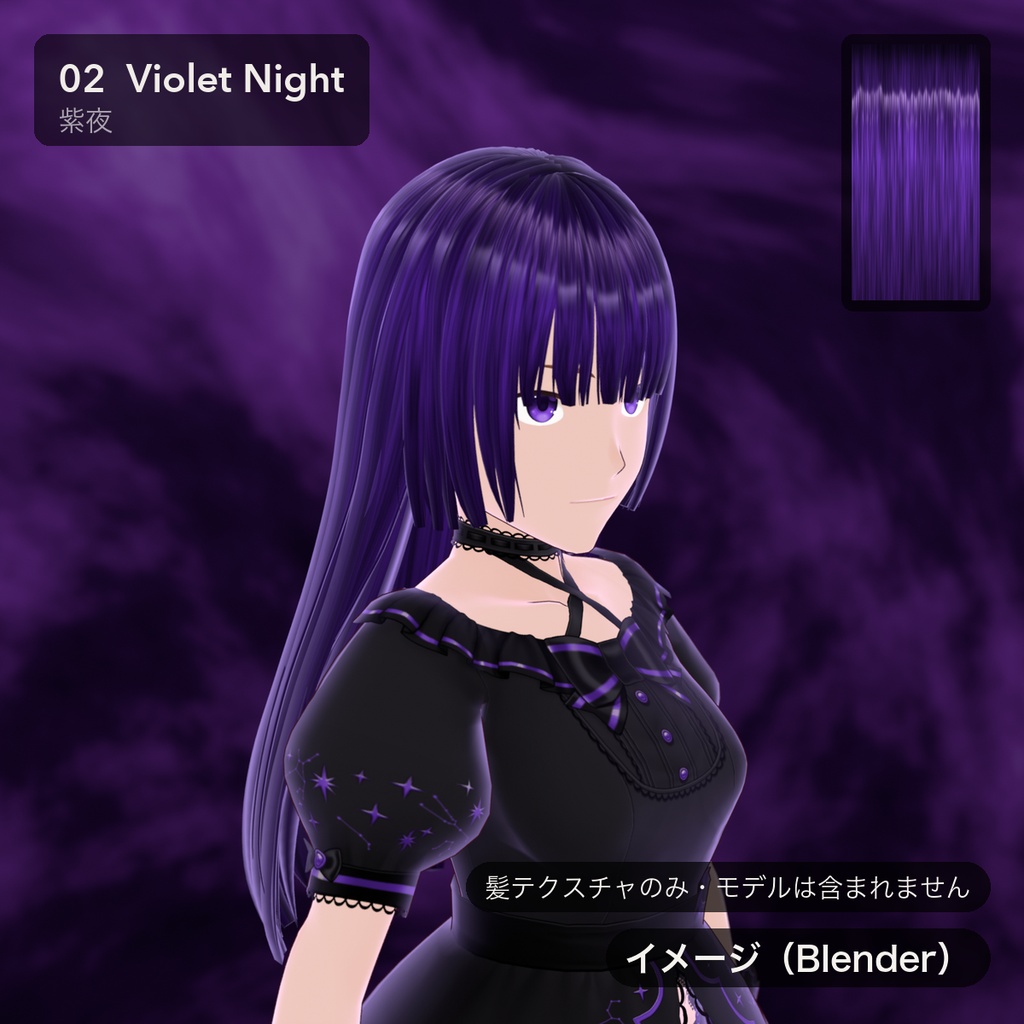
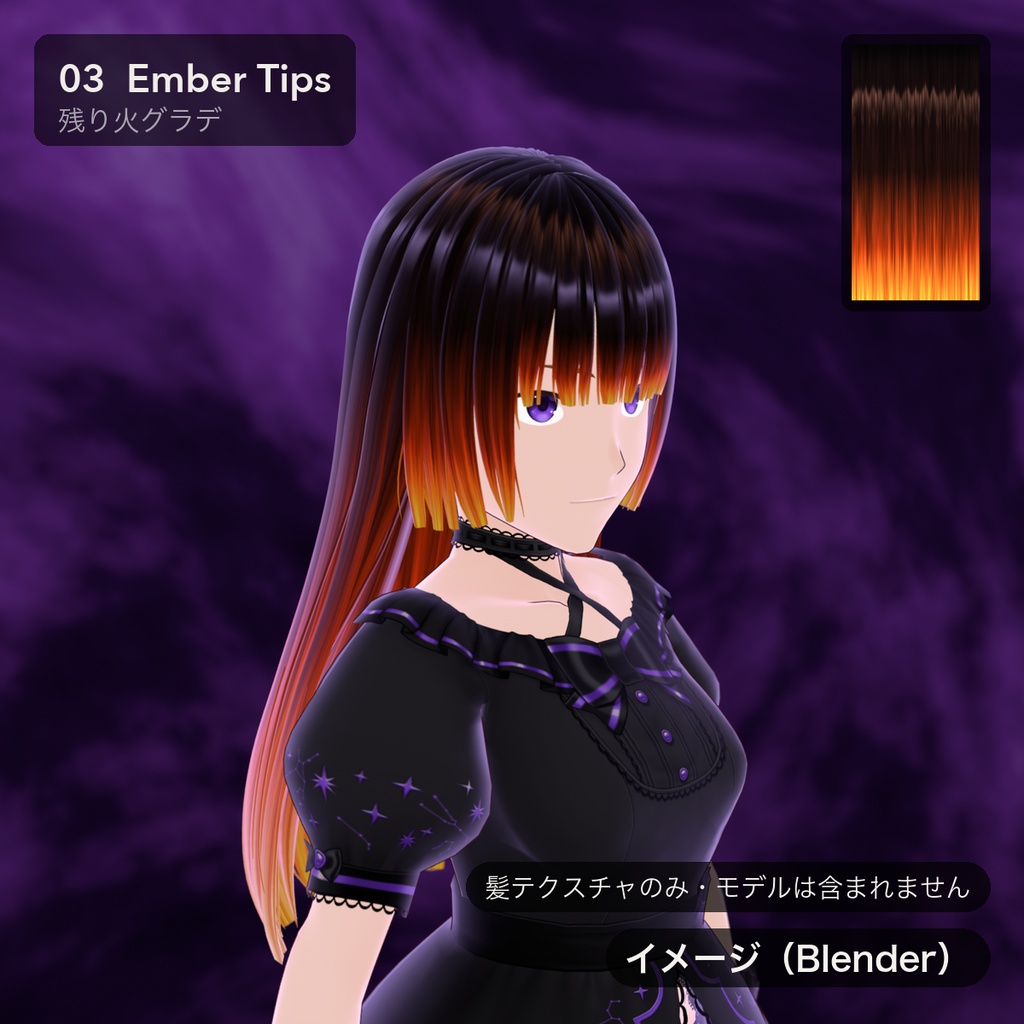
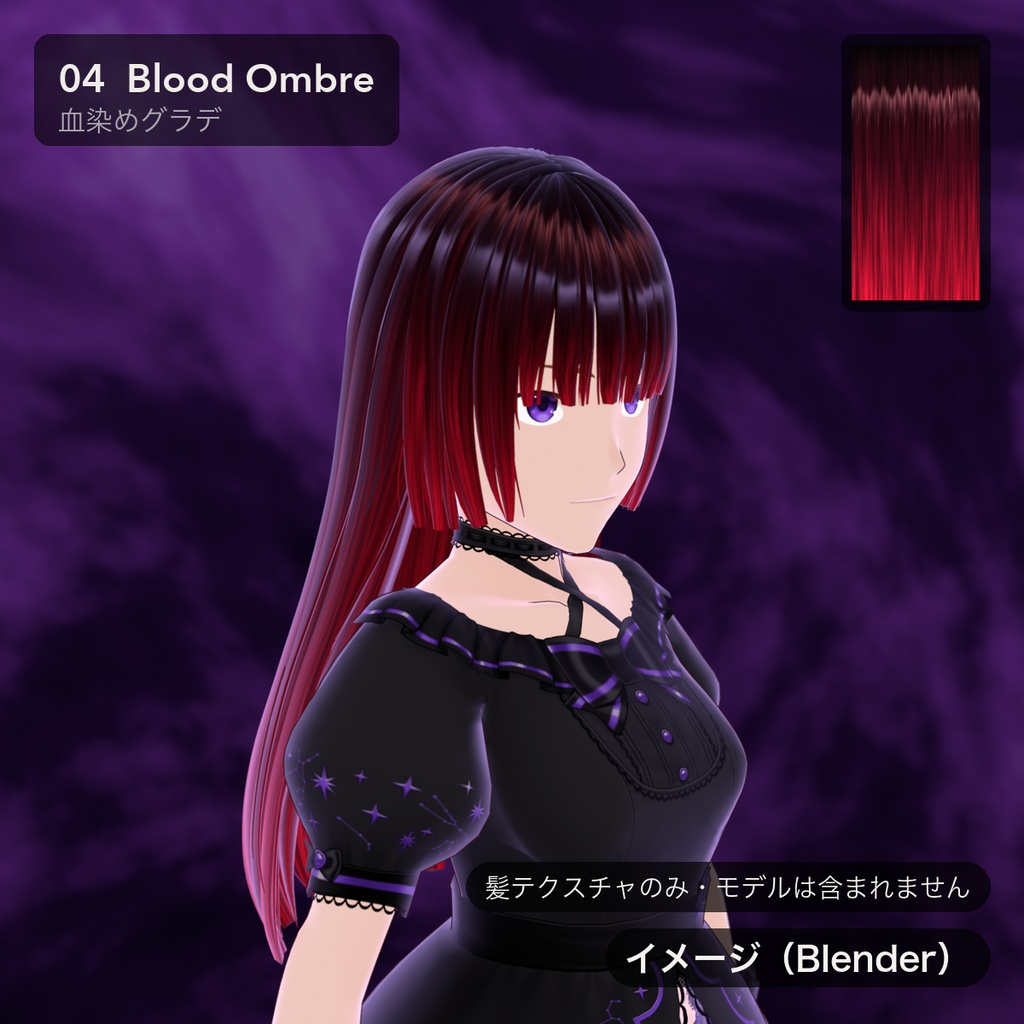
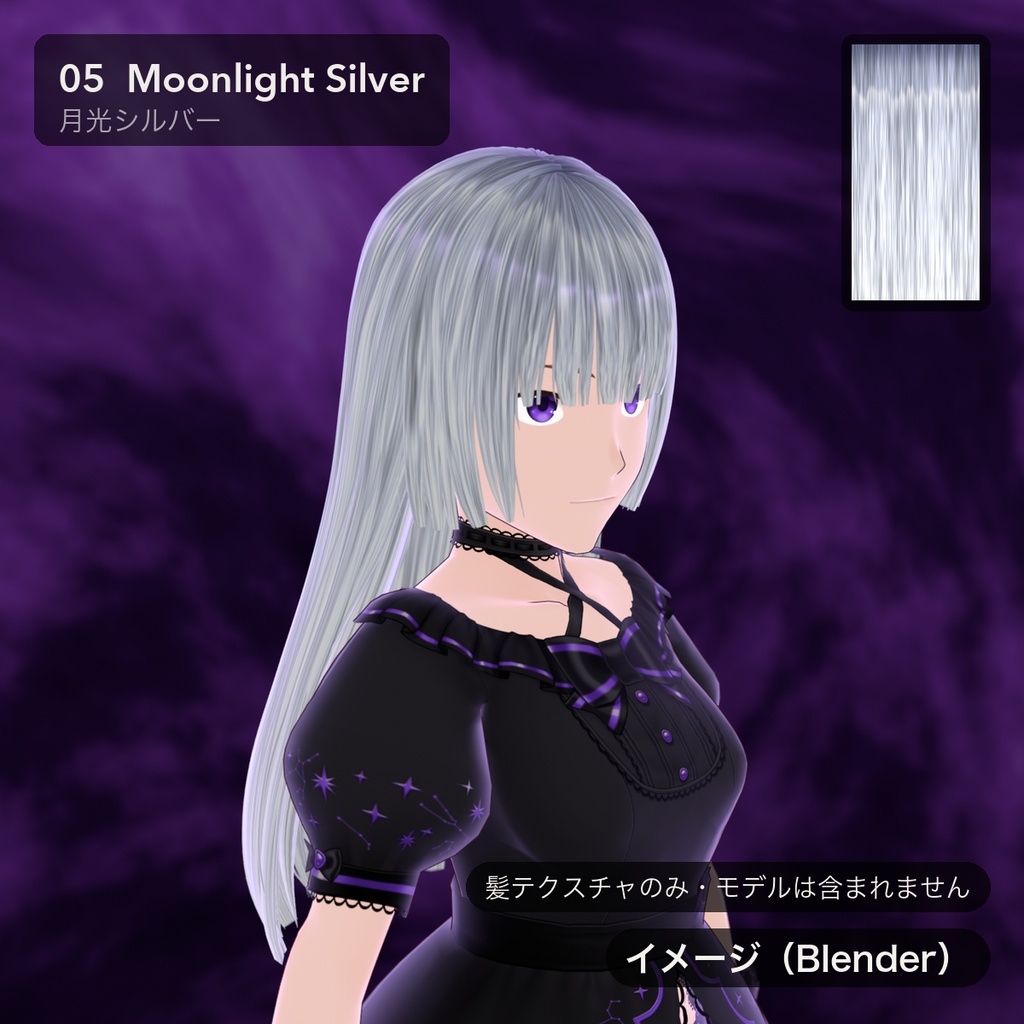
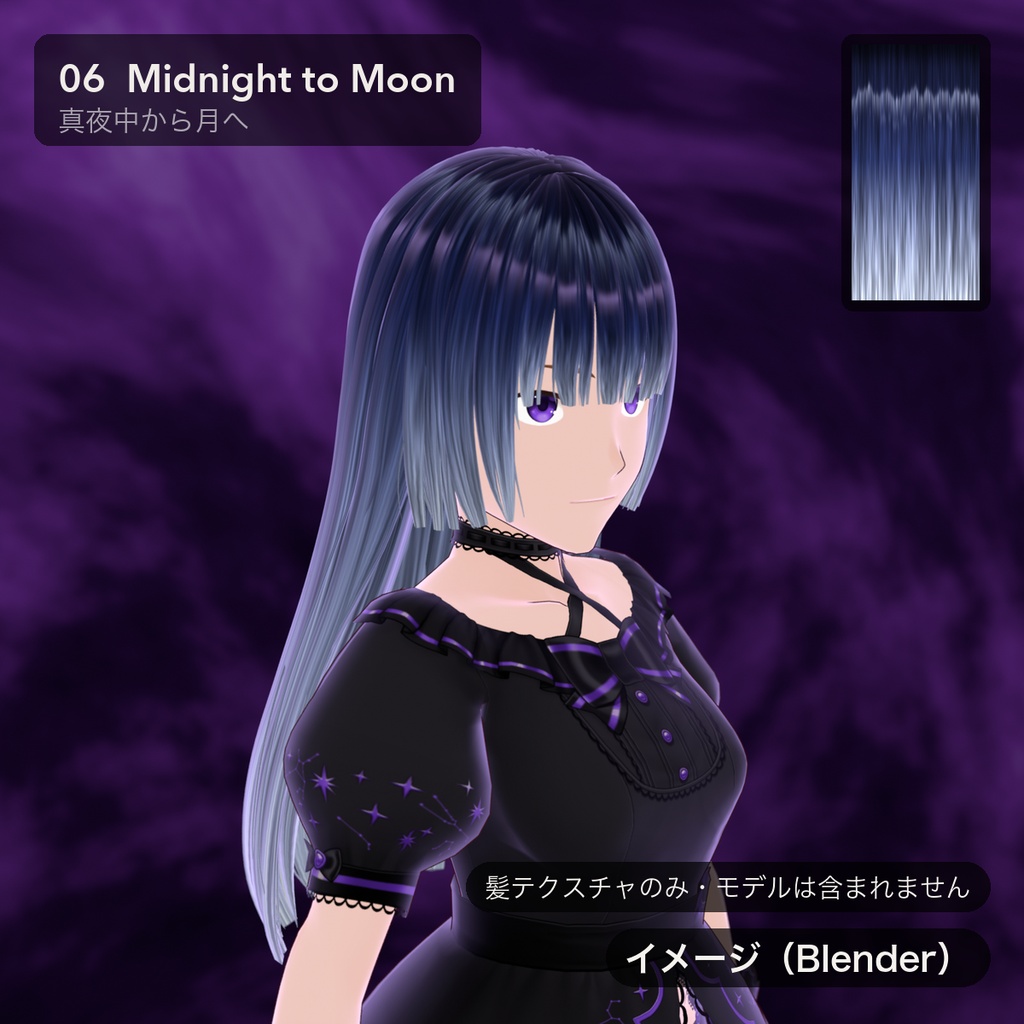
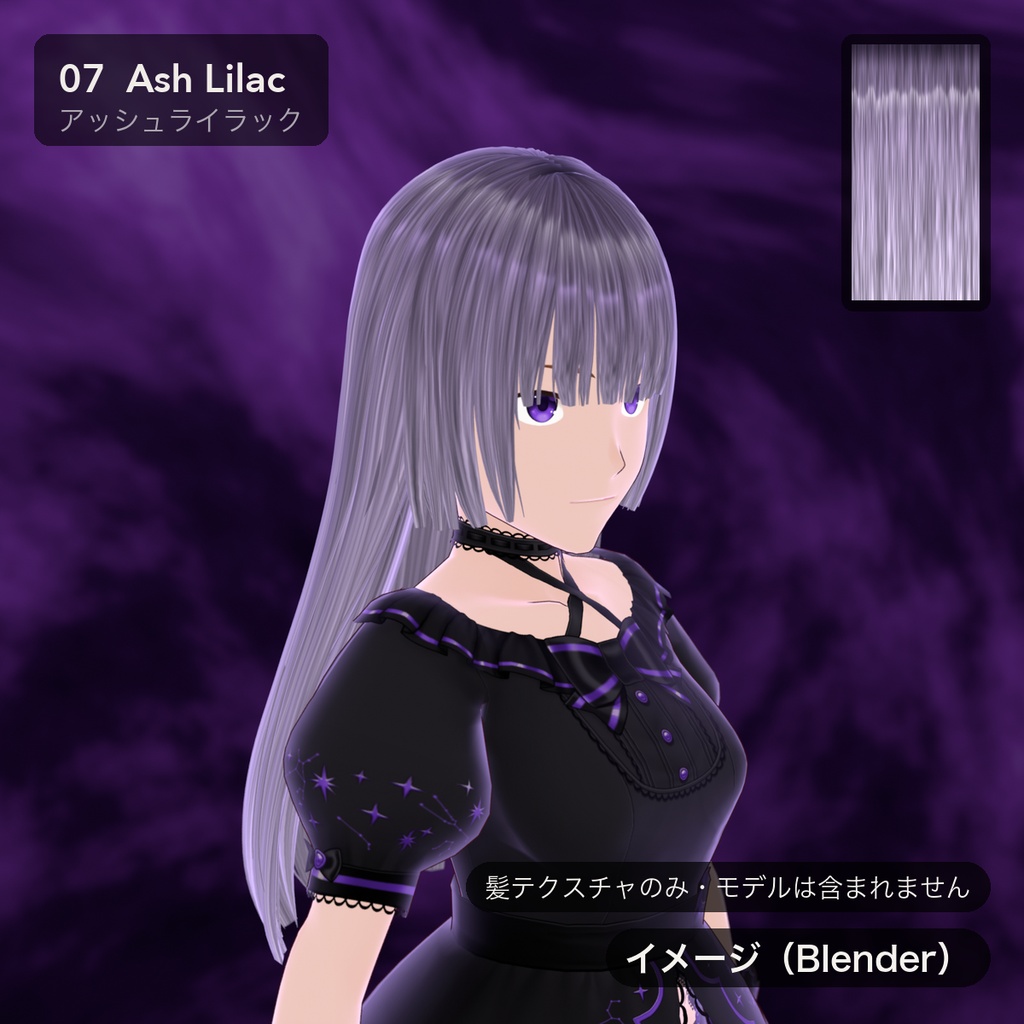
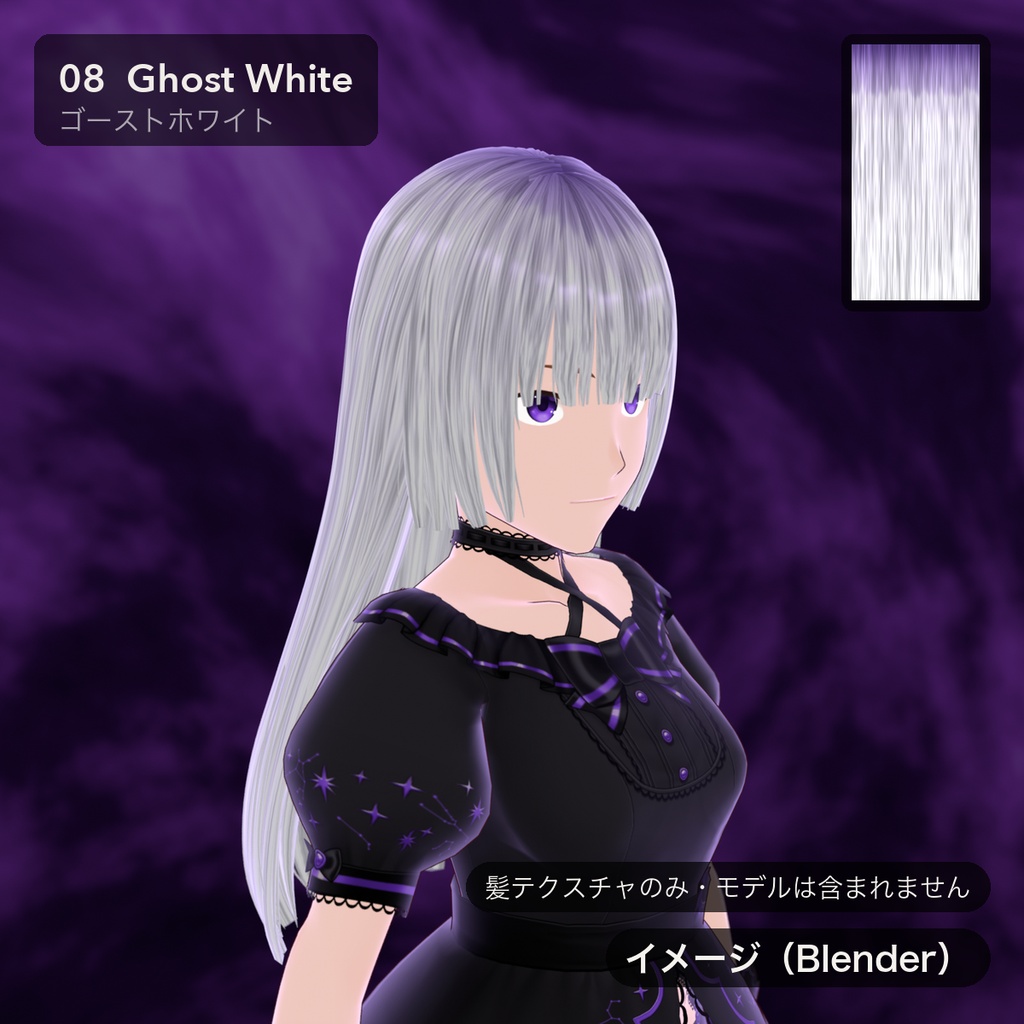
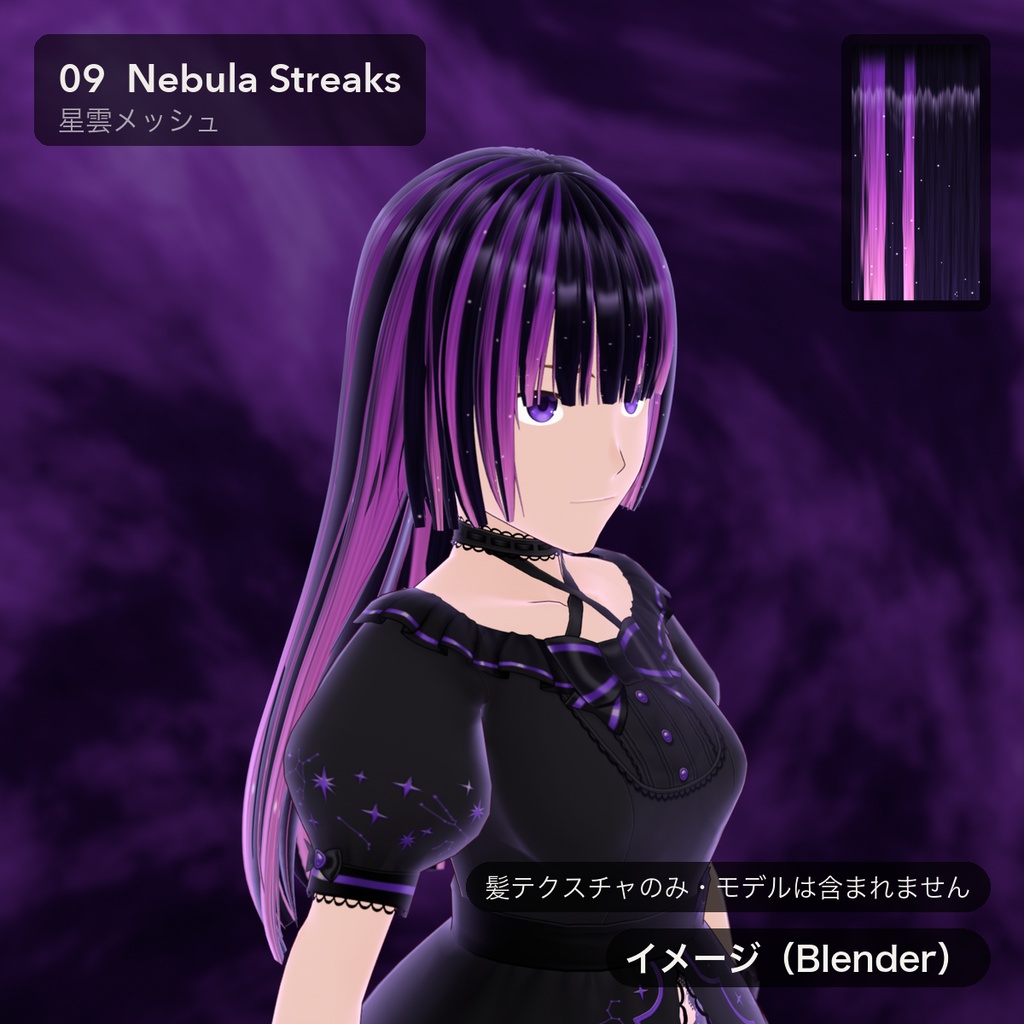
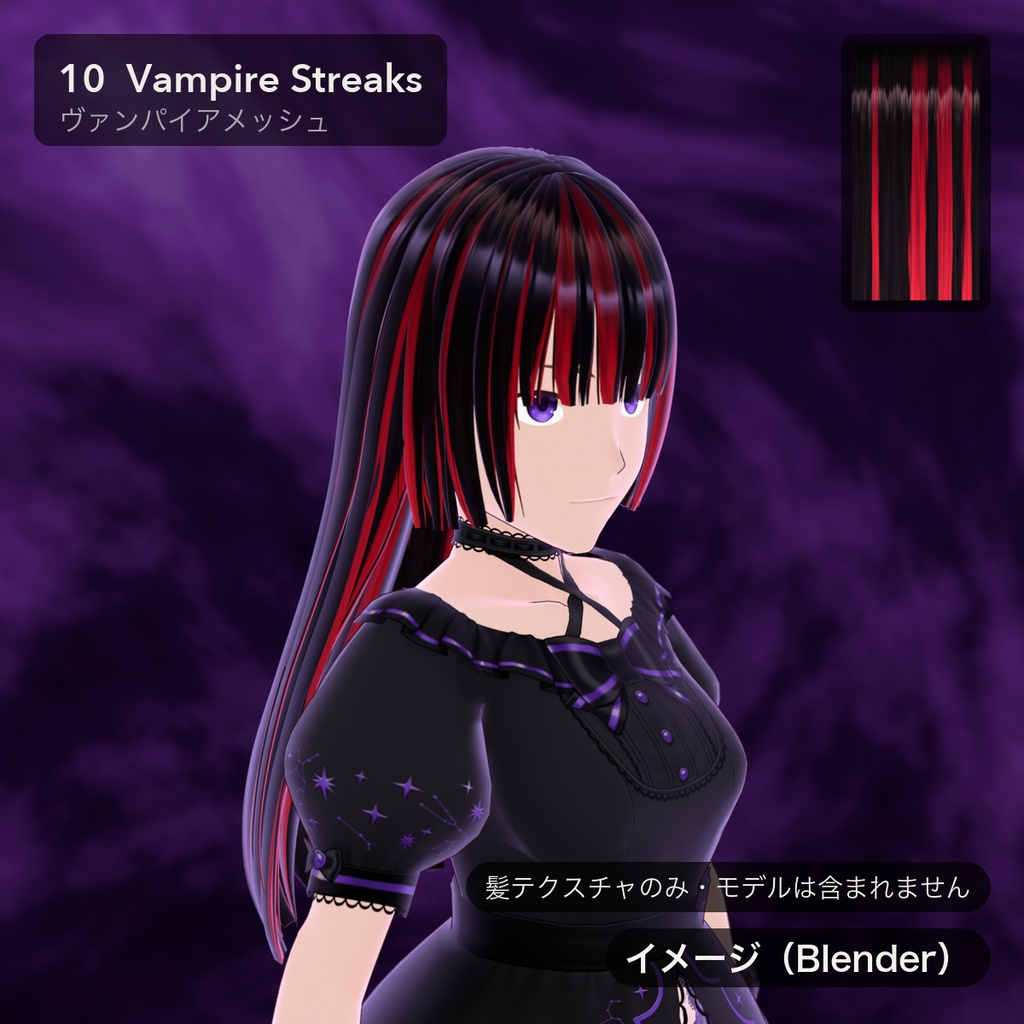


VRoid Studio 用の髪テクスチャ 11種類です。黒髪・紫・銀・白のほか、毛先グラデーション(残り火・血染め・真夜中から月へ)とメッシュ(星雲・ヴァンパイア)を収録しています。 すべてハイライトあり/なしの2種類入りです。カラー調整用のグレー版と、ハイライト・根元の影だけの透過オーバーレイも付いています。 ■ 無料サンプル 「00 ニュートラルグレー」(ハイライトあり/なし)を無料でお試しいただけます。バリエーション「無料サンプル」からダウンロードしてください。 ■ 収録内容 ・髪テクスチャ 11種 × ハイライトあり/なし(PNG 22枚) 00 ニュートラルグレー(カラー調整用)/ 01 黒曜 / 02 紫夜 / 03 残り火グラデ / 04 血染めグラデ / 05 月光シルバー 06 真夜中から月へ / 07 アッシュライラック / 08 ゴーストホワイト / 09 星雲メッシュ / 10 ヴァンパイアメッシュ ・オーバーレイ(透過PNG):ハイライトのみ / 根元の影のみ ・varianten.json(各テクスチャに合うベースヘアの推奨カラー) ・README(日本語・英語)、利用規約PDF(日本語・英語・韓国語・中国語) ■ 仕様 ・PNG 512×1024(上が根元・下が毛先)、横方向にシームレス ・髪のマテリアルに設定するため、そのマテリアルを使うすべての房に反映されます ・VRoid Studio 2.14.0 で読み込み・色の変更を確認済み ■ 使い方 1. 「髪型」タブ →「髪型を編集」 2. 髪グループのカラー見本 →「マテリアル」→「テクスチャを編集」 3. 「ベース」>「レイヤー」の画像インポートから PNG を読み込み 4. 色味は「カラー調整」>「メインカラー」で変更できます(00 ニュートラルグレーはこの用途向け) ■ ご注意 ・髪テクスチャのみの商品です。画像のモデル(アバター)・衣装・髪型データは含まれません。 ・商品画像は Blender でのレンダリング(「イメージ(Blender)」と表記)です。VRoid Studio 上ではライティングやルック設定により見え方が変わります。 ■ 制作について すべてのテクスチャは、制作者が作成したスクリプト(Python)で手続き的(プロシージャル)に生成しています。 スクリプトの作成には AI アシスタントを使用しました。画像生成AIは使用していません。 他者の素材・VRoid のプリセット画像は使用していません。 ■ 利用規約 VN3ライセンスを採用しています。同梱のPDF(日本語が正文)をご確認ください。 概要:個人・法人の商用利用OK / VRChat 等のサービスへのアップロードOK / データそのもの・改変したデータの再配布NG / 譲渡NG / クレジット表記は不要(あると嬉しいです) ■ お問い合わせ 不具合・ご質問は、ショップページの「ショップへのお問い合わせ」(BOOTHのメッセージ)からお願いいたします。 制作:Tidebone Studio ―――――――――――――――― 11 hair textures for VRoid Studio: black, violet, silver and white, plus tip gradients (Ember, Blood, Midnight to Moon) and streaks (Nebula, Vampire). Every texture comes with and without highlight. Also included: a grey version for recolouring, and transparent overlays with only the highlight or only the root shadow. ■ Free sample "00 Neutral Gray" (with / without highlight) is free to try — choose the "Free Sample" variation. ■ Contents • 11 hair textures × with / without highlight (22 PNG) 00 Neutral Gray (for colour adjustment) · 01 Obsidian · 02 Violet Night · 03 Ember Tips · 04 Blood Ombre · 05 Moonlight Silver 06 Midnight to Moon · 07 Ash Lilac · 08 Ghost White · 09 Nebula Streaks · 10 Vampire Streaks • Overlays (transparent PNG): highlight only / root shadow only • varianten.json (suggested base-hair colour for each texture) • README (Japanese, English), licence PDF (Japanese, English, Korean, Chinese) ■ Specs • PNG 512×1024 (root at the top, tips at the bottom), seamless horizontally • Set on the hair material, so every strand using that material gets the look • Import and recolouring checked in VRoid Studio 2.14.0 ■ How to use 1. "Hairstyle" tab → "Edit Hairstyle" 2. Colour swatch of a hair group → "Material" → "Edit Texture" 3. "Base" > "Layers" → image import → choose the PNG 4. Tint with "Color Calibration" > "Main Color" (00 Neutral Gray is made for this) ■ Notes • Hair textures only. The model (avatar), outfit and hairstyle shown in the images are NOT included. • Product images are Blender renders (marked "イメージ(Blender)"). The look in VRoid Studio depends on lighting and look settings. ■ How it was made All textures are generated procedurally by scripts (Python) written by the creator; an AI assistant was used to write the scripts. No image-generation AI was used. No third-party assets and no VRoid preset images were used. ■ Terms of use VN3 License — see the included PDFs (the Japanese text is authoritative). Summary: personal and commercial use OK · uploading to services such as VRChat OK · redistributing the data itself or modified data NOT allowed · transfer NOT allowed · credit not required (appreciated). ■ Contact For issues or questions, please use "Contact this Shop" (BOOTH message) on the shop page. by Tidebone Studio
