

【VRChat・ワールド】なぞってドミノ ペンで描いて倒す連鎖ドミノ / Draw Domino
- Digital700 JPY
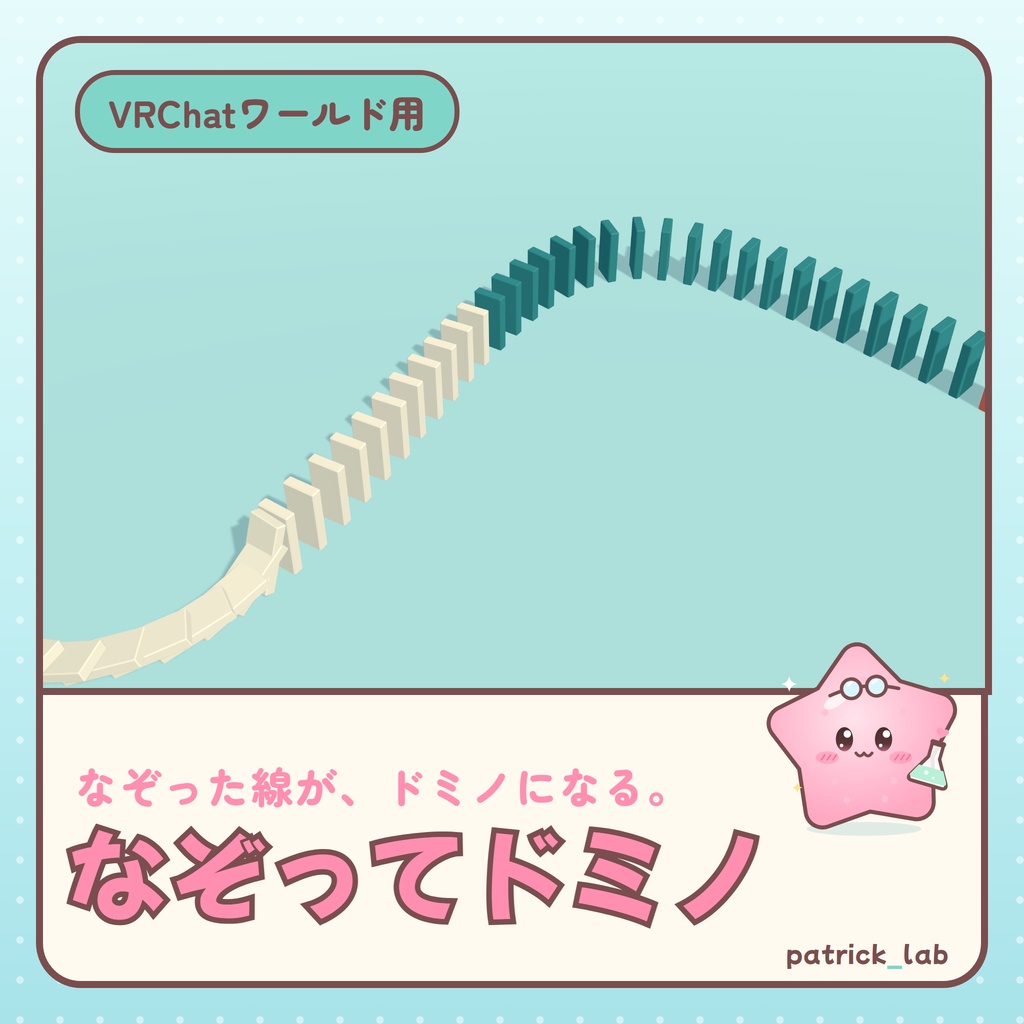
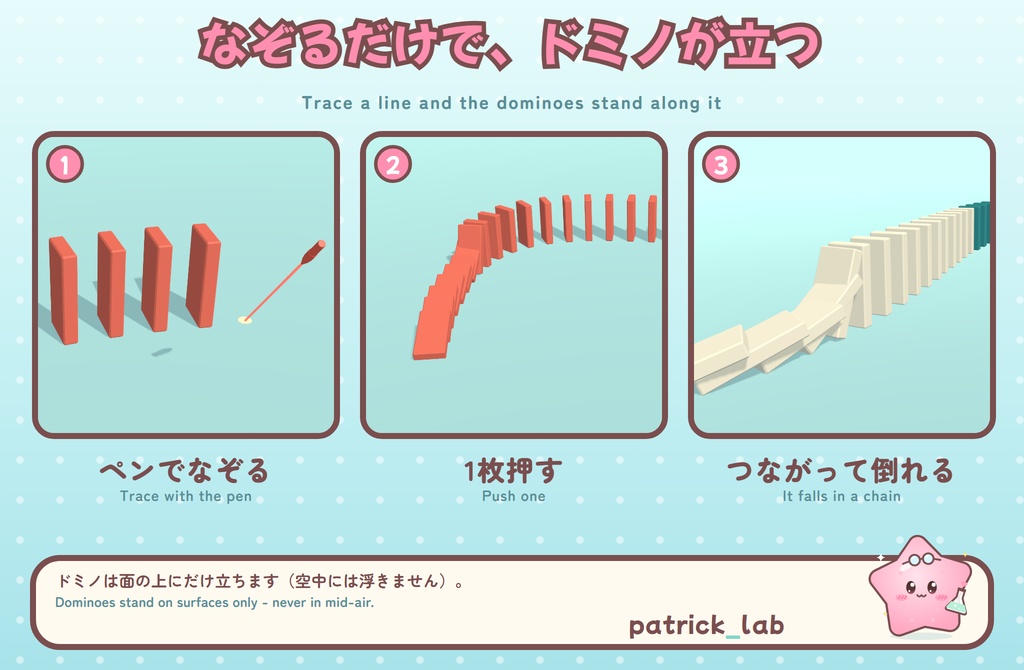
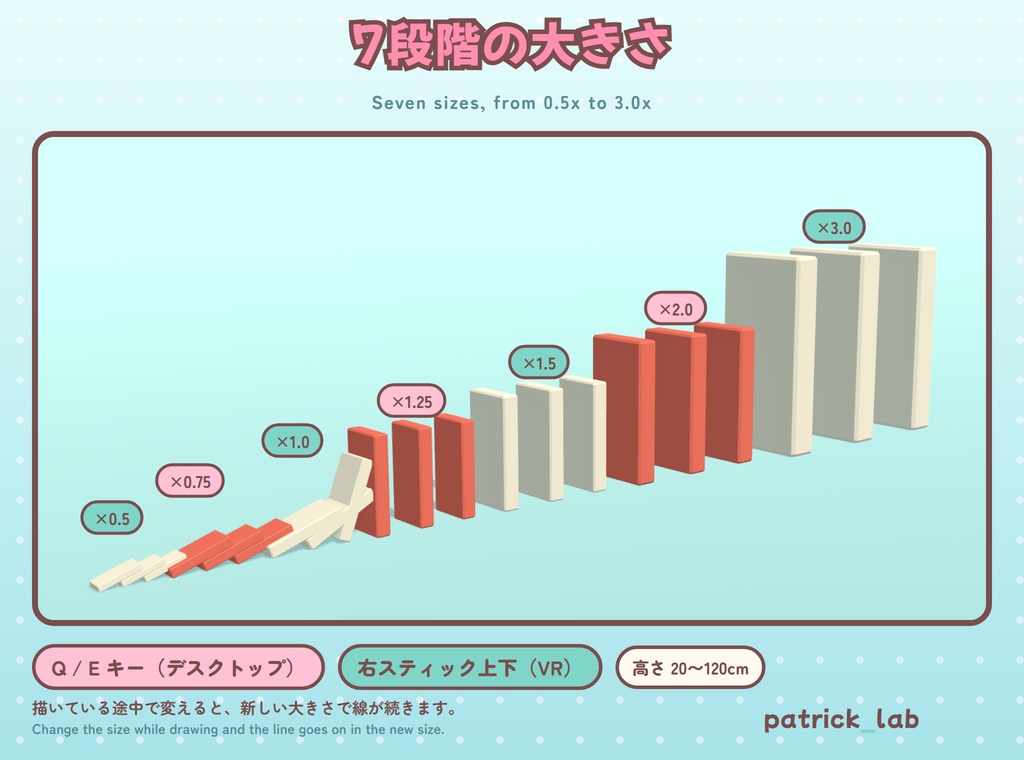
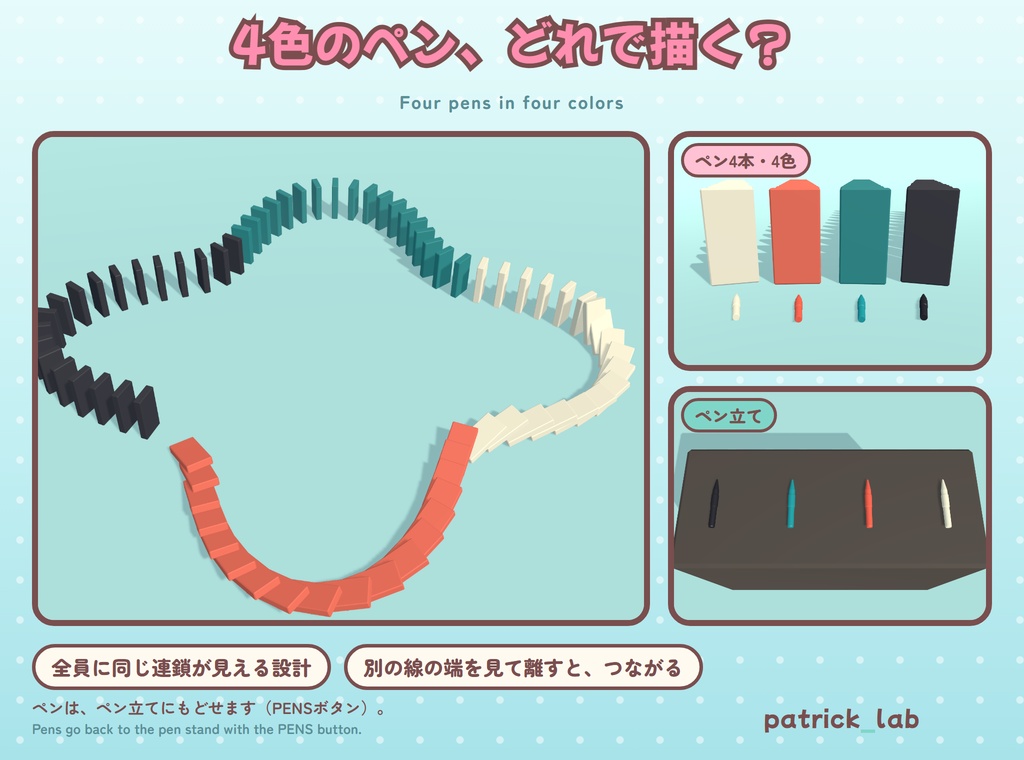
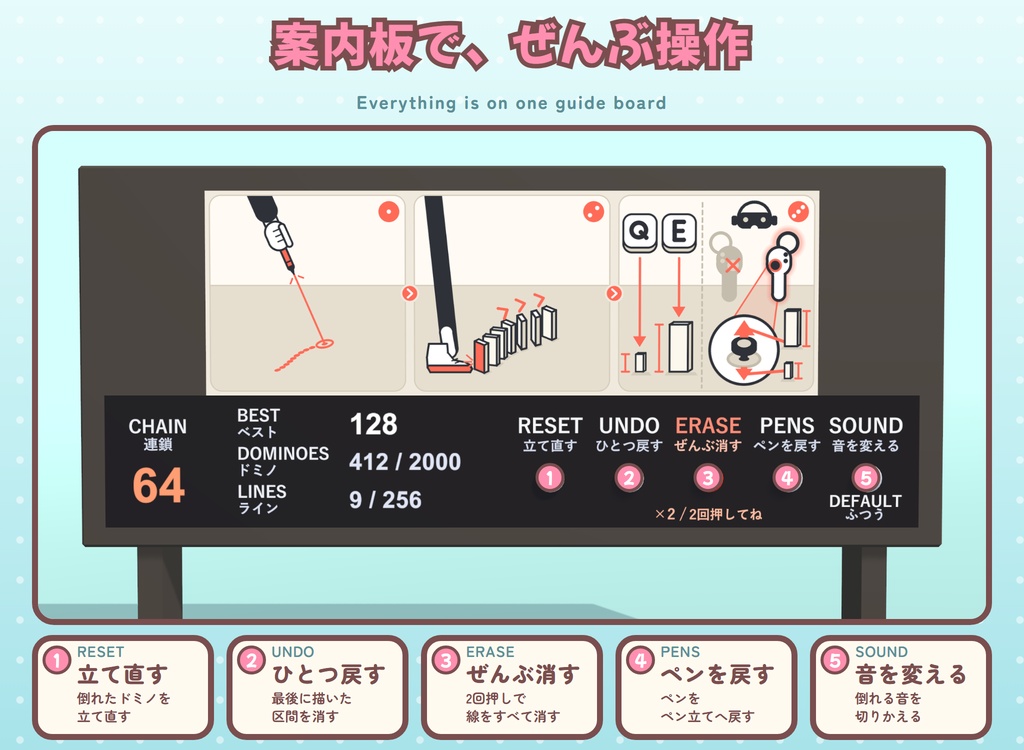
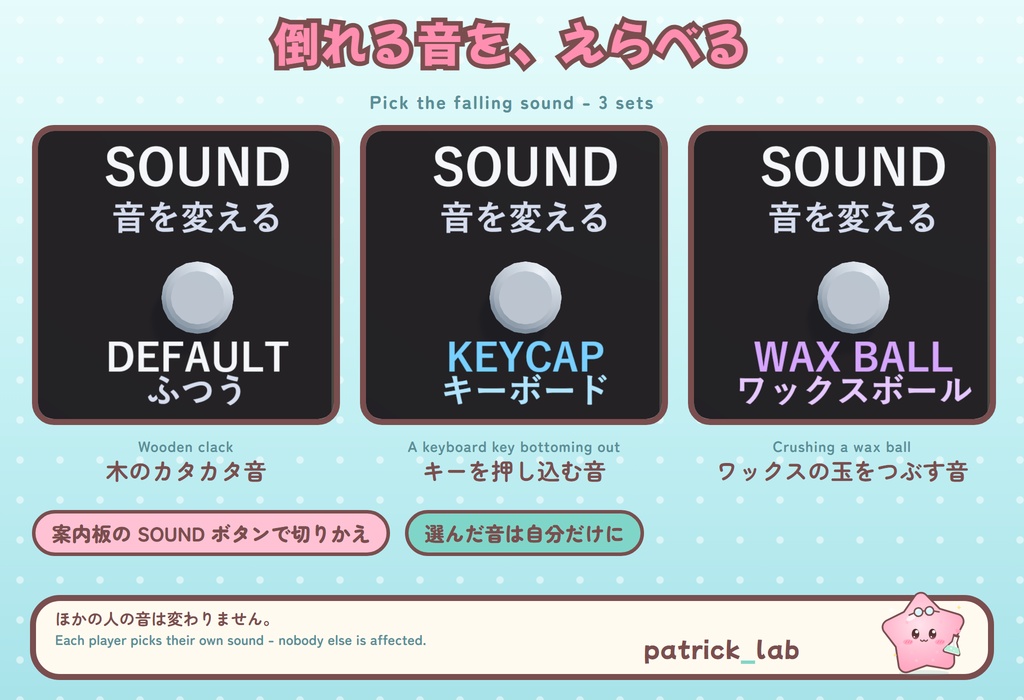
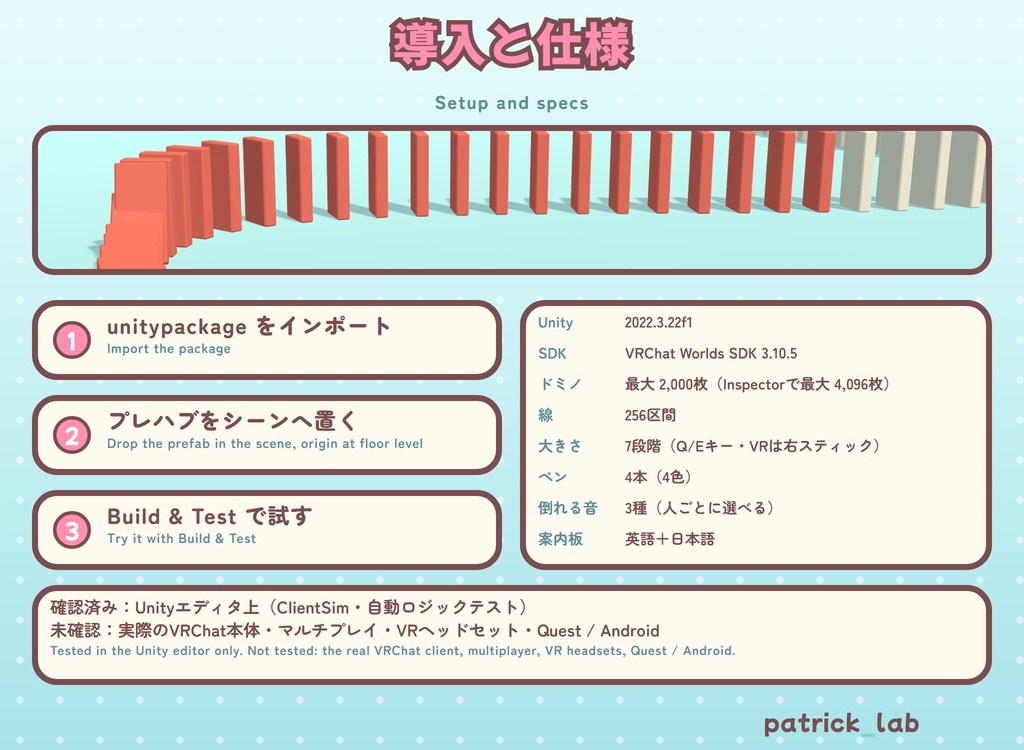


【日本語】 ペンでなぞった線に沿って、ドミノがずらりと立つ。1枚押せば、カタカタと連鎖して倒れていく。 VRChatワールドに置くだけで遊べる、ドミノ遊びのアセット(UdonSharp)です。 床や机などの面の上にだけ立つので、空中には浮きません。 ◆ 遊び方 ・ペンを持って、床や物の面をなぞるとドミノが並びます(デスクトップは左クリックを押したまま視点を動かす/VRはトリガー) ・線の「端」からなぞると続きを描けます。描いている途中で別の線の端を見て離すと、そこまで面に沿って自動でつながります ・1枚を押すと連鎖して倒れます(視線で押す・歩いてぶつかる・VRは指先や足) ・ドミノの大きさは7段階(0.5〜3.0倍)。デスクトップはQ/Eキー、VRは右スティックを上下に倒すと1段ずつ変わります ・案内板:RESET(立て直す)/UNDO(ひとつ戻す)/ERASE(ぜんぶ消す)/PENS(ペンを戻す)/SOUND(音を変える)。ボードの文字は英語と日本語の2段表記 ・倒れる音は3種類から選べます:DEFAULT(ふつう・木の音)/KEYCAP(キーボード)/WAX BALL(ワックスボール)。選んだ人にだけ聞こえます ・最大2,000枚(インスペクターで最大4,096枚)、線は256区間、ペンは4本。遠くで手放したペンは自動で戻ります ◆ かんたん導入 .unitypackage をインポートして、NazotteDomino.prefab を床の高さに置き、Build & Test するだけ。デモシーン付きです。描きたい面にはコライダーが必要です。 インスペクターで、ドミノの最大数・ペンが描ける層・最初の音を変えられます。 ◆ 必要な環境 ・Unity 2022.3.22f1 / VRChat SDK - Worlds 3.10.5(UdonSharpはSDKに含まれます) ・ほかのアセットは不要。第三者のモデル・テクスチャは使っていません(効果音のうち KEYCAP・WAX BALL は CC0 録音の編集版。クレジットは下記) ・確認済み:Unityエディタ上(ClientSim・自動ロジックテスト) ・未確認:VRChat本体、複数人での同期、VR、Quest / Android ・エディタ上の計測:ドミノ2,000枚で16本の連鎖が同時に倒れても、スクリプト負荷は1フレーム約1.2ms(VRChat本体・Questでは未計測) ◆ 内容物 DrawDomino_v1.0.5.unitypackage(プレハブ・デモシーン・スクリプト・メッシュ・テクスチャ・効果音、README・LICENSE 日英韓) ※ワールド本体は含まれません(アセットのみ)。 ◆ 利用規約(全文は同梱の LICENSE をご覧ください) OK: 自分のワールドへの組み込み・公開(パブリック可)・改変・配信/動画(収益化含む)・R-18ワールド・クレジット不要 禁止: 再配布・転売(改変後や他アセット・ワールドデータへの同梱も)・自作発言 法人・企業での利用: 事前にご相談ください(個人事業主・個人VTuberは個人扱い) ◆ AIの使用 スクリプトはAIコーディングアシスタントを使って書きました。3Dモデルとテクスチャはコードで生成し、DEFAULT・立てる音・RESETの音はプログラムで合成しています。KEYCAP・WAX BALLの音は、人が録音しCC0で公開された音の編集版です(AI画像・3D・音声生成サービスは不使用)。 ◆ クレジット(効果音) KEYCAP・WAX BALLの音はCC0(パブリックドメイン)の録音を編集して作りました。録音: adamlenhart/zrrion/Techrul/velcronator/morganpurkis/Archos(Freesound)。ありがとうございます。詳細は同梱のREADMEをご覧ください。 ◆ 更新履歴 ・v1.0.5 [2026.10.11] VRでも右スティックの上下で大きさを変えられるように(振動とプレビューのドミノでお知らせ) ・v1.0.4 [2026.10.05] スロープ・ブロックの小物と、その説明を削除。倒れる音がワールド内で聞こえやすいように、再生の音量を上げました ・v1.0.0〜1.0.3 [2026.10.04] 公開と音の改良(詳しくは同梱のREADME) ◆ 動作確認と返金について 作者が確認できたのはUnityエディタ上までです。VRChat本体での動作、複数人での同期、VR機器、Quest/Androidでの動作は、作者が実機で確認できていません。商品説明と異なる致命的な不具合があった場合は、理由をBOOTHのメッセージでお送りください。確認のうえ返金いたします。 ◆ お問い合わせ BOOTH のメッセージへどうぞ(日本語・English OK) X: @patricklab_vrc ―――――――――――――――――――― 【English】 Draw a line with a pen and dominoes stand along it. Push one and the whole chain clatters down. A domino-play asset for VRChat worlds (UdonSharp). Just drop the prefab in. Dominoes stand only on surfaces such as floors and tables, never in mid-air. [ How it plays ] - Hold a pen and trace a floor or any surface: dominoes line up (desktop: hold left-click and sweep your view / VR: trigger) - Start from a line's END to continue it. While drawing, look at another line's end and release: it connects there along the surfaces - Push one and the chain falls (look and push, walk into them, or in VR use a fingertip or foot) - Domino size in 7 steps (0.5x to 3.0x): Q/E on desktop, push the right stick up/down in VR (one step per push) - Guide board: RESET / UNDO / ERASE / PENS / SOUND. Every word is English with Japanese below it - 3 falling sounds to choose from: DEFAULT (wood) / KEYCAP (keyboard) / WAX BALL. Only the player who chose it hears it - Up to 2,000 dominoes (4,096 in the Inspector), 256 line segments, 4 pens. A pen dropped far away returns by itself [ Easy setup ] Import the .unitypackage, put NazotteDomino.prefab at floor height and Build & Test. A demo scene is included. Surfaces to draw on need colliders. In the Inspector you can change the domino limit, the layers pens draw on, and the starting sound. [ Requirements ] - Unity 2022.3.22f1 / VRChat SDK - Worlds 3.10.5 (UdonSharp is included in the SDK) - No other assets needed. No third-party models or textures (the KEYCAP and WAX BALL sounds are edited CC0 recordings; see Credits below) - Verified: in the Unity editor (ClientSim, automated logic tests) - Not verified: the real VRChat client, multiplayer sync, VR, Quest / Android - Editor measurement: 2,000 dominoes, 16 chains falling at once: about 1.2 ms script time per frame (VRChat client / Quest not measured) [ Contents ] DrawDomino_v1.0.5.unitypackage (prefab, demo scene, scripts, meshes, textures, sounds, README/LICENSE in JP/EN/KO) * No world is included (asset only). [ Terms ] (full text: the included LICENSE) OK: use and publish in your own worlds (public too), modifying, streaming/videos (incl. monetized), R-18 worlds, no credit needed Not OK: redistribution/resale (incl. modified, or bundled in other assets or world data), claiming it as your own Corporate use: please ask first (sole proprietors and individual VTubers count as individuals) [ Use of AI ] Scripts were written with an AI coding assistant. The 3D models and textures are generated by code; the DEFAULT sounds, the standing-up sound and the RESET sound are synthesized by a program. The KEYCAP and WAX BALL sounds are edited versions of CC0 recordings made by other people (no AI image, 3D or sound generation services). [ Credits (sounds) ] The KEYCAP and WAX BALL sounds are edited from CC0 (public domain) recordings by adamlenhart, zrrion, Techrul, velcronator, morganpurkis and Archos (Freesound). Thank you! Details are in the included README. ◆ Changelog - v1.0.5 [2026.10.11] VR: push the right stick up/down to change the domino size (a buzz and a preview domino show it) - v1.0.4 [2026.10.05] Removed the ramp / block props and their explanation. The falling sounds play louder in the world - v1.0.0-1.0.3 [2026.10.04] Release and sound updates (details in the included README) [ Testing and refunds ] The author has only tested in the Unity editor. The real VRChat client, multiplayer sync, VR headsets and Quest / Android have not been tested on real hardware by the author. If you find a critical error that does not match this description, please send the reason via BOOTH message. After checking, a refund is possible. [ Contact ] BOOTH messages (Japanese / English OK) X: @patricklab_vrc