

VideoPlayer Error Watcher
- Digital170 JPY
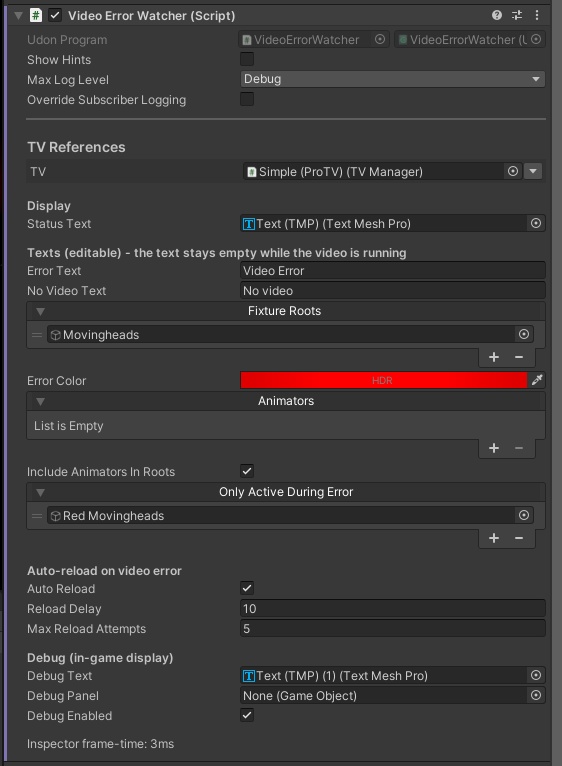
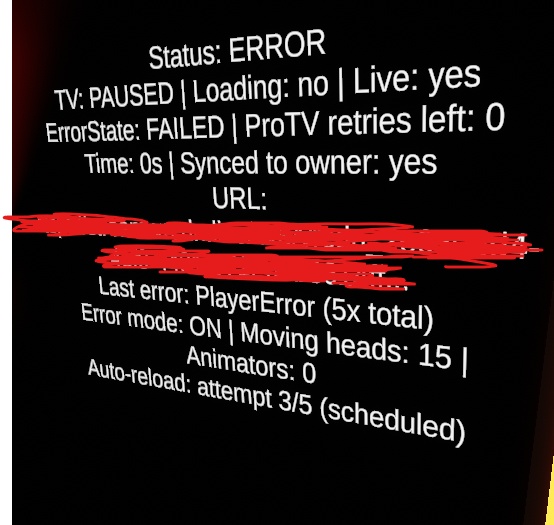
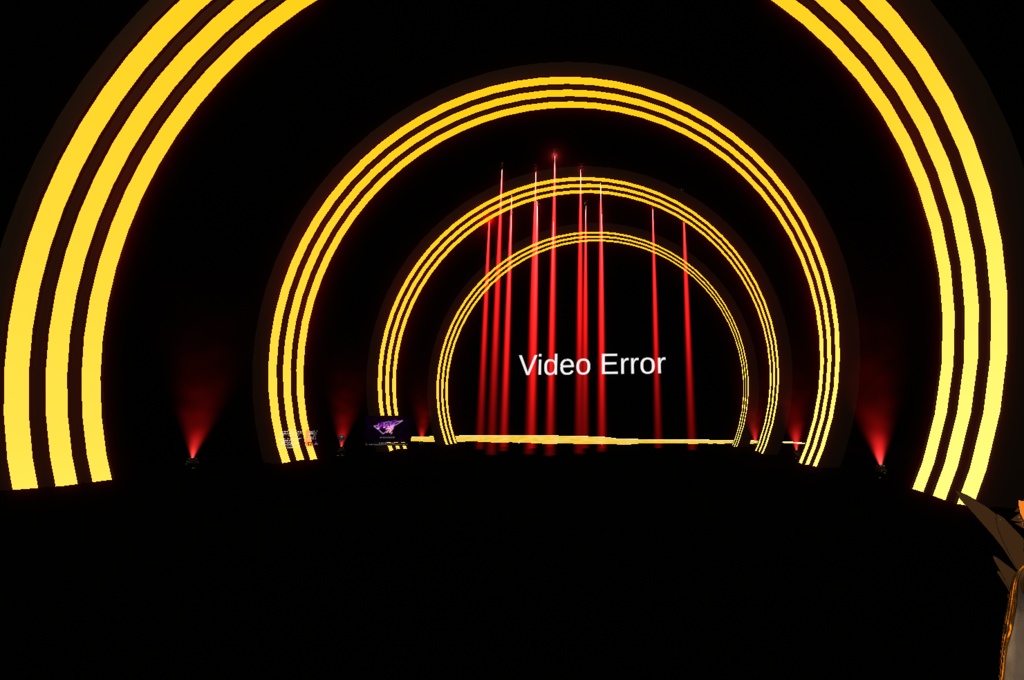


VideoErrorWatcher – Local Video Error Handling for ProTV + VRSL A small UdonSharp plugin for ProTV 3 that detects video player errors locally for each player and reacts to them automatically. No sync, no network traffic. WHAT IT DOES - Shows a status text on a TextMeshPro object: empty while the video runs, "Video Error" on error, "No video" when idle - Turns the AudioLink of your VRSL moving heads off and tints them red during an error, then restores everything when the video recovers - Pauses chosen animators during an error and resumes them afterwards - Switches extra objects (e.g. red side moving heads) ON only while an error is active - Reloads and re-syncs the video automatically, with a configurable delay and a maximum number of attempts - Optional in-world debug display (status, TV state, error type, error count, URL, auto-reload progress) - Everything is configurable in the Inspector REQUIREMENTS (NOT INCLUDED) - VRChat SDK (Worlds) + UdonSharp - ProTV 3.x by ArchiTechVR - VRSL (VR Stage Lighting) by AcChosen (the script references the VRSL namespace, so VRSL must be installed) SETUP 1. Put the script on an empty GameObject (Sync Mode: None). 2. Drag in your Status Text and your VRSL fixture roots. 3. Optional: animators, "only active during error" objects, debug display. Full documentation (README) is included. NOTES - ProTV and VRSL are not part of this package and are not redistributed.
Terms of Service
- Use in your own VRChat worlds is allowed (including worlds used for events). - Do not redistribute, resell or share this script, in whole or in part. - ProTV and VRSL are NOT included. You need your own copy of each. - You may modify the script for your own use. - Provided as is, without warranty.
Update information
v1.0.0 (2026-10-09) - Initial release