

【無料/Free】10KB轻量贴图批量处理模块(VRChat / Unity用)
- Digital0 JPY
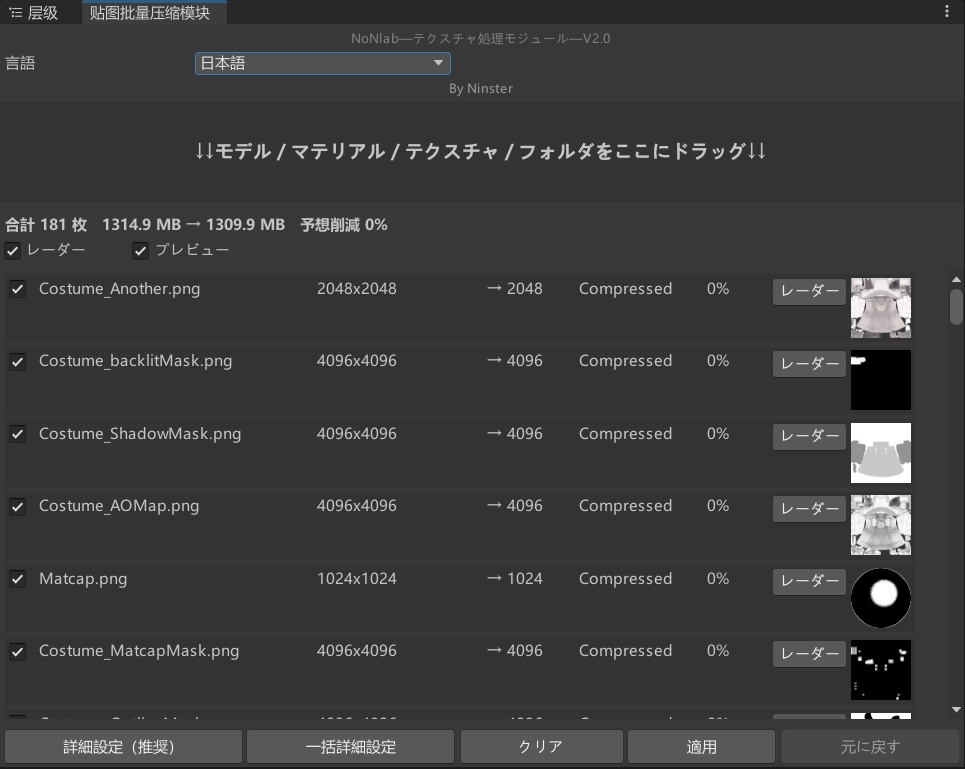
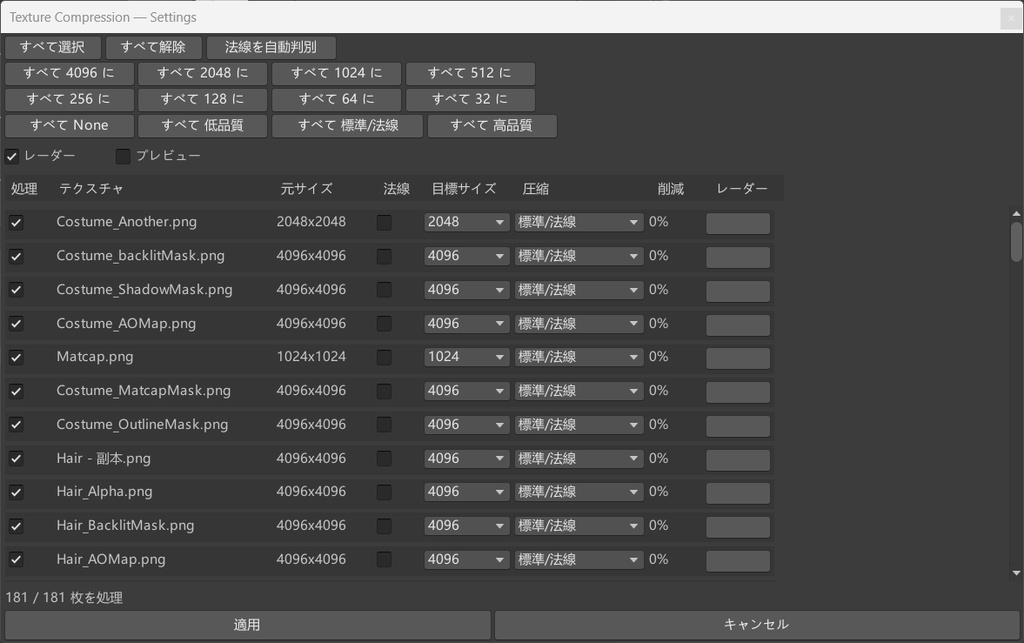
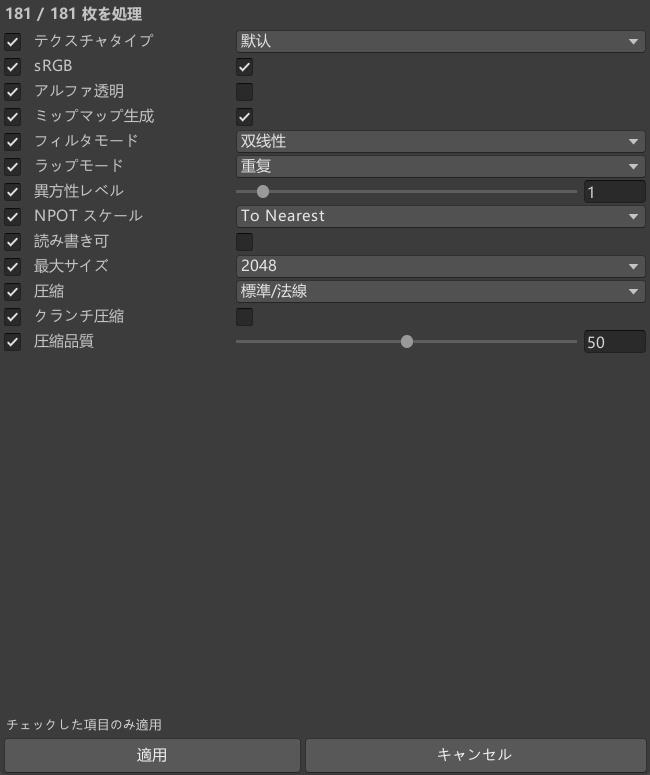
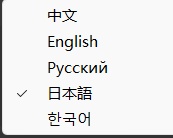
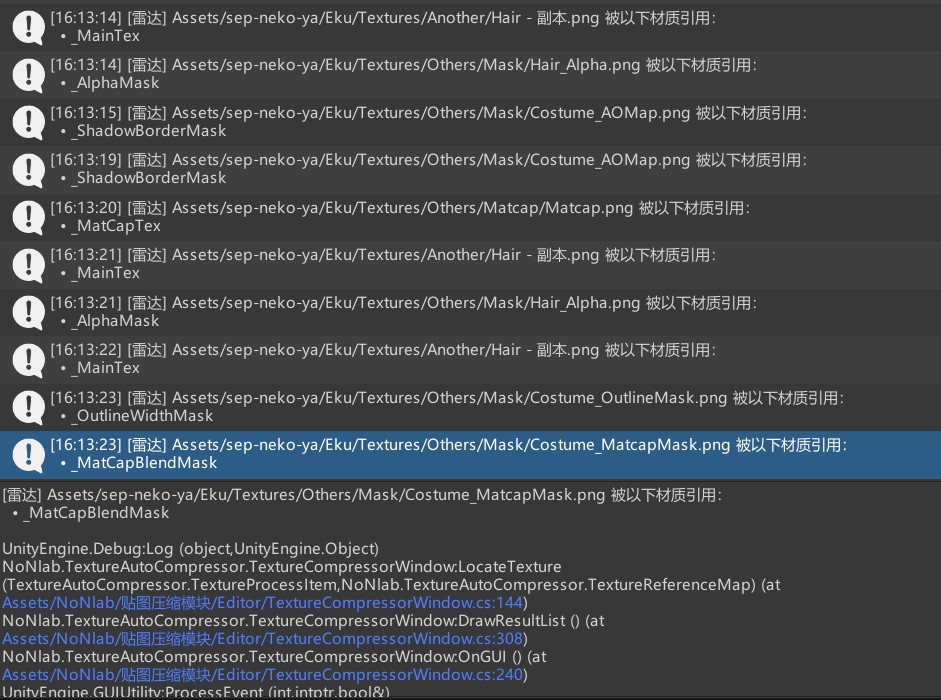


欢迎使用 NoN 模块组(No.1) CN NoNlab — Tex-B-Process轻量化贴图批量处理模块(VRChat / Unity 用) 这是一个我自己为了改模方便写的 Unity 编辑器小工具。因为实在受不了手动一张张压贴图,所以顺手写了这个。 主要功能 拖拽操作:把模型、材质、贴图或整个文件夹直接拖进窗口即可,依赖链自动解析。 批量压缩:一键把几百张 4K/2K 贴图压到 1024/512 等尺寸,走 TextureImporter 批量导入管线。 智能识别:自动识别法线贴图,结合文件名规则与材质属性名(bump / normal)双重判定,防止压错。 一键撤销:压错可以随时恢复到处理前的状态,基于非破坏性快照(prev* 字段),幂等应用不覆盖撤销点。 实时预估:UI 会实时显示预计节省的空间占比,按每像素字节数(近似像素格式)估算,而非单纯面积比。 26/11/5-v2 更新: 五语切换:中文 / English / Русский / 日本語 / 한국어,通过下拉切换,EditorPrefs 记忆,重开保持。 清空:一键清空当前收集结果,无需关窗重开即可拖入下一批。 贴图雷达:每张贴图后带定位按钮,直接在 Project 窗口高亮指引到该资产;被材质引用时在 Console 打印引用属性名。可勾选开关。 直视模式:勾选后每行直接显示贴图缩略图,AssetPreview 异步生成,未就绪时回退 mini thumbnail / 内置图标。默认关闭。 批量高级设置:对当前勾选的贴图批量编辑导入器高级字段——贴图类型、sRGB、Alpha 透明、Mipmap、过滤模式、环绕模式、各向异性、NPOT 缩放、可读、最大尺寸、压缩档位、Crunch 压缩、压缩质量;每个字段带独立勾选框,只写入被勾选的字段,保留字段级选择权。 快照隔离:详细设置弹窗基于深拷贝快照,未点"应用"关闭即丢弃,不污染主列表。 使用方法 在 Unity 顶部菜单栏点击 NoNlab → 贴图批量压缩模块。 把需要处理的资源拖进中间的虚线框。 在列表里选好尺寸和压缩格式;需要精细控制时点"详细设置",需要批量改导入器高级字段时点"批量高级设置"。 点"应用"即可;压错点"撤销"回滚。 备用下载方式 GitHub:https://github.com/Ninsterrrr/NoNlab --- JP NoN モジュール群へようこそ(No.1) NoNlab — 軽量テクスチャ一括処理モジュール(VRChat / Unity 向け) モデル改変を楽にするために自分で書いた Unity エディタ用の小さなツールです。テクスチャを一枚ずつ手で圧縮するのが耐えられなかったので、ついでに作りました。 主な機能 ドラッグ&ドロップ:モデル、マテリアル、テクスチャ、フォルダをそのままウィンドウへ。依存チェーンは自動解析されます。 一括圧縮:数百枚の 4K/2K テクスチャを 1024/512 などへ一括縮小。TextureImporter の一括インポートパイプラインを使用。 スマート判別:法線マップを自動判別。ファイル名規則とマテリアルプロパティ名(bump / normal)の二重判定で誤圧縮を防止。 ワンクリック復元:圧縮ミスはいつでも処理前へ復元可能。非破壊スナップショット(prev* フィールド)に基づき、冪等適用で復元ポイントを上書きしません。 リアルタイム見積り:UI が予想削減率をリアルタイム表示。単純な面積比ではなく、ピクセルあたりのバイト数(近似ピクセルフォーマット)で算出。 26/11/5-v2 アップデート: 5 言語切替:中文 / English / Русский / 日本語 / 한국어。ドロップダウンで切替、EditorPrefs に記憶され再起動後も保持。 クリア:現在の収集結果を一括クリア。ウィンドウを閉じ直さずに次のバッチをドロップ可能。 テクスチャレーダー:各テクスチャ行にロケートボタン。Project ウィンドウ上で該当アセットをハイライト案内。マテリアルから参照されている場合は Console に参照プロパティ名を出力。オン/オフ切替可能。 プレビューモード:チェックすると各行にテクスチャのサムネイルを直接表示。AssetPreview の非同期生成、未生成時は mini thumbnail / 内蔵アイコンへフォールバック。既定はオフ。 一括詳細設定:現在チェック中のテクスチャに対し、インポーターの詳細フィールドを一括編集——テクスチャタイプ、sRGB、Alpha 透明、Mipmap、フィルタモード、ラップモード、異方性、NPOT スケール、読み書き可、最大サイズ、圧縮レベル、Crunch 圧縮、圧縮品質。各フィールドに独立チェックボックスがあり、チェックした項目のみ書き込み、フィールド単位の選択権を保持。 スナップショット分離:詳細設定ダイアログはディープコピーのスナップショットに基づき、「適用」を押さず閉じれば破棄。メインリストを汚染しません。 使い方 Unity 上部メニュー NoNlab → テクスチャ一括圧縮モジュール をクリック。 処理したいリソースを中央の点線枠へドラッグ。 リストでサイズと圧縮形式を選択。細かい制御は「詳細設定」、インポーター詳細フィールドの一括変更は「一括詳細設定」。 「適用」で実行。ミス時は「元に戻す」でロールバック。 代替ダウンロード GitHub:https://github.com/Ninsterrrr/NoNlab --- EN Welcome to the NoN Module Suite (No.1) NoNlab — Lightweight Batch Texture Toolkit (for VRChat / Unity) A small Unity editor tool I wrote for my own model-editing workflow. I got tired of compressing textures one by one, so I built this along the way. Features Drag & Drop — Drop models, materials, textures or whole folders straight into the window; the dependency chain is resolved automatically. Batch Compression — Downscale hundreds of 4K/2K textures to 1024/512 etc. in one click, driven by Unity's TextureImporter batch import pipeline. Smart Detection — Auto-detects normal maps using dual heuristics (filename patterns plus material property names such as bump / normal) to avoid mis-compression. One-Click Revert — Restore to the pre-processing state at any time via non-destructive snapshots (prev* fields); idempotent apply never overwrites the revert point. Live Estimate — The UI shows the projected saving ratio in real time, estimated from bytes-per-pixel (approximate pixel format) rather than raw area ratio. 26/11/5-v2 Update: Five Languages — 中文 / English / Русский / 日本語 / 한국어, switchable via dropdown, persisted through EditorPrefs across sessions. Clear — Wipe the current collection in one click; feed the next batch without closing and reopening the window. Texture Radar — A locate button per texture row highlights the asset directly in the Project window; if it's referenced by materials, referenced property names are printed to the Console. Toggleable. Preview Mode — When enabled, each row shows an inline thumbnail via AssetPreview (asynchronous, with mini-thumbnail / built-in icon fallback). Off by default. Batch Advanced Settings — Batch-edit importer-level fields on the currently checked textures: texture type, sRGB, alpha-is-transparency, mipmaps, filter mode, wrap mode, aniso level, NPOT scale, read/write, max size, compression tier, crunched compression, compression quality. Each field has its own checkbox; only checked fields are written, preserving field-level opt-in. Snapshot Isolation — The detailed settings dialog operates on a deep-copied snapshot; closing without "Apply" discards changes and never pollutes the main list. How to Use In Unity's top menu, click NoNlab → 贴图批量压缩模块. Drag the target assets into the dashed drop area. Pick size and compression format in the list. Use "Detailed Settings" for fine control, or "Batch Advanced" to bulk-edit importer-level fields. Click "Apply". If something goes wrong, click "Revert" to roll back. Alternate Download GitHub: https://github.com/Ninsterrrr/NoNlab