

【VRChat Worlds】冠菊・文字・画像の花火シェーダー|上昇SE・開花音・演目調整
- Digital950 JPY
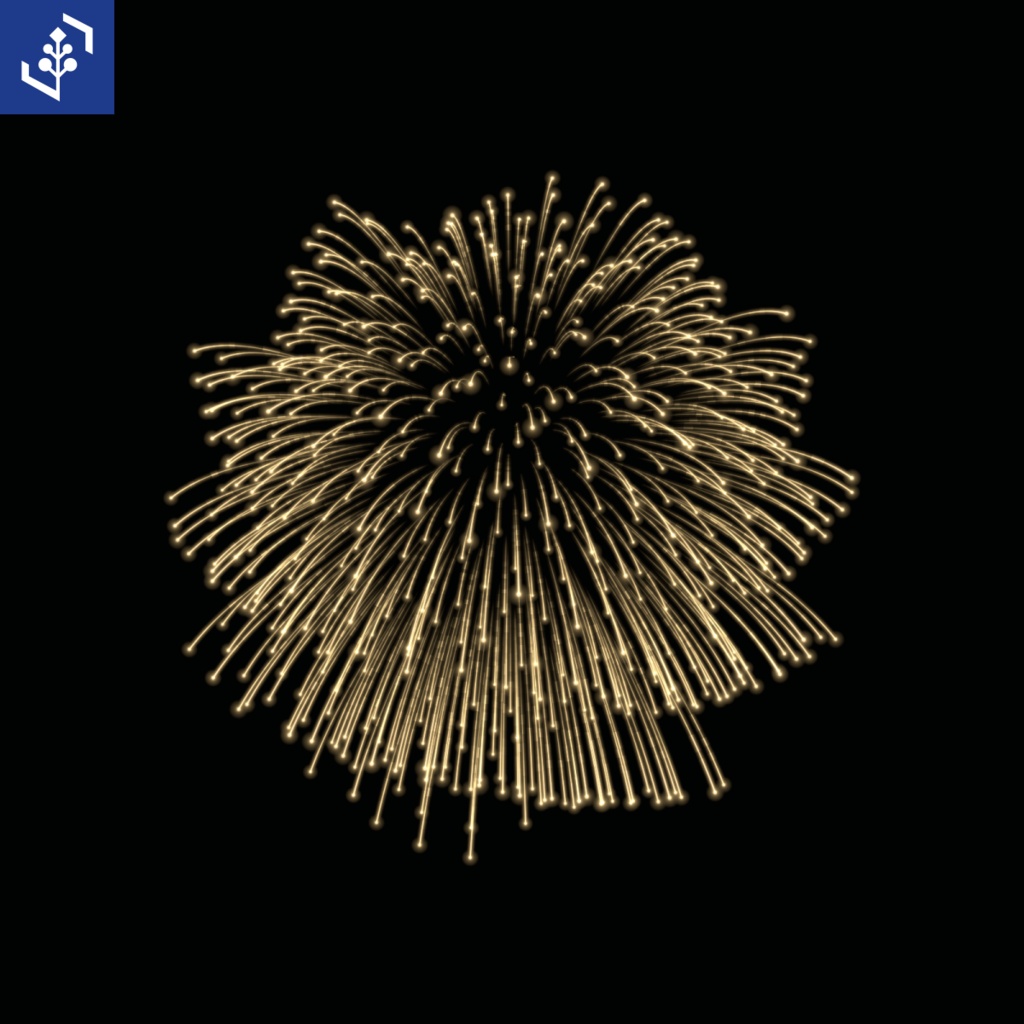


【発売記念セール|1週間限定】 通常1,200円 → 950円(250円OFF) 期間:2026年11月11日 23:12:48〜2026年11月18日 23:12:48(日本時間) 夜空に広がる冠菊から、お祝いの文章や画像の形の花火まで。ワールドに合わせた打ち上げをUnityで準備できる、花火シェーダーのセットです。 7系統22設定と、上昇SE・開花音4種を収録。3つの演目から始めて、各発の時刻・色・高さ・傾きをMaterialで調整できます。
7系統22設定と、上昇SE・開花音
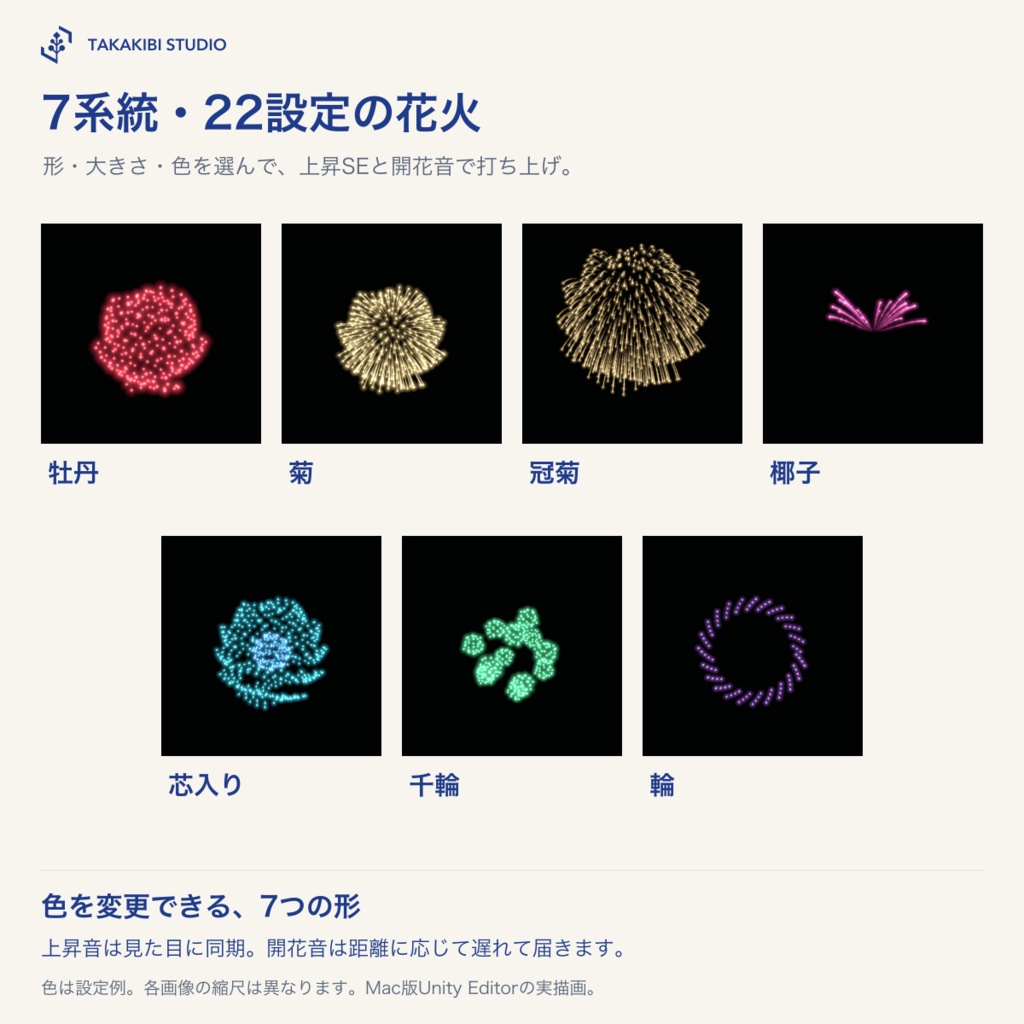
牡丹・菊・冠菊・椰子・芯入り・千輪・輪の7系統。小・標準・大と特大冠菊の22設定を、PC/Liteの44Prefabで用意しました。赤→青→金などの3段階変色も調整できます。 上昇中の「ピュー」という笛音と開花音4種を同梱。上昇SEは各発の上昇時間に合わせて鳴り、開花前に消えます。開花音は花火の大きさに合わせて鳴り分けます。開花音は聞く人との距離に応じて遅れて届きます。
3つの演目から、自分好みの打ち上げへ
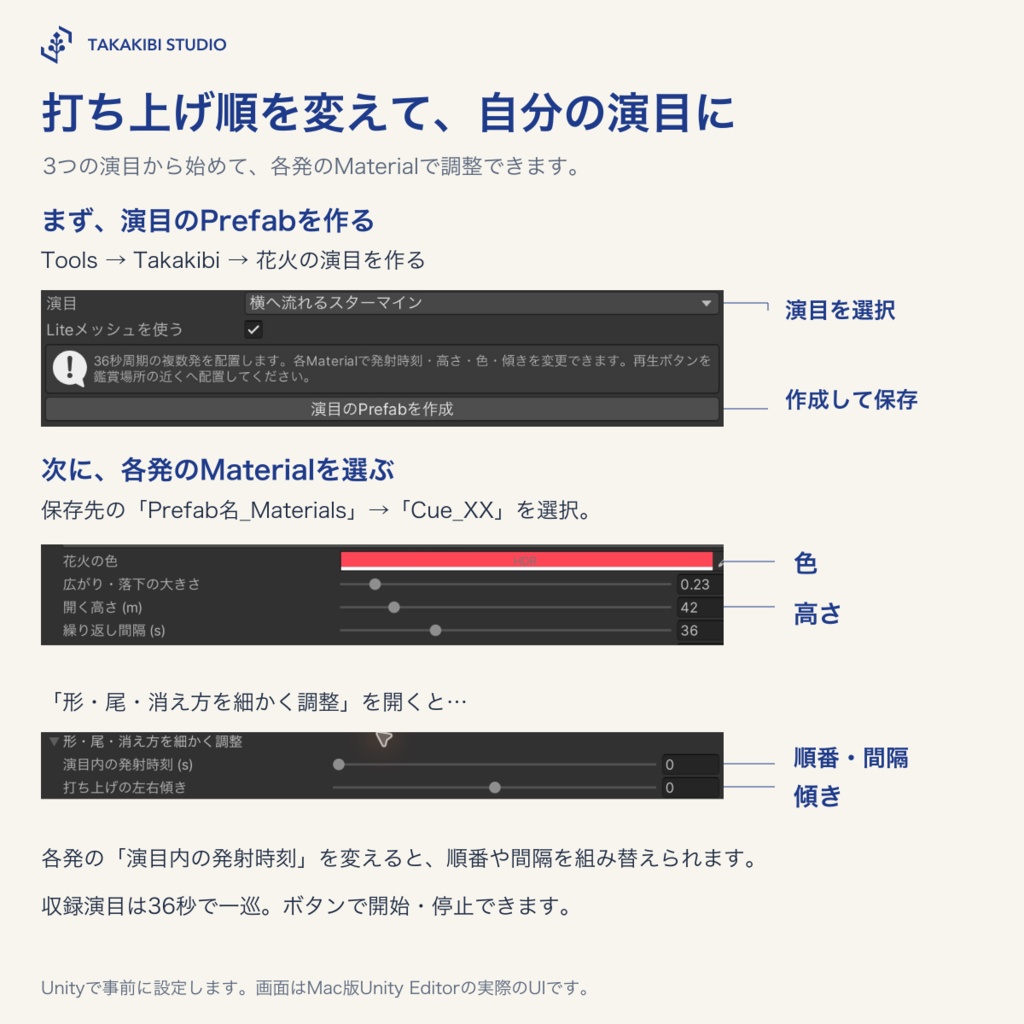
横へ流れるスターマイン、扇状の連射、重ねて開くフィナーレの3演目を収録しています。各発のMaterialで発射時刻を変え、打ち上げ順や間隔を組み替えられます。高さ・色・傾きも調整できます。Unityで事前に設定する方式で、自由なタイムラインを組む専用の編集画面は含みません。
画像と、お祝いの文章を花火に
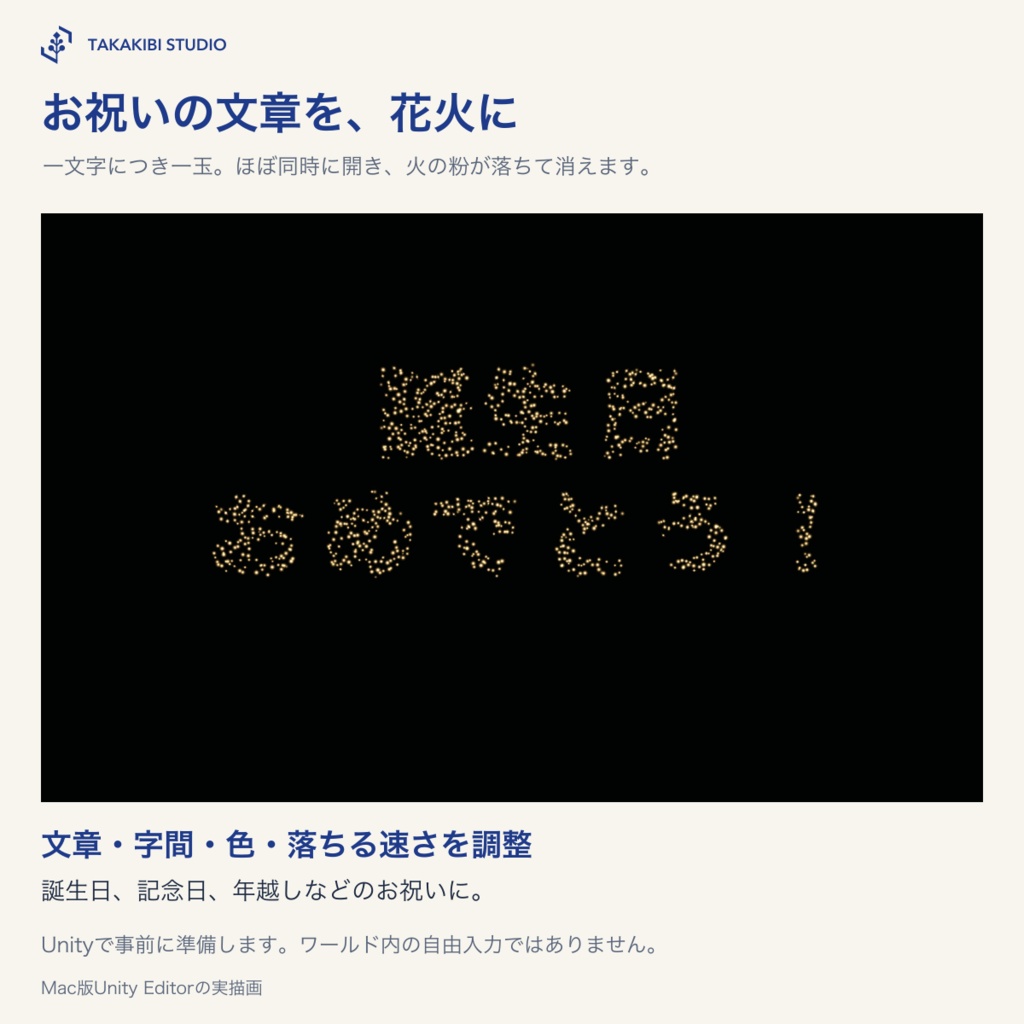
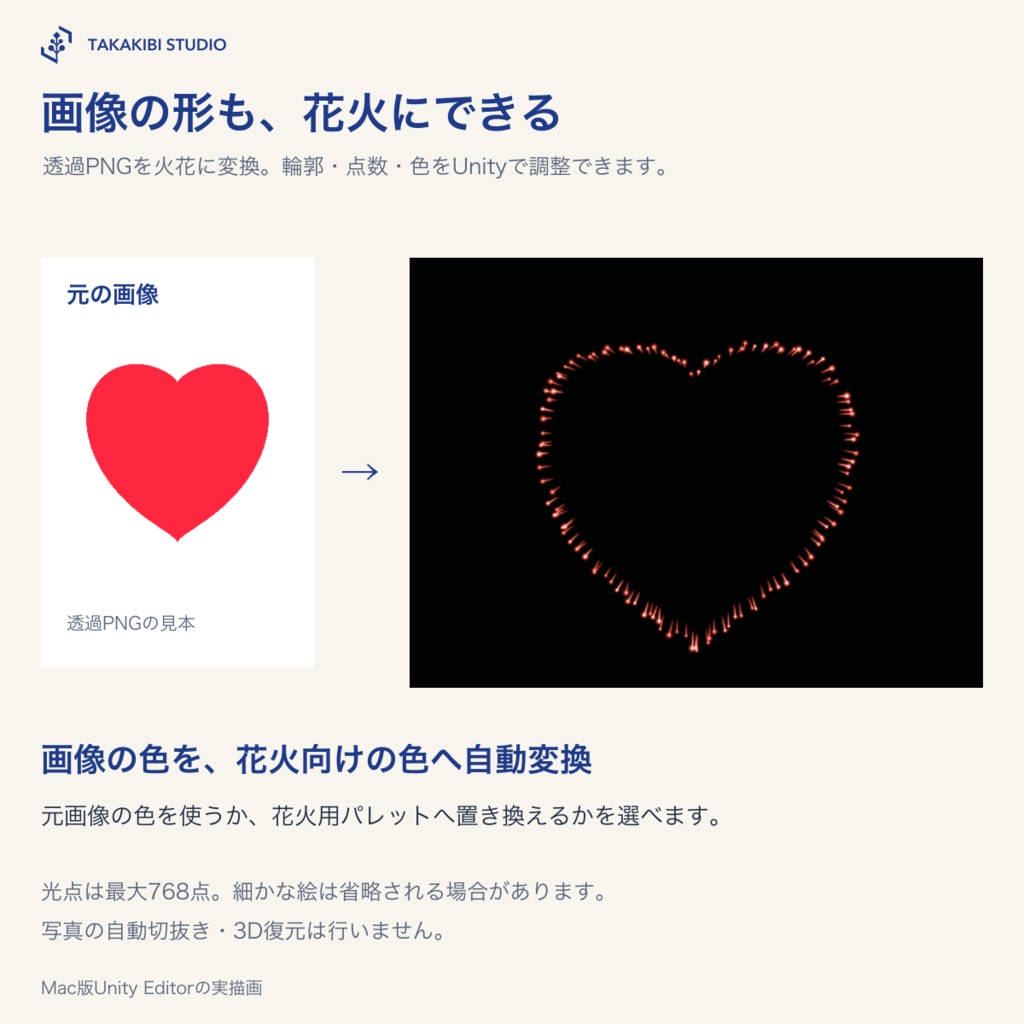
透過画像の形や「誕生日おめでとう!」などの文章を、Unityで火花の点群へ変換します。文字は一文字につき一玉がほぼ同時に開き、重力で落ちて消えます。文字の大きさ・字間・色・落下倍率・尾を調整できます。 画像の色を花火用パレットへ自動で置き換えられます。光点は最大768点で、細かい絵の再現には限界があります。
海辺の花火大会にも
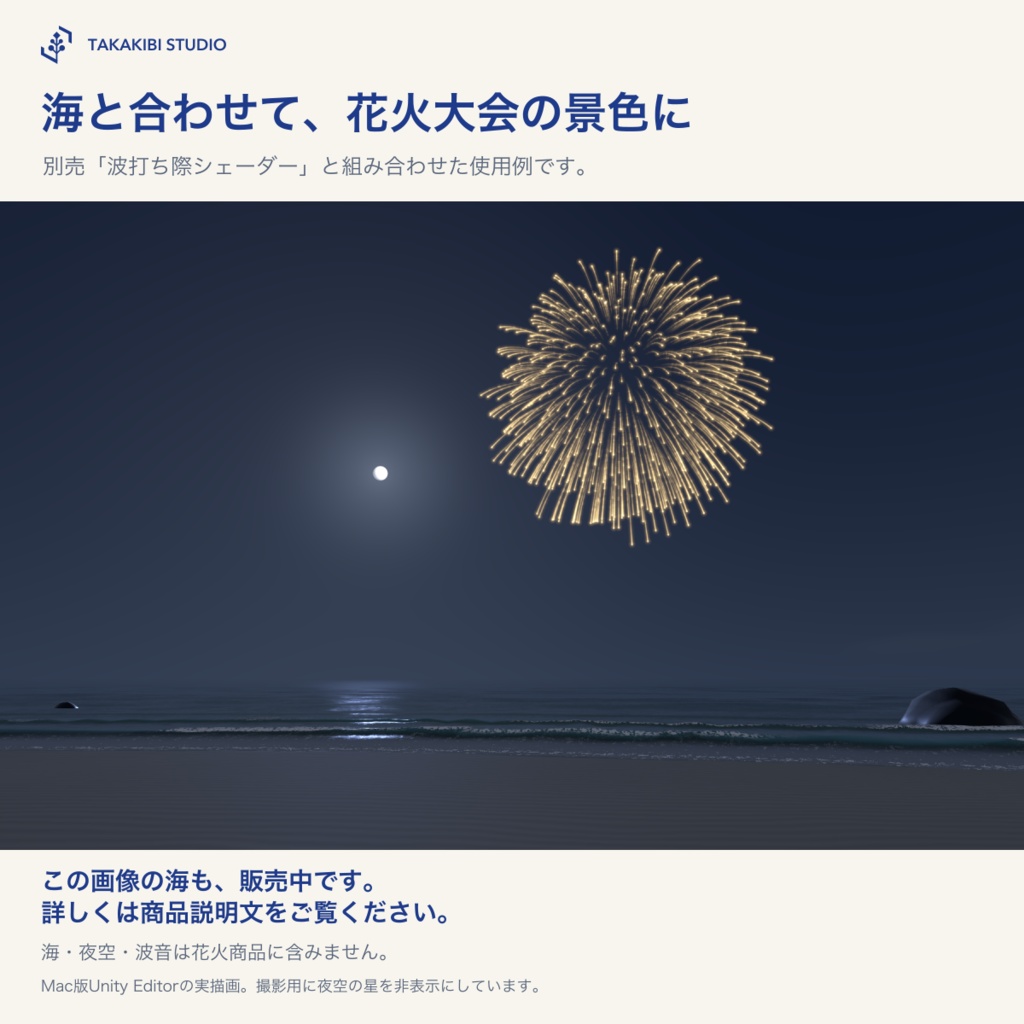
商品画像の海辺は、別売の「波打ち際シェーダー」との組み合わせ例です。花火単体でも使えます。波打ち際をお持ちの方は花火だけ追加できます。海・空・波音や動的な花火の水面反射は本商品には含みません。 波打ち際シェーダー(販売中) https://takakibi.booth.pm/items/9088824
使い方
Worldsプロジェクトへunitypackageをインポートし、デモシーンを開くかPrefabを配置します。Tools > Takakibiから種類・演目・画像・文章を準備し、ボタンを鑑賞場所の近くへ移動してください。
対応環境・注意事項
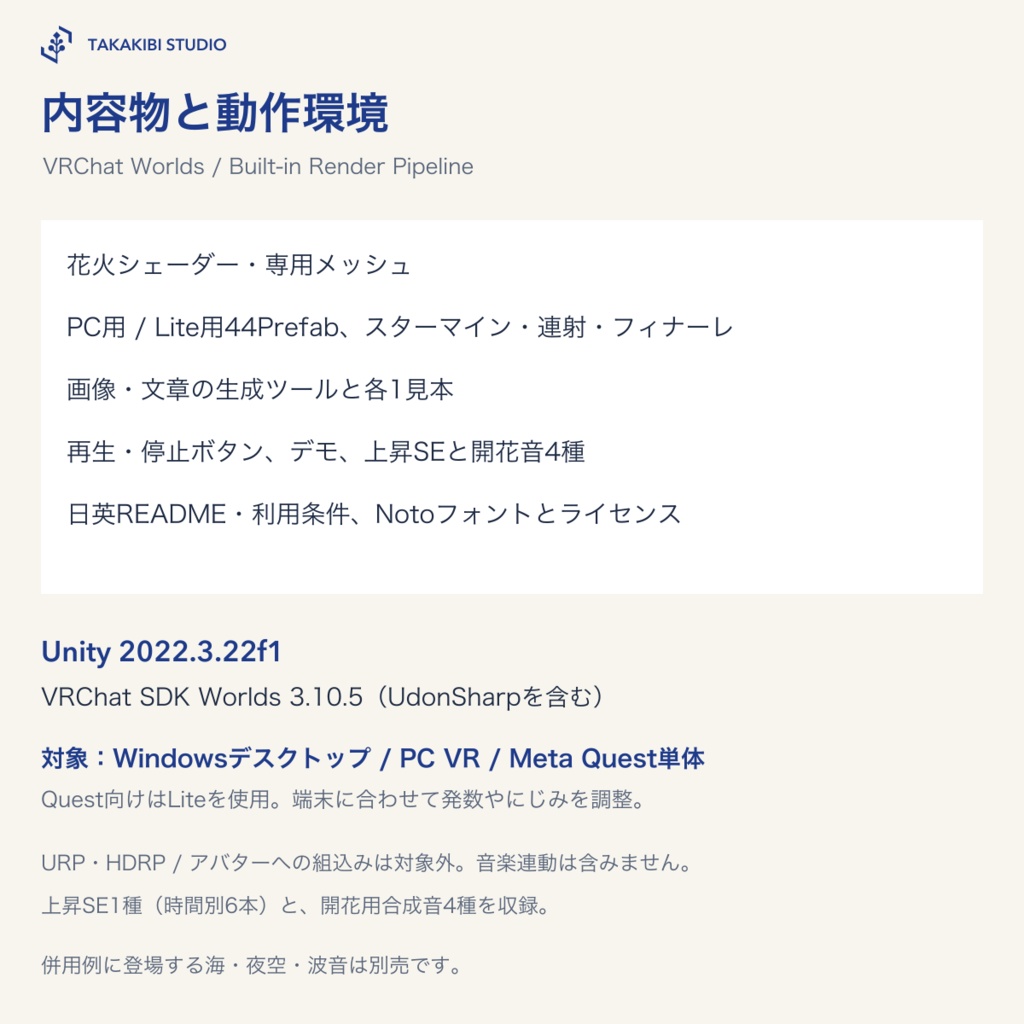
対応先:Windows(デスクトップモード)/PC VR/Meta Quest単体 Unity 2022.3.22f1、VRChat SDK Worlds 3.10.5(UdonSharpを含む)、Built-in Render Pipeline。 Creator Companionで作成したWorldsプロジェクトへ導入してください。URP/HDRP、アバターへの組込みは対象外です。 ・文字と画像はUnityで事前に準備します。ワールド内の自由入力・画像アップロード・音楽連動は含みません。 ・文字は4行、1行16文字まで。絵文字などのサロゲート文字と使用フォントにない字形は対象外です。 ・画像は透過PNGまたは暗い背景の明るい形に向いています。写真の自動切抜き、3D復元は行いません。 ・画像と文字は平面の形です。読む側を向くよう配置してください。細部や長文は読み取りにくくなる場合があります。 ・同時に出す数と大きさはワールドの負荷に影響します。Quest向けにはLiteを使い、少ない発数から調整してください。 ・操作ボタンに触れられる参加者が再生・停止できます。主催者だけに制限する仕組みは含みません。 ・海辺の紹介例は別売「波打ち際シェーダー」との組み合わせです。海・空・波音・動的な花火の水面反射は本商品に含みません。 ・上昇SEは打ち上げの見た目に同期し、開花音は距離に応じて遅れて鳴ります。発射音・パチパチ音・しだれ音は含みません。 ・光のにじみは描画の負荷が増えるため、Questでは小さい値から確かめてください。
内容物
・花火シェーダーと専用メッシュ ・7系統×小/標準/大+特大冠菊の22設定、PC/Liteの44Prefab ・スターマイン/連射/フィナーレの3演目(3Prefab) ・画像花火とメッセージ花火の生成ツール、各1見本 ・種類/サイズ/変色/落下/尾の調整、再生・停止と一発再生のUdon補助 ・デモシーン、日英README・利用条件、Notoフォントとライセンス ・上昇SE1種(時間別6ファイル)・開花音4種、再生中の色表示、画像の色パレット変換
利用条件・お問い合わせ
改変し、ご自身の作品や商用作品に使用できます。クレジット表記は不要です。素材そのものの再配布・転売はできません。詳しくは同梱の利用条件をご確認ください。本利用条件は、販売者が権利を有する部分に適用します。Notoフォントには同梱のOFL 1.1を適用します。 お問い合わせフォーム https://forms.gle/1D6am64azk1L13MK7 お問い合わせは上のフォーム、またはBOOTHのショップメッセージからお願いします。
制作について
制作にAIを使用しています。
Seven families, rising whistles and burst sounds
Launch sale (one week): JPY 950 (regular price: JPY 1,200; JPY 250 off). From 2026-11-11 23:12:48 to 2026-11-18 23:12:48 JST. Prepare fireworks for your world in Unity, from cascading kamuro to celebration messages and image shapes. Start with three preset shows and adjust each shot’s timing, colors, height and lean in its Material. Seven families: peony, chrysanthemum, kamuro, palm, core, thousand-flower and ring. There are 22 settings in 44 PC/Lite prefabs, covering small, standard and large sizes plus an extra-large kamuro. Customize three-stage color changes such as red → blue → gold. A rising whistle and four burst sounds are included. The whistle follows the visual climb and fades before opening; burst sounds are selected to match firework size. Burst audio arrives later as the distance to the listener increases.
Customize three preset shows
Three preset shows: starmine sweep, fan sequences and a layered finale. Adjust each shot’s launch time in its Material to change the order and spacing. Height, colors and lean are also adjustable. Prepare the settings in Unity; a dedicated freeform timeline editor is not included.
Images and celebration messages
Bake transparent image shapes or messages such as “Happy birthday!” into spark points in Unity. Each character opens from its own shell almost simultaneously, then falls and fades under gravity. Adjust size, spacing, colors, fall multiplier and trails. Image colors can be mapped automatically to a firework palette. The 768-point limit restricts fine detail.
A seaside fireworks festival
The seaside product image also uses the separately sold Shoreline Shader. Fireworks work independently. Shoreline owners only need the fireworks product for this addition. Ocean, sky, surf audio and dynamic firework reflections are not included. Shoreline Shader (available now) https://takakibi.booth.pm/items/9088824
Setup
Import the unitypackage into a Worlds project and open the demo scene or place a prefab. Prepare types, shows, images or text under Tools > Takakibi, and move the interaction buttons near the viewing area.
Requirements and limitations
Target platforms: Windows desktop mode / PC VR / Meta Quest standalone Unity 2022.3.22f1, VRChat SDK Worlds 3.10.5 (including UdonSharp), Built-in Render Pipeline. Import into a Worlds project created with Creator Companion. URP/HDRP and avatar use are outside the scope. - Prepare text and images in Unity. In-world free text input, image uploads and music synchronization are not included. - Messages support up to 4 lines and 16 BMP characters per line. Surrogate emoji and glyphs absent from the chosen font are not supported. - Image baking works best with transparent PNGs or bright shapes on dark backgrounds. Automatic photo cutouts and 3D reconstruction are not included. - Image and message shapes are planar. Face them toward the viewing area. Fine detail and long text may be difficult to read. - Simultaneous burst count and size affect world load. For Quest, start with Lite meshes and a small number of bursts. - Any visitor who can interact with the buttons may start/stop the effects. Organizer-only access control is not included. - The seaside example also uses the separately sold Shoreline Shader. Ocean, sky, surf audio and dynamic firework reflections on water are not included. - The whistle follows the visual climb. Burst audio is delayed by distance. Launch reports, crackles and willow-tail sounds are not included. - Glow increases rendering load; start with small values when checking Quest.
Contents
- Firework shader and dedicated meshes - 22 settings: 7 families in small/standard/large sizes, plus an extra-large kamuro; 44 PC/Lite prefabs - 3 show styles and prefabs: starmine, sequential bursts and finale - Image and message baking tools, with one example each - Type/size/color/fall/trail settings, start/stop and one-shot Udon controls - Demo scene, Japanese/English README and terms, Noto font and license - One edited rising-whistle recording (six duration files), four burst sounds, playback button colors and image color-palette mapping
Terms and contact
You may modify this product and use it in your own works and commercial works. Credit is not required. Redistribution or resale of the materials themselves is prohibited. See the bundled terms for details. These terms apply to the portions for which the seller holds the relevant rights. The Noto font is covered by OFL 1.1. Contact form https://forms.gle/1D6am64azk1L13MK7 Please use the form above or BOOTH shop messages for inquiries.
Production
AI was used in the production of this product.