
VHS Camcorder|VHS風エフェクトプラグイン + MOGRT | VHS Effect Plugin + MOGRT
- 通常購入ダウンロード商品¥ 980
- 操作マニュアル (ご購入前の参考にしてください)ダウンロード商品¥ 0

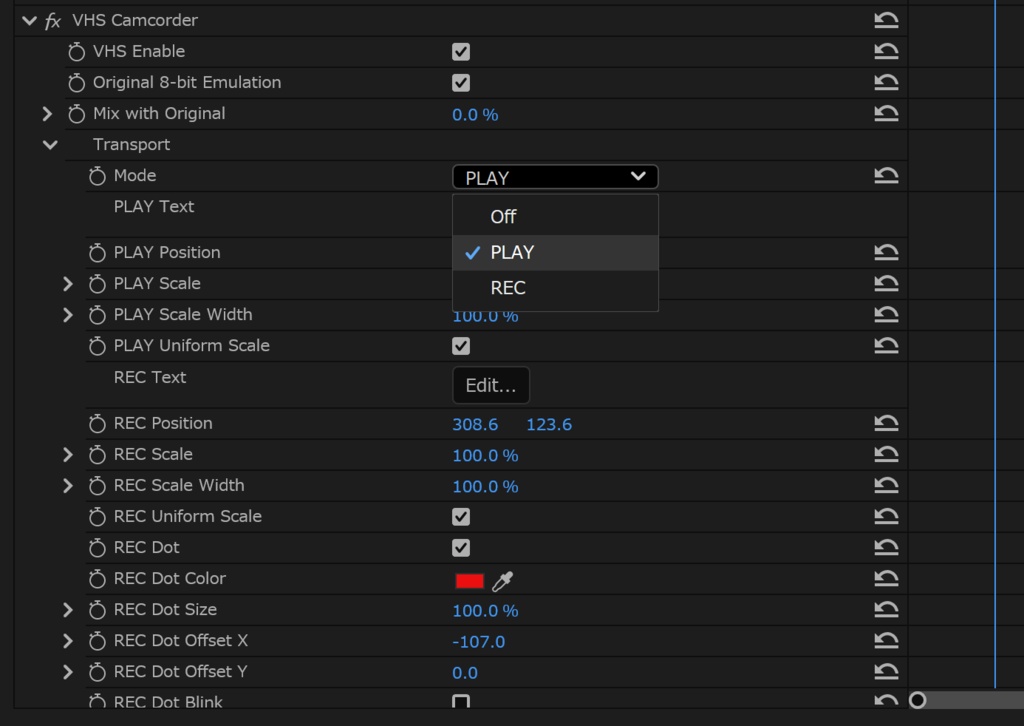


VHSビデオカメラで撮影したような映像を、1つのエフェクトで再現できるPremiere専用プラグインです。 ノイズ、色にじみ、画面の揺れ、画面下端のノイズ帯など、VHSならではの映像表現をまとめて再現します。 さらに、カメラの画面表示も搭載! 「PLAY」と「REC」の切り替えはもちろん、時刻や日付の変更、文字の位置やサイズ、色なども自由に調整できます。 【GPU対応で高速処理!】 GPU処理に対応し、環境によってはリアルタイム再生も可能です。 レンダリング速度は従来のMOGRT版と比較して約15倍に向上しました。 ※処理速度はPCの性能、素材、シーケンス設定などの環境によって異なります。 【主な機能】 ・VHS風のノイズや粒子感 ・色にじみ、彩度調整、輪郭の強調 ・モザイクによる解像度の低下 ・画面全体の横揺れ ・画面下端のノイズ帯 ・PLAY / REC 表示の切り替え ・時刻、日付の表示と編集 ・文字の位置、サイズ、色、不透明度などの調整 ・インストール済みフォントの選択 【動作環境】 ・Adobe Premiere Pro 2025以降 ・Windows 10 / 11(64ビット) ・macOS 13 Ventura以降(Appleシリコン / Intel) ・GPU処理:WindowsはNVIDIA GPU(CUDA)、MacはMetalに対応 ※After Effectsには対応していません。 ※対応するGPU以外の環境ではCPUで処理します。 【フォントについて】 カメラ表示には「VCR OSD Mono」を使用しています。 フォントは同梱していませんので、下記よりダウンロードしてインストールしてください。 VCR OSD Mono(作者:Riciery Leal) https://www.dafont.com/vcr-osd-mono.font ※別のフォントを選択することもできます。 【インストール・使用方法】 プラグインファイルを所定のフォルダにコピーして、Premiere Proを再起動するだけで使用できます。 詳しいインストール方法や各パラメーターの設定については、同梱のREADME.txtをご確認ください。 ※従来のモーショングラフィックステンプレート(MOGRT)版も引き続きご利用いただけます。 VHS Camcorder is an effect plugin exclusively for Adobe Premiere Pro that recreates the look of footage recorded with a VHS camcorder using a single effect. It reproduces classic VHS characteristics, including noise, grain, chroma bleeding, horizontal image jitter, and a noise band at the bottom of the frame. It also includes classic camcorder on-screen displays. Switch between "PLAY" and "REC", edit the time and date, and customize the text position, size, and color. 【GPU Acceleration for Faster Performance!】 The plugin supports GPU processing, allowing real-time playback on some systems. Rendering is approximately 15 times faster than with the original MOGRT version. ※Actual performance depends on your computer, footage, sequence settings, and other factors. 【Main Features】 ・VHS-style noise and grain ・Chroma bleeding, saturation adjustment, and sharpening ・Resolution reduction using a mosaic effect ・Horizontal image jitter ・Noise band at the bottom of the frame ・Switchable PLAY / REC indicators ・Editable time and date displays ・Adjustable text position, size, color, and opacity ・Selection of installed fonts 【System Requirements】 ・Adobe Premiere Pro 2025 or later ・Windows 10 / 11 (64-bit) ・macOS 13 Ventura or later (Apple silicon / Intel) ・GPU acceleration: NVIDIA GPUs (CUDA) on Windows and Metal on Mac ※Adobe After Effects is not supported. ※CPU processing is used on systems without a supported GPU. 【Font】 The on-screen display uses the VCR OSD Mono font. The font is not included and must be downloaded and installed separately. VCR OSD Mono by Riciery Leal https://www.dafont.com/vcr-osd-mono.font ※Other installed fonts can also be selected. 【Installation and Usage】 Copy the plugin file to the designated folder and restart Premiere Pro. For detailed installation instructions and parameter descriptions, please refer to the included README.txt. ※The original Motion Graphics Template (MOGRT) version is still available for use.