
Flat to Dome Master 2|16:9・3:2・4:3対応!平面素材をドームマスター形式へ一瞬で変換する魔法のツール / Instantly Convert Flat Footage to Dome Master Format! Supports 16:9, 3:2, and 4:3
- ダウンロード商品¥ 50,000
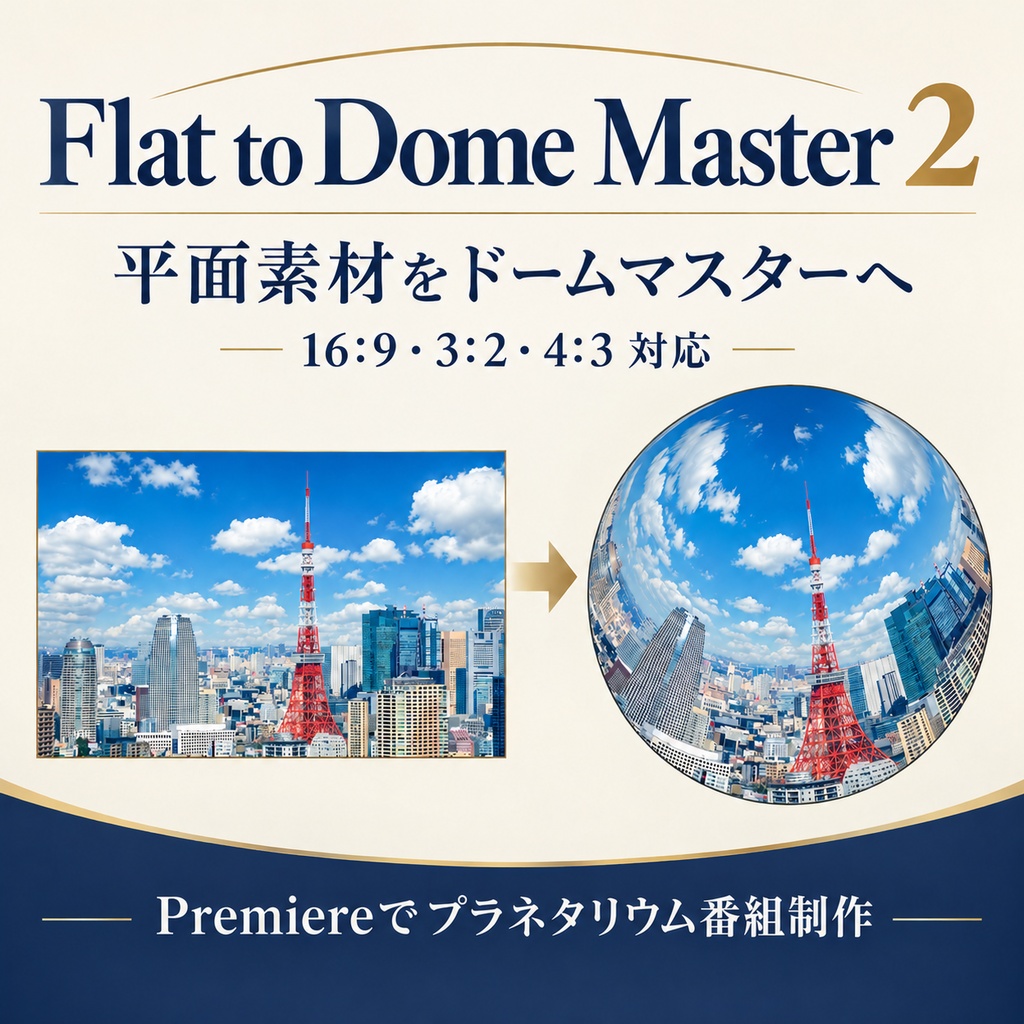
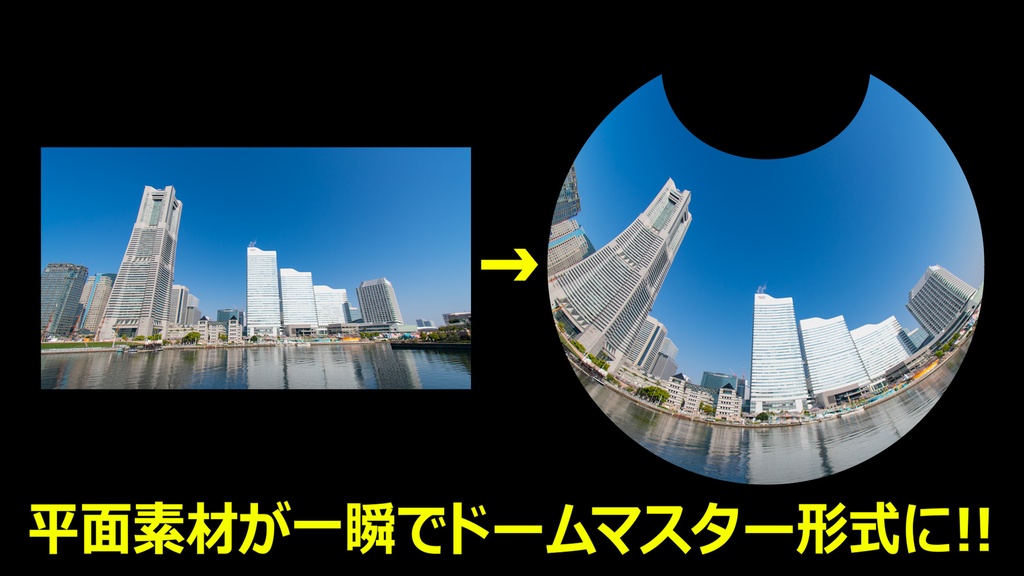
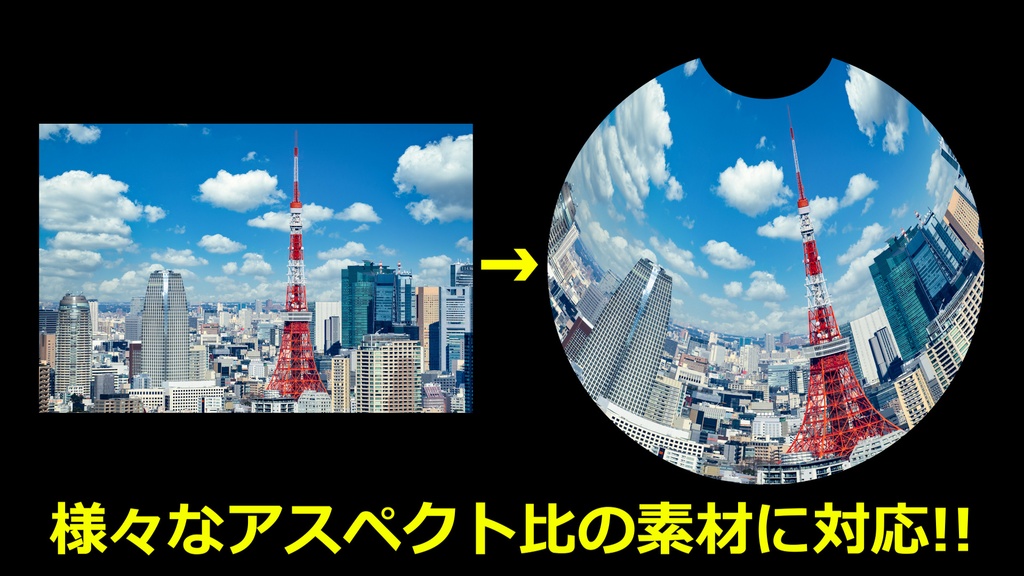
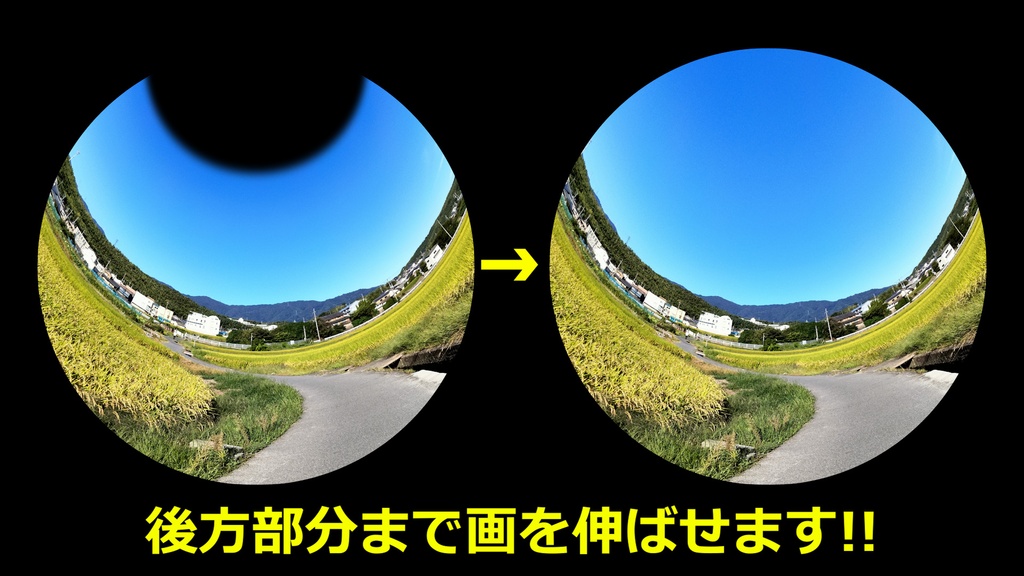
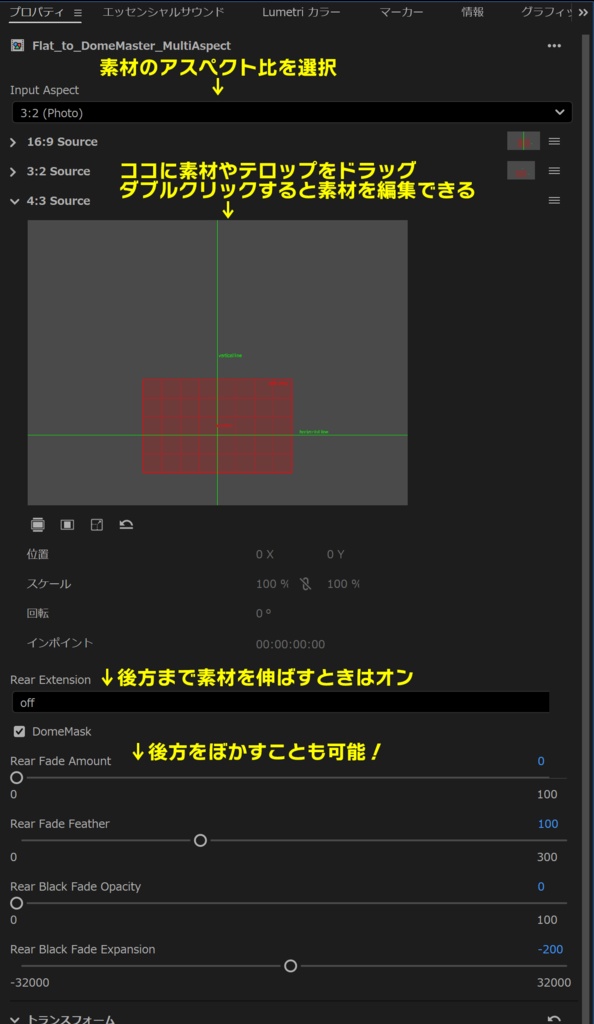


Flat to Dome Master 2|16:9・3:2・4:3対応!平面素材をドームマスター形式へ一瞬で変換する魔法のツール! これを使えばプラネタリウム向け映像の制作が簡単に! 平面素材をドームマスター形式へ変換するためのモーショングラフィックステンプレートです。 本作では、従来の16:9素材に加え、3:2・4:3の素材にも対応! さまざまなアスペクト比の映像素材を、プラネタリウム向けのドームマスター形式へ変換できます。 ドラッグ&ドロップするだけで、4KのUHD素材を4Kドームマスター(4096×4096)に一瞬で変換できます。 もちろん、UHDだけでなくさまざまな解像度の素材にも対応しておりますので、ワイプで見せるスライドなども簡単に制作できます。 位置や大きさ、後方のワイプなど、詳細なカスタマイズも可能。 エッセンシャルグラフィックスで作成したテロップにも対応しております。 これまでドームマスターへの変換には、After Effects用の高価なサードパーティー製プラグインが必要でしたが、このテンプレートがあればPremiere内で手軽に変換できます。 「ノーマン・ザ・スノーマン」シリーズや「鷹の爪」シリーズ、「ごん / GON, THE LITTLE FOX」、「紙兎ロペ」など、多くのプラネタリウム映像の編集にも活用されてきた変換パラメーターをベースに開発しています。 プラネタリウム映像の編集を、時間的にも金銭的にも大幅に効率化できるツールです。 16:9だけでなく、3:2・4:3の素材も活用したい方は、ぜひ導入をご検討ください! ■ 主な特徴 ・16:9・3:2・4:3の素材に対応 ・平面素材をドームマスター形式へ変換 ・4Kドームマスター(4096×4096)に対応 ・さまざまな解像度の素材に対応 ・位置や大きさなどの詳細な調整が可能 ・後方への映像拡張(Rear Extension)に対応 ・ドームマスク(Dome Mask)のON/OFF切り替えに対応 ・エッセンシャルグラフィックスで作成したテロップにも対応 ・英語UI対応 ■ ご注意 一般的なプラネタリウム館での上映で正常に視聴できるようにパラメーターを設定しておりますが、すべてのプラネタリウム館での見え方を保証するものではありません。 プラネタリウム館の形状や座席の位置によっては、画面端などに歪みが生じる可能性がございますのでご了承ください。 また、PCのスペックによっては、再生前にレンダリングが必要な場合があります。 ■ 動作環境 Adobe Premiere Pro 2025以降推奨 ■ 利用規約 商用利用可能。クレジット表記は必要ありません。 購入者以外の使用・再配布・譲渡・転用・再販は禁止です。 データを編集・改変したものについても同様です。 本データのリバースエンジニアリング行為も禁止します。 違反が確認された場合は、法的措置を講じる場合があります。 -------------------------------------------------- Flat to Dome Master 2 | Instantly Convert Flat Footage to Dome Master Format! Make planetarium video production easier! Flat to Dome Master 2 is a Motion Graphics Template (MOGRT) for converting flat footage into Dome Master format for planetarium productions. In addition to 16:9 footage, this version supports 3:2 and 4:3 aspect ratios! Convert footage with different aspect ratios into Dome Master format for fulldome planetarium presentations. Simply drag and drop your footage to instantly convert 4K UHD material into a 4K Dome Master (4096 × 4096). The template also supports a wide range of source resolutions, making it easy to create slides and other visual elements displayed using wipes. You can customize various settings in detail, including position, size, and rear extension. It is also compatible with titles created using Essential Graphics. Previously, converting footage to Dome Master format often required expensive third-party plugins for After Effects. With this template, you can perform the conversion directly in Premiere. This template is based on conversion parameters that have also been used in the editing of many planetarium productions, including the Norman the Snowman series, the Secret Society Eagle Talon series, GON, THE LITTLE FOX, and Kamiusagi Rope. This tool can significantly improve the efficiency of planetarium video editing, saving both time and money. If you work with not only 16:9 footage but also 3:2 and 4:3 material, give Flat to Dome Master 2 a try! ■ Key Features ・Supports 16:9, 3:2, and 4:3 footage ・Converts flat footage into Dome Master format ・Supports 4K Dome Master output (4096 × 4096) ・Compatible with various source resolutions ・Detailed adjustments for position, size, and more ・Rear Extension function ・Dome Mask ON/OFF control ・Compatible with titles created using Essential Graphics ・English UI ■ Important Notes The parameters have been configured for viewing in typical planetarium theaters. However, we cannot guarantee identical results in every theater. Depending on the shape of the dome and the audience's seating position, distortion may occur near the edges of the image. Depending on your computer's specifications, rendering may be required before playback. ■ System Requirements Adobe Premiere Pro 2025 or later recommended. ■ License Commercial use is permitted. No credit is required. Use by anyone other than the purchaser, redistribution, transfer, reassignment, repurposing, and resale are prohibited. The same restrictions apply to edited or modified versions of the data. Reverse engineering of this product is also prohibited. Legal action may be taken in the event of a violation.