
TC Calculator ― Premiere Pro 用タイムコード計算パネル
- 通常購入ダウンロード商品¥ 1,980
- 操作マニュアル (ご購入前の参考にしてください)ダウンロード商品¥ 0
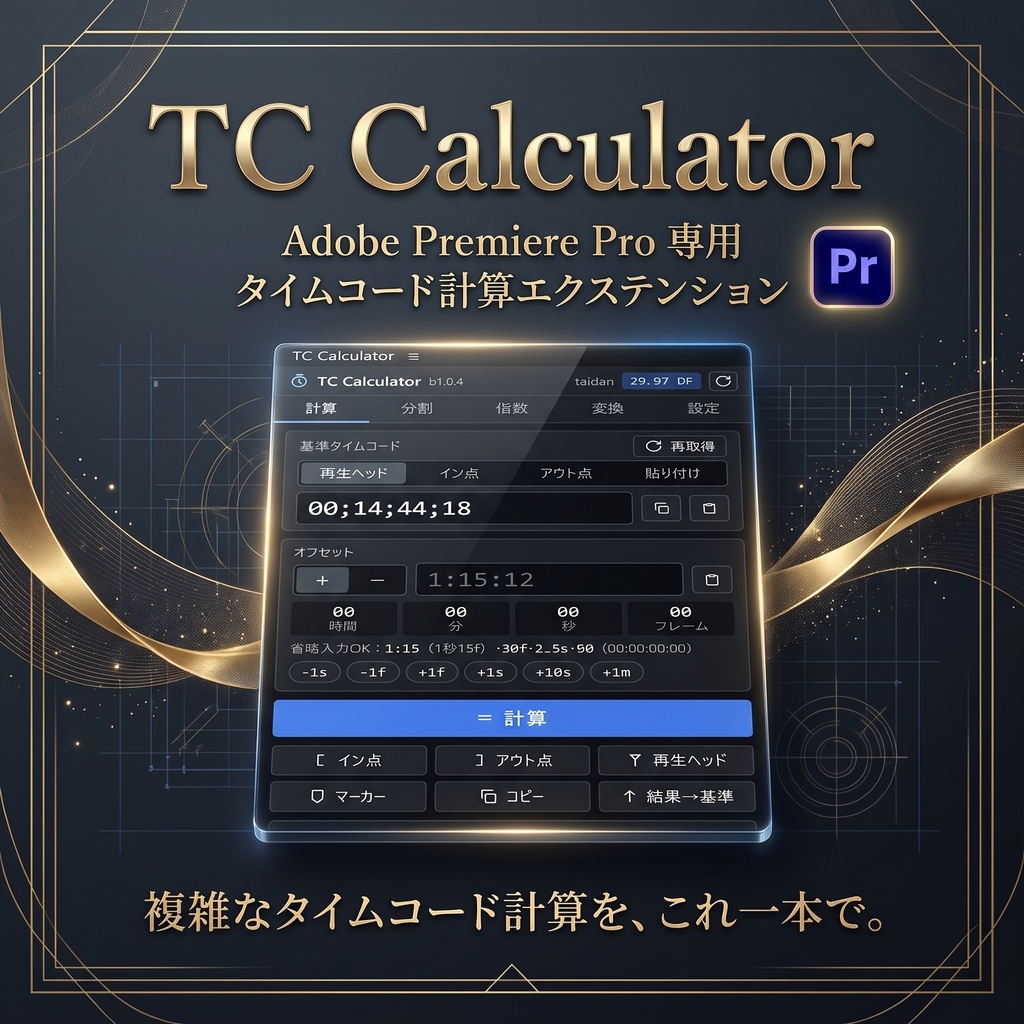
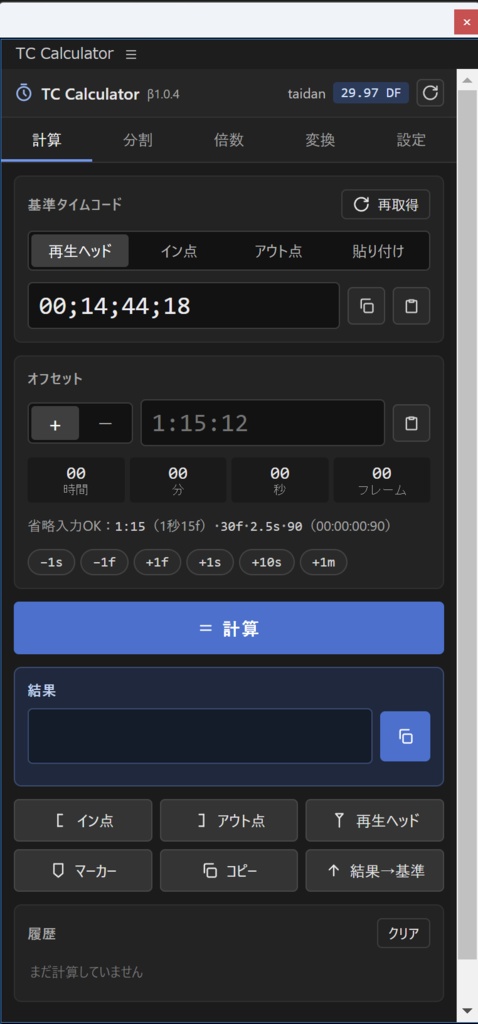
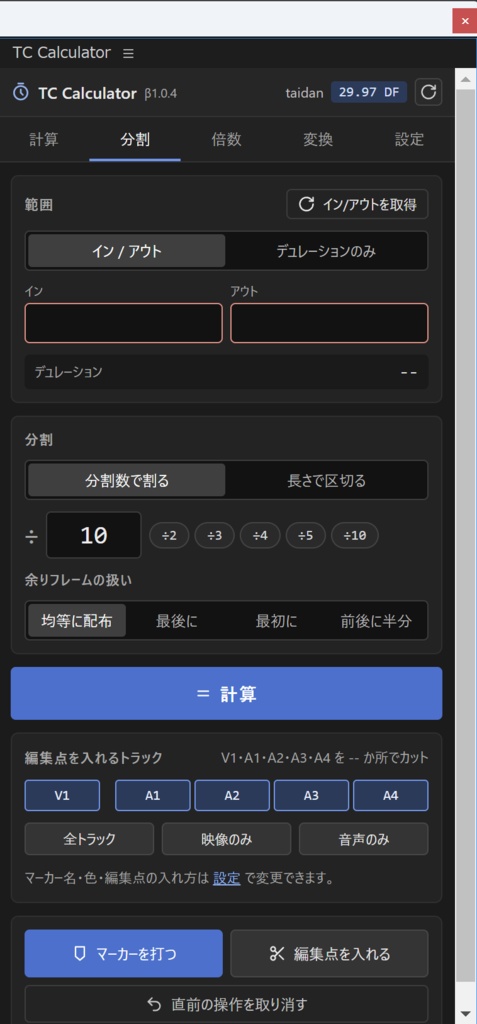
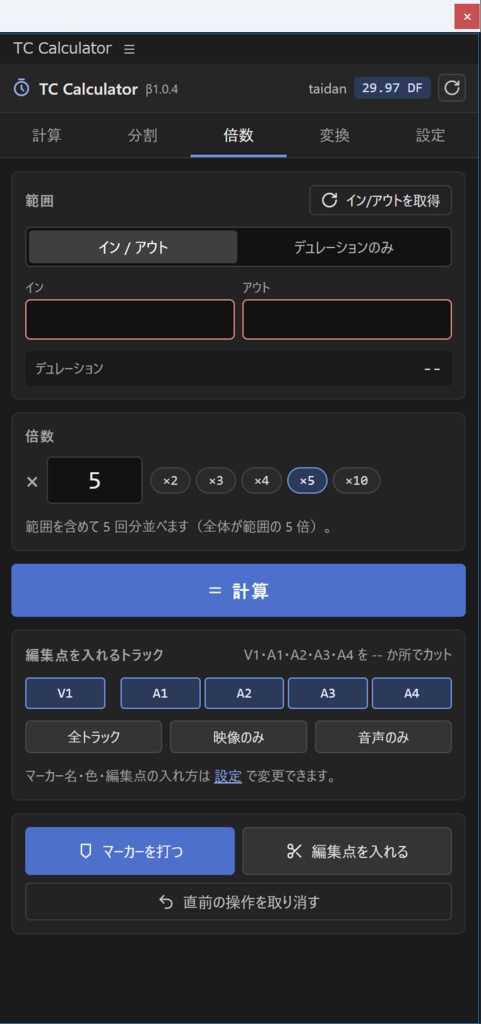
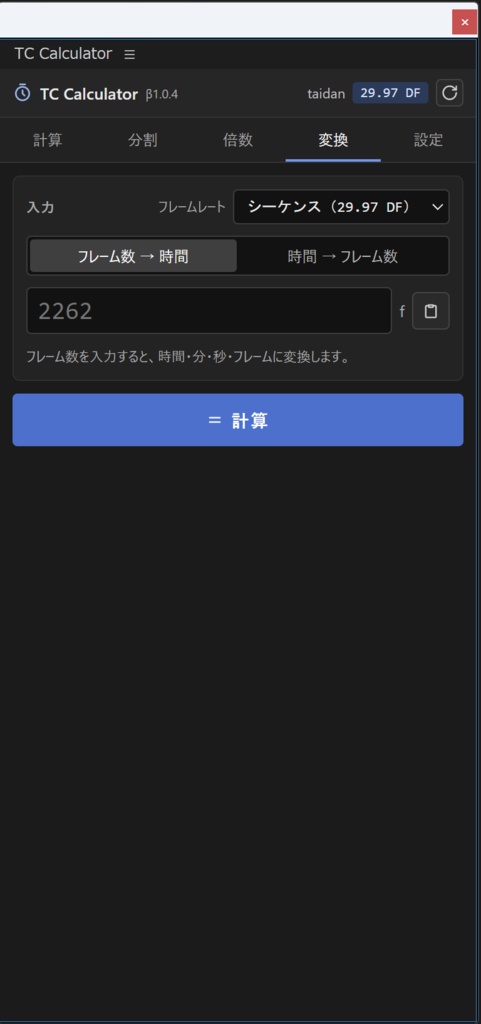
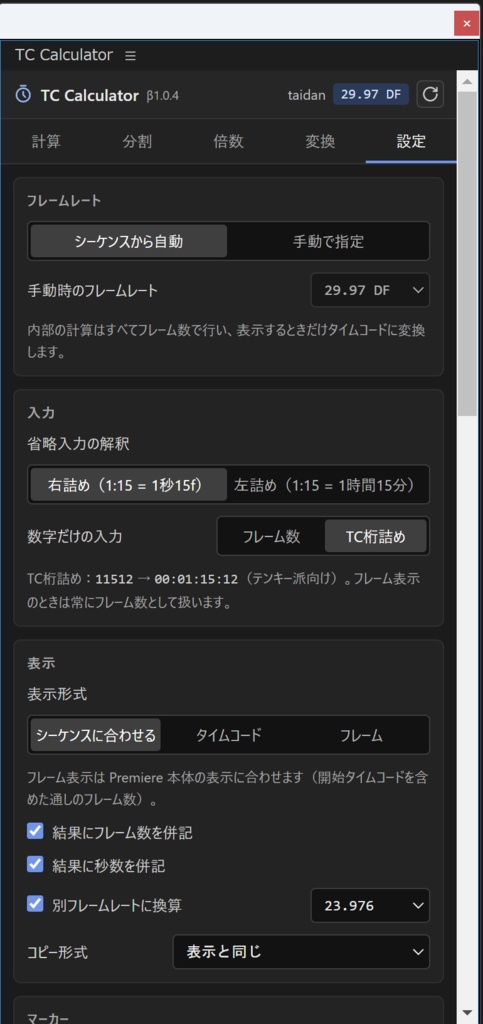
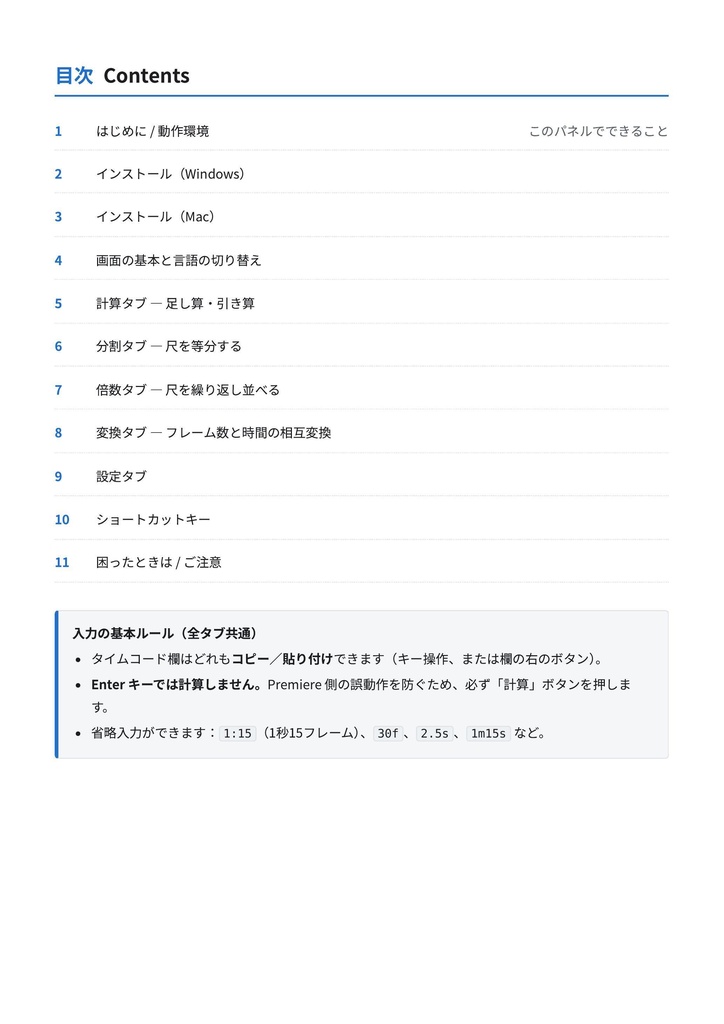
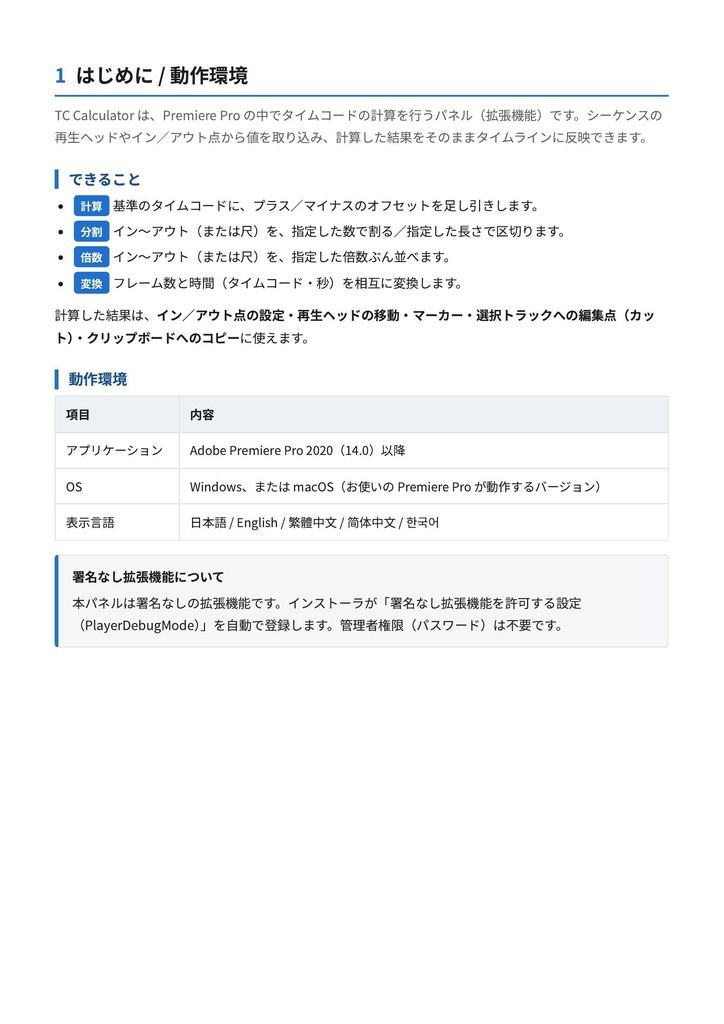
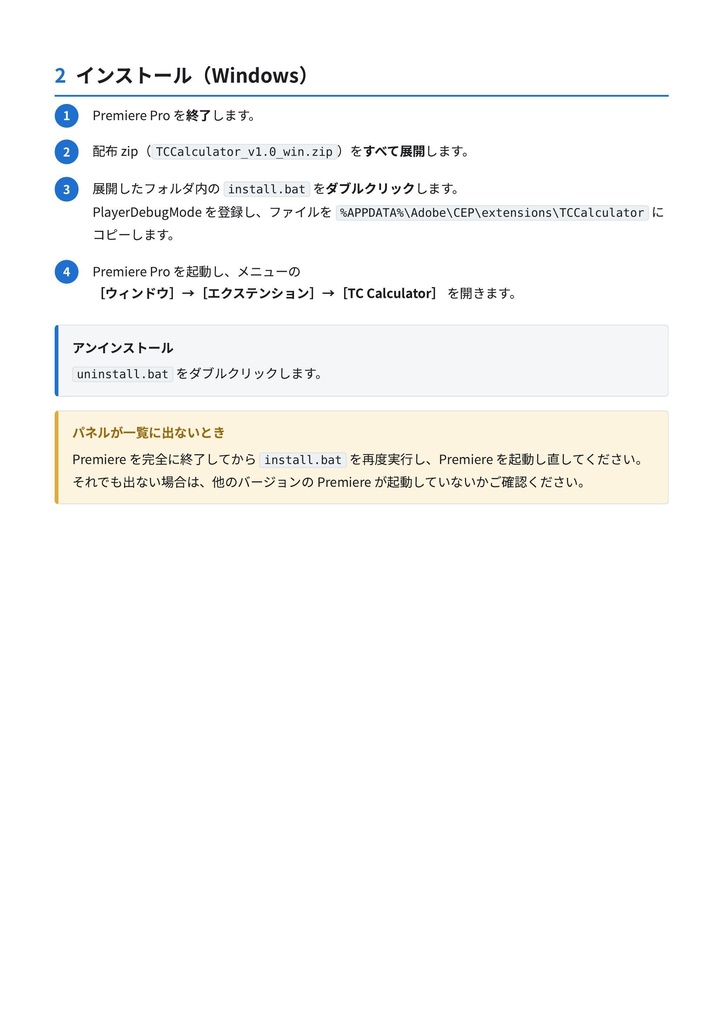
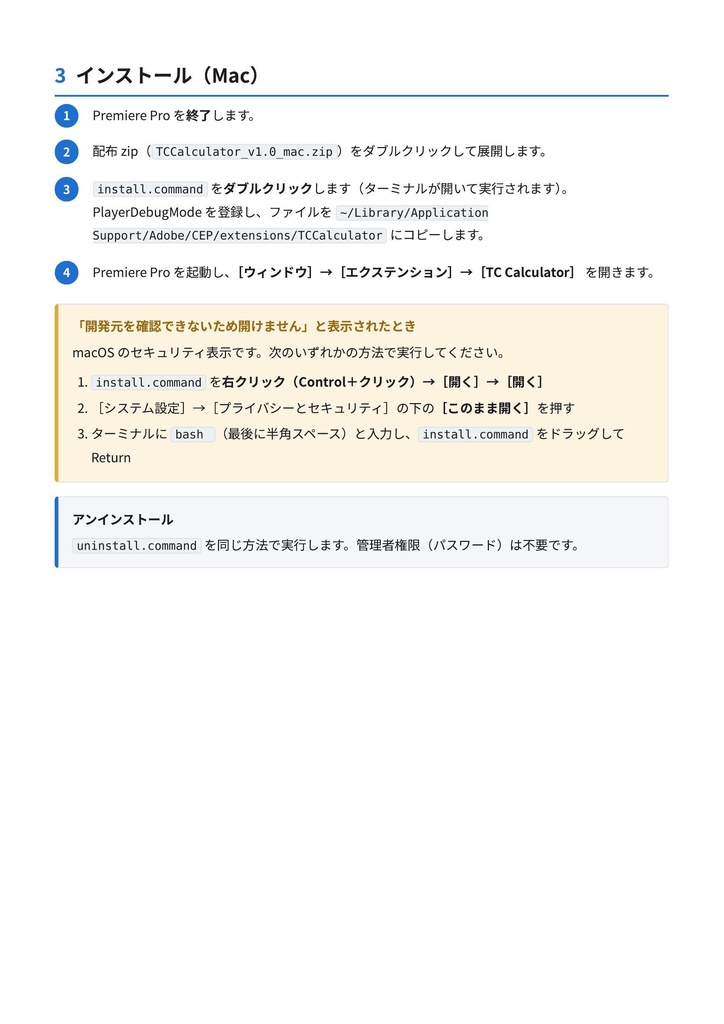
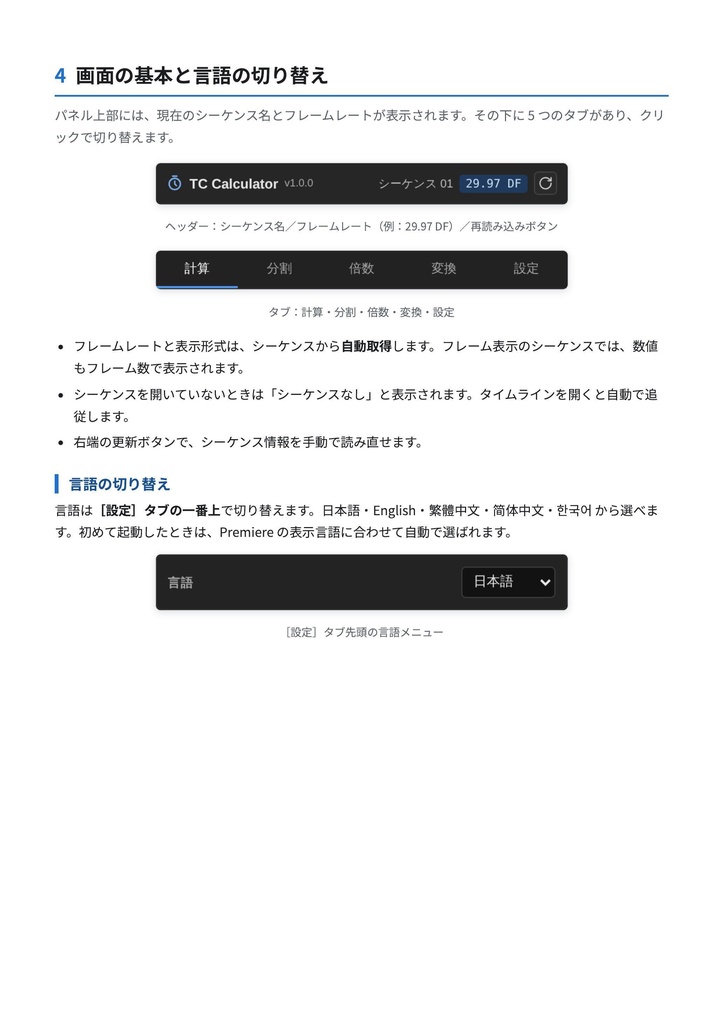
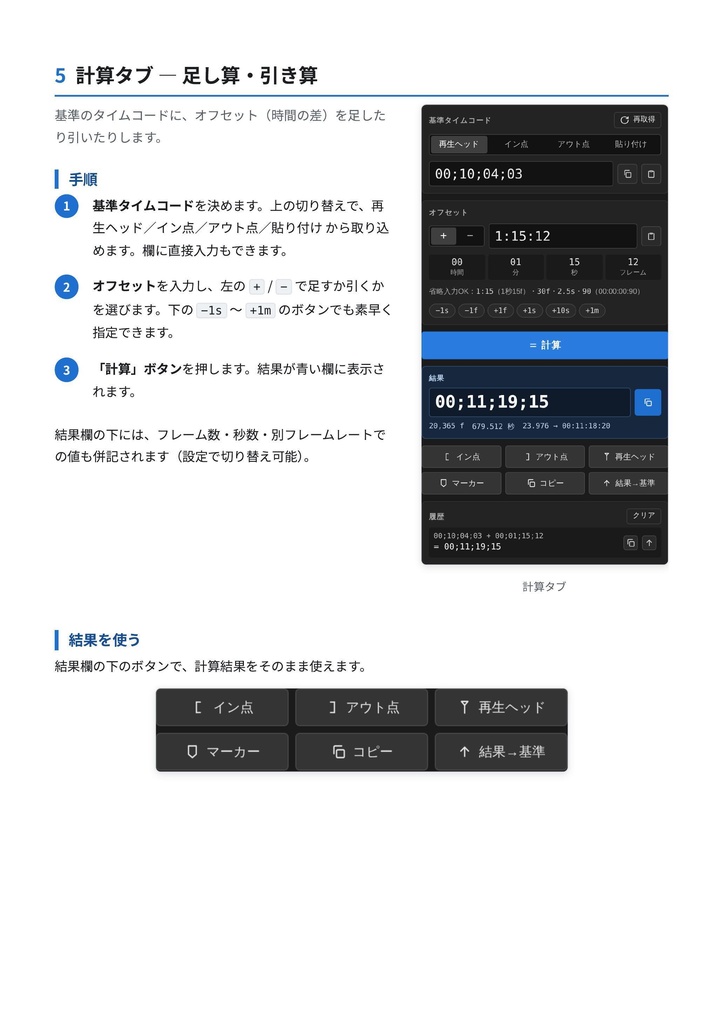
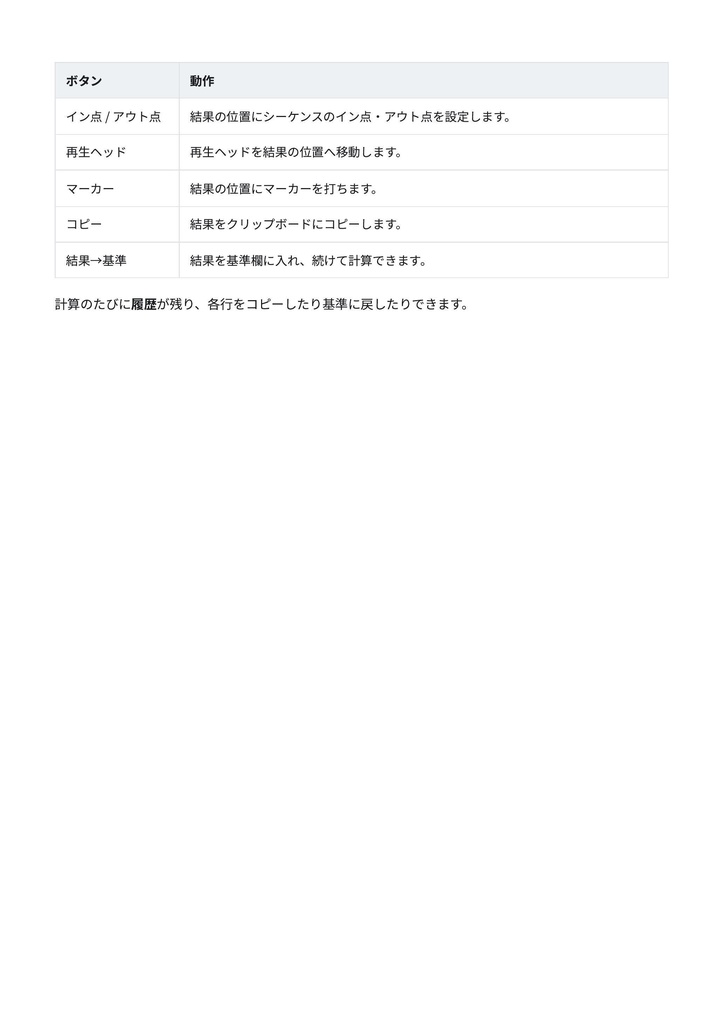
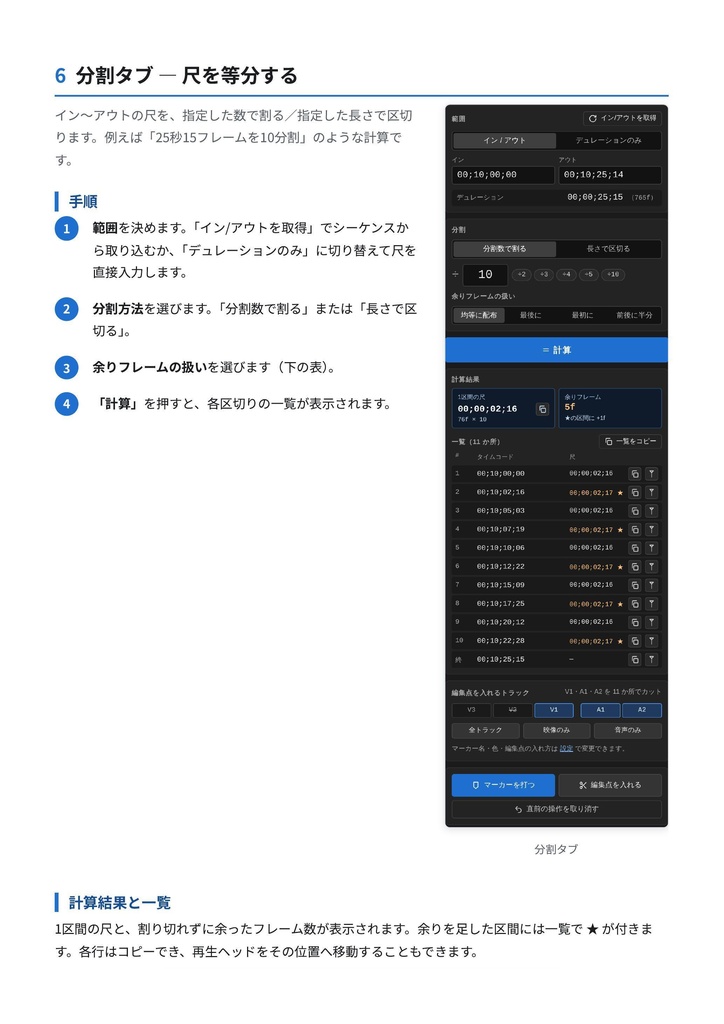
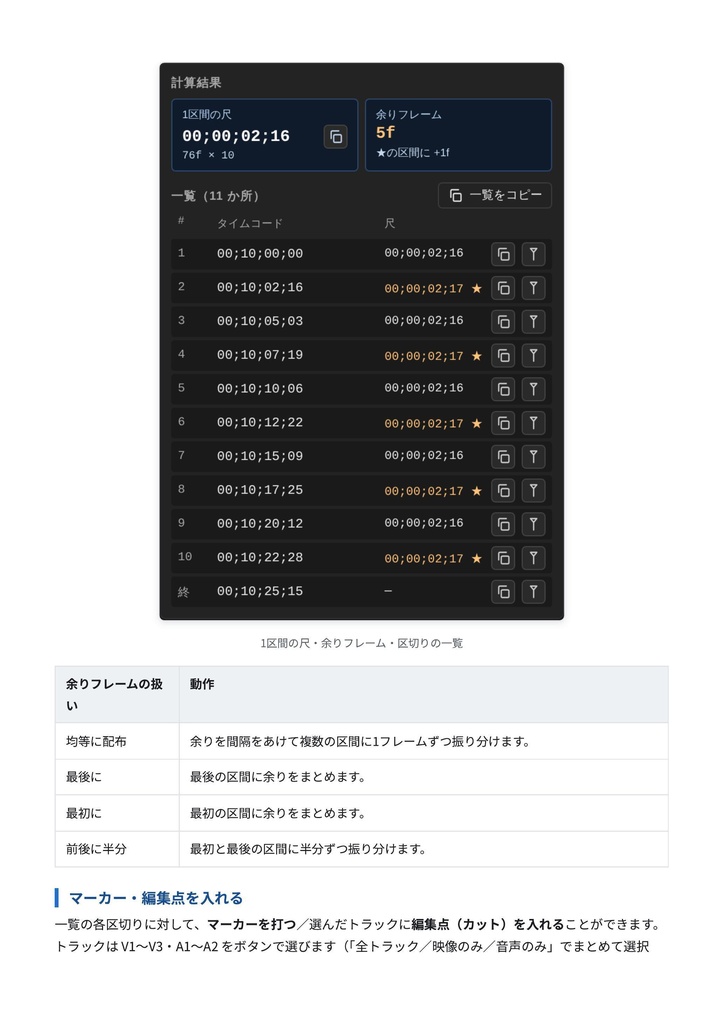
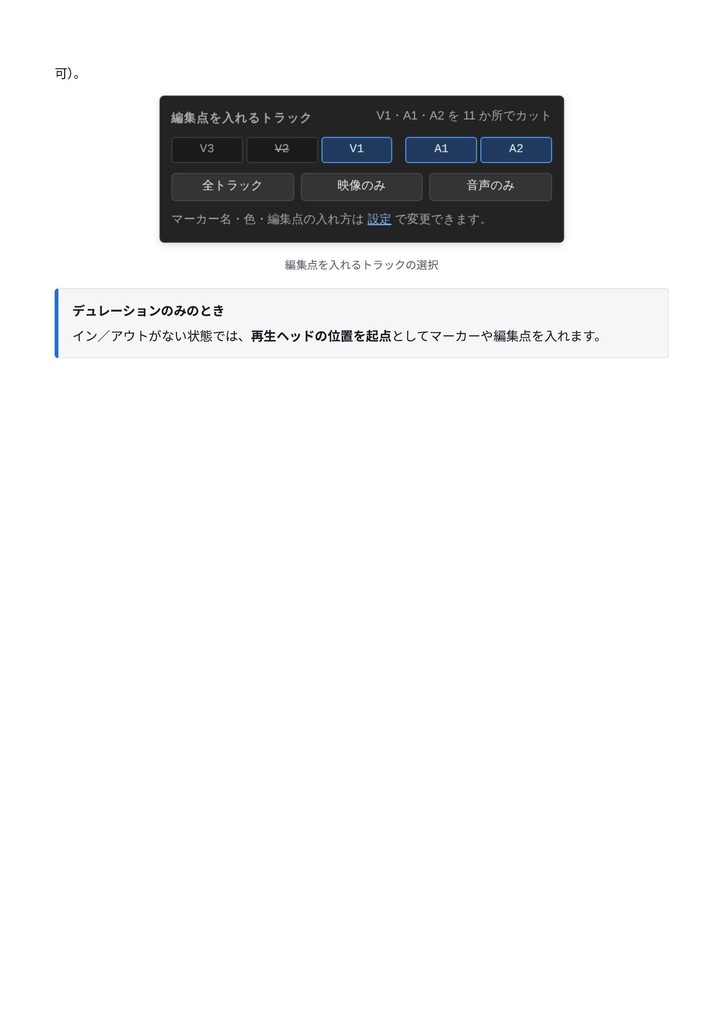
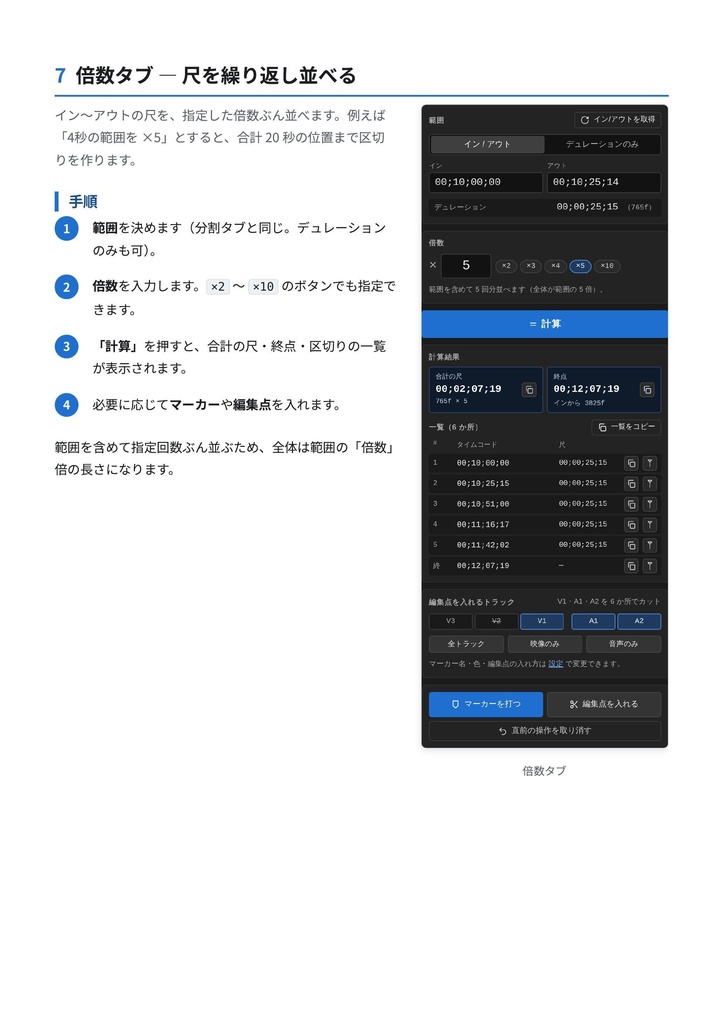
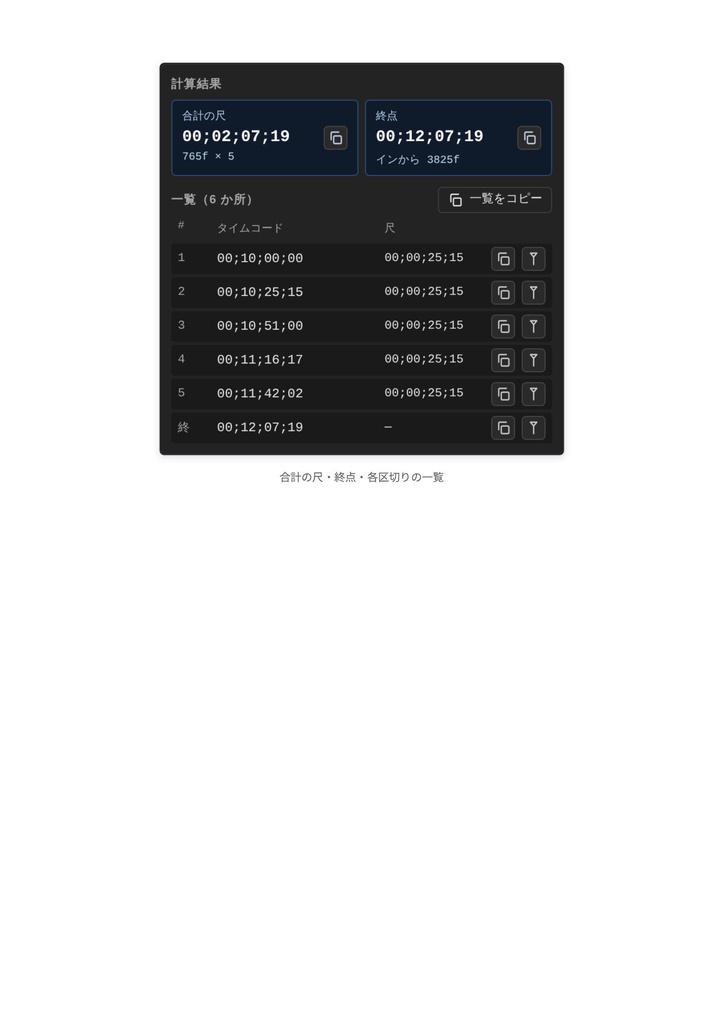
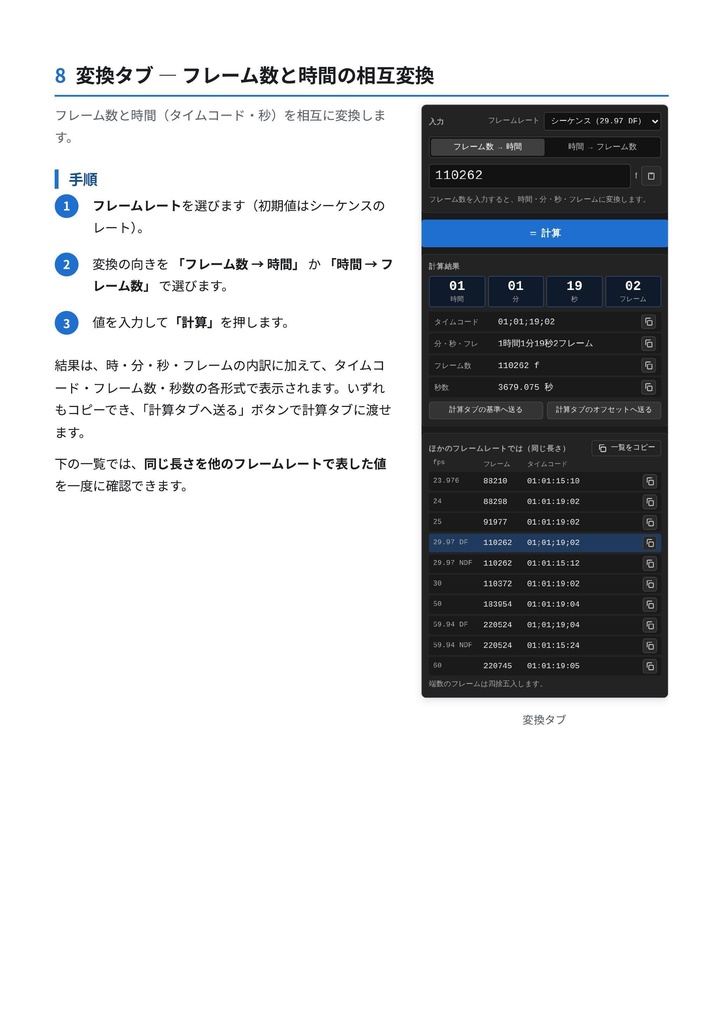
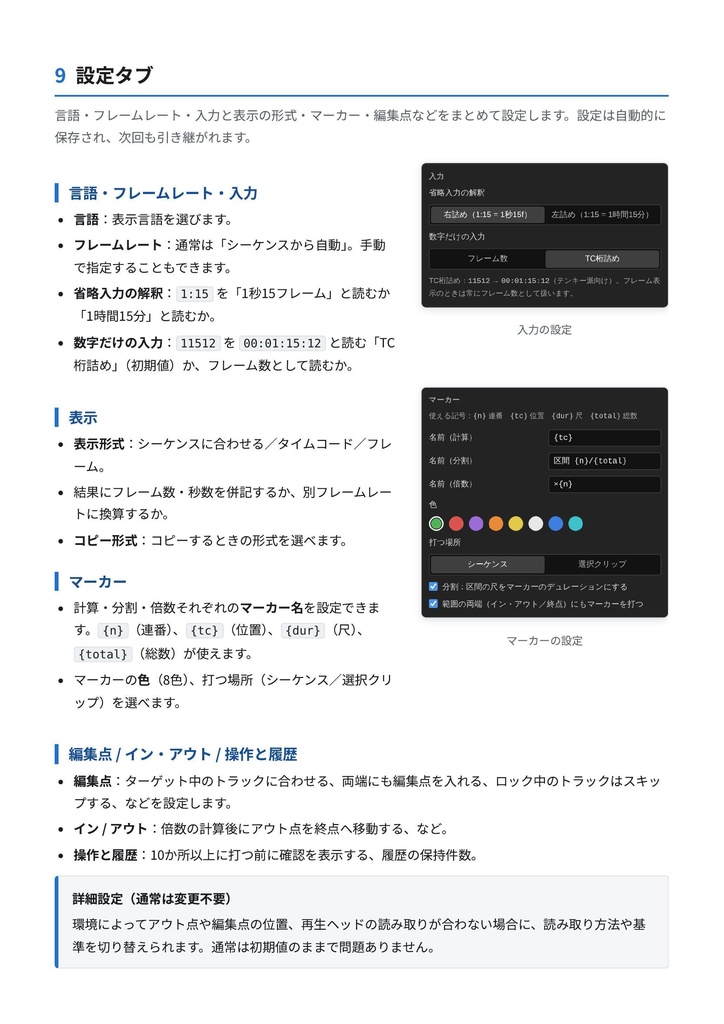
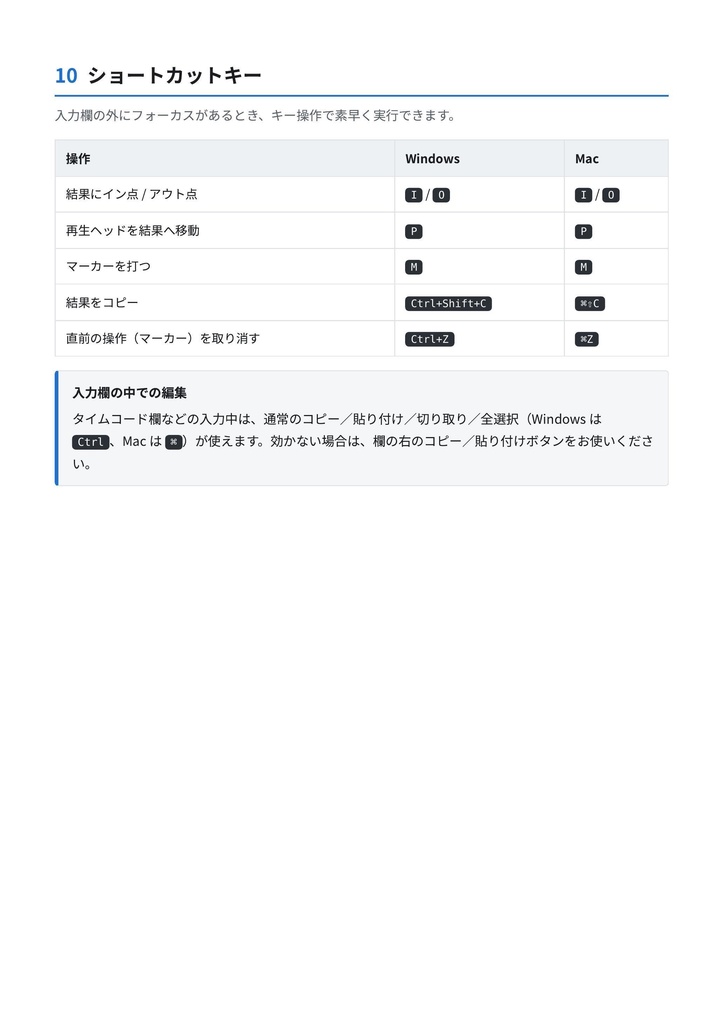
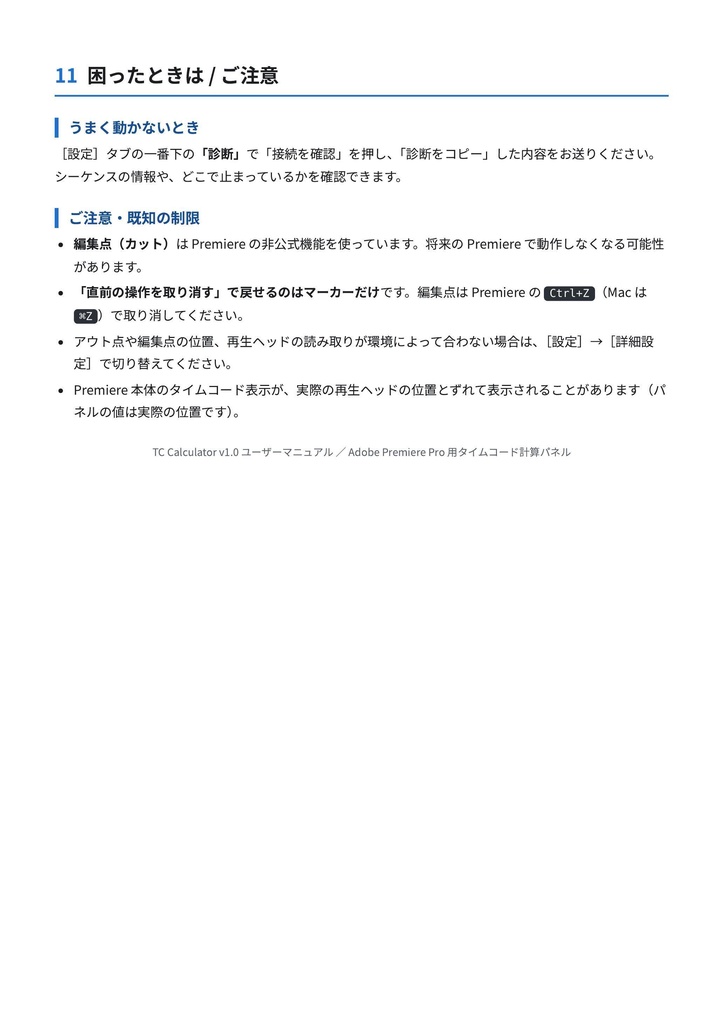


TC Calculator ― Premiere Pro 用タイムコード計算パネル タイムコードの「足し引き・分割・倍数・変換」を Premiere Pro の中で完結。 再生ヘッドやイン/アウト点から値を取り込み、結果をそのままマーカーや 編集点(カット)、イン/アウトに反映できる、編集者のための計算パネルです。 ■ こんな方へ ・尺の割り算・掛け算を、つい電卓やスマホでやってしまう ・一定間隔でマーカーや編集点を打ちたい ・タイムコード計算のミスを減らしたい ・ドロップフレームの計算がいつも不安 映像編集者・MA・編集アシスタントの日々の作業を軽くします。 ■ 主な機能(5つのタブ) ◆ 計算 基準のタイムコードにオフセットを足し引き。基準は再生ヘッド・イン点・ アウト点・貼り付けから取り込み。結果はイン/アウト設定・再生ヘッド移動・ マーカー・コピーにそのまま使えます。計算履歴も残ります。 ◆ 分割 イン〜アウト(または尺)を「指定した数で割る」「指定した長さで区切る」。 余りフレームは「均等に配布/最後に/最初に/前後に半分」から選択。各区切りに マーカーを打つ、選択トラックに編集点を一括で入れる、がワンクリック。 例:25秒15フレームを10分割 → 各区間の尺と余りを自動計算し一覧表示。 ◆ 倍数 イン〜アウト(または尺)を指定倍ぶん並べ、区切りごとにマーカー・編集点を配置。 繰り返しの素材配置に便利です。 ◆ 変換 フレーム数 ⇔ 時間(タイムコード・秒)を相互に変換。同じ長さを他の フレームレートで表した値も一覧で確認できます。 ◆ 設定 言語・フレームレート・入力と表示の形式・マーカー名・色・編集点の扱いなどを まとめて設定。設定は自動保存されます。 ■ 特徴 ・タイムラインと連動:結果をイン/アウト・再生ヘッド・選択トラックへの編集点まで即反映。 ・ラクな入力:省略入力対応(1:15、30f、2.5s など)。全欄コピー&ペースト可。 Enterの誤爆を防ぐ「計算ボタン」方式。 ・多言語対応:日本語・English・繁體中文・简体中文・한국어。初回は Premiere の言語に自動追従。 ・Windows / Mac 両対応。ドロップフレーム(29.97/59.94 DF)やフレーム表示にも対応。 ・ショートカット:I/O でイン・アウト、P で再生ヘッド、M でマーカー など。 ■ 動作環境 ・Adobe Premiere Pro 2020(14.0)以降 ・Windows、または macOS(お使いの Premiere Pro が動作するバージョン) ■ インストール 同梱のインストーラを実行するだけ。管理者権限(パスワード)は不要です。 ・Windows … install.bat をダブルクリック ・Mac … install.command をダブルクリック その後[ウィンドウ]→[エクステンション]→[TC Calculator]から開きます。 署名なし拡張機能のため、インストーラが必要な設定を自動で行います。詳しい手順は同梱の PDF マニュアルをご覧ください。 ■ ご注意 ・編集点(カット)機能は Premiere の非公式機能を利用しており、将来のバージョンで 動作しなくなる可能性があります。 ・「直前の操作を取り消す」で戻せるのはマーカーです。編集点は Premiere の Ctrl+Z(Mac は ⌘Z)で取り消してください。 ・ご購入前に、お使いの Premiere のバージョンが動作環境に合うかご確認ください。 ・不具合やご要望は [ 連絡先・ご連絡方法 ] までお知らせください。 ────────── TC Calculator ― Timecode Calculator Panel for Premiere Pro Add, subtract, divide, multiply and convert timecode inside Premiere Pro, and apply the result to markers, edits (cuts) or In/Out points. ■ FEATURES (5 tabs) - Calculate: add/subtract an offset from a base timecode (taken from the playhead, In/Out or clipboard), then apply it to In/Out, the playhead, a marker, or copy it. - Divide: split In-Out (or a duration) by count or by length; leftover frames go spread / end / start / both ends. Add a marker at every split, or edits on the selected tracks in one action. - Multiply: repeat In-Out (or a duration) a set number of times, with a marker or edit at every split. - Convert: convert between frames and time (timecode, seconds), and view the same length at other frame rates. - Settings: language, frame rate, input/display formats, markers, edit behavior. ■ ALSO - Short input (1:15, 30f, 2.5s) and copy/paste everywhere; a Calculate button so Enter never fires Premiere. - Multilingual (English, Japanese, Traditional/Simplified Chinese, Korean), following Premiere's language on first launch. - Windows and Mac; supports drop-frame (29.97 / 59.94 DF) and frame-display sequences. - Shortcuts: I/O, P (playhead), M (marker). ■ REQUIREMENTS - Adobe Premiere Pro 2020 (14.0) or later / Windows or macOS ■ INSTALLATION Run the included installer (no admin rights needed): double-click install.bat (Windows) or install.command (Mac), then open it from Window > Extensions > TC Calculator. The installer applies the setting this unsigned extension needs. Full steps are in the included PDF manual. ■ PLEASE NOTE - The edit (cut) feature uses an unofficial Premiere feature and may stop working in a future version. - "Undo last action" only removes markers; undo edits with Ctrl+Z (Cmd+Z on Mac) in Premiere. - Please check your Premiere Pro version before purchase. Bugs or requests: [ your contact ].