

【 free / 無料あり 】EasyInventorySystem Ver1.0.2【Modular Avatar対応】
- 無料版 / free(※一部機能が制限されます / Some functions will be limited.)ダウンロード商品¥ 0
- 有料版 / Paidダウンロード商品¥ 300
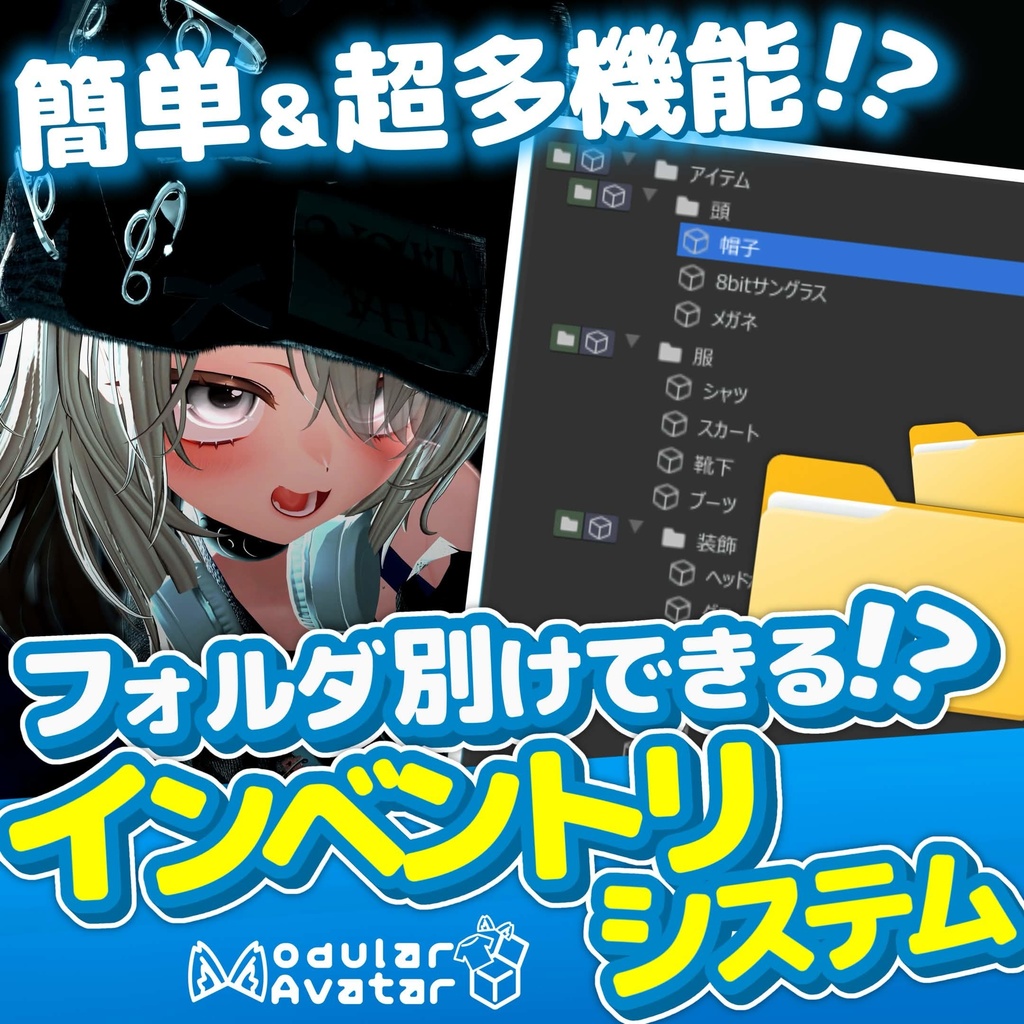


「EasyInventorySystem」は、VRChat向けアバターのアイテム出し入れやマテリアル変更を、エディタ上で直感的に設定できるUnity拡張エディタツールです。 面倒なアニメーションクリップの作成や、FXレイヤー・パラメータの構築、EXメニューの作成をすべてワンクリックで自動生成します! 非破壊化ツールの定番「Modular Avatar」に完全対応しているため、アバター本体のAnimatorやメニューを汚すことなく、いつでも安全に設定の追加・削除が可能です。 "EasyInventorySystem" is a Unity editor extension tool that allows you to intuitively set up toggling items and changing materials for VRChat avatars directly within the editor. It automatically generates all the tedious animation clips, FX layer/parameter setups, and EX menus with just a single click! Because it is fully compatible with "Modular Avatar," the standard tool for non-destructive workflows, you can safely add or remove settings at any time without cluttering your avatar's base Animator or menus.
🔰【無料版】充実の基本機能
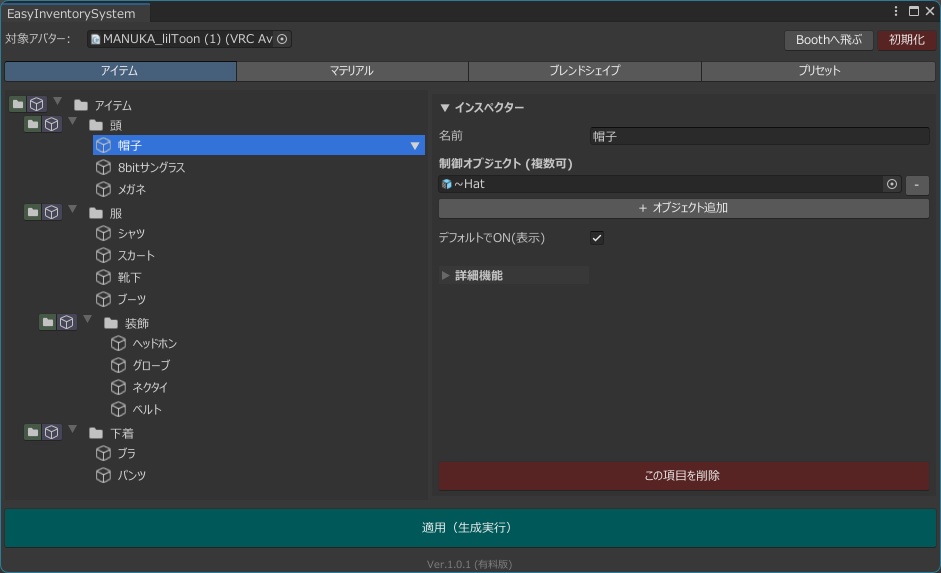
無料版でも、アバター改変の基本設定はすべてカバー!直感的なUIでサクサク実装できます。 📦 アイテムの出し入れ(トグル) 表示させたいオブジェクトをドラッグ&ドロップするだけでON/OFFメニューを作成! 🎨 マテリアルの一発切り替え デフォルトマテリアルと変更用マテリアルを登録するだけでカラーチェンジメニューが完成! ✨ ブレンドシェイプの単体操作 登録したブレンドシェイプを、EXメニューのラジアルパペットで滑らかに調整! 🌟 直感的な「フォルダ(階層)管理システム 「上着」「アクセサリー」「髪色」など、増えすぎたアイテムのEXメニュー階層を、エディタ上のツリービューで直感的にフォルダ分けして管理! いままでになかった最新の管理システムにより、複雑になりがちなアバターのメニュー構成をスッキリと、かつ自由に構築できます。
⭐【有料版】拡張性◎の神機能
有料版では、表現の幅を爆発的に広げる「詳細機能」と、「プリセット機能」が解放されます! 🔥 lilToon連携!超美麗なディゾルブ(溶ける)エフェクト切り替え ただパッとアイテムが出るだけではありません!lilToonのディゾルブ機能を自動でセットアップし、アイテムの出現・消失時に「光りながら溶けるよう現れる/消える」カッコいいエフェクトを付与できます。 ・マテリアル切り替えとの完全同期! (複数マテリアルを切り替える設定でも、ディゾルブが完璧に動作する独自システムを搭載!) ・エディタ上でプレビュー可能! 溶ける方向や色、時間をスライダーで調整しながら、その場でモーションを確認できます。 ※lilToonのみ対応しています。また、lilToonマテリアルによって非対応だったり予期せぬ挙動になる可能性もあります。 🔄 ブレンドシェイプの自動同期 「服を着たときだけ、素体の胸を絞る(シュリンクさせる)」といったブレンドシェイプの連動も、アイテムの設定画面から登録するだけ!ディゾルブ時間に合わせて、ブレンドシェイプも滑らかに同期して変化します。 👗自由自在なプリセット機能 「上着」「メガネ」「特定の髪色」などをセットにして、ワンボタンで一発お着替えできる「プリセット機能」を搭載。
📝 使い方
1. Unityのメニューバーから EasyInventorySystem > Main Window を開きます。 2. ツールウィンドウに設定したいアバターをドラッグ&ドロップ。 3. フォルダを作り、アイテムやマテリアルを追加して直感的に設定。(有料版なら詳細機能やプリセットもここで設定!) 4. 「適用(生成実行)」ボタンを押すだけ! アバター直下に「EasyInventorySystem」オブジェクトが生成され、必要な設定が全て自動で完了します。
📦 動作環境・必須ツール
本ツールをご利用いただくには、事前に以下の環境・ツールがプロジェクトにインポートされている必要があります。 ・Unity 2022.3.22f1(VRChat推奨バージョン) ・VRCSDK3 - Avatars ・Modular Avatar(非破壊セットアップに必須) ・lilToon(※有料版のディゾルブエフェクトを使用する場合に必須)
📜 利用規約
・本ツールの改変は禁止です。 ・本ツール自体(スクリプト)の二次配布、再販売は禁止します。 ・本ツールを利用して発生したいかなる損害・トラブルについても、制作者は一切の責任を負いません。
🔰 [Free Version] Comprehensive Basic Features
Even the free version covers all the essential settings for modifying your avatar! You can implement them quickly and smoothly with our intuitive UI. 📦 Item Toggling Create an ON/OFF menu simply by dragging and dropping the objects you want to display! 🎨 Instant Material Switching Complete a color change menu just by registering your default material and the replacement material! ✨ Standalone Blendshape Control Smoothly adjust registered blendshapes using the Radial Puppet in the EX Menu! 🌟 Intuitive "Folder (Hierarchy) Management System" Manage overcrowded EX menu hierarchies for items like "Jackets," "Accessories," and "Hair Colors" by intuitively organizing them into folders using the tree view in the editor! With this innovative management system, you can cleanly and freely structure your avatar's menu configuration, which otherwise often gets overly complex. ⭐ [Paid Version] God-Tier Features with Excellent Expandability The paid version unlocks "Advanced Features" and "Preset Features" that explosively expand your range of expression! 🔥 lilToon Integration! Ultra-Beautiful Dissolve Effect Switching Items won't just instantly pop into existence anymore! It automatically sets up lilToon's dissolve feature, allowing you to add cool effects where items "appear/disappear as if glowing and melting" when toggled. Perfect Synchronization with Material Switching! (Equipped with a unique system that ensures the dissolve effect works flawlessly, even when switching between multiple materials!) Previewable in the Editor! You can check the animation right there while adjusting the dissolve direction, color, and duration with sliders. Note: Only lilToon is supported. Additionally, depending on your specific lilToon material setup, it may not be supported or could result in unexpected behavior. 🔄 Automatic Blendshape Synchronization Linking blendshapes—such as "shrinking the base body's chest only when wearing clothes"—is as simple as registering them in the item settings screen! The blendshapes will smoothly synchronize and change in tandem with the dissolve duration. 👗 Fully Customizable Preset Feature Features a "Preset" function that lets you bundle things like a "Jacket," "Glasses," and a "Specific Hair Color" together, allowing for a complete outfit change with a single button.
📝 How to Use
Open EasyInventorySystem > Main Window from the Unity menu bar. Drag and drop the avatar you want to configure into the tool window. Create folders, add items or materials, and configure them intuitively. (If using the Paid Version, you can also set up the advanced features and presets here!) Just click the "Apply (Generate)" button! An "EasyInventorySystem" object will be generated directly under your avatar, and all necessary setups will be completed automatically.
📦 System Requirements & Required Tools
To use this tool, the following environments and tools must be imported into your Unity project beforehand: Unity 2022.3.22f1 (VRChat Recommended Version) VRCSDK3 - Avatars Modular Avatar (Required for non-destructive setup) lilToon (*Required if using the dissolve effects in the Paid Version)
📜 Terms of Use
Modification of this tool is prohibited. Secondary distribution or resale of the tool itself (the scripts) is prohibited. The creator assumes no responsibility for any damages or trouble arising from the use of this tool.
📝クレジット / Credits
【無料】lilToon https://booth.pm/ja/items/3087170 オリジナル3Dモデル「マヌカ」 https://booth.pm/ja/items/5058077 オリジナル3Dモデル【Chalo】 https://booth.pm/ja/items/5201759 ModularAvatar https://modular-avatar.nadena.dev/ja
🛠️更新履歴 / Update History
▮2026.2.25 Ver.1.0.1 アップロード / Uploaded ▮2026.3.16 Ver.1.0.2 多言語対応(日本語,英語,韓国語,中国語)/ Multi-language support added (Japanese, English, Korean, Chinese)