
Free Blender add-on for VRM Toggle / VRMアバター用アクセサリー表示切替ツール (Updated 2026/07/27)
- ダウンロード商品¥ 0
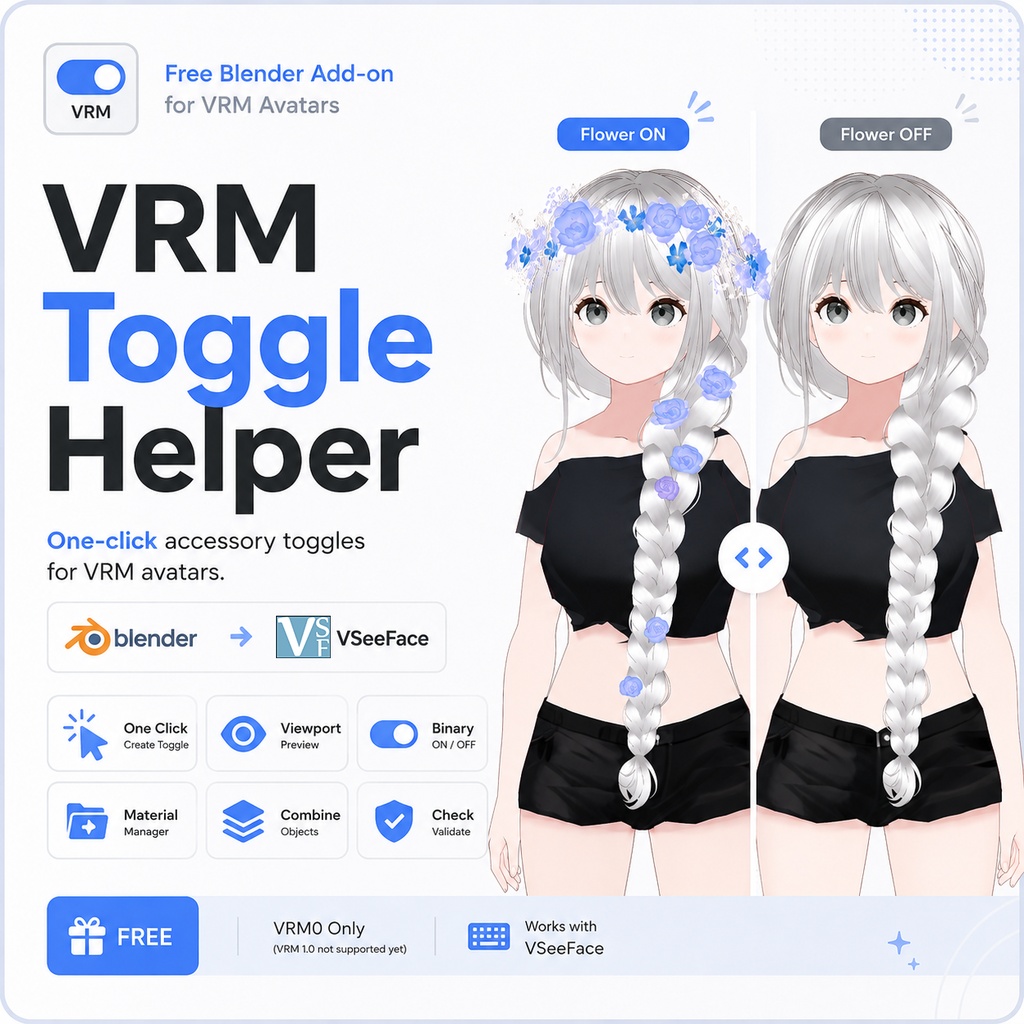

VRM Toggle Helper Blender上でVRMアバターのアクセサリーをワンクリックで切り替え。 VSeeFaceのホットキーで簡単に表示/非表示を切り替えられます。 One-click accessory toggles for VRM avatars. Create VRM0 material toggles directly in Blender and switch them with a hotkey in VSeeFace.
✨ このアドオンについて / What is it?
VRM Toggle Helperは、VRMアバターのアクセサリーに表示/非表示の切り替え機能を簡単に追加できるBlenderアドオンです。 例えば… ヘアアクセサリー メガネ ケモ耳 しっぽ 花冠 その他のメッシュアクセサリー 選択してボタンを押すだけで、VRM0用のマテリアルトグルを自動作成します。 作成後はBlender内で表示状態をプレビューでき、VRMを書き出せばVSeeFaceのホットキーから切り替えられます。 —— VRM Toggle Helper lets you quickly create show / hide toggles for accessories such as: Hair clips Glasses Animal ears Tails Any mesh accessory Simply select the object, click one button, and the add-on automatically creates the required VRM0 material blend shape. You can preview the result directly inside Blender before exporting.
主な機能 / Features
✅ 選択したアクセサリーからワンクリックでトグル作成 ✅ 複数オブジェクトを1つのトグルにまとめることも可能 ✅ Binaryモード対応(完全ON / OFF) ✅ Blenderビューポートで表示確認 ✅ トグル名の変更 ✅ マテリアルの追加・削除 ✅ Export前のCheck / Validate —— ✅ One-click toggle creation ✅ Create toggles from one or multiple selected objects ✅ Combine several accessories into a single toggle ✅ Binary ON / OFF mode (no semi-transparent state) ✅ Viewport preview ✅ Rename toggles ✅ Add or remove materials ✅ Check / Validate before export
動作環境 / Requirements
Blender 4.2以降 VRM Add-on for Blender VRM 0.x アバター MToonマテリアル 現在はVRM 0.xのみ対応しています。VRM 1.0には対応していません。 —— Blender 4.2+ - VRM Add-on for Blender - VRM 0.x avatar - MToon materials VRM 1.0 is not supported yet.
使い方 / How to use
1. VRM0モデルを読み込みます。 2. 切り替えたいアクセサリーを選択します。 3. Create Toggle from Selection をクリックします。 4. 👁ボタンで表示状態を確認します。 5. VRMを書き出します。 6. VSeeFaceで作成されたExpressionをホットキーに割り当てます。 1. Import a VRM0 model. 2. Select the accessory. 3. Click Create Toggle from Selection. 4. Preview with the eye button. 5. Export the VRM. 6. Assign the generated expression to a hotkey in VSeeFace.
ご注意 / Notes
VRM0専用です。 マテリアルのAlpha Modeは MASK または BLEND に設定してください。 トグル情報はアーマチュアに保存されます。 Supports VRM0 only Materials must use MASK or BLEND alpha mode Toggle data is stored on the armature
Update
2026/07/27 日本語 - 初期表示/非表示オプションを追加しました いずれかのトグル(▸をクリック)を展開すると、上部に新しい行が表示されます:読み込み時:[表示] [非表示] また、作成時に「VSeeFaceで非表示で開始」にチェックを入れることで、初期状態で非表示にすることもできます。 —— EN 2026/07/27 - Added initial show/hide options Expand any toggle (click ▸), and a new line will appear at the top: On load: [Shown] [Hidden] You can also check "Start hidden in VSeeFace" during creation to hide it initially.
関連アイテム / Related Items
[Vroid] Long Braid / Garden https://surcen.booth.pm/items/8281078 [Vroid] Flower Crown / Accessory only https://surcen.booth.pm/items/8649710 【VRoid】妖精の花冠 / Fairy Flower Crown / Headdress (6 colors) https://mzkagami.booth.pm/items/8399786
❤️ Special Thanks
Thank you to konn for testing the add-on and helping improve it with valuable feedback.