

クロノスレート ChronoSlate【VRChatワールドギミック】
- ダウンロード商品¥ 500
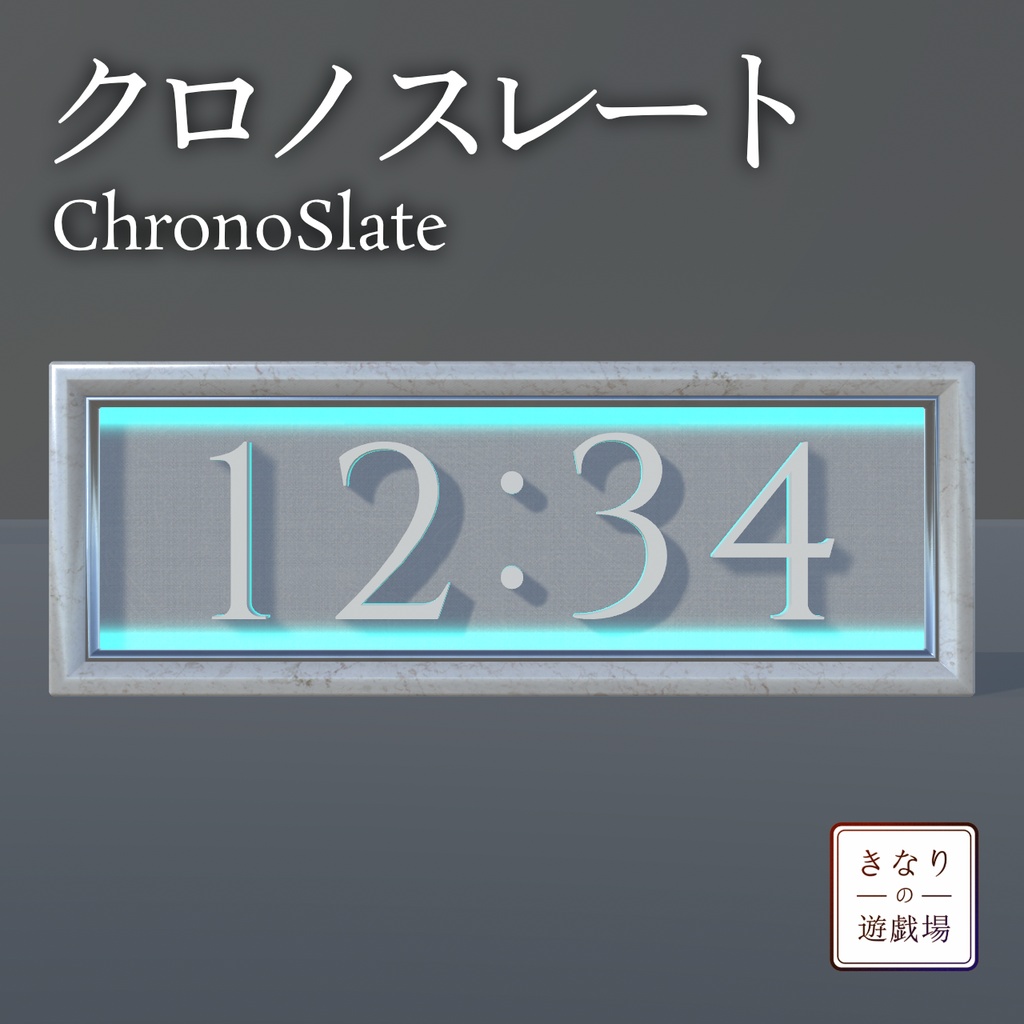
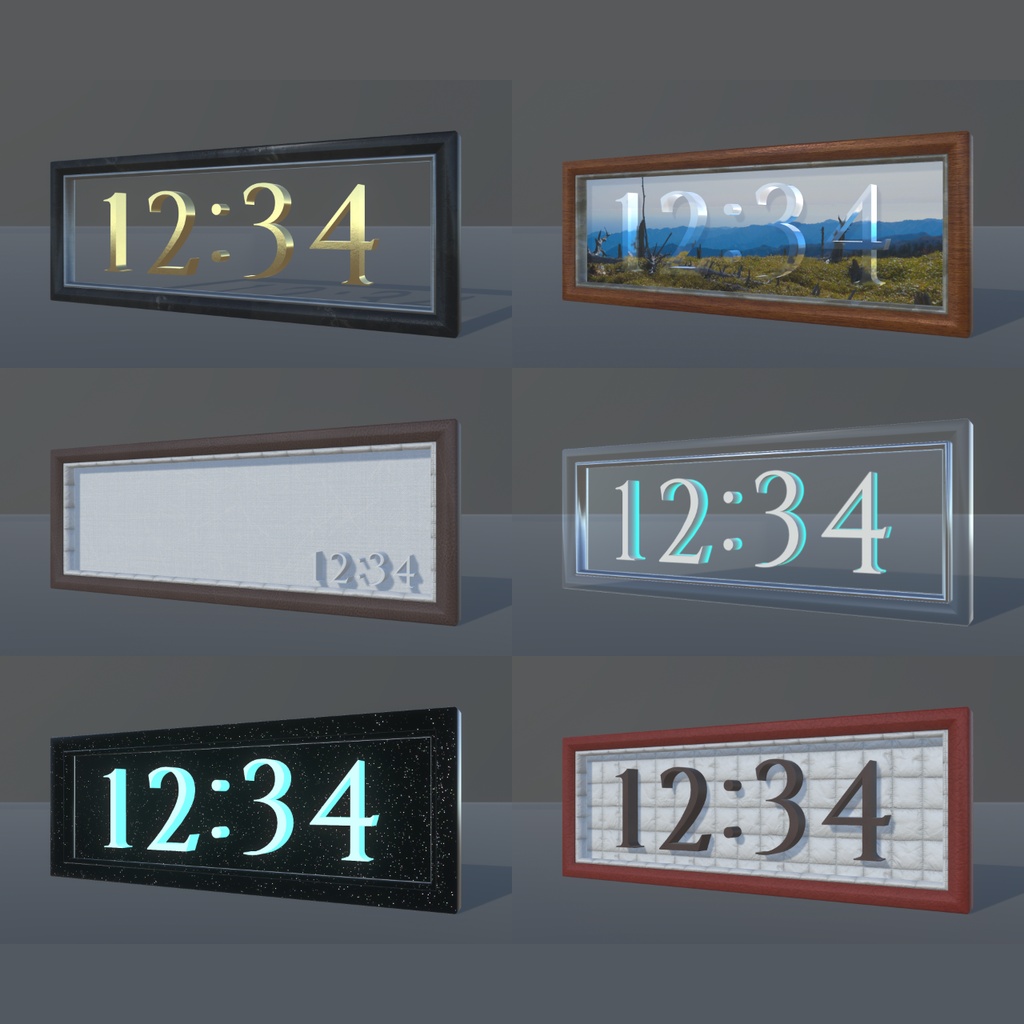
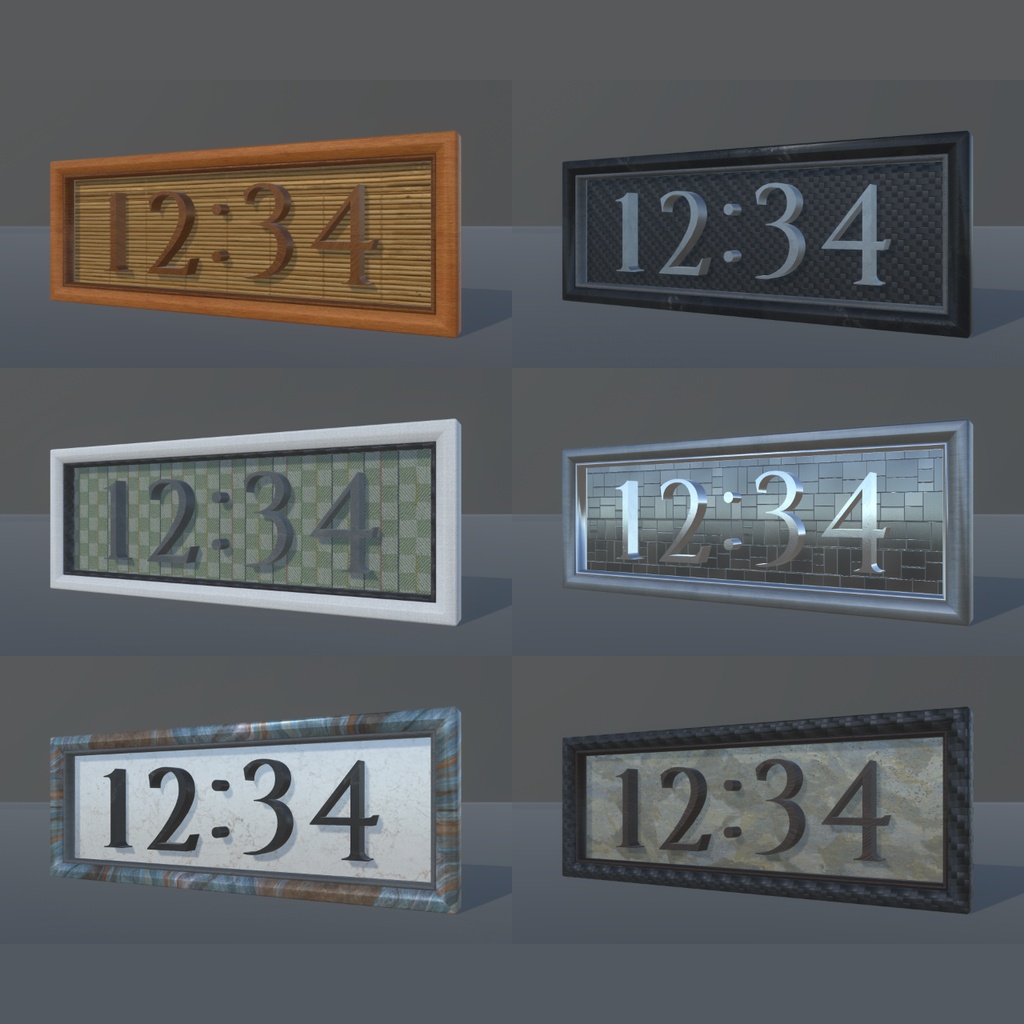


VRChatのワールドに置ける立体時計のギミックです。 同梱のマテリアルを差し替えれば、ワールドの雰囲気に合わせた見た目に変更できます。 A three-dimensional clock gimmick to place in your VRChat world. Swap the bundled materials to change its look to suit the mood of your world.
■ 特徴 / Features
▶ 見た目を選べる フレーム・背景・数字それぞれにマテリアルを用意しています。 数字は拡張機能で一括変更が可能です。 ▶ 背景に好きな画像を出せる 背景用マテリアルのテクスチャを差し替えるだけです。 最初から画像表示になっているプレハブも同梱しています。 ▶ ワールド共通の時刻 VRChatのネットワーク時刻を表示します。 タイムゾーンの変更が可能です。 - Choose the look Materials are provided for the frame, the backplate and the digits. The digits can be changed in bulk from an editor window. - Put your own image on the backplate Just swap the texture on the backplate material. A prefab that shows an image out of the box is included. - One time for the whole world Shows VRChat network time. The time zone can be changed.
■ 動作環境 / Requirements
Unity 2022.3.22f1 Poiyomi Toon Shader 9.3.64 ご利用前にPoiyomi Toon Shaderの導入をお願いいたします。 未導入だとマテリアルがピンク(マゼンタ)表示になります。 VCC / ALCOM / BOOTHから入手できます。 https://www.poiyomi.com/ Please install Poiyomi Toon Shader before use. Without it, the materials render magenta. It is available through VCC / ALCOM / BOOTH.
■ ギミックデータ / Gimmick data
ポリゴン数:最大3,268 ~ 最小1,468 マテリアル数:4 ポリゴン数はアクティブなメッシュを対象とした最大と最小の数です。 マテリアル数はChronoSlate.prefabのものです。 Polygons: max 3,268 / min 1,468 Materials: 4 The polygon count is the total across the active meshes, at its highest and lowest. The material count is for ChronoSlate.prefab.
■ 同梱内容 / Contents
ChronoSlate_v1.0.0.unitypackage プレハブ4種/マテリアル37種/サンプルシーン 利用規約PDF(日本語 / English / 한국어 / 中文) README ChronoSlate_v1.0.0.unitypackage 4 prefabs / 37 materials / sample scene Terms of Use PDFs (Japanese / English / Korean / Chinese) README
■ 同梱プレハブ / Included prefabs
▶ ChronoSlate 標準の時計プレハブ The standard clock prefab ▶ ChronoSlate_Picture 画像表示がメイン。背景に好きな画像を設定できます Picture-first. Put an image of your choice on the backplate ▶ ChronoSlate_MiniTimer 時計を右下に小さく表示。飾り付け向け Clock shown small in the lower right, for decoration ▶ ChronoSlate_NoBack 背景なし。壁掛けや控えめな設置向け No backplate. Suits a wall mount or a restrained placement どれもシーン上に設置するだけで使用可能です。 All four work simply by placing them in your scene.
■ 説明書 / Manual
https://kinari-yugijo.github.io/chronoslate/ 導入手順・時刻の設定・見た目の変更等は、オンライン説明書をご確認ください。 Setup, time zone configuration and customization are covered in the online manual.
■ 利用規約 / Terms of Use
本データを購入、ダウンロード、インストール等の利用の開始時点で 本利用規約に同意したものとみなします。 必ず利用規約を確認してください。 また、他言語との差異が生じた場合は、日本語版の利用規約が適用されます。 利用規約はVN3ライセンスに基づきます。 By purchasing, downloading, installing or otherwise beginning to use this data, you are deemed to have agreed to these terms of use. Please be sure to read them. If any discrepancy arises between languages, the Japanese version applies. These terms are based on the VN3 License. ▶ 本データそのものの再配布・販売は、未改変・改変を問わず禁止です。 ▶ Redistribution or resale of the data itself is prohibited, whether modified or not. 規約全文 (JP) https://drive.google.com/file/d/1_O8iS8Vf8poQS152rbFfBSVPwjacY8cm/view?usp=sharing Terms of Use (EN) https://drive.google.com/file/d/1lRtHNLTBYRNcq0ui5ORkxSG8fR0gJihQ/view?usp=sharing 이용규약 (KO) https://drive.google.com/file/d/1tapZECq2l-KUfAJ8wRPzMT4ZwOV-YUpF/view?usp=sharing 使用条款 (ZH) https://drive.google.com/file/d/14xa2-SdkPeoSFkvaFkFB5-f-exhketEM/view?usp=sharing
■ 更新履歴 / Changelog
▶ 2026/08/23 ver.1.0.0 リリース Initial release