

(FREE) AudioZone V1 - BlackHatsStudio
- ダウンロード商品¥ 0
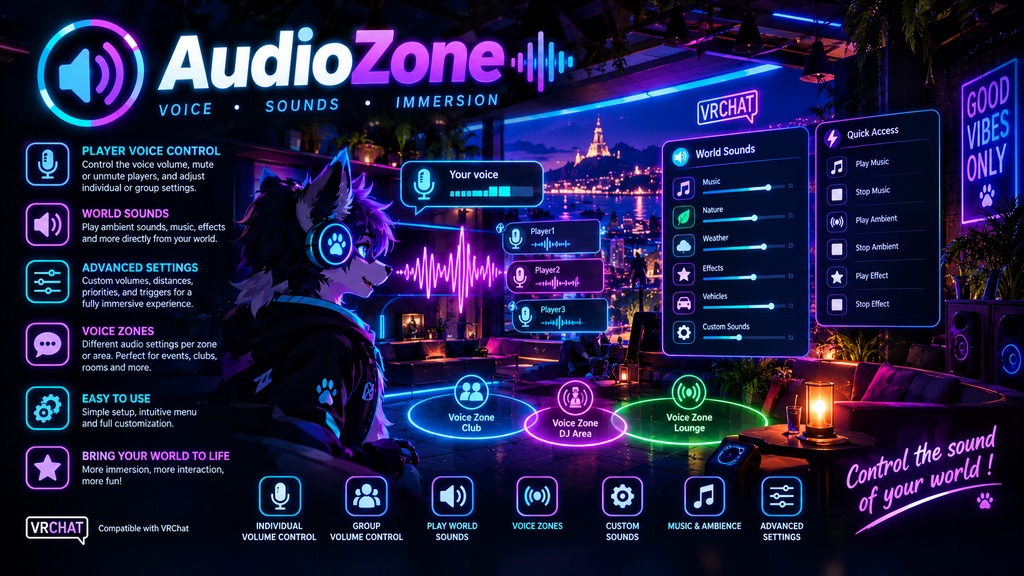
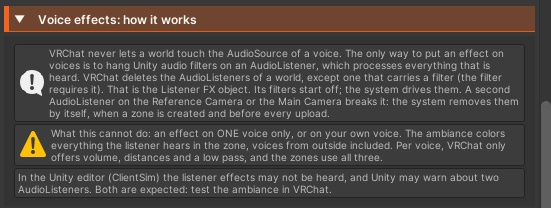
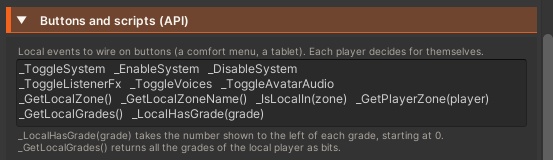
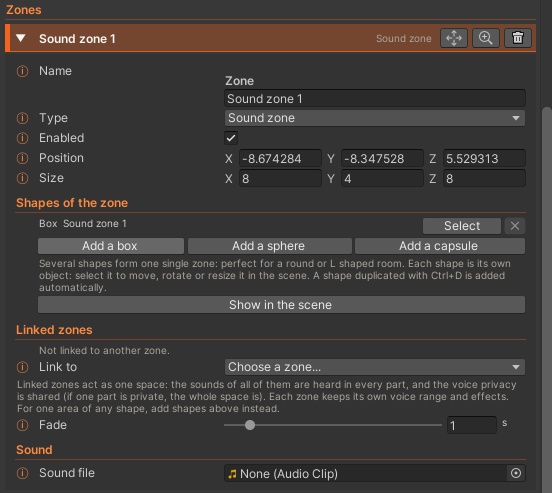
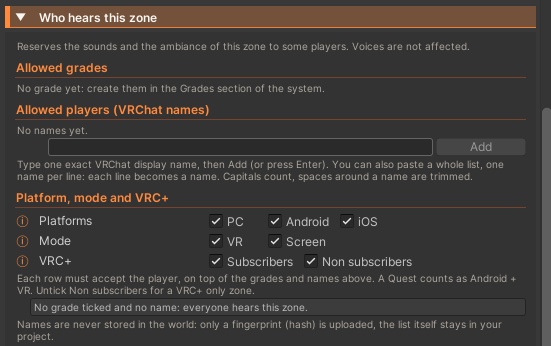
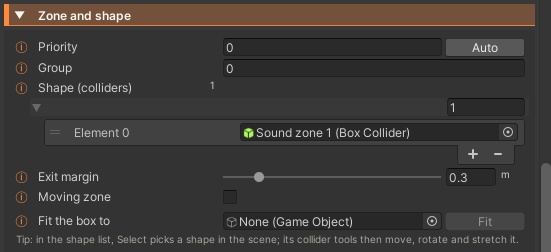
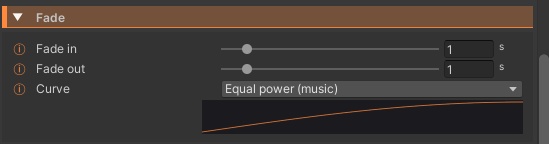
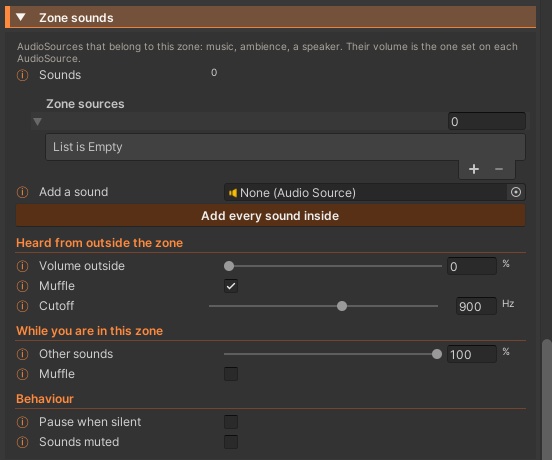

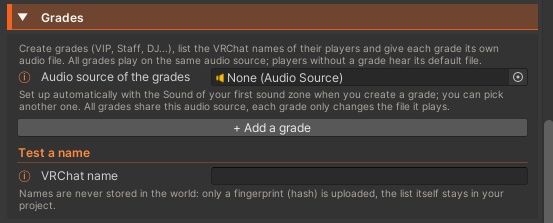
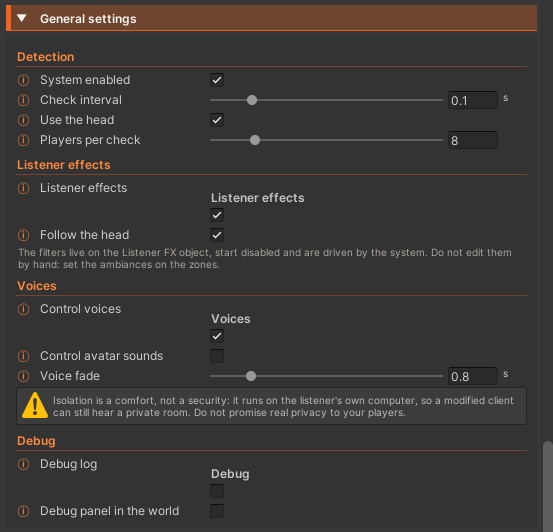


Room-by-room music, ambience and voice control for your VRChat world, set up with two buttons. Audio Zones splits your world into sound zones and voice zones: music that fades in as you walk into a room, a cave reverb on everything you hear, a booth nobody outside can hear, a stage that reaches the whole map. Every zone is set up on one parent object with simple preset menus, and the system wires, repairs and checks itself before every upload. It runs locally for each player from positions only, so it uses no network bandwidth. Features Zones Three zone types: sound zone, voice zone, or sounds and voices together (a club), plus an Outside zone for the world ambience and default settings Box, sphere, capsule or convex mesh shapes, combined into one zone for round or L-shaped rooms Linked zones that act as one space (shared music and voice privacy, while each part keeps its own effects and voice range) Priorities for nested and overlapping zones, with an Auto button that puts a room above the building around it Exit margin against flickering at the border, moving zones for elevators and vehicles, head or feet detection and an adjustable check rate Sound Drop an mp3, ogg or wav file to give a zone its sound (volume, loop, flat or 3D like a speaker), or add existing AudioSources, even every sound inside the zone in one click Continuous playback like a radio, or restart from the beginning at every entry Fade in and fade out times with 4 curves (linear, smooth, equal power for music, perceptual) and a curve preview Heard from outside: volume and muffle with cutoff, or the Soundproof, Thin walls, Open door and Open air presets While inside, turn every other zone and the world ambience down or muffle them, like rain heard from inside a house 7 effect presets for the zone’s own sounds (old radio, telephone, cave, big hall, underwater, far away, robot), built from real Unity filters you can fine-tune Sounds that start muted for a DJ booth or a jukebox, pause when silent to save CPU, and an option to keep chosen sounds out of the ambience Ambience Reverb, low pass, high pass, echo, distortion and chorus on everything you hear in a zone, player voices included, crossfaded from zone to zone 22 ambience presets (small room, bathroom, concert hall, cave, sewer pipe, forest, underwater, walkie-talkie, robot, dizzy, behind a wall...), or any of Unity’s 27 reverb presets, with every value adjustable Extra AudioListeners that would break voice effects are removed for you, and a ready-made event lets sensitive players switch ambiences off for themselves Voices 8 “who hears whom” presets: Normal, Private room, Soundproof, One way, Stage / megaphone, Loud club, Library, Meeting room Hide voices from outside, block voices from outside, and choose how much leaks through, muffled like through a wall (a comfort feature, not a security lock) Broadcast mode: voices of people inside reach the whole world, for a stage or a pulpit Custom voice gain, near and far distance, volumetric radius and distance low pass per zone, with world defaults on the Outside zone Same isolation and custom range for avatar sounds (footsteps, avatar music), with a smooth voice fade when someone crosses a border Voices are only touched when a zone uses them, and voice control can be turned off if another script already manages voices Access Up to 31 grades (VIP, Staff, DJ...) with VRChat names one per line or pasted as a list, stored in the world only as hashes Reserve a zone’s sounds and ambience for chosen grades and players, with Platform (PC, Android, iOS), Mode (VR, Screen) and VRC+ filters One audio file per grade on a shared audio source (players without a grade hear the default file), and a name tester to check who gets which grade Events and scripting Local enter and exit events to any UdonBehaviour, and objects shown or hidden only while you are inside (mirrors, particles, lights) Ready-made events and script helpers: enable, disable or mute a zone, switch the system, voices or avatar sounds, read the local or any player’s zone, check the local player’s grades Creator tools Only two buttons, + Sound zone and + Voice zone, in the inspector, the Skundeste panel or the GameObject > Skundeste menu, with a Fit button to size a zone to a room or building All zones gathered as foldable cards on one Audio Zones object: simple preset menus first, full detail below Automatic setup and repair on scene open, before Play and before every upload, with a checklist for what needs your attention (for example a Video Player speaker inside a zone) Live view in Play mode (your zones, active ambience, grades, VRC+ status) with live tuning, colored Scene view gizmos with names and priorities, optional in-world debug panel and log Inspector in 7 languages (English, French, Japanese, Chinese, Russian, Spanish, German) Requirements VRChat SDK Worlds 3.x UdonSharp No third-party asset needed Ambience effects are heard in VRChat itself, not in the Unity editor (ClientSim)