

C-CAT Missile Launcher
- ダウンロード商品¥ 1,000
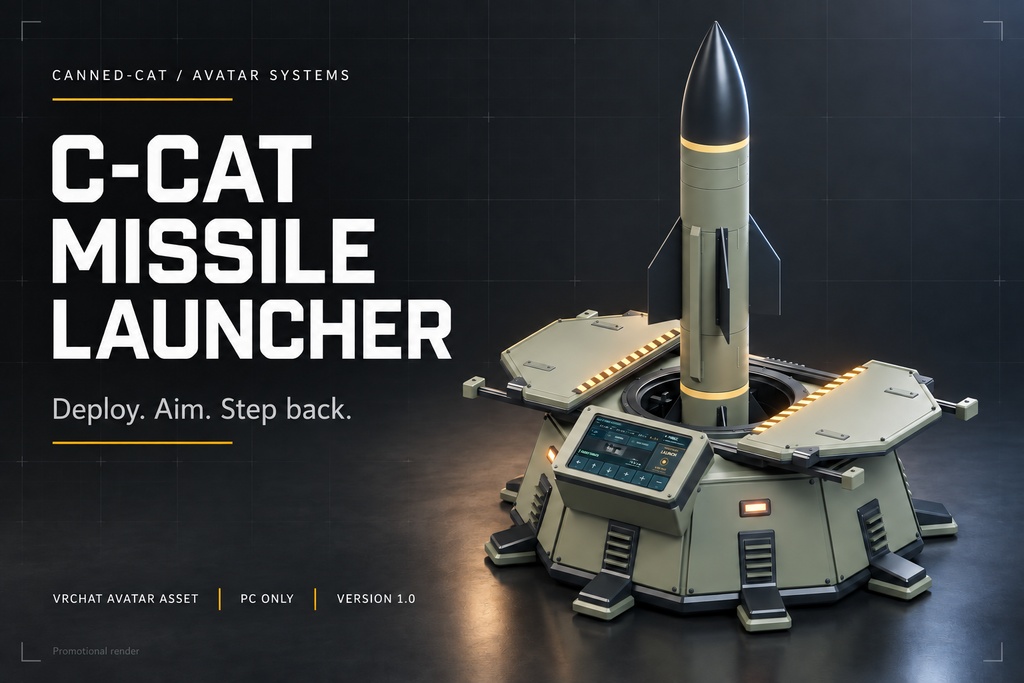
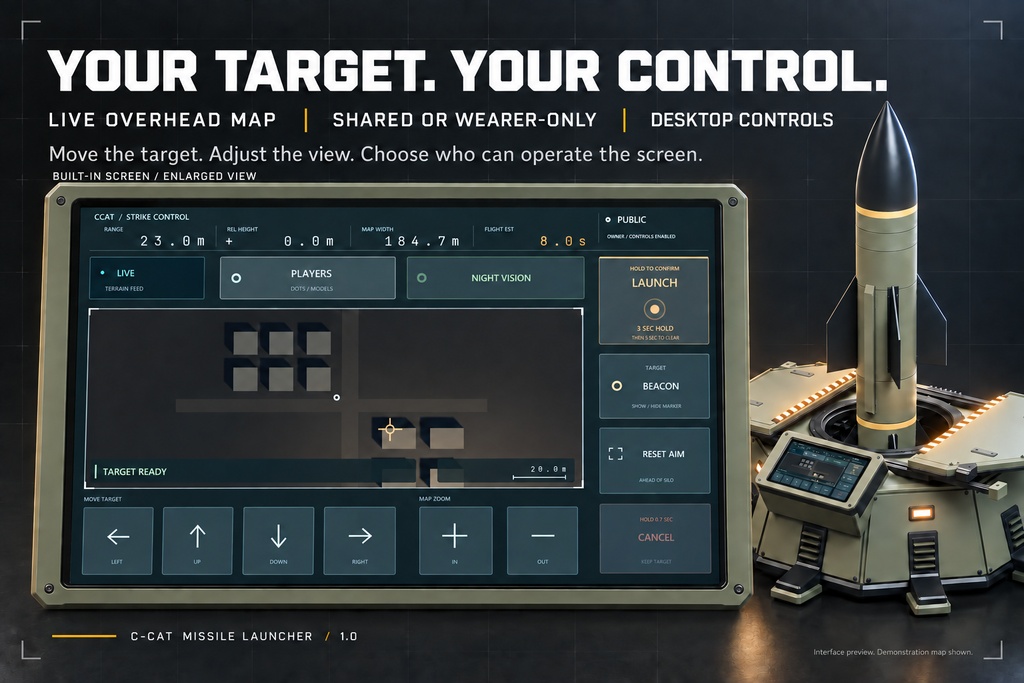
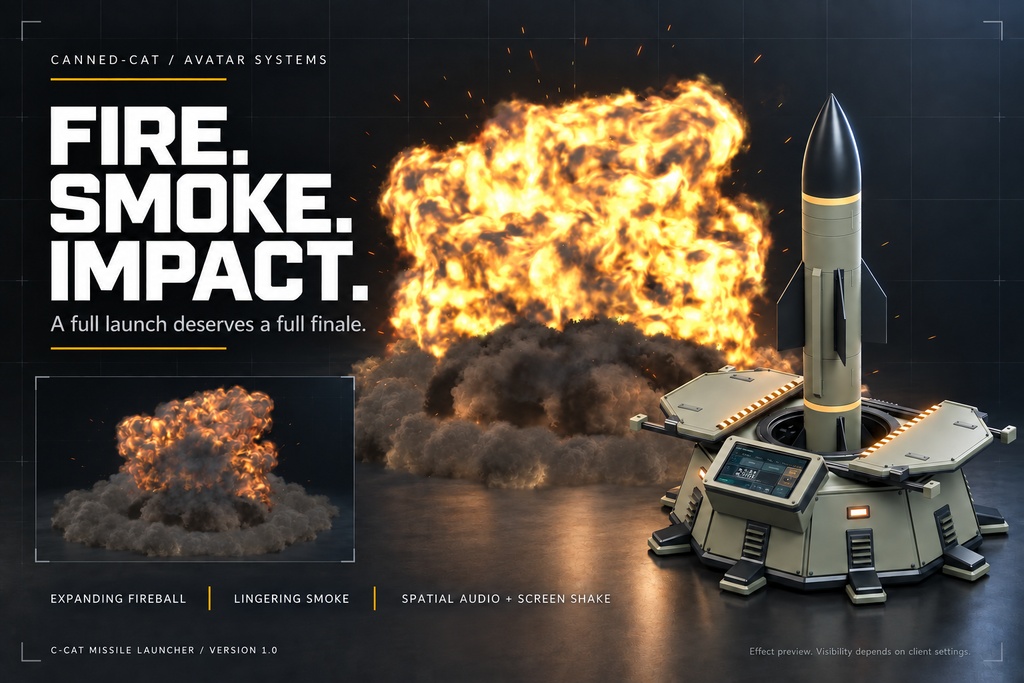


C-CAT Missile Launcher | Interactive VRChat Avatar Asset | PC Deploy your launcher. Choose a target. Start the countdown. C-CAT Missile Launcher brings a complete launch sequence to your VRChat Avatar: a placeable silo, a live overhead map, shared screen controls, animated launch covers, missile exhaust, and a large fire-and-smoke impact. Operate it yourself or let other players take over the screen with your permission. Version 1.0.0 · Windows PC · Modular Avatar · WD-On and WD-Off included Version 1.1.0 add a riding option on the missile . now you friends can fly with the missile. Version 2.0.2 Fixed some texture anomalies associated with rocket explosions in some world. 135bit but support future dlc addons. Features - Place, operate, recall. Preview the surface ahead, deploy the launcher at a valid position, and recall it from your expression menu. - Live overhead map. Move the target with directional controls, adjust the zoom, and use night vision, player display, a target beacon, and aim reset. - Shared screen controls. Turn on Allow Others to let other players use the screen and initiate a launch. Turn it off for wearer-only operation. - A complete launch sequence. Confirmation and countdown lead into opening covers, missile flight with exhaust, and a dramatic impact. - Fire, smoke, sound, and screen shake. A large fireball and expanding smoke accompany spatial audio and nearby screen shake. - Clear status feedback. Read target distance, relative height, map scale, estimated flight time, availability, and launch status. Sounds mark presses, confirmation, cancellation, countdown, reloading, and readiness. - Desktop controls included. A single submenu gives you direct access to aiming, firing, cancellation, zoom, aim reset, target beacon, player display, and night vision. - Support for later arrivals. Players joining later can receive the deployed position and selected target. State arrival takes time; a shot already in progress may not replay for them. How it works 1. Open the product menu, preview a suitable surface ahead, and place the launcher. 2. Use the screen arrows or desktop aiming control to select your target. Check the target status and map information. 3. On the screen, hold LAUNCH for 3 seconds. On desktop, press Fire once to start the 3-second confirmation timer; continuous menu-button holding is not required. 4. A 5-second countdown follows. Move away from the launcher, then watch the covers open and the missile launch. 5. Follow the flight and reload status, or recall the launcher when finished. Release the screen button early to cancel confirmation. To abort later, hold the screen's CANCEL for 0.7 seconds, or use Cancel Launch in the desktop menu. Cancellation is available during confirmation, countdown, cover opening, and flight before impact, and keeps your selected target. Requirements and fit - Windows PC only, using the Built-in Render Pipeline. No Android/Quest standalone version is included. This is an Avatar asset, not a World prefab. - Unity 2022.3.22f1. - VRChat SDK Avatars 3.10.4, Modular Avatar 1.18.6, and NDMF 1.14.8. NDMF is installed as a Modular Avatar dependency. These packages are required separately and are not included. - 118 free synchronized expression-parameter bits on your Avatar, within VRChat's total 256-bit budget. - Operating height is designed around an approximately 1-metre-tall Avatar. Arbitrary scaling, screen-height adjustment, and separate repositioning of parts are unsupported. - Install one product instance and one matching WD-On or WD-Off prefab per Avatar. Keep the installed root at local Position 0, Rotation 0, and Scale 1. Install the required packages first, import the supplied unitypackage, and add the matching prefab directly beneath your Avatar root. Modular Avatar adds the controls automatically. Full installation and usage instructions are included in the README. Included One Unity installation package containing: - WD-On and WD-Off installation prefabs. - Launcher and missile models with the required materials and textures. - Screen interface, menu controls, and transparent menu icons. - Launch animations, effects, and audio. - README, product license, and applicable third-party notices. Avatars, demonstration worlds, Blender source files, and the separate reusable-material library are not included. Before purchase Images include promotional compositions and Unity previews. The displayed map environment is a demonstration scene. Placement and impact detection need suitable world collision. Overhead views may show roofs or other objects above the ground. Network latency, Avatar visibility, interaction permissions, and client settings can affect operation and what each viewer sees. Other players use the shared screen; they do not access your private expression menu. The effects include bright flashes, dense smoke, loud spatial audio, and nearby screen shake.Performance depends on your complete Avatar, the world, hardware, and client settings. License Single-user personal, non-commercial use. You may modify the asset for your own permitted use and share non-monetized screenshots or recordings that do not expose editable files. Redistribution of original or modified files, resale, commercial use, paid installation or customization commissions, and monetized media are prohibited unless separately authorized in writing. Third-party components retain their own terms. The included CCATMissileLauncher_License.pdf contains the complete terms and takes precedence over this summary. Creator and support Canned-cat - BOOTH: https://canned-cat.booth.pm/ - Discord: https://discord.gg/WEu3JCer3