

【VRChat向け】可動マイク&アームセット 3Dモデル
- ベーシック(Unityパッケージ+導入説明)ダウンロード商品¥ 300
- LOW.blend入り(ベーシック全内容+LOW.blend)ダウンロード商品¥ 500
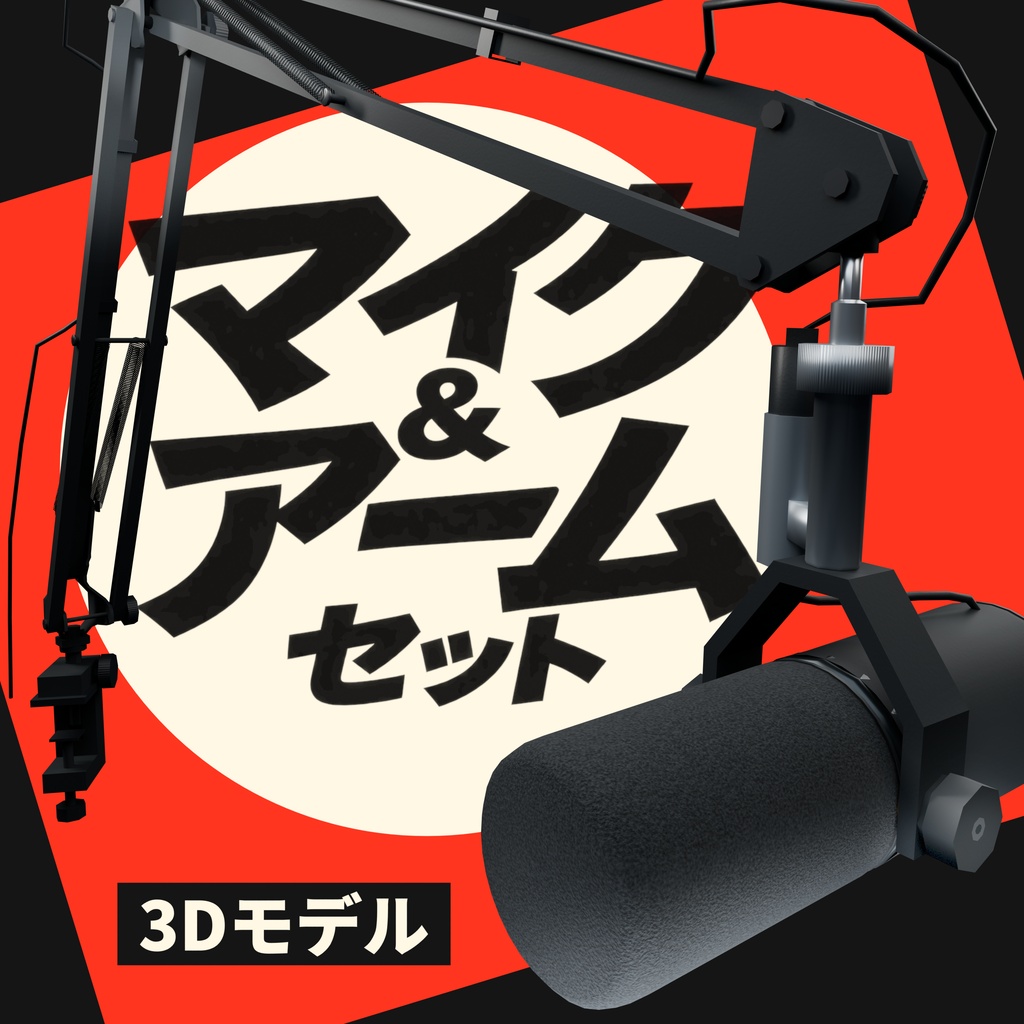
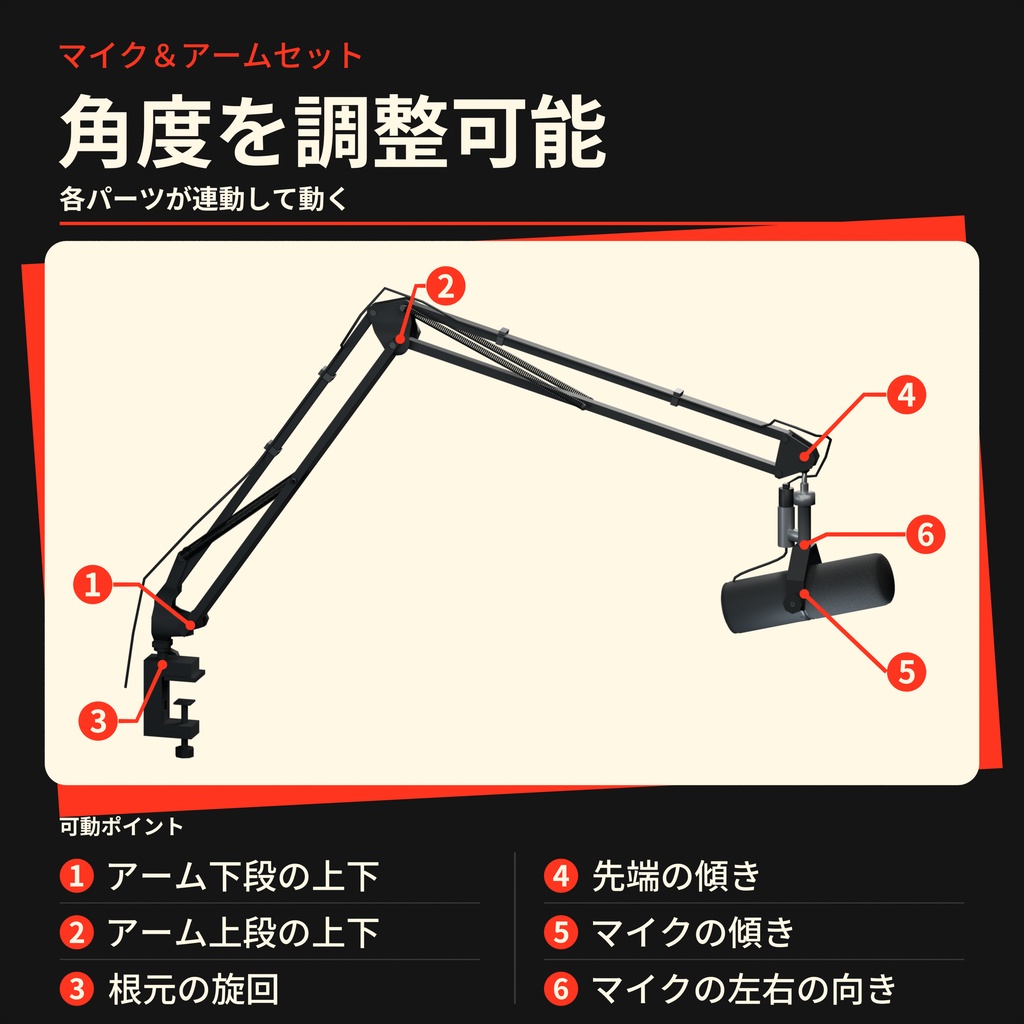
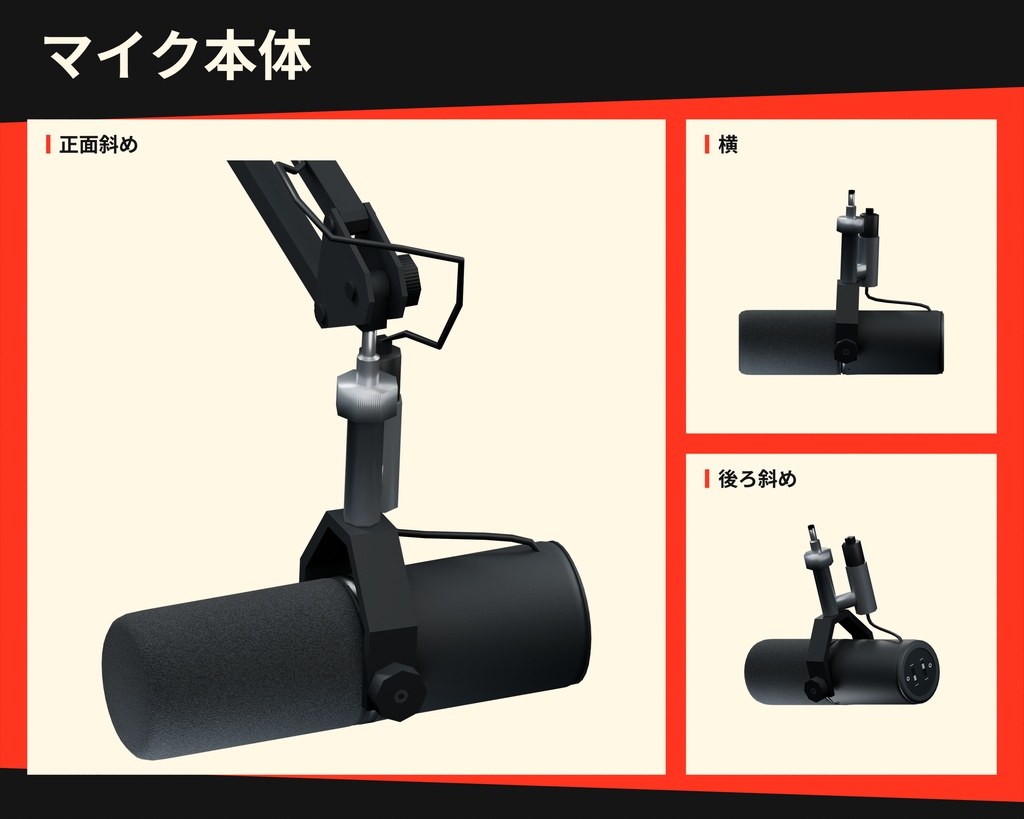
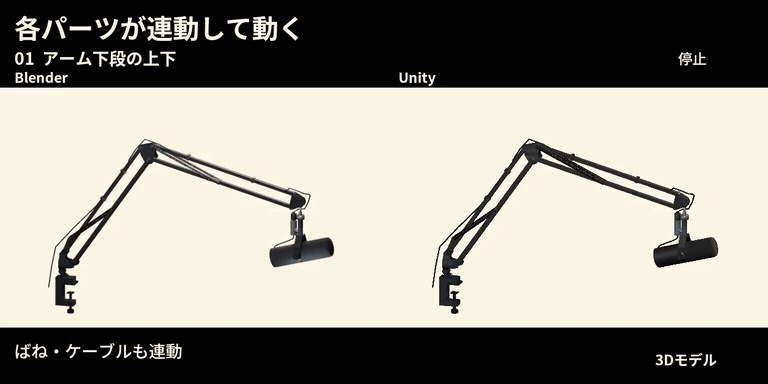


■ 概要 製品番号:MIC001 マイクと可動アームを組み合わせた3Dモデルセットです。 アームの下段・上段、根元の旋回、先端の傾き、マイクの傾き・左右の向きを調整できます。動きに合わせて、ばねとケーブルも連動します。 Unity用のPrefab(プレハブ)とサンプルシーンを収録しています。 掲載画像は販売対象LOWのBlenderレンダーで、VRChat実機画面ではありません。最後の商品画像をクリックして拡大すると、Blender/Unityの比較デモが再生できます(21秒・無音)。 ■ 内容・コース ・ベーシック300円:Unityパッケージ、必要なテクスチャ、導入・操作説明。 ・LOW.blend入り500円:ベーシックの全内容+LOW.blendとBlender操作案内。 Unityパッケージ:Prefab(プレハブ)1点、サンプルシーン1点、メッシュ96点、マテリアル29点、テクスチャ6枚、可動・追従用スクリプト、日本語README・英語操作ガイド。 必要なテクスチャはパッケージ内に収録され、インポート後は Assets/Urushigusa/MIC001/Textures/ に展開されます。 500円コースのLOW.blendは画像9枚を内蔵しています。両コースのUnity用モデル・マテリアル・Prefabは同じです。500円コースが高密度モデルになるわけではありません。Highモデルは両コースとも非同梱です。 導入と操作の詳細は同梱README・操作案内をご覧ください。 ■ 導入 確認環境:Unity 2022.3.22f1/Built-in Render Pipeline/Windows Editor/Unity Standard、VRChat Worlds SDK/Base SDK 3.10.5とその構成のUdonSharp。 これは確認した環境です。現在の推奨Unity版や、別のSDK版での互換性を示すものではありません。Unity・VRChat SDK本体は別途必要です。 1. ZIPを展開します。 2. VRChat Worlds SDK/UdonSharpを導入済みのプロジェクトを開き、編集中のシーンを保存してPlayを停止します。 3. Assets > Import Package > Custom Package... から Files/MIC001_PC.unitypackage をインポートします。 4. 初回はすべての項目をインポートし、C#/Udonのコンパイル完了を待ちます。 5. サンプルシーン Assets/Urushigusa/MIC001/Scenes/MIC001_Example.unity を開いて確認します。 6. 自分のシーンへ配置するときは Assets/Urushigusa/MIC001/Prefabs/MIC001_MicrophoneArm.prefab を使用します。 製品ルート:Assets/Urushigusa/MIC001/ 同じ製品を導入済みの場合、インポートは上書き更新になります。 500円コースのBlendはBlender 5.2系で Blender/Urushigusa_MIC001_LOW.blend を開きます。5.2.0 LTSで保存・再読込を確認しています。Blenderのオブジェクトモードでマイクとアームの姿勢を調整できます。操作方法は、500円コースに同梱の Docs/Blender操作_JA.md を参照してください。初期表示・カメラ状態は未検証です。Unityへの導入にはUnityパッケージを使用してください。 ■ 構成の選び方 Unityで配置・調整する場合はベーシック、BlenderでLOWモデルを編集する場合はLOW.blend入りを選んでください。Unity・Blender本体は付属しません。 ■ 三角形数 販売対象のLOWモデル:4,945三角形。 Unityパッケージと500円コースのLOW.blendは同じLOW構成です。 ■ マテリアルの調整 Assets/Urushigusa/MIC001/Materials 内のマテリアルを、Material Inspectorで調整できます。Unity Standardを使用し、外部有料シェーダーは使用していません。 Albedoで色、Metallicで金属らしさ、Smoothnessで反射の鋭さ、Normal Mapの強さで表面の凹凸を調整します。ばねのCutoutマテリアルではAlpha Cutoffで抜け方が変わります。 一つの個体だけ変える場合はマテリアルを複製し、その個体のRendererへ割り当ててください。 ■ 可動部の操作と初期値 UnityのPlayを停止し、シーン内の MIC001_MicrophoneArm を展開するか、Hierarchyの検索欄で正確なコントロール名を選びます。Transform > Rotation、または回転ツールをLocalにして、指定軸だけを現在の姿勢から調整します。他の回転軸、Position、Scale、特にマイク傾きの既存Y回転は保持してください。 マイク支持金具は、マイク本体を支えるコの字型の金具です。Unity内の部品名はMIC001_Microphone_Support_Frameです。 ・下段アーム:MIC001_LOWER_BOOM_CONTROL/ローカルRotation X。下段アームと連結部、ばね・ケーブルが追従。 ・上段アーム:MIC001_UPPER_BOOM_CONTROL/ローカルRotation X。上段アームと先端側、ばね・ケーブルが追従。 ・根元旋回:MIC001_BASE_SWIVEL_CONTROL/ローカルRotation Z。アーム一式とばね・ケーブルが追従。 ・先端の傾き:MIC001_TIP_TILT_CONTROL/ローカルRotation X。先端側のマイク取付部とケーブルが追従。 ・マイクの傾き:MIC001_MIC_TILT_CONTROL/ローカルRotation X。マイク支持金具に取り付けられたマイク本体と短いケーブルが連動します。 ・マイクの左右:MIC001_MIC_MOUNT_YAW_CONTROL/ローカルRotation Z。取付部の下にあるマイク支持金具、マイク本体、短いケーブルが連動します(銀色取付部とXLRは固定)。 完全なHierarchyパスは同梱操作案内をご覧ください。全体を移動するときは、最上位のMIC001_MicrophoneArmを操作してください。ばね・ケーブル・個別メッシュを直接動かしてポーズを付けないでください。MIC001_CLAMP_SCREW_CONTROLはこの6入力に含まれません。 調整直後はUndoで取り消せます。初期姿勢との比較には未変更のPrefabを新しく配置してください。Transform Resetや全回転軸0をポーズのリセットとして使用しないでください。BlenderではObject Modeを使用し、メッシュ頂点のEdit Mode操作とは区別してください。 MIC001Rigの論理初期値:下段lowerDegrees 35度/上段upperDegrees 105度/先端tipDegrees 0度/根元baseDegrees 0度/マイクmicDegrees 15度/左右mountYawDegrees 0度。readDirectControlRotationsは有効です。 これらはTransformに表示される角度そのものではありません。 マイクの左右は MIC001_MIC_MOUNT_YAW_CONTROL のローカルRotation Zを、まず -30/0/+30度から調整してください。銀色の取付部とXLRは固定され、その下の接続からマイク支持金具とマイク本体が回ります。 編集したポーズを残す場合はシーンを保存してください。Play中はUdonがコントロール回転を読み取る実装です。Play中の変更はPlay終了時に通常のUnityの動作で戻ります。 代表的なマテリアルの初期値:黒アルマイト Metallic 0.65/Smoothness 0.71、フォーム 0/0.06、ばねCutout 0.75/0.7/Alpha Cutoff 0.5/Normal Mapの強さ1。 初期値は全場面の最適値ではありません。コントロール名と詳細は同梱READMEをご覧ください。 ■ 表示と確認範囲 確認環境:Unity 2022.3.22f1/Windows Editor/Built-in Render Pipeline、VRChat Base/Worlds SDK 3.10.5と付属UdonSharp。 従来版では、Unityの編集画面で6つのコントロールに連動して部品が動くことと、Udonのコンパイルを確認しています。 本配布パッケージのUnityインポート、Editor上の可動操作、Play中の操作、保存したシーンの再読み込み、VRChat実機での動作、複数人での同期・所有権の移転は未検証です。 VRChat内で掴む機能や操作ボタンUIは含みません。 マイクの左右回転は、まず±30度以内で調整してください。確認範囲は±35度です。回転角度の自動制限はありません。 左右回転の制御値を+45度(UnityのローカルRotation Zでは-45度)、マイクの上下の傾きを30度にした組み合わせでは、短いケーブルとマイク支持金具が約0.25mm接触します。任意角度での接触回避や、ケーブルの物理的な曲がり・伸びを再現する機能ではありません。 見え方は照明・環境反射・背景によって変わります。 Avatar用動作、Quest/Android/iOS、URP/HDRP、別Unity版・SDK版は未確認です。確認環境は現在の推奨版や別環境の互換性を示すものではありません。 公開VRChatワールドでの利用許可は、未確認環境や同期動作を保証するものではありません。 ■ 利用条件 ・商用利用、改変を許可します。 ・クレジット表記は任意です。 ・ゲームやVRChatの公開ワールドへの組み込み・公開を許可します。 ・成人向け作品、暴力・グロ表現での利用を許可します。 ・素材データそのものや、取り出して素材として再利用できる形での再配布・再販売は禁止します。 通常のワールド配信や端末のキャッシュは、組み込みの許可範囲に含まれます。抽出を完全に不可能にする技術対策は求めません。 公開VRChatワールドでの利用許可は、VRChatでの技術的な動作を保証するものではありません。 ■ 作者・お問い合わせ 作者:漆草(Urushigusa) お問い合わせ:https://urushigusa.booth.pm/ のショップメッセージ。
English — Overview, contents and setup
ENGLISH Product ID: MIC001 Author: 漆草 (Urushigusa) Contact: shop messages at https://urushigusa.booth.pm/ A 3D microphone and articulated arm set. Adjust the lower and upper booms, base swivel, tip tilt, microphone tilt and yaw; springs and cables follow the pose. Product still images are Blender renders of the sale LOW model, not VRChat client screenshots. Click the last product image to enlarge the existing Blender / Unity comparison demo (21 seconds, silent). TIERS AND CONTENTS Basic, 300 JPY: Unity package, required textures, and setup/control instructions. With LOW Blend, 500 JPY: all Basic content plus Blender/Urushigusa_MIC001_LOW.blend and Blender instructions. Its nine images are packed into the Blend. The Unity assets are identical in both tiers. The High model is not included in either tier. Unity content: 1 prefab, 1 sample scene, 96 meshes, 29 materials, 6 textures, rig and cable-following scripts, Japanese README and English control guide. The sale LOW model has 4,945 triangles. Unity, Blender and the VRChat SDK themselves are not included. UNITY SETUP Checked setup: Unity 2022.3.22f1 Windows Editor, Built-in Render Pipeline, Unity Standard, VRChat Base / Worlds SDK 3.10.5 and its bundled UdonSharp. The software and SDK themselves are required separately. 1. Extract the distribution ZIP. In an SDK / UdonSharp project, save your working scene and stop Play. 2. Use Assets > Import Package > Custom Package... to import Files/MIC001_PC.unitypackage. Import all items on first use and wait for C# / Udon compilation to finish. 3. Sample scene: Assets/Urushigusa/MIC001/Scenes/MIC001_Example.unity 4. Prefab for your own scene: Assets/Urushigusa/MIC001/Prefabs/MIC001_MicrophoneArm.prefab Product root: Assets/Urushigusa/MIC001/ Importing this product over an installed copy updates the existing files. Open the 500 JPY tier's LOW Blend in Blender 5.2; save/reopen has been checked in 5.2.0 LTS. Use the Unity package rather than dragging the Blend into Unity Assets. MATERIALS AND DEFAULTS Adjust Standard materials in Assets/Urushigusa/MIC001/Materials/ using the Material Inspector. Albedo controls color, Metallic the metallic response, Smoothness reflection sharpness, and Normal Map strength the surface relief. Alpha Cutoff affects the spring Cutout appearance. Duplicate a material and assign it to one instance if only that instance should change. Representative defaults: black anodized material, Metallic 0.65 / Smoothness 0.71; acoustic foam, 0 / 0.06; spring Cutout, 0.75 / 0.7 / Alpha Cutoff 0.5 / Normal Map strength 1. These are starting values, not optimal settings for every scene. Lighting, environment reflections and background affect appearance. No external paid shader is used.
English — Controls, verification and terms
CONTROLS FOR RIG FOLLOWING Stop Unity Play, select the following controls in the Hierarchy, and adjust the indicated local Rotation axis. Full hierarchy paths are provided in the control guide. Adjust only the specified axis from the current pose in Transform > Rotation, or use the rotation tool in Local orientation. Preserve all other rotation axes, Position and Scale, especially the existing Y rotation of the microphone-tilt control. The yoke is the U-shaped bracket that supports the microphone body. Its Unity object name is MIC001_Microphone_Support_Frame. - Lower boom: MIC001_LOWER_BOOM_CONTROL / local Rotation X. Follows: Lower boom, coupled links, springs and cables. - Upper boom: MIC001_UPPER_BOOM_CONTROL / local Rotation X. Follows: Upper boom, tip-side parts, springs and cables. - Base swivel: MIC001_BASE_SWIVEL_CONTROL / local Rotation Z. Follows: Arm assembly, springs and cables. - Tip tilt: MIC001_TIP_TILT_CONTROL / local Rotation X. Follows: Tip-side microphone mount and cables. - Microphone tilt: MIC001_MIC_TILT_CONTROL / local Rotation X. Follows: Microphone body in the yoke and short cable. - Microphone yaw: MIC001_MIC_MOUNT_YAW_CONTROL / local Rotation Z. Follows: Yoke below the mount, microphone and short cable; silver mount and XLR remain fixed. Use the top-level MIC001_MicrophoneArm Transform for placement. Do not pose the rig by directly moving individual meshes, springs or cables. MIC001_CLAMP_SCREW_CONTROL is not one of these six inputs. Use Undo immediately after a change, or place an untouched prefab to compare the initial pose. Do not use Transform Reset or zero all rotation axes as a pose reset. In Blender, use Object Mode; this is separate from mesh-vertex editing in Edit Mode. MIC001Rig logical defaults: lowerDegrees=35, upperDegrees=105, tipDegrees=0, baseDegrees=0, micDegrees=15, mountYawDegrees=0. readDirectControlRotations is enabled. These are not Inspector Euler angles. Start with microphone yaw within +/-30 degrees. The checked range is +/-35 degrees; there are no hard stops. Logical yaw +45 degrees (Unity local Z -45 degrees) combined with microphone tilt 30 degrees causes about 0.25 mm contact between the short cable and yoke. This is not a physics simulation or an arbitrary-pose collision-avoidance system. Save the scene to retain an edited pose. In Unity Play mode, Udon reads the control rotations and updates the rig. Play-mode changes normally revert when Play stops. CHECKED ENVIRONMENT AND SCOPE Checked environment: Unity 2022.3.22f1 Windows Editor, Built-in Render Pipeline, VRChat Base / Worlds SDK 3.10.5 and its bundled UdonSharp. The six controls, rig following in Unity Editor, and Udon compilation were checked on the earlier package. Unity import and Editor control operation of this distribution package, Play-mode operation and save/reopen, the VRChat client, multi-client synchronization and ownership transfer remain unverified. VRChat grabbing and in-world control-button UI are not included. Avatar use, Quest / Android / iOS, URP / HDRP, and other Unity or SDK versions are unverified. The checked environment is not a statement of current recommended versions or compatibility elsewhere. The LOW Blend targets Blender 5.2, with save/reopen checked in 5.2.0 LTS. Pose the microphone and arm in Blender Object Mode. See Docs/Blender操作_EN.txt included in the 500 JPY tier for instructions. Its initial view and camera setup are unverified. No external paid shader is used. TERMS OF USE - Commercial use and modification are permitted. - Credit is optional. - Incorporation into games and publication in public VRChat worlds are permitted. - Use in adult works and works containing violence or gore is permitted. - Redistribution or resale of the asset data itself, or in a form that can be extracted and reused as standalone asset data, is prohibited. Normal world delivery and device caching are included in the incorporation permission. Technical measures that make extraction completely impossible are not required. Permission to publish a public VRChat world does not guarantee technical operation in VRChat. CONTACT Author: 漆草 (Urushigusa) Contact: shop messages at https://urushigusa.booth.pm/