
Numpad Remapper|テンキーを左手デバイスに
- ダウンロード商品¥ 680
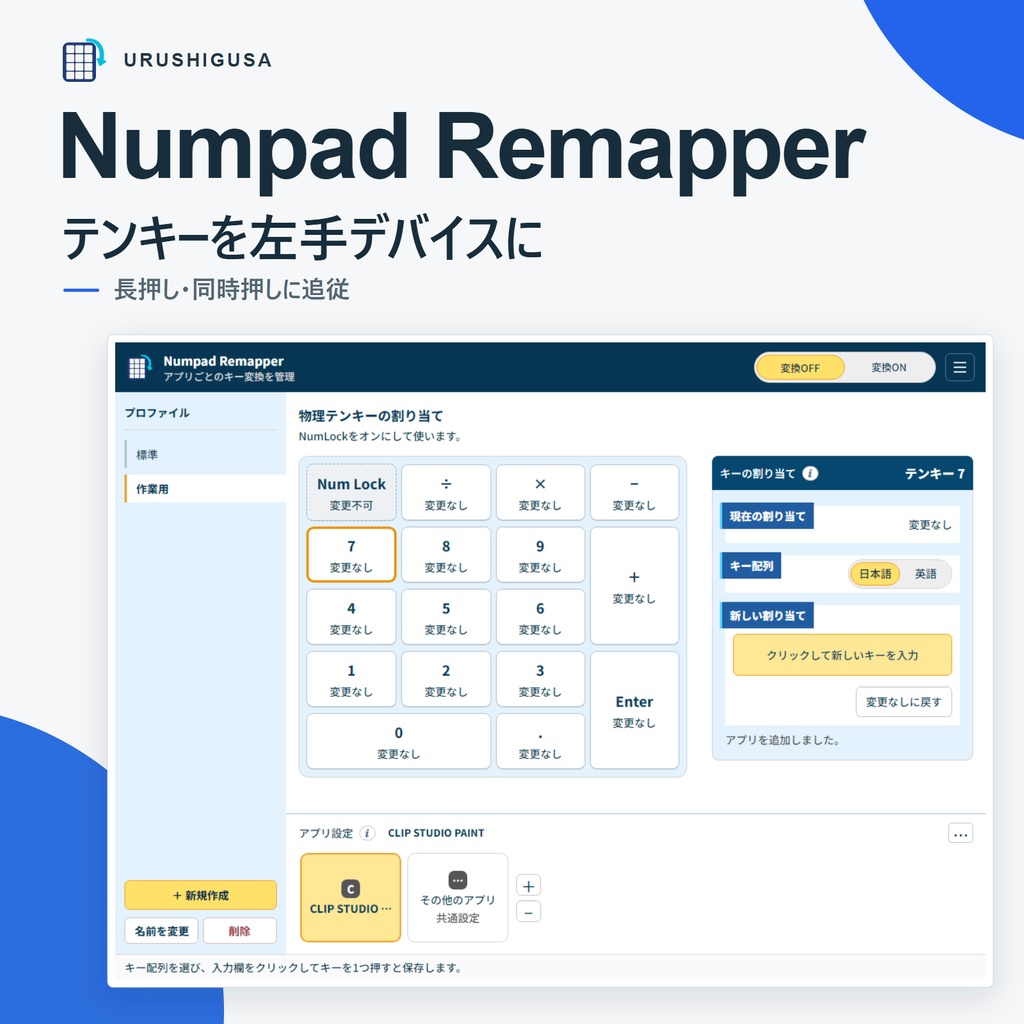
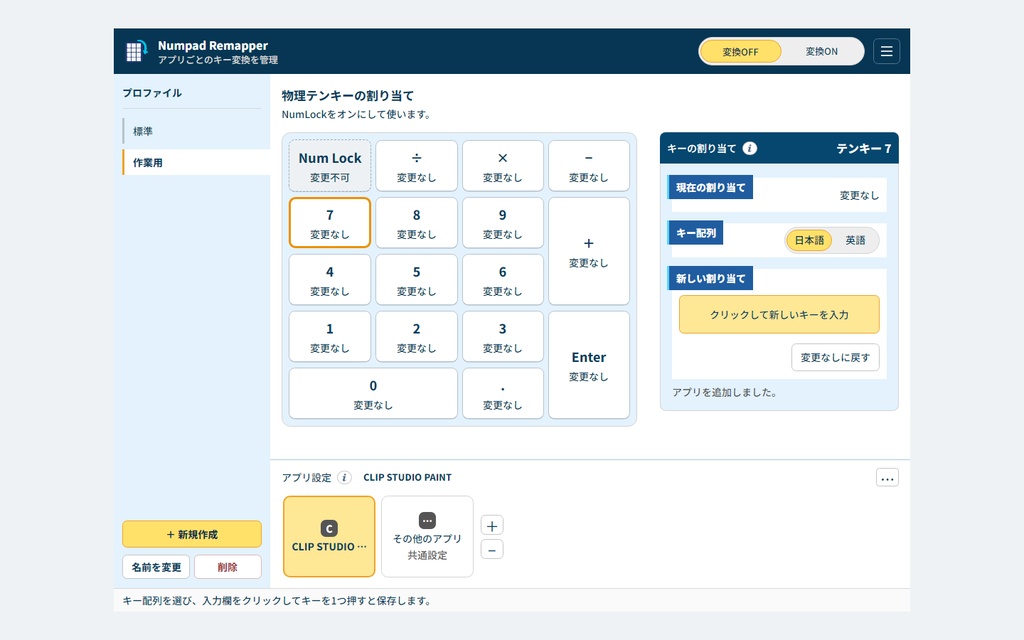
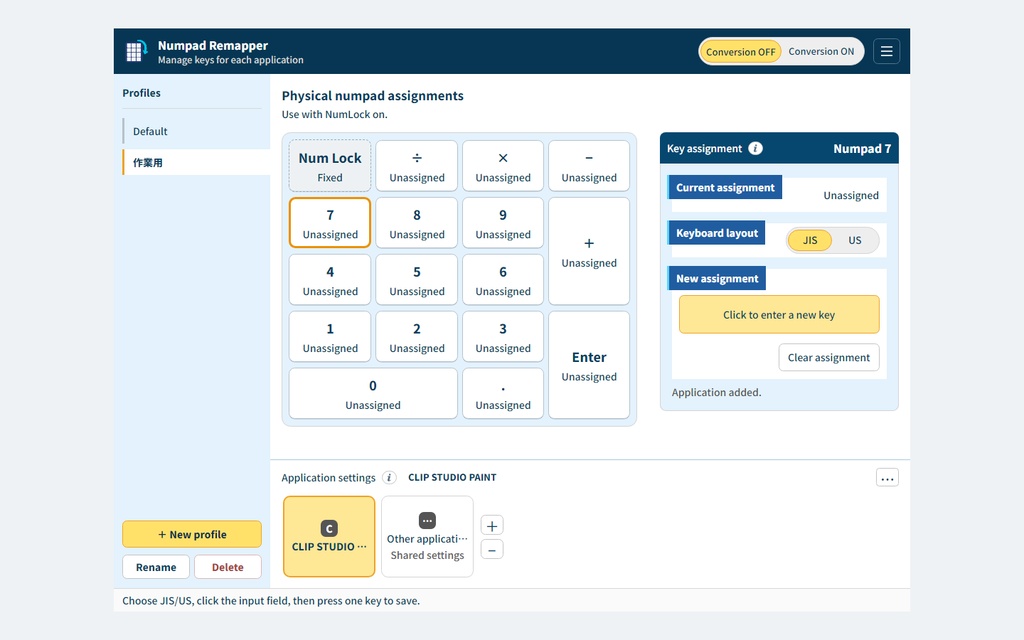


Numpad Remapper テンキーを左手デバイスに テンキーの押す・離すに合わせてキーを変換します。長押しや同時押しにも追従します。 ■ 入力に追従するキーリマップ - 押す長さや重ねるタイミングをその場で調整 - 複数キーを同時に保持して個別に解除 - 同じ割当キーは最後の1つを離すまで保持 - 短い押し離しも入力順に変換 記録した操作列や待ち時間を再生するマクロと異なり、キーの押下・解放をその都度変換します。 アプリで自動切替:プロファイルごとに共通・アプリ専用の割当を保存。前面の登録アプリに合わせて切り替わります。 9言語・JIS/US配列:表示言語とキー配列を個別に選択。ガイドとサポートは日本語・英語です。 ■ 価格とライセンス - 1ライセンスにつき1名で利用 - 所有・管理する端末は台数無制限 - 個人・業務・商用制作に利用可能 購入したバージョンは期限なく使えます。 公開されたバージョン1.xの更新は無料です。 バージョン2以降は別売りになる場合があります。 買い切りです。更新頻度・期間や永久の再取得は約束しません。 ■ 動作環境 Windows 10 / 11 x64 · build 19041以上 - 通常ユーザーで使用 - テンキー1つに出力1キーを割当 - 作業領域636×340 DIP以上(タスクバー等を除く) - 表示倍率100%で636×340 px、200%で1272×680 px以上 - 領域不足・取得不能時は案内して起動を中止 - 保証範囲外:管理者アプリ、別ユーザー、ログイン画面、セキュアデスクトップ、ゲーム・アンチチート環境 - スクリプト実行は非対応 未署名のためWindowsの警告が出る場合があります。入手元を確認し、OS保護機能は有効のまま使用してください。 ■ 使い始めるには ZIP全体を展開し、Numpad Remapper.exeを開きます。ランタイム・フォントは同梱。起動時は変換OFFです。NumLockをONにし、割当を確認して「変換ON」で開始。×は画面を隠します。完全終了はトレイか設定の「アプリを終了」から行います。 ■ 利用条件の全文とサポート 利用条件の日英全文、ガイド、データ保存の説明、第三者ライセンスをZIPに同梱しています。ガイドとサポートは日本語・英語です。 https://urushigusa.com/ja/products/numpad-remapper/terms https://urushigusa.com/ja/products/numpad-remapper/privacy support@urushigusa.com / https://urushigusa.com/contact ──────── English ──────── Numpad Remapper Turn your numpad into a left-hand device. Key remapping that follows your presses and releases. Control key holds and overlapping presses with your own timing. ■ Key remapping that follows your input - Choose how long to hold and when to overlap keys - Hold multiple keys and release each independently - Keep a shared output key held until its last holder releases - Process short presses and releases in input order Rather than replaying a recorded sequence and its delays, it maps each press and release as you use the keys. Switch with your app:Save shared and app-specific assignments in each profile. Switch automatically with the registered foreground app. 9 languages · JIS / US:Choose the interface language and keyboard layout separately. Guides and support are in Japanese and English. ■ Price and license - One individual per license - Unlimited devices they own or manage - Personal, business, and commercial creative use Use your purchased version without a time limit. Released version 1.x updates are free. Version 2 and later may be sold separately. One-time purchase. Update frequency, duration and permanent re-download availability are not promised. ■ Requirements Windows 10 / 11 x64 · build 19041 or later - Run as a standard user - One output key per numpad key - Working area: 636 × 340 DIPs minimum, excluding the taskbar - 636 × 340 px at 100% scaling or 1272 × 680 px at 200% - Notice and startup cancellation if the area is too small or cannot be determined - Outside supported scope: administrator apps, other users, sign-in screens, secure desktops, games, and anti-cheat environments - Script execution is unsupported This unsigned distribution may trigger a Windows warning. Verify the source and keep OS protection enabled. ■ Getting started Extract the complete ZIP and open Numpad Remapper.exe. Runtime and fonts are included. Conversion starts OFF. Turn NumLock ON, check assignments, then select Conversion ON. The close button hides the window. Use Exit App in the tray or settings to exit completely. ■ Full terms and support The ZIP includes full Japanese/English terms, guides, local data information and third-party licenses. Guides and support are Japanese and English. https://urushigusa.com/products/numpad-remapper/terms https://urushigusa.com/products/numpad-remapper/privacy support@urushigusa.com / https://urushigusa.com/contact
