

【VRChat / MANUKA & MILFY】 Noir Glow Eye Texture | 20 Colors · 2K · MA Auto Setup
- Manuka - Noir Glow Eye Textureダウンロード商品¥ 0
- Milfy- Noir Glow Eye Textureダウンロード商品¥ 0
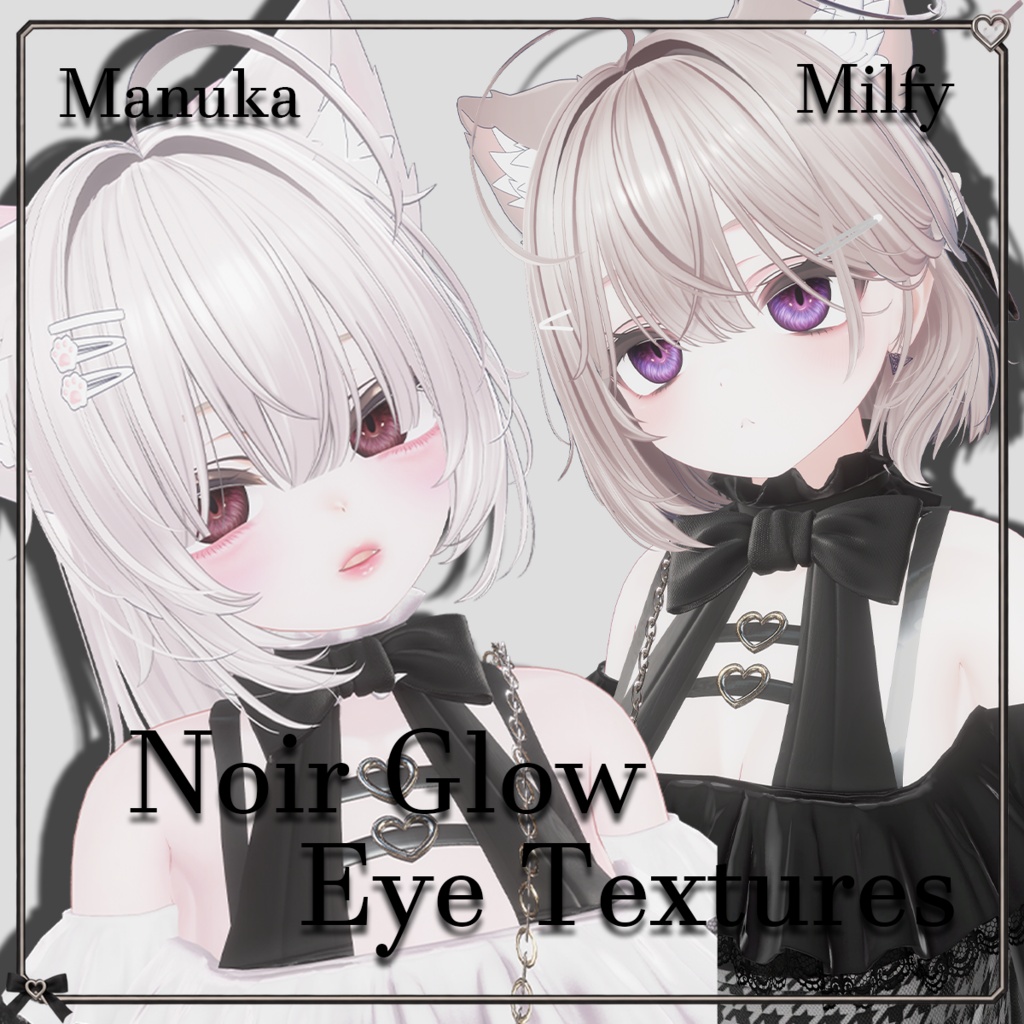
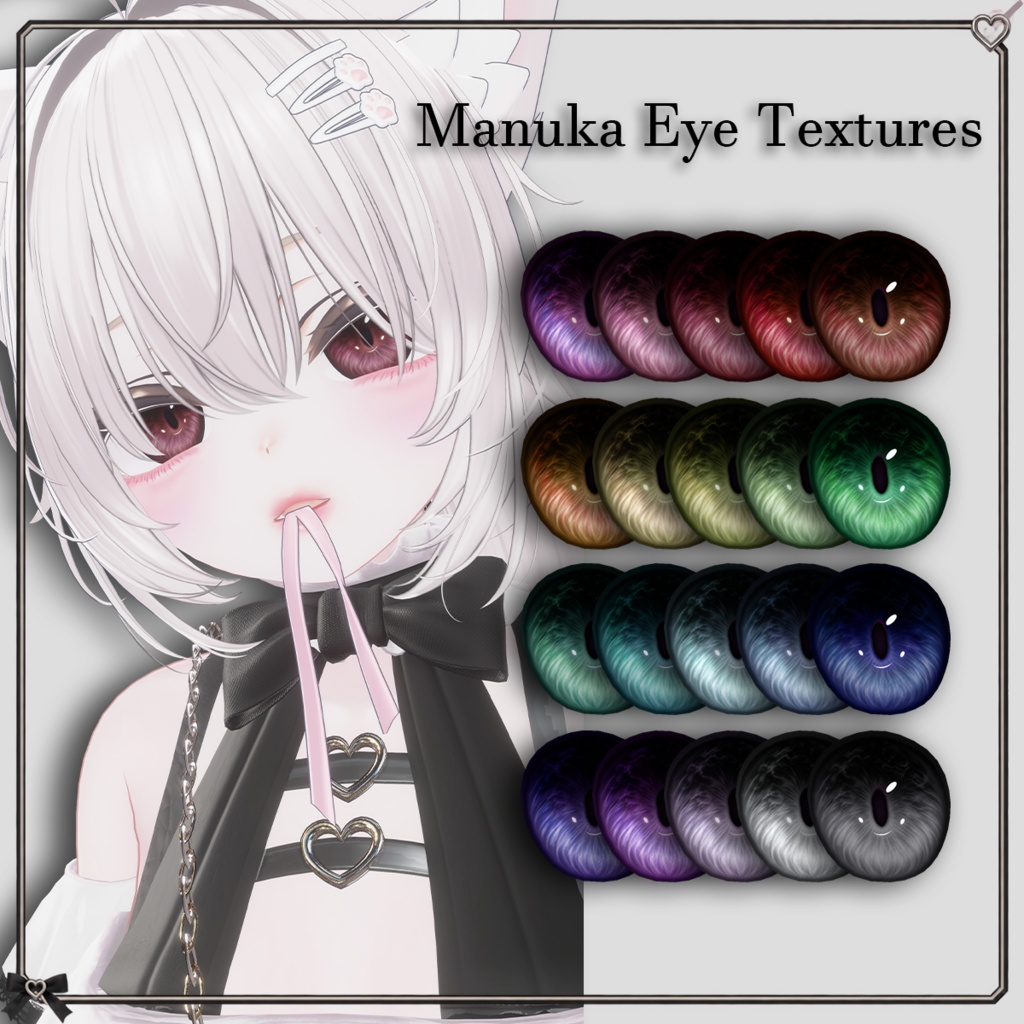
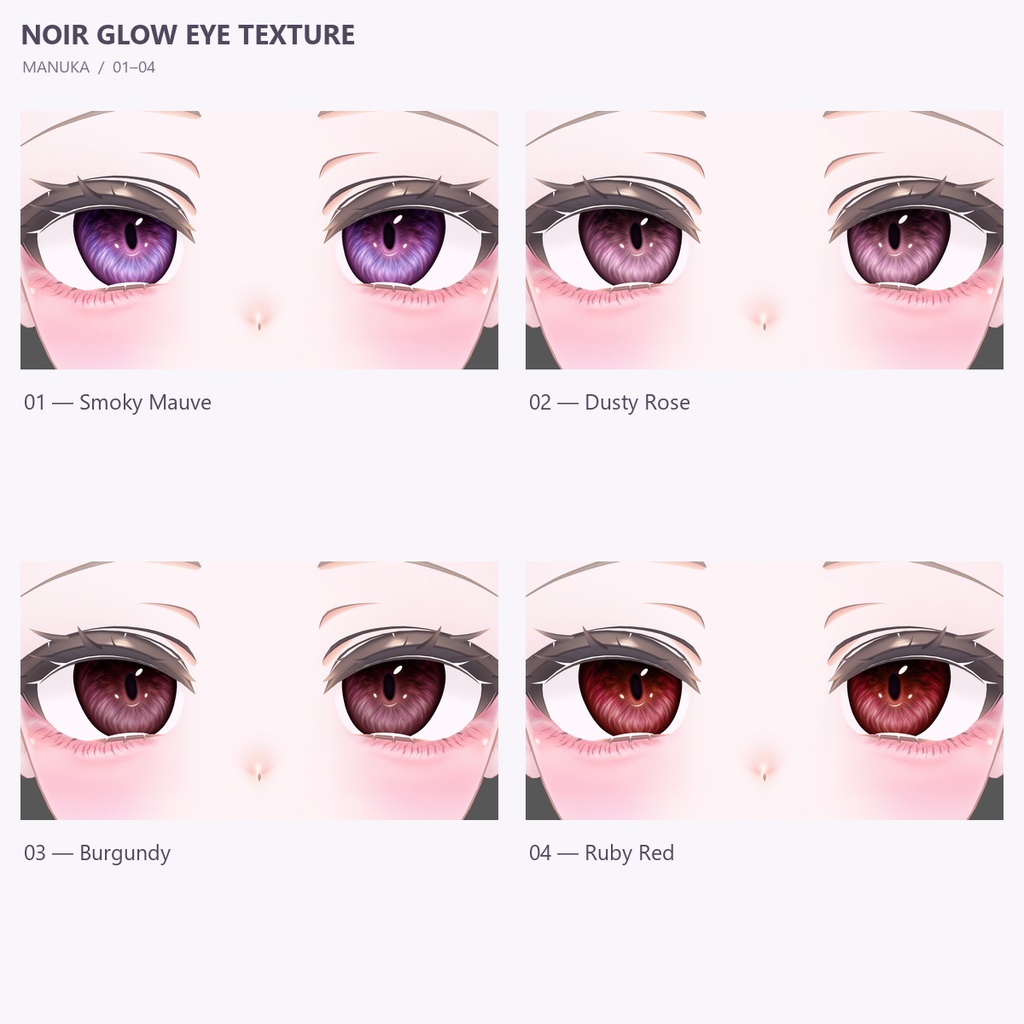
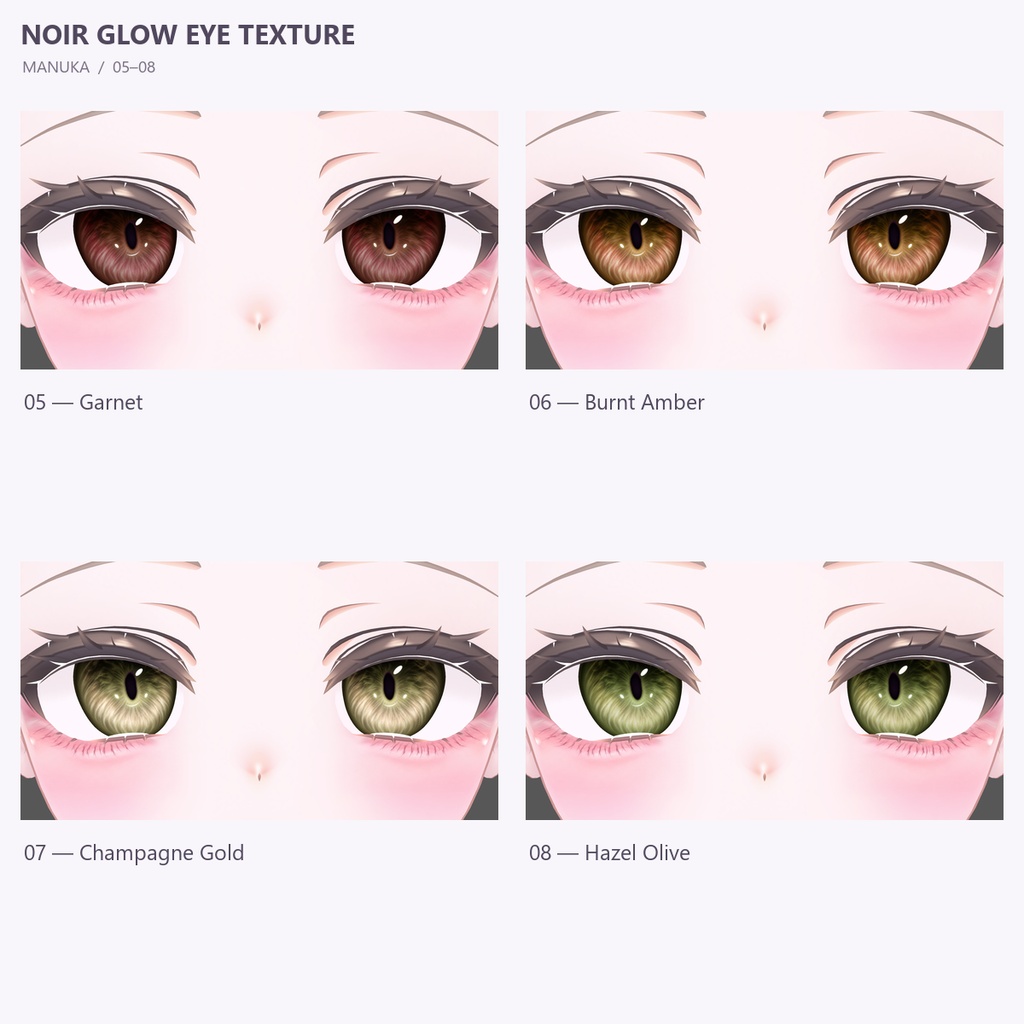
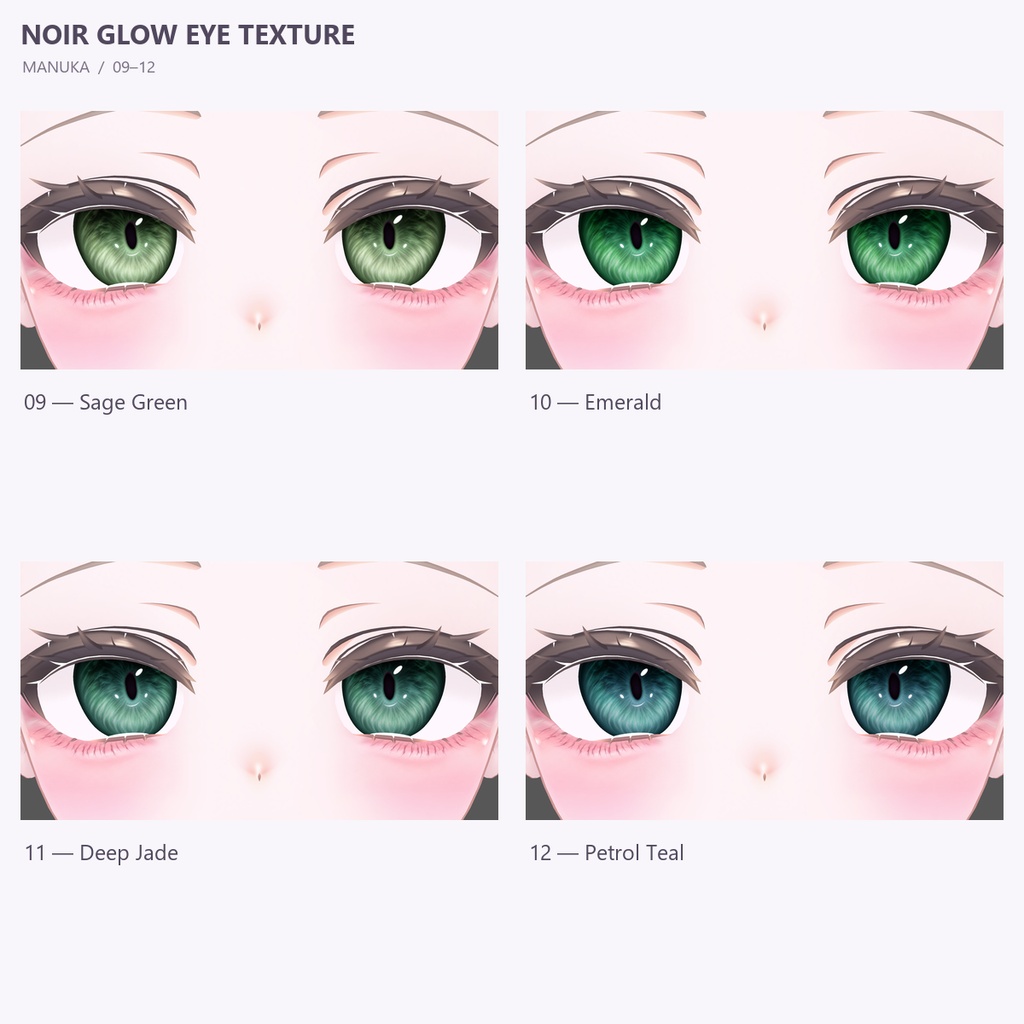
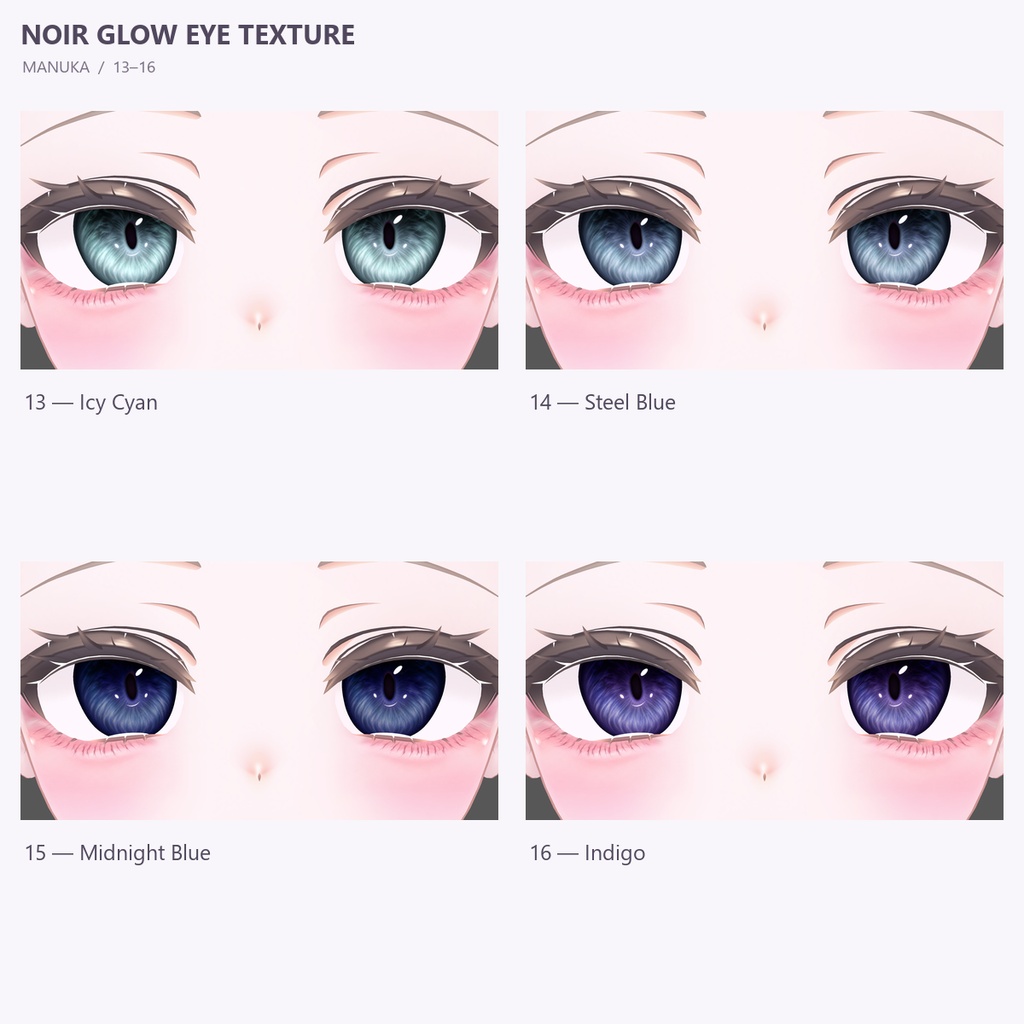
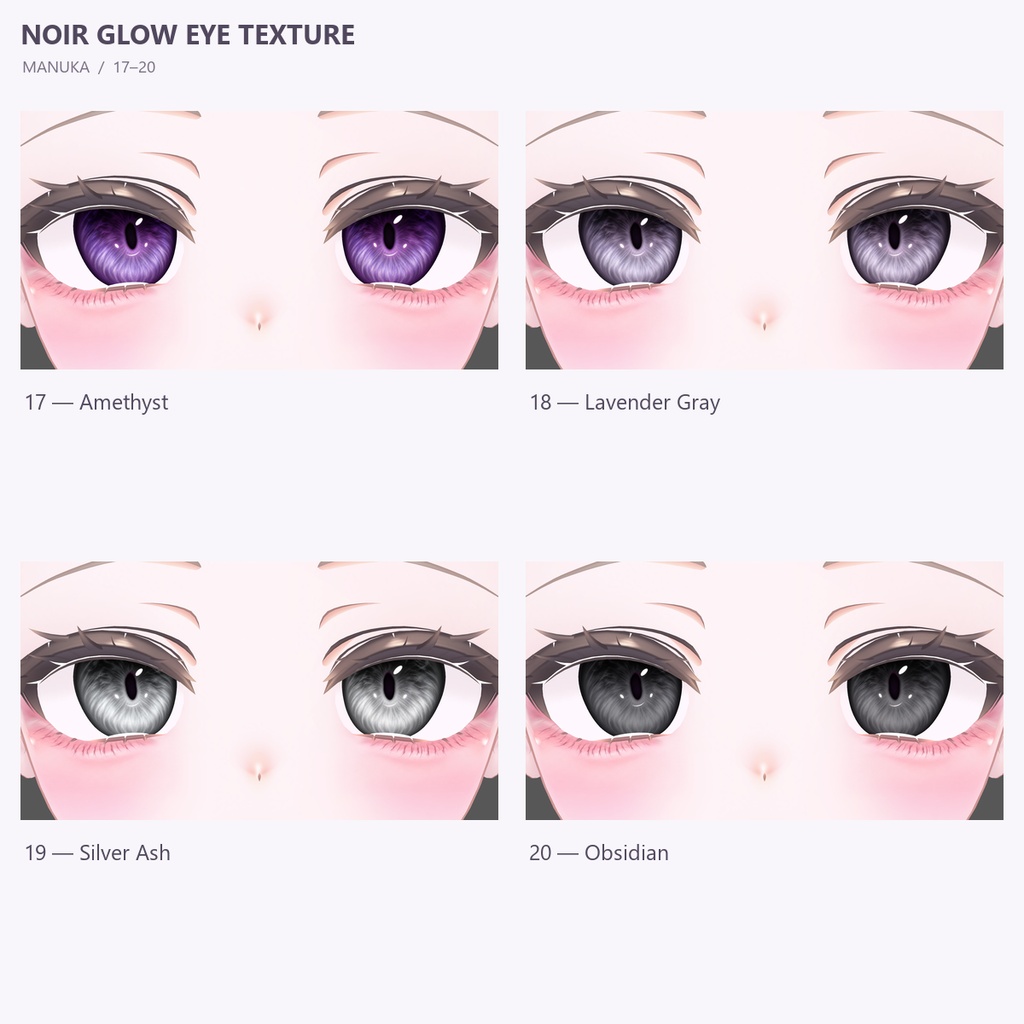
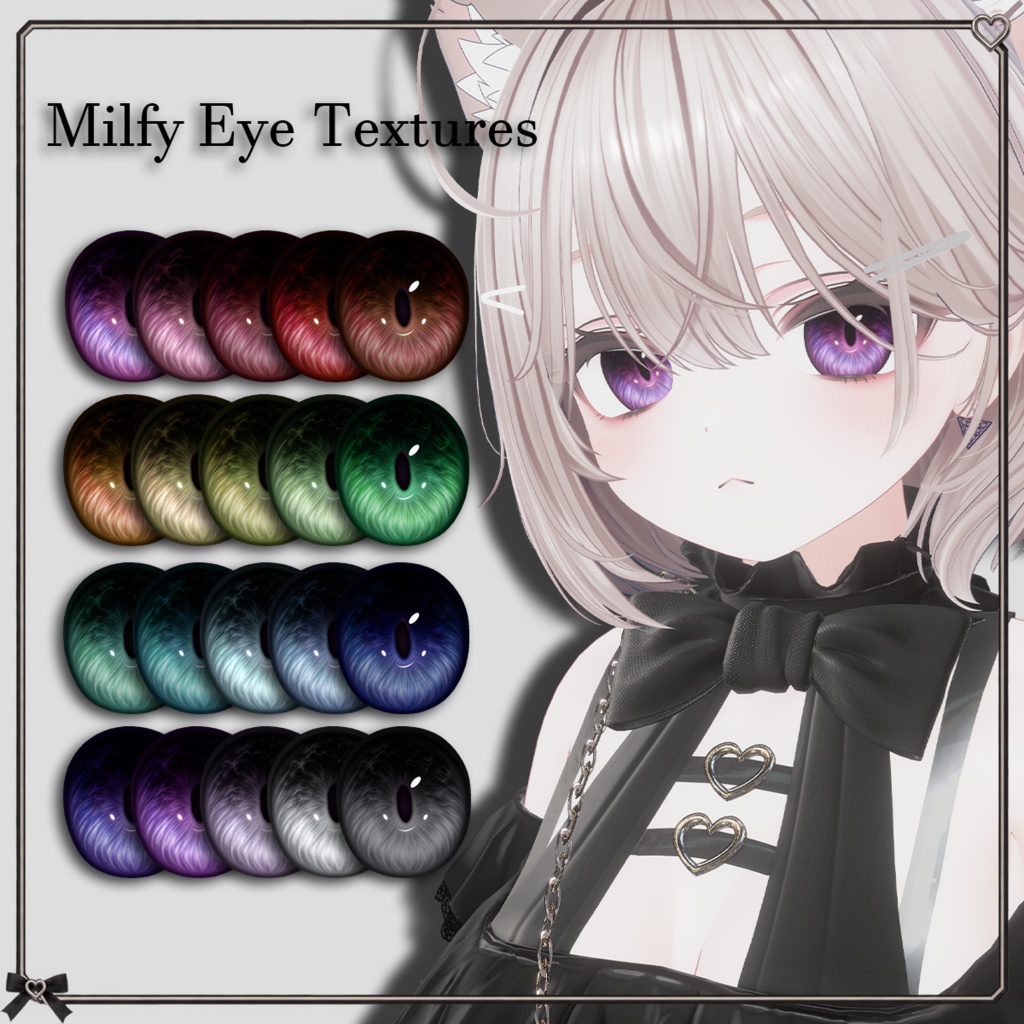
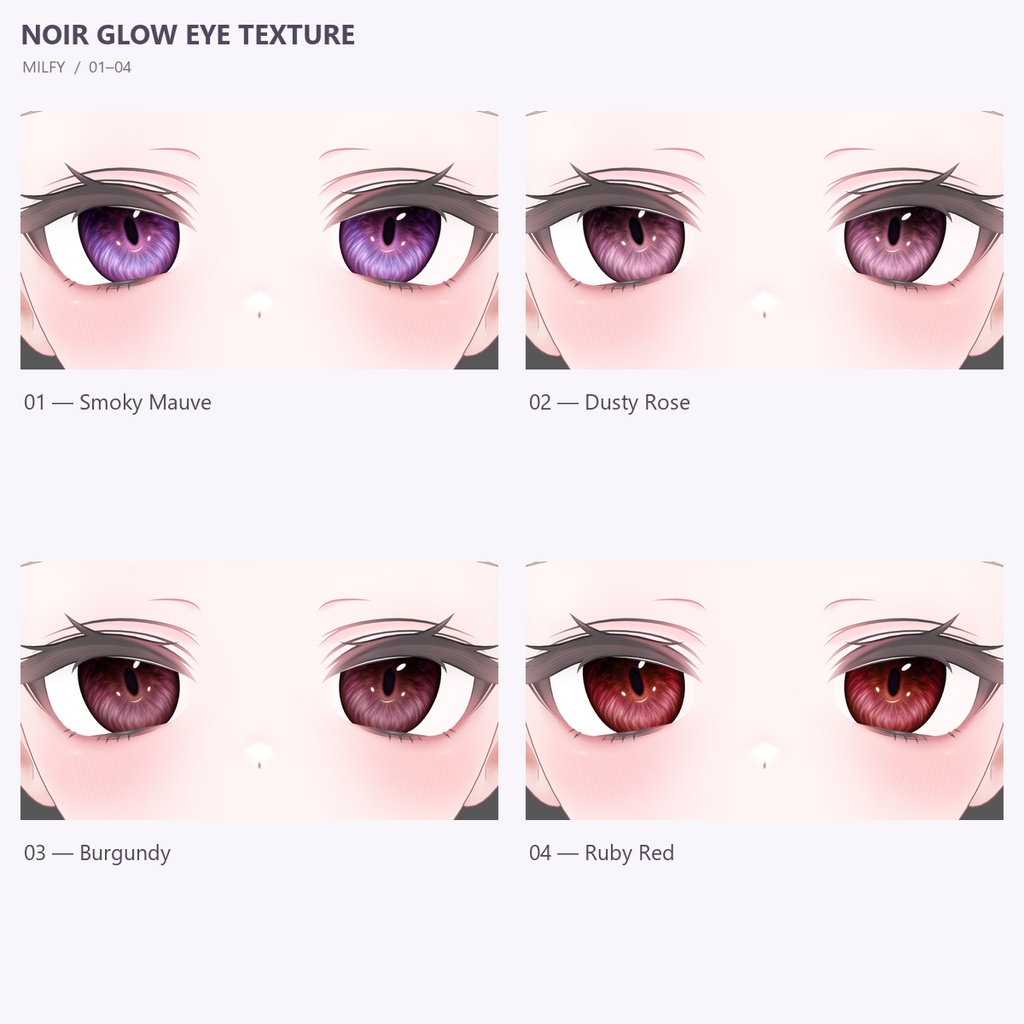
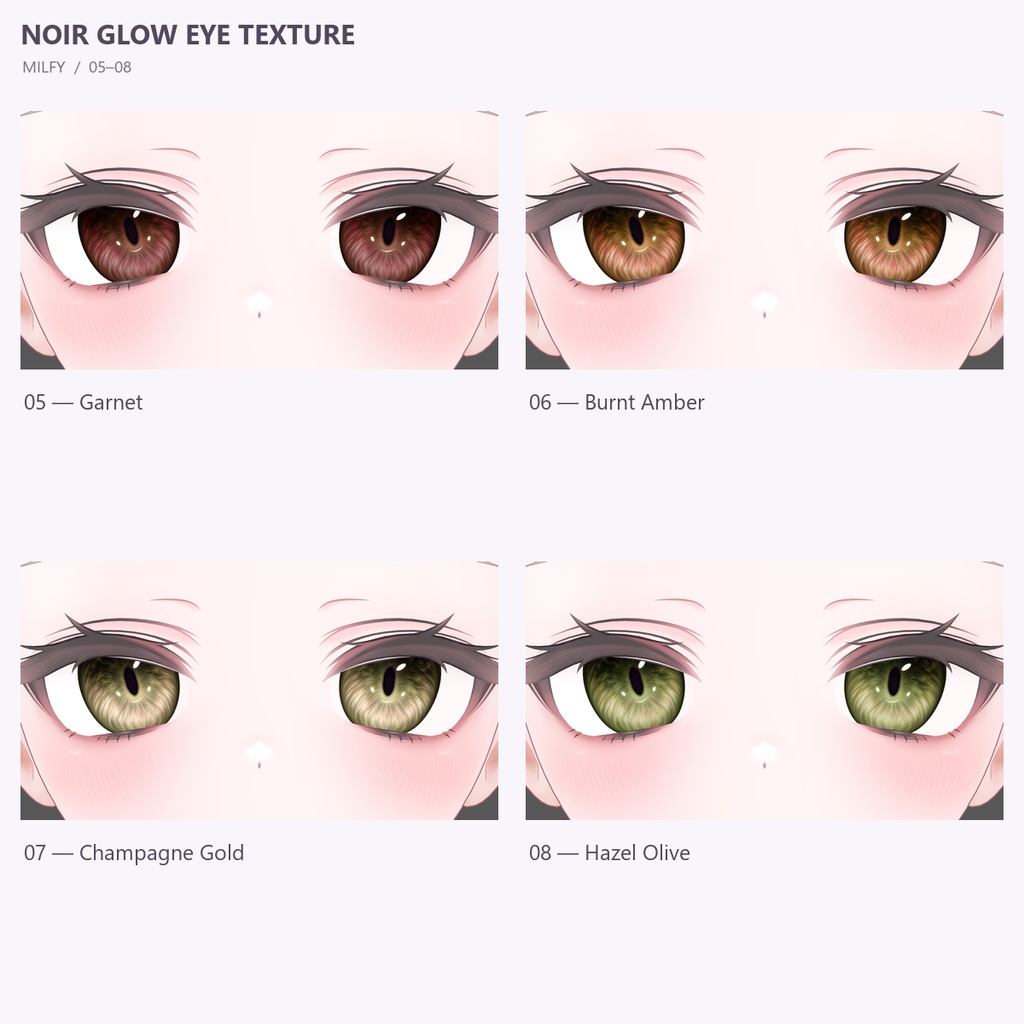
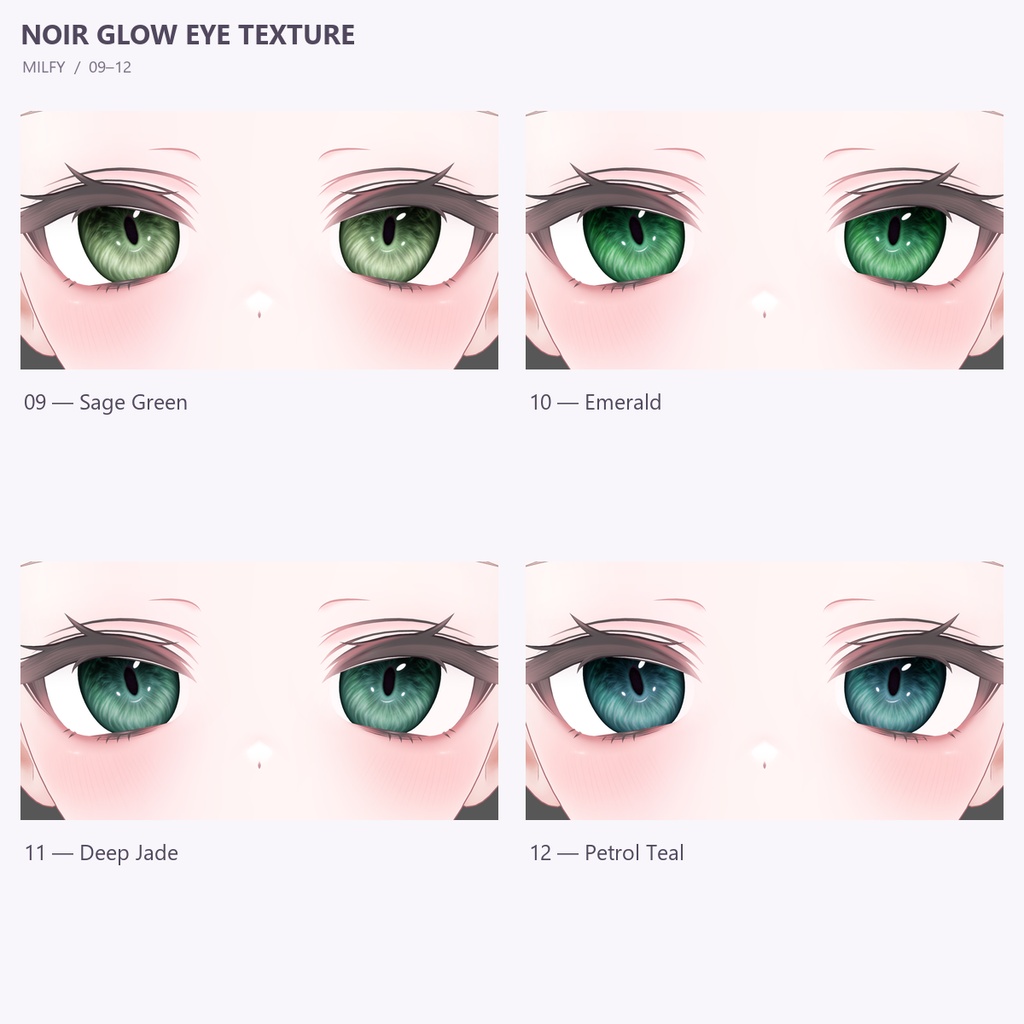
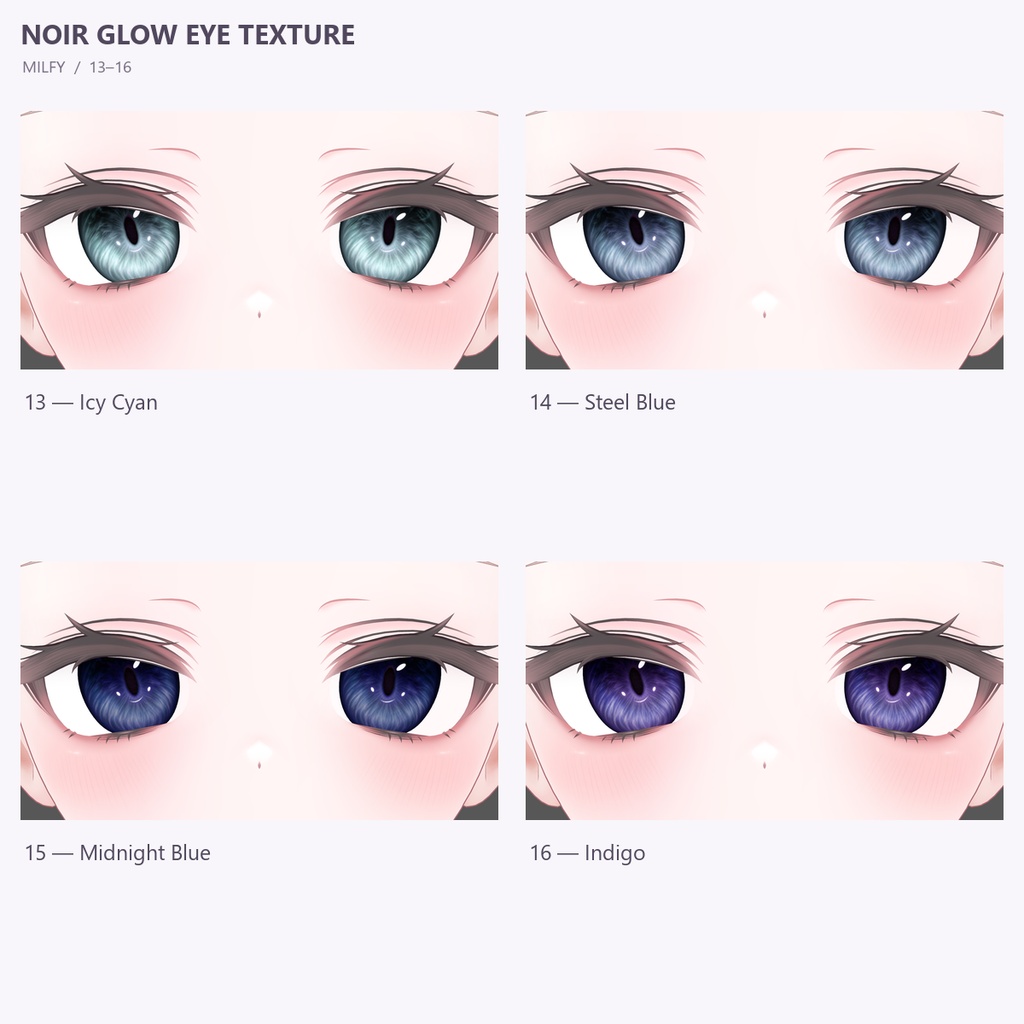
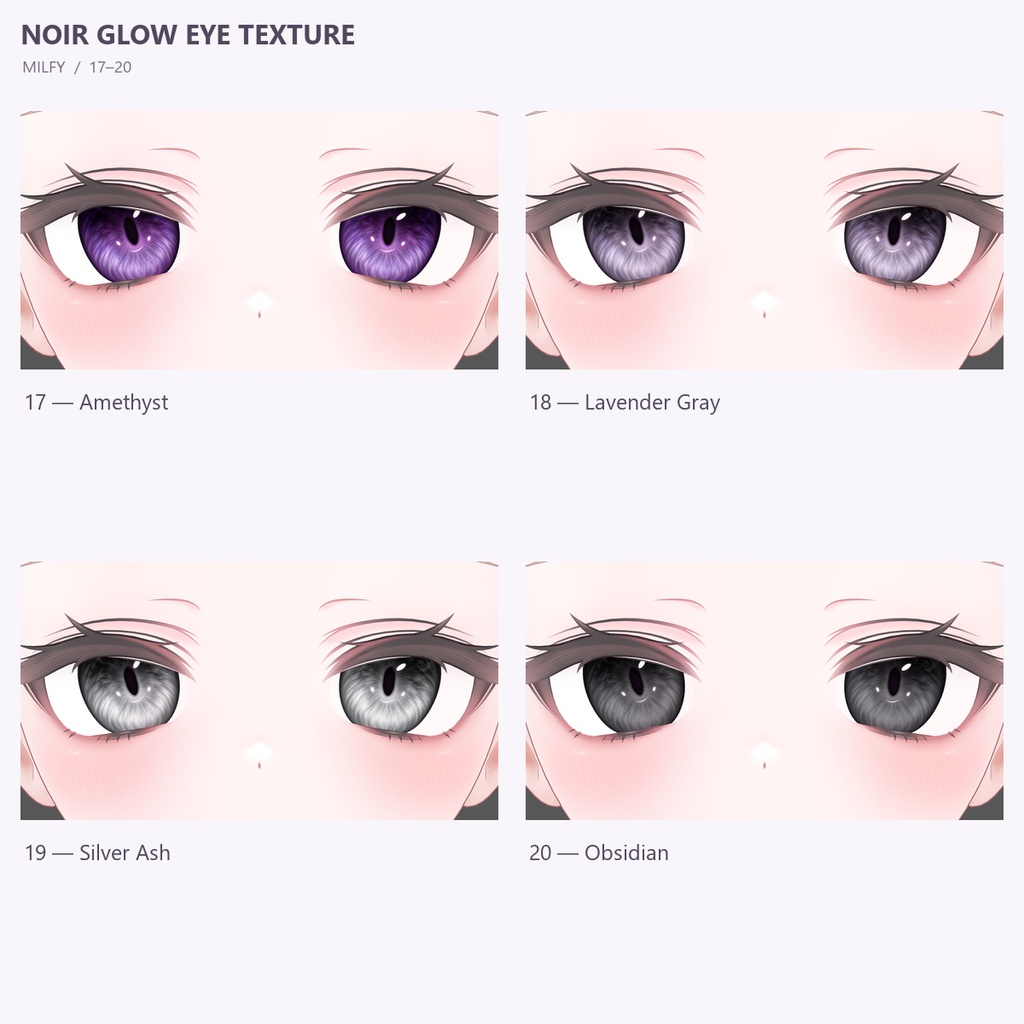


한국어 🎉 출시 기념 무료 배포! 2026년 10월 25일 23:59까지 무료로 다운로드하실 수 있습니다. (한국 시간 · KST) English 🎉 Free Launch Promotion! Download for free until October 25, 2026, at 23:59 (KST / UTC+9). 日本語 🎉 リリース記念・期間限定無料配布! 2026年10月25日 23:59まで無料でダウンロードできます。(日本時間・JST) Manuka : https://booth.pm/ko/items/5058077 Milfy : https://mk22.booth.pm/items/6571299 MA : https://modular-avatar.nadena.dev/ liltoon : https://booth.pm/ko/items/3087170 한국어 Noir Glow Eye Texture ✦ v1.0.0 MANUKA / MILFY · 20 Colors · 2K · MA Auto Setup 짙은 상단 그라데이션과 안쪽으로 깊게 이어지는 윤곽선, 은은하게 빛나는 하이라이트를 담은 눈동자 텍스처입니다. 차분한 색부터 선명한 보석빛 컬러까지, 20가지 색상으로 아바타의 분위기를 바꿔 보세요. 마누카용과 밀피용은 모델별 전용 파일로 제공됩니다. 구매 전 대응 모델을 확인해 주세요. ✦ 상품 구성 ・모델별 색상 20종 ・투명 배경 눈동자 PNG 20장 ・해상도: 2048 × 2048px ・자동 설치 도구가 포함된 unitypackage ・색상 미리보기 이미지 ・한국어 / 일본어 / 영어 적용 안내서 ✦ 적용 안내 VRChat SDK Avatars, lilToon, Modular Avatar를 먼저 설치해 주세요. 1. 해당 모델용 unitypackage를 Unity에 가져옵니다. 2. 하이라키에서 아바타의 최상위 오브젝트를 선택합니다. 3. Tools → Noir Glow Eye Texture → Install 20 Colors를 엽니다. 4. 아바타와 대응 모델을 확인한 뒤 20색 자동 설치를 누릅니다. 5. 설치가 완료되면 씬을 저장합니다. 업로드 후 R → Expressions → 눈동자 색상 / Eye Colors에서 색상을 변경할 수 있습니다. 선택한 색상은 저장 및 동기화됩니다. 설치 도구는 현재 얼굴 재질을 복제하여 적용하며, 기존 메이크업 원본은 유지합니다. 기존 동공과 하이라이트를 숨기는 BlendShape도 자동으로 설정합니다. ✦ 대응 및 주의사항 ・MANUKA / MILFY 원본 눈 UV에 대응합니다. 눈 UV를 수정한 모델은 지원하지 않습니다. ・얼굴 재질에 비어 있는 2nd 또는 3rd 텍스처 레이어가 필요합니다. ・다른 눈 재질 교체 기능이 있다면 비활성화한 뒤 설치해 주세요. ・이미 설치된 아바타에는 중복 설치하지 마세요. ・조명, 셰이더, 표정 및 눈의 크기에 따라 보이는 모습이 달라질 수 있습니다. ・아바타 본체, 원본 얼굴 텍스처, 메이크업, 촬영에 사용된 의상·헤어는 포함되지 않습니다. 대응 아바타를 별도로 구매해 주세요. ・VRChat SDK, lilToon, Modular Avatar는 포함되지 않습니다. ✦ 이용 안내 ・구매한 파일과 이를 수정한 파일 모두 타인에게 공유하거나 재배포·재판매할 수 없습니다. ・방송 또는 커미션 작업에 사용하는 경우, 실제 사용자가 본인 계정으로 직접 구매해 주세요. ・구매 확인 및 상품 문의는 직접 구매한 계정을 기준으로 지원하며, 선물 수령 계정은 지원 대상에서 제외됩니다. ・구매 전 대응 환경을 확인해 주세요. 디지털 파일 특성상 다운로드 후 단순 변심에 따른 환불은 어렵습니다. English Noir Glow Eye Texture ✦ v1.0.0 MANUKA / MILFY · 20 Colors · 2K · MA Auto Setup Create a captivating gaze with deep upper shading, softly blended dark rims, and delicate highlights. From understated shades to vivid jewel-inspired colors, explore 20 variations designed to give your avatar a chic, expressive look. Dedicated MANUKA and MILFY files are provided separately. Please check the supported avatar before purchasing. ✦ Package Contents ・20 color variations per avatar version ・20 transparent eye texture PNGs ・Resolution: 2048 × 2048px ・Unitypackage with an automatic setup tool ・Color preview sheet ・Korean / Japanese / English setup guides ✦ Setup Please install VRChat SDK Avatars, lilToon, and Modular Avatar beforehand. 1. Import the unitypackage for your avatar into Unity. 2. Select your avatar’s root object in the Hierarchy. 3. Open Tools → Noir Glow Eye Texture → Install 20 Colors. 4. Confirm the avatar and model selection, then click the automatic setup button. 5. Save your scene once installation is complete. After uploading, open R → Expressions → Eye Colors to choose a color. Your selection supports saving and synchronization. The setup tool creates copies of your current face material, preserving the original makeup texture. It also configures the BlendShapes needed to hide the avatar’s existing pupils and highlights. ✦ Compatibility & Notes ・Designed for the stock eye UV layouts of MANUKA and MILFY. Modified eye UVs are unsupported. ・An unused 2nd or 3rd texture layer is required on the face material. ・Deactivate other eye material switching systems before installation. ・Do not install a duplicate on an avatar that already has this setup. ・Lighting, shader settings, expressions, and eye size can affect the final appearance. ・Avatar models, original face textures, makeup, clothing, and hairstyles shown in previews are excluded. Please purchase the corresponding avatar separately. ・VRChat SDK, lilToon, and Modular Avatar are not bundled. ✦ Usage Terms ・Do not share, redistribute, or resell the supplied assets or edited copies. ・For streaming and commissioned avatars, the person using the textures must purchase their own copy through their own account. ・Purchase verification and assistance are handled through the account that directly purchased the item. Gift recipient accounts are excluded from support. ・Please check compatibility before purchasing. Change-of-mind refunds are generally unavailable after digital files have been downloaded. 日本語 Noir Glow Eye Texture ✦ v1.0.0 MANUKA / MILFY · 20 Colors · 2K · MA Auto Setup 深みのある上部のグラデーション、内側へ自然になじむ輪郭、さりげなく輝くハイライトを組み合わせた瞳テクスチャです。 落ち着いた色から鮮やかな宝石のような色まで、20色のバリエーションでアバターの雰囲気を変えてお楽しみください。 MANUKA用とMILFY用は、それぞれ専用ファイルで提供されます。ご購入前に対応モデルをご確認ください。 ✦ 内容物 ・各対応モデル用のカラーバリエーション20色 ・透過背景の瞳PNG 20枚 ・解像度:2048 × 2048px ・自動セットアップツール付きunitypackage ・色見本画像 ・韓国語 / 日本語 / 英語の適用ガイド ✦ 導入方法 VRChat SDK Avatars、lilToon、Modular Avatarを事前に導入してください。 1. 対応モデル用のunitypackageをUnityにインポートします。 2. Hierarchyでアバターのルートオブジェクトを選択します。 3. Tools → Noir Glow Eye Texture → Install 20 Colorsを開きます。 4. アバターと対応モデルを確認し、20色を自動セットアップを押します。 5. セットアップ完了後、シーンを保存してください。 アップロード後、R → Expressions → Eye Colorsから色を変更できます。選択した色は保存・同期に対応しています。 現在の顔マテリアルを複製して適用するため、元のメイク画像は維持されます。元の瞳孔やハイライトを非表示にするBlendShapeも自動設定されます。 ✦ 対応・注意事項 ・MANUKA / MILFYの標準の目UVに対応しています。目UVを変更したモデルは非対応です。 ・顔マテリアルに空いている2ndまたは3rdテクスチャレイヤーが必要です。 ・他の目マテリアル切り替え機能は、事前に無効にしてください。 ・導入済みのアバターへの重複導入は避けてください。 ・照明、シェーダー、表情、瞳の大きさによって見え方が異なる場合があります。 ・アバター本体、元の顔テクスチャ、メイク、撮影に使用した衣装・髪型は付属しません。対応アバターを別途ご購入ください。 ・VRChat SDK、lilToon、Modular Avatarは同梱していません。 ✦ ご利用について ・購入したファイルおよび改変したファイルを、第三者に共有・再配布・再販売することは禁止します。 ・配信やコミッション制作に使用する場合は、実際に使用するご本人のアカウントで直接ご購入ください。 ・購入確認および商品に関するお問い合わせは、直接購入したアカウントに限り対応します。ギフト受取アカウントはサポート対象外です。 ・ご購入前に対応環境をご確認ください。デジタルデータの性質上、ダウンロード後のお客様都合による返金は原則としてお受けできません。