

【VRChat】ObjectPositionResetter(オブジェクトポジションリセッター)KWG_OPR
- ダウンロード商品¥ 300
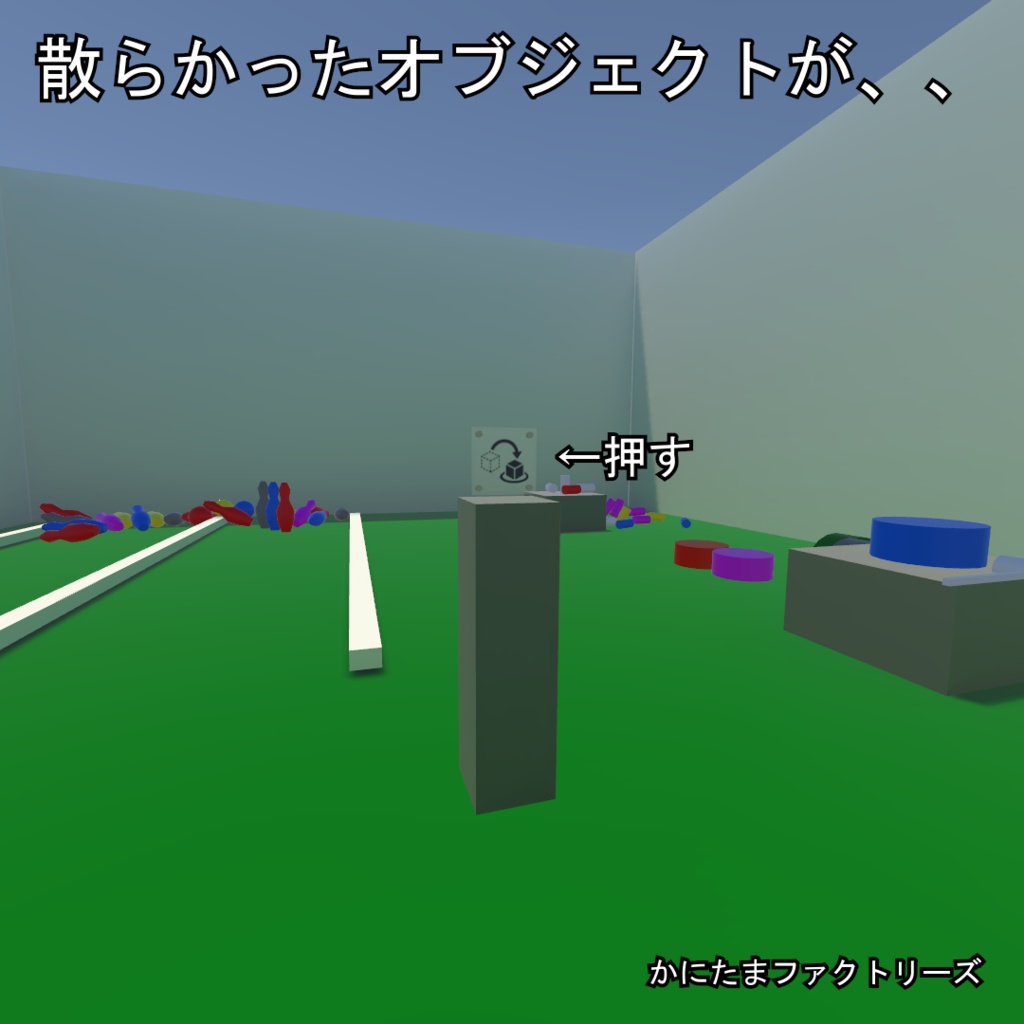
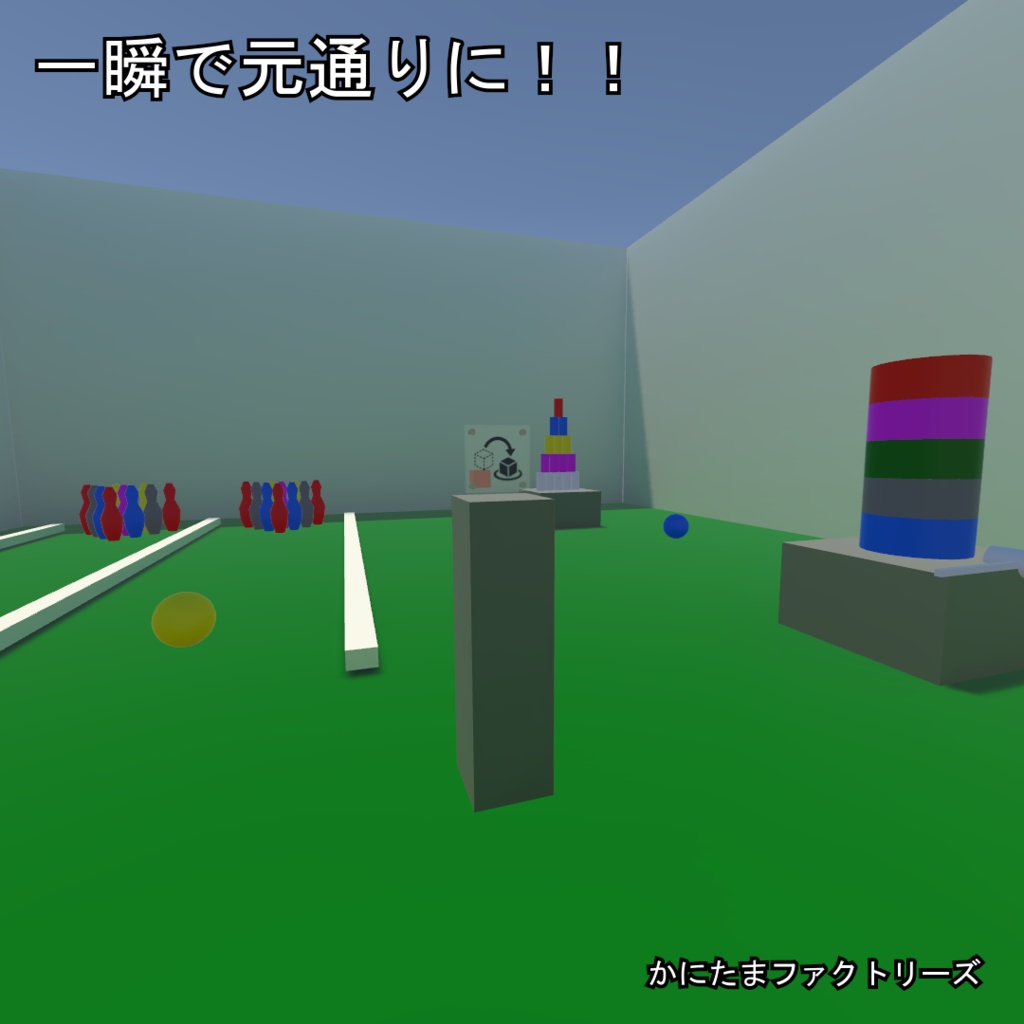
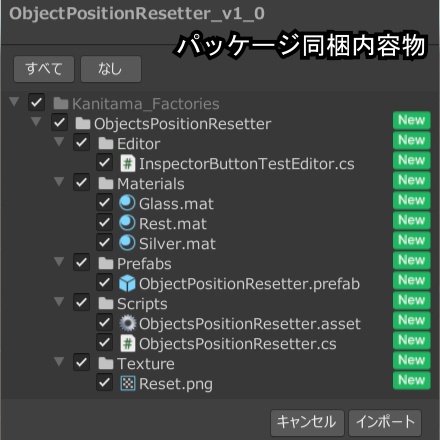
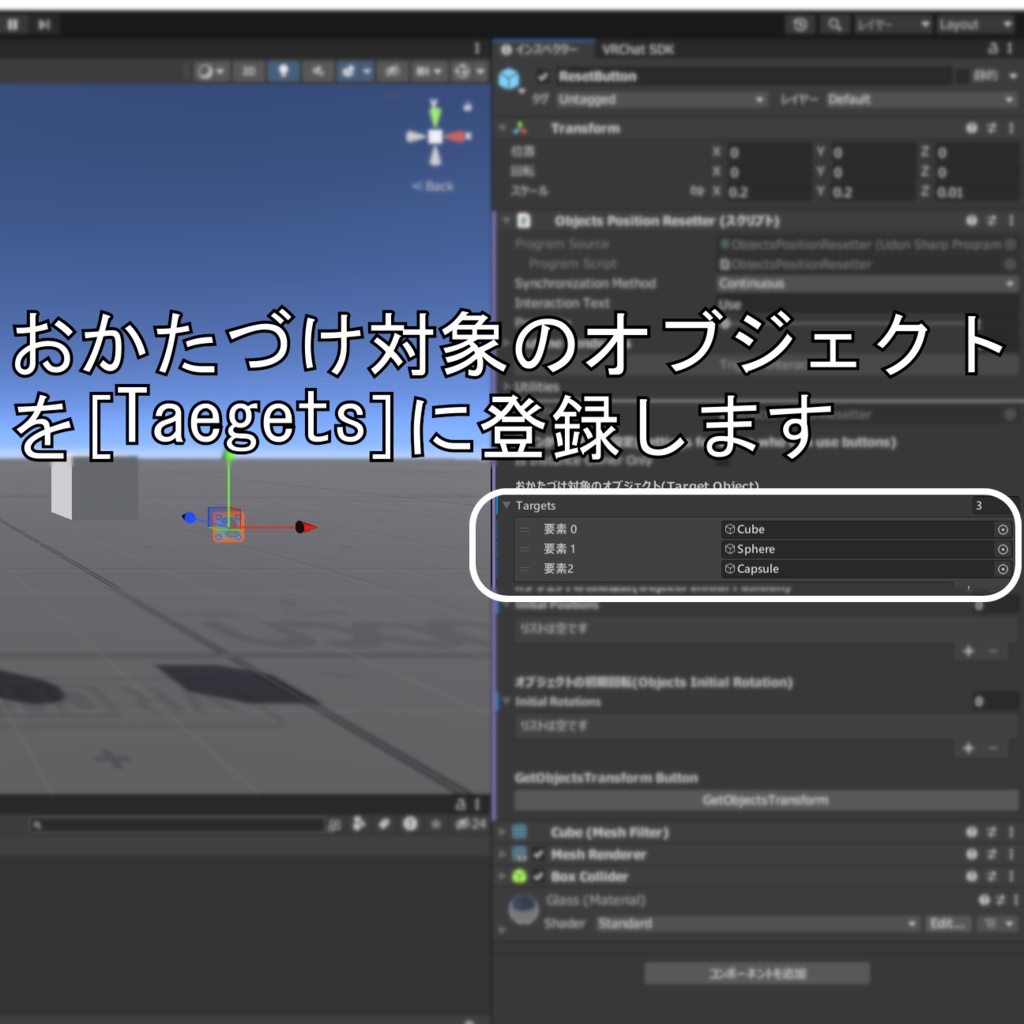
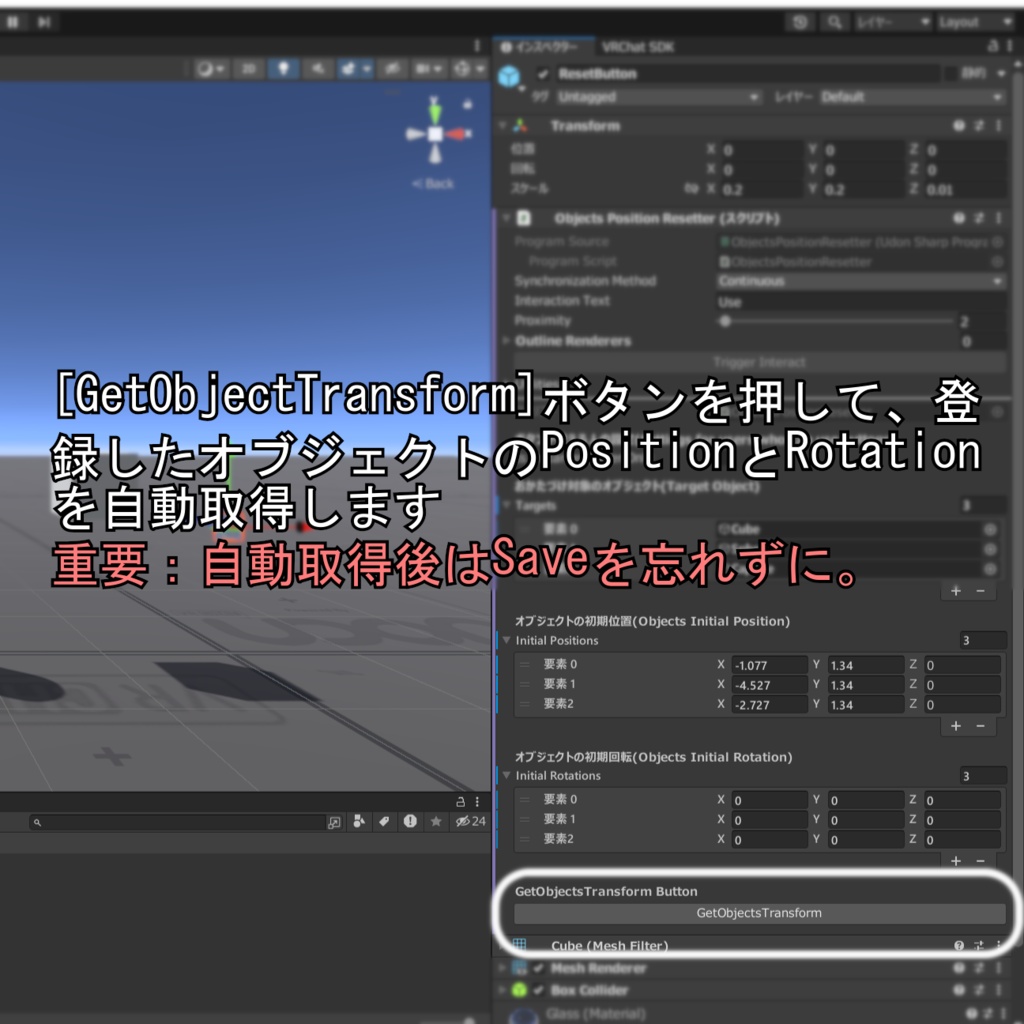
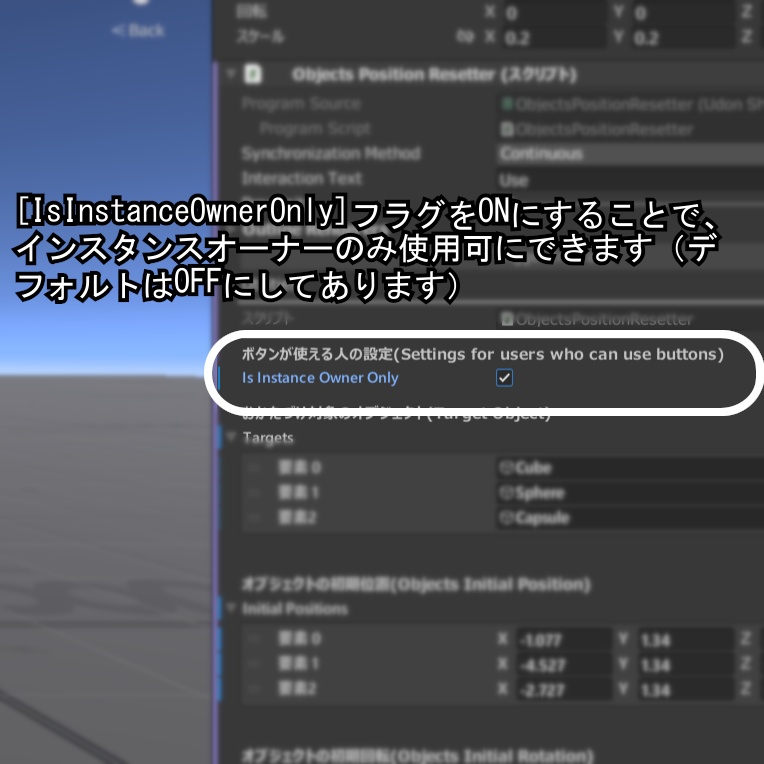


【商品説明】 ワールドに置かれているPickUp可能なオブジェクトの位置を元の位置の戻すギミックです。 以下の特徴があります ・ObjectPositionResetterに登録したオブジェクト群を一斉に元の位置に戻します ・インスタンスオーナーのみ使用可or全員使用可 を選択できます(デフォルトは全員使用可) ・インスペクターの「getObjectsTransform」ボタンで、登録したオブジェクト群の位置と回転値を自動で登録できます ・プレハブをシーンに置くだけで機能します 【使用SDKバージョン】 VRChat SDK - Worlds 3.10.5 VRChat SDK - Base 3.10.5 --English-- [Product Description] This is a gimmick that resets the positions of pick-up-able objects in your world back to their original locations. Features: ・Resets all objects registered in the "ObjectPositionResetter" to their original positions simultaneously. ・Allows you to choose whether the reset function can be used by the instance owner only or by everyone (default is set to "everyone"). ・Includes a "getObjectsTransform" button in the Inspector, which automatically records the current positions and rotations of all registered objects. ・Simply place the prefab into your scene to start using it. [SDK Version Used] VRChat SDK - Worlds 3.10.5 VRChat SDK - Base 3.10.5
使用方法 How to use
1.ObjectPositionResetter.prefabをシーンに追加します 2.ObjectPositionResetterの子オブジェクト「ResetButton」オブジェクトを選択します 3.Taegetsにおかたづけ対象のオブジェクトを登録します(参考:商品紹介画像5枚目) 4.「GetObjectsTransform」ボタンを押して、登録オブジェクトのTransromを自動取得します(参考:商品紹介画像6枚目) 5.重要:作業内容を保存します。 保存せずにテスト実行などをすると、自動取得したTransformの値が反映されません。 --English-- 1. Add "ObjectPositionResetter.prefab" to your scene. 2. Select the "ResetButton" object, which is a child of "ObjectPositionResetter." 3. Register the objects you wish to include in the cleanup process under "Targets" (refer to the 5th product image). 4. Click the "GetObjectsTransform" button to automatically retrieve the transform data for the registered objects (refer to the 6th product image). 5. Important: Save your work. If you attempt to run a test without saving, the automatically retrieved transform values will not be applied.
利用規約 terms of service
本商品を購入する際に、この規約に同意したものとします 本規約は「あしやまひろこ(@hiorko_TB)」氏が作成した VN3ライセンス( https://www.vn3.org/ ) のテンプレートを使用しています 利用規約は変更される場合があります --English-- By purchasing this product, you agree to these terms. These terms use a template created by Hiroko Ashiyama (@hiorko_TB) under the VN3 license (https://www.vn3.org/). These terms are subject to change. 規約全文(JP) https://drive.google.com/file/d/1QGZAchkiSNQY6vTyeMnX1kHMdzJPkRjM/view?usp=sharing Terms of use(EN) https://drive.google.com/file/d/16mVSsiduQOhNmTrYZkpeN_CxNHozQdYh/view?usp=sharing 이용규약(KO) https://drive.google.com/file/d/1n0EiCgs7FUfF0_P4miMLSfB8M9L1Ehrv/view?usp=sharing 使用条款(ZH) https://drive.google.com/file/d/1FCaaBvzDgz49LlzJn1PypgpKkwCpb-io/view?usp=sharing
お問い合わせについて About inquiries
・本商品に関するお問い合わせ・バグレポートなどはBOOTHよりお願いいたします ・本製品の使用以前の状況に関する質問(Unityの使い方やVCCの導入方法など)は対応いたしかねます ・ダウンロード商品の特性上、交換・返金・返品につきましては対応致しかねます ・本商品を使用して発生したすべての問題と損失、損害について、作者の「かにたま」及び「かにたまファクトリーズ」は責任を負いません --English-- Please use BOOTH for inquiries and bug reports regarding this product. We cannot answer questions about the product prior to use (such as how to use Unity or how to install VCC). Due to the nature of downloadable products, we are unable to offer exchanges, refunds, or returns. The creators, Kanitama and Kanitama Factories, are not responsible for any problems, losses, or damages that may arise from using this product.
更新履歴 Update history
2026年11月15日 ファーストリリース --English-- November 15, 2026 First Release