

【VRChat / PC・Quest】雪をつかんで投げる SnowScape|降雪・積雪シェーダー+雪玉ギミック
- ダウンロード商品¥ 800
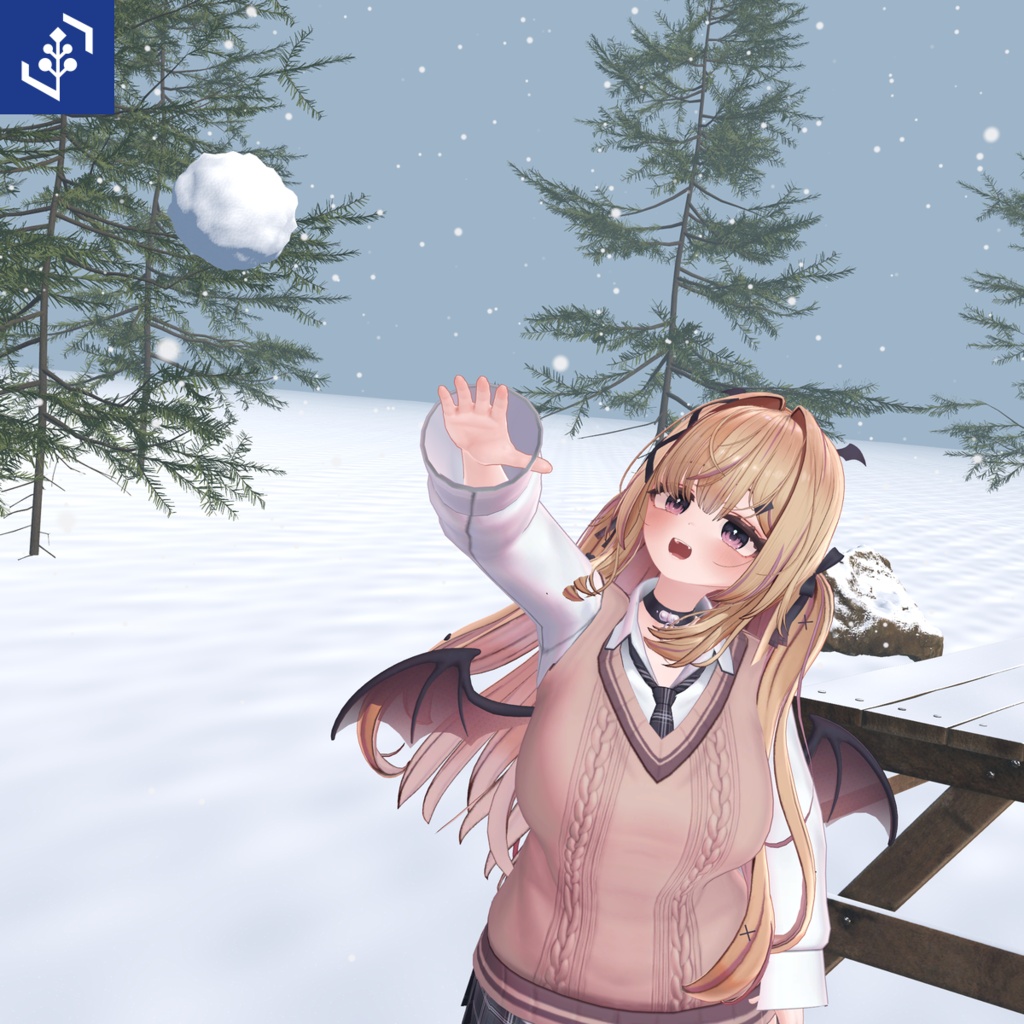


雪景色を作って、その雪で遊べる。SnowScapeは、既存のワールドに降雪と積雪を加え、雪面から握って作った雪玉を投げられる、ワールド用シェーダーとギミックのセットです。 Create a winter scene, then play in its snow. SnowScape combines snowfall and snow-cover shaders with snowballs you gather from the surface and throw in your VRChat world.
握って作って、投げる
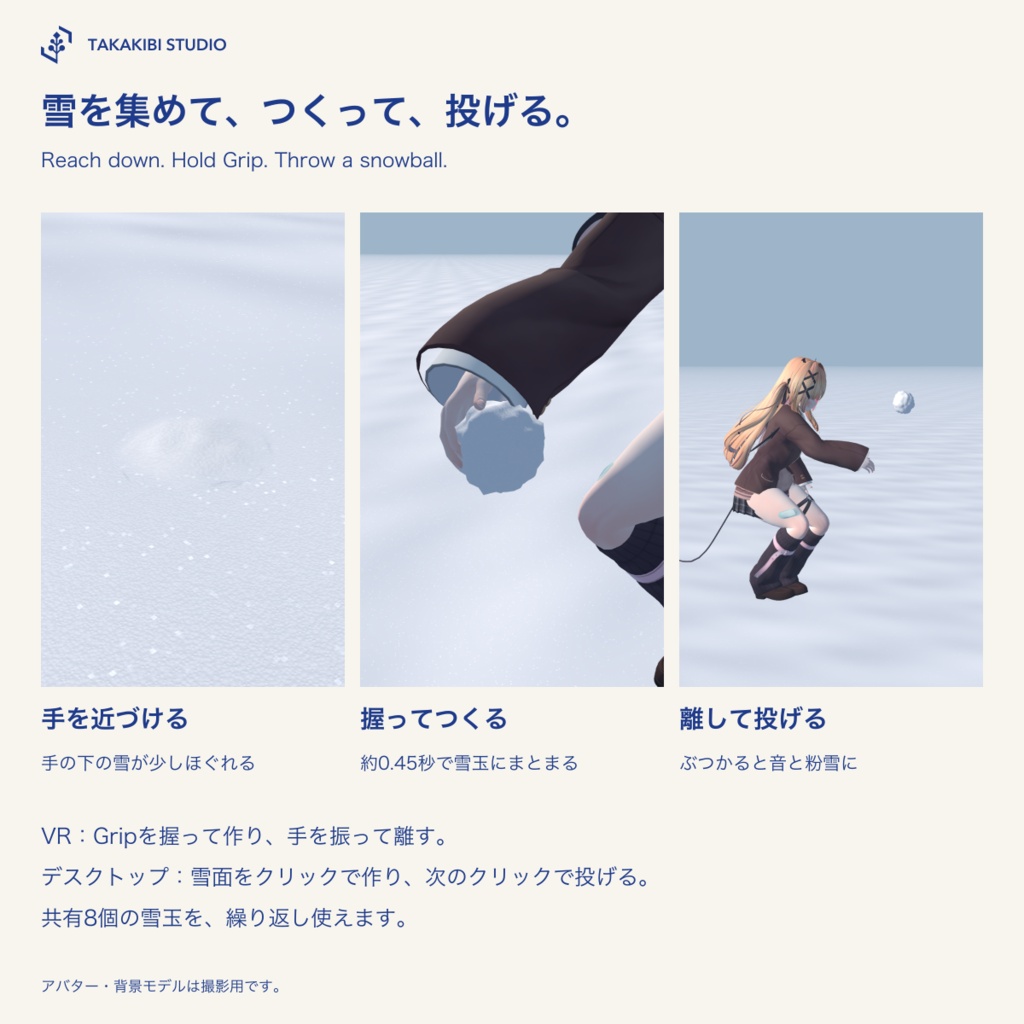
雪面へ手を近づけると、手の下の雪が少しほぐれて盛り上がります。Gripを約0.45秒握ると雪玉へまとまり、離すと投げられます。手首の位置と回転に追従し、地面や物に当たると音と粉雪を出して崩れます。 デスクトップは雪面を見てクリックで作り、次のクリックで投げます。共有8個の雪玉を繰り返し使います。常駐する説明UIはありません。
いつものワールドを雪景色に
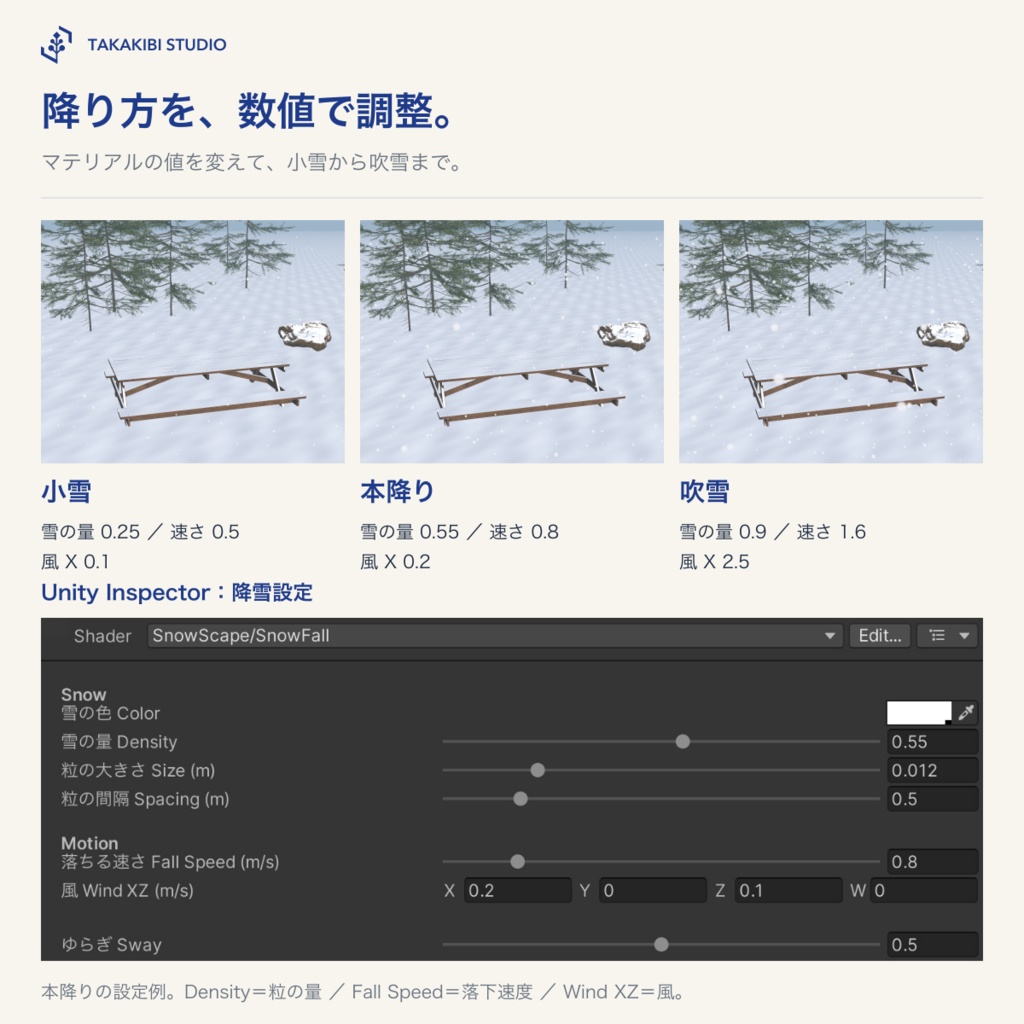
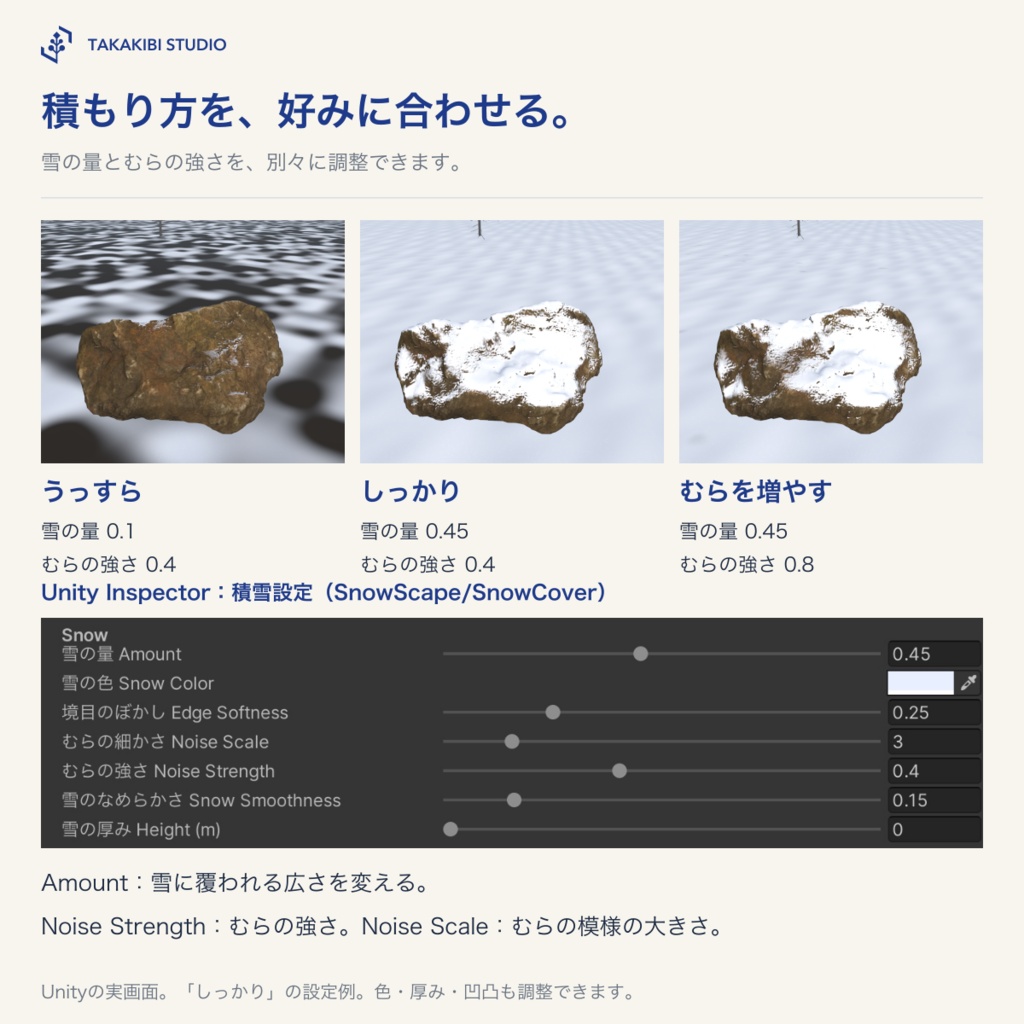
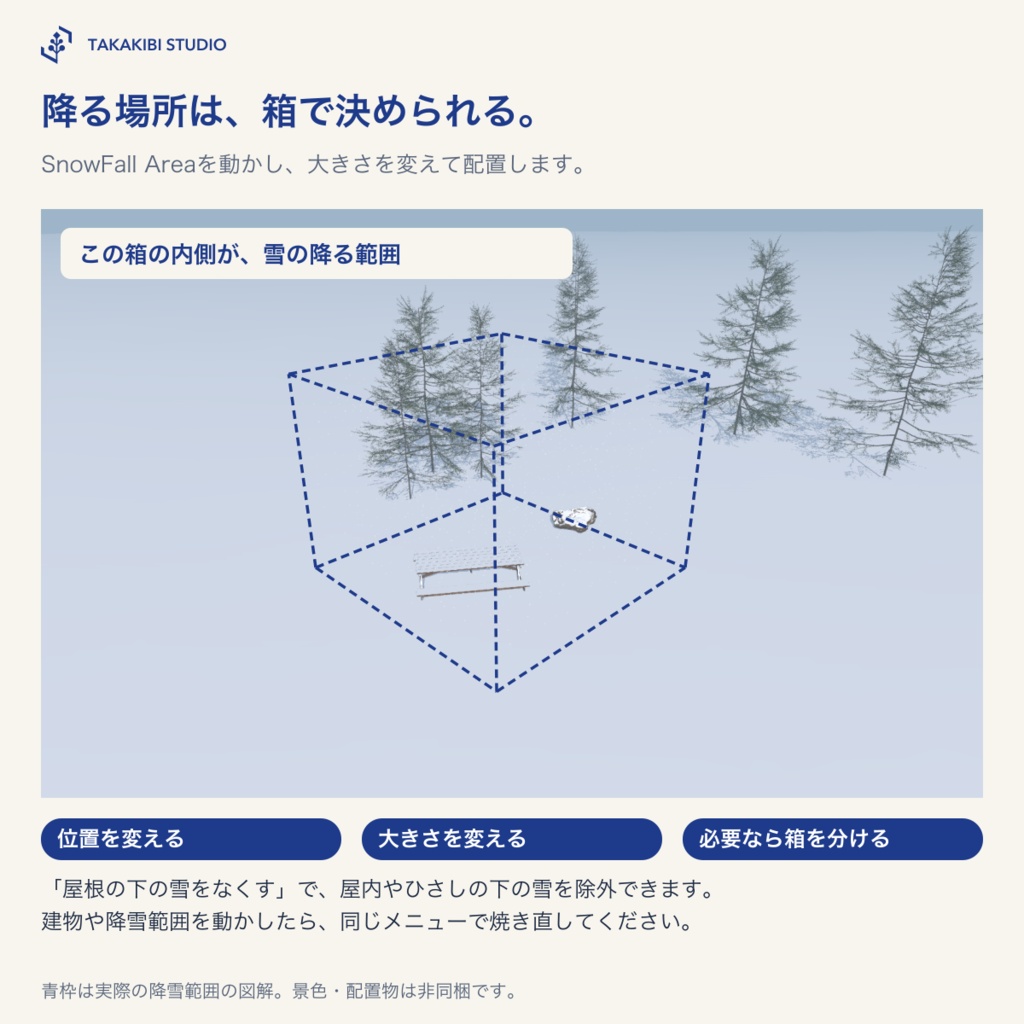
雪を降らせる範囲を箱で指定し、量・粒の大きさ・落下速度・風を調整できます。小雪・本降り・吹雪の3設定付き。 地面や建物には、細かな粒と控えめな凹凸のある積雪を加えられます。量・色・むら・きらめきも調整できます。屋根の下の除外と、Unity上で元の材質へ戻す冬モードを用意しています。
導入と操作
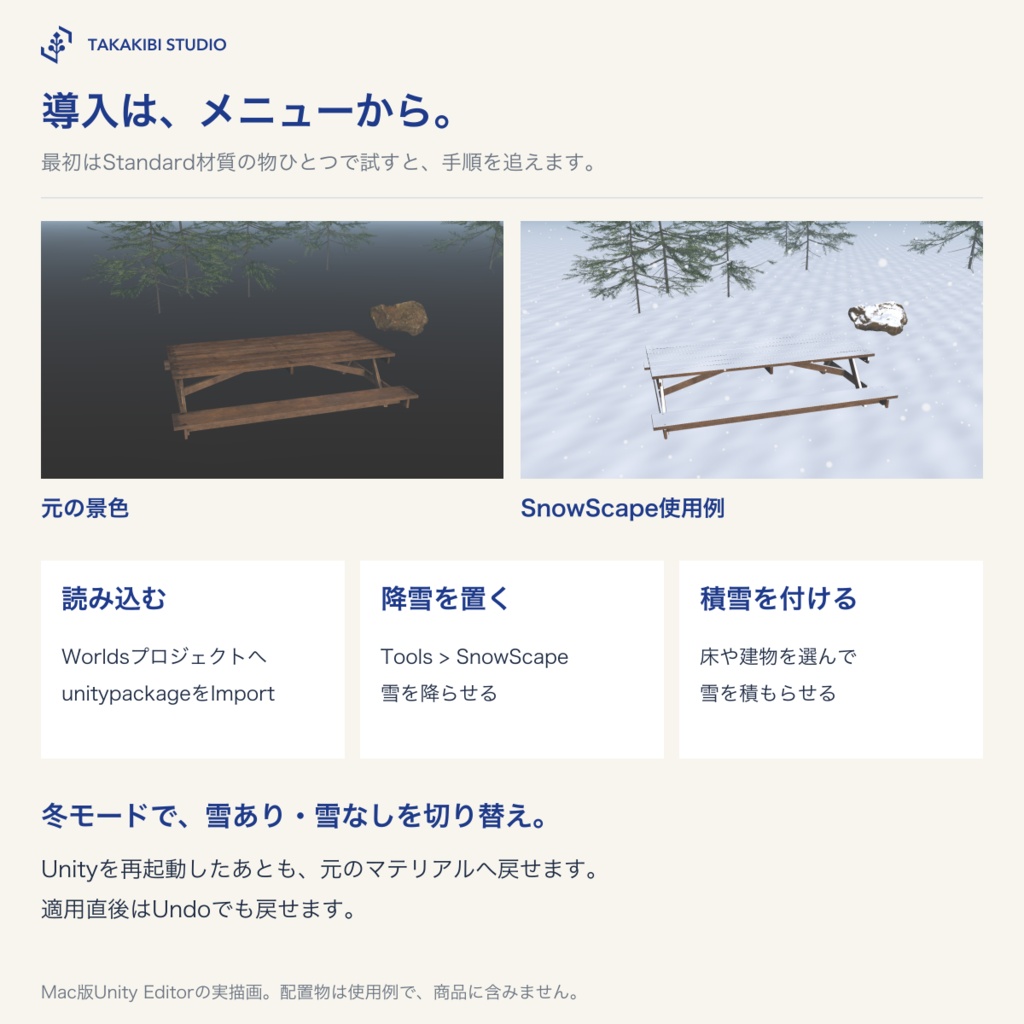
VCCでWorlds用プロジェクトを作り、unitypackageをImportします。Tools > SnowScapeから降雪・積雪を追加してください。 雪玉は、積雪を適用した地面のMeshRendererとColliderが付いたオブジェクトを選び、「7. 雪玉を追加」で設置します。手順と設定の説明は同梱の日英READMEにあります。
対応環境・注意事項
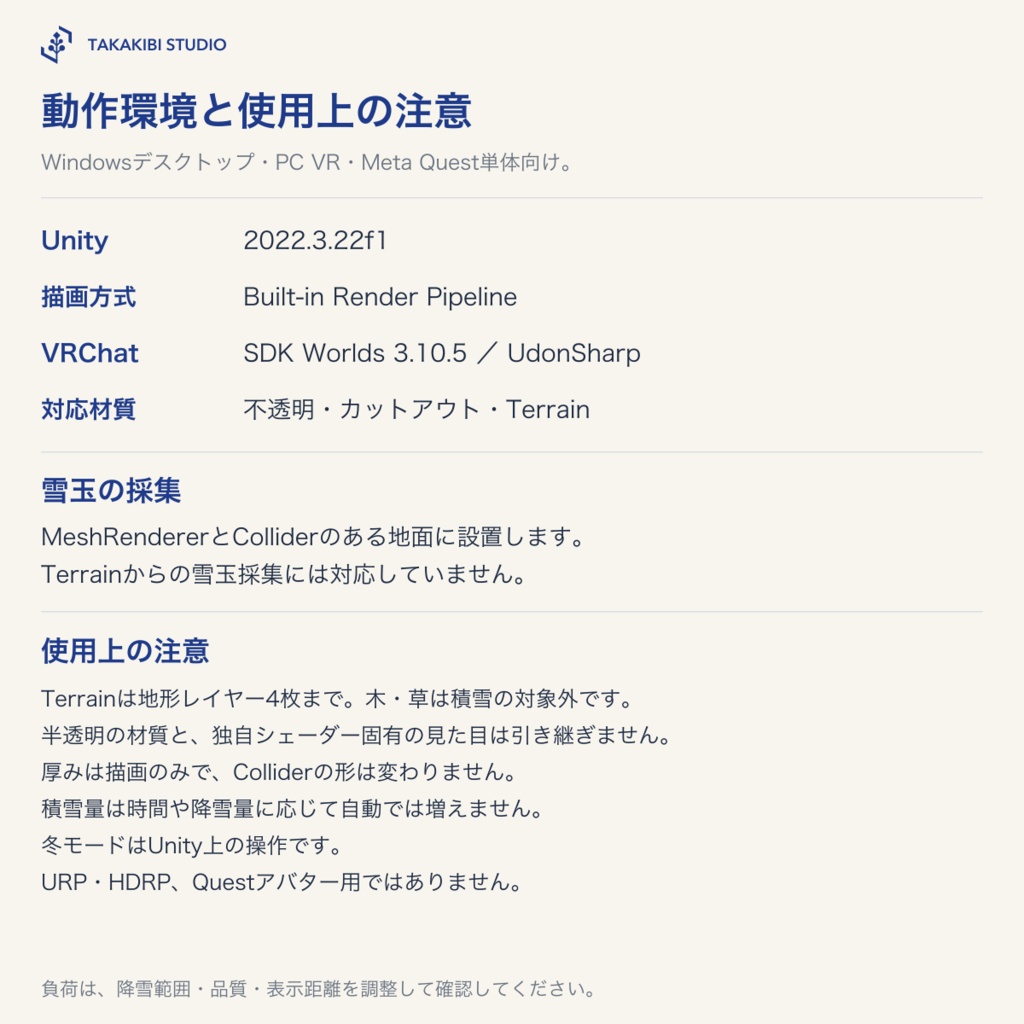
Windowsデスクトップモード/PC VR/Meta Quest単体。Unity 2022.3.22f1、VRChat SDK3 Worlds 3.10.5(UdonSharp同梱)、Built-in Render Pipeline用です。URP・HDRP・Questアバター用ではありません。 積雪表示は不透明・カットアウト材質とTerrain(地形レイヤー4枚まで)に対応。半透明の材質は変換しません。Standard以外の材質は、元のシェーダー固有の表現を引き継ぎません。Terrainの木と草は対象外です。 雪玉の採集にはMeshRendererとColliderのある地面が必要です。Terrainからの採集には対応していません。 雪の厚みはColliderを変えません。積雪量は降雪や時間に応じて自動で増えません。建物や降雪範囲を動かしたら、屋根下の除外を焼き直してください。冬モードはUnityエディタ上の切替えです。
内容物
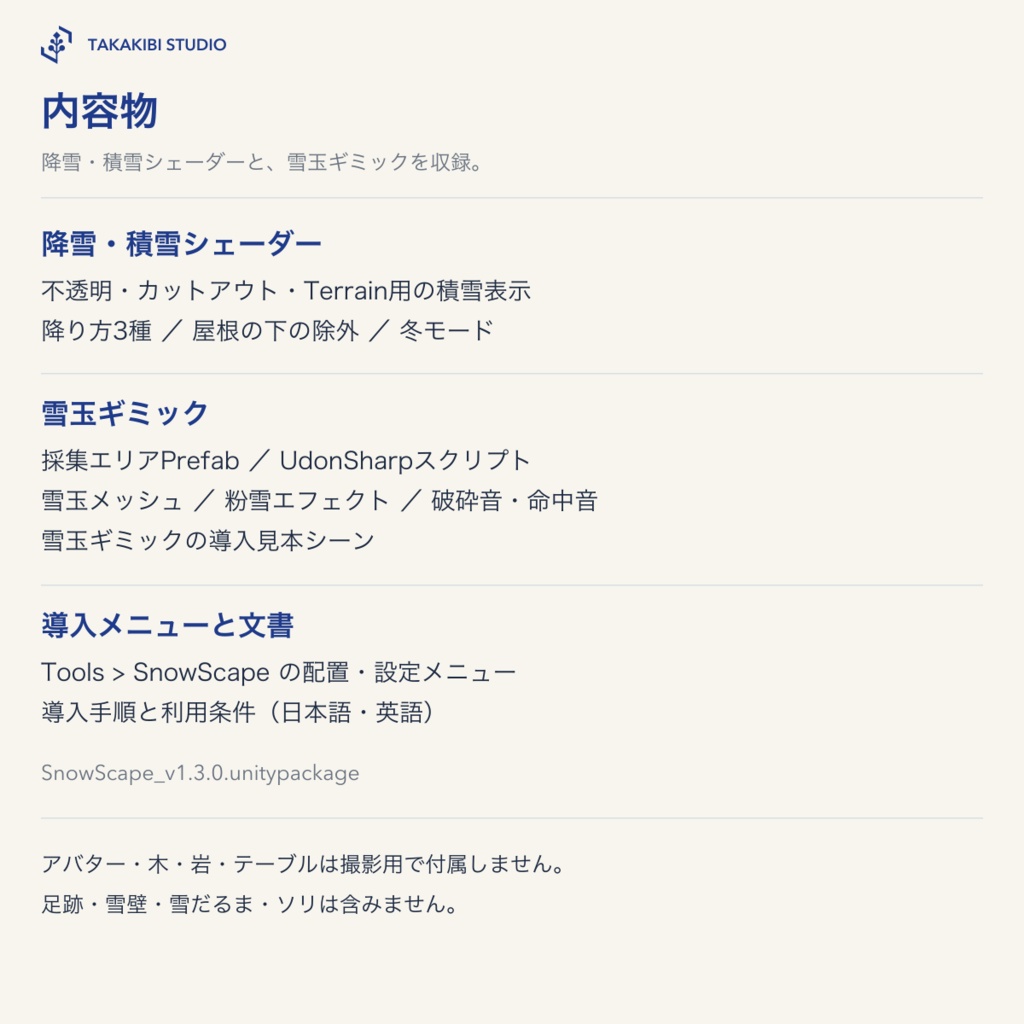
SnowScape_v1.3.0.unitypackage ・降雪・積雪シェーダー(不透明/カットアウト/Terrain)と導入メニュー ・雪玉エリアPrefab、UdonSharpスクリプト、雪玉メッシュ、粉雪と効果音 ・雪玉の導入見本シーン ・日英README・利用条件 撮影用アバター・木・岩・テーブル、足跡・雪壁・雪だるま・ソリは含みません。
発売記念価格
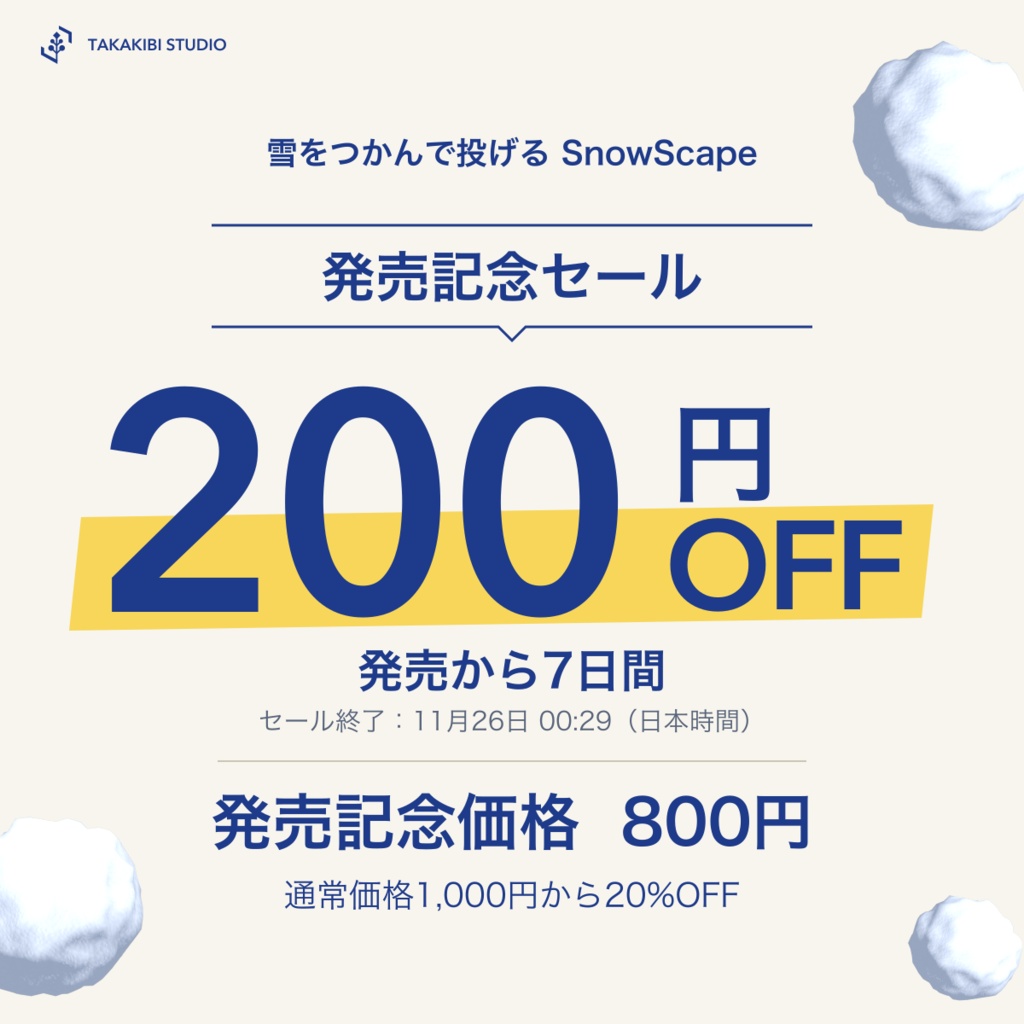
発売から7日間:800円 通常価格:1,000円 セール終了:2026年11月26日 00:29(日本時間)
利用条件・お問い合わせ
改変・商用利用可、クレジット表記不要です。公開・非公開のVRChatワールドへ組み込んでアップロードできます。素材ファイルの再配布・譲渡・転売はできません。共同制作や受託制作で素材ファイルを受け取る方も、それぞれご購入ください。詳しくは同梱の利用条件をご確認ください。 お問い合わせフォーム https://forms.gle/1D6am64azk1L13MK7 上のフォーム、またはBOOTHのショップメッセージからお願いします。
制作について
制作にAIを使用しています。
Gather, hold and throw
Reach down to the snow and a small patch of loose snow rises under your hand. Hold Grip for about 0.45 seconds to form a snowball, then release to throw. It follows wrist position and rotation, and crumbles with sound and powder on contact with floors or objects. On desktop, look at snow and click to gather, then click again to throw. Eight shared pooled snowballs are reused. No persistent instruction UI is shown.
Turn your world into a winter scene
Set the snowfall volume with a box, then adjust density, flake size, fall speed and wind. Three presets are included: Light, Normal and Blizzard. Add snow cover with fine grain and gentle relief to ground and buildings. Adjust amount, colour, breakup and sparkle. Bake roof exclusion, or restore original materials using Winter Mode in Unity.
Setup and controls
Create a Worlds project with VCC and import the unitypackage. Add snowfall and snow cover from Tools > SnowScape. For snowballs, select a snowy ground object with a MeshRenderer and Collider, then choose 7. Add Snowballs. Full instructions and settings are in the Japanese and English READMEs.
Requirements and limitations
Windows desktop mode, PC VR and Meta Quest standalone. Requires Unity 2022.3.22f1, VRChat SDK3 Worlds 3.10.5 with UdonSharp, and the Built-in Render Pipeline. Not for URP, HDRP or Quest avatars. Snow shading supports opaque/cutout materials and Terrain with up to four terrain layers. Transparent materials are not converted. Features specific to non-Standard shaders are not preserved. Terrain trees and grass are excluded. Snowball gathering requires a ground MeshRenderer and Collider; gathering from Terrain is not supported. Snow height does not change colliders. Cover does not accumulate automatically with time or snowfall. Re-bake roof exclusion after moving buildings or the snowfall volume. Winter Mode is a Unity Editor operation.
Included files
SnowScape_v1.3.0.unitypackage - Snowfall and snow-cover shaders (opaque/cutout/Terrain) and setup menus - Snowball-area prefab, UdonSharp scripts, snowball mesh, powder and sound effects - Snowball setup sample scene - Japanese/English READMEs and terms Photography avatars, trees, rocks and table, footprints, snow walls, snowmen and sleds are not included.
Launch price
First seven days after release: JPY 800 Regular price: JPY 1,000 Sale ends: November 26, 2026 at 00:29 JST (UTC+9).
Terms and contact
Modification and commercial use are allowed. No credit is required. You may embed the product in public or private VRChat worlds and upload them. Do not redistribute, transfer or resell the material files. Everyone receiving material files for joint or commissioned work must purchase a copy. See the included terms for details. Contact form https://forms.gle/1D6am64azk1L13MK7 Please use this form or BOOTH shop messages.
Production
AI was used in the production of this product.