

【VRChat / PC・Quest】波打ち際シェーダー|実写の泡・砂テクスチャ
- ダウンロード商品¥ 800
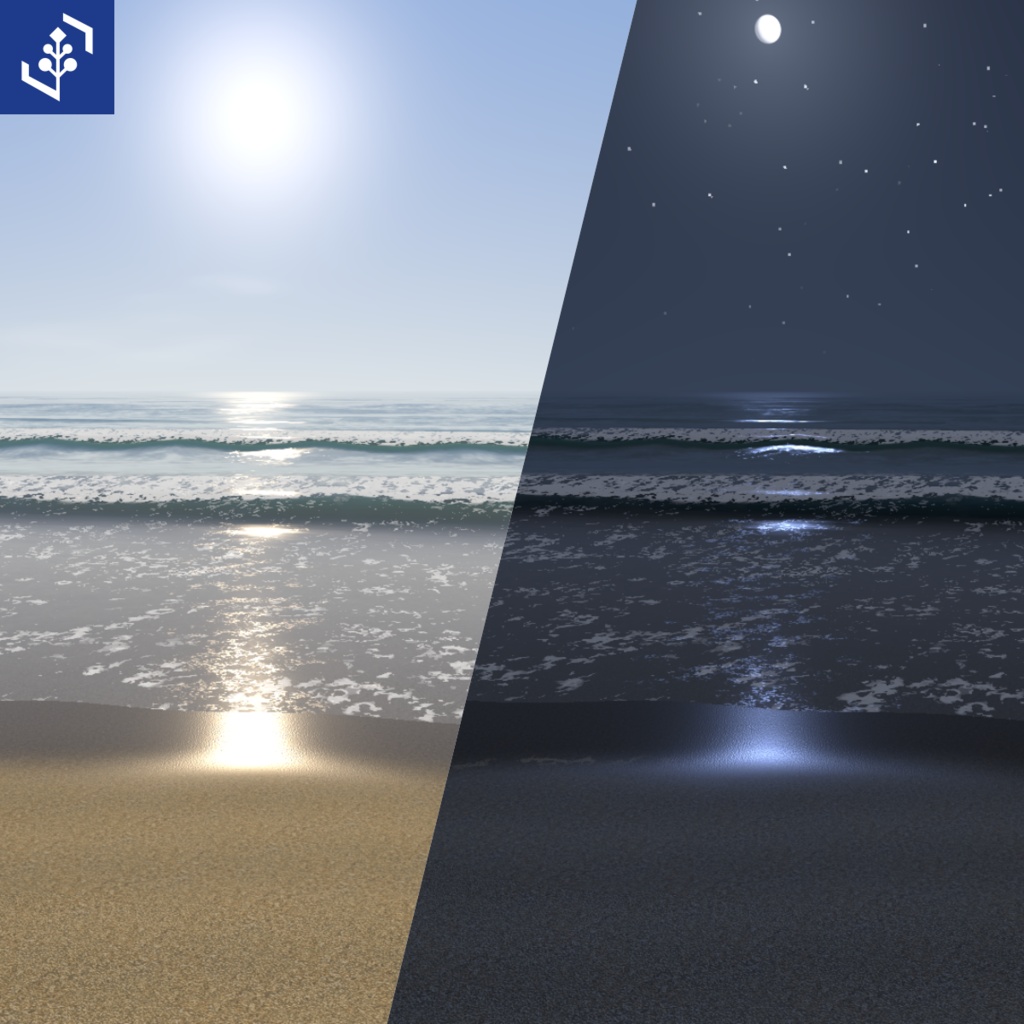
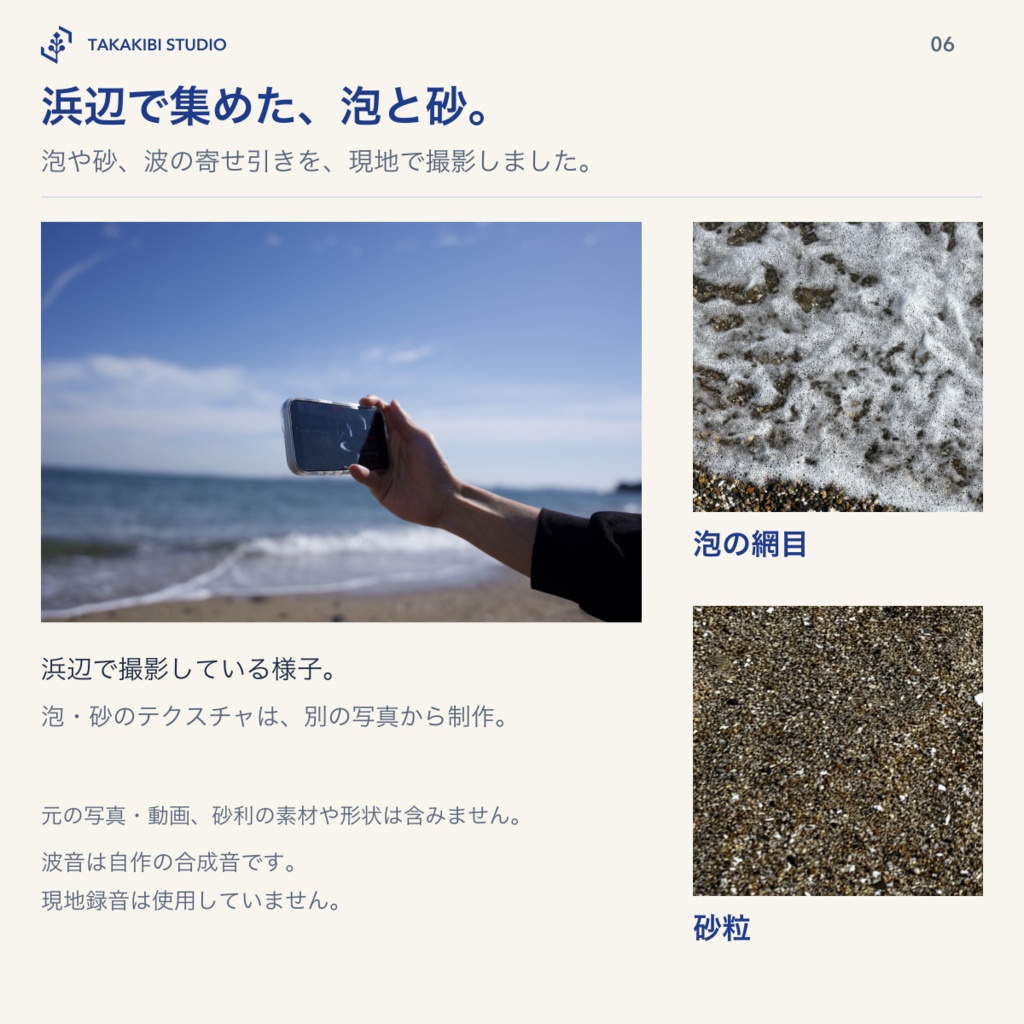


【発売記念セール中】11月10日13:36:57(日本時間)まで800円(通常1,200円)です。 自分のワールドの地形に、寄せては返す波打ち際を作るVRChatワールド用シェーダーです。海岸線を読み取り、砕け波、泡、濡れた砂を地面の形に合わせて描きます。 実際に浜辺へ足を運び、泡や砂、波の寄せ引きを撮影して制作しました。泡の網目と砂粒のテクスチャには、その場で撮った写真を使っています。
波打ち際の動き
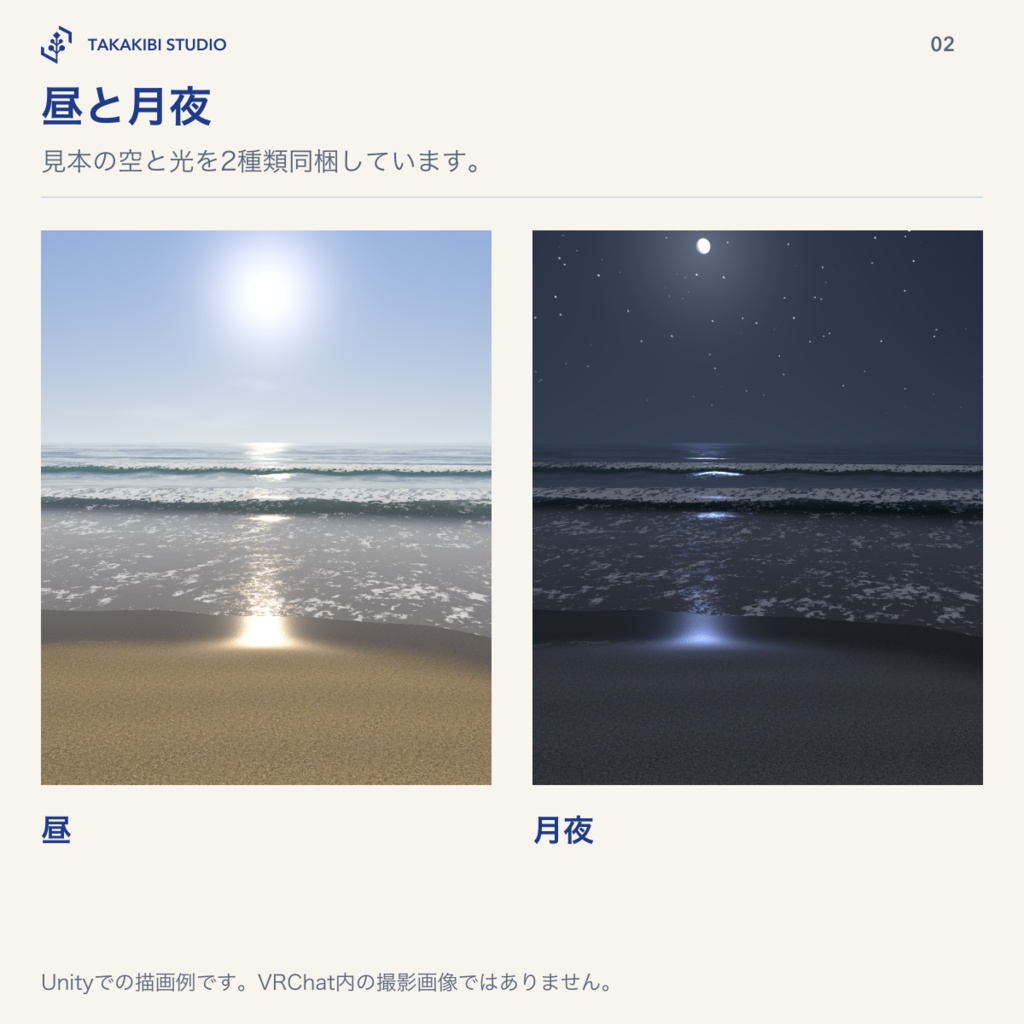
大きな波の間に小さな波が入り、引いていく水の上で立ち上がって砕けます。新しい泡が前の波の泡に重なり、浜を駆け上がって引いていきます。波が引いた砂は、先に光沢が消え、濡れた色がしばらく残ります。 沖の海と水平線、昼・月夜の見本、水中の見え方、自作の合成波音(64秒)も同梱しています。現地録音の波音は使用していません。
自分の地形への設置
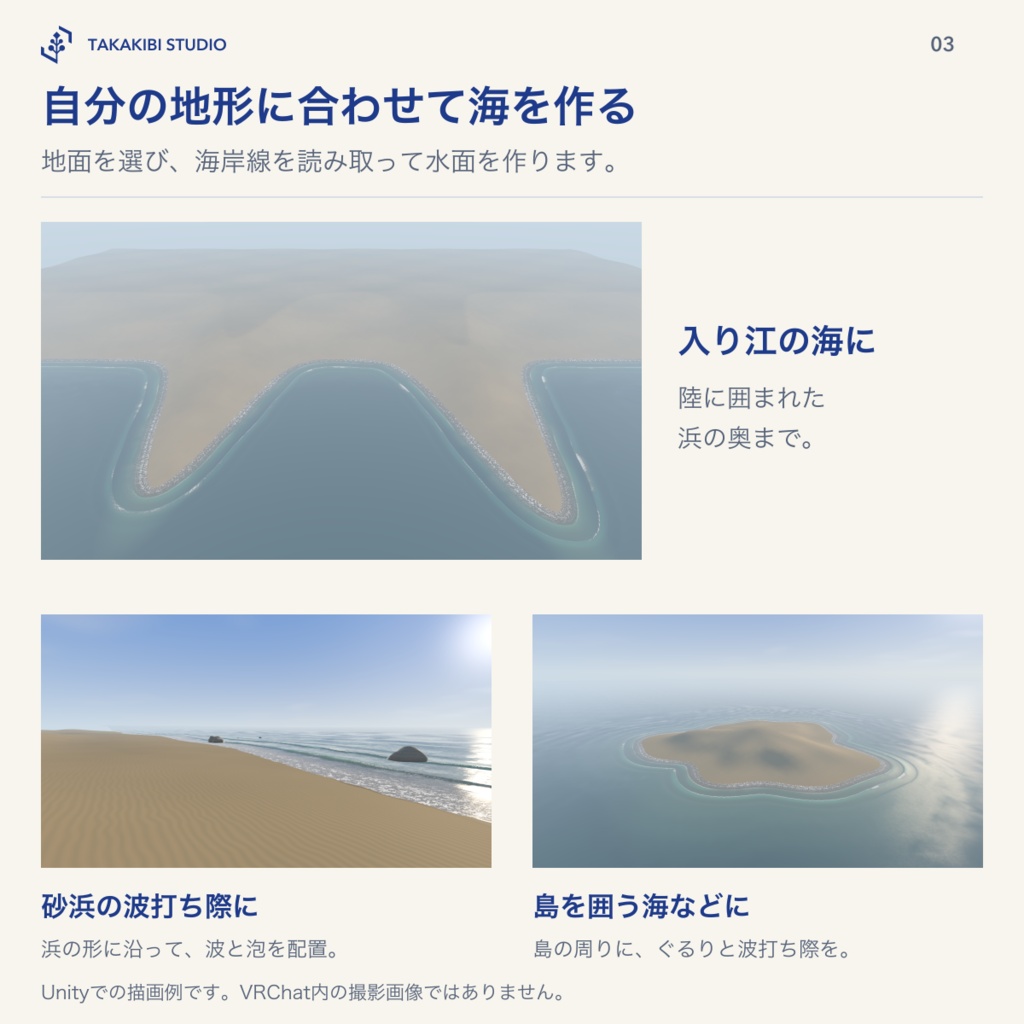
メッシュの地面とUnity Terrainに対応します。海岸の地図を焼き付け、岸の水面・沖の海・水平線を生成します。浜の傾きに合わせて、波が駆け上がる長さと薄い水の高さを自動調整します。 地形を直したら、設定画面から焼き直してください。地面の変更を検知すると、設定画面とVRChatのビルド前に知らせます。
使い方
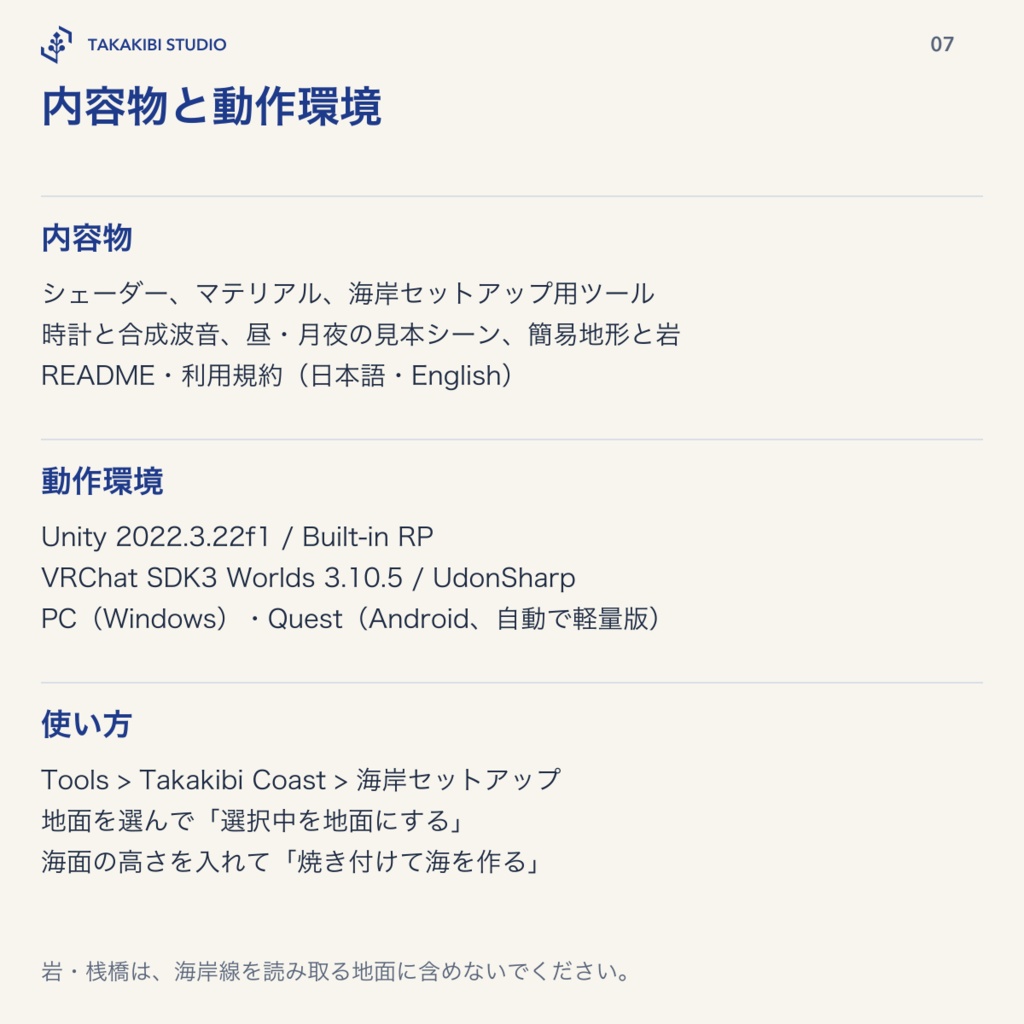
1. VRChat Worlds用プロジェクトへunitypackageをインポートします。 2. Tools > Takakibi Coast > 海岸セットアップ を開きます。 3. 砂浜・海底にする地面を選び、「選択中を地面にする」を押します。 4. 海面の高さを入れ、「焼き付けて海を作る」を押します。 5. 必要に応じて砂の素材、濡れ砂の重ね、波の強さ、空を調整します。 時計と波音のPrefabも設定ツールから配置します。ワールド内での波の時刻は共有時計を使います。
水質・空・水中・軽量版
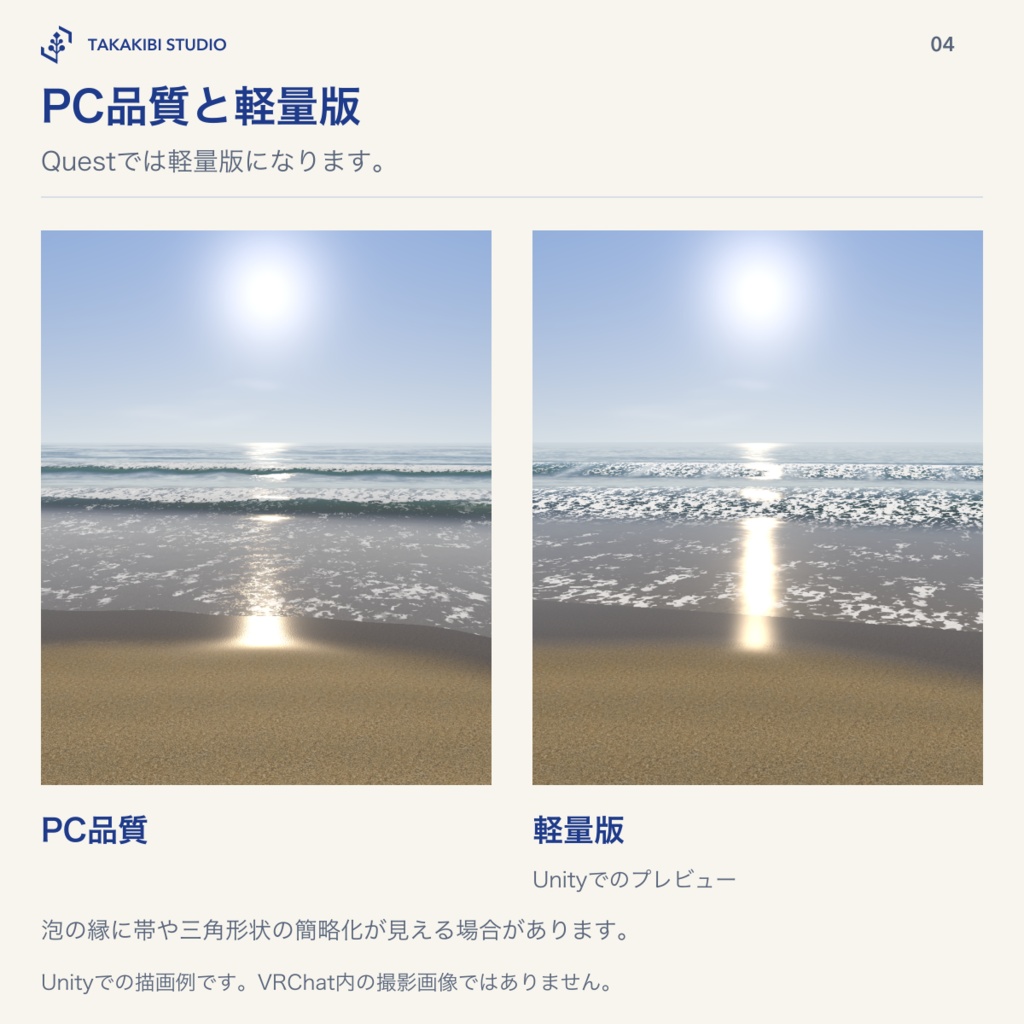
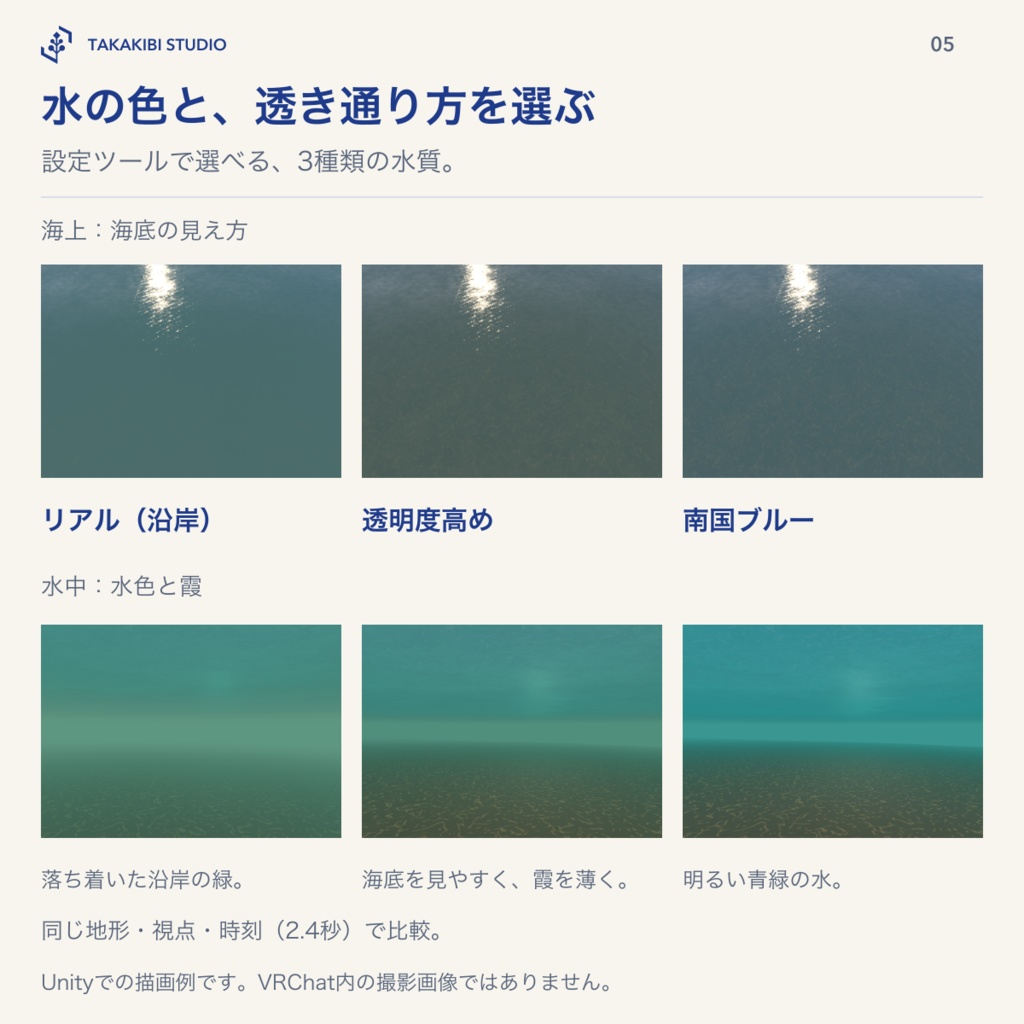
水質は「リアル(沿岸)」「透明度高め」「南国ブルー」から選べます。水面の色、海底の見えやすさ、水中の色と霞をまとめて調整します。設定ツールでの制作時の選択で、ワールド内のプレイヤー向け切替はありません。 水面には、同梱の空か、ワールドのSkybox・反射プローブの空を映せます。昼と月夜の見本の空・光を適用し、適用前の設定へ戻す機能があります。 頭が水面の下へ入ると水中の見え方に切り替わります。水面の裏側と、同梱の砂の上の光の模様を描きます。 PC品質と軽量版を用意しています。Questでは自動的に軽量版になります。軽量版は泡・反射を簡略化しており、地形や視点によって泡の縁に帯や三角形状が見える場合があります。
動作環境・確認範囲
Unity 2022.3.22f1 / Built-in Render Pipeline / VRChat SDK3 Worlds 3.10.5 / UdonSharp Windows PC・Android/Quest向けのワールド用です。URP・HDRP・アバター用ではありません。
制限
・1シーンに設定できる海面は1つです。 ・岩や桟橋は海岸線を読み取る地面に含めないでください。薄い水が岩を登る原因になります。岩や桟橋のまわりに個別の泡を立てる機能はありません。 ・水面に映るのは空で、アバターや配置物は映りません。 ・透明度は海底の見え方と水中の霞を調整するものです。配置物を水面越しに屈折表示する機能はありません。 ・水中ではUnityの霧を書き換えるため、ワールド側の霧切替と干渉する場合があります。 ・島を一周する海岸線には、沿岸座標の継ぎ目が1か所できます。 ・砂は同梱の専用シェーダーを使います。お手持ちの砂のテクスチャをそのまま指定する機能はありません。Terrain等には濡れ砂を重ねられます。 ・水中で音がこもる効果、ワールド内の昼夜切替はありません。
内容物
シェーダー6本と共通ファイル、マテリアル、泡・砂などのテクスチャ、海岸セットアップ用Editorツール、時計と合成波音のPrefab、昼・月夜の見本シーン、見本用の簡易地形と岩、README・利用規約(日本語・English)。 元の撮影写真・動画、開発用ツールは含みません。
価格
発売記念セール中は800円、終了後は通常価格1,200円です。 セール期間:2026年11月3日13:36:57〜2026年11月10日13:36:57(日本時間) 発売から7日間の価格です。
利用条件・お問い合わせ
改変し、ご自身のワールド・動画・ゲーム・商用作品に使用できます。クレジット表記は不要です。素材そのものの再配布・転売はできません。詳しくは同梱の利用規約をご確認ください。 お問い合わせフォーム https://forms.gle/1D6am64azk1L13MK7 お問い合わせは上のフォーム、またはBOOTHのショップメッセージからお願いします。
English | Shoreline Shader
A shader for VRChat worlds that creates breaking waves, foam and wet sand along the shape of your terrain. It reads the coastline and draws waves that wash up the beach and flow back. The product was made using photos and videos taken on an actual beach. The foam patterns and sand grain textures use those photographs.
Shoreline motion
Smaller waves arrive between larger ones, rise over the backwash and break. Fresh foam overlaps the previous wave's foam as the water runs up the beach and recedes. After the water retreats, the sand loses its sheen first, while its darker wet color remains for a while. Open sea and a horizon, day and moonlit examples, underwater visuals and a self-made synthesized surf sound (64 seconds) are included. Field-recorded surf audio is not used.
Setup on your own terrain
Supports mesh ground and Unity Terrain. The setup tool bakes a coastline map and generates near-shore water, open sea and a horizon. Wave run-up length and the height of the thin water layer are adjusted automatically to the beach slope. After editing the ground, bake it again from the setup window. Ground changes are detected and reported in the setup window and before a VRChat build.
How to use
1. Import the unitypackage into a VRChat Worlds project. 2. Open Tools > Takakibi Coast > 海岸セットアップ (Coast Setup). 3. Select the ground to use as the beach and seabed, then press 選択中を地面にする (Use selection as ground). 4. Set the sea level and press 焼き付けて海を作る (Bake and build the sea). 5. Adjust the sand material, wet overlay, wave strength and sky as needed. The setup tool also places the clock and surf sound Prefab. Wave timing in the world uses a shared clock.
Water styles, sky, underwater visuals and Lite mode
Choose Realistic coast, Clearer water or Tropical blue. Each style adjusts the surface color, seabed visibility, underwater tint and haze together. This is a setting for world creators in the setup tool; an in-world control for players is not included. The water can reflect the bundled sky or your world's Skybox and reflection probes. You can apply the sample day or moonlit sky and lighting, then restore your previous settings. Underwater visuals activate when your head goes below the surface. They include the underside of the water and light patterns on the bundled sand. PC detail and Lite modes are included. Quest automatically uses Lite mode. Lite simplifies foam and reflections; depending on the terrain and viewpoint, bands or triangular shapes may be visible along foam edges.
Requirements and supported environments
Unity 2022.3.22f1 / Built-in Render Pipeline / VRChat SDK3 Worlds 3.10.5 / UdonSharp For Windows PC and Android/Quest worlds. URP, HDRP and avatar use are not supported.
Limitations
• One sea level per scene. • Do not include rocks or piers in the ground used to read the coastline: the thin water layer would climb them. Separate foam around individual rocks or piers is not supported. • The water reflects the sky, not avatars or scene objects. • Clarity adjusts seabed visibility and underwater haze. Refraction of arbitrary scene objects through the water surface is not supported. • Underwater visuals change Unity's fog settings and may conflict with other systems that control fog in your world. • A coastline around an island has one seam in its along-shore coordinates. • Sand uses the bundled dedicated shader. Your own sand textures cannot be assigned directly. A wet overlay can be applied to Terrain and other ground. • Muffled underwater sound and in-world day/night switching are not included.
Contents
Six shaders and shared files; materials; foam, sand and other textures; a coastline setup Editor tool; a clock and synthesized surf sound Prefab; day and moonlit sample scenes; simple sample terrain and rocks; README and terms of use in Japanese and English. Original source photos/videos and development tools are not included.
Price
Launch price: JPY 800 during the period below. The regular price after this period is JPY 1,200. Launch period: November 3, 2026, 13:36:57 – November 10, 2026, 13:36:57 (Japan Standard Time, UTC+9), covering the first seven days after release.
Terms of use and contact
You may modify the material and use it in your own worlds, videos, games and commercial works. Credit is not required. Redistribution or resale of the material itself is not allowed. Please read the bundled terms of use for details. Contact form https://forms.gle/1D6am64azk1L13MK7 For inquiries, please use the form above or BOOTH shop messages.