

【VRChat・MA対応】武器&和装アクセサリー7点セット|刀・和傘・扇子「宵銀杏」【3Dモデル】
- ダウンロード商品¥ 500
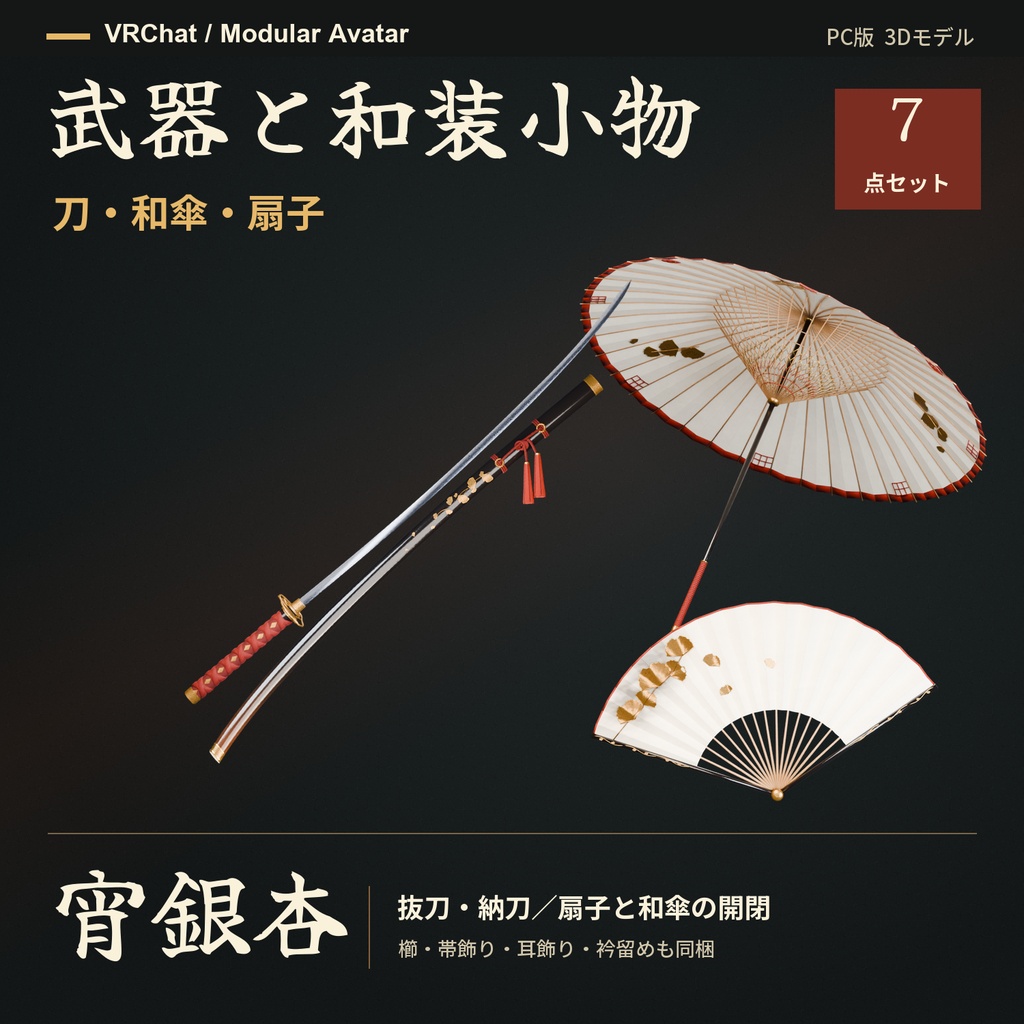
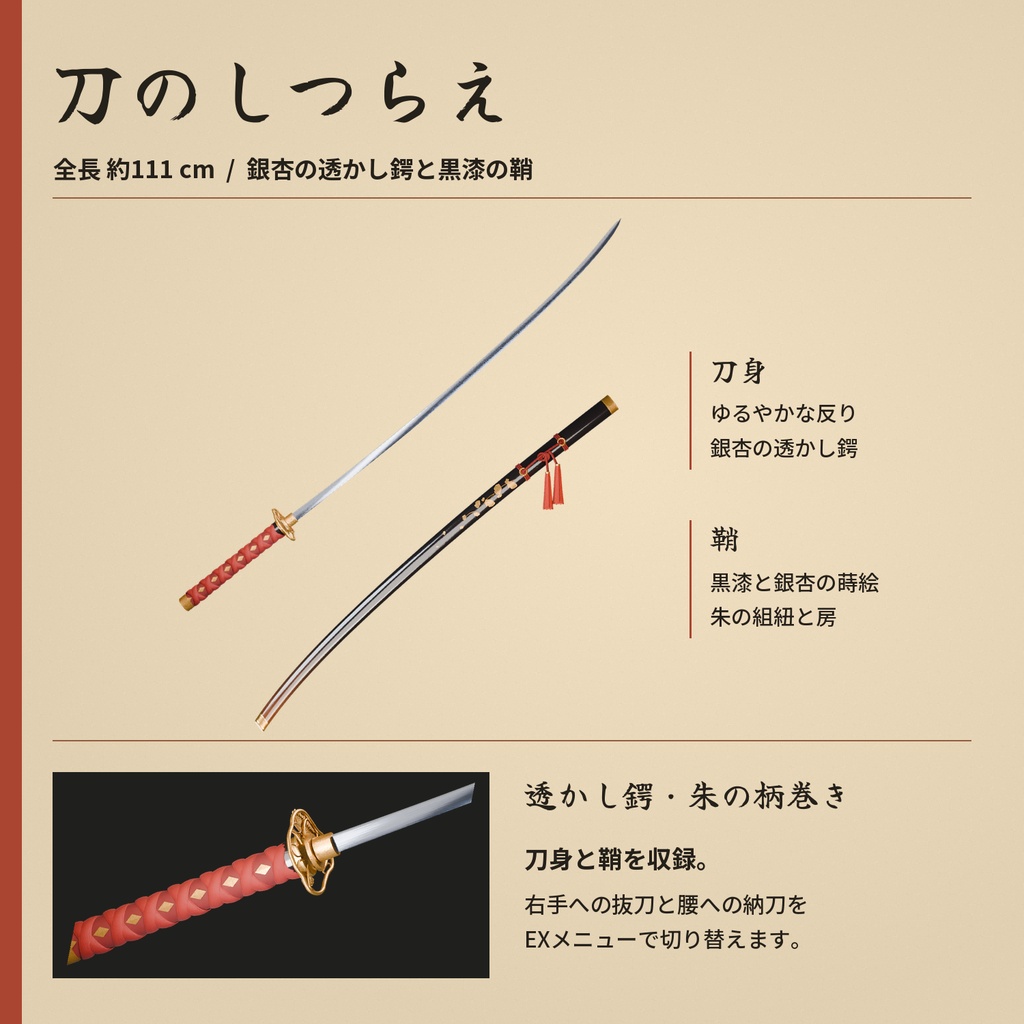
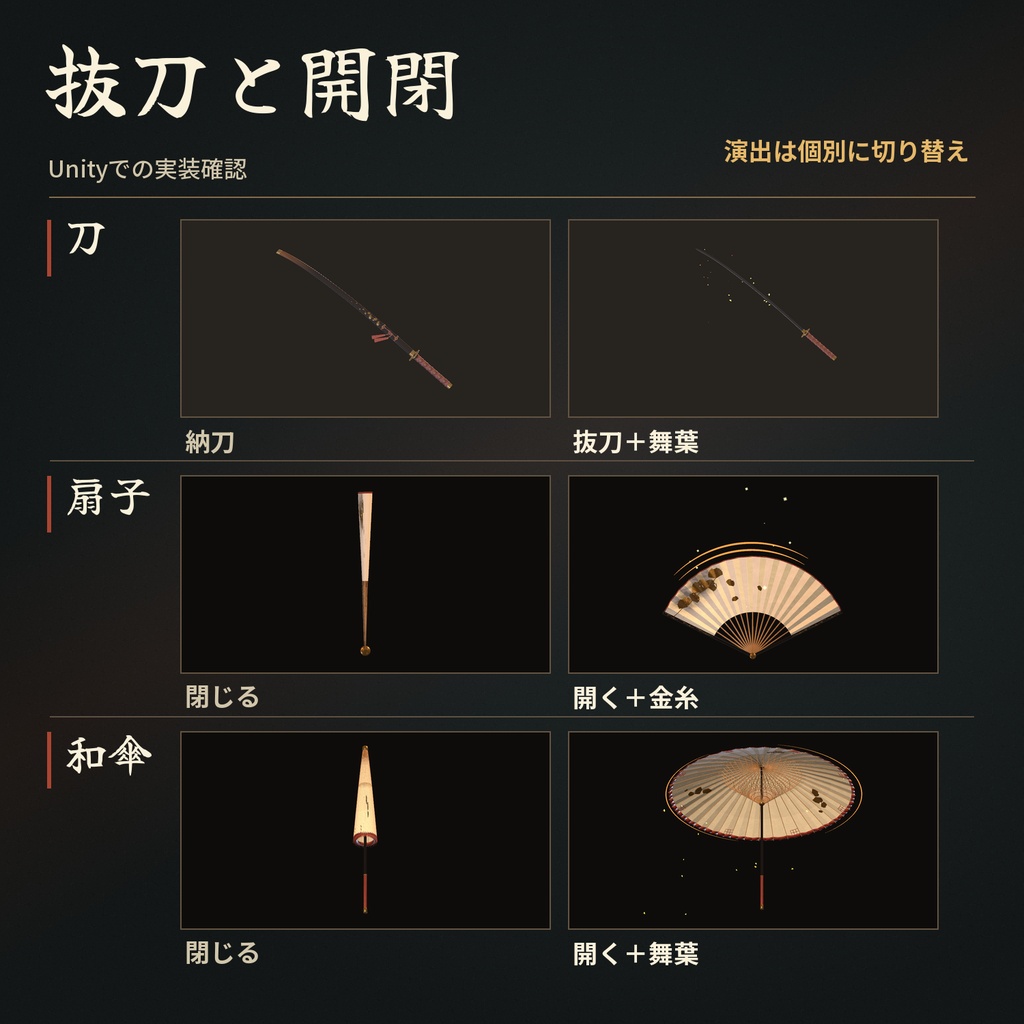
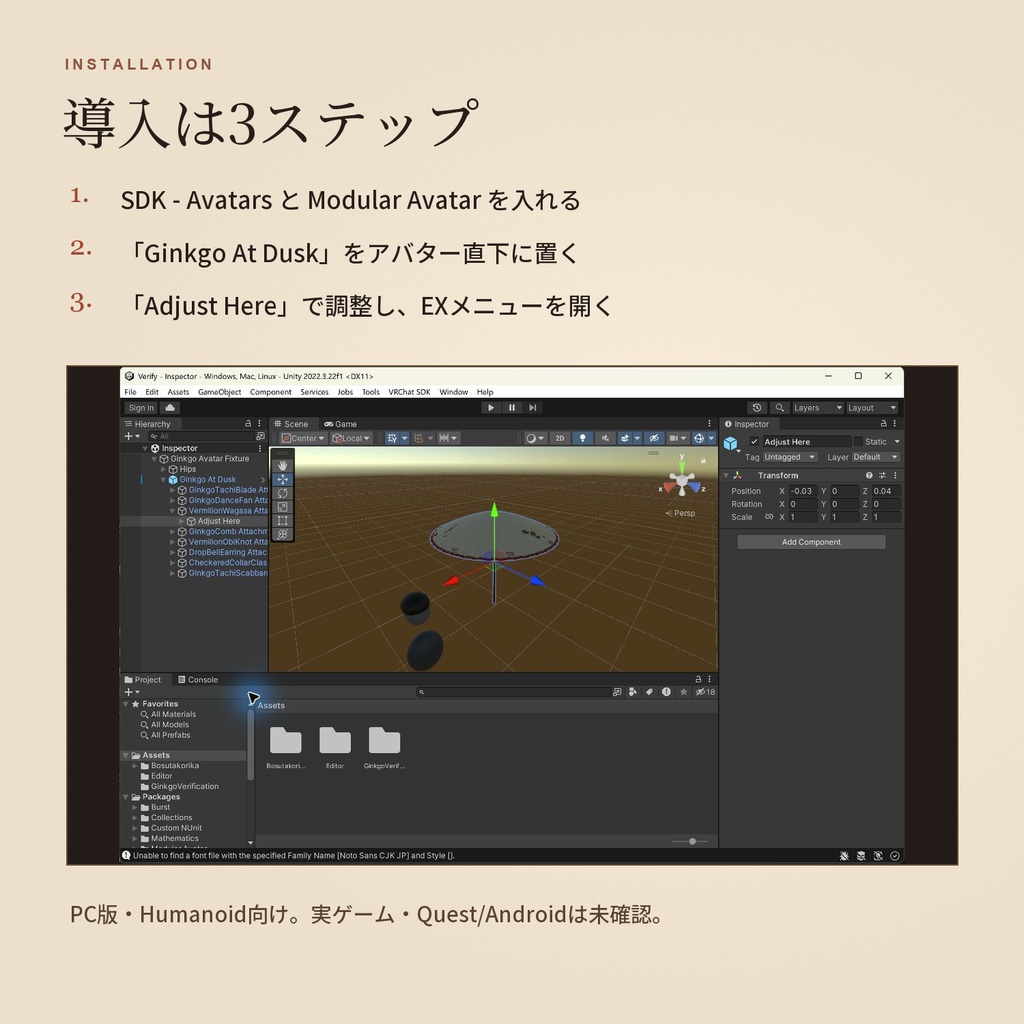

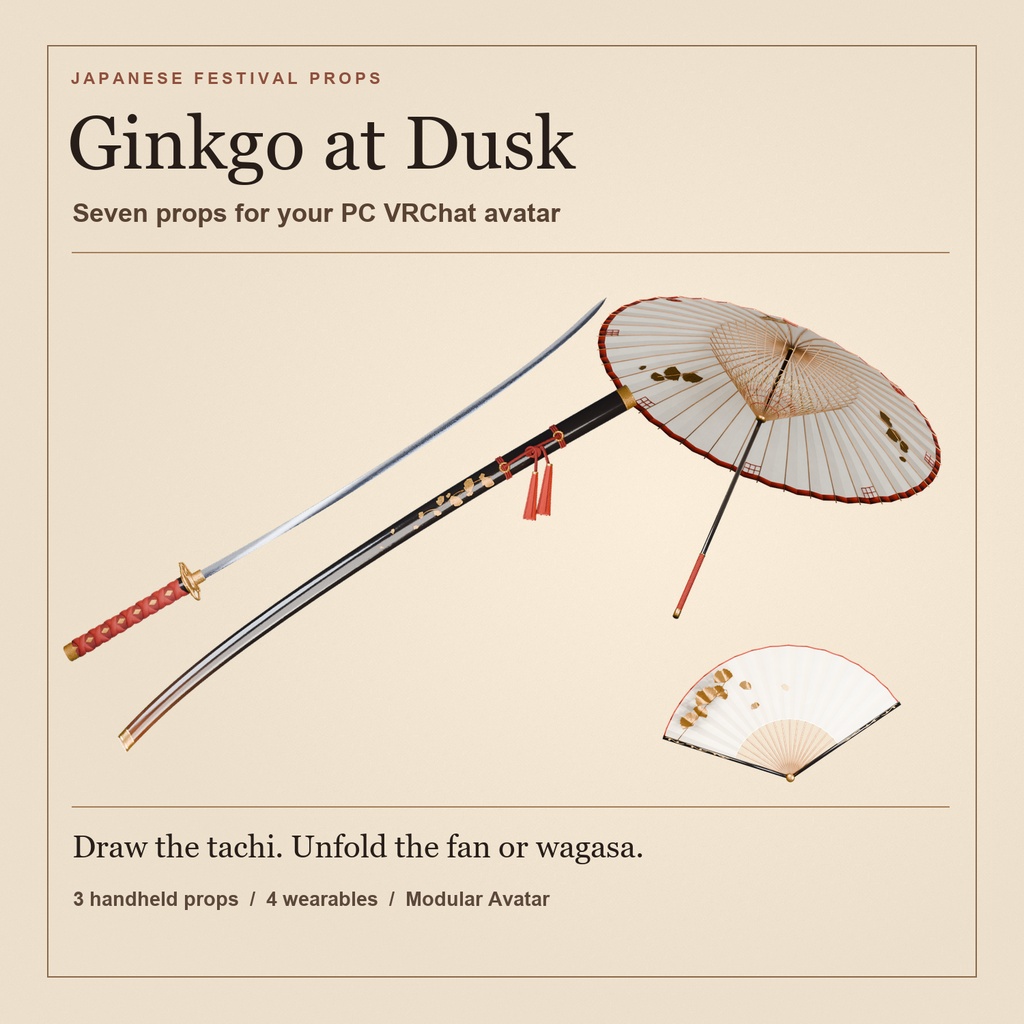


PC版VRChat向けの武器&和装アクセサリー7点セット。日本刀をモチーフにした太刀、開閉できる和傘と扇子、櫛・帯飾り・耳飾り・衿留めを収録しています。Modular Avatar対応。 約111cmの太刀は、EXメニューから腰の鞘と右手を切り替えられます。左手の和傘は刀や扇子と一緒に持てます。 ■ できること ・太刀を抜く/納める。右手の舞扇に持ち替える。 ・舞扇と長柄和傘を開く/閉じる。左手の和傘は右手の小物と一緒に持てます。 ・太刀と和傘の舞葉、舞扇の金糸を個別にオン/オフ。撮影に応じて光の量を選べます。 ・透かし銀杏の櫛、朱組紐の帯飾り、雫鈴の耳飾り、石畳の衿留めを個別に表示。 ■ 同梱物 7点セット 500円。Unityパッケージ、Blender編集元、FBX 8個(刀と鞘は別FBX)、プレビュー、導入ガイド、利用条件。 ■ 導入3ステップ 1. VRChatのアバタープロジェクトにSDK - AvatarsとModular Avatarを用意。 2. unitypackageをインポートし「Ginkgo At Dusk」PrefabをHumanoidアバターの直下へ。 3. 「Adjust Here」で位置・角度を合わせ、EXメニューの「宵銀杏」から操作。 ■ 対応・利用条件 PC向け。Unity 2022.3.22f1・VRChat SDK - Avatars 3.10.6・Modular Avatar 1.18.7で制作。VRChat実ゲーム、他者視点、同期、Quest単体/Androidは未確認です。アバターや衣装によって位置調整が必要です。アバター、撮影シーン、SDK、Modular Avatarは同梱しません。 接写向けの高精細モデルです。統合Prefabは約22.9万三角形(抜刀用の刀身複製込み)。アバター本体を加える前でも、PC版VRChatの三角形数によるVery Poor区分に当たります。相手側の表示設定によってはアバターが表示されない場合があります。 https://creators.vrchat.com/avatars/avatar-performance-ranking-system/ 個人・商用利用、改変、写真・動画・配信での利用が可能です。素材の再配布・転売、素材を取得できる形での共有や公開、公開クローン可能アバター、自作発言は禁止です。詳しくは同梱のLICENSEをご覧ください。 ────────── English Ginkgo at Dusk A tachi sword, folding fan, wagasa umbrella and four matching Japanese accessories for PC VRChat. Modular Avatar compatible. Frame a pose with a long-handled wagasa in the left hand and a folding dance fan or a lacquered tachi in the right. Four matching wearables let you keep the festival look when the handheld props are stowed. The ivory, vermilion and gold finishes use ginkgo and hand-cut checker motifs. ■ What you can control Unsheathe the tachi, return it to the hip scabbard, or switch to the folding fan. Open or fold the fan and wagasa independently. Toggle drifting ginkgo leaves on the tachi and wagasa, or add a gold arc to the fan. Turn the comb, obi knot, earring and collar clasp on individually. ■ What you receive One seven-piece set for JPY 500. A Unity package, an editable Blender file, eight FBX files (one each for the tachi and its scabbard), previews and a bilingual guide and license. ■ Install in three steps 1. Install VRChat SDK - Avatars and Modular Avatar in your avatar project. 2. Import the Unity package and place the Ginkgo At Dusk prefab under your Humanoid avatar. 3. Fit the Adjust Here transforms and use the 宵銀杏 (Ginkgo at Dusk) Expressions menu. The included guide translates each menu label. ■ Compatibility and license Built for PC with Unity 2022.3.22f1, VRChat SDK - Avatars 3.10.6 and Modular Avatar 1.18.7. The VRChat client, remote views, network synchronization and standalone Quest/Android are untested. Placement depends on the avatar's proportions. The avatar, clothing, VRChat SDK, Modular Avatar and scene are separate. The models are designed for close-up photos. The combined prefab adds approximately 229,000 triangles, including the extra blade used in the draw sequence. This is above the PC triangle threshold for the Poor rank. Visibility can depend on other users' performance settings. https://creators.vrchat.com/avatars/avatar-performance-ranking-system/ Personal and commercial use, edits, photos, videos and streams are permitted. Redistribution, resale, extractable or cloneable public sharing and claiming authorship are prohibited. See the included LICENSE for the full terms.