
MINERVA STAGE — Live2D・3Dアバター配信用リアルタイム3D背景ソフト
- MinervaStage(demo)ダウンロード商品¥ 0
- MinervaStageダウンロード商品¥ 1,000
- MinervaStage SDKダウンロード商品¥ 0
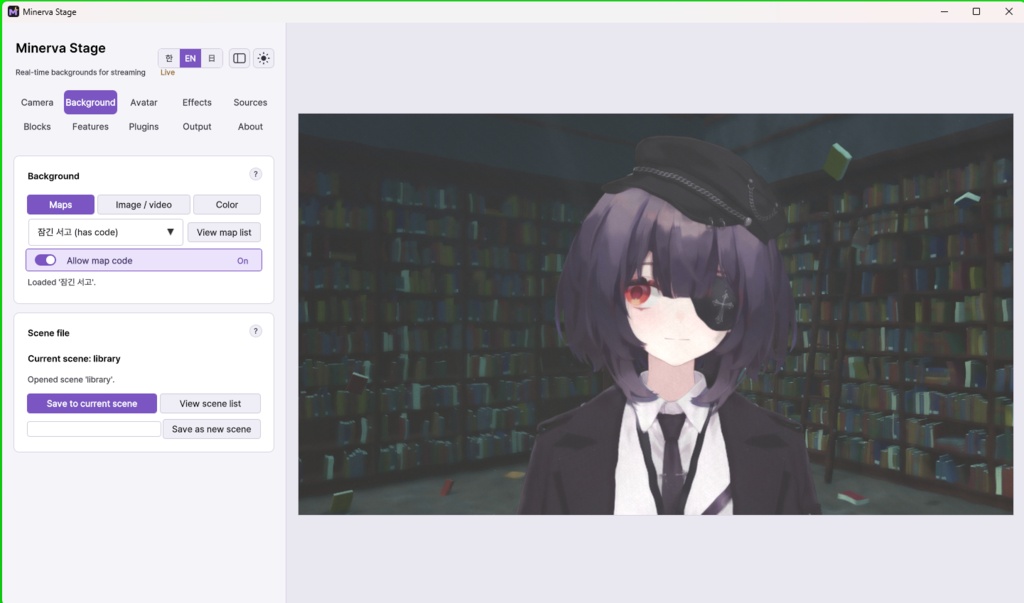
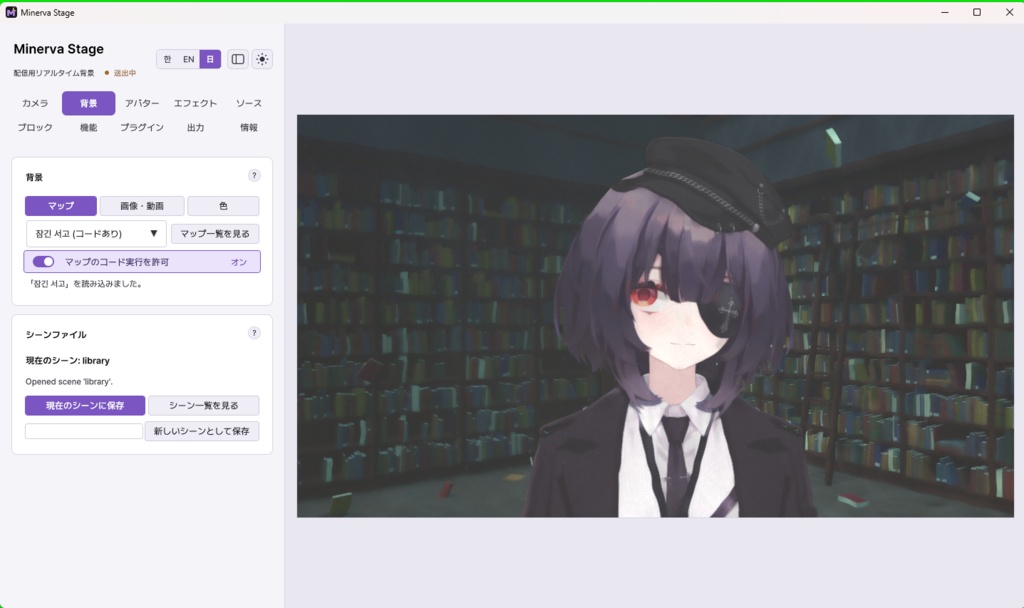
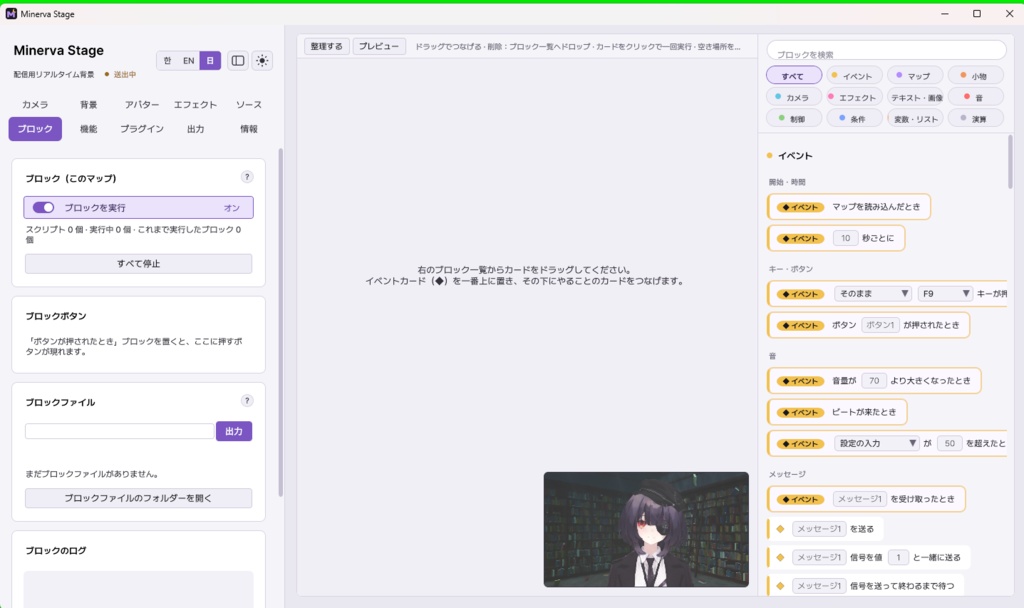
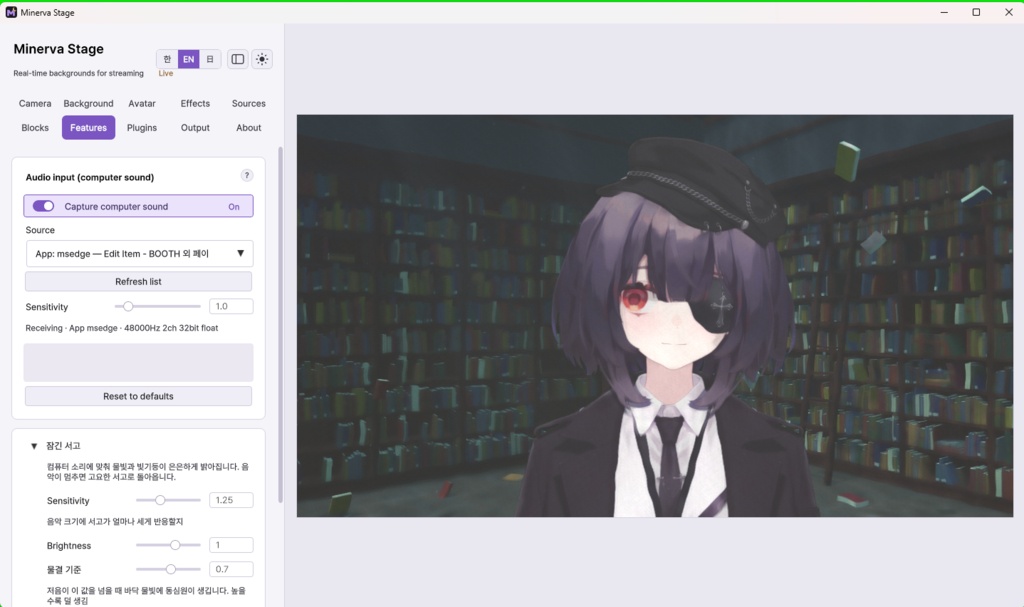
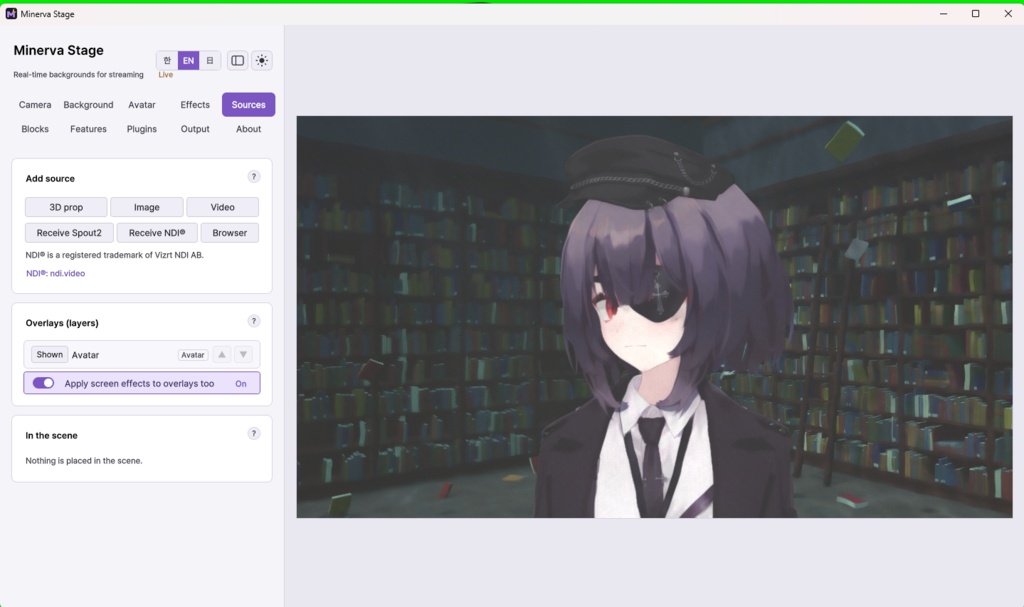


Minerva Stage は、アバターの後ろに動く3D背景を敷き、アバターの上にはほこりや光などの透明エフェクト(前面レイヤー)を重ねて OBS に送る Windows ソフトです。 音楽に反応するマップ、コードを書かずに組み合わせるブロック演出、ほかの人が作ったマップ・小物・プラグインの読み込みに対応しています。 【有料版と無料版】 ・機能は同じです。無料版は配信画面とプレビュー全体に「MINERVA STAGE」の文字が斜めに繰り返し表示されます。有料版には表示されません。 ・無料版は試用専用です。配信・動画・SNSには使えません。 ・購入前に、無料版でお使いのパソコンで問題なく動くか必ずご確認ください。 【主な機能】 ■ 背景 ・3Dマップ(.msmap)、または画像・動画を背景にできます(画像・動画は大きさ・位置を調整可能)。 ・マップのおすすめ構図ボタン、カメラの位置・角度・ズームの調整 ・画面エフェクト:ブルーム、色補正、ビネット ・イラストフィルター7種:アニメ、マンガ、やわらかいイラスト、水彩、鮮やかなゲーム、夜のネオン、レトロアニメ ■ OBS への出力 ・背景・前面・合成画面を、それぞれ Spout2・NDI® で送れます。 ■ アバターの合成 ・アバターソフトが Spout2・NDI で送った画面を受け取り、背景と合成します。 ・重ねて合成(画面の上に重ねる)/シーンの中に立てる(シーン内に立たせて角度を調整) ・アバター効果:クロマキー、塗りつぶし(単色)、ピクセル化 ■ ソース ・3D小物、画像(PNG・JPG)、動画(MP4・WebM・MOV)、ブラウザー(投げ銭アラートのウィジェットなど) ■ ブロック演出(コード不要) ・「いつ」(時間・ショートカットキー・ボタン・音など)と「何をするか」をカードのように組み合わせて演出を作ります。 ・文字・画像の表示、音声ファイルの再生、変数・リスト・計算 ・例:ルーレット、クイズボード、マイクの音に合わせて口が動く画像 ■ 音への反応 ・音を受け取る先:既定の出力デバイス/別の出力デバイス/入力デバイス(マイク・仮想ケーブル)/アプリひとつ ■ そのほか ・シーンの保存・読み込み ・韓国語・英語・日本語の画面、ダーク・ライトの画面 ・新しいバージョンのお知らせ(ダウンロードはボタンを押したときだけ) 【同梱物】 ・マップ:Cymatics Pool(音楽に反応して波紋が立つ水槽)、基本マップ Default ・小物:Gaming Chair、Study Props (Sample) ・プラグイン:Signal Button (Sample Plugin) 【自分で作る — 制作ツール(SDK)は無料】 ・マップ・小物・プラグインを作る Unity 用の制作ツール(SDK)は無料です。 ・SDK で作ったマップ・小物・プラグインは、作った人が自由に配布・販売できます。 ・制作ガイド(韓国語・英語・日本語):https://app.notion.com/p/MinervaStage-42190f441fa68083ac41f697d487b51e 【動作環境】 ・Windows 64ビット(Mac には対応していません) ・OBS で受け取るには、OBS 用の Spout2 プラグインまたは NDI プラグインが必要です。 ・テストしたパソコン:Ryzen 5 5600G・RTX 4070・メモリ 32GB(1920×1080、60fps)。これより低いスペックでは未テストです。 ・インストーラーは約200MB。管理者権限なしでインストールできます。 【ご注意】 ・ブラウザーソースは MP4(H.264)の動画と AAC の音声を再生できません。 ・「アプリひとつ」だけの音の受け取りは Windows 11 のみ対応です。 【利用規約(要約)】 ・有料版:購入したご本人の配信・動画・SNS で使えます(収益化を含む)。ご本人のパソコン複数台にインストールできます。 ・無料版:どなたでも試用としてのみ使えます。配信・動画・SNSには使えません。画面全体に表示が出ます。 ・再配布・販売・共有・譲渡は禁止です。表示を消す改変も禁止です。 ・同梱のマップ・小物・プラグインは Minerva Stage の中でのみ使えます。 ・クレジット表記は任意です。 ・このソフトの使用によって生じた損害について、責任を負いません。 ・同梱のNDI®ライブラリの改変・リバースエンジニアリングは禁止です。同梱のオープンソースソフトウェアのライセンスは、プログラムフォルダーのLicensesフォルダーにあります。 ・規約の全文はインストール時に表示されます。 【返品・返金について】 ・デジタルコンテンツの性質上、購入後の返品・返金はお受けできません。購入前に無料版で動作をご確認ください。 【制作方法(AI 使用の表記)】 ・このソフトは AI(Claude)を使って制作しました。企画・方向性・修正の指示・確認は制作者が行い、プログラムのコードと同梱のマップ・小物(モデル・シェーダー)は AI が書いたコードで作りました。 ・画像生成AIは使用していません。 NDI® is a registered trademark of Vizrt NDI AB. https://ndi.video/ お問い合わせ・不具合の報告:yomang616@gmail.com ―――――――――― Minerva Stage is Windows software that puts a moving 3D background behind your avatar and transparent effects such as dust and light (the front layer) over it, and sends them to OBS. [Paid and free versions] - Same features. The free version shows "MINERVA STAGE" diagonally across the whole output and preview; the paid version does not. - The free version is for testing only. It may not be used in streams, videos or social media. - Please check with the free version that it runs on your PC before buying. [Main features] - Background: 3D maps (.msmap), images or videos; suggested views; camera position, angle and zoom - Bloom, color grading, vignette and 7 illustration filters - Sends the background, front layer and composite to OBS via Spout2 or NDI® - Receives your avatar via Spout2 or NDI: overlay or stand in the scene; chroma key, fill, pixelate - Sources: 3D props, images, videos, browser (donation alerts, etc.) - No-code block effects (roulette, quiz board, an image whose mouth moves with your mic) - Reacts to sound from an output device, input device or a single app - Scenes, Korean/English/Japanese interface, dark and light themes, update notice - Included: Cymatics Pool and Default maps, Gaming Chair and Study Props, Signal Button plugin [Free creation tools (SDK)] - Make maps, props and plugins in Unity. Creators may freely share and sell what they make. - Guide: https://app.notion.com/p/MinervaStage-42190f441fa68083ac41f697d487b51e [Requirements] - Windows 64-bit (no Mac). OBS needs the Spout2 or NDI plugin. - Tested on Ryzen 5 5600G, RTX 4070, 32GB memory (1920×1080, 60 fps). Not tested on lower specs. - Installer about 200MB. No administrator rights needed. [Notes] - The browser source cannot play MP4 (H.264) video or AAC audio. - Capturing sound from a single app works on Windows 11 only. [Terms of use (summary)] - Paid version: you may use it in your own streams, videos and social media (including monetized ones). You may install it on multiple PCs of your own. - Free version: anyone may try it for testing only. It may not be used in streams, videos or social media, and the mark appears across the whole screen. - Redistribution, resale, sharing and transfer are prohibited. Modifying the software to remove the mark is also prohibited. - The included maps, props and plugin may be used only inside Minerva Stage. - Credit is optional. - The creator is not responsible for any damage caused by using this software. - Modifying or reverse engineering the included NDI® library is prohibited. Licenses for the included open-source software are in the Licenses folder in the program folder. - The full terms are shown during installation. [Returns and refunds] - Due to the nature of digital content, returns and refunds are not accepted after purchase. Please check with the free version before buying. [How it was made (AI disclosure)] - This software was made using AI (Claude). Planning, direction, revision requests and checks were done by the creator; the program code, and the models and shaders of the included maps and props, were made with code written by AI. - No image-generation AI was used. NDI® is a registered trademark of Vizrt NDI AB. https://ndi.video/ Questions and bug reports: yomang616@gmail.com