

【VRChat】Mlik Box|押せるミルクパック〈1キー・3キー / 全4種〉 | useless box
- ダウンロード商品¥ 450


Mlik Box | HEZ STUDIO
【日本語】
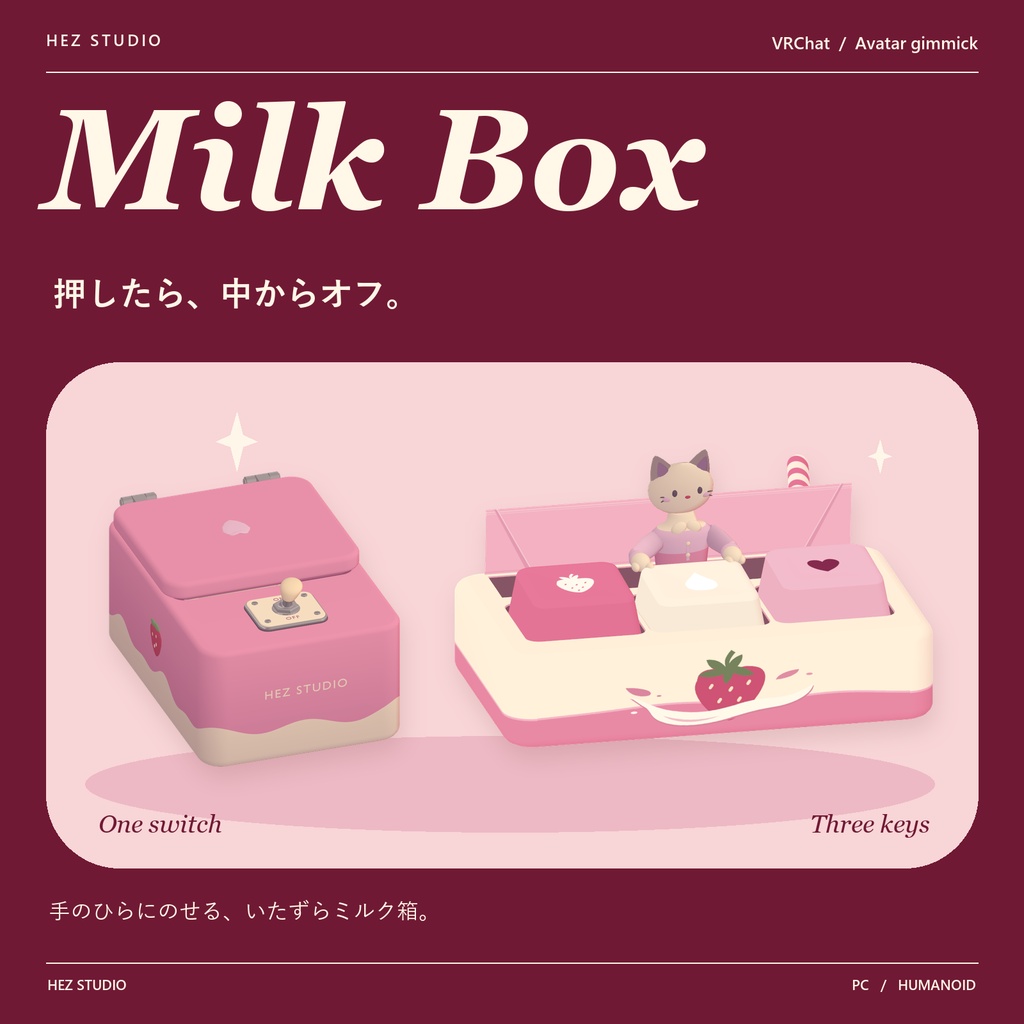
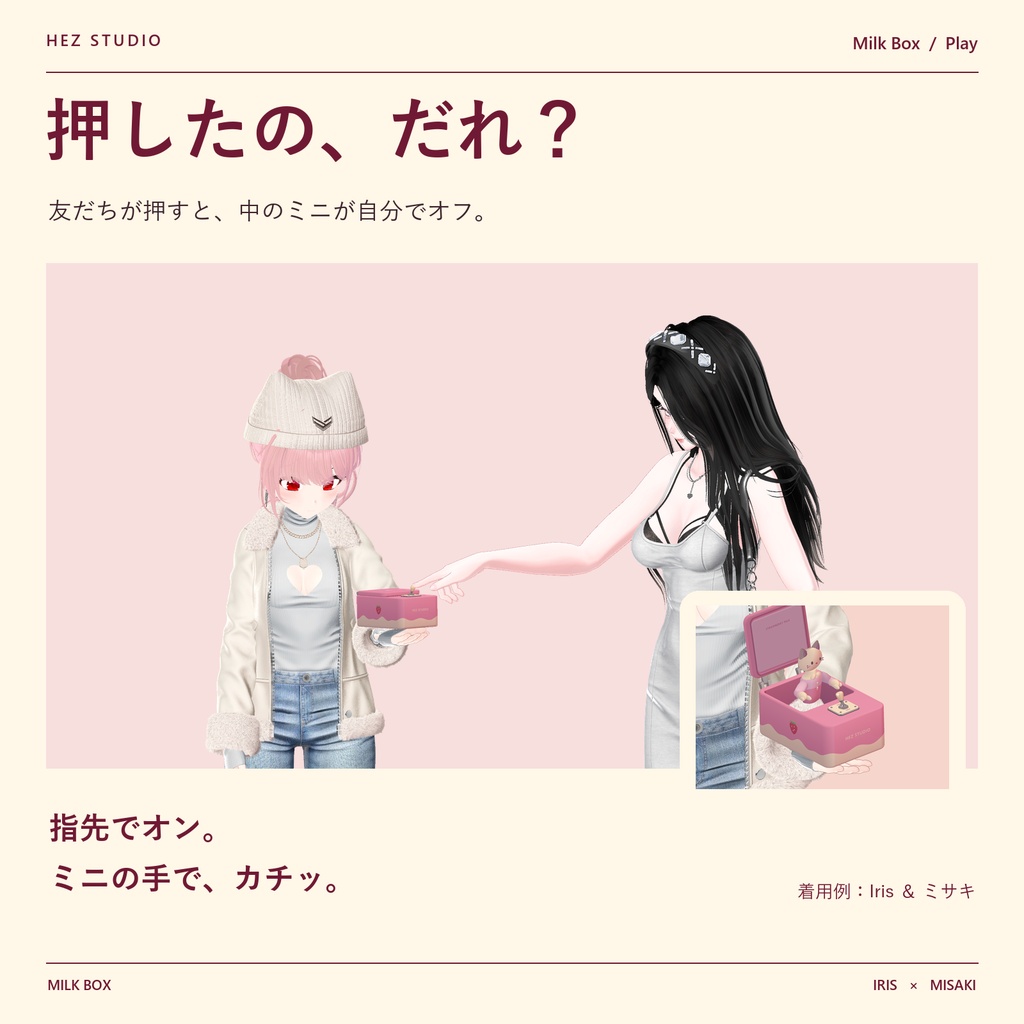
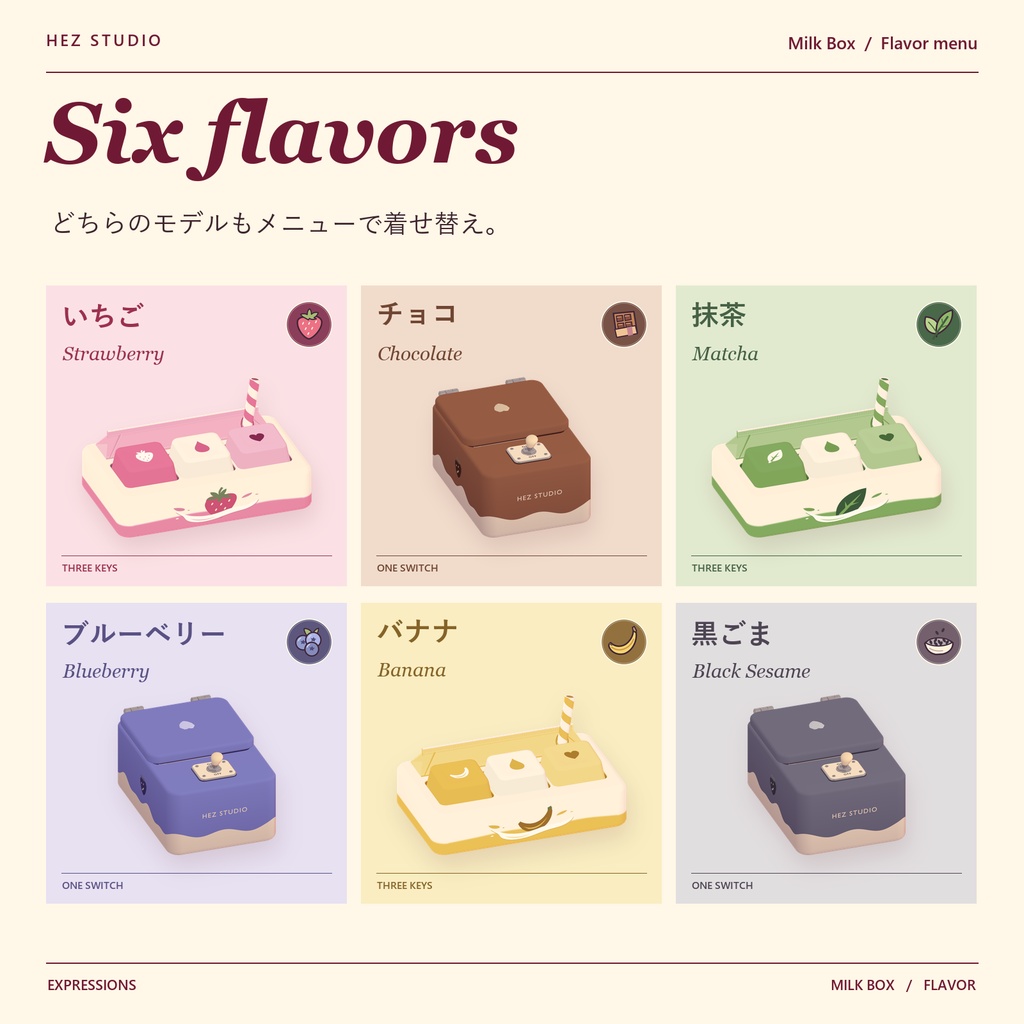
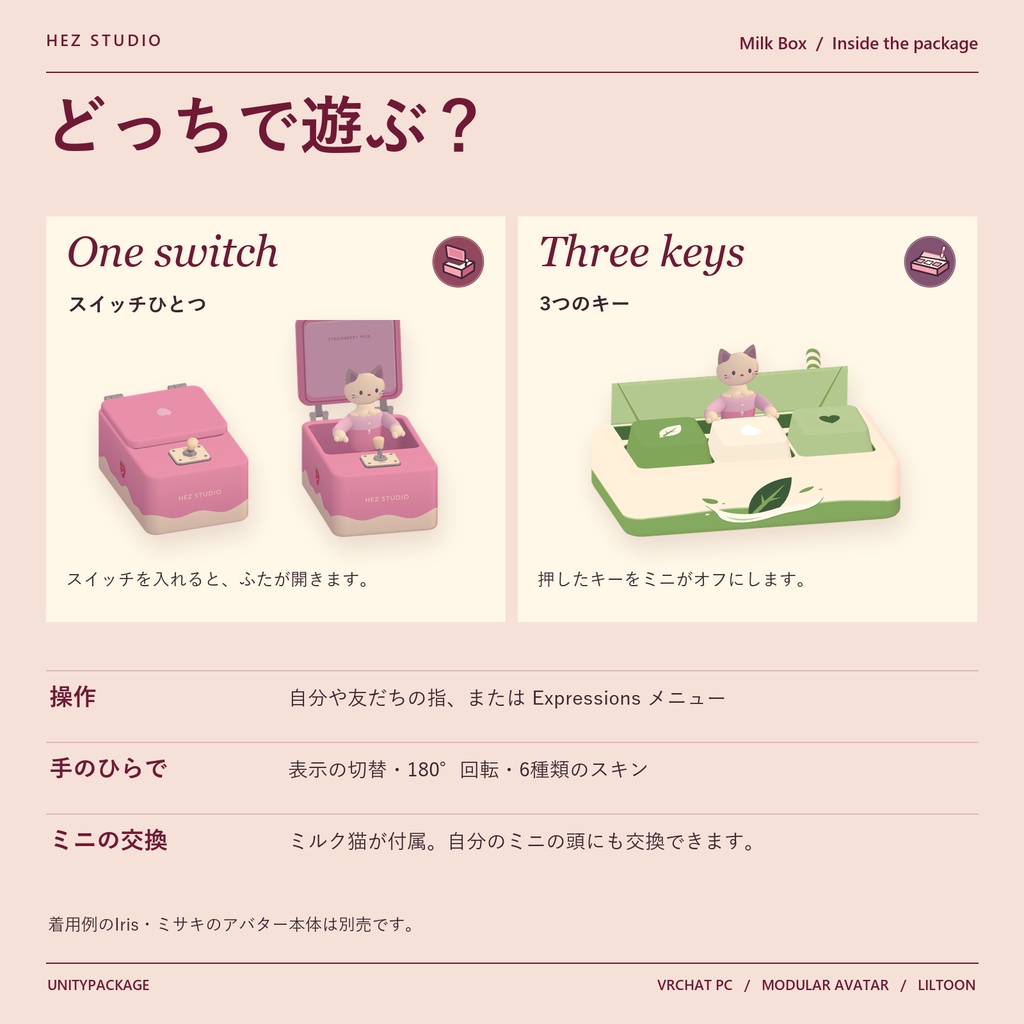
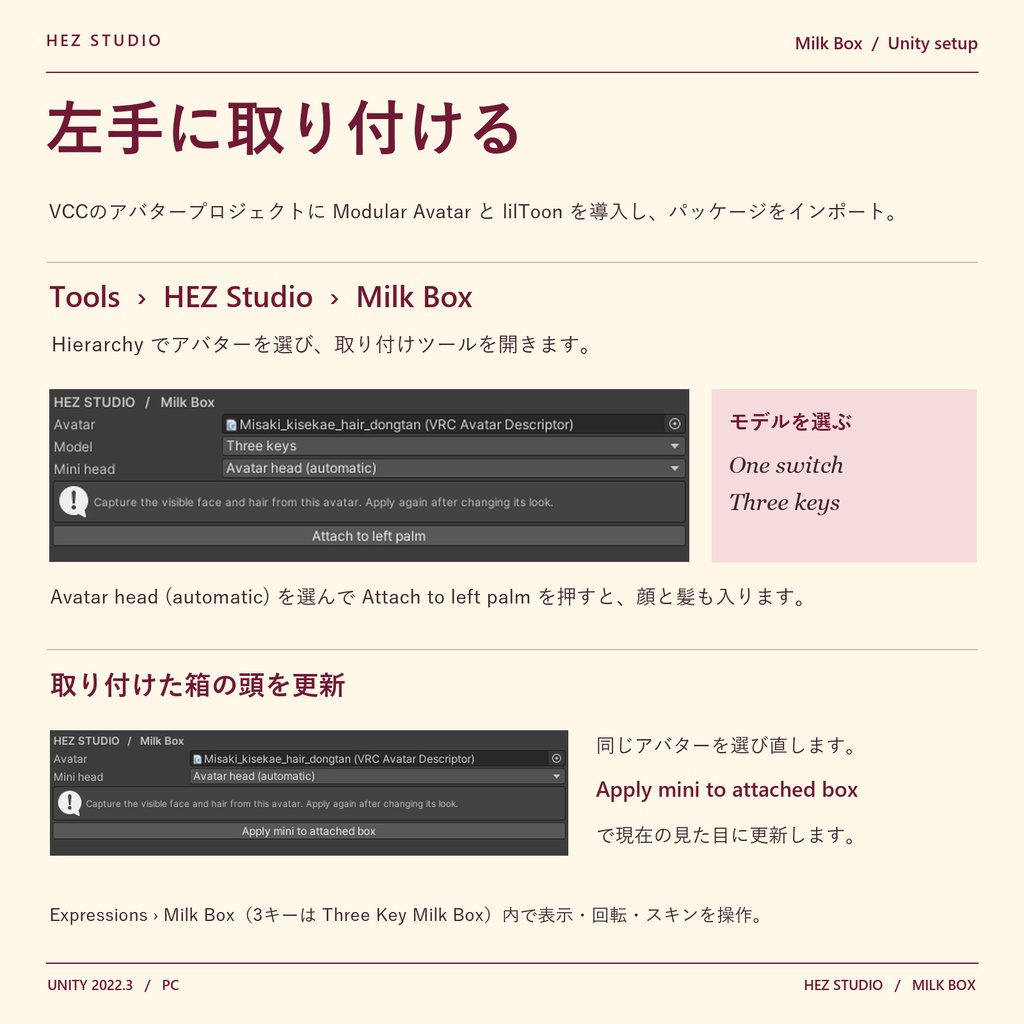
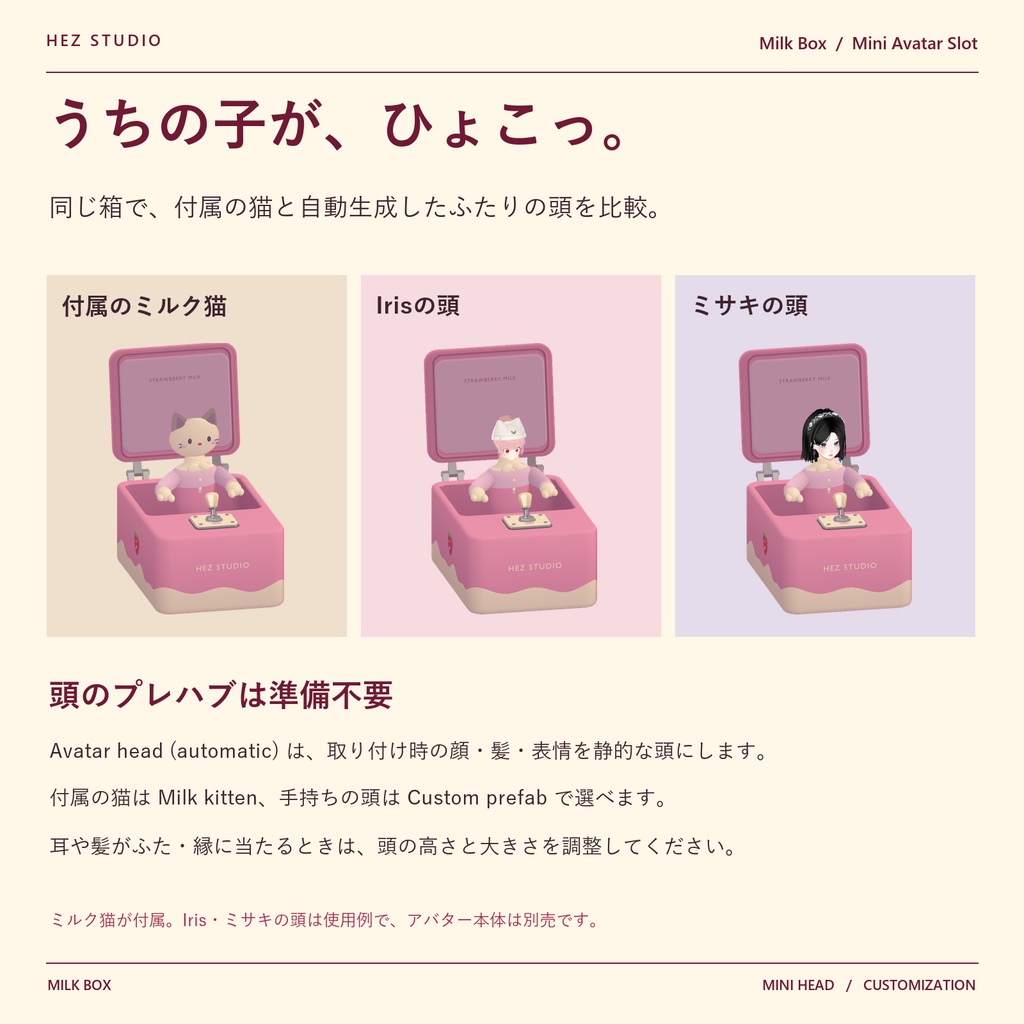
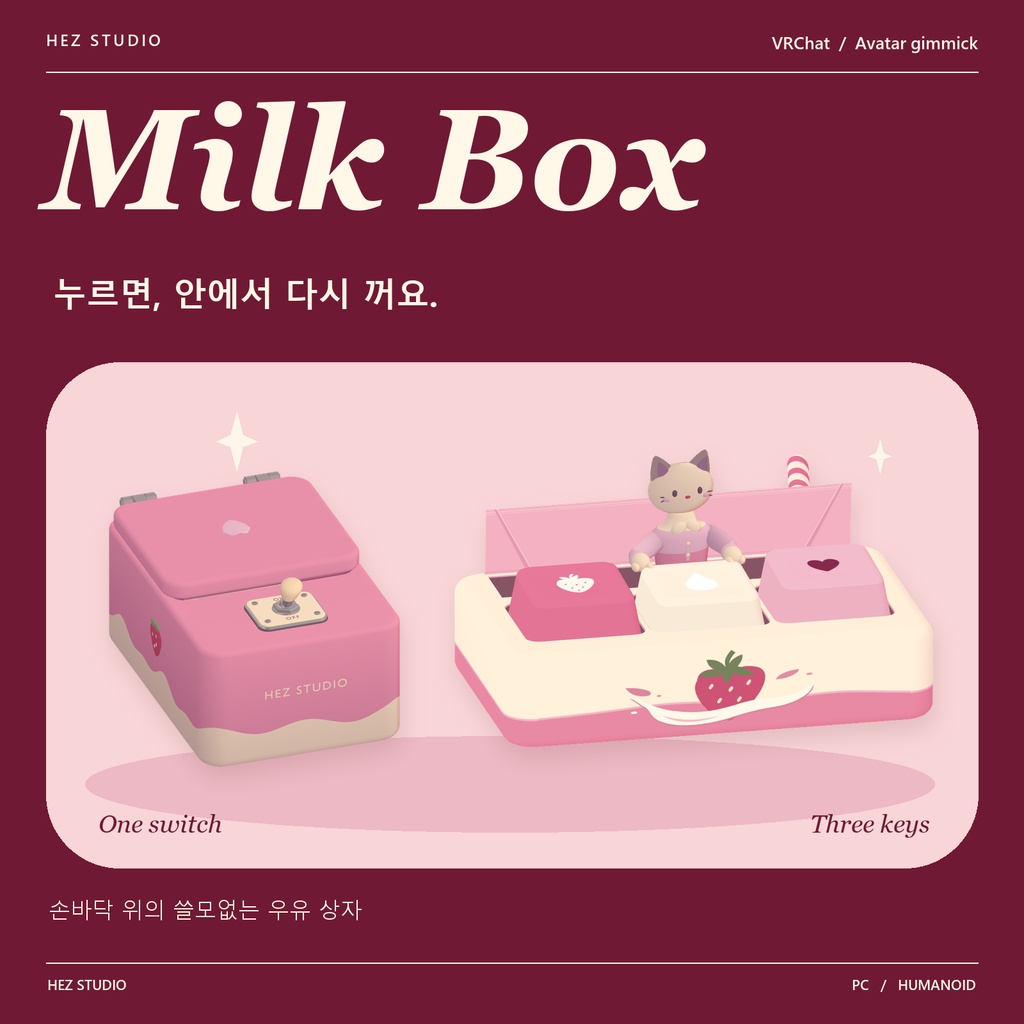
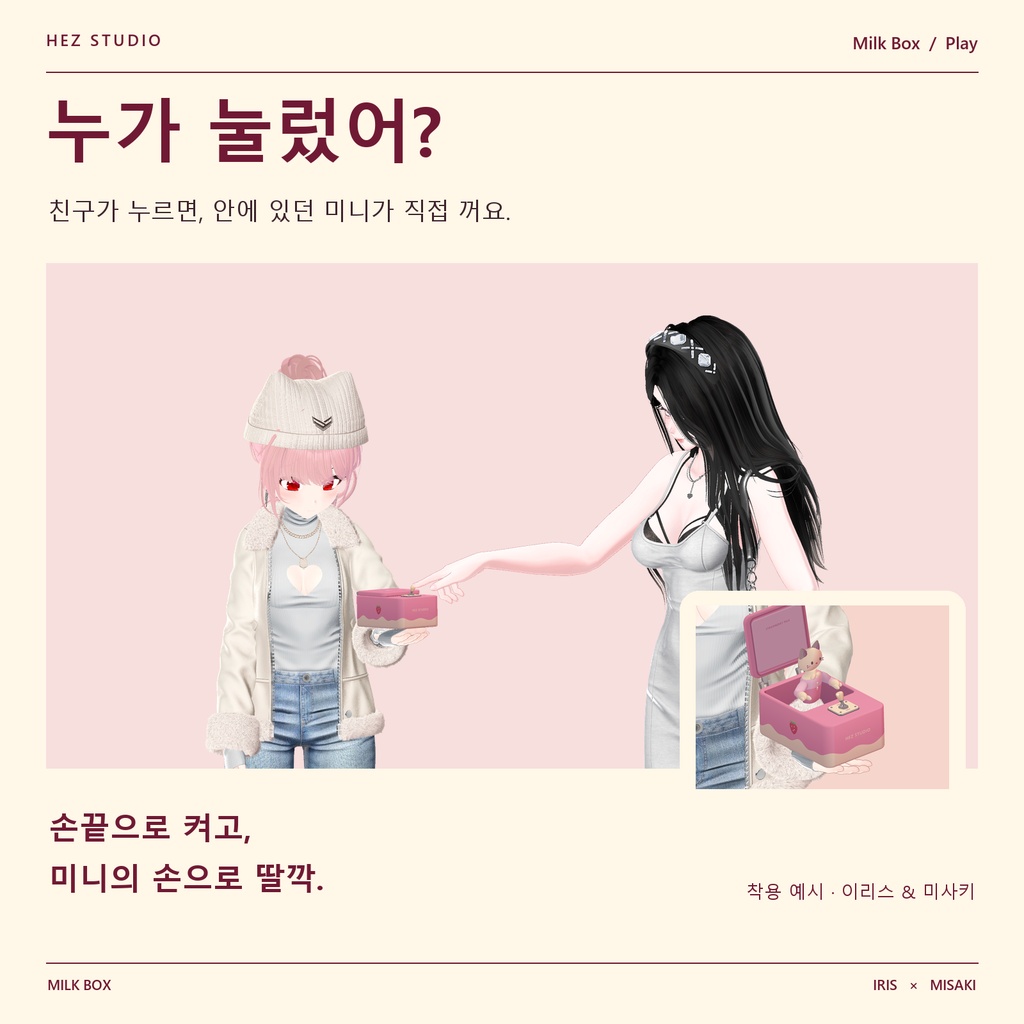
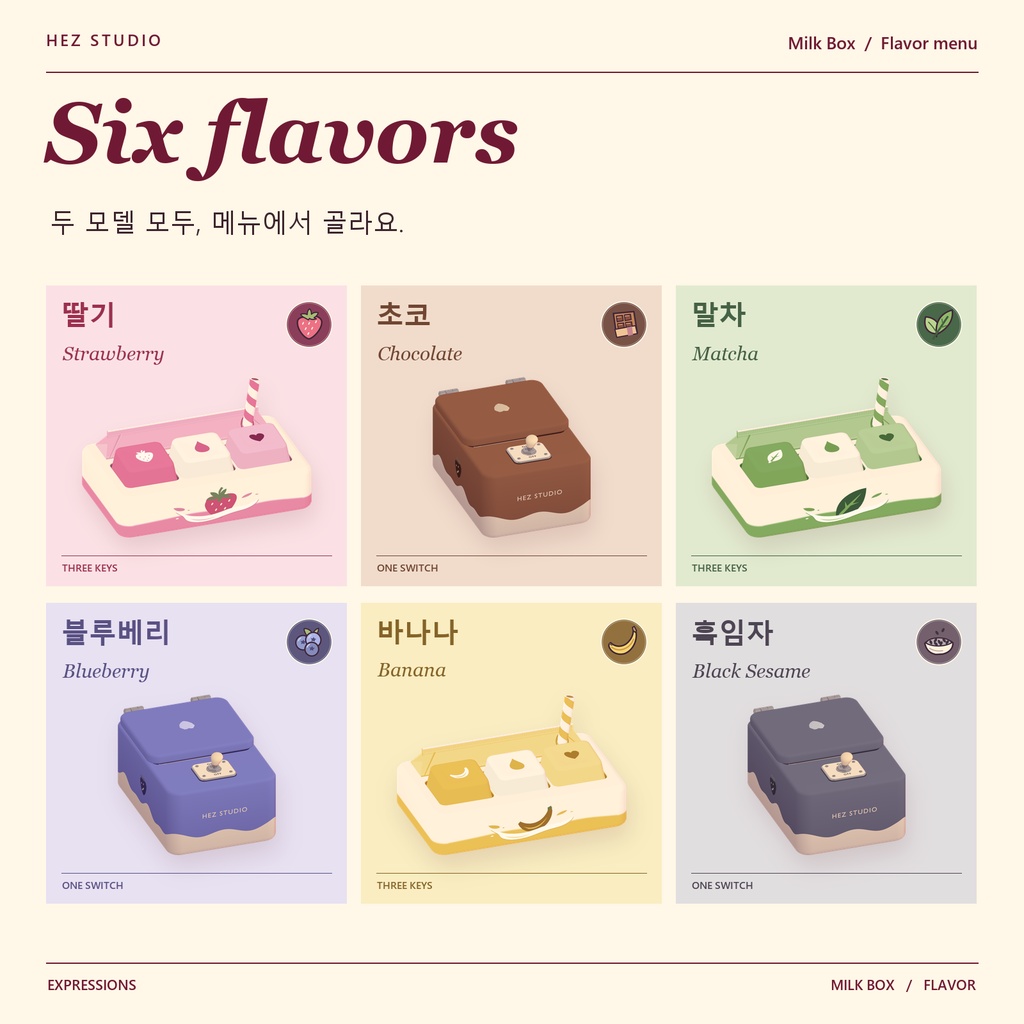
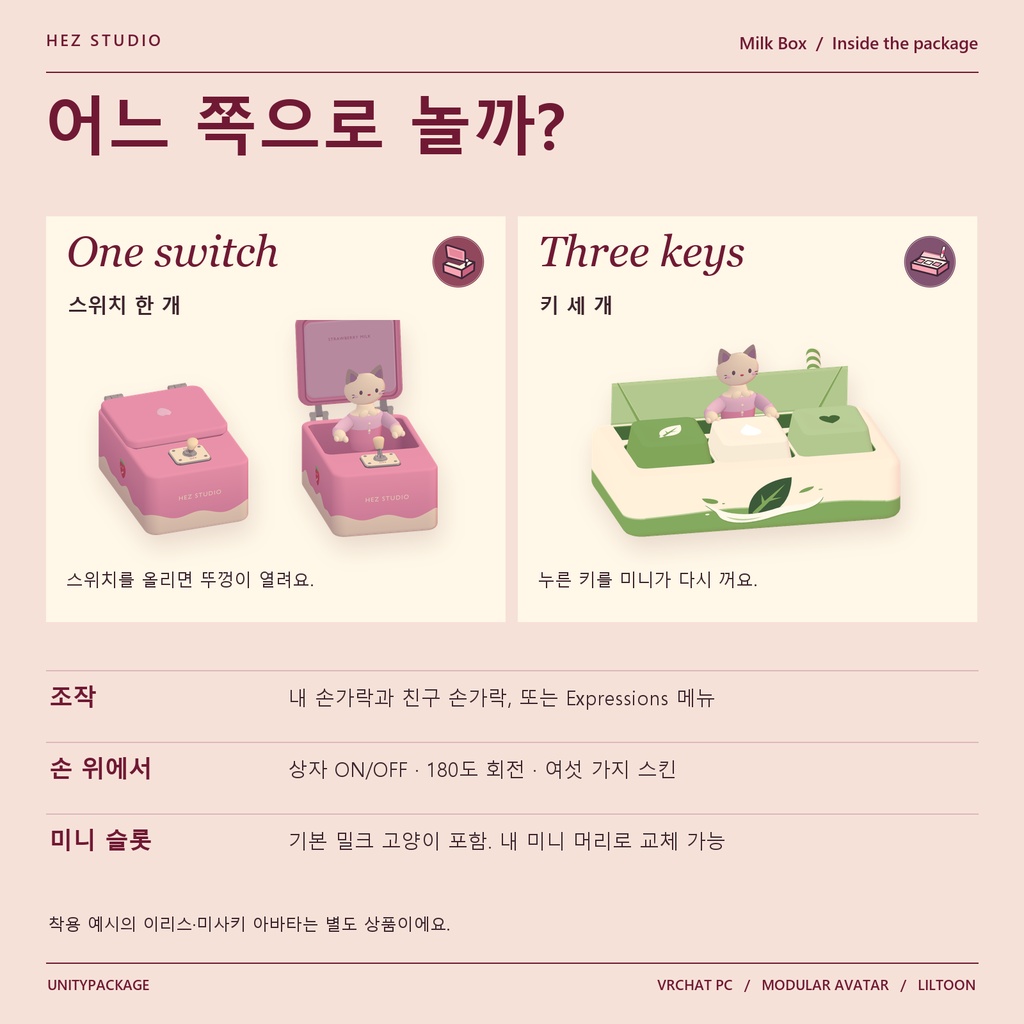
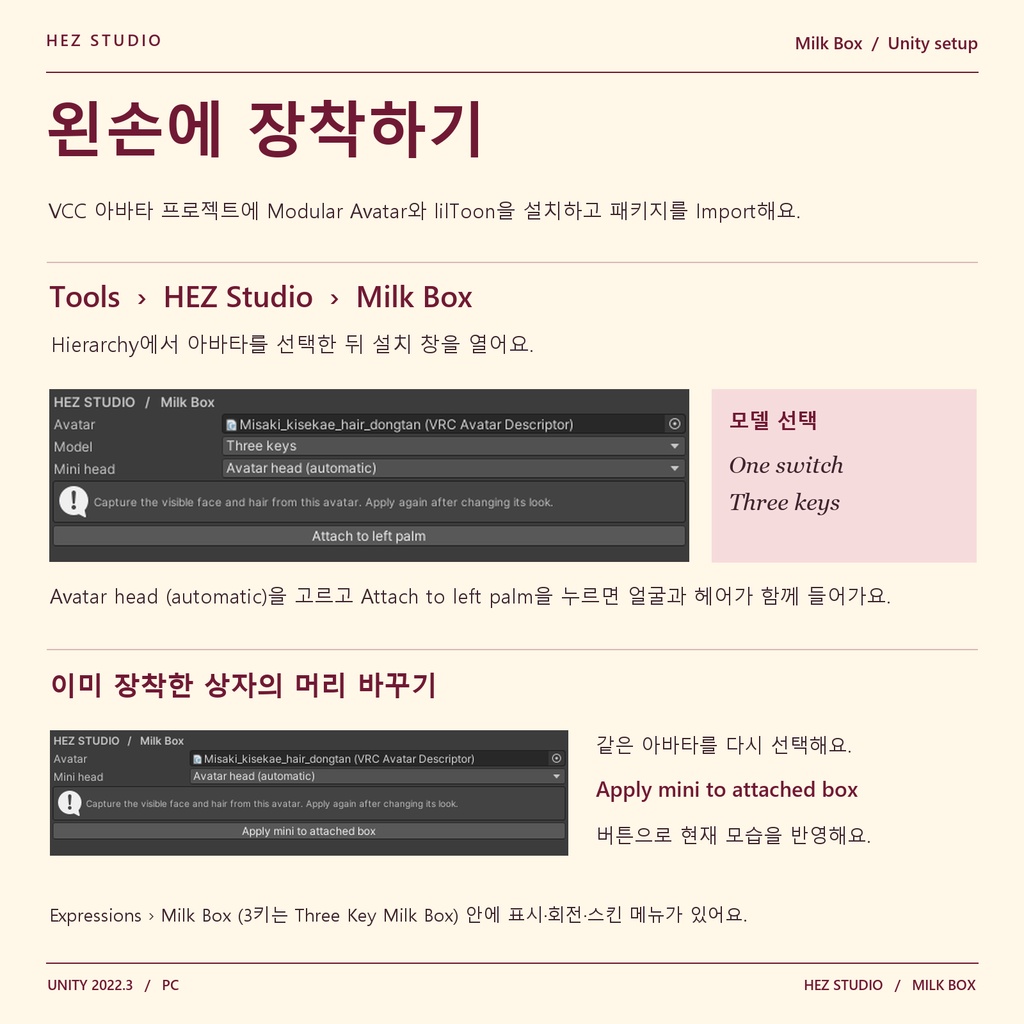
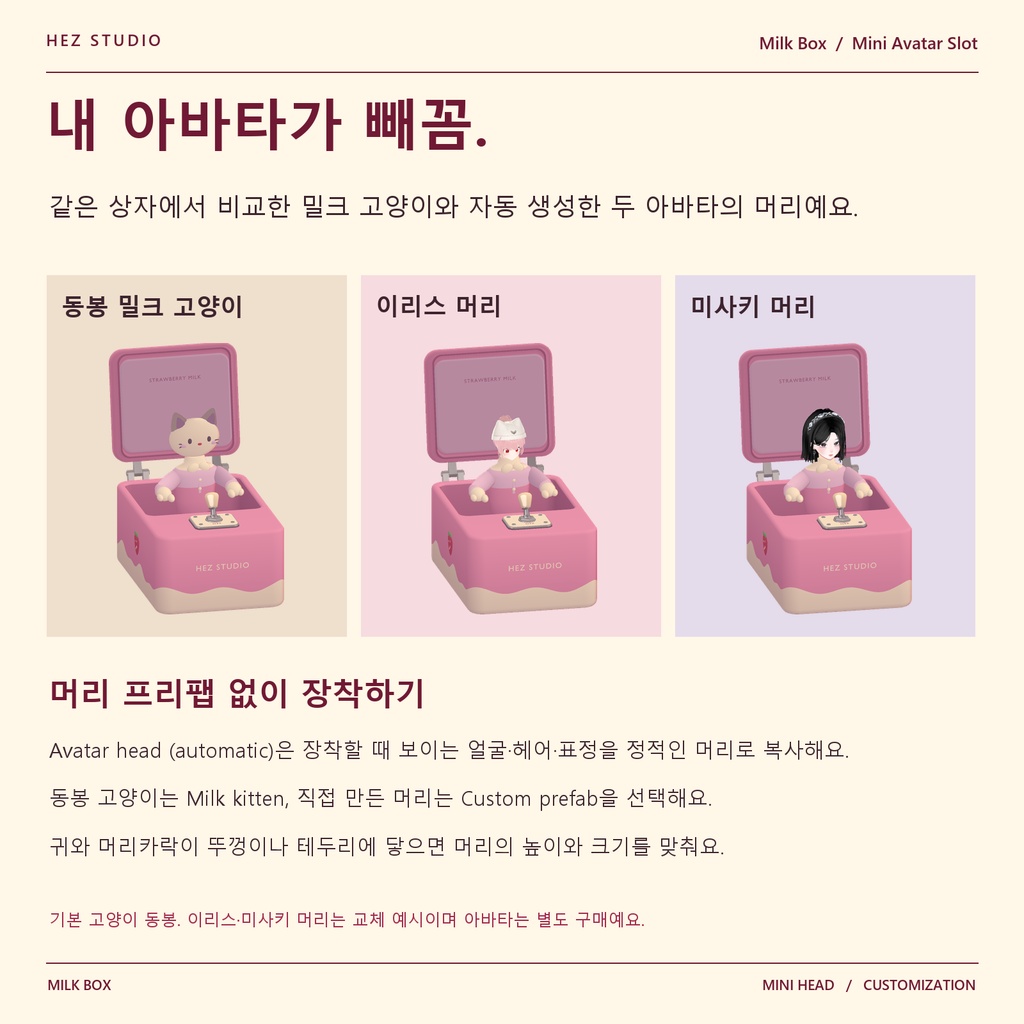
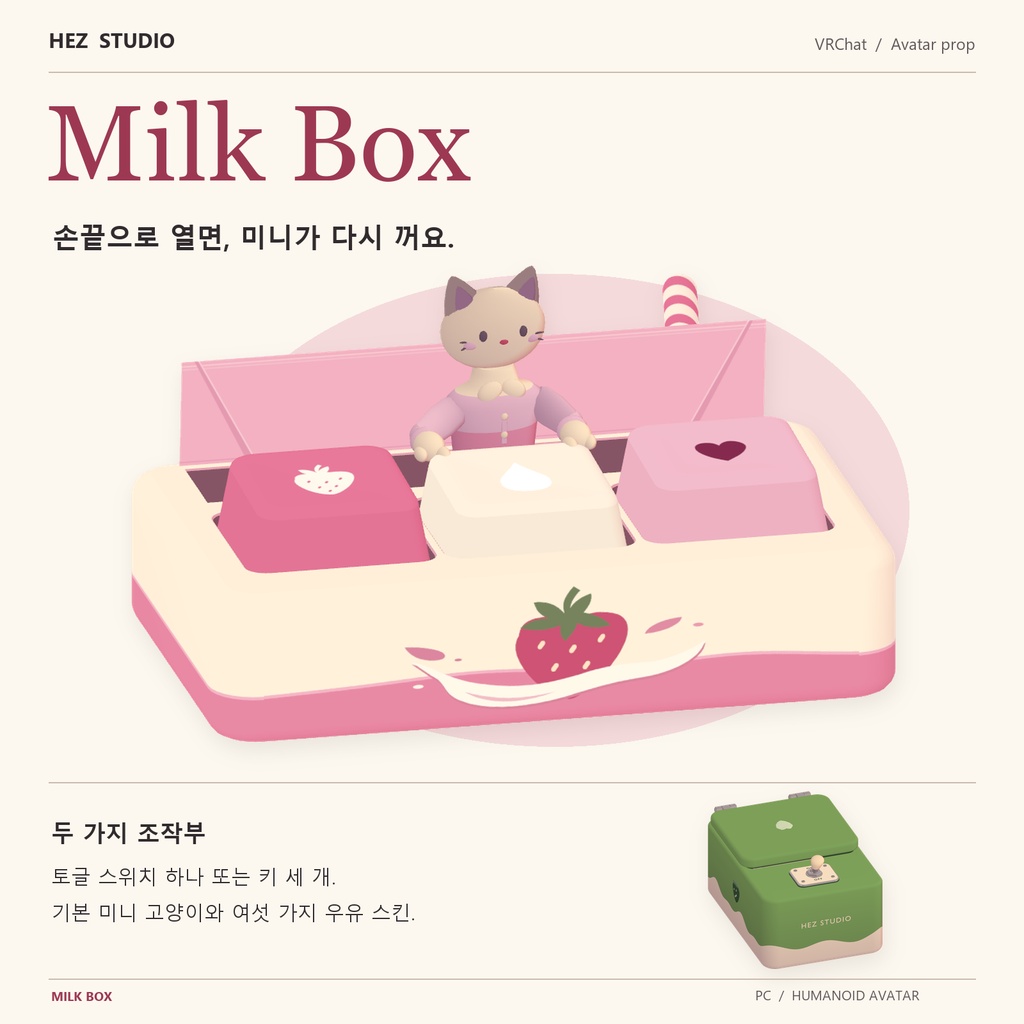
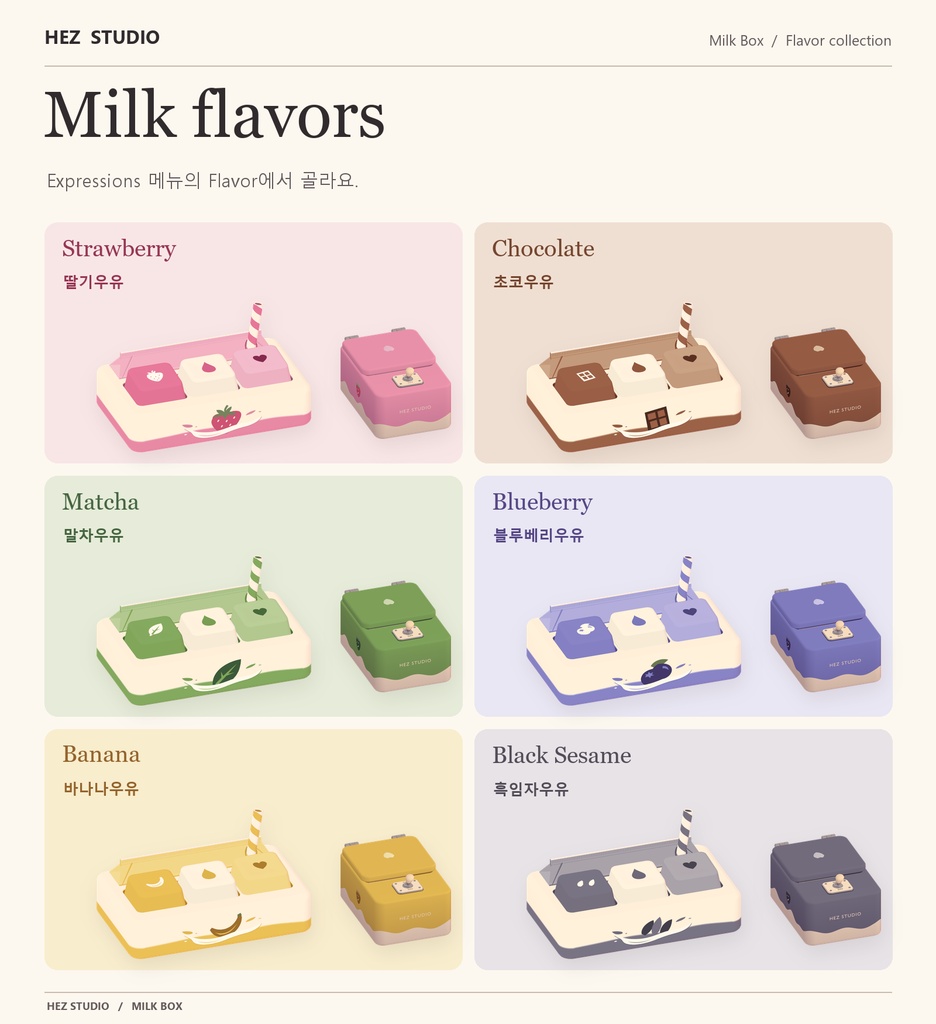
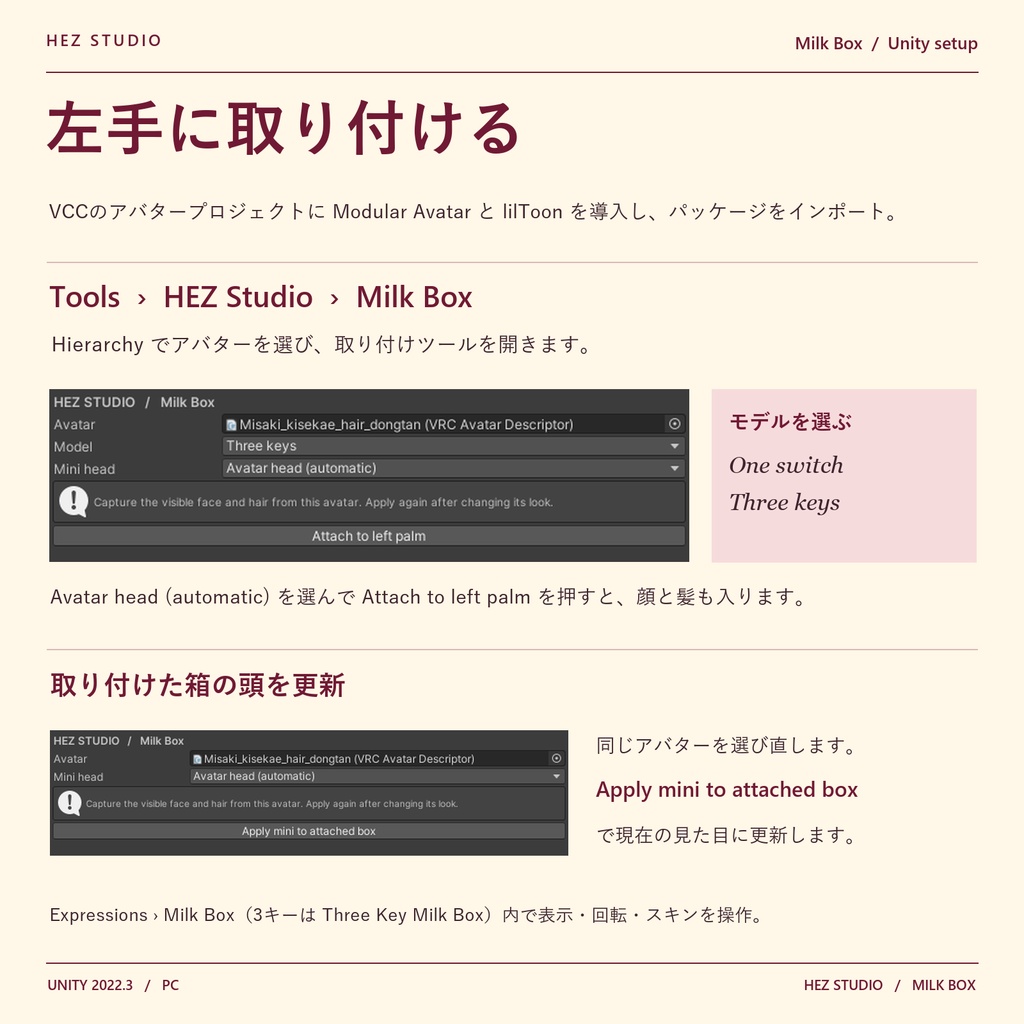
左の手のひらに、いちごミルク色の小さな箱。友達がクリーム色のスイッチを入れると、ふたの隙間から自分のアバターがひょっこり顔を出します。目が合ったところで、小さな手袋がスイッチをパチン。ミニアバターは箱に引っ込み、ふたが閉まります。もう一度どうぞ。今度は手を伸ばしかけて、少しためらうかもしれません。 丸みのある1スイッチ版と、いちご・しずく・ハートのキーが並ぶ牛乳パック型の3キー版を同梱しています。3キー版では、奥の折り目がふたのように開き、ミニアバターが押されたキーまで手を伸ばします。自分の右手や友達の指先で触れるほか、Expressions メニューからも遊べます。メニューでは箱の表示を切り替えたり、手の上でくるりと180度回したりできます。フレーバーは、いちご・チョコ・抹茶・ブルーベリー・バナナ・黒ごまの6種類です。 ■ 自分のアバターを箱の中へ Unityでアバターを選び、Tools → HEZ Studio → Milk Box を開きます。モデルを選んで「Attach to left palm」を押すと、箱が左手に付きます。初期設定では、今の顔・髪・表情からミニサイズの頭を自動で作ります。付属のミルク猫や、お手持ちの頭のプレハブにも交換できます。耳や髪が長い場合は、Mini Avatar Slot でミニの位置と大きさを調整してください。
【한국어】
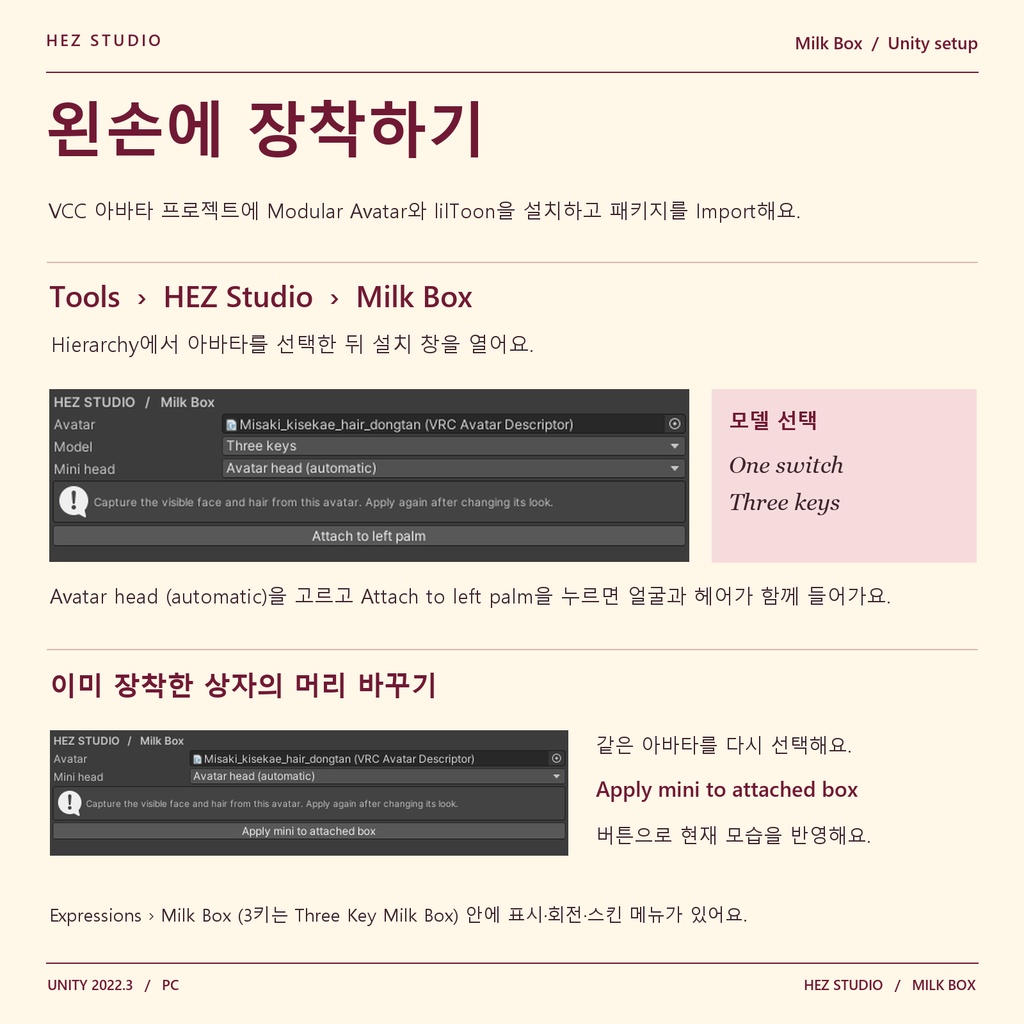
왼손을 펴고 친구에게 딸기우유 상자를 내밀어 보세요. 친구가 크림색 스위치를 켜면 뚜껑 틈으로 내 아바타가 빼꼼 얼굴을 내밉니다. 잠깐 눈이 마주친 사이, 작은 장갑 손이 스위치를 딸깍 끄고 쏙 들어갑니다. 다시 켜 보세요. 이번에는 손을 뻗다가 잠깐 망설일지도 몰라요. 둥근 상자에 스위치 하나를 단 1스위치 버전과, 납작한 우유팩 위에 딸기·물방울·하트 키를 얹은 3키 버전이 함께 들어 있습니다. 3키 버전은 뒤쪽의 접힌 우유팩 부분이 뚜껑처럼 열리고, 미니 아바타가 방금 누른 키까지 손을 뻗어 다시 누릅니다. 내 오른손이나 친구의 손끝으로 건드려도 되고, Expressions 메뉴에서 실행해도 됩니다. 메뉴에서 상자를 꺼내거나 숨기고, 손 위에서 180도 돌려 친구 쪽으로 향하게 할 수 있습니다. 딸기·초코·말차·블루베리·바나나·흑임자 우유까지 여섯 가지 맛을 골라 보세요. ■ 내 아바타를 상자 속 미니로 Unity에서 아바타를 선택하고 Tools → HEZ Studio → Milk Box를 엽니다. 원하는 모델을 고른 뒤 ‘Attach to left palm’을 누르면 왼손에 장착됩니다. 기본 설정은 지금 보이는 얼굴과 헤어, 표정을 그대로 담아 미니 머리를 만들어 줍니다. 동봉된 밀크 고양이나 가지고 있는 머리 프리팹으로 바꿀 수도 있습니다. 귀나 머리카락이 뚜껑에 닿으면 Mini Avatar Slot에서 미니의 위치와 크기를 맞춰 주세요.
【English】
Hold out your left hand and let a friend flip the cream switch on your strawberry milk box. The lid cracks open. A tiny version of your avatar peeks out, looks up at your friend, then reaches over with a little gloved hand. Click. The switch is off and the lid shuts. Try it again and you might catch the little hand hesitating halfway. Both models come in one download. The rounded box has a single toggle. The flat milk carton has three keys marked with a strawberry, a droplet and a heart. Press any one and the folded top opens behind the keys so your mini can reach over and tap the very key you pressed. Use your own right hand, invite a friend to touch it, or trigger it from the Expressions menu. The menu also lets you show or hide the box, turn it 180° on your palm and choose a flavor. The six milk skins are strawberry, chocolate, matcha, blueberry, banana and black sesame. ■ Put your own avatar inside Select your avatar in Unity, open Tools → HEZ Studio → Milk Box, choose a model and click “Attach to left palm.” By default, the installer makes a miniature head from your avatar’s current face, hair and expression. You can also use the included milk kitten or your own head prefab. For long ears or hair, adjust the mini’s position and scale in the Mini Avatar Slot until the lid clears them.
-
■ 対応環境 / 사용 환경 / Setup VRChat PC (Windows) · Humanoid avatar Unity 2022.3.22f1 · VRChat Avatars SDK 3.10.6 · Modular Avatar 1.18.7 · lilToon 2.4.1 アバター用プロジェクトに Modular Avatar と lilToon を先に導入してください。 VCC 아바타 프로젝트에 Modular Avatar와 lilToon을 먼저 설치해 주세요. Install Modular Avatar and lilToon in your VCC avatar project before importing Milk Box. 着用例 Iris & Misaki / 착용 예시 이리스 & 미사키 / Featured avatars Iris & Misaki 撮影用のアバターとヘアは別売です。 / 촬영에 사용한 아바타와 헤어는 별도입니다. / The avatars and hair shown in the photos are sold separately. ■ ダウンロード / 다운로드 / Download HEZ Studio - Milk Box.zip Milk Box.unitypackage · Install - Milk Box.txt · Guide/Setup JP.png · Guide/Setup KR.png 導入ガイドと図解は日本語・韓国語です。 / 설치 안내와 설정 이미지는 한국어·일본어로 제공됩니다. / The written and illustrated setup guides are in Japanese and Korean.