

Neat Center-Part Hair & Styling Set - VRChat Hair / CP3
- Digital1,000 JPY
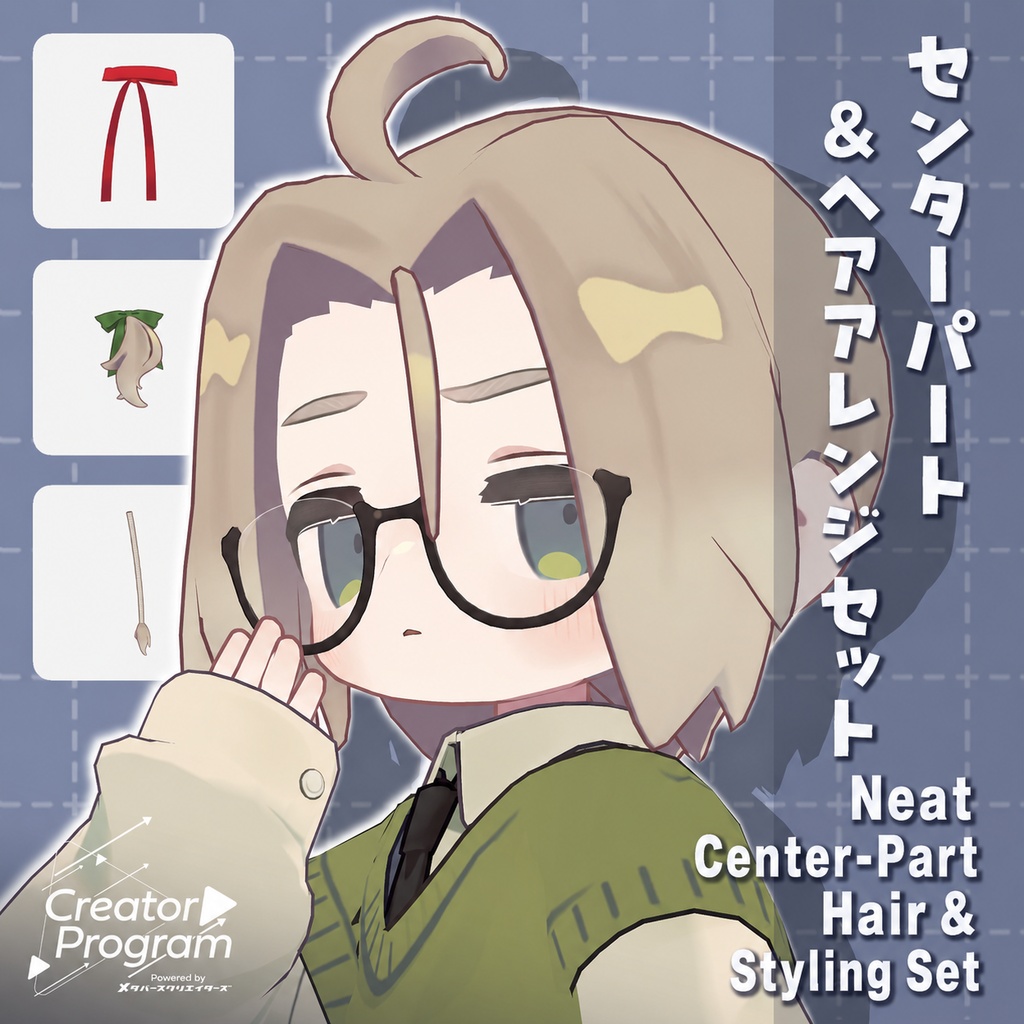
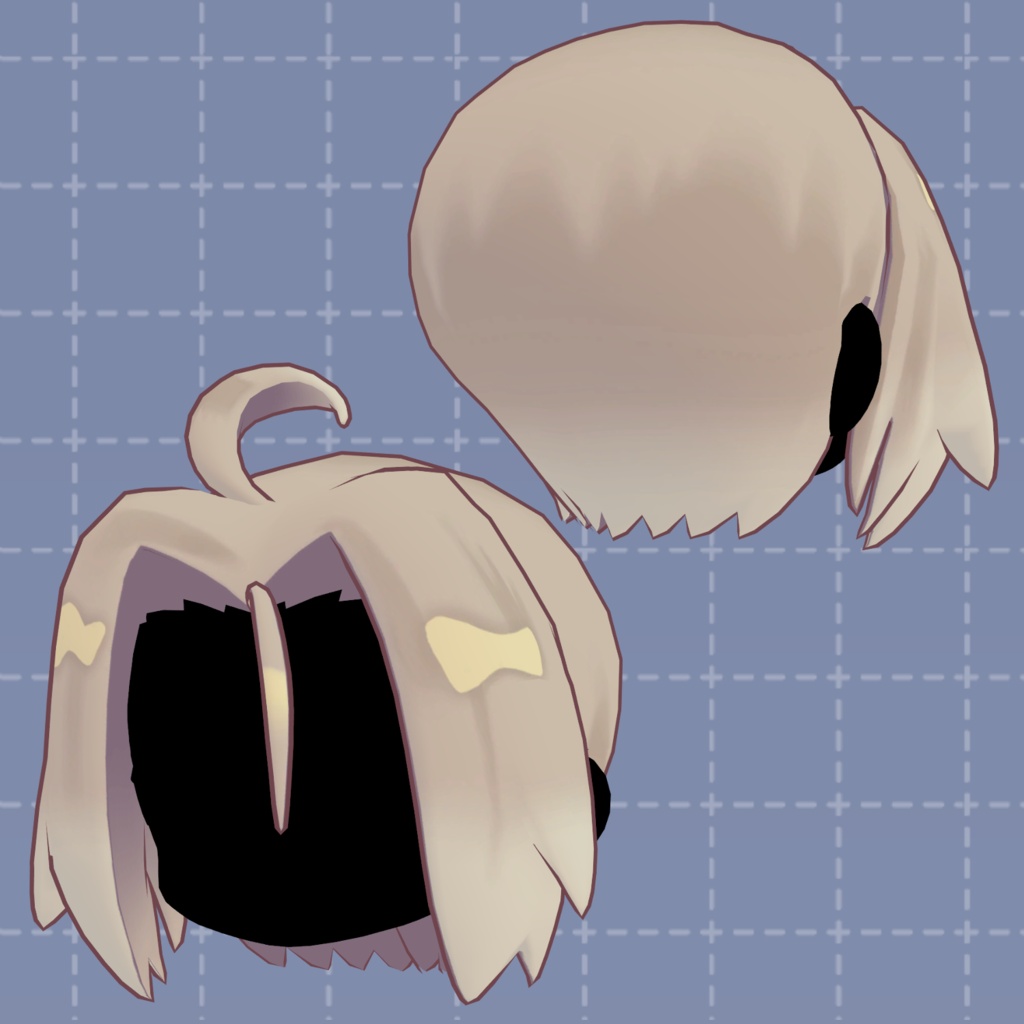
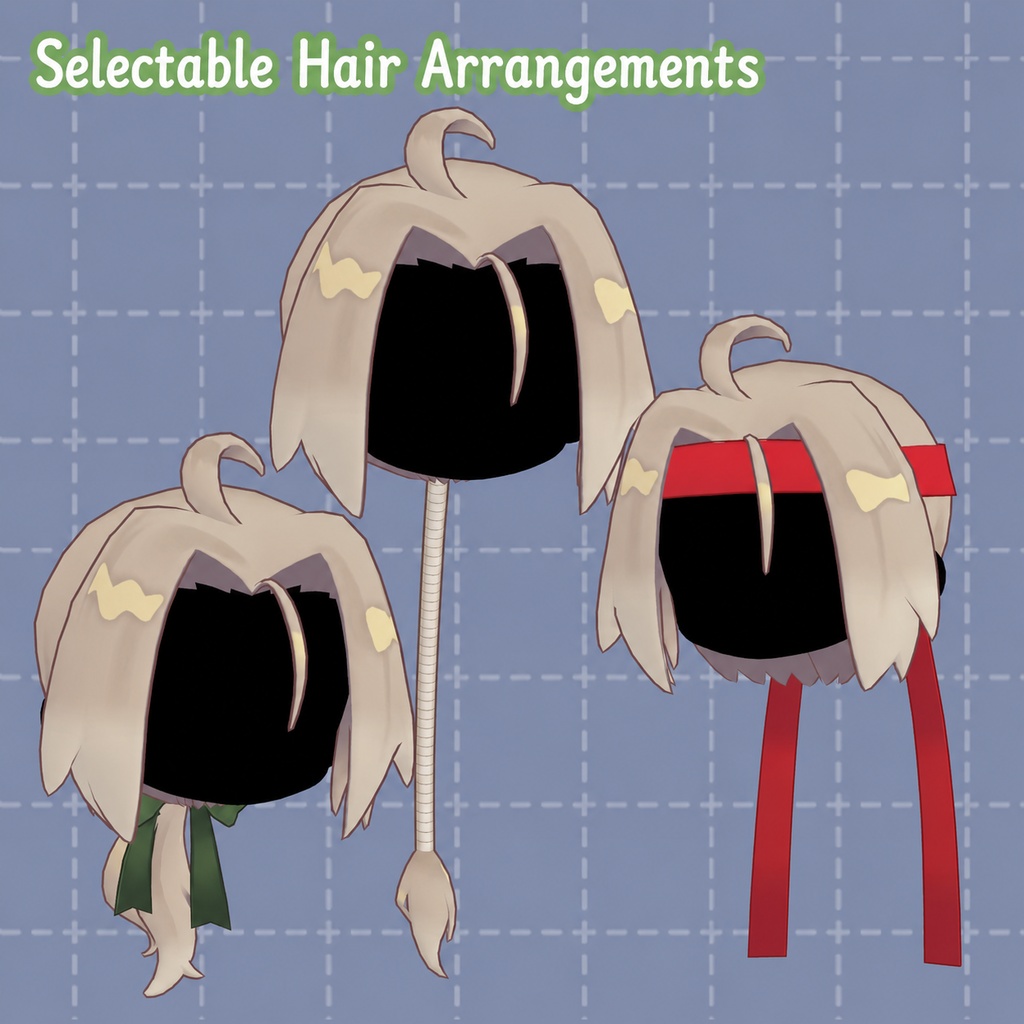
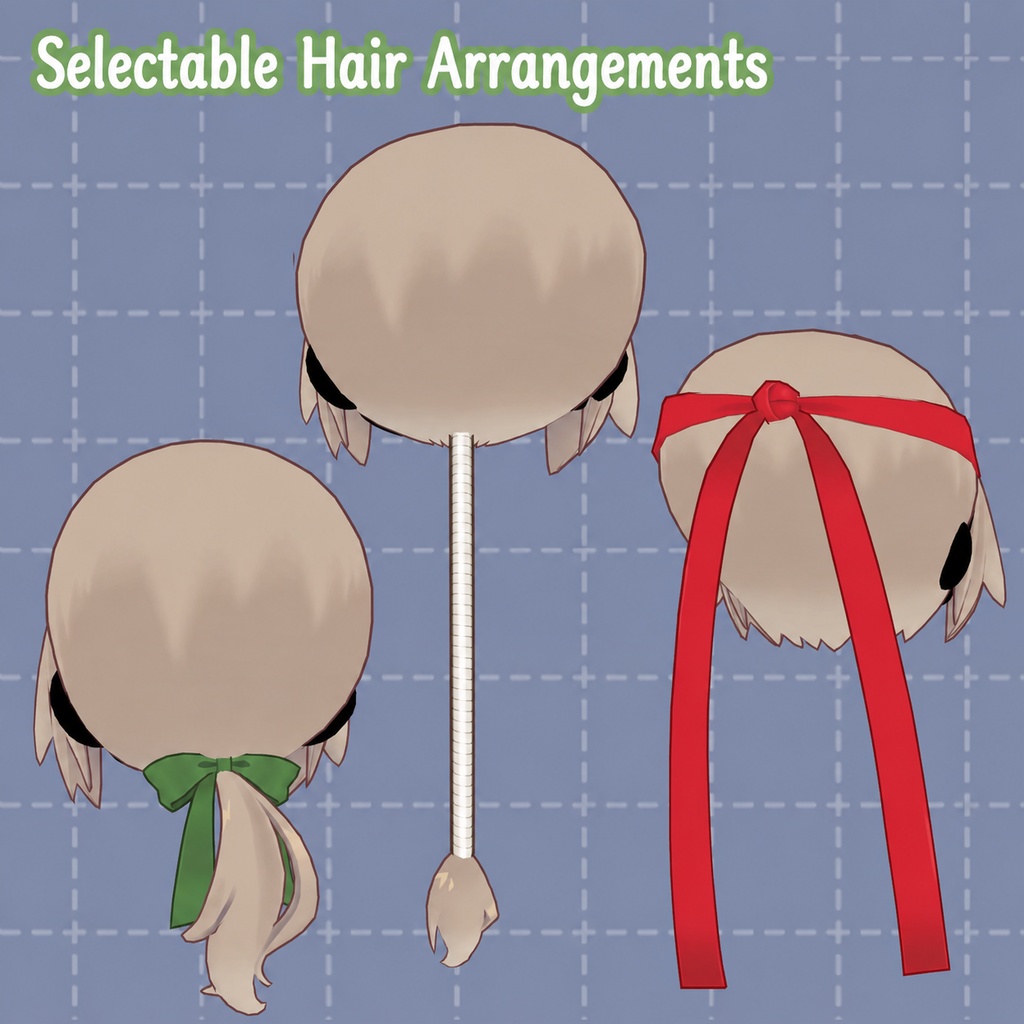
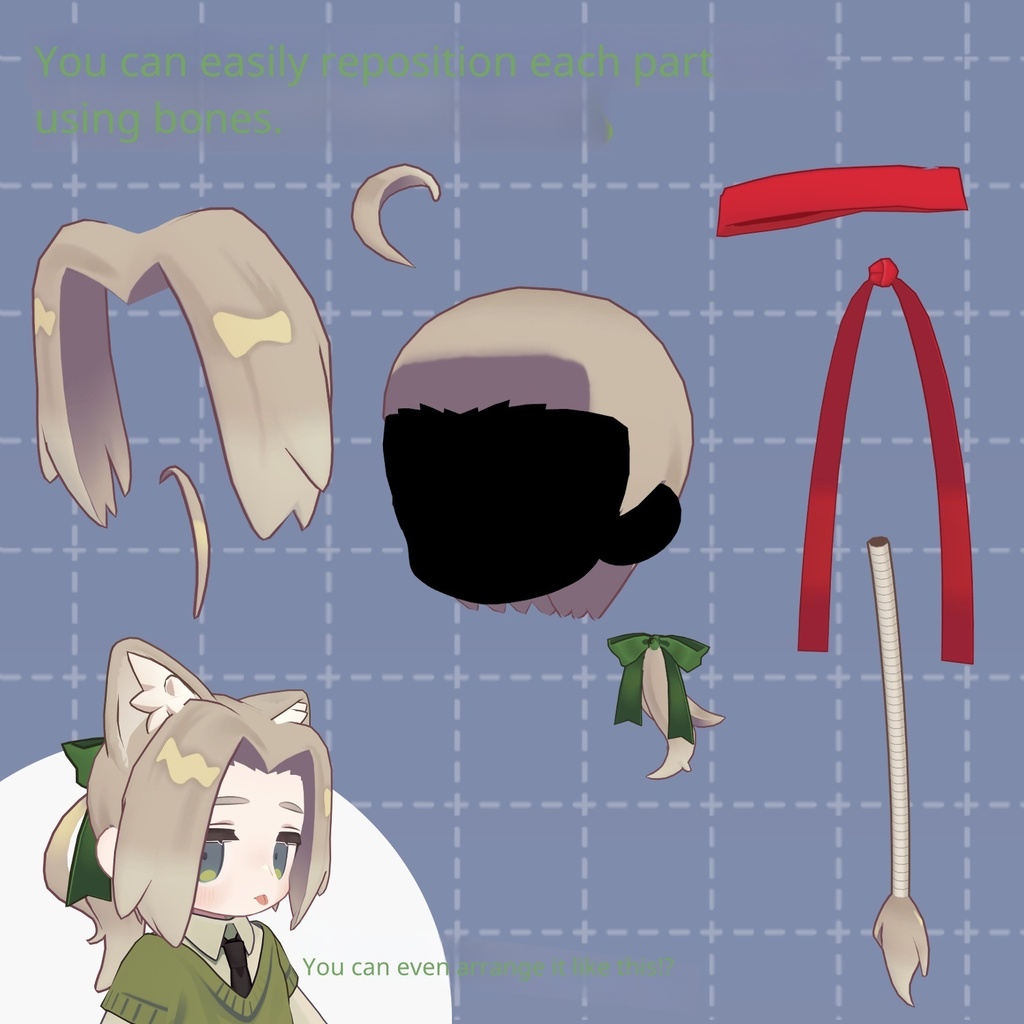
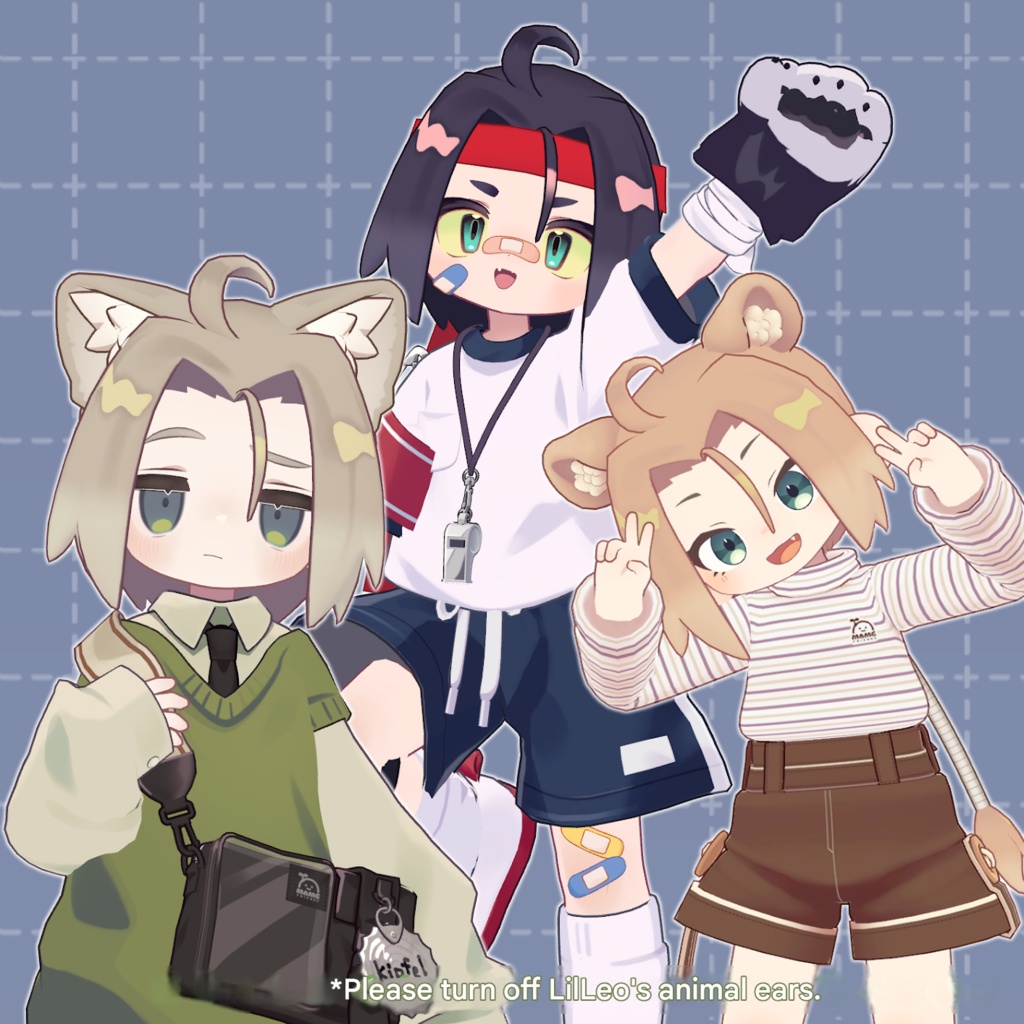
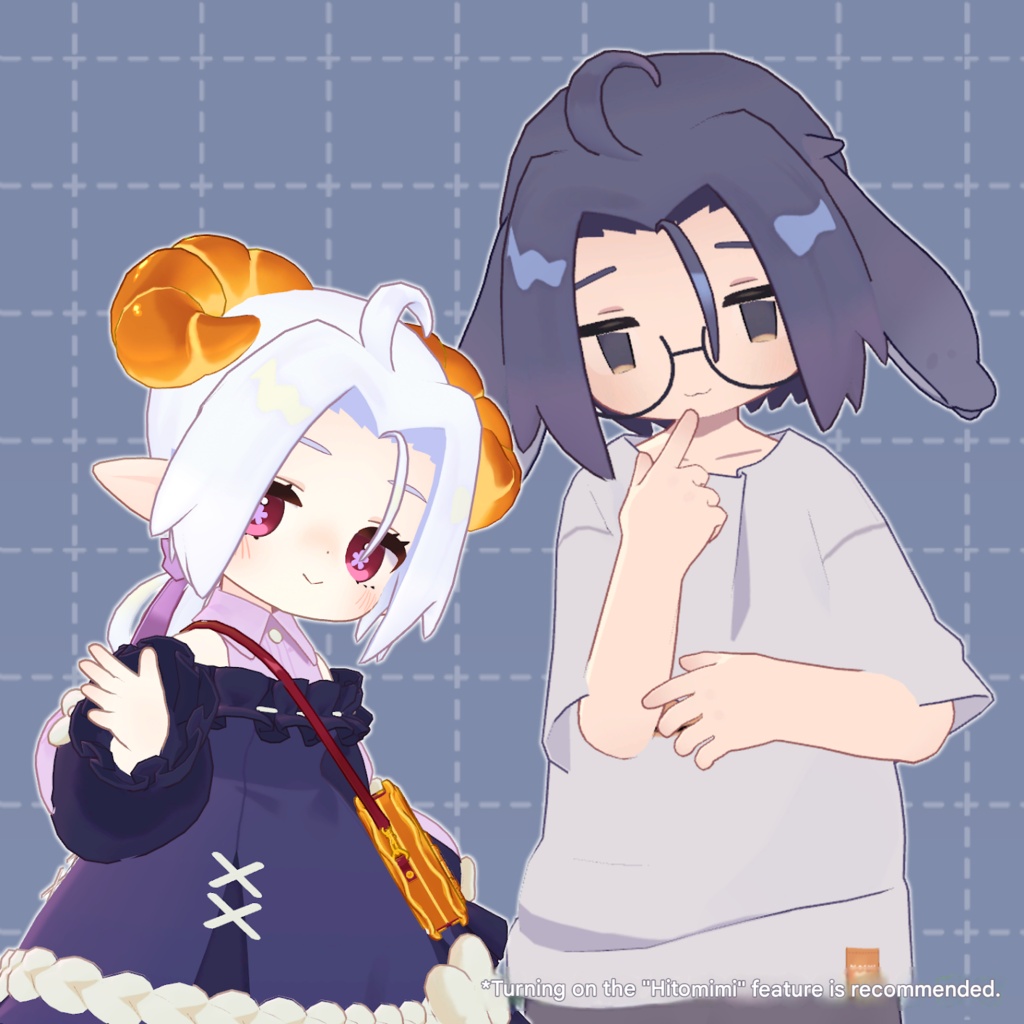
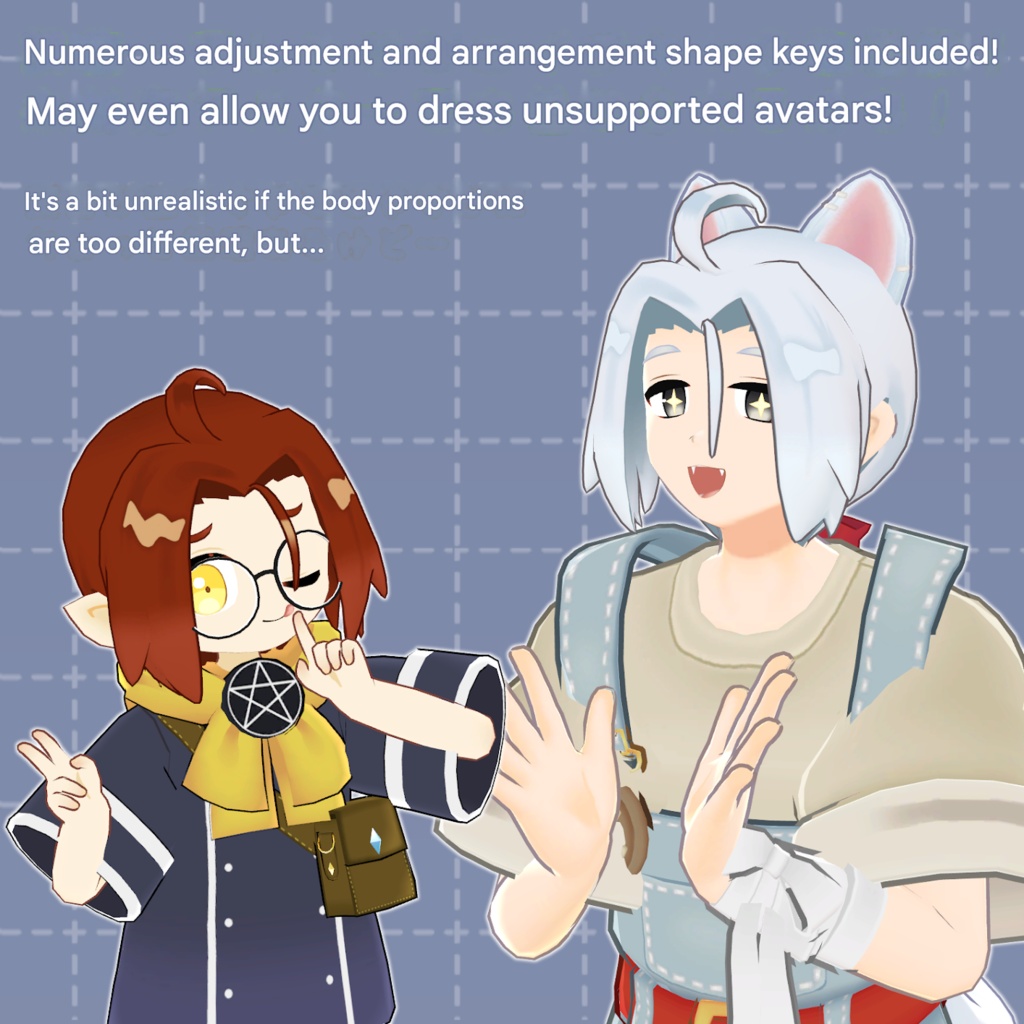
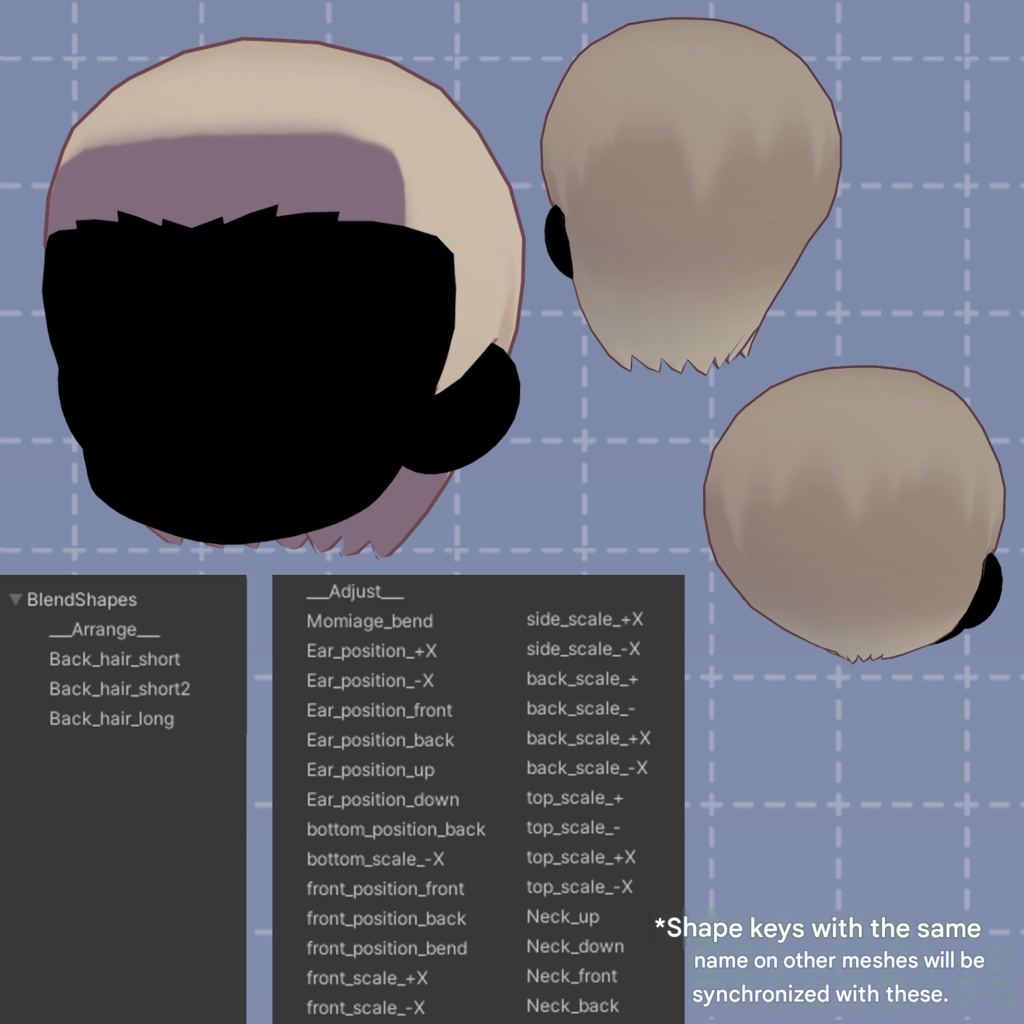
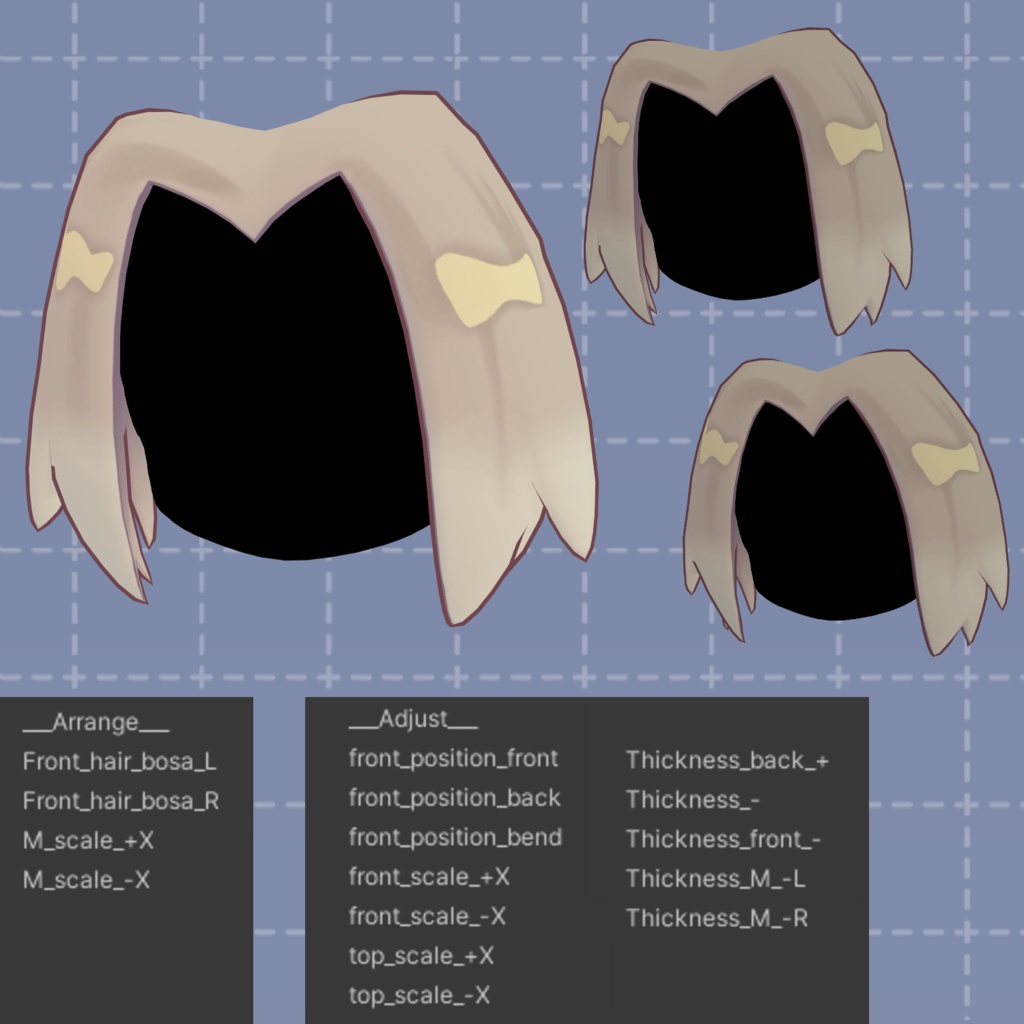
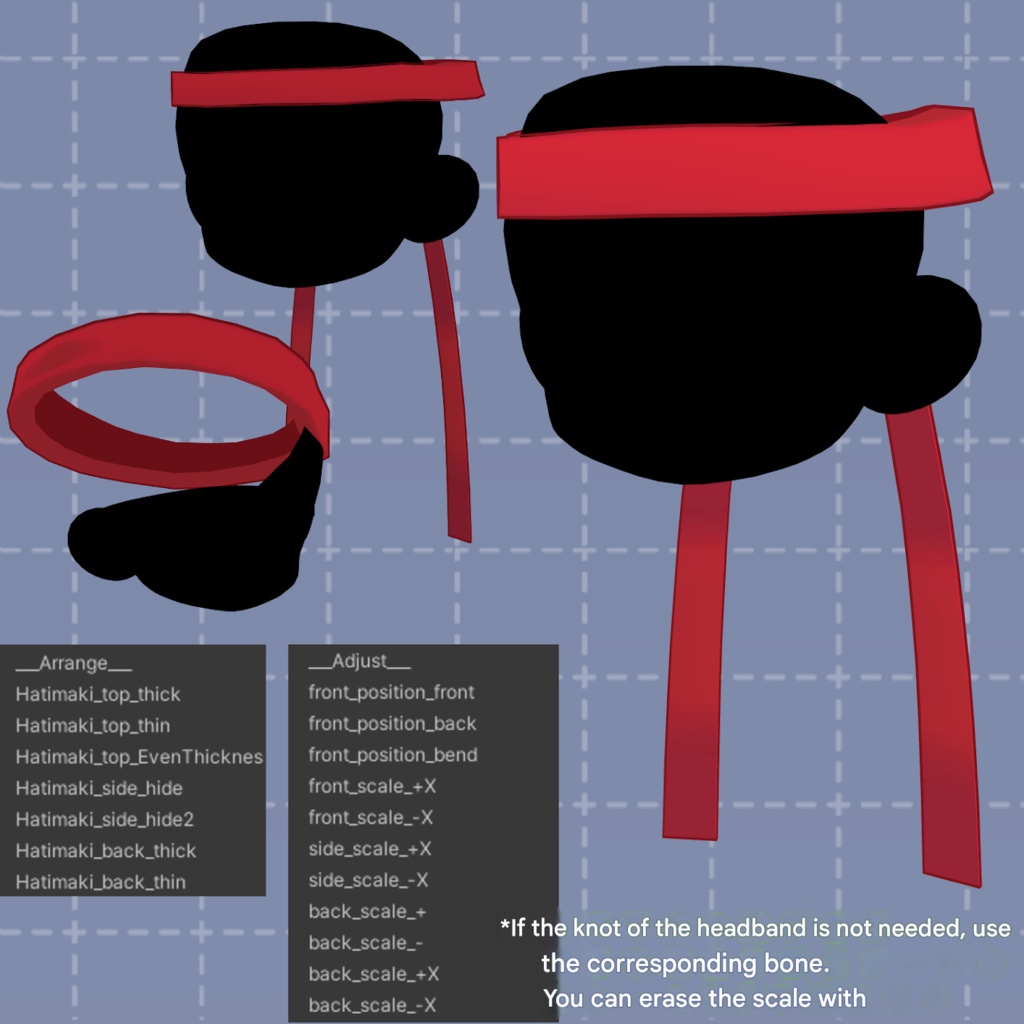
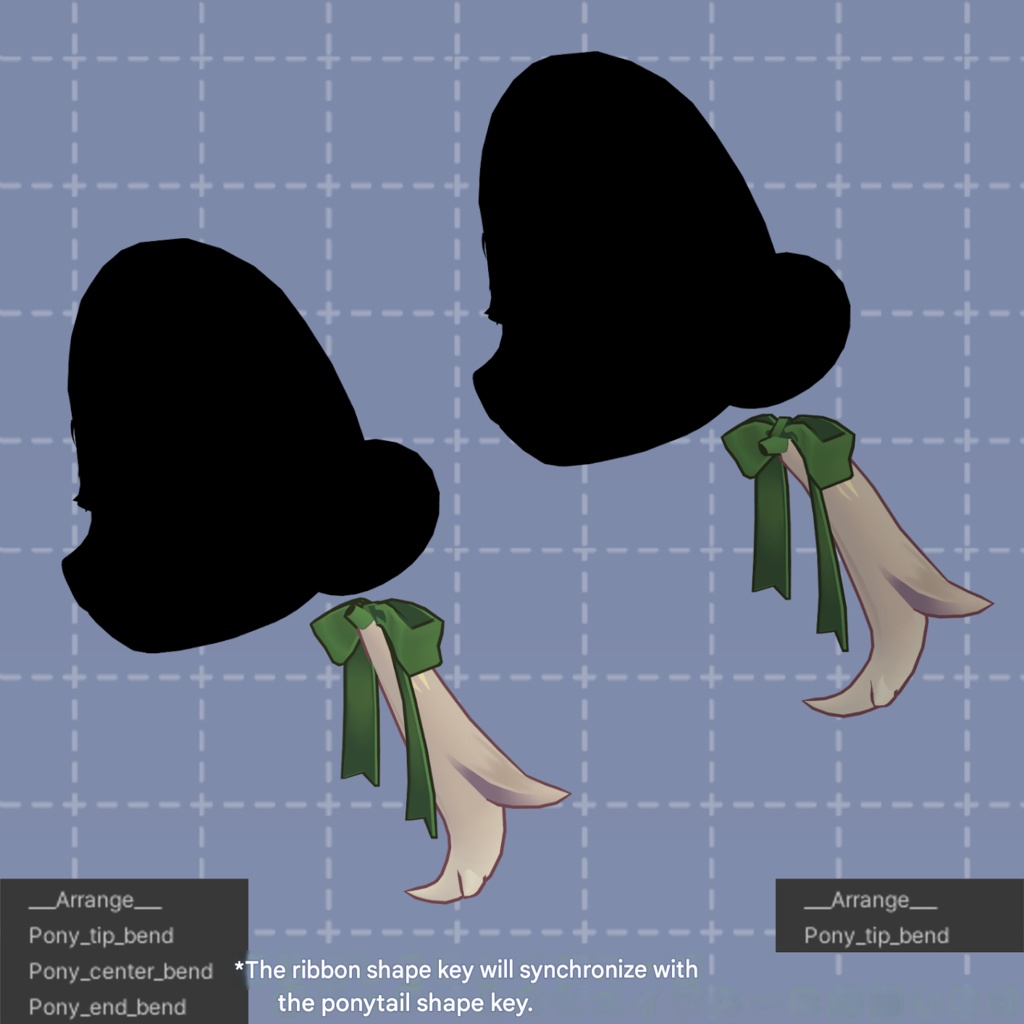
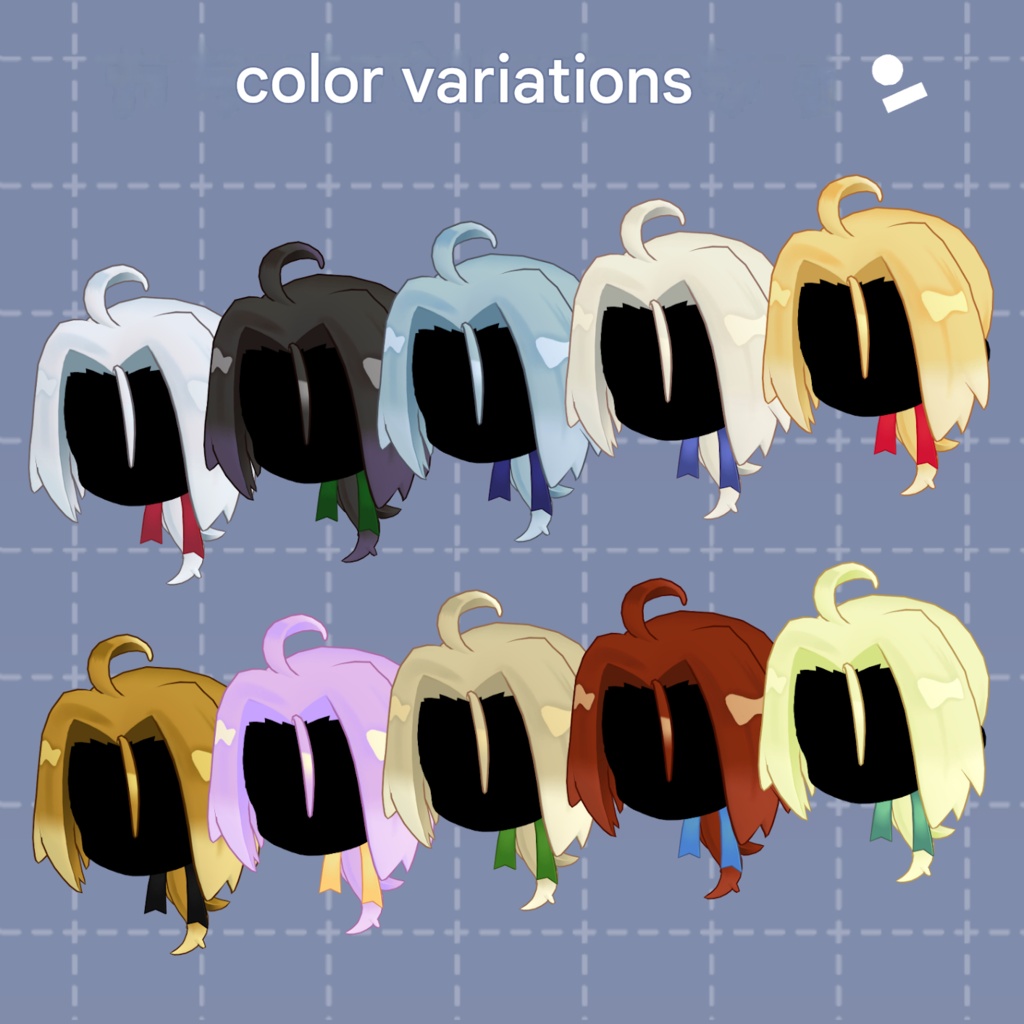
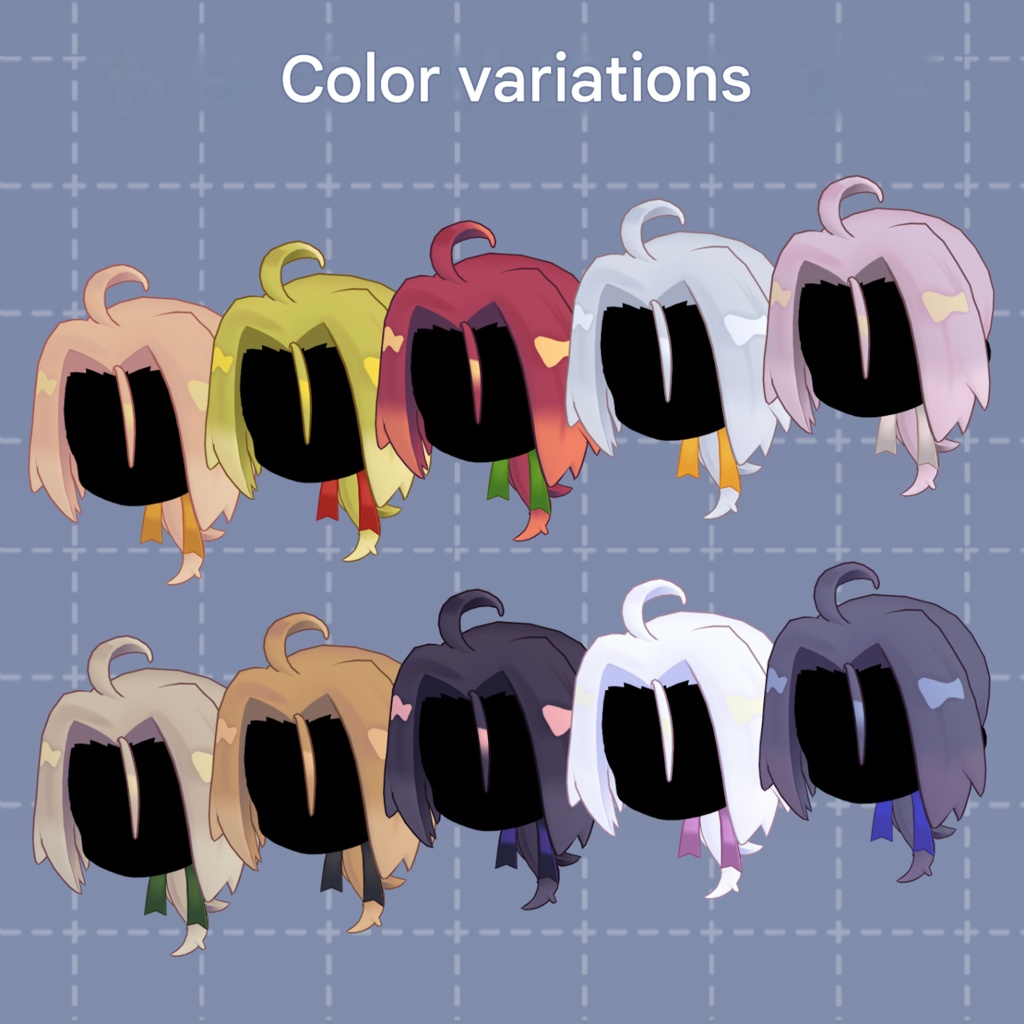


This is a long center-part hairstyle with extended bangs designed to enhance your “serious and composed” look. It comes with three styling options: a graceful low ponytail, a spirited headband style, and a stylish vertical curl arrangement! It also includes many shape keys! Combined with bone-based adjustments, a wide variety of hair arrangements are possible!! Please check the product images!!! Suitable for girls, and also recommended as a hairstyle for boys. ※ This product is a hairstyle model for avatars. The avatar base data is not included. ※ Due to the nature of digital downloadable products, returns and refunds are not possible. Please review and agree to the product description and terms of use before purchasing. ◆ Item Overview ● Contents kimazime_CP.Unitypackage FBX Textures PSD file for customization ReadMe.txt (text) Shader used: lilToon https://lilxyzw.booth.pm/items/3087170 Required assets: Modular Avatar https://modular-avatar.nadena.dev/ja/docs/intro ● Model Data (Total) Polygon count: 3,794 polygons Mesh count: 8 Material count: 1* PhysBone components: 7 PhysBone colliders: 2 *Due to how meshes are separated, Unity may count materials per mesh. Merging meshes using tools like AAO can help reduce performance cost. Import folder: Assets > MetaverseCreators_CP > 663_chanSHOP > kimazime_CP ◆ Supported Avatars Kipfel (Original 3D Model) https://mukumi.booth.pm/items/5813187 Other avatars are supported in a “semi-compatible” form, adjusted from the base model in Unity: NoraFirika https://noranabeya.booth.pm/items/6358495 LilLeo https://tonodashop.booth.pm/items/7374627 Usasaki https://mukumi.booth.pm/items/3550881 Korone https://emolab.booth.pm/items/5776079 This product includes many shape keys for adjusting overall size and positioning. It may also work with avatars not listed above, so feel free to try. Each part is separated by bone, so you can easily reposition them by moving bones. ● Shape Key Overview Please refer to product images. ◆ Installation Instructions Set up the latest VRChat SDK in VCC Install required assets in VCC (lilToon, Modular Avatar) Import the latest version of each avatar Import this product’s package Drag and drop the avatar (or clothing/hair prefab) into the Scene Hierarchy Hide or set unnecessary avatar parts (hair, ears, etc.) to Editor Only Drag and drop the hairstyle prefab under the avatar Adjust scale, position, and shape key values as needed to fit the avatar Upload using VRChat SDK ※ The hairstyle prefab includes four variants per avatar folder: “Default”, “Lowpony”, “Hatimaki”, and “Tatemaki”, as well as a fully enabled version “kimazime_CP” and “(avatar name)_Base” inside the “AllBase” folder (except Kipfel). For unsupported avatars or advanced customization (e.g., using ponytail and headband together), edit from the Base prefab by removing unnecessary parts. kimazime_CP.prefab is based on Kipfel and serves as the parent of all prefabs. ※ When adjusting shape keys, use the “Hair_back” mesh as a reference. Other meshes with the same blendshape will synchronize automatically. For parts like stray hairs or headband knots, adjust using bone position/scale instead of shape keys. (All XYZ scale values must be identical to avoid distortion, or use MA Scale Adjuster.) ◆ Color Customization Replace materials in the “Common > Material” folder. You can also modify colors using the included PSD file. ★ About the PSD The textures are intentionally simple. They are not separated into complex layer structures per part, so please be aware. The base layer contains flat colors without shadows. Each area is clearly separated, so you can easily select regions using tools like the auto-select tool and fill with the bucket tool. Shadow layers are provided as clipping masks, allowing easy recoloring. Some software may not open the file perfectly, but it uses no particularly complex layer features. ◆ Terms of Use https://drive.google.com/drive/folders/1qRMXoIxM1ZgacBPfwOigQRtXP1vCbNMn?usp=sharing ※ Please comply with the original avatar’s terms of use. ◆ Production Environment Modeling: Blender Ver. 4.5 Texturing: CLIP STUDIO PAINT Setup: Unity 2022.3.22f1 VRChat SDK - Avatars Ver. 3.10.2 (VCC) lilToon 2.3.2 Modular Avatar 1.16.2 ◆ Credits Creator: Virtual Garou Roromi X: https://twitter.com/vgaro663 BOOTH: https://663-chanshop.booth.pm/ Support / Contact: https://discord.gg/bmw3PWE37M