

くびれクラフト - ウエストのくびれをBlendShapeで思いどおりに設計【VRChat】【JA,En,Ko】
- 日本語Digital700 JPY
- EnglishDigital700 JPY
- 한국어Digital700 JPY
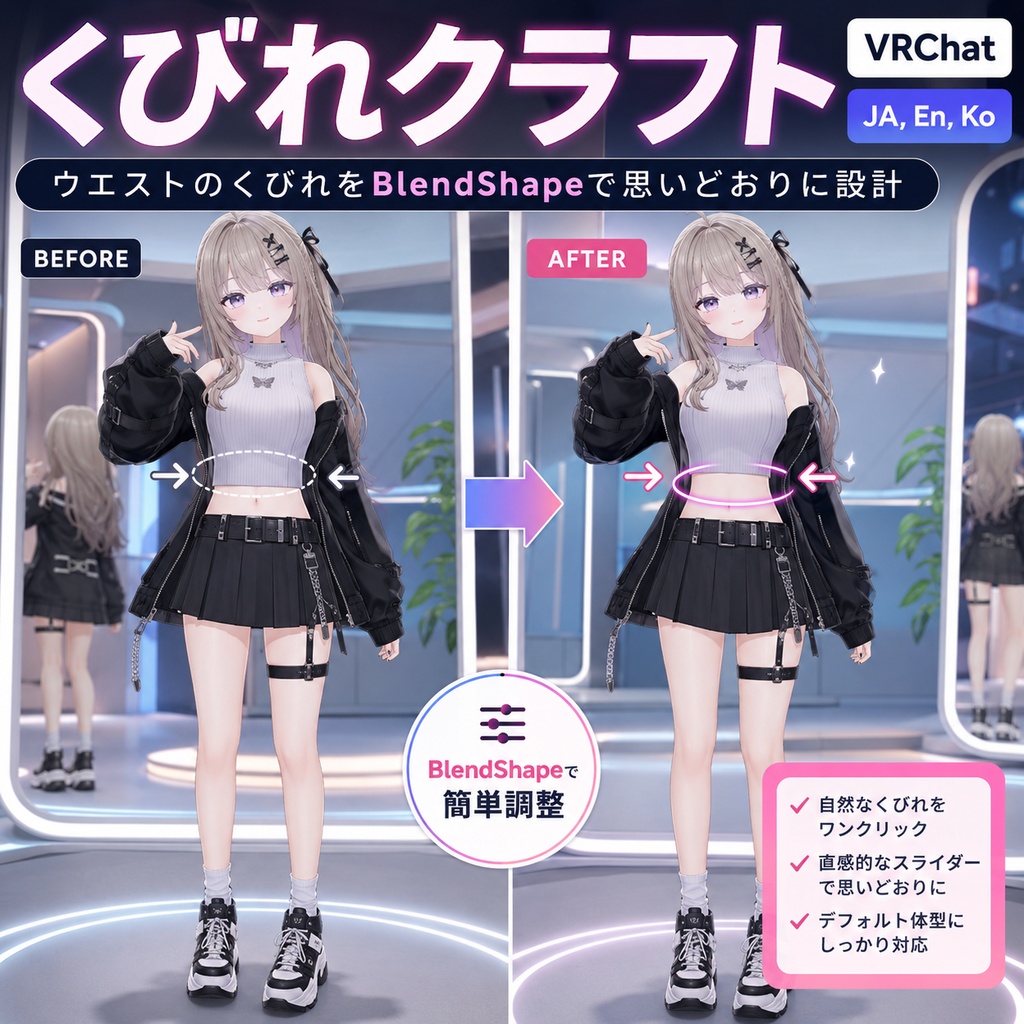
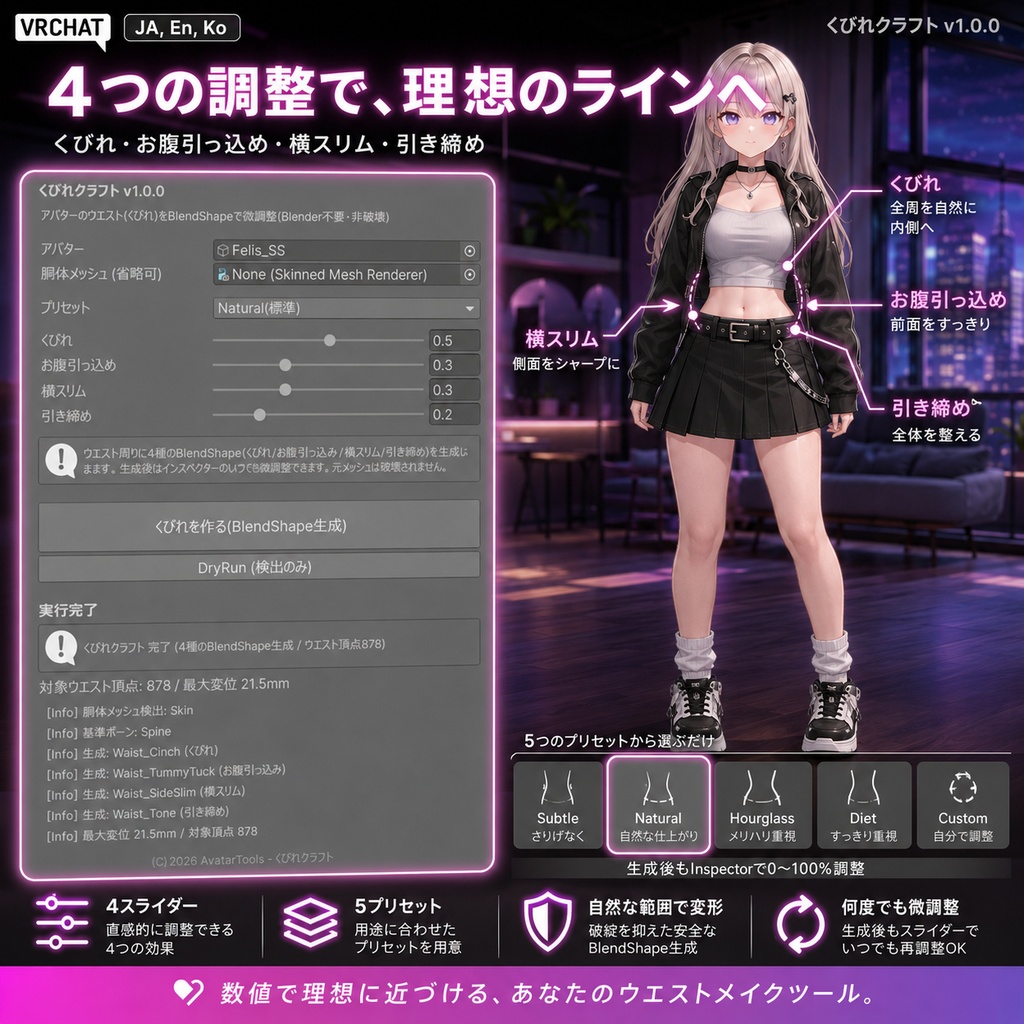
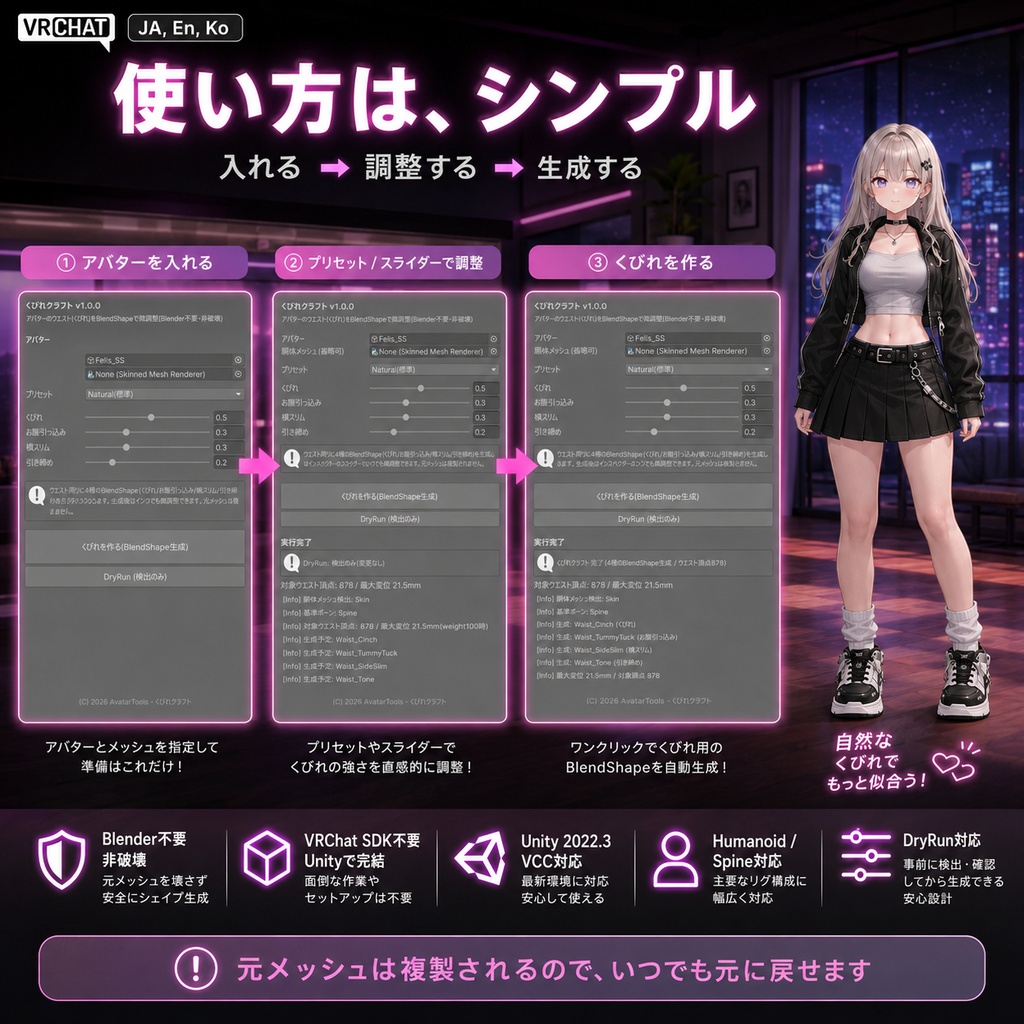
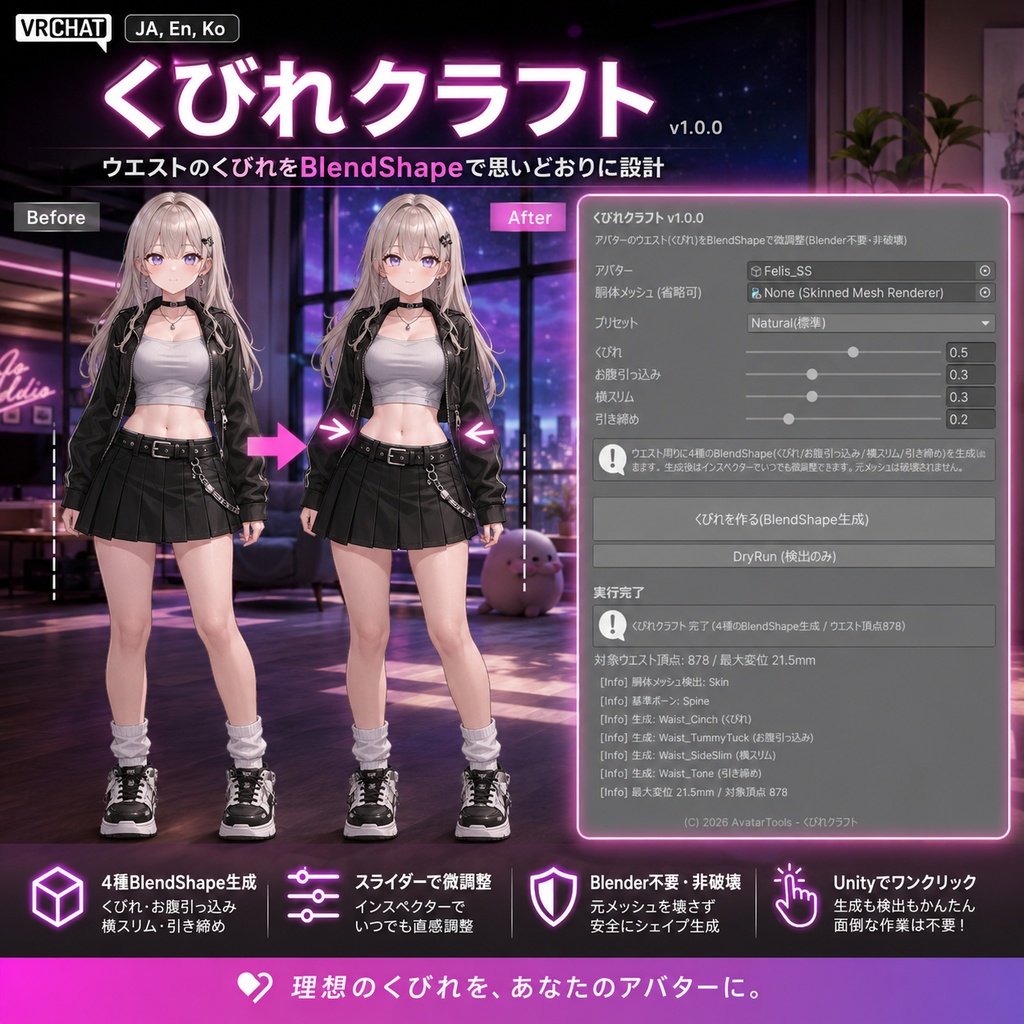


くびれは、スタイルの設計図。 ウエストがキュッと締まるだけで、立ち姿も衣装の見え方も、ぐっと洗練されます。くびれクラフトは、あなたがそのウエストラインを"設計"できるツールです。胴体に4つのBlendShape(くびれ/お腹引っ込め/横スリム/引き締め)を生成して、絞り具合をスライダーで自在にデザイン。Blenderはいりません。 ◆ メリハリが出る理由 ウエスト周りを背骨ボーン軸からの距離で検出し、中央がいちばん絞れるように自然変形。くびれは全周を内へ、お腹引っ込めは前面、横スリムは側面——効かせる向きを分けて設計するから、上下は細くしすぎず、ウエストだけがしなやかにくびれます。 ◆ できること ・4スライダー(くびれ/お腹引っ込め/横スリム/引き締め)+5プリセット(Subtle〜Hourglass〜Diet) ・設計したあとも、Inspectorのスライダーで何度でも微調整(0〜100%) ・非破壊。元メッシュは複製するので、いつでも元通り ・VRChat SDK不要。どのUnity環境でもそのまま動きます ◆ こんなときに ・タイトな衣装を、メリハリのある体型で着こなしたい ・自撮りやポートレートで、スタイルよく見せたい ・素体にウエストシェイプが無いアバターでも、ここから設計したい ◆ 使い方はシンプル アバターを入れる → プリセットかスライダーで絞り具合を設計 → 「くびれを作る」を押す → アップロード。 ※ 自動生成のため、手作りシェイプのような作り込みとは異なる"自然な範囲"の調整ツールです。胴体がSpine(背骨)ボーンにスキンされたHumanoidアバター向け。Unity 2022.3 / VCC。 ━━━━━━━━━━━━━━━━━━━━ English ━━━━━━━━━━━━━━━━━━━━ A waistline is the blueprint of a silhouette. Cinch the waist and suddenly the whole stance -- and the way outfits sit -- looks more refined. Waist Craft lets you design that line yourself. It generates 4 BlendShapes (Cinch / Tummy Tuck / Side Slim / Tighten) so you can shape the curve precisely with sliders. No Blender. Why it gets that defined curve It detects the waist region (distance from the spine-bone axis) and cinches strongest at the center for a natural curve. Cinch pulls inward all around, Tummy Tuck works the front, Side Slim works the sides -- each direction designed separately, so the waist defines without over-thinning above and below. What you get - 4 sliders (Cinch / Tummy Tuck / Side Slim / Tighten) + 5 presets (Subtle to Hourglass to Diet) - Re-tune anytime from the Inspector (0-100%) after designing - Non-destructive -- the original mesh is duplicated, always reversible - No VRChat SDK dependency; works in any Unity Great for - Wearing tight outfits with a more defined figure - Selfies and portraits where the silhouette matters - Avatars with no waist shape keys -- design one from scratch How it works Drop in your avatar -> pick a preset or set the sliders -> press "Cinch the waist" -> upload. Procedural, natural-range shaping, so it differs from hand-crafted shapes. For Humanoid avatars whose torso is skinned to the Spine bone. Unity 2022.3 / VCC. ━━━━━━━━━━━━━━━━━━━━ 한국어 ━━━━━━━━━━━━━━━━━━━━ 잘록함은 실루엣의 설계도. 허리가 살짝 들어가는 것만으로 서 있는 모습도, 의상이 입혀지는 느낌도 한층 세련되어집니다. 허리 크래프트는 당신이 그 허리 라인을 '설계'할 수 있는 툴입니다. 몸통에 4종 BlendShape(잘록/뱃살 넣기/옆 슬림/조이기)를 생성해 슬라이더로 자유롭게 디자인. Blender 불필요. 또렷한 곡선이 나오는 이유 허리 영역을 척추 본 축 거리로 검출해 중앙이 가장 잘록하게 자연 변형. 잘록은 전체 안쪽으로, 뱃살 넣기는 전면, 옆 슬림은 측면 -- 방향별로 따로 설계하므로 위아래는 과하게 가늘어지지 않고 허리만 또렷해집니다. 제공 기능 - 4슬라이더(잘록/뱃살 넣기/옆 슬림/조이기) + 5프리셋(Subtle~Hourglass~Diet) - 설계 후 Inspector에서 언제든 재조정(0~100%) - 비파괴 -- 원본 메시는 복제되어 언제든 되돌리기 - VRChat SDK 비의존, 어떤 Unity에서도 동작 이런 분께 - 타이트한 의상을 또렷한 몸매로 소화하고 싶을 때 - 셀카·포트레이트에서 스타일 좋게 보이고 싶을 때 - 허리 셰이프키가 없는 아바타에 새로 만들고 싶을 때 사용법 아바타 넣기 -> 프리셋/슬라이더로 설계 -> "허리 만들기" 누르기 -> 업로드. 프로시저럴 자연 범위 조정 툴이라 수작업 셰이프와는 다릅니다. 몸통이 Spine 본에 스킨된 Humanoid용. Unity 2022.3 / VCC.