【VRChat/弾ける】Playable Glass Grand Piano|ガラスのグランドピアノ
- Digital4,000 JPY


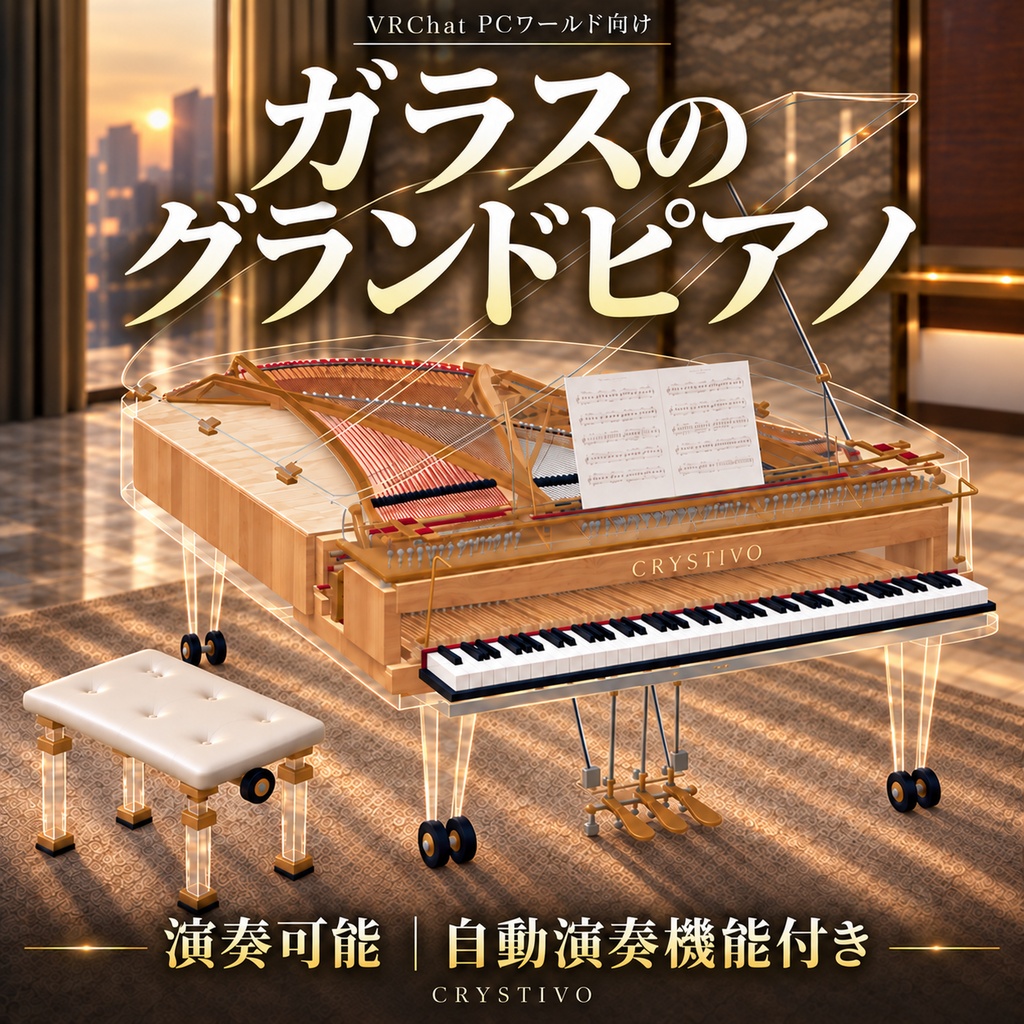
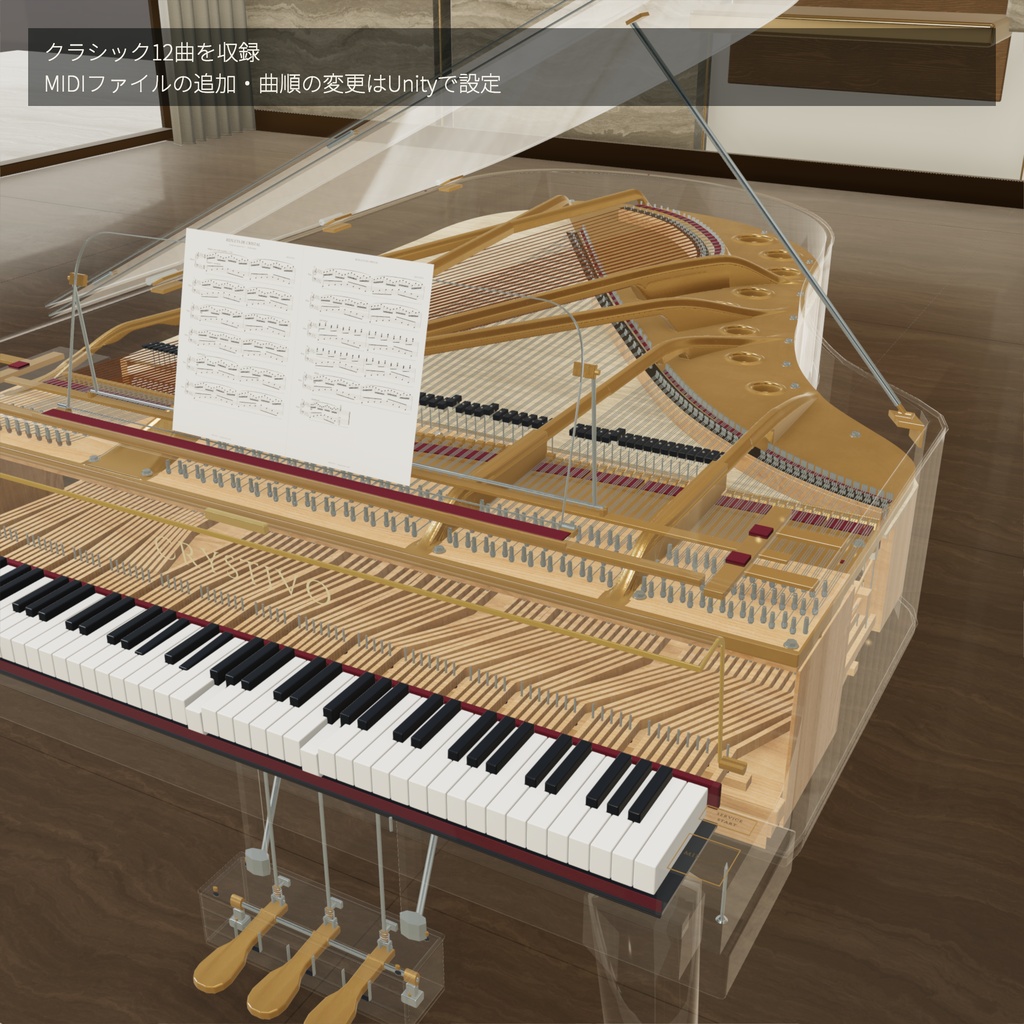
CRYSTIVOのガラスのグランドピアノは、外観だけでなく、内部の造形まで眺めて楽しめる3Dモデルです。 透明なガラスと金属のきらめきが、ラウンジや音楽室、展示空間に静かな存在感を添えます。 88鍵の演奏機能と、アコースティックグランドピアノの録音音源を収録。鍵盤を操作すると、キーが沈み込み、音が響きます。 PC向けVRChatワールド用の3Dモデルです。ワールドへの導入・設定に使用するUnityパッケージと、3D制作に使用できる単独FBXを付属しています。 ※動作確認はUnity Editor/ClientSimで実施しています。 Beauty in glass. A lingering resonance. Strings, a soundboard, and a metal frame, revealed through a transparent body. CRYSTIVO Glass Grand Piano is a 3D model designed to be admired inside and out. Clear glass and gleaming metal bring a quiet presence to lounges, music rooms, and exhibition spaces. With 88 playable keys and recorded acoustic grand piano samples, each interaction brings a key to life with movement and sound. A 3D model for PC VRChat worlds. Includes a Unity package for importing and setting up the piano in your world, plus a standalone FBX for use in 3D applications. Testing has been performed in the Unity Editor with ClientSim.
■ 特徴 / Features
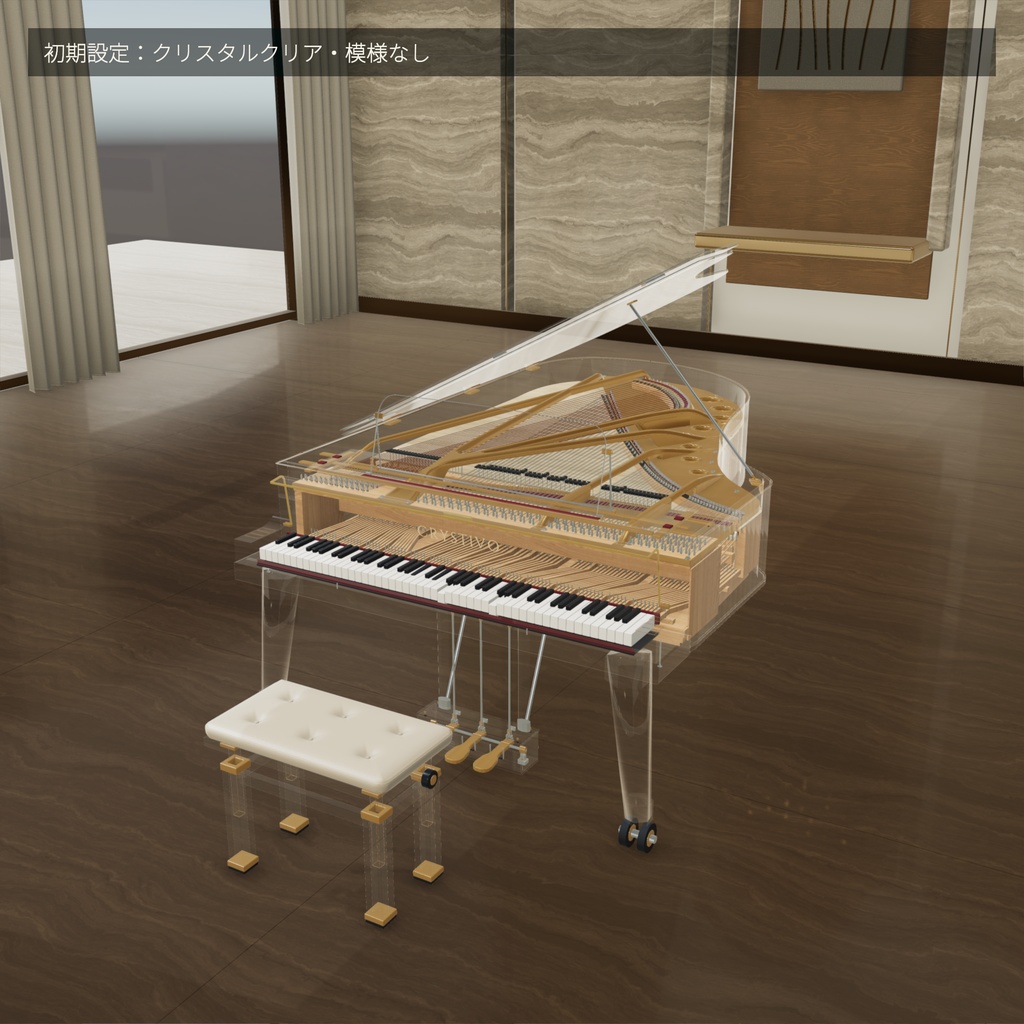
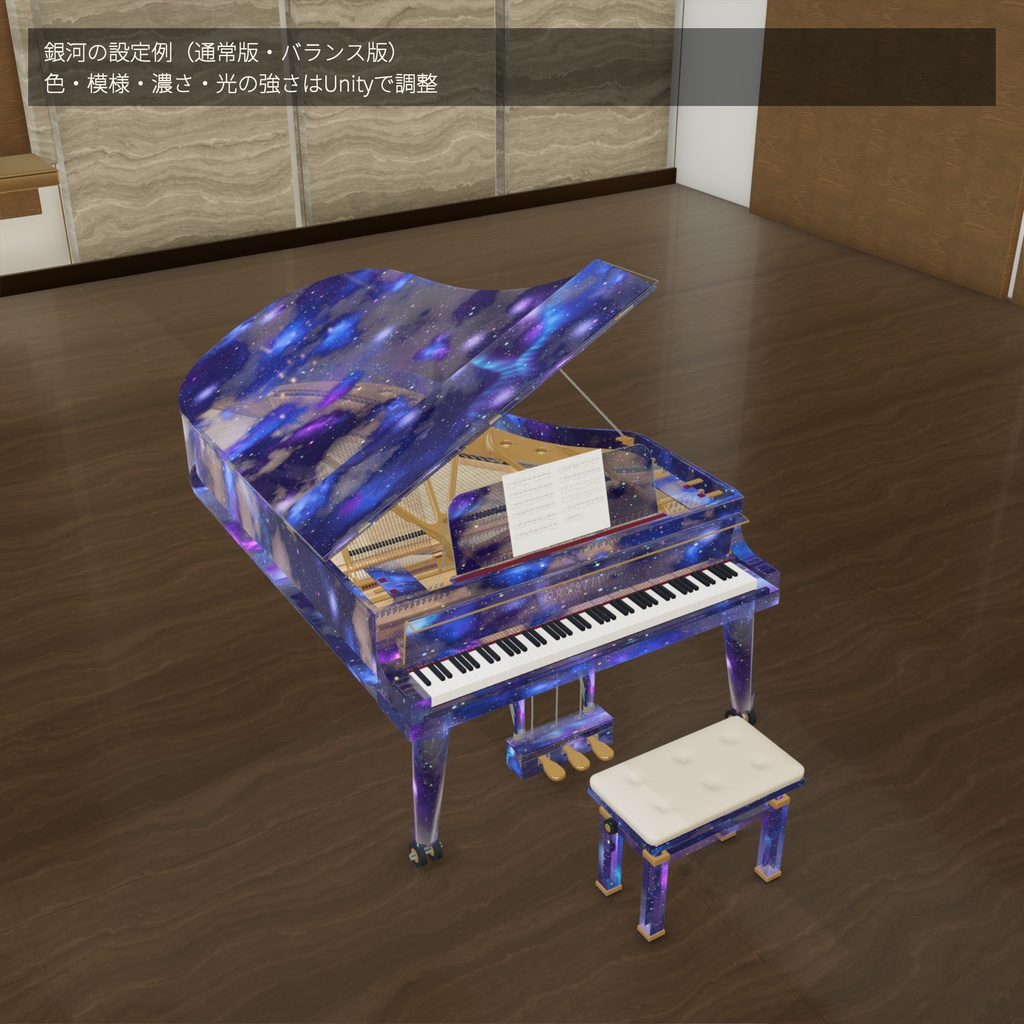
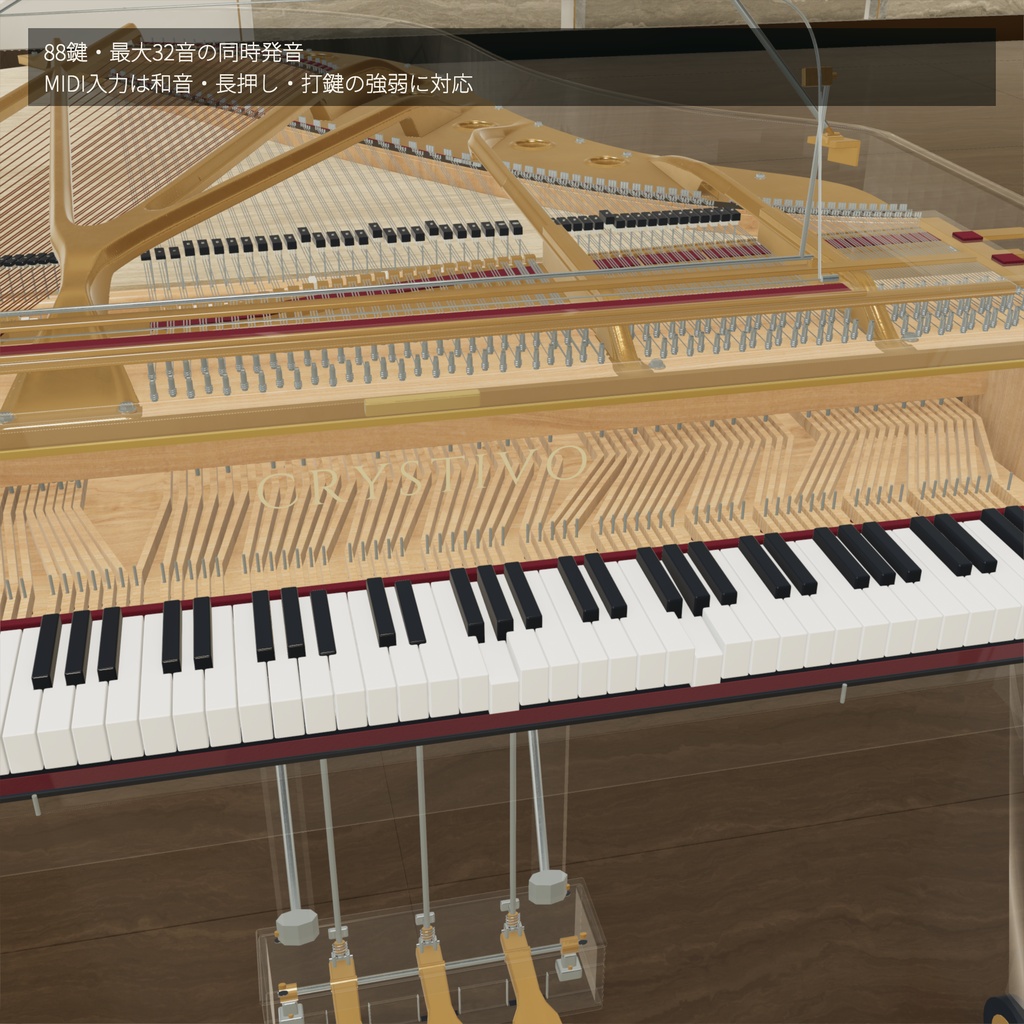
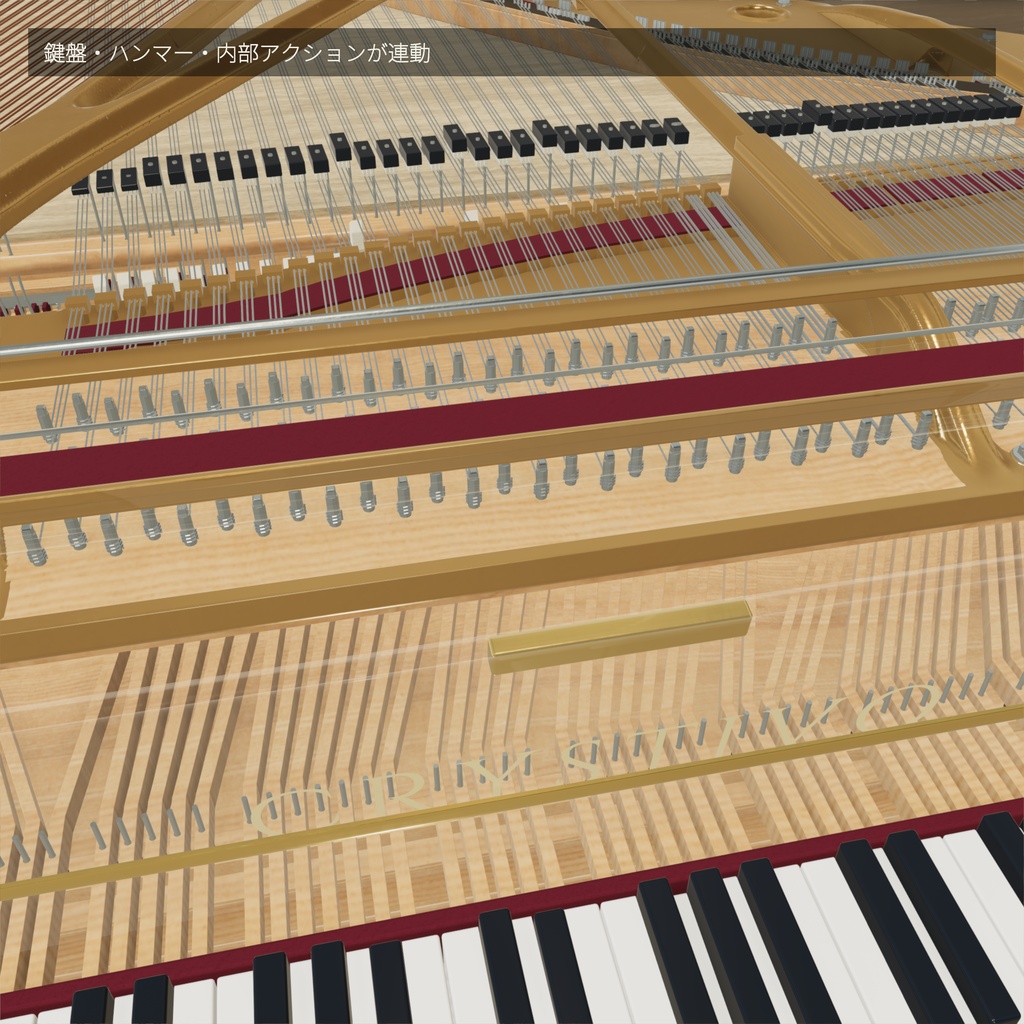
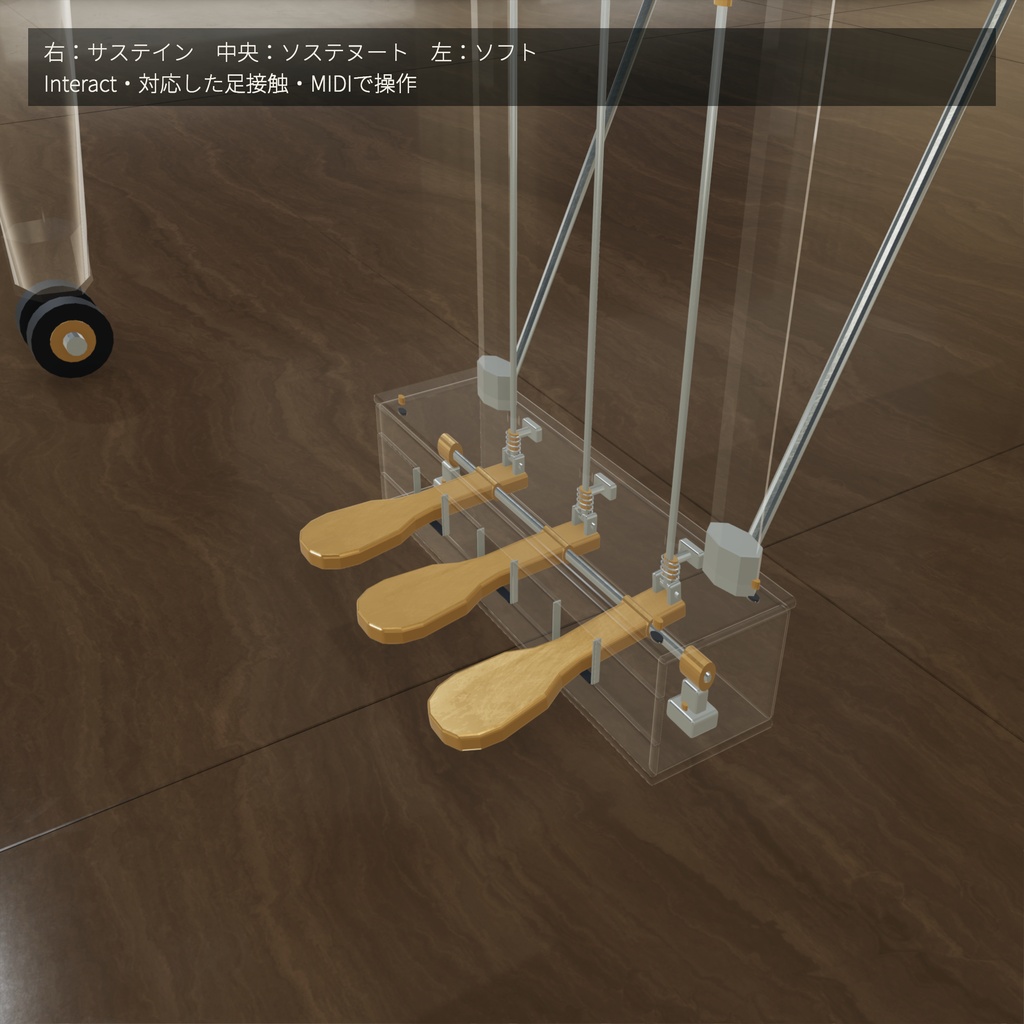
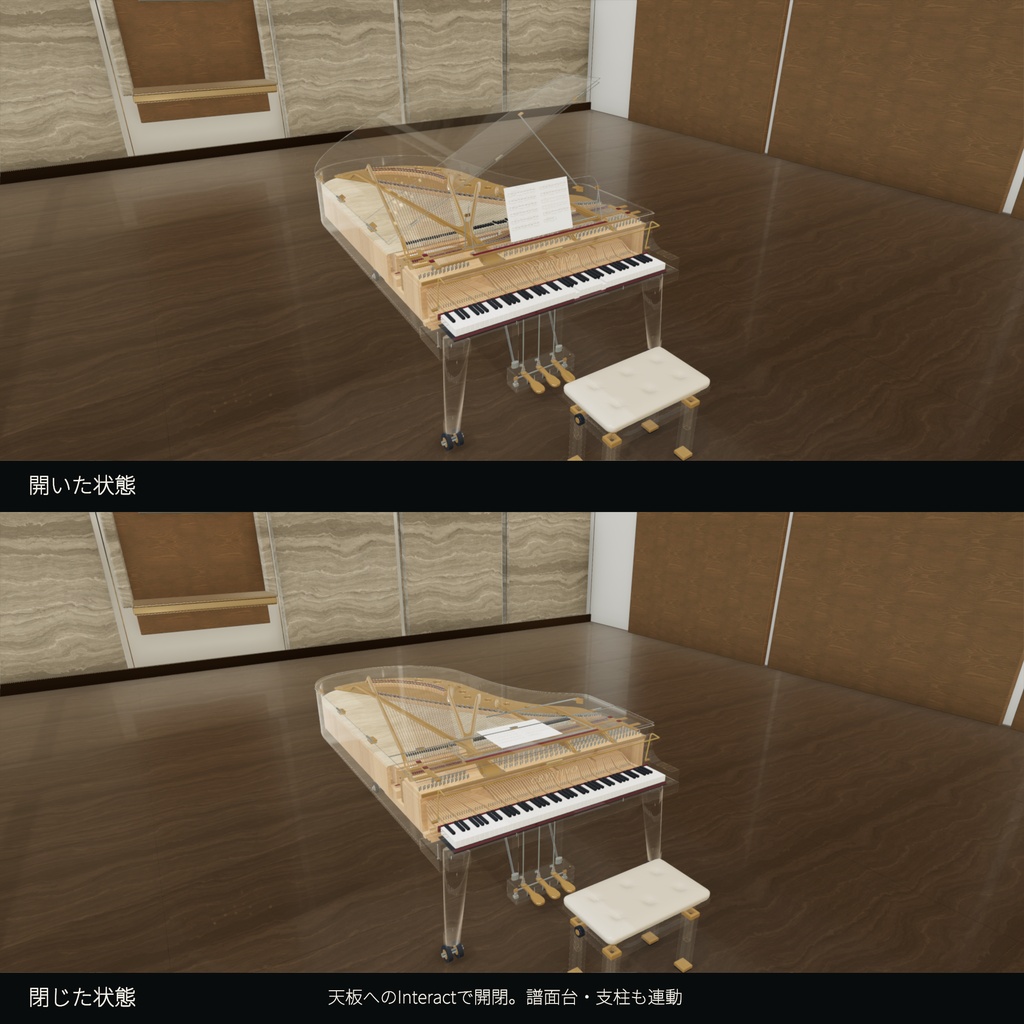
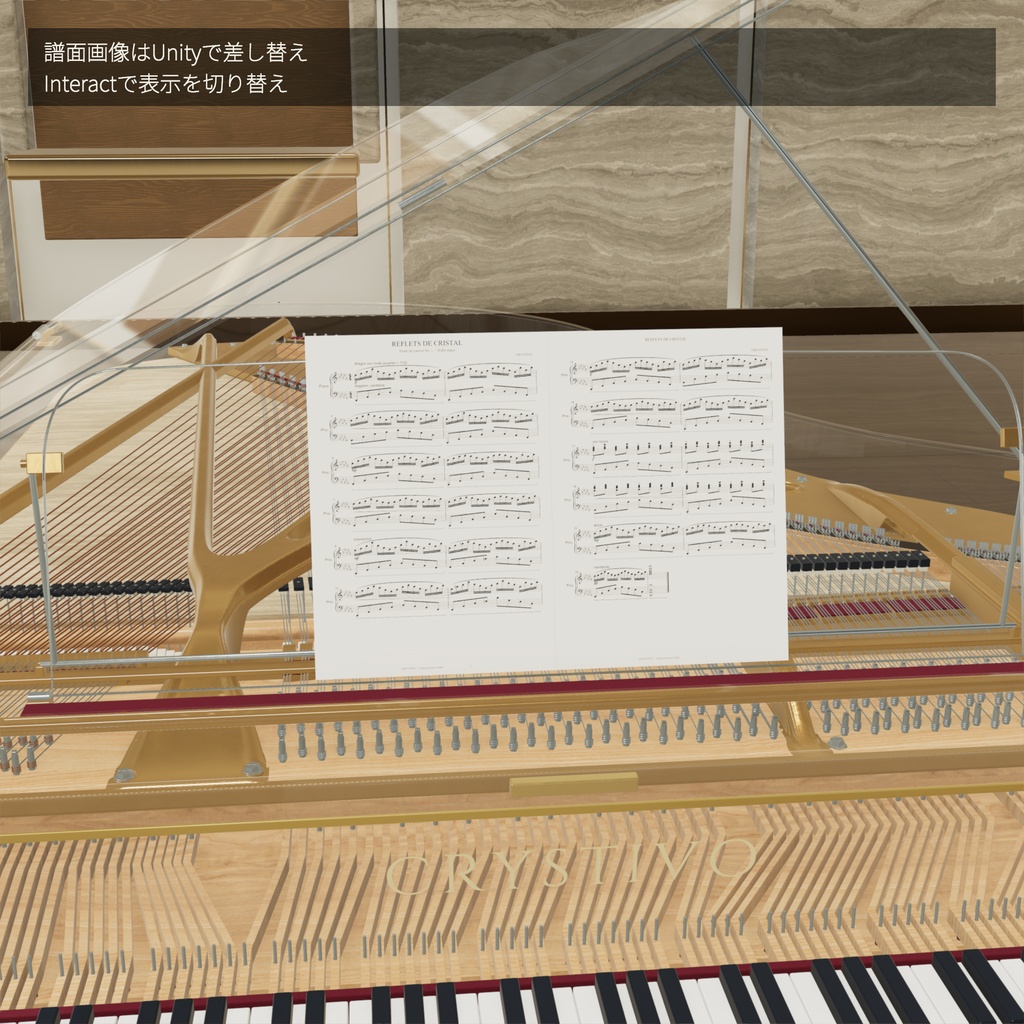
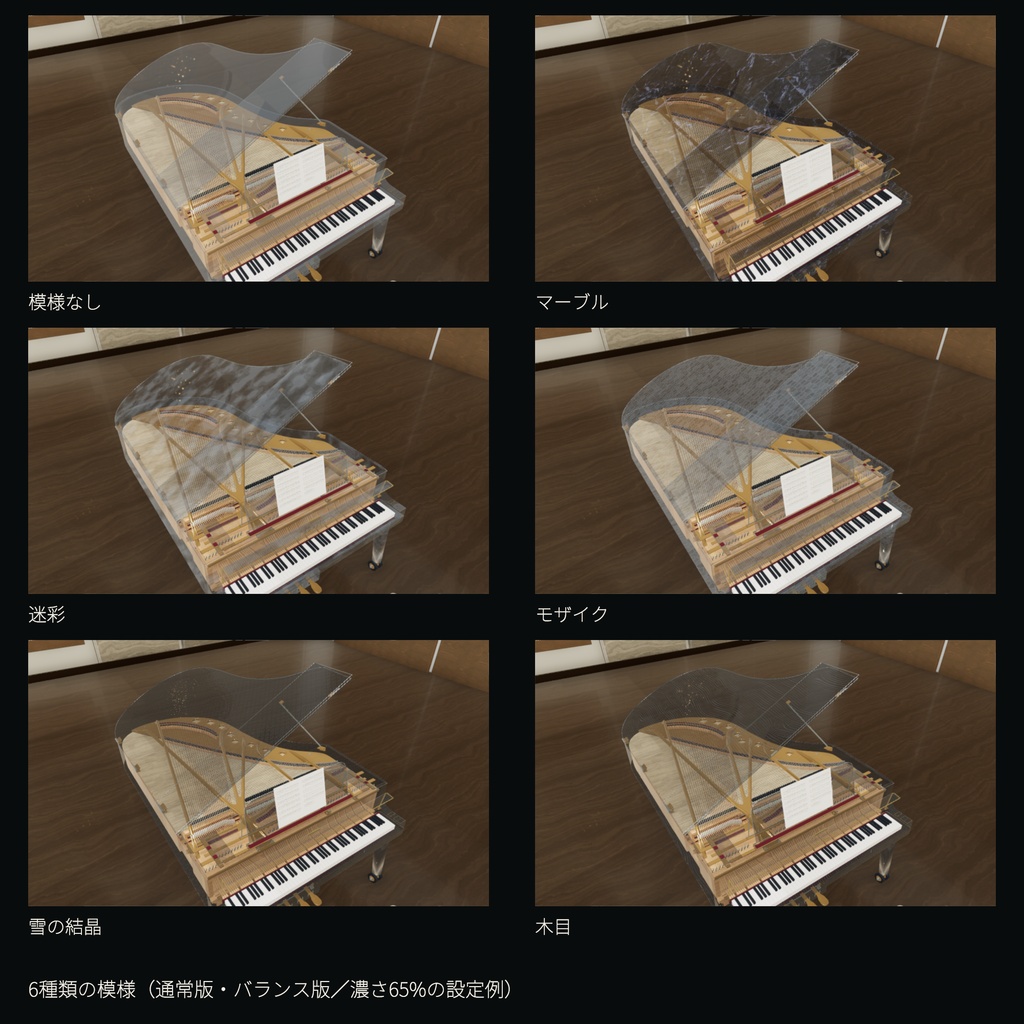
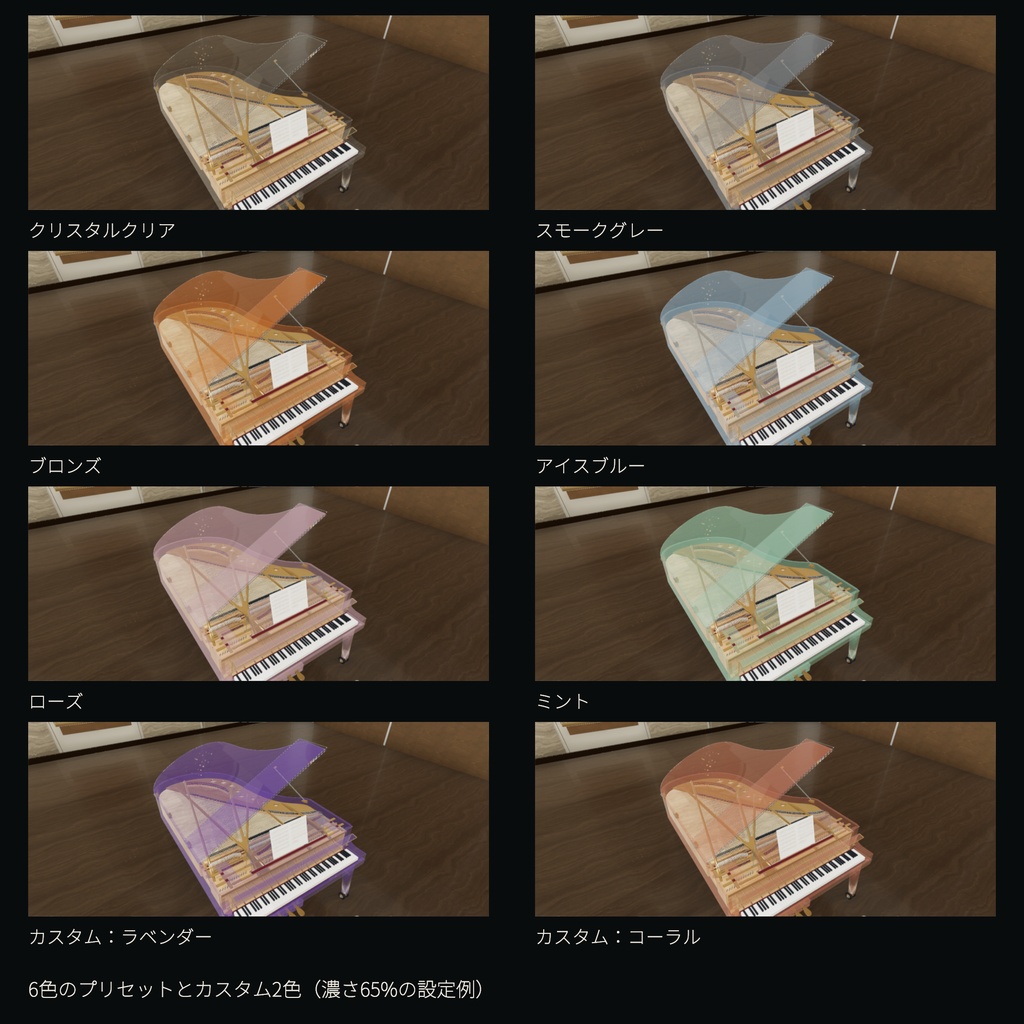
● 内部の造形を楽しむガラスの筐体 / A glass body that reveals the details ガラス越しに見える弦や響板、開口部を設けた金属フレームなど、内部の部品を造形しています。全体を眺めても、近づいて細部を見ても楽しめるデザインです。 Unityパッケージには、ガラス表示用のシェーダーと設定済みマテリアルを同梱しています。 Look through the transparent body to see the modeled strings, soundboard, and metal frame with its openings. Enjoy the piano as a centerpiece, or move closer to explore its internal details. The Unity package includes a glass shader and configured materials. ● ガラスの色をカスタマイズ / Customize the glass color UnityのInspectorから、ガラス本体と縁の色をそれぞれ変更できます。お部屋の雰囲気に合わせた色に調整でき、Blenderでの編集やコードの変更は不要です。ワールドへアップロードする前に設定します。 透明感を保ちながら色を変えるには、Glass Tint / Opacityの色を変更し、A(不透明度)は初期値のままにしてください。詳しい手順は付属READMEに記載しています。 Change the glass body and edge colors separately in the Unity Inspector to suit your space. No Blender editing or code changes are needed. Configure the colors before uploading your world. To retain the current opacity settings, change the color in Glass Tint / Opacity while keeping A (opacity) at its default value. See the included README for step-by-step instructions. ● MIDI鍵盤で演奏 / Play with a MIDI keyboard PCに接続したMIDI鍵盤で、和音・長押し・打鍵の強弱を付けた演奏ができます。鍵盤とハンマーの動き、サステイン・ソステヌート・ソフトの3ペダルも連動。音は本製品のピアノ音源を使用します。88鍵(MIDIノート21〜108)、最大32音同時発音に対応します。 Connect a MIDI keyboard to your PC to play chords, sustained notes and expressive dynamics. Keys, hammers and the sustain, sostenuto and soft pedals respond to your performance using the included piano samples. Supports notes 21–108 and up to 32 simultaneous voices. 鍵盤右側のMIDIスイッチをInteractでオンにすると使用できます。椅子に座ったまま演奏でき、オフにするとMIDI由来の押鍵・ペダルを解除します。MIDI機器と必要なドライバーは別途ご用意ください。ペダルはCC64/66/67対応機器を使用し、ハーフペダルは対象外です。強弱は音量へ反映します。接続・機器選択・チャンネル設定は付属READMEに記載しています。 Interact with the MIDI switch to the right of the keys to enable input. Play while seated; switching off releases your MIDI notes and pedals. A MIDI device and any required driver must be supplied separately. Pedals require CC64/66/67 support; half-pedalling is not included. Velocity controls volume. The README covers connection, device selection and channel settings. ● 88鍵の演奏機能 / 88 playable keys 鍵盤を狙ってInteractすると、その鍵盤が動いて音が鳴ります。同時発音は32音。音量はUnityのInspectorから調整できます。 本製品ではデスクトップ・VR両方で両手10本の指接触を判定します。デスクトップではアバターの手が鍵盤へ届く姿勢が必要です。各指を独立追跡する機能ではなく、クリック演奏も利用できます。指ボーンがないアバターでは該当指の接触を取得できません。ClientSimでの座標入力検査を行っています。 音源には、アコースティックグランドピアノを録音した「Salamander Grand Piano v3」を使用しています。音域ごとの響きと、自然に減衰する余韻を楽しめます。 手・Interactの打鍵強度は一定、MIDI鍵盤では打鍵の強さに応じて音量が変わります。強弱別の録音切替、共鳴音、離鍵音、ペダルノイズなどをすべて再現する音源システムではありません。 Aim at a key and use Interact to trigger its movement and sound. Supports up to 32 simultaneous notes. Adjust the volume in the Unity Inspector. The piano detects contact from all ten fingers in both desktop and VR modes. Desktop contact requires an avatar pose that reaches the keyboard; it does not provide independent finger tracking. Click/Interact remains available. Fingers without mapped avatar bones cannot be detected. Contact logic was tested with injected bone positions in ClientSim. The piano uses Salamander Grand Piano v3, a library of recorded acoustic grand piano samples, for its tone and naturally decaying notes. Hand and Interact input use fixed strike strength; MIDI velocity controls volume. The included playback system does not reproduce all recorded velocity layers, sympathetic resonance, release sounds, or pedal noises. ● 3本のペダルが音と動きに連動 / Three working pedals 演奏者から見て、右のサステインは鍵盤を離した後も余韻を残し、中央のソステヌートは踏んだ瞬間に押していた音だけを保持します。左のソフトは、踏んでいる間に新しく弾く音を弱くします。ペダル本体と連結棒も操作に合わせて動きます。 各ペダルへInteractすると押下状態を保持し、もう一度Interactすると解除します。VRではアバターの足・つま先の接触にも対応します。足を独立して動かすには、対応するトラッキング環境と姿勢が必要です。MIDIではCC64/66/67で操作できます。 音は録音音源の長さに沿って自然に減衰します。ハーフペダル、専用のウナ・コルダ音源、ダンパー形状の可動は含みません。 From the player's perspective, the right sustain pedal preserves the decay of released notes, the middle sostenuto pedal holds only notes being played when pressed, and the left soft pedal reduces the volume of newly struck notes. The pedals and connecting rods move with their operation. Interact with each pedal to latch it down, then interact again to release it. VR avatar foot/toe contact is also supported; independent foot control requires suitable tracking and an appropriate pose. MIDI control uses CC64 / 66 / 67. Notes decay naturally within the length of the recorded samples. Half-pedalling, dedicated una-corda recordings and moving damper geometry are not included. ● 天板・譜面台・支柱が連動する開閉機構 / Coordinated lid, music desk, and support movement 天板を狙ってInteractすると、ガラスの天板が開閉します。大屋根だけでなく、手前の折り返し部分、譜面台、支柱も連動し、約5.8秒で開いた姿と閉じた姿を切り替えられます。内部の造形を見せる展示にも、天板を閉じた落ち着いた配置にも使えます。 閉じた天板からも操作でき、動作中にもう一度Interactすると開閉方向が反転します。大屋根または手前の折り返し部分を直接選んで操作します。 Aim at the glass lid and use Interact to open or close it. The main lid, front flap, music desk, and support move together through an approximately 5.8-second sequence. Display the piano open to reveal its interior, or closed for a quieter presence in your space. You can operate the lid while it is closed, and interacting again during movement reverses the direction. Interact directly with either the main lid or its front flap. ● 鍵盤カバーを独立して開閉 / Independently opening keyboard cover 鍵盤カバー本体へInteractすると、約1.6秒で開閉します。大屋根とは独立して操作でき、動作中のInteractで開閉方向を反転できます。初期状態は開いた状態です。 カバーが閉じている間と開閉途中は、鍵盤への直接Interactを無効にします。MIDI入力はそのまま使用できます。 Interact with the keyboard cover to open or close it in approximately 1.6 seconds. It operates independently of the main lid, and another interaction during movement reverses its direction. The cover starts open. Direct key interaction is disabled while the cover is closed or moving. MIDI input remains available. ● 天板の開き具合で音色が変わる / Sound changes with the lid position 天板を閉じるにつれて高音と音量が少し控えめになり、短い反射音で響きを加えます。UnityのCrystalPianoWorld > Body Resonanceで響きの量を調整でき、Enable Body Acousticsで効果を無効にできます。全体の音量はVolumeから調整します。 録音音源にフィルターと残響を加える演出で、ガラスや響板の物性に基づく音響シミュレーションではありません。 As the lid closes, high frequencies and volume become slightly softer, with short reflections adding resonance. Adjust the amount using CrystalPianoWorld > Body Resonance in Unity, or disable the effect with Enable Body Acoustics. Volume controls the overall level. This effect adds filtering and reverberation to recorded samples; it is not an acoustic simulation based on the physical properties of glass or the soundboard. ● 譜面を置ける、画像も変更できる / Place a score and customize its image 譜面台の板を狙ってInteractすると、楽譜を置く/取り除くを切り替えられます。初期状態は譜面なし。置いた楽譜は譜面台に追従し、天板の開閉に合わせて譜面台と一緒に動きます。 表示する楽譜は、UnityのCrystalPianoMechanisms > Sheet Imageから好みの画像へ差し替えられます。横長の画像1枚を見開きの譜面として表示する仕組みで、初期画像にはオリジナル曲「Reflets de cristal」の24小節・見開き2ページを収録しています。ページ送りやURLからの読み込みはありません。
■ 内容物 / Download Contents
ダウンロード商品です。配布は製品名とバージョンを付けたZIP形式です。 ・Unityパッケージ:設定済みピアノ・椅子プレハブ、演奏・MIDI・ペダル・天板と鍵盤カバーの開閉・着座のスクリプト、モデル、マテリアル、ガラスシェーダー、88音の音源、譜面画像、フォント、ライセンス。 ・ピアノFBX:鍵盤・ハンマーを分離したモデル、銘板、木目テクスチャ、開閉アニメーション。 ・椅子FBX:高さ調整用の座面階層を持つ椅子単体。 ・README:導入・各種操作・MIDI接続・外観変更・制限・ライセンスの説明。 Blender原本・VRM・通常Unityアプリ向けの演奏版は含まれません。 Digital download in a ZIP named with the product and version. • Unity package: configured piano and bench prefabs, playback, MIDI, pedal, lid/keyboard-cover and seating scripts, models, materials, glass shader, 88 note samples, score image, fonts and licenses. • Piano FBX: separate keys and hammers, nameplate, wood textures and opening/closing animations. • Bench FBX: standalone bench with a separate height-adjustable seat hierarchy. • README: setup, controls, MIDI connection, customization, limitations and licenses.
■ 用途・導入環境 / Intended Use and Setup Environment
・Unity 2022.3.22f1 ・Built-in Render Pipeline ・VRChat Worlds SDK 3.10.5/UdonSharp ・想定用途:PC向けVRChatワールドへの設置 Unity Editor/ClientSimで、88鍵の発音・鍵盤の動作・文字変更・移動時の当たり判定を確認しています。 VRChat Worlds SDKとUdonSharpは事前にご用意ください。SDK本体は同梱していません。 • Unity 2022.3.22f1 • Built-in Render Pipeline • VRChat Worlds SDK 3.10.5 / UdonSharp • Intended use: placement in PC VRChat worlds All 88 notes, key movement, nameplate editing, and player movement collisions have been checked in the Unity Editor with ClientSim. VRChat Worlds SDK and UdonSharp must be available in your project before importing. The SDK is not included.
■ 導入の流れ / Quick Setup
1) Worlds SDKとUdonSharpを利用できるUnityプロジェクトを用意します。 2) Unityパッケージをインポートし、コンパイル完了を待ちます。 3) Assets/CRYSTIVO_GlassGrandPiano/Prefabs/CRYSTIVO_GlassGrandPiano.prefab をシーンに配置します。 4) 床面に合わせて位置を調整し、Play Mode/ClientSimで操作と音量を確認してください。 Model内のFBXだけを配置しても演奏できません。 詳細は付属READMEをご覧ください。 1) Extract the ZIP and prepare a Unity world project with Worlds SDK and UdonSharp. 2) Import the supplied unitypackage and wait for compilation to finish. 3) Place Assets/CRYSTIVO_GlassGrandPiano/Prefabs/CRYSTIVO_GlassGrandPiano.prefab in your scene. 4) Keep the piano root at Scale 1 and position it on the floor. Check interaction and volume in Play Mode with ClientSim. Placing only the FBX from the Model folder will not enable playback. To change the front text, edit CrystalPianoWorld > Brand Name. Use CrystalPianoWorld > Volume to adjust the volume. Refer to the included README for further details.
■ ご購入前にご確認ください / Before You Buy
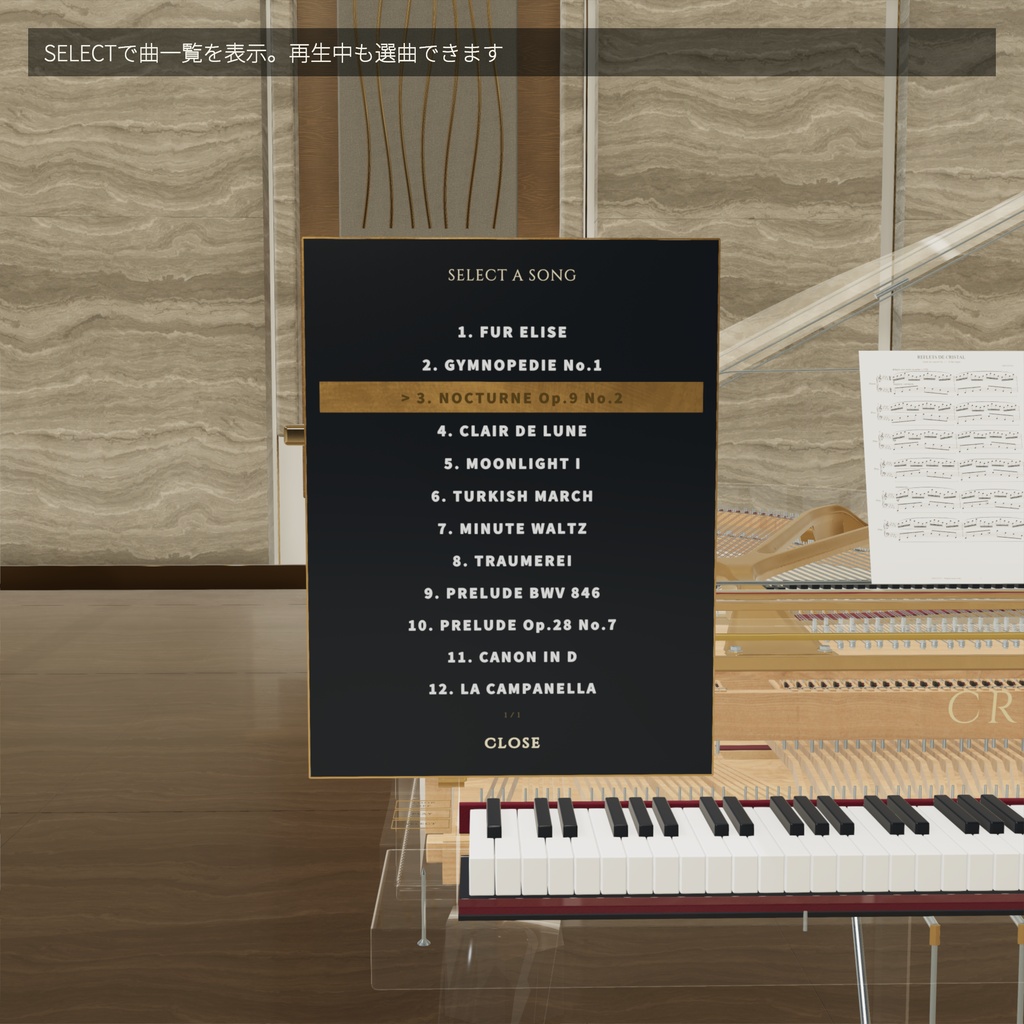
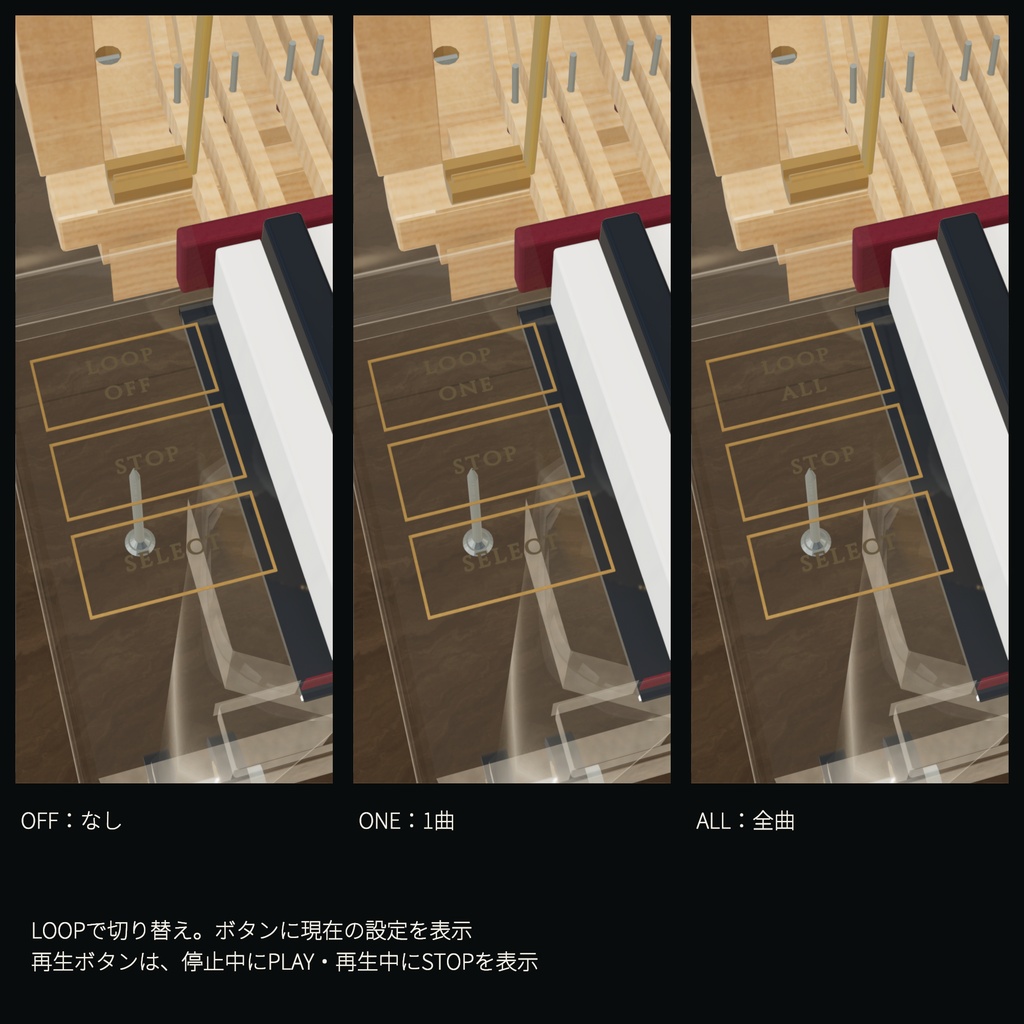
・本商品は内部の造形を含む高密度モデルです。Unityプレハブは約63万三角形、単独FBXは690,918三角形です。配置数やワールドの構成によって負荷が変わります。 ・新規プロジェクトへの再インポートと、実ワールドでの性能検証は未実施です。 ・Quest/Android向けには動作確認していません。 ・MIDI鍵盤からのリアルタイム演奏に対応。MIDIファイルの自動演奏機能、自動演奏用の楽曲データは付属しません。表示用のオリジナル譜面画像を同梱します。紹介動画はショパン《ノクターン第2番 Op.9-2》の冒頭抜粋を本製品の音源で収録しています。動画の演奏データとショパンの表示譜面は撮影用で、同梱曲ではありません。動画のステージ・照明・演出は付属しません。 ・鍵盤とハンマーが演奏に連動します。3ペダルも発音・動作に連動します。ダンパー形状の可動と内部アクション全体の力学再現は含みません。天板へのInteractで、天板・譜面台・支柱が連動して開閉します。 ・筐体などには移動時の当たり判定を設定していますが、VR機器を現実空間で動かした際の頭や手の重なりを完全に防ぐものではありません。 ・ガラスの見え方は、背景・照明・描画環境によって変わります。 • High mesh density: approximately 630,000 triangles in the Unity prefab; 690,918 triangles in the standalone FBX. Performance depends on your world and the number of copies placed. • Not yet tested: import into a fresh project and performance in a live world. • Quest / Android has not been tested. • Realtime MIDI keyboard input is supported. MIDI file autoplay and autoplay song data are not included. An original score image is included for display. The new promotional video renders an opening excerpt of Chopin’s Nocturne Op.9 No.2 through the included samples. Its performance data and displayed Chopin score are prepared for filming and are not included song content. Its stage, lighting, and presentation effects are not included. • Keys and hammers respond to playing. The three pedals also control sound and movement. Damper geometry and the complete physical action are not simulated. Interact with the lid to open or close it together with the music desk and support. • Colliders are configured for player movement collisions. They cannot fully prevent the head or hands from visually passing through the piano when VR hardware is moved in physical space. • Glass appearance varies with the background, lighting, and rendering environment.
■ 利用規約 / Terms of Use
・モデルデータの再配布・販売を禁止します。改変の有無、有償・無償を問いません。 ・上記を除く利用を許可します。改変、商用利用、公開VRChatワールドへの設置が可能です。 ・モデルを設置したVRChatワールドのアップロード・公開は許可します。モデルデータそのものを第三者へ配布・販売することは禁止します。 ・同梱の音源・フォントなどの第三者素材には、それぞれのライセンスが適用されます。上記の再配布・販売禁止は、第三者素材のライセンスが認める利用を制限しません。 • Redistribution or sale of the model data is prohibited, whether modified or unmodified, free of charge or for a fee. • All other uses are permitted, including modification, commercial use, and placement in public VRChat worlds. • You may upload and publish VRChat worlds containing the model. Distributing or selling the model data itself to third parties is prohibited. • Included third-party assets, such as audio samples and fonts, remain governed by their respective licenses. The redistribution and sale restriction above does not limit uses permitted by those licenses.
■ 使用素材・クレジット / Third-Party Assets and Credit
ピアノ音源:Salamander Grand Piano v3 — Alexander Holm(CC BY 3.0) ・出所:https://github.com/sfzinstruments/SalamanderGrandPiano ・ライセンス:https://creativecommons.org/licenses/by/3.0/ ・加工:録音層の選択、音程・音声形式・長さの調整、終端フェード。 フォント:Cinzel Regular/Noto Sans JP(SIL Open Font License 1.1) 第三者素材にはそれぞれのライセンスが適用されます。著作権表示・ライセンス全文・加工内容の詳細は付属READMEとUnityパッケージに同梱しています。 Piano samples: Salamander Grand Piano v3 by Alexander Holm — CC BY 3.0. • Source: https://github.com/sfzinstruments/SalamanderGrandPiano • License: https://creativecommons.org/licenses/by/3.0/ • Modifications: selection of a recorded velocity layer, pitch adjustment, audio format conversion, trimming, and end fades. Fonts: Cinzel Regular and Noto Sans JP — SIL Open Font License 1.1. Third-party assets remain subject to their respective licenses. Copyright notices, full license texts, and details of the modifications are provided in the included README and Unity package.
■ 高さ調整できる椅子を同梱 / Height-adjustable piano bench included
ピアノに合わせたガラス脚とアイボリーの座面の椅子を同梱しています。Unityで座面高を45〜60cmに調整して保存できます(標準50cm)。単独で使える椅子プレハブも付属します。 Includes a matching bench with glass legs and an ivory cushion. Set and save a seat height of 45–60 cm in Unity (default: 50 cm). A standalone bench prefab is also included.