

【無料版あり】羽を自動で付けるやつ【VRChat/Unity】
- 無料版(試しに見るだけ)Digital0 JPY
- 通常版(そのまま使える・微調整つき)Digital500 JPY
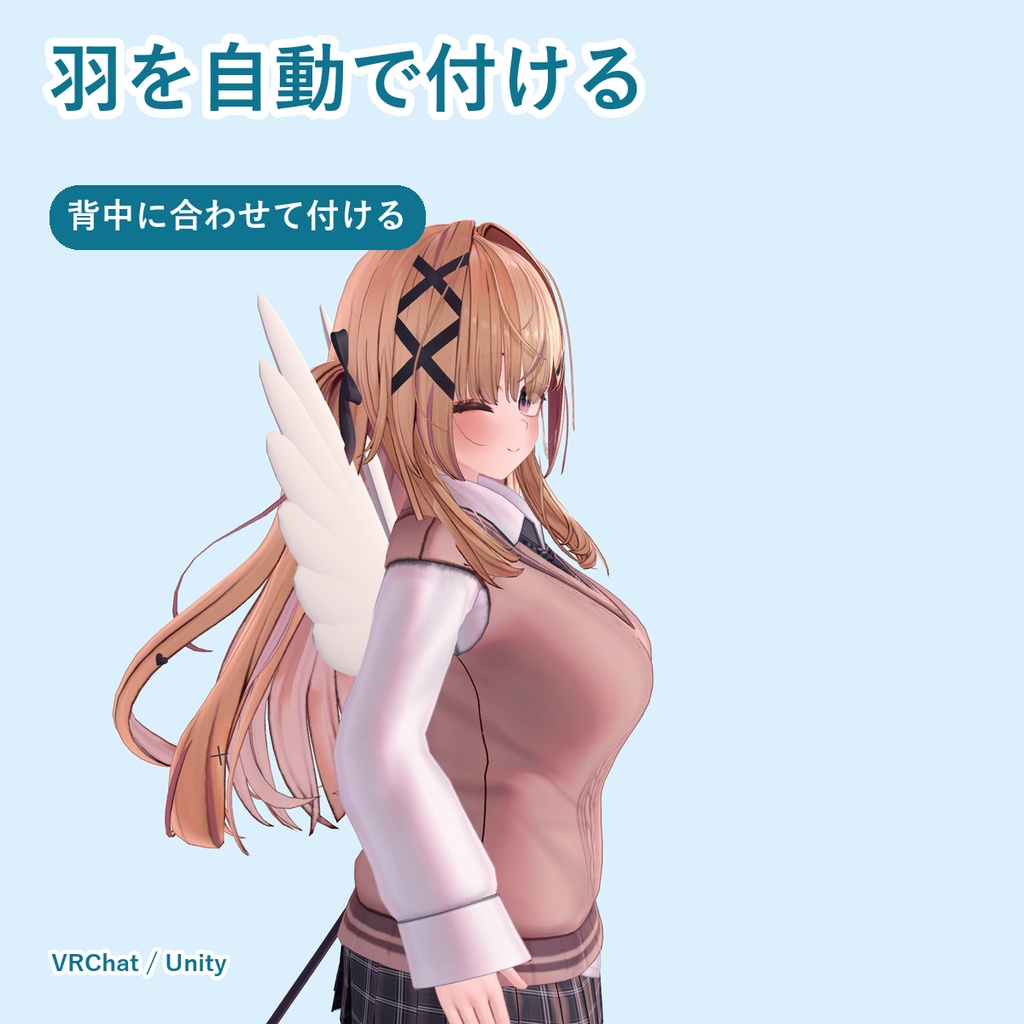
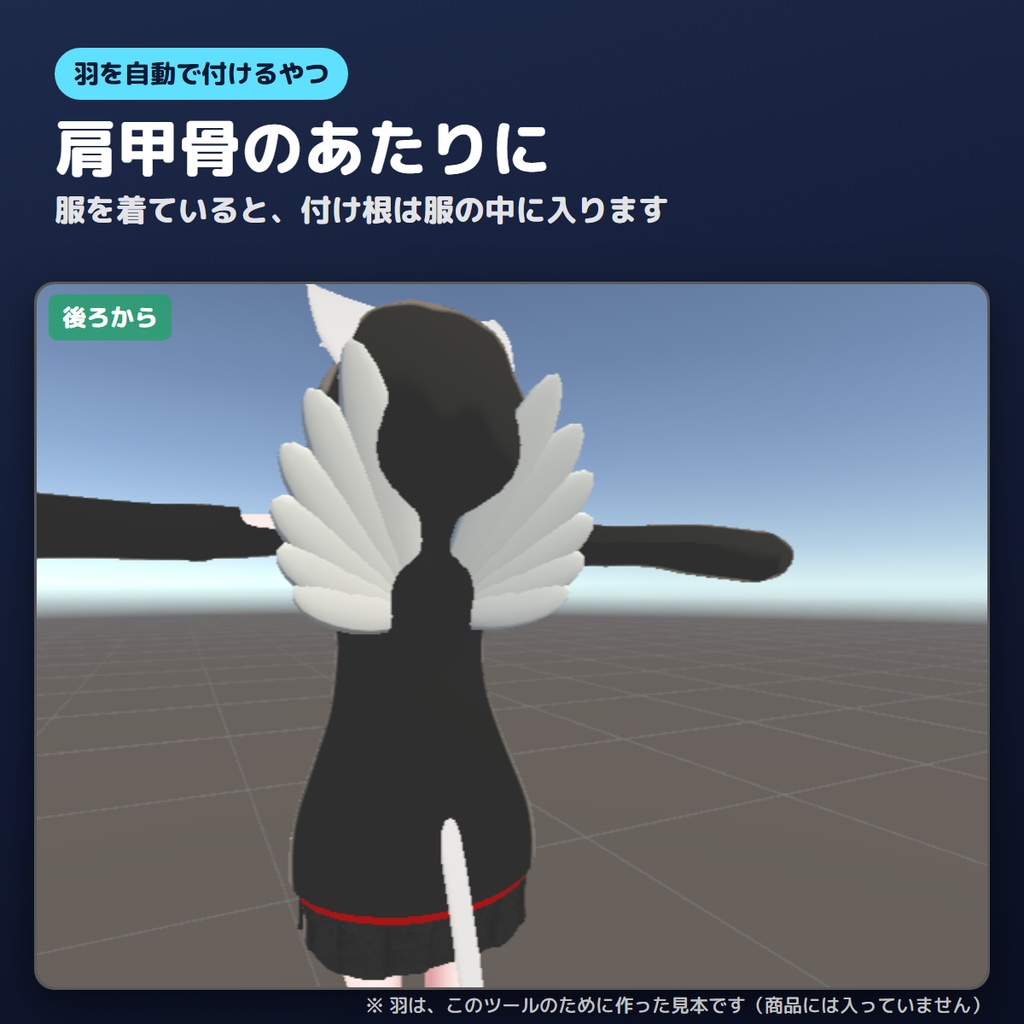
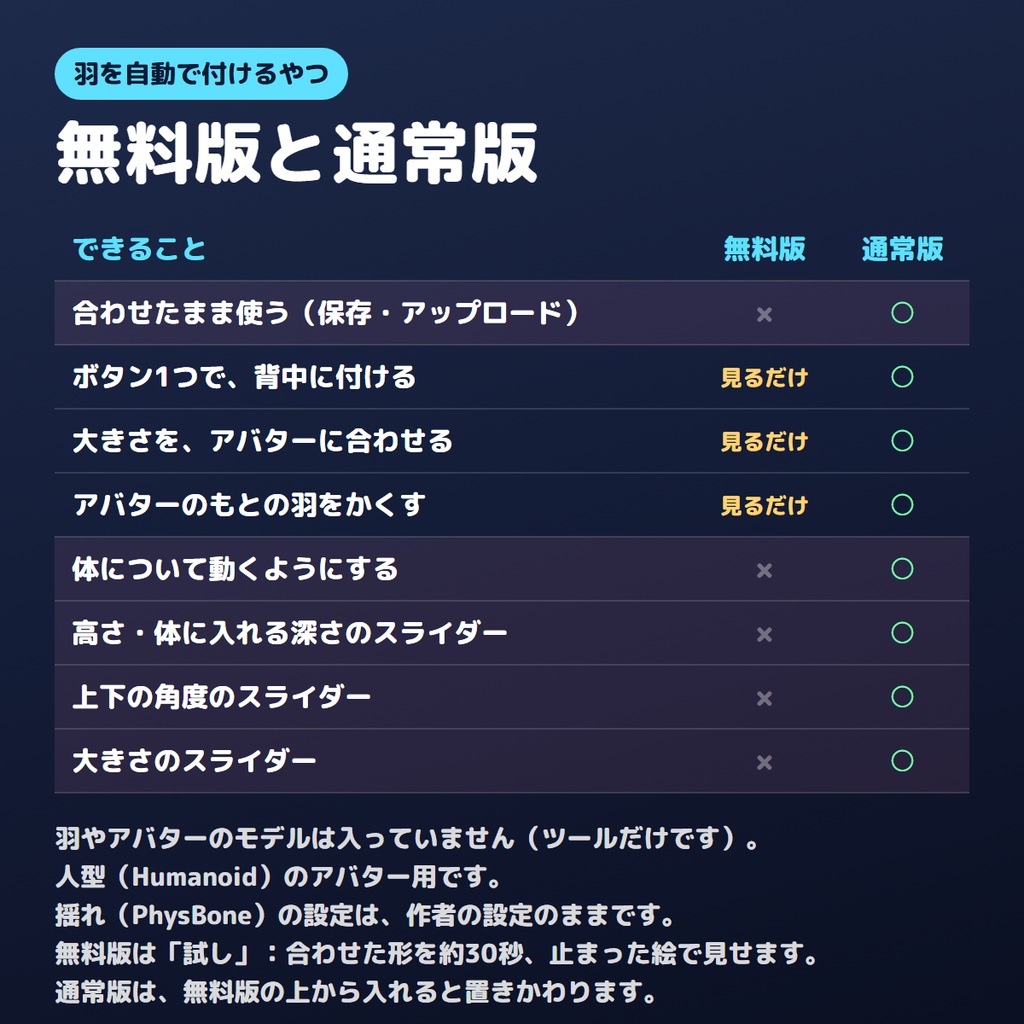
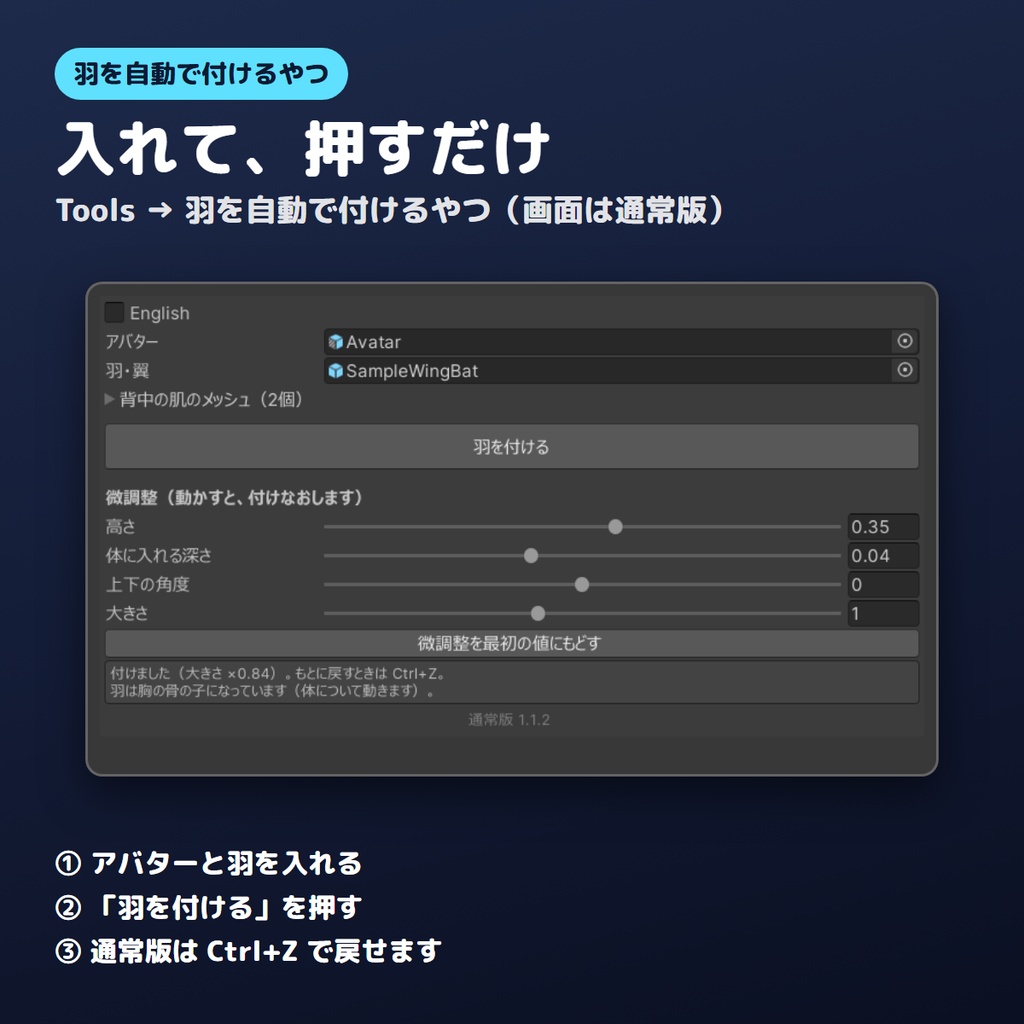
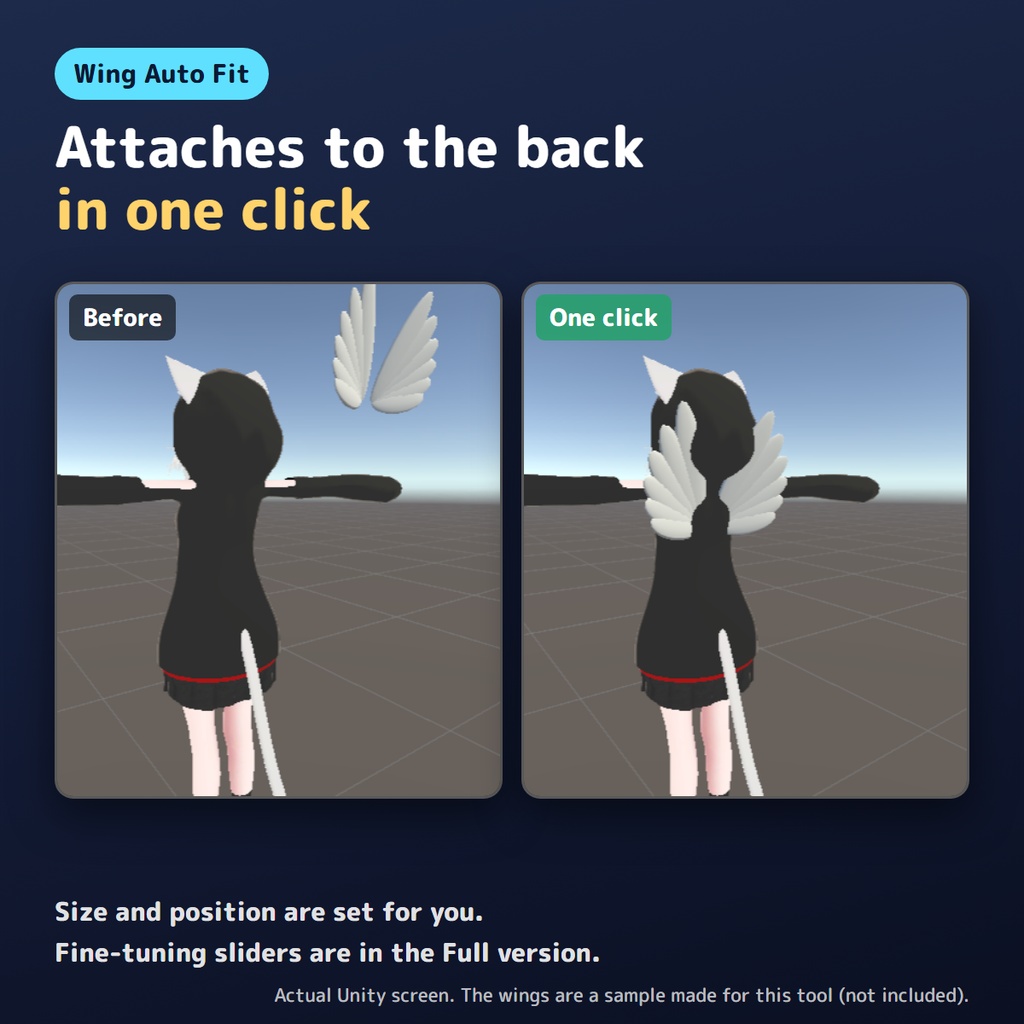
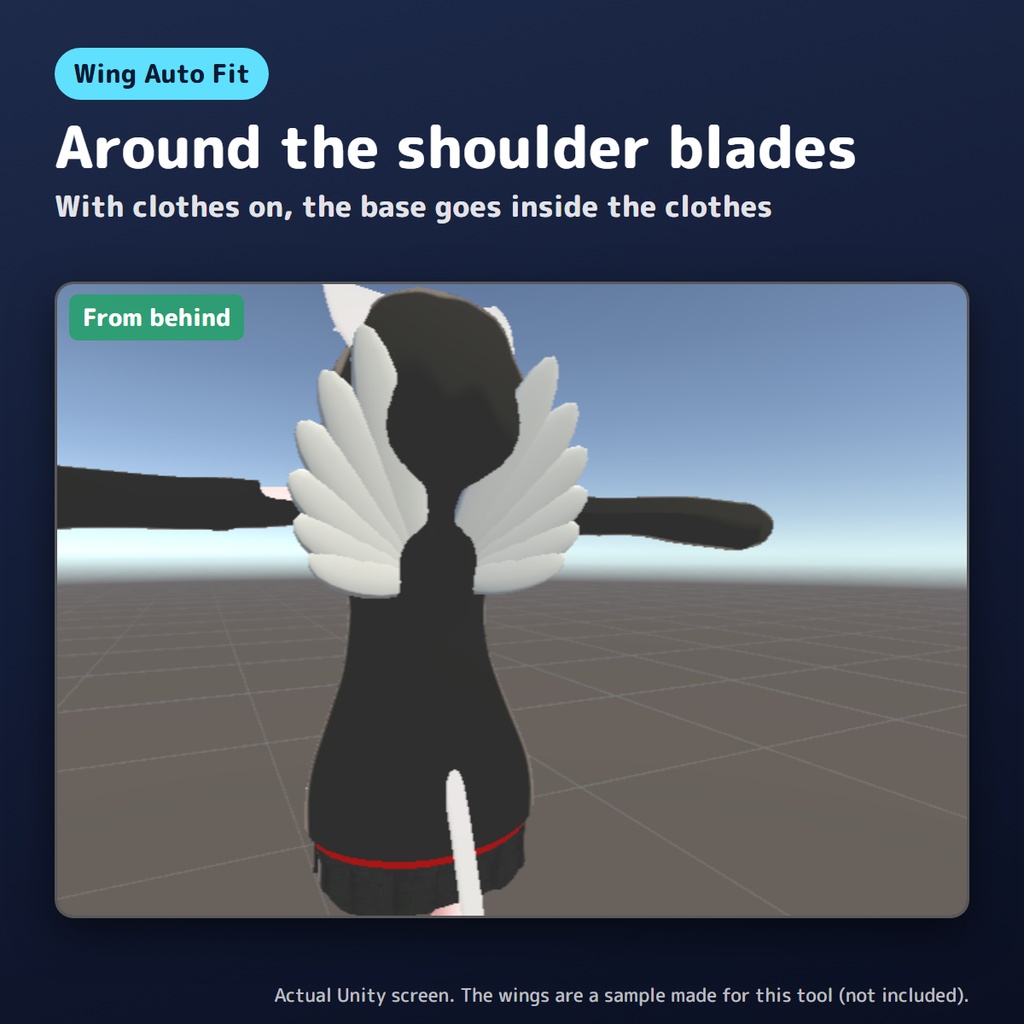
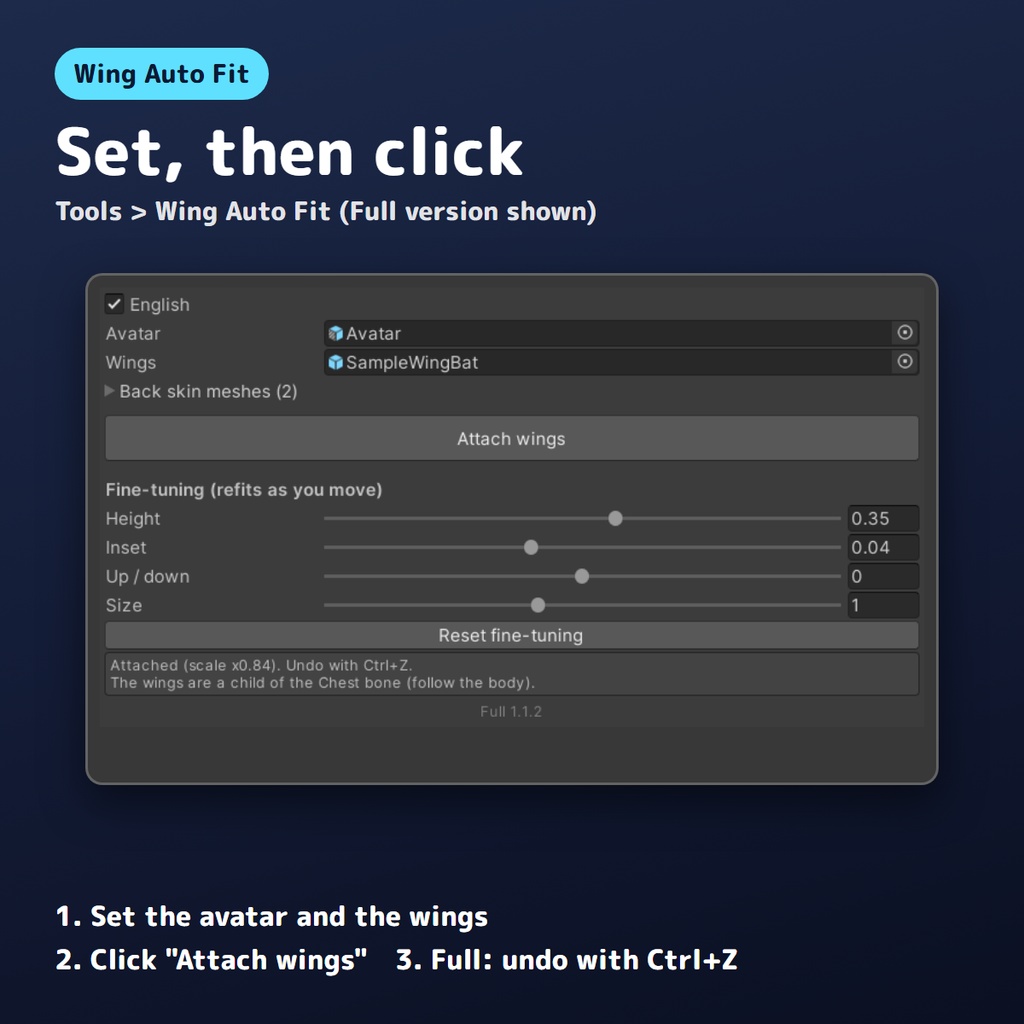
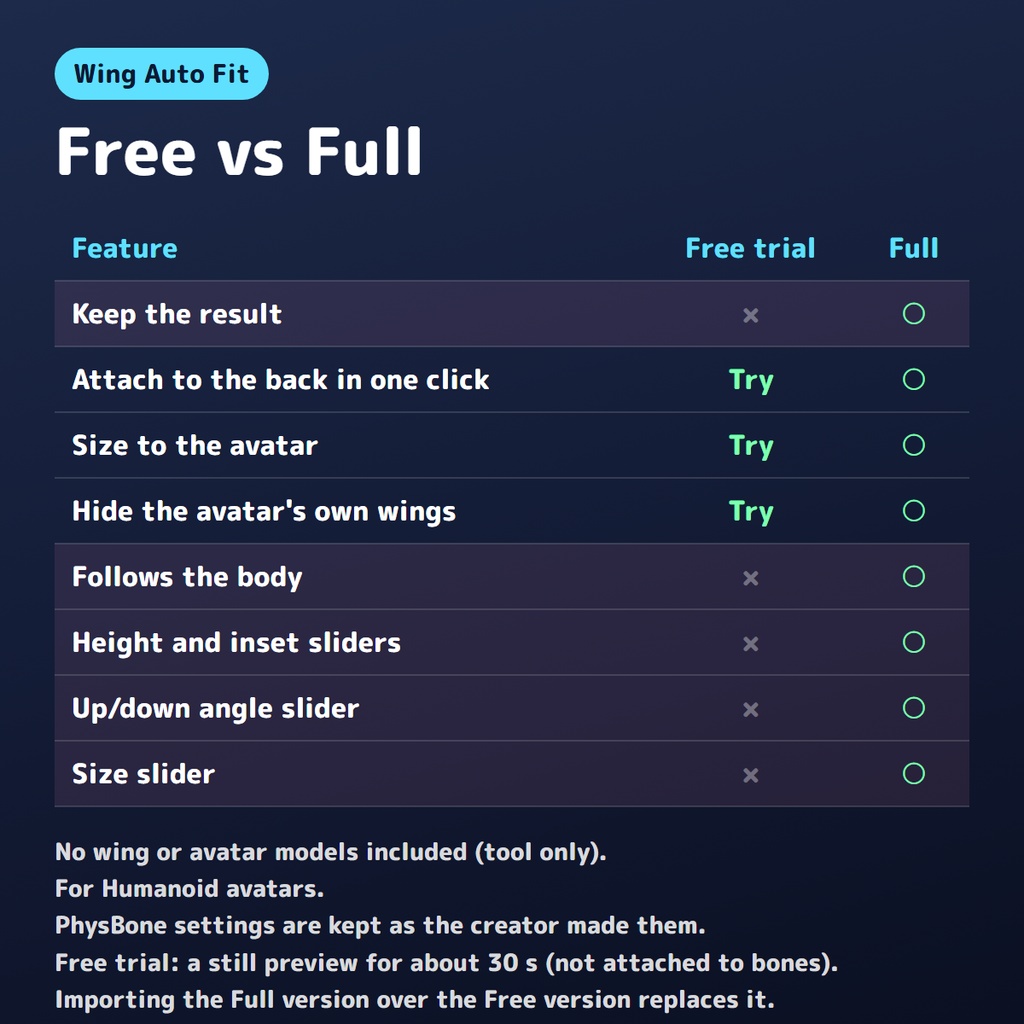


羽・翼を、アバターの背中に自動で付けるエディタ拡張です(無料版は試しに見るだけ。そのまま使うのと微調整は通常版)。 羽やアバターのモデルは入っていません(ツールだけです)。 アバターと羽を窓に入れて「羽を付ける」を押すと、背中の肌のメッシュから肩甲骨のあたりの背中の面を見つけて、羽の付け根をそこに付けます。アバターがもとから付けている羽は、チェック1つでかくせます。 通常版は、羽の位置・大きさ・向きと、置き場所(アバターの中に入れ、BoneProxyがなければ胸の骨の子にする)、BoneProxyのつけ方を変えます。「アバターのもとの羽をかくす」にチェックがあると、もとの羽を非表示にします。メッシュや画像などのもとのファイルは書きかえません。通常版で合わせた変更は Ctrl+Z で戻せます。 無料版(試し)は、あなたの物の値を変えず、合わせた形を Scene ビューに約30秒だけ見せます。 ■ こんなときに ・ほかのアバター向けに作られた羽を、自分のアバターに付けたい ・羽を入れたら、背中から浮いたり、めりこんだりしていた ・いろいろな羽を、すぐに付けくらべたい ■ 無料版と通常版のちがい 無料版(試し): ・ボタン1つで合わせた形を、Scene ビューに止まった絵で約30秒見せます(あなたの物の値は変えません。試しのあいだ、もとの物は見えなくするだけです) ・絵は骨につながっていないので、アバターを動かしてもついてきません(体について動くか、再生で見る確かめは通常版で) ・30秒たつか、窓の「試しを終える」・シーンの保存や閉じる・再生・アップロードの組み立て・窓を閉じる、で終わります(Ctrl+Z では終わりません。Ctrl+Z は、あなたの別の作業を戻します) ・試しの結果は、シーン・プレハブ・アップロードに入りません 通常版: ・ボタン1つで、背中の面(肩甲骨のあたり)を見つけて、羽の付け根をそこに付ける ・羽の大きさを、アバターに合わせる(羽が自分の腰の骨を持っていれば、その高さの比。持っていなければ、作者が羽を置いていた高さの比。アバターの足もとを原点にした作りでない羽は、大きさはそのまま) ・アバターのもとの羽をかくす(チェックで切りかえ) ・体について動くようにする(羽に Modular Avatar の BoneProxy が付いていればそれを使い、なければ胸の骨の子にします。BoneProxy の Target(付ける先の骨)は変えません。胸(Chest)か背骨以外の骨のときは窓に知らせが出るので、Target を直してください) ・高さ・体に入れる深さ・上下の角度・大きさを、スライダーで微調整する まず無料版で、お手元の羽とアバターで試してください。 通常版は、無料版の上から入れると置きかわります。 ■ 動く環境 ・Unity 2022.3(VRChat指定の 2022.3.22f1 で確認) ・人型(Humanoid)で、胸(Chest)・首・腕の骨があるアバター ・Modular Avatar は無くても動きます ■ 確かめた組み合わせ 無料で配られているアバター4体(ちびキャラ1体をふくむ)と、次の羽10個の40通りで試しています。 ・BOOTHで無料で配られている羽3作品の4つ(左右が別々のプレハブの羽、Modular Avatar の Merge Armature 付きの羽をふくむ) ・無料アバターに付いている羽1つ(形だけ) ・自作の見本5つ(こうもり・天使・妖精の羽と、原点の位置を変えたこうもりの羽2つ) もとから羽を付けているアバター1体では、もとの羽の付け根との差が、高さ1cm以内でした。大人の体型の3体では、服と髪をかくして横から見て、付け根が背中の肌から出ていることを確かめています。 大人の体型の3体と、羽4つ(ふつうの見本・BoneProxy 付きの見本・BOOTHの羽2つ(Merge Armature 付き・BoneProxy 付き))の12通りで、アップロードのときと同じ処理(Modular Avatar・Avatar Optimizer)をかけたあとも、付けた位置と大きさが変わらないことを確かめています。 ちびキャラ1体では、背中の肌のメッシュがない(体が服のメッシュにしかない)ため、服の背中に付きました(窓に知らせが出ます)。 無料版・通常版それぞれ、ツールの入っていない別のプロジェクトに入れて動くことも確かめています。 ■ うまく合わないとき ・羽の開き方・向きは、作者が作った形のままです(通常版の「上下の角度」で直せます) ・アバターの足もとを原点にした作りでない羽(原点が付け根の近くにあるもの)は、大きさはそのままです(窓に知らせが出ます。通常版の「大きさ」で直せます) ・服(フード・上着など)を着ていると、付け根は服の中に入ります(通常版の「体に入れる深さ」をマイナスにすると、少し外へ出せます) ・揺れ(PhysBone)の設定は、作者の設定のままです ・左右が別々のプレハブの羽は、1つずつ付けると、作者が作ったとおりの左右のはなれで付きます ・輪っかなど羽以外のものと一緒にひとつのプレハブになったセットは、羽以外の部分も一緒に動きます(BOOTHのセット1つで、輪っかが顔の前に来ることを確かめています)。羽だけのプレハブがあればそちらを、なければ付けたあとで輪っかのオブジェクトを非表示にするか、ご自身で頭の上へ動かしてください ・左右の羽の根元の間が、その高さの背中の幅より広くなるときは、背中に収まる大きさまで小さくします(窓に知らせが出ます。通常版の「大きさ」で直せます) ・大きい羽は、服や髪とぶつかることがあります ・Merge Armature が付いているときは、念のため窓に知らせが出ます。Play で見た目を確かめてください ・付け根が体から離れるときは、窓の「背中の肌のメッシュ」で、背中の肌がある体のメッシュだけにチェックを入れてください(服は外します) ■ 入れ方 1. ZIPを展開し、中の unitypackage を Project ウィンドウにドラッグして、Import を押す 2. メニューの Tools → 羽を自動で付けるやつ を開く 3. 窓に、ヒエラルキーのアバターと、シーンに置いた羽を入れて、「羽を付ける」を押す ■ 利用規約 ・個人・法人、営利・非営利を問わず使えます ・このツールで付けたアバターや羽の写真・動画は、どこに載せてもかまいません(クレジット不要) ・このツールそのもの(ファイル)の再配布・転売はできません ・羽やアバターの利用規約は、それぞれの作者の規約に従ってください ・使ったことで起きたことの責任は負えません。大事なプロジェクトは、使う前にバックアップを取ってください ■ 更新 ・2026-10-20 v1.1.2 無料お試し版を作りなおしました。前の版では、試しのあいだに、別の作業まで元に戻ってしまうことがありました。今の版は、お使いのアバターの値を変えず、見えない写しで合わせた形を Scene ビューに見せます(Ctrl+Z では終わりません。窓の「試しを終える」で終えられます)。前の無料お試し版をお使いの方は、新しい版を入れなおしてください ・2026-10 v1.0.0 公開 ・2026-10 v1.1.0 無料版を「試し」に変えました。そのまま使うのと微調整は通常版です 不具合やご要望は、ショップのメッセージからお送りください。 --- English --- Wing Auto Fit is a Unity editor extension that attaches wings to your avatar's back in one click. It finds the back surface around the shoulder blades from the body mesh, puts the wings' base there, sizes the wings to the avatar, and makes them follow the body (Modular Avatar BoneProxy if present, otherwise they become a child of the Chest bone). It can also hide the avatar's own wings with one checkbox. Original meshes and textures are not modified. Attaching, following and Ctrl+Z undo are for the Full version. A BoneProxy keeps its Target; check that it is the Chest (or Spine) bone (a note is shown when it is not). No wing or avatar models are included (tool only). Free version (preview): a still picture of the fitted result in the Scene view for about 30 seconds; your objects are not changed. It does not follow the avatar and is not saved in the scene, prefabs or uploads. It ends with "End the preview now", scene save or close, Play, build for upload or closing the window (Ctrl+Z does not end it). Full version: keeps the result, plus sliders for height, inset, up/down angle, and size. Requirements: Unity 2022.3 (tested on 2022.3.22f1), Humanoid avatar with Chest, neck and arm bones. Works without Modular Avatar. Tested with 10 wings (4 from 3 free BOOTH items including left/right separate wings and a Merge Armature setup, 5 self-made samples including 2 with a different origin, and 1 static shape copy of an avatar's wings) on 4 avatars (40 combinations). Sets that combine wings with other parts (like a halo) move those parts too. Use a wings-only prefab if there is one; otherwise hide the halo object or move it back above the head yourself. If the wing roots would be wider than the back, the wings are scaled down to fit the back (a note is shown). On the avatar that has its own wings, the base was within 1 cm in height of the base of its own wings. On the 3 adult-sized avatars with 4 wings (a plain sample, a sample with BoneProxy, and 2 BOOTH wings with Merge Armature and BoneProxy), position and size stayed the same after the upload-time processing (Modular Avatar / Avatar Optimizer). On the chibi avatar, which has no back skin in its body mesh, the wings were placed on the back of the clothes (a note is shown). The wings keep the shape and spread their creator made; large wings may touch clothes or hair. With hoods or coats, the base goes inside the clothes. PhysBone settings are kept as they are. Terms: OK for personal and commercial use. Do not redistribute or resell the tool. Follow each creator's terms for avatars and wings. Use at your own risk.