

【日本語・英語・韓国語UI&ガイド同梱】首の肌色あわせ|Neck Tone Match・Unity用
- Digital700 JPY
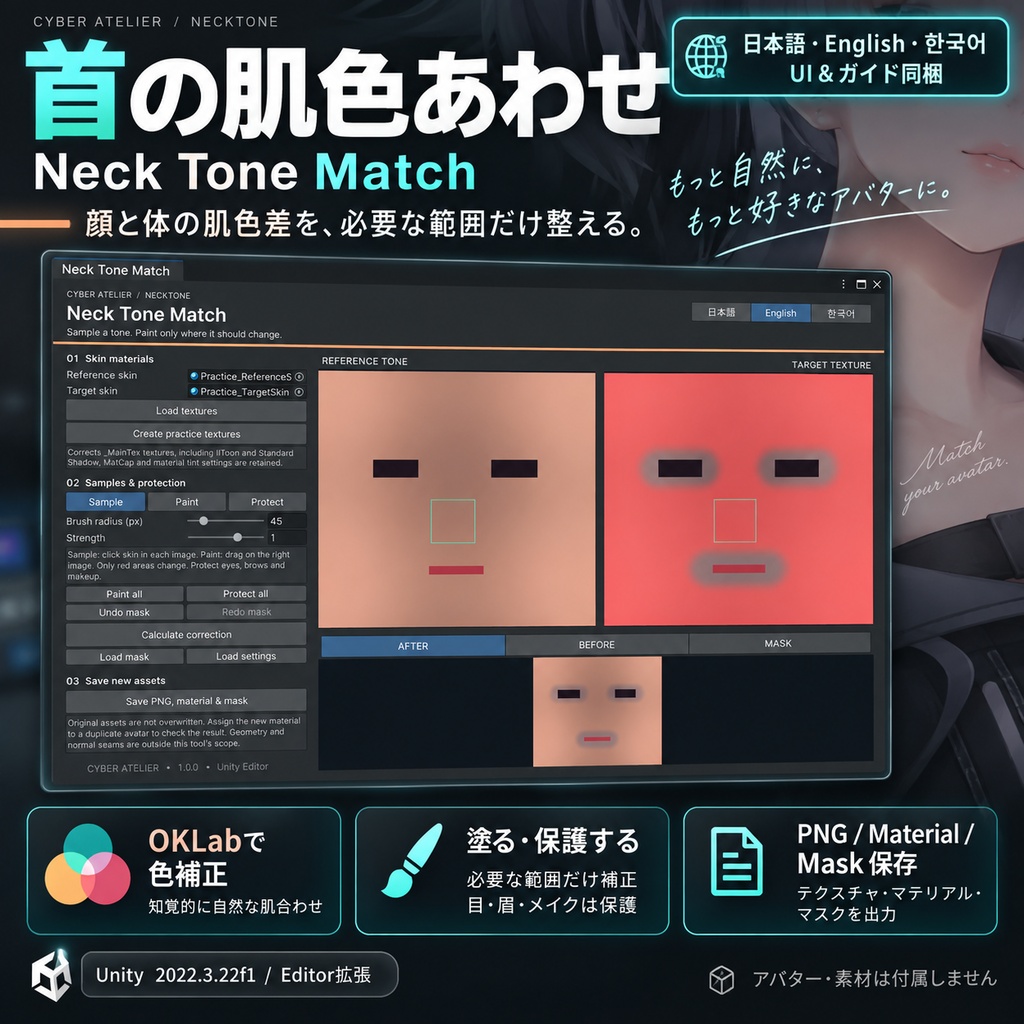
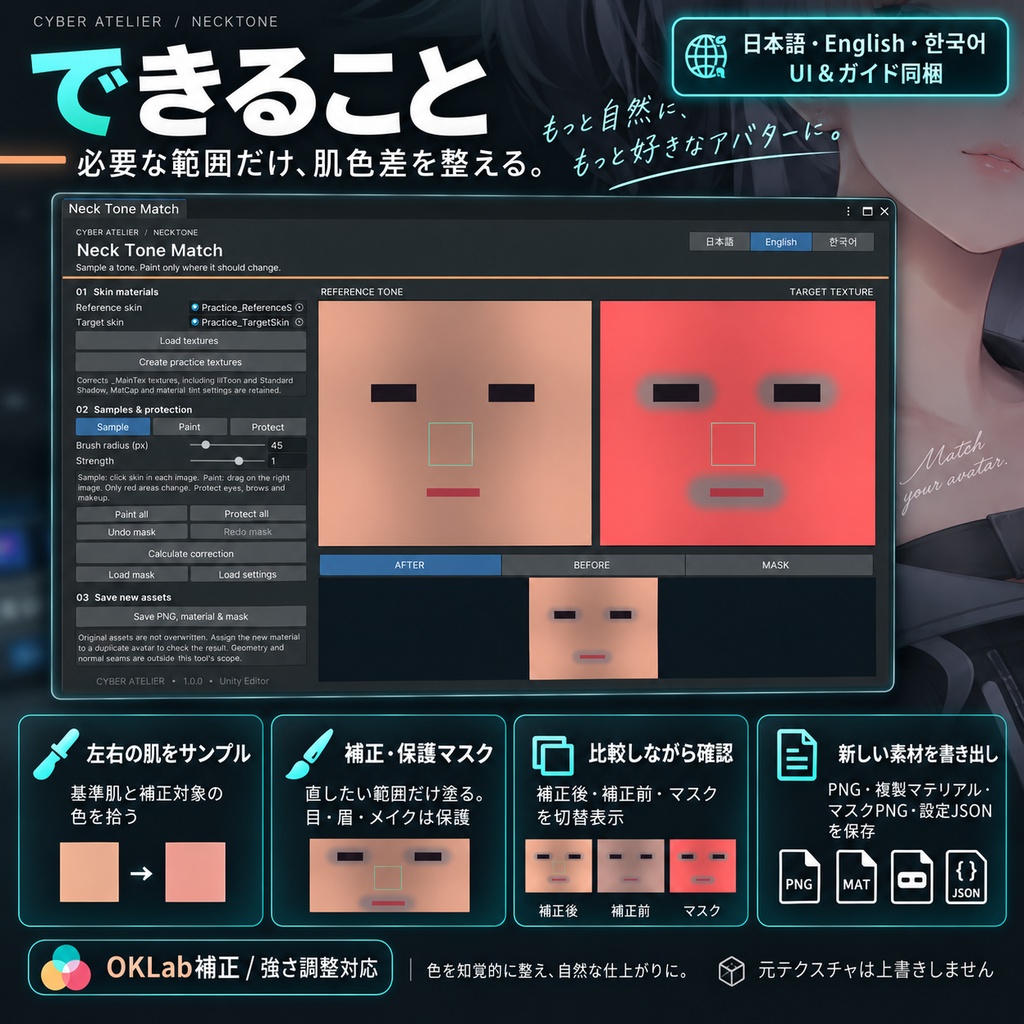
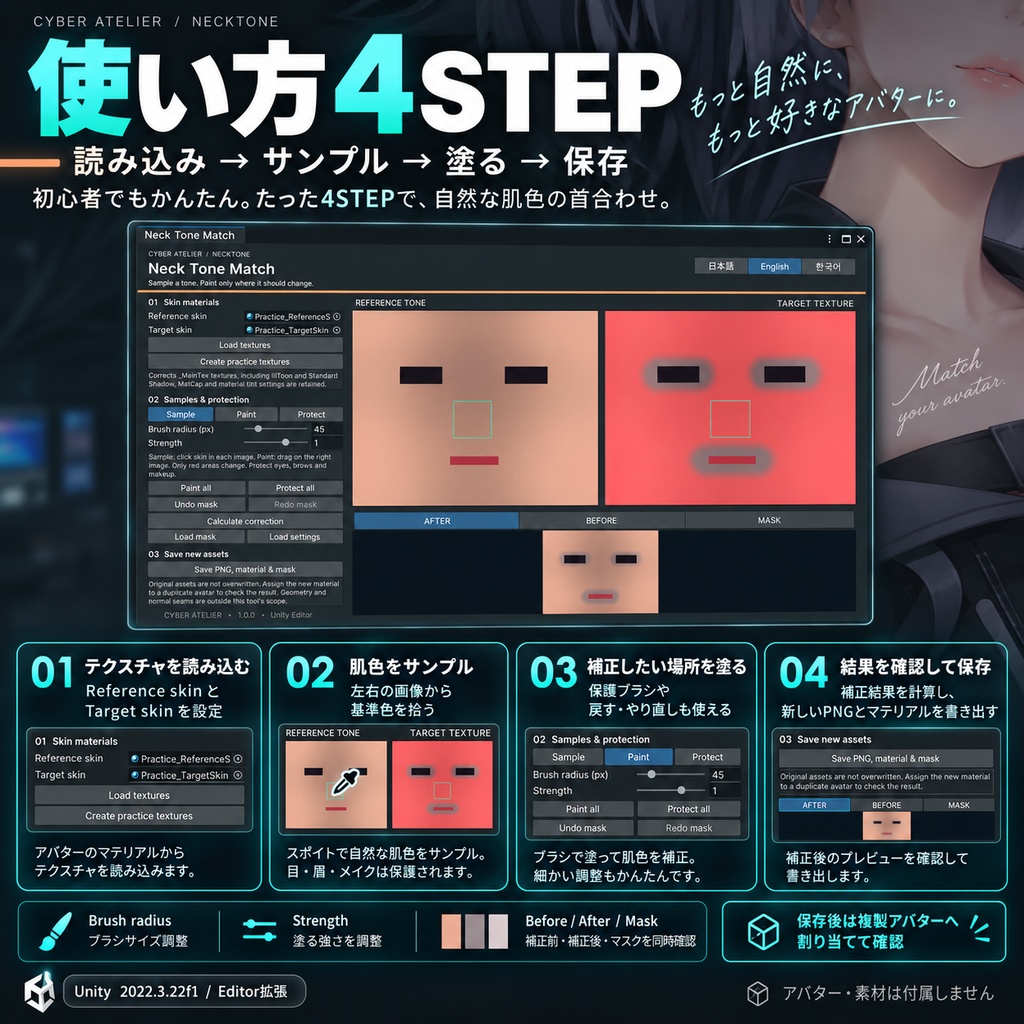
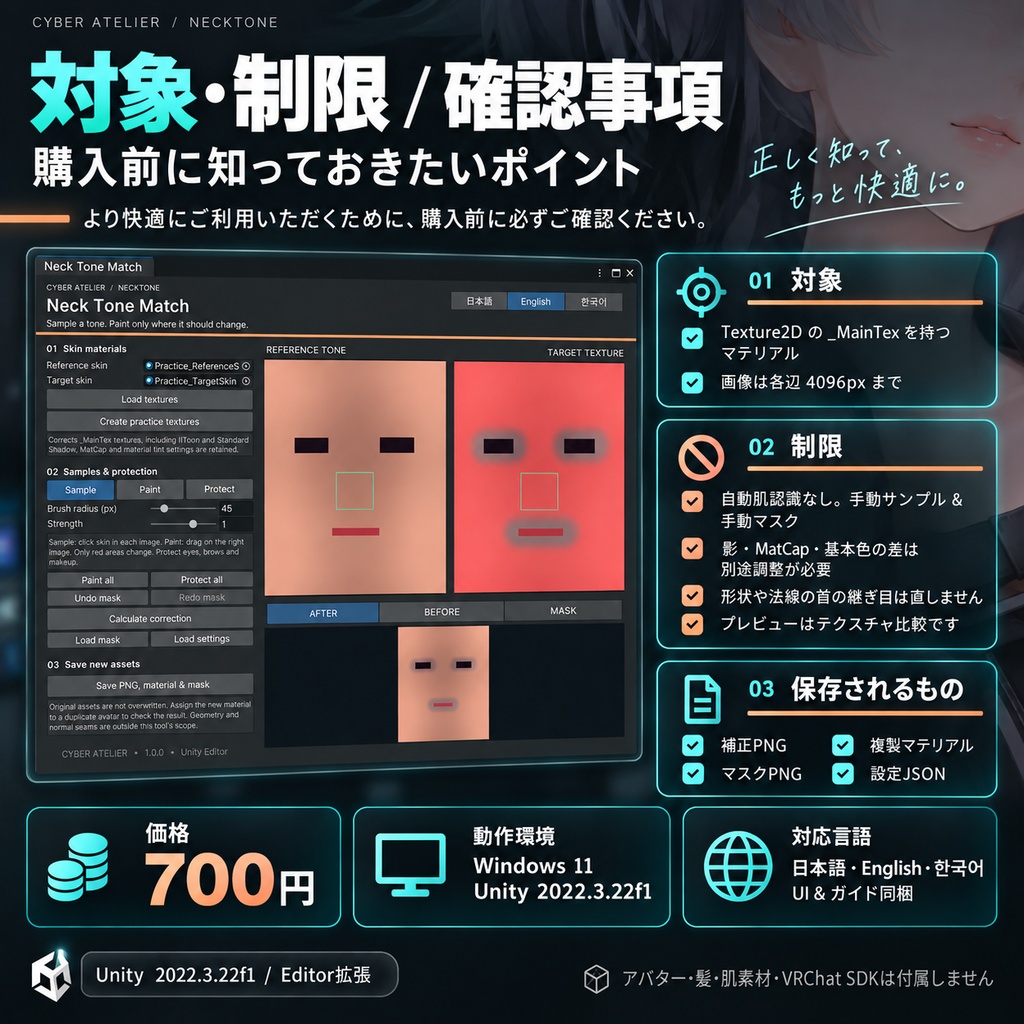


顔と体の肌色差を、必要な範囲だけ整える。 左右の肌テクスチャから色を拾い、補正する範囲をマスクで塗って、新しいPNGとマテリアルを保存するUnityツールです。 ・OKLabで肌色の差を補正。強さを調整し、補正前・後・マスクを確認。 ・柔らかいブラシ、保護ブラシ、マスクの戻す・やり直す。 ・目・眉・メイクを保護。マスク0の画素とアルファを保持。 ・PNG、複製マテリアル、マスクPNG、設定JSONを書き出し。元テクスチャは上書きしません。 対象と制限 Texture2Dの_MainTexを持つマテリアル、画像は各辺4096pxまで。肌領域を自動認識する機能ではなく、自分で肌をサンプルし補正範囲を塗ります。元の影・MatCap・マテリアルの基本色設定は維持するため、それらが作る色差は別途調整が必要です。形状や法線の首の継ぎ目は直しません。プレビューはテクスチャの比較で、実際の照明・シェーダーによる見え方の保証ではありません。保存マテリアルは複製アバターへ手動で割り当てて確認します。 価格:700円。日本語・English・한국어 UIと3言語ガイドを1つのZIPに同梱。Unity用Editor拡張です。ZIPを展開し、Assets > Import Package > Custom Package から .unitypackage を導入してください。 確認環境:Windows 11 / Unity 2022.3.22f1。macOS・Linux、VRChatクライアント内の実機確認は未実施です。画像は同梱ツールで生成した練習データを使う、実際のUnity操作画面です。アバター・髪・肌素材・VRChat SDKは商品に含みません。 購入前に下記の対象・制限をご確認ください。結果は素材や設定により異なります。困った場合はBOOTHメッセージへ、ツール名・Unity/SDKのバージョン・最初のConsoleエラー・操作手順をお送りください。 利用条件:購入者本人の複数プロジェクトで利用・改変できます。ツール本体・ソースの再配布、転売、共有は禁止します。出力データの利用・公開・販売は、含まれるアバター・髪・テクスチャ等の元素材の規約に従ってください。本ツールの購入で第三者素材の権利は追加されません。練習用生成素材は本ツールの操作確認に利用できます。 --- English --- Match face and body skin tones only where needed. Sample skin in two textures, paint the correction mask, then save a new PNG and material. OKLab tone adjustment with strength control, before/after/mask views, feathered paint/protection brushes and mask undo/redo. Protect eyes, brows and makeup. Pixels with zero mask and the alpha channel are preserved. Export a corrected PNG, cloned material, mask PNG and settings JSON without overwriting source textures. Requires materials with a Texture2D _MainTex, up to 4096 pixels per side. You choose skin samples and paint the mask; there is no automatic skin detection. Shadow, MatCap and material tint settings remain unchanged and may need separate adjustment. This does not repair geometry or normal seams. Preview compares textures and does not guarantee appearance under all lighting or shaders. Assign the saved material manually to a duplicate avatar and inspect it. Price: JPY 700. Japanese, English and Korean UI and guides are included in one ZIP. This is a Unity Editor tool. Extract the ZIP, then import the .unitypackage using Assets > Import Package > Custom Package. Tested on Windows 11 / Unity 2022.3.22f1. macOS, Linux and live VRChat client use have not been tested. Images show the actual Unity tool with original practice data generated by the tool. Avatar, hair, skin assets and the VRChat SDK are not included. Results depend on your assets and setup. For support, send the tool name, Unity/SDK versions, first Console error and reproduction steps via BOOTH messages. License: The purchaser may use and modify the tool in their own projects. Do not redistribute, resell or share the tool or its source. Use, publication and sale of outputs must comply with the licenses of all source avatars, hair and textures. This purchase grants no additional rights to third-party assets. Generated practice assets may be used to learn the tool. --- 한국어 --- 얼굴과 몸의 피부색 차이를 필요한 곳만 보정하세요. 두 텍스처의 피부색을 샘플링하고 보정 마스크를 칠해 새 PNG와 머티리얼을 저장합니다. OKLab 색상 보정, 강도 조절, 전후·마스크 비교, 부드러운 보정·보호 브러시와 마스크 실행 취소를 지원합니다. 눈·눈썹·메이크업을 보호하고 마스크0인 픽셀과 알파를 유지합니다. 원본을 덮어쓰지 않고 보정 PNG·복제 머티리얼·마스크 PNG·설정 JSON을 출력합니다. Texture2D _MainTex가 있는 머티리얼, 각 변4096px 이하가 대상입니다. 피부 자동 인식이 아니라 직접 샘플과 범위를 지정합니다. 그림자·MatCap·기본 색상은 유지되므로 별도 조정이 필요할 수 있습니다. 형태나 노멀의 목 이음새는 고치지 않습니다. 미리보기는 텍스처 비교이며 모든 조명·셰이더에서의 외관을 보장하지 않습니다. 복제 아바타에 저장한 머티리얼을 직접 적용해 확인하세요. 가격: 700엔. 일본어·영어·한국어 UI와 가이드를 ZIP 하나에 포함합니다. Unity Editor 확장 도구입니다. ZIP을 풀고 Assets > Import Package > Custom Package에서 .unitypackage를 가져오세요. 확인 환경: Windows 11 / Unity 2022.3.22f1. macOS·Linux 및 실제 VRChat 클라이언트에서는 확인하지 않았습니다. 이미지는 도구에서 생성한 연습 데이터를 사용하는 실제 Unity 화면입니다. 아바타·헤어·피부 소재·VRChat SDK는 포함되지 않습니다. 결과는 소재와 설정에 따라 달라집니다. 문의는 BOOTH 메시지로 도구 이름, Unity/SDK 버전, 첫 Console 오류와 재현 절차를 보내 주세요. 이용 조건: 구매자는 본인의 여러 프로젝트에서 도구를 사용·수정할 수 있습니다. 도구 본체와 소스의 재배포·재판매·공유는 금지합니다. 출력물의 사용·공개·판매는 포함된 아바타·헤어·텍스처 등 원본 소재의 규약을 따라야 합니다. 구매로 제3자 소재의 추가 권리를 얻지는 않습니다. 생성된 연습 소재는 도구 사용법 확인에 사용할 수 있습니다.