

【日本語・英語・韓国語UI&ガイド同梱】前髪スワップ|Hair Swap・Unity用
- Digital700 JPY
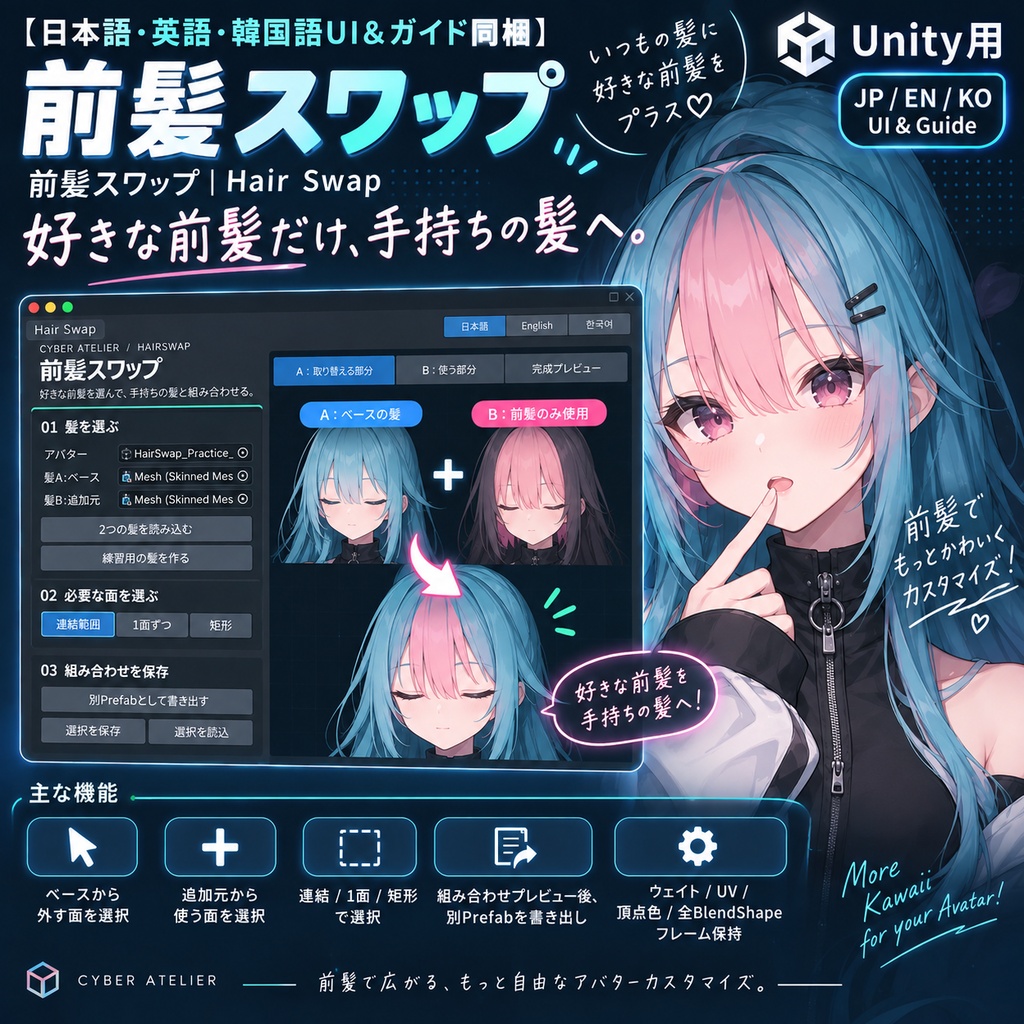
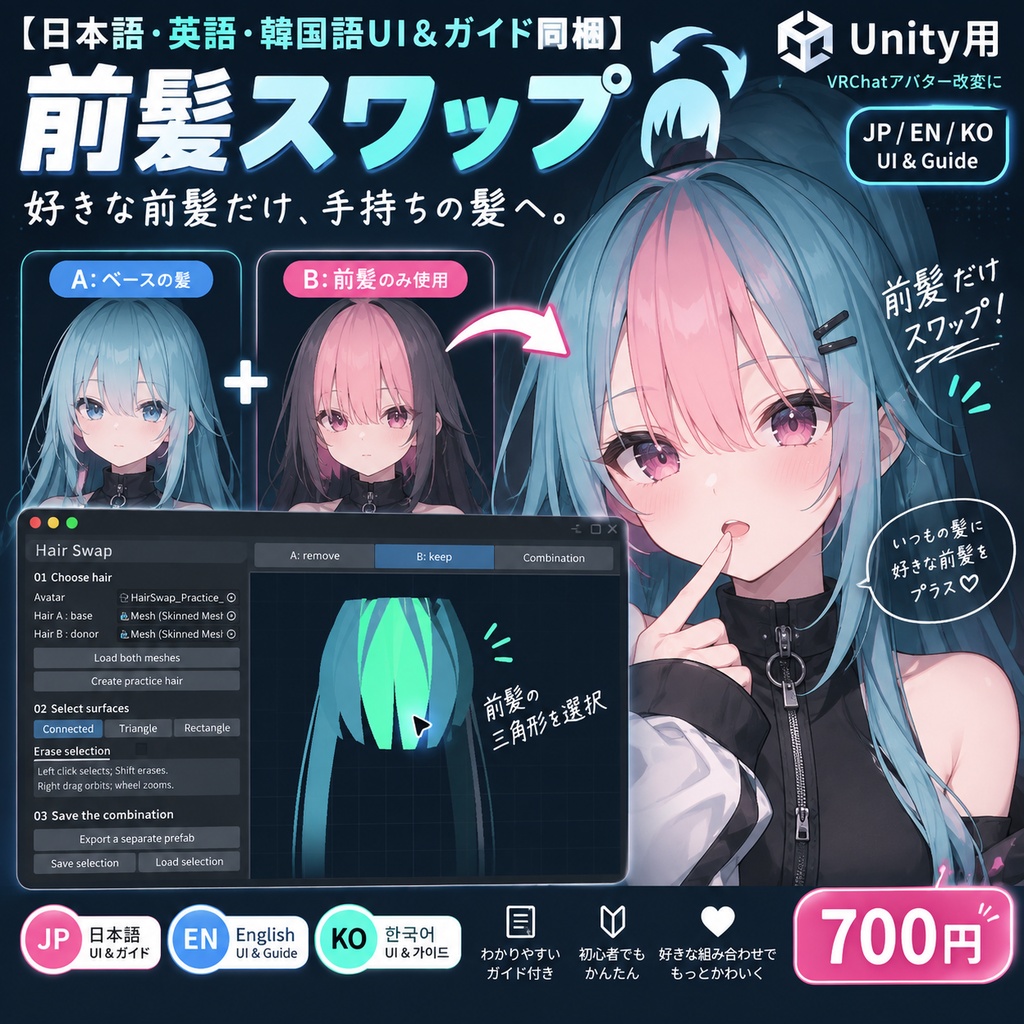
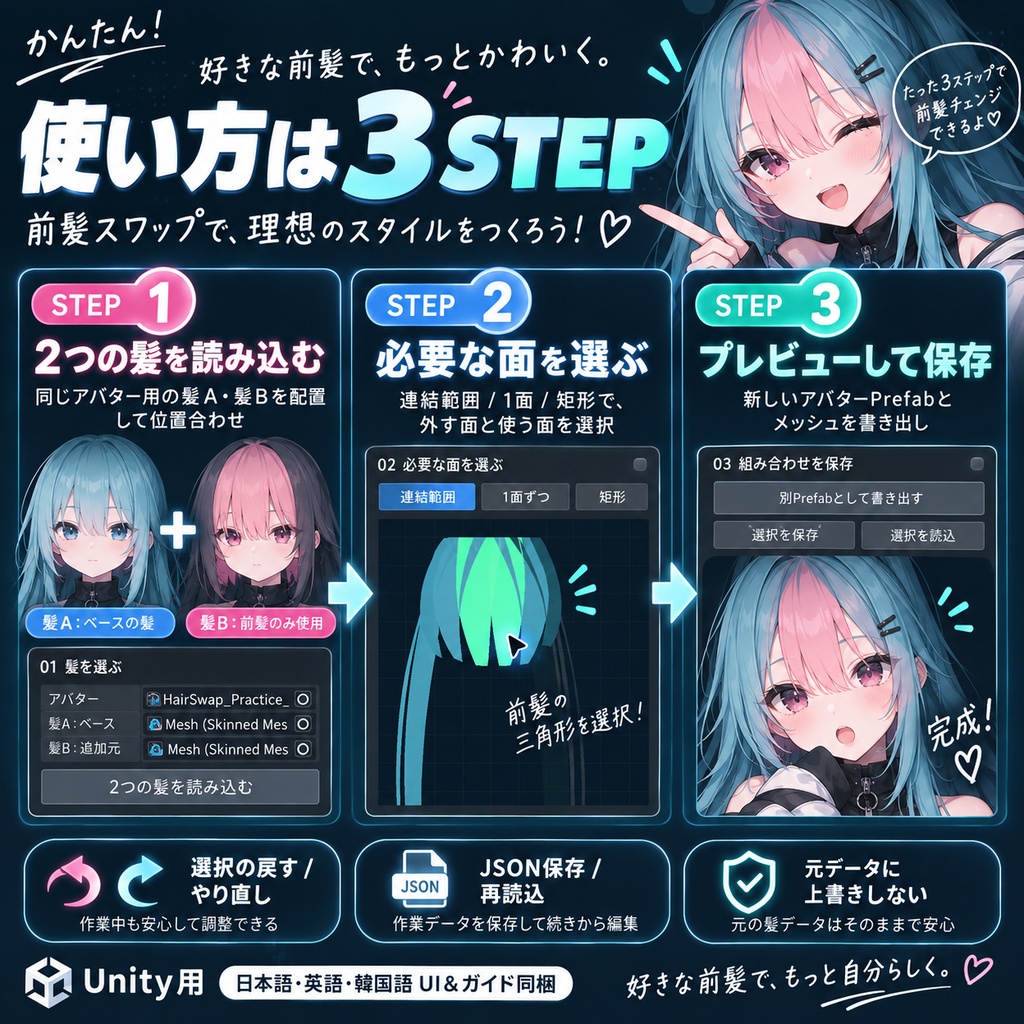
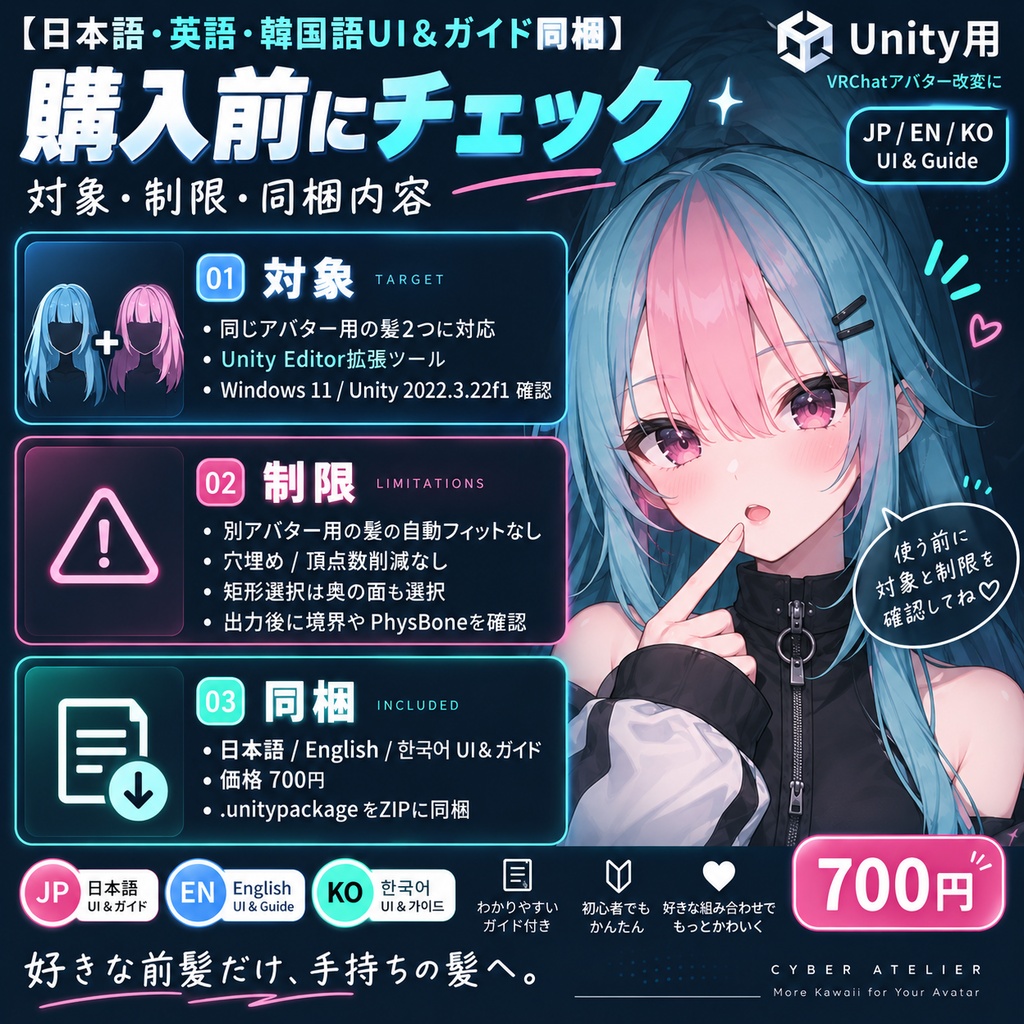


好きな前髪だけ、手持ちの髪へ。 前髪スワップは、同じアバター内に配置した2つのSkinned Meshのうち、ベースから外す面・追加元から使う面を選び、新しいアバターPrefabを書き出すUnityツールです。 できること ・連結した面/1面/矩形の3通りで選択。回転・拡大して確認。 ・選択を戻す・やり直す、全解除・反転、選択JSONの保存・再読込。 ・組み合わせプレビューから別Prefabと新規メッシュを保存。 ・ウェイト、UV、頂点色、全BlendShapeフレーム、両方の骨階層を保持。元のメッシュとマテリアルに上書きしません。 対象と制限 同じアバター用の髪2つを、骨ごとアバター内へ配置・位置合わせしてから使います。顔や骨の自動検出、別アバター用の髪の自動フィット、境界の穴埋め、頂点数の削減はしません。UV等で頂点が分かれた部分は連結選択が途切れることがあります。矩形は奥の面も選びます。位置、頭頂部、切断境界、髪のON/OFFと揺れを出力後に確認してください。複製したアバター全体のPrefabなので、アップロード前にBlueprint IDも確認してください。 価格:700円。日本語・English・한국어 UIと3言語ガイドを1つのZIPに同梱。Unity用Editor拡張です。ZIPを展開し、Assets > Import Package > Custom Package から .unitypackage を導入してください。 確認環境:Windows 11 / Unity 2022.3.22f1。macOS・Linux、VRChatクライアント内の実機確認は未実施です。画像は同梱ツールで生成した練習データを使う、実際のUnity操作画面です。アバター・髪・肌素材・VRChat SDKは商品に含みません。 購入前に下記の対象・制限をご確認ください。結果は素材や設定により異なります。困った場合はBOOTHメッセージへ、ツール名・Unity/SDKのバージョン・最初のConsoleエラー・操作手順をお送りください。 利用条件:購入者本人の複数プロジェクトで利用・改変できます。ツール本体・ソースの再配布、転売、共有は禁止します。出力データの利用・公開・販売は、含まれるアバター・髪・テクスチャ等の元素材の規約に従ってください。本ツールの購入で第三者素材の権利は追加されません。練習用生成素材は本ツールの操作確認に利用できます。 --- English --- Keep the fringe you like and combine the hair you own. Hair Swap selects triangles to remove from a base skinned hair mesh and triangles to retain from a second one, then exports a separate avatar prefab and meshes. Connected, triangle and through-mesh rectangle selection; orbit/zoom preview; selection undo/redo, clear/invert and JSON recipes. Preview the combination before export. Original weights, UVs, colors, every blendshape frame and both complete rigs are retained. Source meshes and materials are not overwritten. Start with two hairstyles made for the same avatar, installed with their complete rigs inside the avatar and aligned manually. No automatic fitting, head/bone detection, hole filling or vertex-count optimization. Split vertices can interrupt connected selection. Check placement, open edges, active states and PhysBones after export. The entire avatar is duplicated: check its Blueprint ID before uploading. Price: JPY 700. Japanese, English and Korean UI and guides are included in one ZIP. This is a Unity Editor tool. Extract the ZIP, then import the .unitypackage using Assets > Import Package > Custom Package. Tested on Windows 11 / Unity 2022.3.22f1. macOS, Linux and live VRChat client use have not been tested. Images show the actual Unity tool with original practice data generated by the tool. Avatar, hair, skin assets and the VRChat SDK are not included. Results depend on your assets and setup. For support, send the tool name, Unity/SDK versions, first Console error and reproduction steps via BOOTH messages. License: The purchaser may use and modify the tool in their own projects. Do not redistribute, resell or share the tool or its source. Use, publication and sale of outputs must comply with the licenses of all source avatars, hair and textures. This purchase grants no additional rights to third-party assets. Generated practice assets may be used to learn the tool. --- 한국어 --- 좋아하는 앞머리만 골라 보유한 헤어와 조합하세요. 기본 스킨드 헤어 메시에서 제외할 면과 두 번째 메시에서 사용할 면을 선택해 새 아바타 프리팹과 메시를 저장합니다. 연결 영역·삼각형·관통 사각형 선택, 회전·확대 미리보기, 선택 취소·다시 실행·반전, 선택 JSON 저장을 지원합니다. 웨이트·UV·정점 색상·모든 블렌드셰이프 프레임과 두 리그 전체를 유지하며 원본 메시와 머티리얼을 덮어쓰지 않습니다. 같은 아바타용 헤어 두 개를 본과 함께 아바타 안에 설치하고 위치를 먼저 맞추세요. 자동 피팅·머리나 본 자동 감지·구멍 채우기·정점 수 최적화는 하지 않습니다. 분리된 정점에서 연결 선택이 끊길 수 있습니다. 출력 후 위치, 열린 경계, 활성 상태와 PhysBone을 확인하세요. 아바타 전체를 복제하므로 업로드 전 Blueprint ID도 확인하세요. 가격: 700엔. 일본어·영어·한국어 UI와 가이드를 ZIP 하나에 포함합니다. Unity Editor 확장 도구입니다. ZIP을 풀고 Assets > Import Package > Custom Package에서 .unitypackage를 가져오세요. 확인 환경: Windows 11 / Unity 2022.3.22f1. macOS·Linux 및 실제 VRChat 클라이언트에서는 확인하지 않았습니다. 이미지는 도구에서 생성한 연습 데이터를 사용하는 실제 Unity 화면입니다. 아바타·헤어·피부 소재·VRChat SDK는 포함되지 않습니다. 결과는 소재와 설정에 따라 달라집니다. 문의는 BOOTH 메시지로 도구 이름, Unity/SDK 버전, 첫 Console 오류와 재현 절차를 보내 주세요. 이용 조건: 구매자는 본인의 여러 프로젝트에서 도구를 사용·수정할 수 있습니다. 도구 본체와 소스의 재배포·재판매·공유는 금지합니다. 출력물의 사용·공개·판매는 포함된 아바타·헤어·텍스처 등 원본 소재의 규약을 따라야 합니다. 구매로 제3자 소재의 추가 권리를 얻지는 않습니다. 생성된 연습 소재는 도구 사용법 확인에 사용할 수 있습니다.