

【VRChat・汎用】表情に合わせて頭にマンガの記号「漫符」(アバター用・PC)
- Digital500 JPY
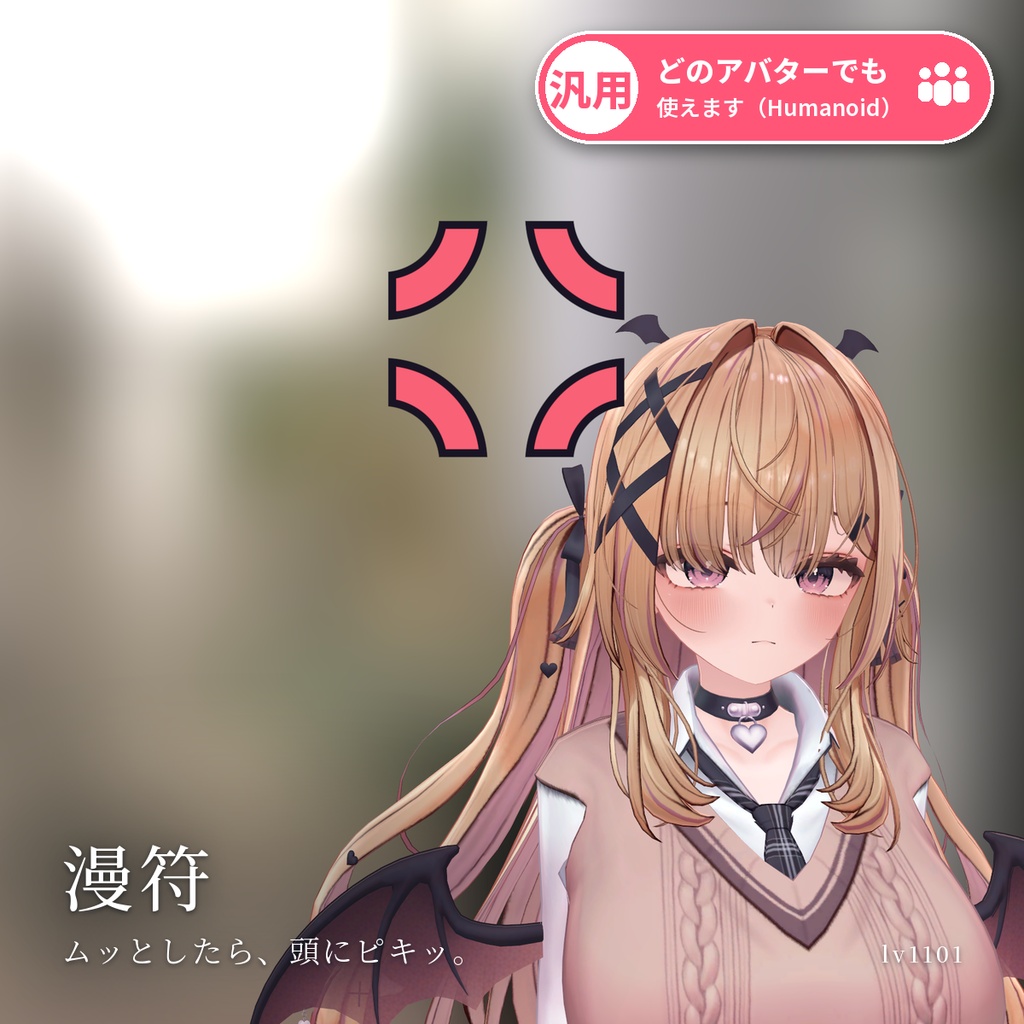
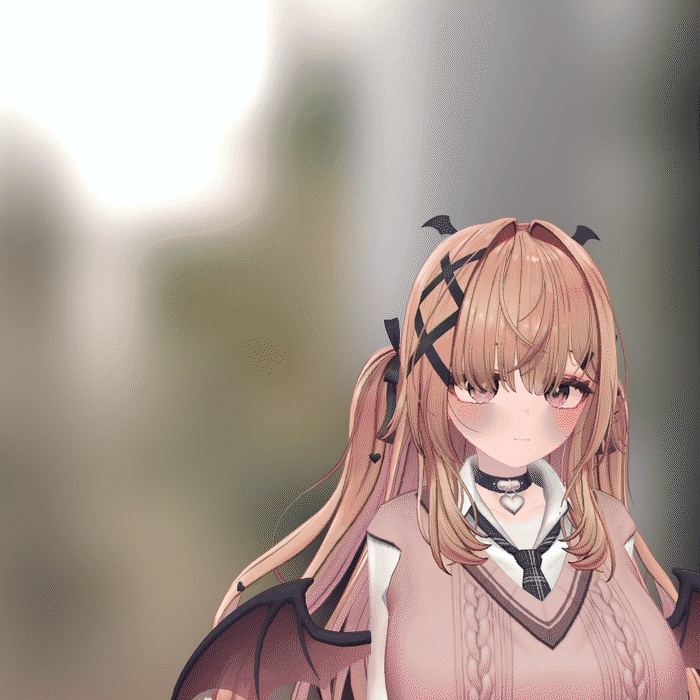
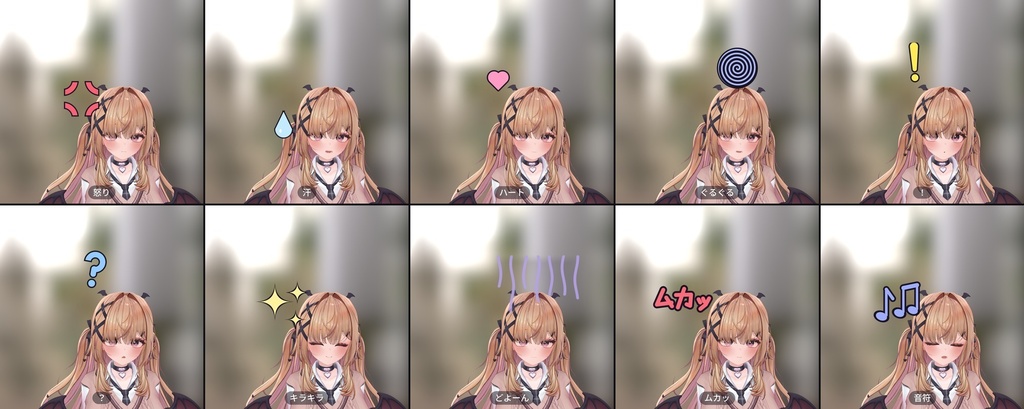
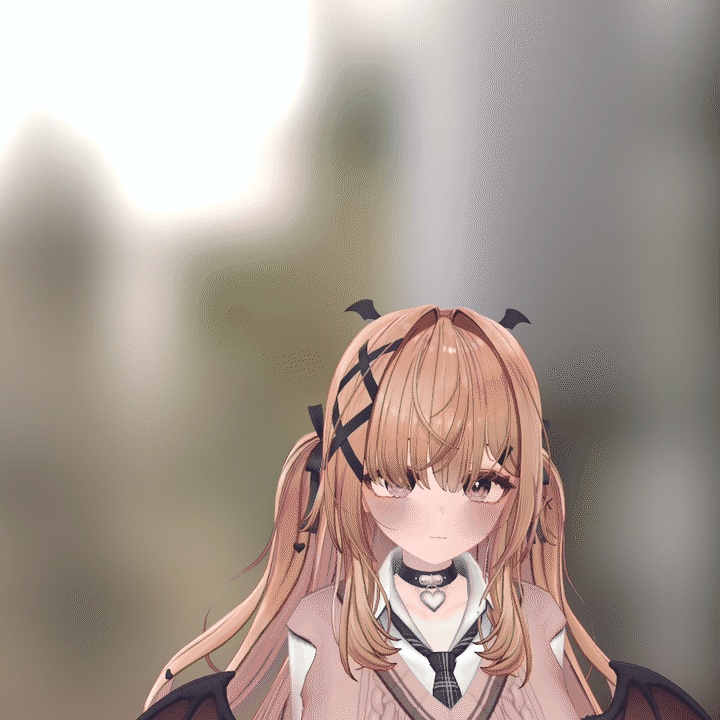
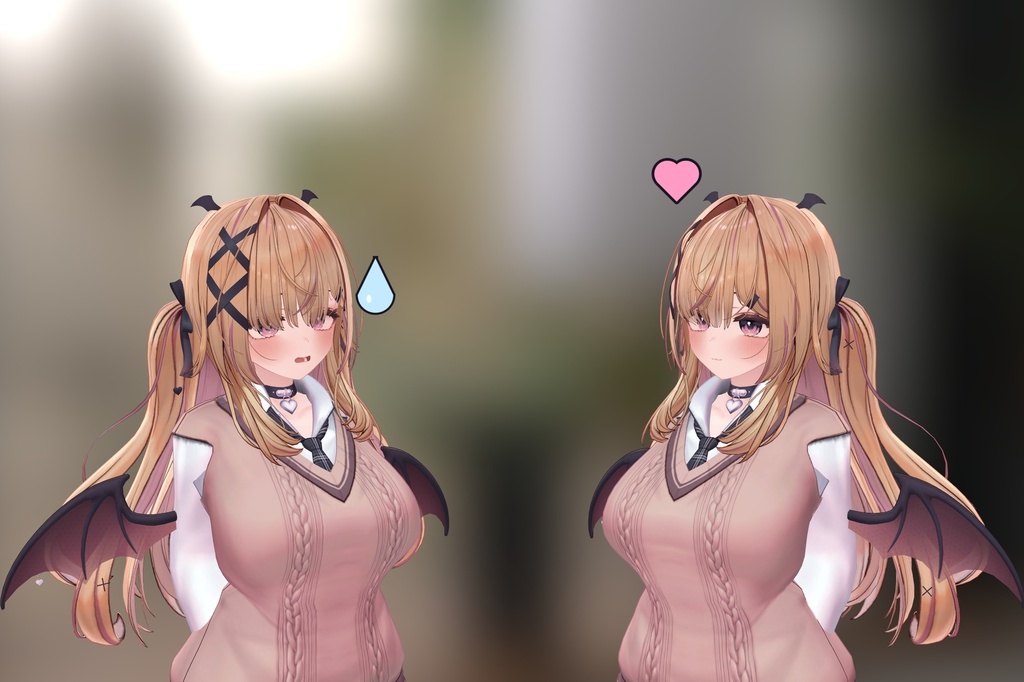
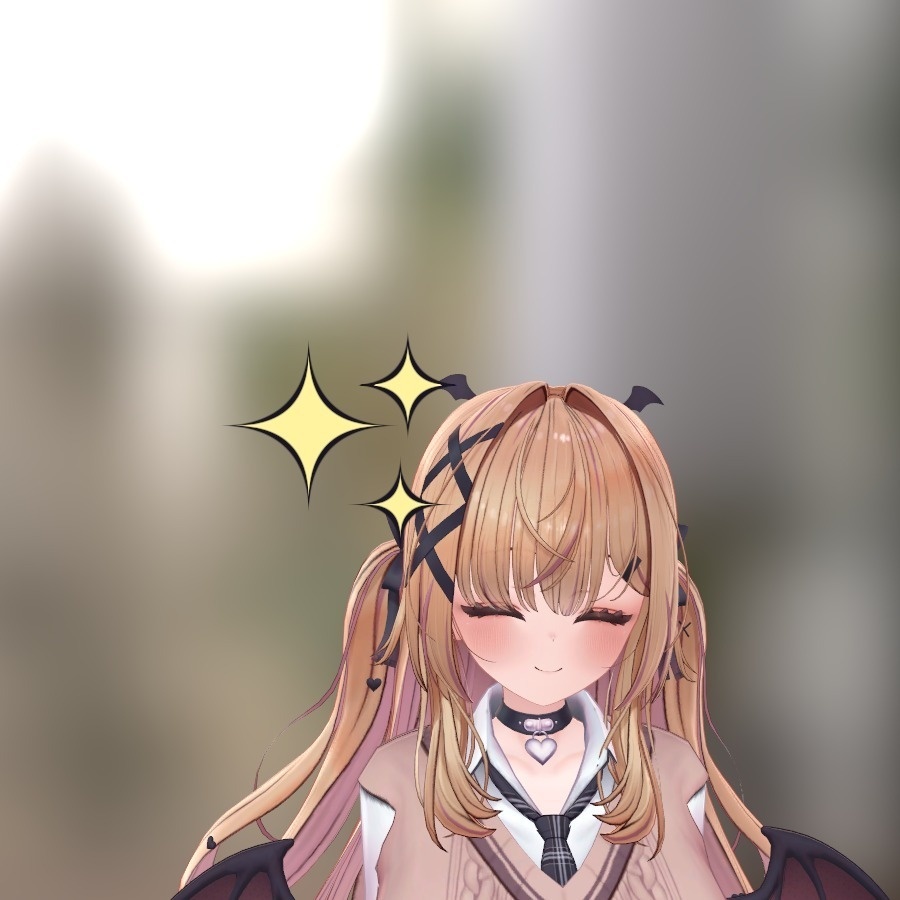
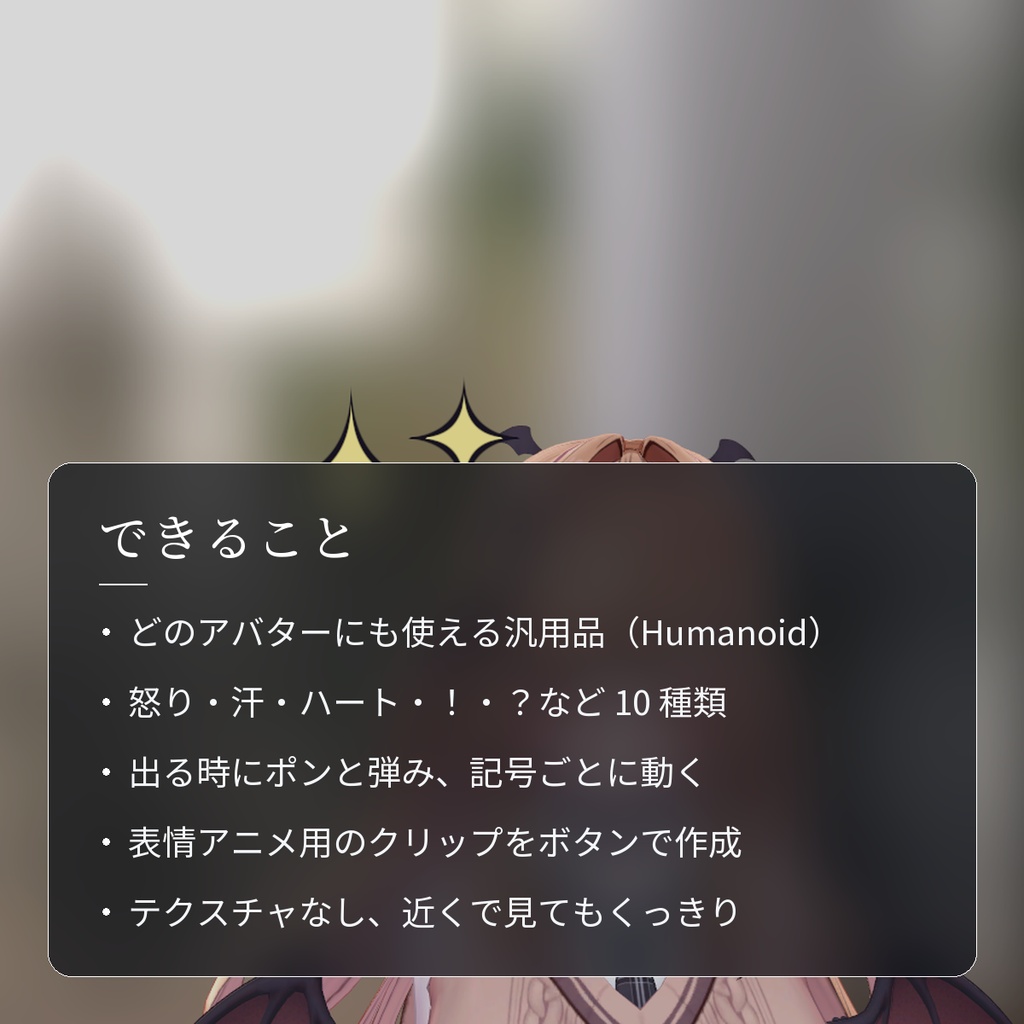
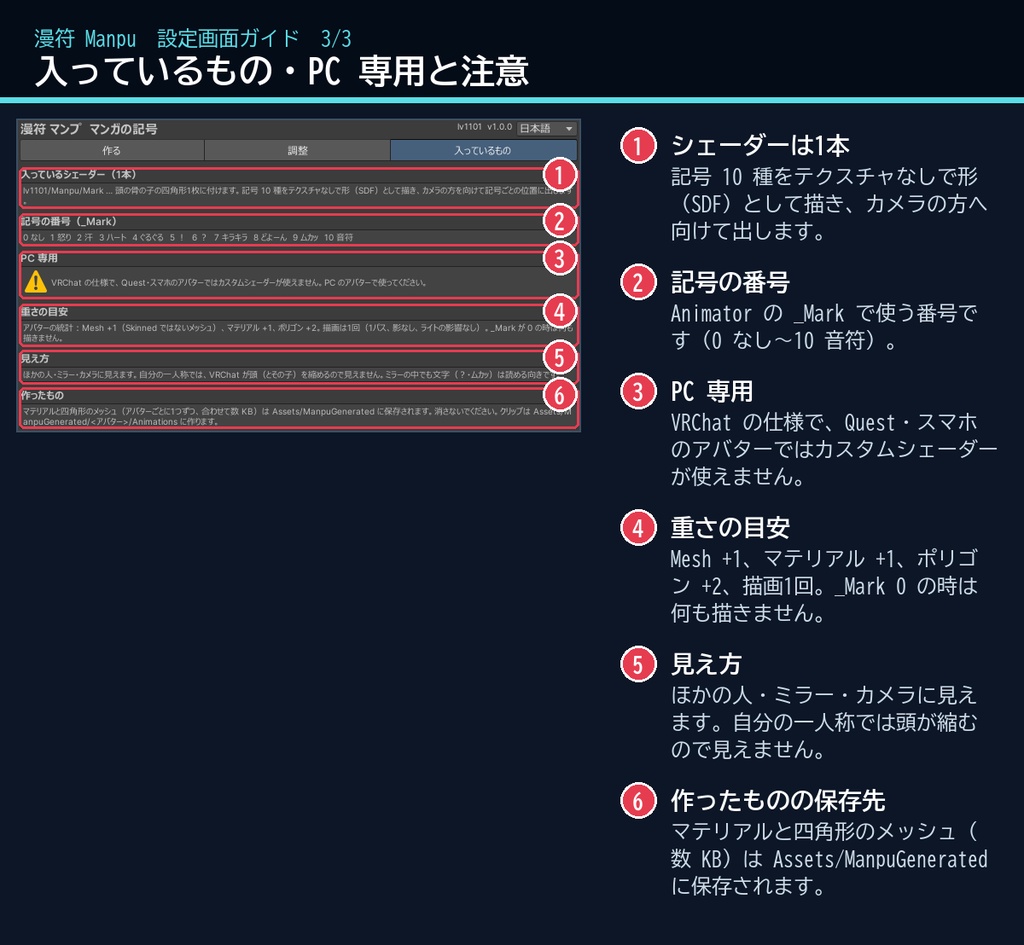
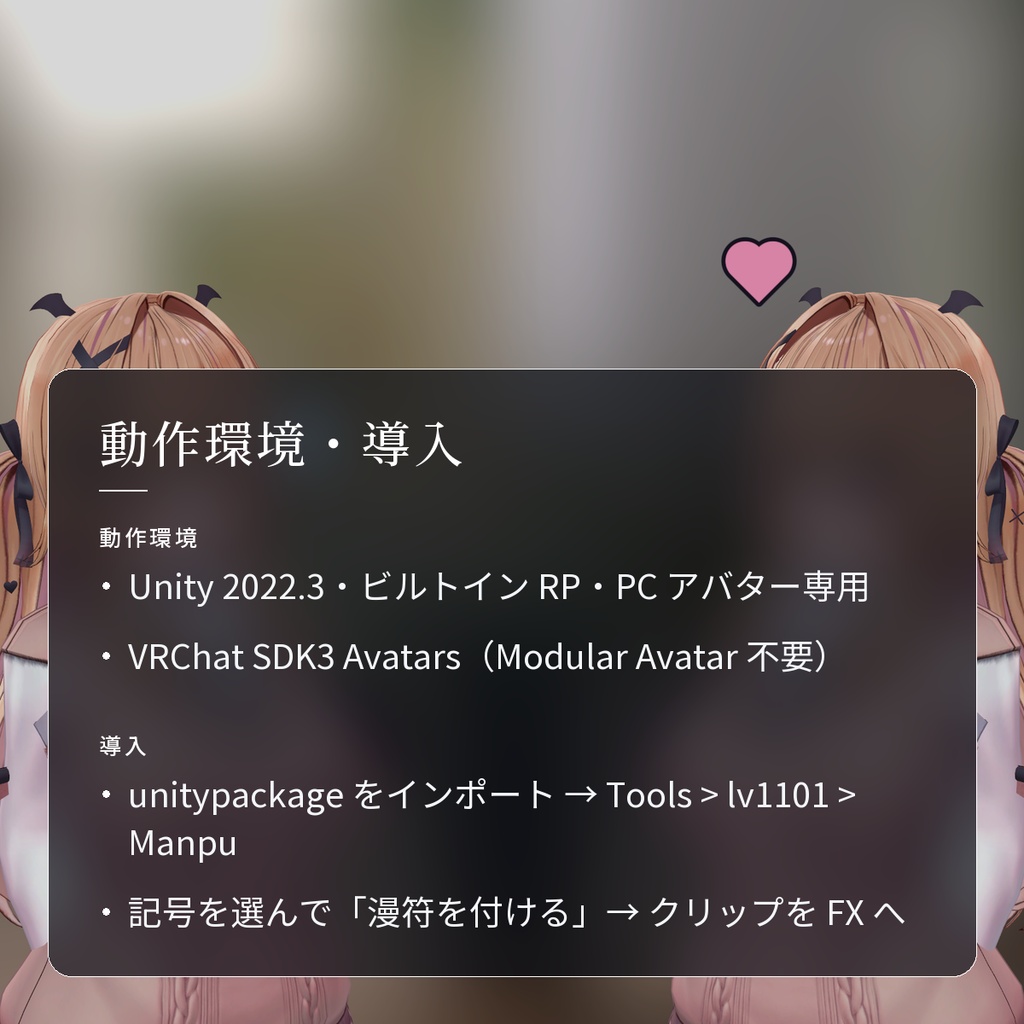
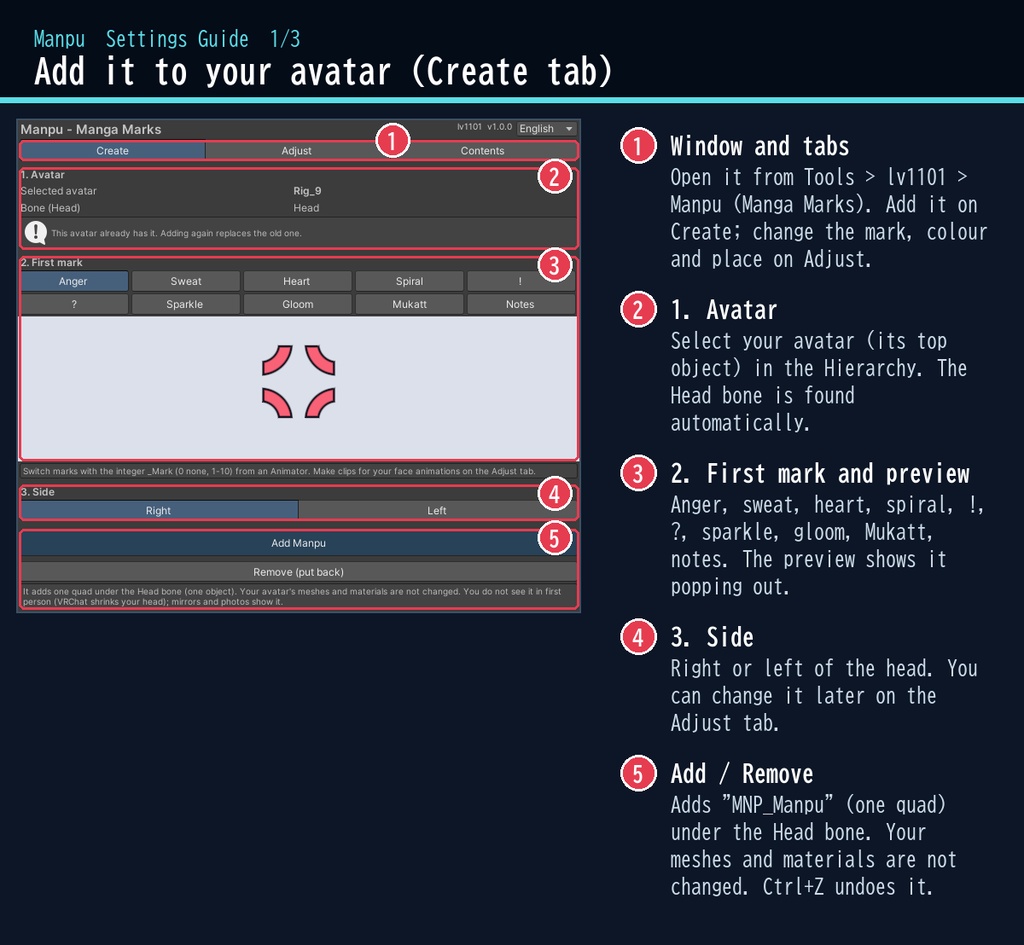
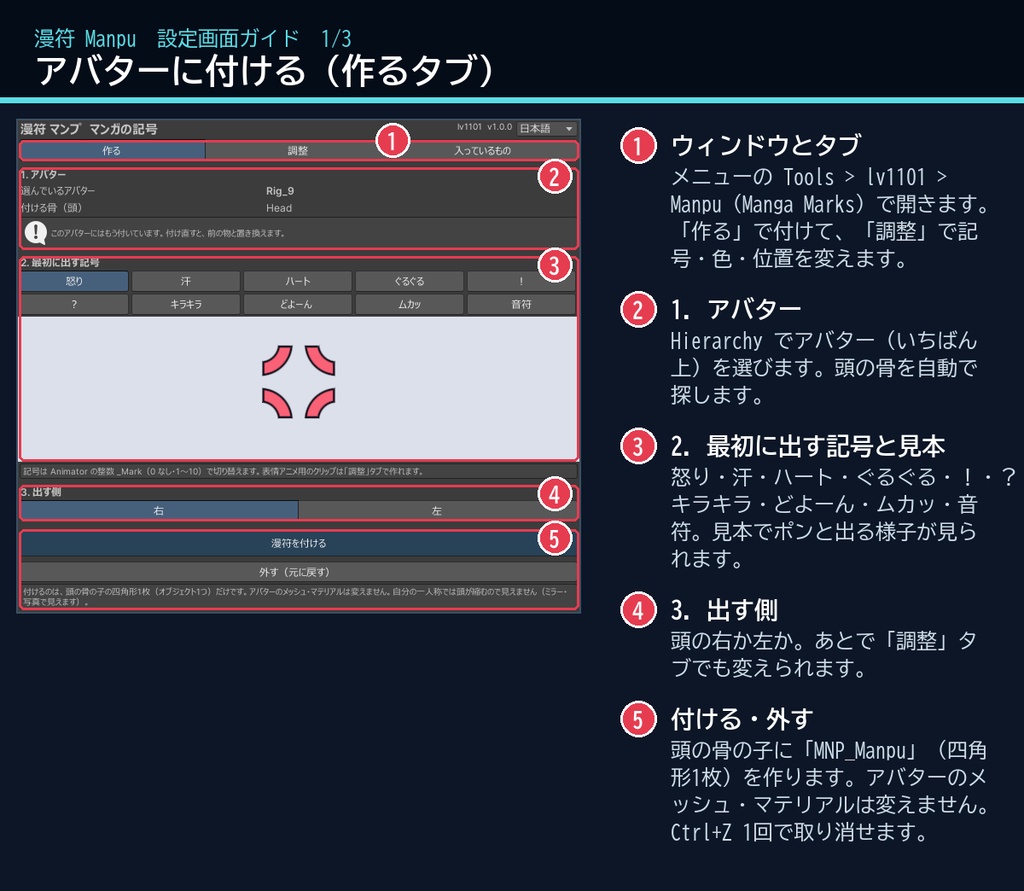
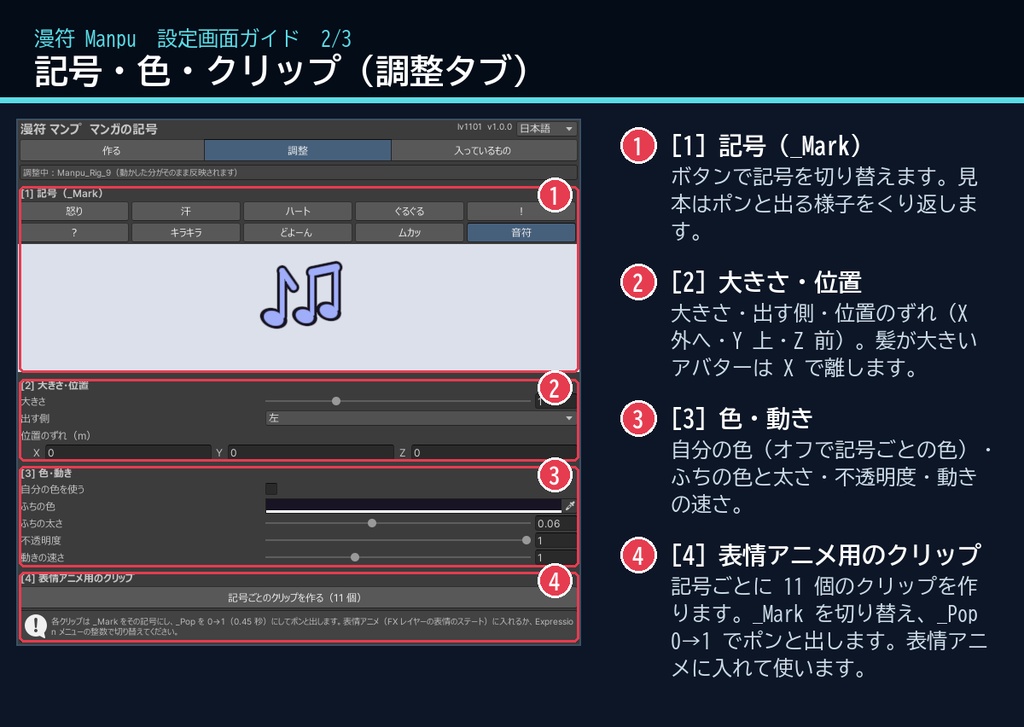
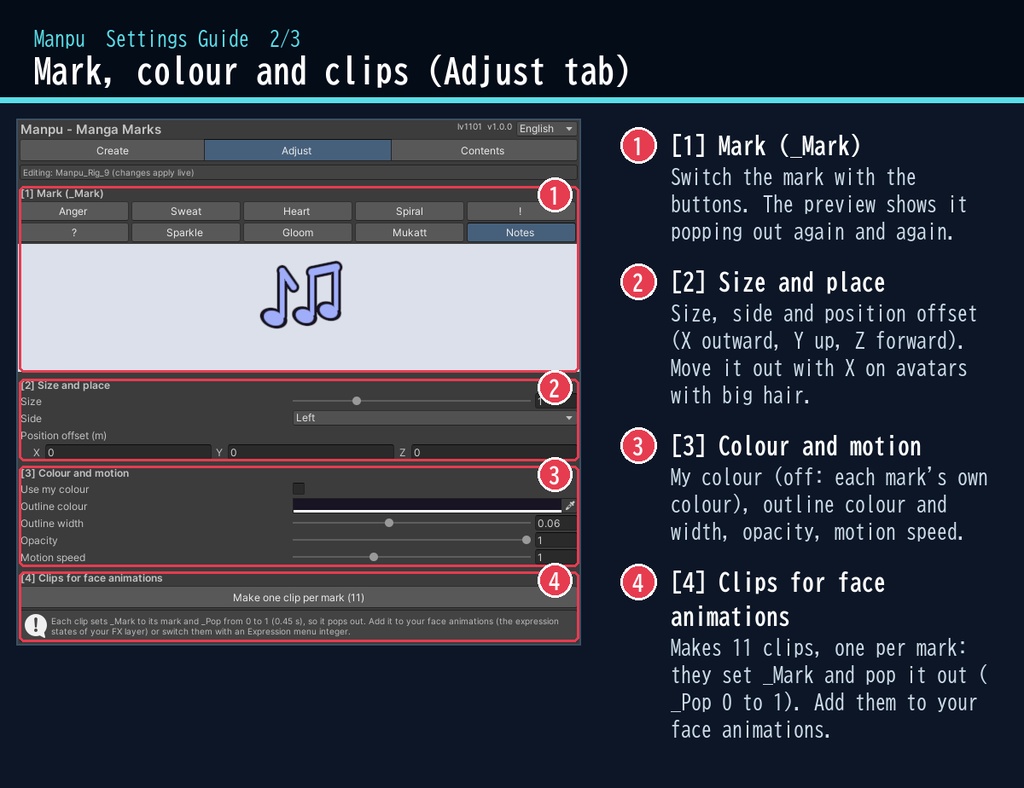
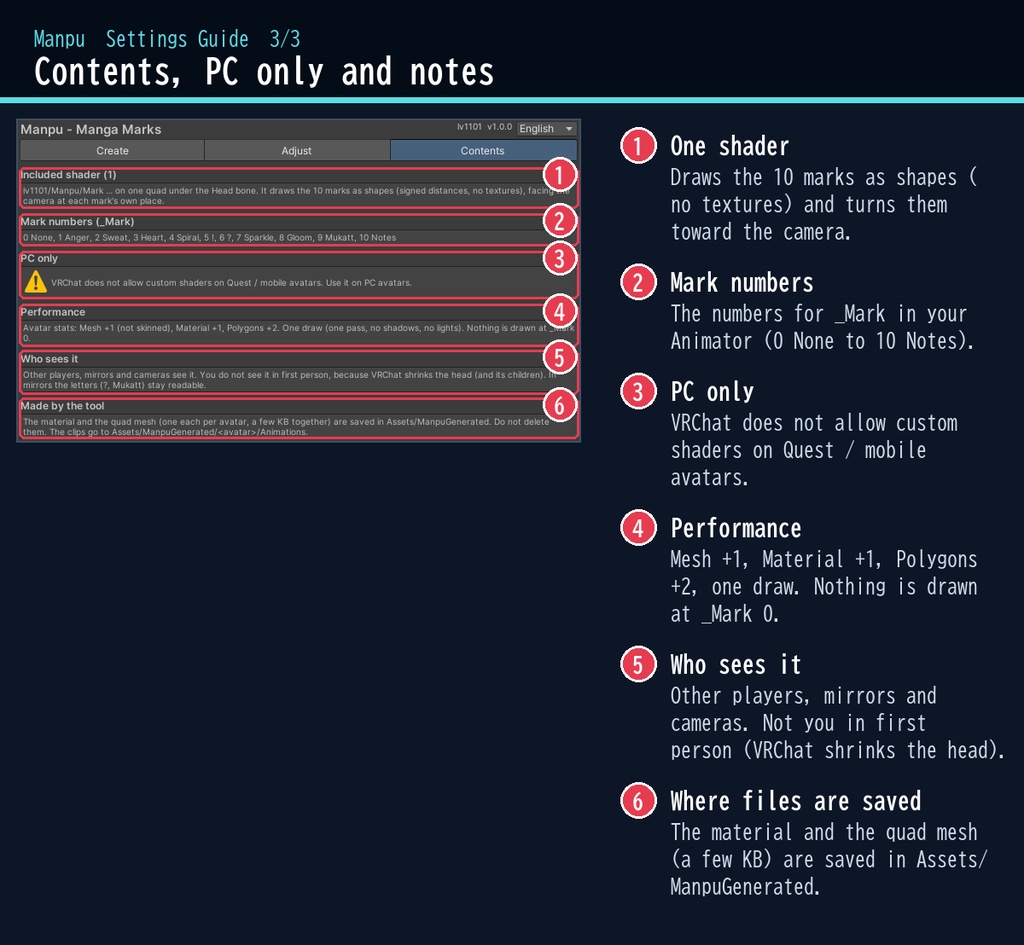


ムッとしたら、頭の上にピキッ。 「漫符」は、アバターの頭の上や横にマンガの記号を出すシェーダーです。 怒り・汗・ハート・ぐるぐる・!・?・キラキラ・どよーん・ムカッ・音符の 10 種類。表情アニメや Expression メニューで切り替えると、ポンと弾んで出てきます。 ■ ポイント ・ゆめか専用ではありません。Humanoid のアバターなら、どのアバターにも使える汎用品です ・10 種類の記号。怒りは脈打ち、汗は流れ、ぐるぐるは回る ・表情アニメ用のクリップ(Off + 10 種)をボタン1つで作成 ・記号はシェーダーで描くので、テクスチャなしで近くでもくっきり ・ミラーの中でも「?」「ムカッ」が読める向きのまま ・スクリプト(U#)なしで全員に同じ見え方。日本語 / English のウィンドウ ↓ 動きは2枚目の GIF、くわしくは下へ。 ■ くわしく ・10 種類の記号:怒り / 汗 / ハート / ぐるぐる / ! / ? / キラキラ / どよーん / ムカッ / 音符 ・Animator の整数 _Mark(0 なし・1〜10)で切り替え ・出る時にポンと弾む(_Pop 0→1) ・記号ごとの動き:怒りは脈打ち、汗は流れ、ぐるぐるは回り、!は震え、?は傾き、キラキラはまたたき、音符は弾む ・「記号ごとのクリップを作る」ボタン:表情アニメに入れる用のクリップ 11 個(Off + 10 種)を自動で作成 ・大きさ・出す側(右 / 左)・位置のずれ・色(記号ごとの色 / 自分の色)・ふち・不透明度・動きの速さ ・頭の骨に付く四角形1枚がカメラの方を向くしくみ。VRChat のミラーの中でも文字(?・ムカッ)は読める向きのまま ・VRChat の色空間(Linear)で確認済み ・非破壊:頭の骨の子にオブジェクトを1つ足すだけ。アバターのメッシュ・マテリアルは変えません。「外す(元に戻す)」で外せます。付けるのも Ctrl+Z 1回で取り消せます 気をつけること ※自分の一人称では見えません(VRChat が頭とその子を縮めるため)。ミラー・カメラ・ほかの人には見えます。 ※髪の大きいアバターでは、記号が髪に重なることがあります。「位置のずれ」で離してください。 ■ 動作環境 ・対応アバター:汎用。Humanoid のアバターならどれでも使えます(画像はゆめかで撮影。lilToon 2.3.4 で確認) ・Unity 2022.3(VRChat で使うバージョン)・ビルトイン レンダーパイプライン ・PC 専用(VRChat の仕様で、Quest・スマホのアバターではカスタムシェーダーが使えません) ・VRChat SDK3 Avatars(なくてもコンパイルできます。Modular Avatar も不要です) ■ 導入 1. unitypackage を Unity にドラッグ&ドロップしてインポート 2. メニューの Tools > lv1101 > Manpu (Manga Marks) でウィンドウを開く 3. Hierarchy でアバターを選び、記号を選んで「漫符を付ける」を押す 4. 「調整」タブの「記号ごとのクリップを作る」で作ったクリップを、表情アニメ(FX レイヤー)に入れる 使い方は同梱の README_ja.txt に、設定画面の説明は商品画像の「設定画面ガイド」(日本語・英語)にあります。ウィンドウ右上で 日本語 / English を切り替えられます(Auto は PC の言語に合わせます)。 ■ 重さの目安 アバターの統計:Mesh +1(Skinned ではないメッシュ)、マテリアル +1、ポリゴン +2。描画は1回(1パス、影なし、ライトの影響なし)。 _Mark が 0 の時は何も描きません。 ■ 内容物 ・Manpu_1.0.0.unitypackage(README_ja.txt / README_en.txt 入り) ・利用規約.txt / TermsOfUse_en.txt ※商品ページの画像の背景は撮影用の見本です(商品に含みません)。表情はアバターのシェイプキーで付けています。 ※画像のアバター:ゆめか Yumeka(©Arka_X / https://booth.pm/ja/items/8672657 )。商品には含みません。 ※背景の素材:Poly Haven(CC0)。商品には含みません。 ■ 利用規約(概要) ・VRChat のアバター(Public/商用・有料イベントでの使用を含む)で使えます ・改変できます ・シェーダー・スクリプトの再配布、転売はできません(改変したものも含む) ・クレジット表記は任意です(書いていただけると嬉しいです) 詳しくは同梱の 利用規約.txt をご覧ください。 ■ English Works with any avatar (universal, Humanoid avatars) - the images just use Yumeka. Manpu (Manga Marks) shows manga marks above and beside the head of your VRChat avatar (PC only, Built-in RP, Unity 2022.3). 10 marks: anger, sweat, heart, spiral, !, ?, sparkles, gloom lines, "ムカッ" (Mukatt) and notes. Switch them from your face animations or the Expression menu; each pops out with a little bounce. Every mark is drawn as a shape by the shader (no textures), so it stays sharp up close. One quad under the Head bone faces the camera; in VRChat's mirrors the letters stay readable. Checked in VRChat's Linear colour space. No Udon / U# needed; everyone sees the same. Select your avatar in the dedicated window, choose a mark and press one button. It is non-destructive: one object is added under the Head bone; your meshes and materials are not changed. "Remove" takes it off. Animate the integer _Mark (0 none, 1-10). The "Make one clip per mark" button makes 11 clips (Off + 10 marks) that set _Mark and pop it out, ready for your face animations. Size, side, position, colour, outline, opacity and motion speed can be changed. You do not see it in first person (VRChat shrinks the head); mirrors, cameras and other players see it. On avatars with large hair the mark can overlap the hair: use the position offset. PC avatars only: VRChat does not allow custom shaders on Quest / mobile avatars. Performance: Mesh +1 (not skinned), Material +1, Polygons +2, one draw (one pass, no shadows). Nothing is drawn at _Mark 0. Install: import the unitypackage, open Tools > lv1101 > Manpu (Manga Marks), select your avatar, choose a mark and press "Add Manpu". Full English UI (Auto / 日本語 / English at the top right), English README (README_en.txt), Terms of Use (TermsOfUse_en.txt) and English settings guide images. Avatar in the images: Yumeka (©Arka_X), not included. Background assets: Poly Haven (CC0), not included. Terms (summary): usable on VRChat avatars, including public use, commercial use and paid events; modification allowed; redistribution or resale of the shader / scripts (including modified versions) is not allowed; credit is optional. ■ 更新履歴 / Version history 1.0.0 最初の版 / First release