

【VRChat】ミラー・写真・自分の視点で見え方を変える 鏡像 キョウゾウ Kyouzou View Switch(アバター向け)
- Digital500 JPY
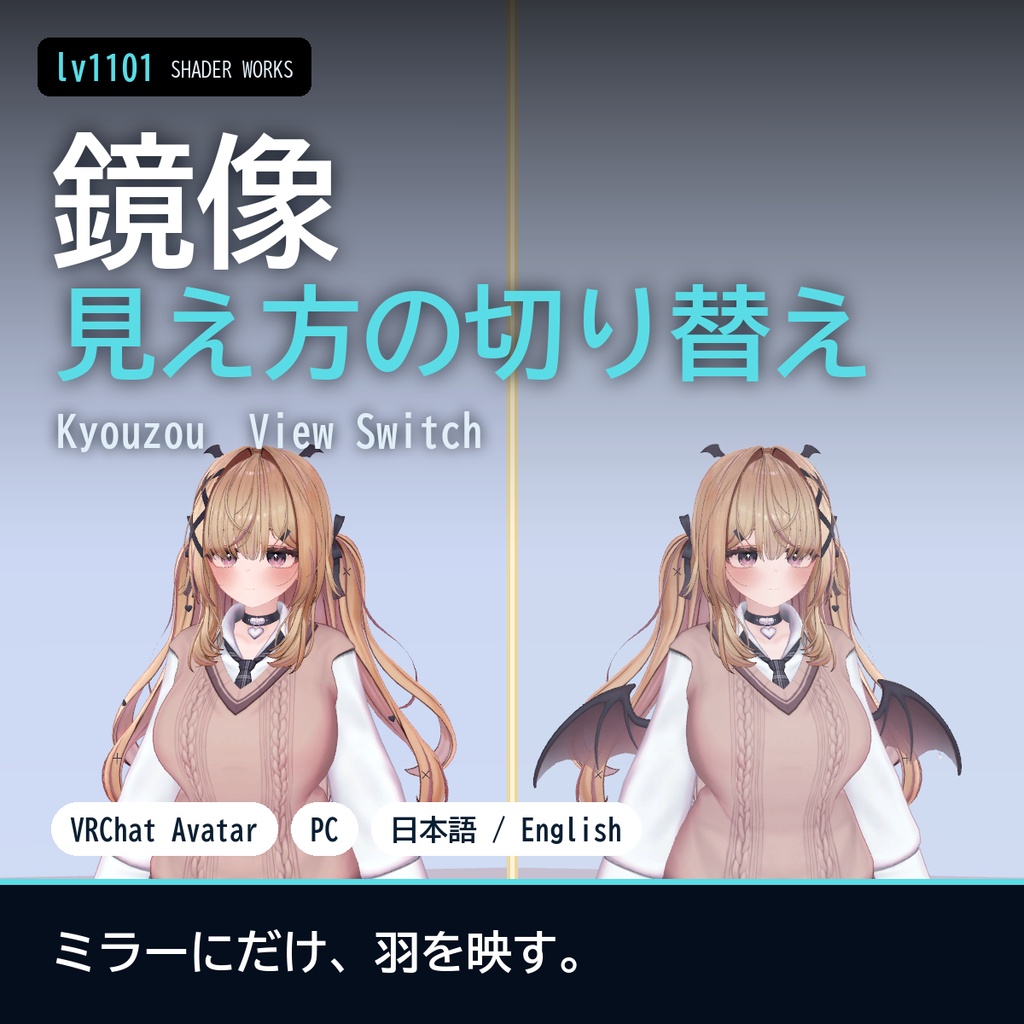
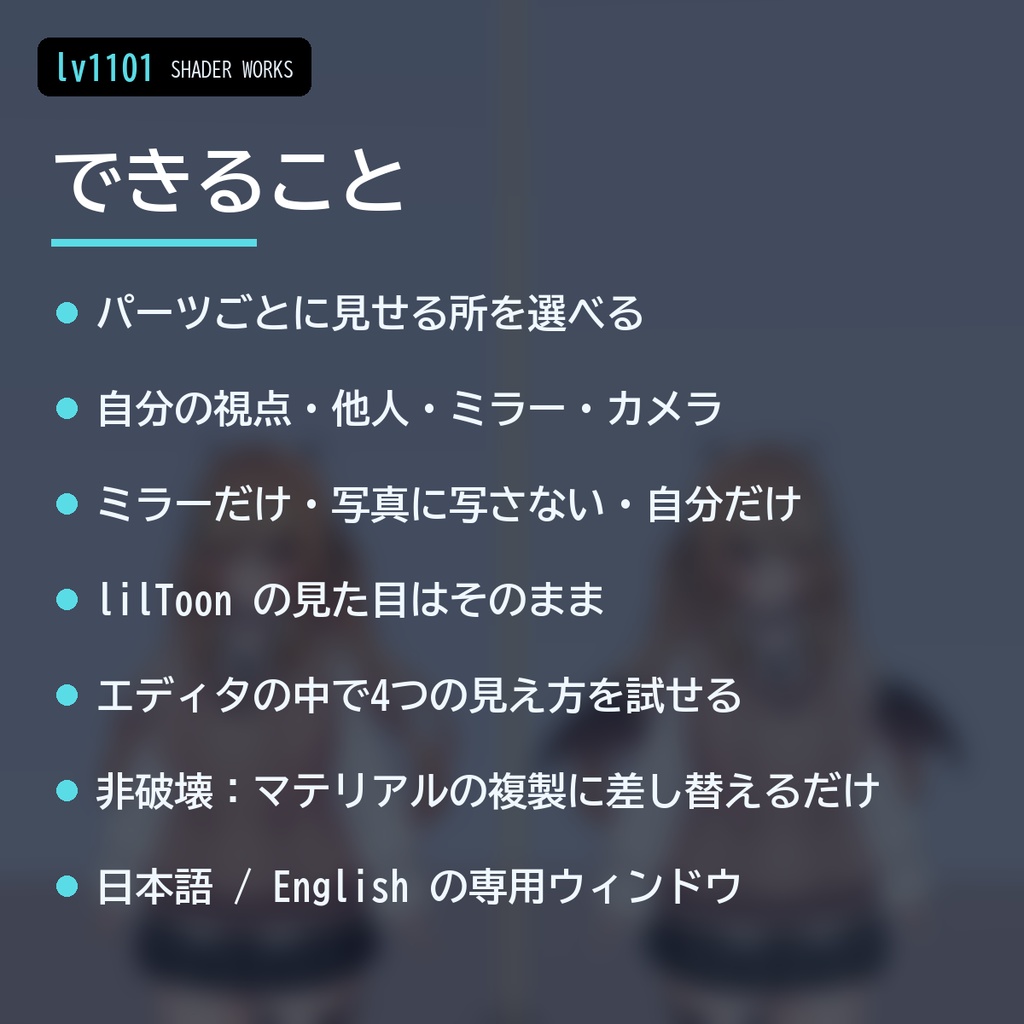
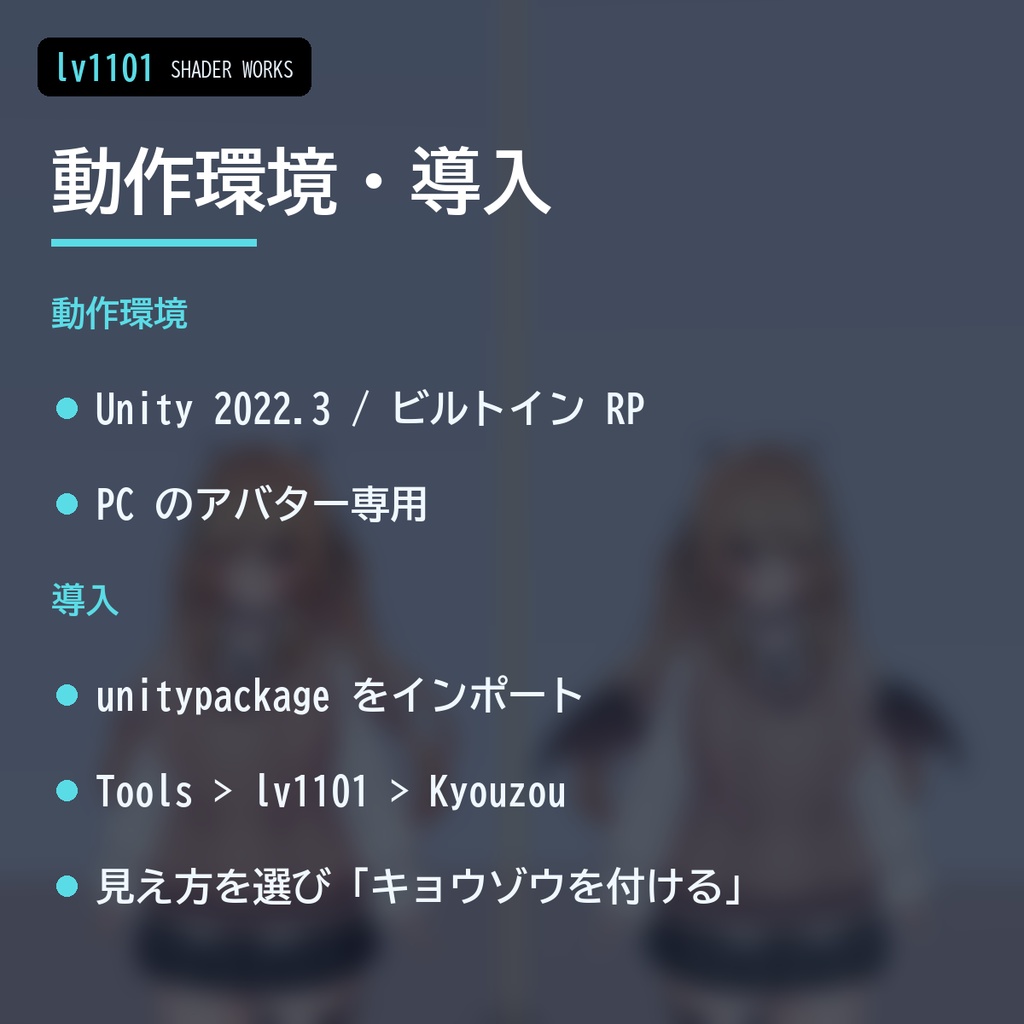
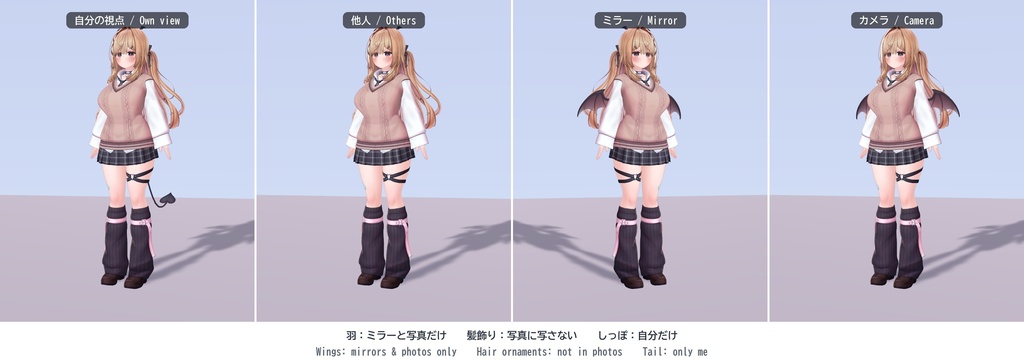
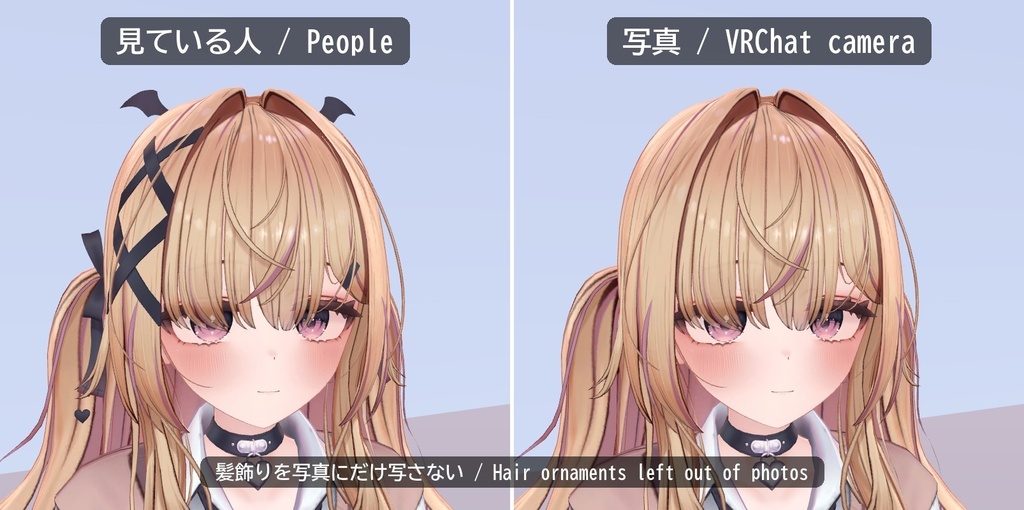
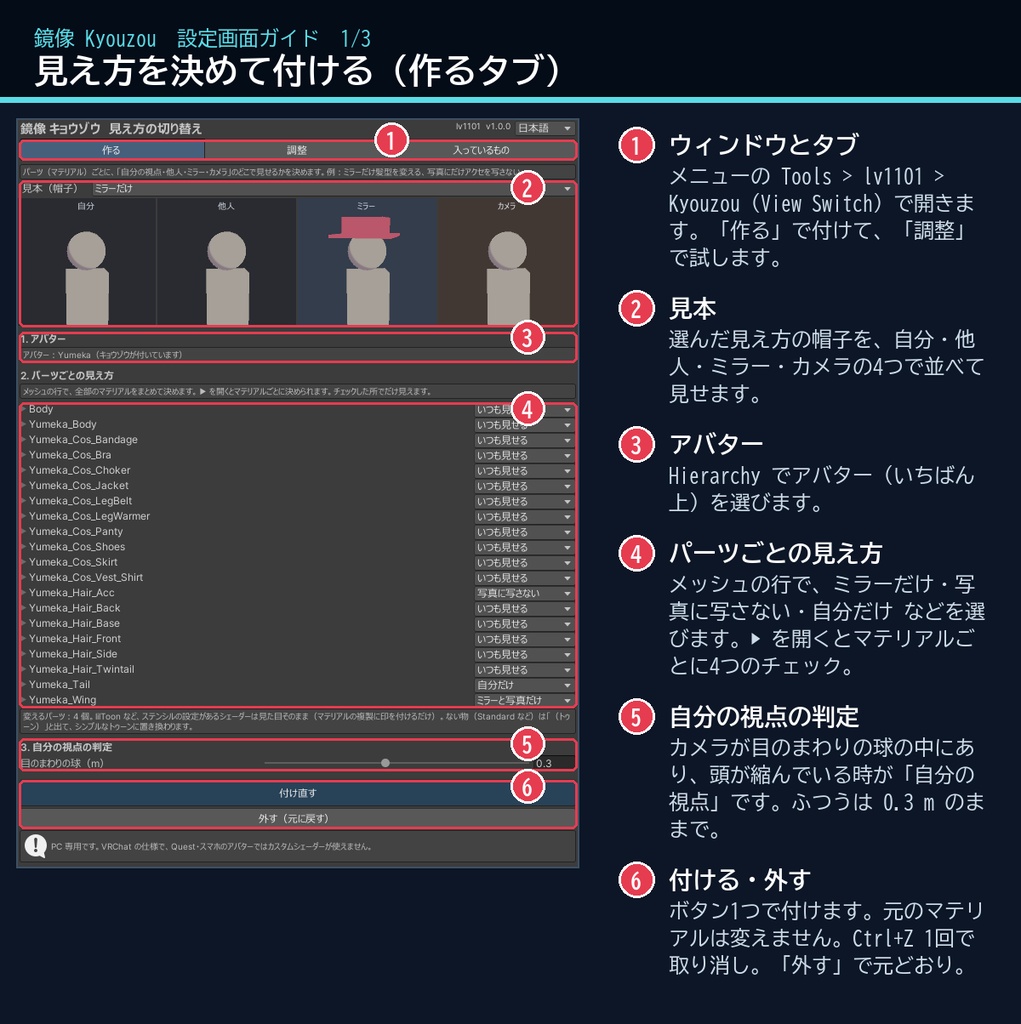
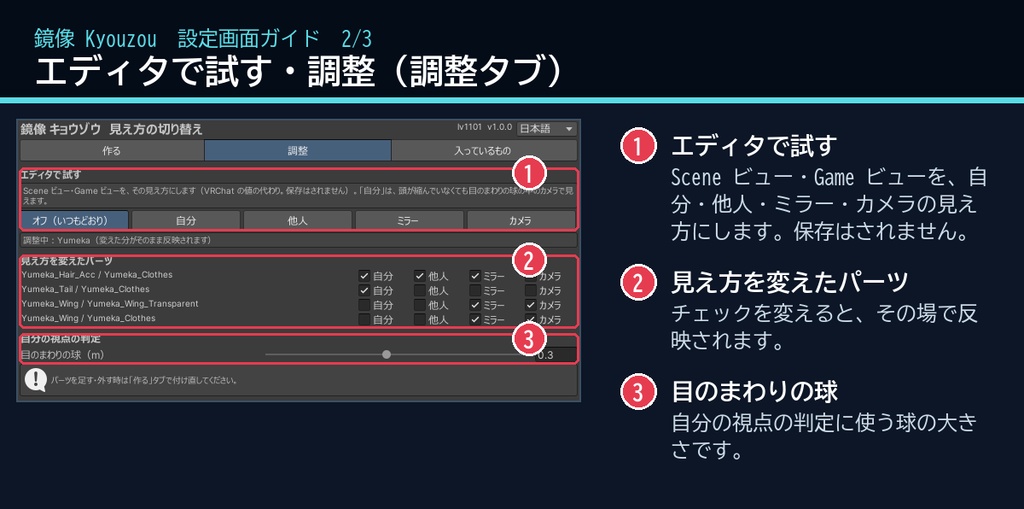
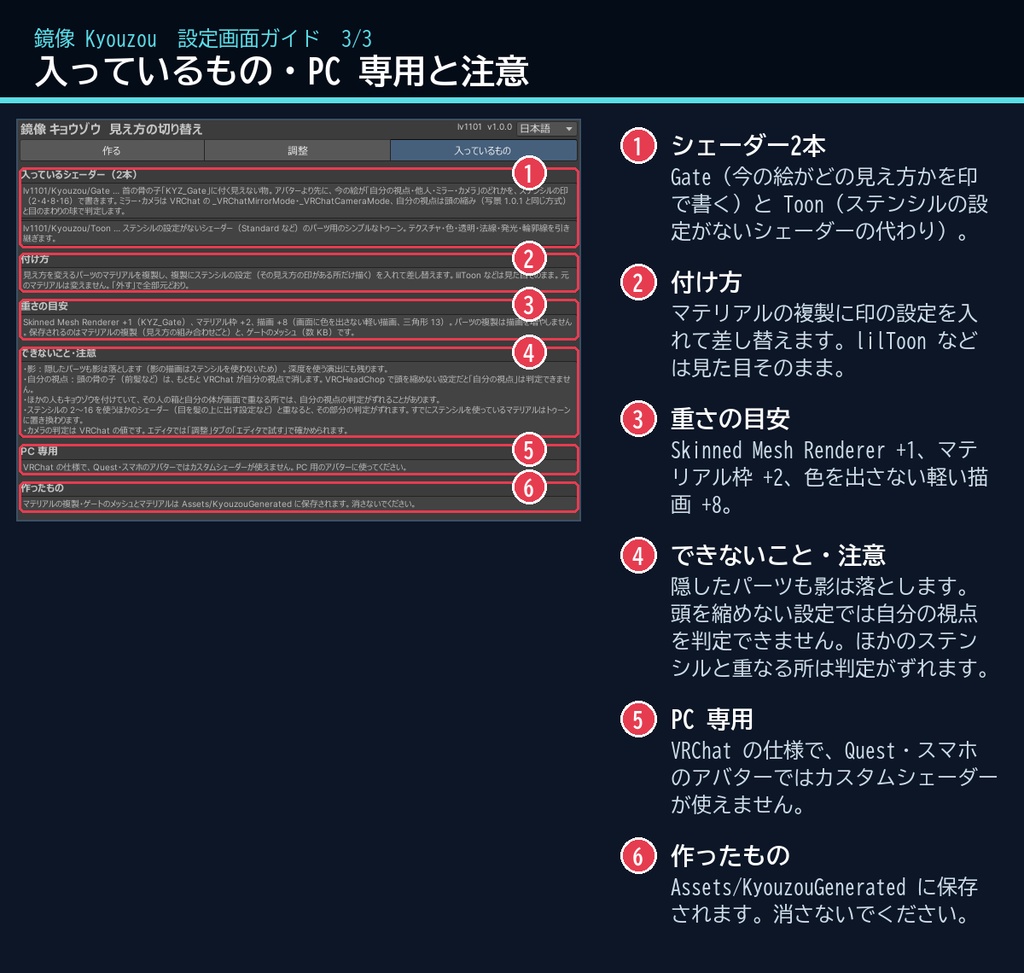
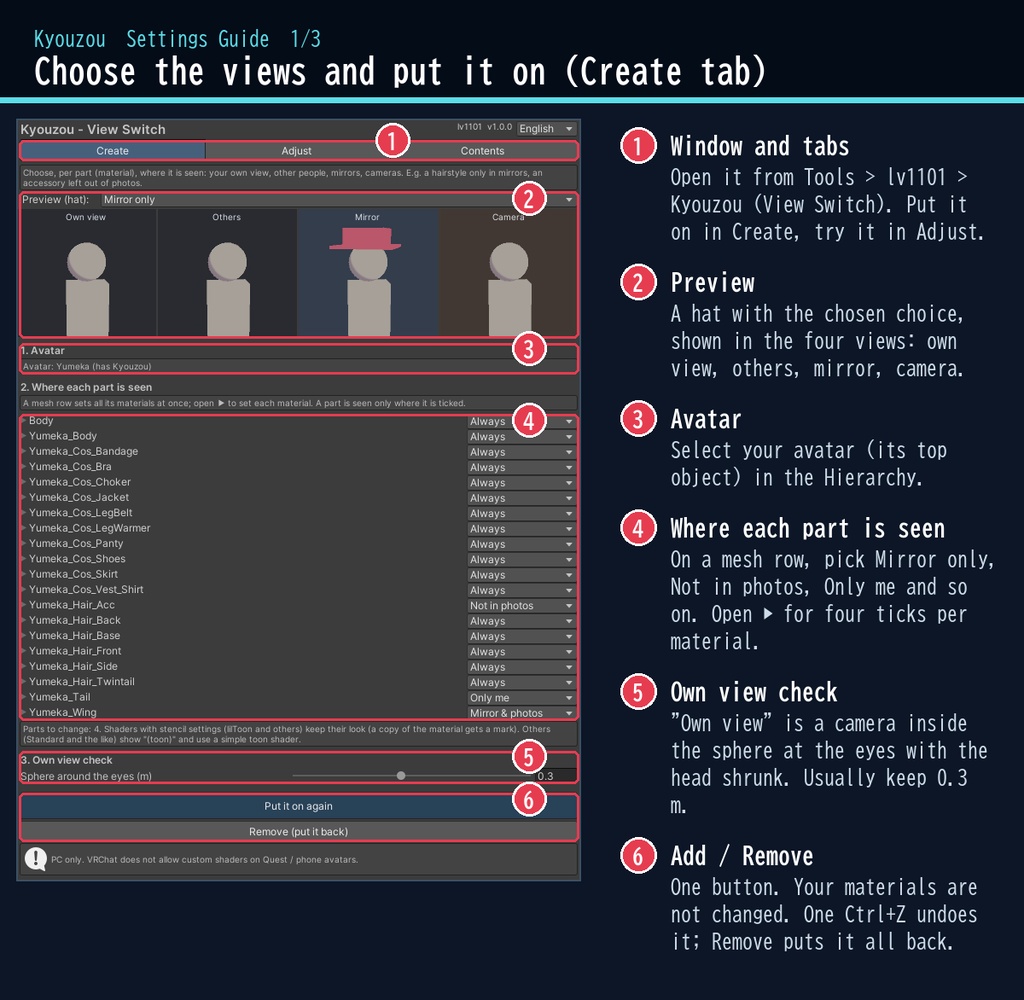
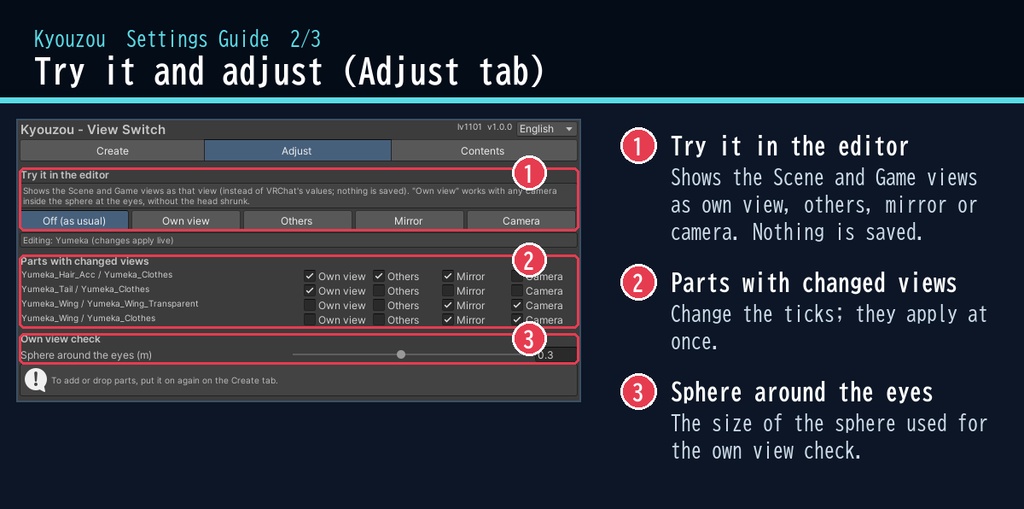
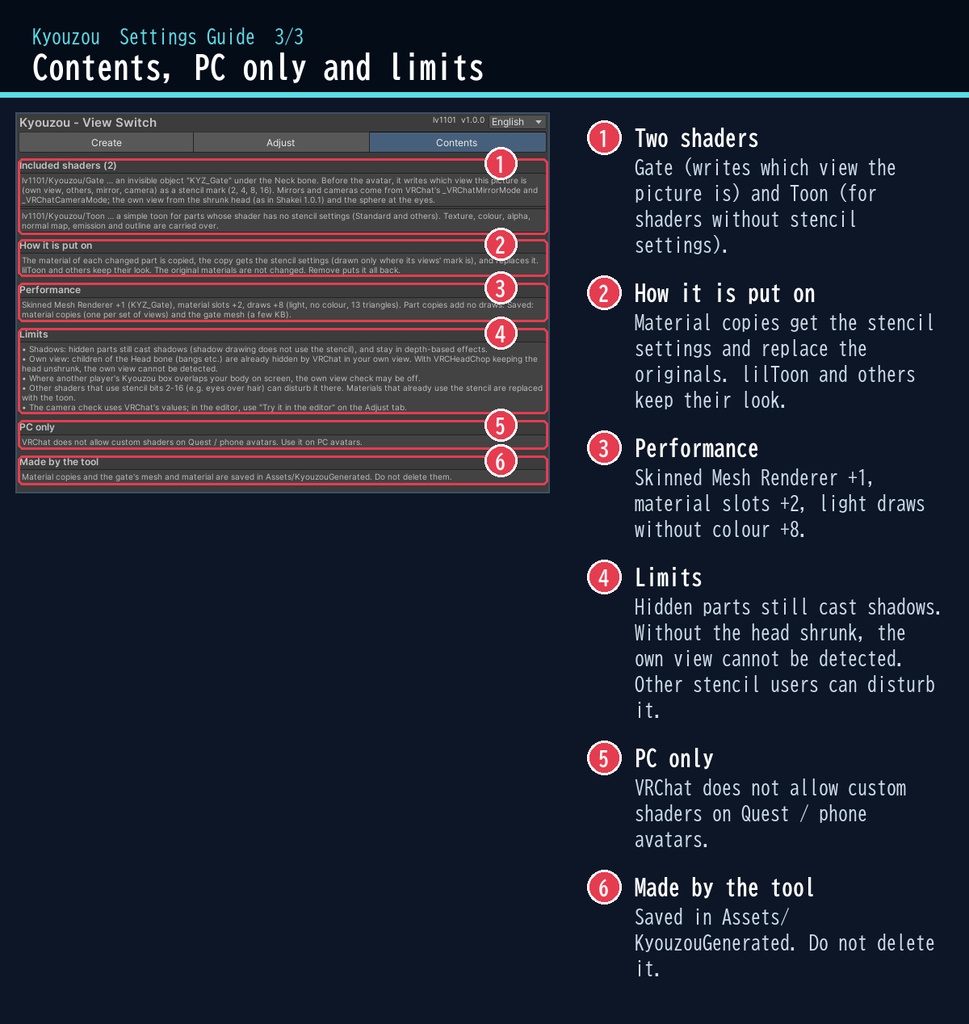


VRChat アバター向けの、見え方を切り替えるツールです。PC のアバター専用です。 アバターのパーツ(マテリアル)ごとに、「自分の視点・他人・ミラー・カメラ」のどこで見せるかをチェックで決められます。 例:ミラーにだけ羽を映す、写真にだけ髪飾りを写さない、自分の視界から邪魔なアクセを消す、自分にだけ見えるメモ。 lilToon などは見た目そのまま(マテリアルの複製に印を付けるだけ)。スクリプト(U#)なしで動きます。 日本語 / English の専用ウィンドウで、アバターを選んでチェックを付け、ボタン1つで付けられます。 ■ できること ・4つの見え方:自分の視点 / 他人 / ミラー / カメラ(VRChat の写真・配信・スクリーンショット)を、パーツごとにオン・オフ ・よく使う組み合わせ:ミラーだけ / 写真に写さない / 自分には見せない / 自分だけ / ミラーと写真だけ / 他人に見せない ・見た目そのまま:lilToon などステンシルの設定があるシェーダーは、マテリアルの複製に印を付けるだけ。元と画素単位で同じ見た目です(Unity 上で確認) ・ステンシルの設定がない物(Standard など)は、付属のシンプルなトゥーンに置き換えます ・エディタで試す:Scene ビュー・Game ビューを4つの見え方に切り替えて確かめられます(保存されません) ・ウィンドウの見本で、選んだ見え方を4つ並べて確かめられます ・非破壊:元のマテリアルは変えません。「外す(元に戻す)」で全部元どおり。付けるのも Ctrl+Z 1回で取り消せます ■ しくみ 首の骨の子に見えない「KYZ_Gate」を付けます。アバターより先に描かれ、今の絵がどの見え方かをステンシルの印で書きます。 ・ミラー・カメラ:VRChat がシェーダーに教える値(_VRChatMirrorMode / _VRChatCameraMode) ・自分の視点:VRChat が自分の視点でだけ頭を縮めることを使います(写景と同じ方式)。ほかの人のカメラが頭の中に入っても「他人」のままです ■ 動作環境 ・Unity 2022.3(VRChat で使うバージョン) ・ビルトイン レンダーパイプライン ・PC 専用(VRChat の仕様で、Quest・スマホのアバターではカスタムシェーダーが使えません) ・VRChat SDK3 Avatars(なくてもコンパイルできます。Modular Avatar も不要です) ・見た目そのまま使えるのは lilToon など(lilToon 2.3.4 で確認) ■ 導入 1. unitypackage を Unity にドラッグ&ドロップしてインポート 2. メニューの Tools > lv1101 > Kyouzou (View Switch) でウィンドウを開く 3. Hierarchy でアバターを選び、パーツごとの見え方を選んで「キョウゾウを付ける」を押す 詳しい使い方は同梱の README_ja.txt をご覧ください。 設定画面の説明は、商品画像の「設定画面ガイド」(日本語・英語)にあります。 ウィンドウ右上で 日本語 / English を切り替えられます(Auto は PC の言語に合わせます)。 ■ 重さの目安 Skinned Mesh Renderer +1(KYZ_Gate)、マテリアル枠 +2、描画 +8(画面に色を出さない軽い描画・三角形 13)。 パーツの複製は描画を増やしません。保存されるのはマテリアルの複製(見え方の組み合わせごと)とゲートのメッシュ(数 KB)です。 ■ 内容物 ・Kyouzou_1.0.0.unitypackage(README_ja.txt / README_en.txt 入り) ・利用規約.txt / TermsOfUse_en.txt ※商品ページの画像に映っているアバター・衣装などは商品に含みません。 ※画像のアバター:ゆめか Yumeka(©Arka_X / https://booth.pm/ja/items/8672657 )。商品には含みません。「自分の視点」の画像は、エディタの「試す」で外から見たものです。 ※隠したパーツも影は落とします(影の描画にはステンシルが効かないため)。 ※頭の骨の子(前髪・髪飾りなど)は、もともと VRChat が自分の視点で消します。VRCHeadChop などで頭を縮めない設定では「自分の視点」は判定できません。 ※ほかの人もキョウゾウを付けていて、その人のまわりと自分の体が画面で重なる所では、自分の視点の判定がずれることがあります。 ※ステンシルの 2・4・8・16 を使うほかのシェーダーと同じ所に描かれると、そこで判定がずれることがあります。すでにステンシルを使っているマテリアルはトゥーンに置き換わります。 ■ 利用規約(概要) ・VRChat のアバター(Public/商用・有料イベントでの使用を含む)で使えます ・改変できます ・シェーダー・スクリプトの再配布、転売はできません(改変したものも含む) ・クレジット表記は任意です(書いていただけると嬉しいです) 詳しくは同梱の 利用規約.txt をご覧ください。 ―――――――――――――――― ■ English Kyouzou switches where the parts of a VRChat avatar are seen (PC only, Built-in RP, Unity 2022.3). For each part (material), tick where it is seen: your own view, other people, mirrors, VRChat cameras (photos, streams, screenshots). E.g. wings only in mirrors, hair ornaments left out of photos, an accessory hidden from your own view, a note only you can see. lilToon and other shaders with stencil settings keep their exact look: only a copy of the material gets a stencil mark (pixel-identical in Unity). Others (Standard and the like) use the included simple toon shader. No Udon / U# needed. An invisible "KYZ_Gate" under the Neck bone writes which view the picture is: mirrors and cameras from VRChat's _VRChatMirrorMode / _VRChatCameraMode, the own view from VRChat shrinking the head in the wearer's view (the same method as Shakei). It is non-destructive: your materials are not changed; "Remove" puts everything back. Try the four views in the editor (nothing is saved). PC avatars only: VRChat does not allow custom shaders on Quest / mobile avatars. Performance: Skinned Mesh Renderer +1, material slots +2, draws +8 (light, no colour, 13 triangles); part copies add no draws. Limits: hidden parts still cast shadows; with the head not shrunk (e.g. VRCHeadChop) the own view cannot be detected; where another Kyouzou user overlaps your body on screen, or other shaders use stencil bits 2-16, the check may be off there. • Full English UI: switch Auto / 日本語 / English at the top right of the window • English README (README_en.txt) and Terms of Use (TermsOfUse_en.txt) included • English settings guide images are included in the product images • Avatar in the images: Yumeka (©Arka_X), not included. Install: import the unitypackage, open Tools > lv1101 > Kyouzou (View Switch), select your avatar, choose the views and press "Add Kyouzou". Terms (summary): usable on VRChat avatars, including public use, commercial use and paid events; modification allowed; redistribution or resale of the shader / scripts (including modified versions) is not allowed; credit is optional. ■ 更新履歴 / Version history 1.0.0 最初の版 / First release