

【VRChat・汎用】髪の毛先にグラデーションを重ねる「彩層」(アバター用・PC)
- Digital500 JPY
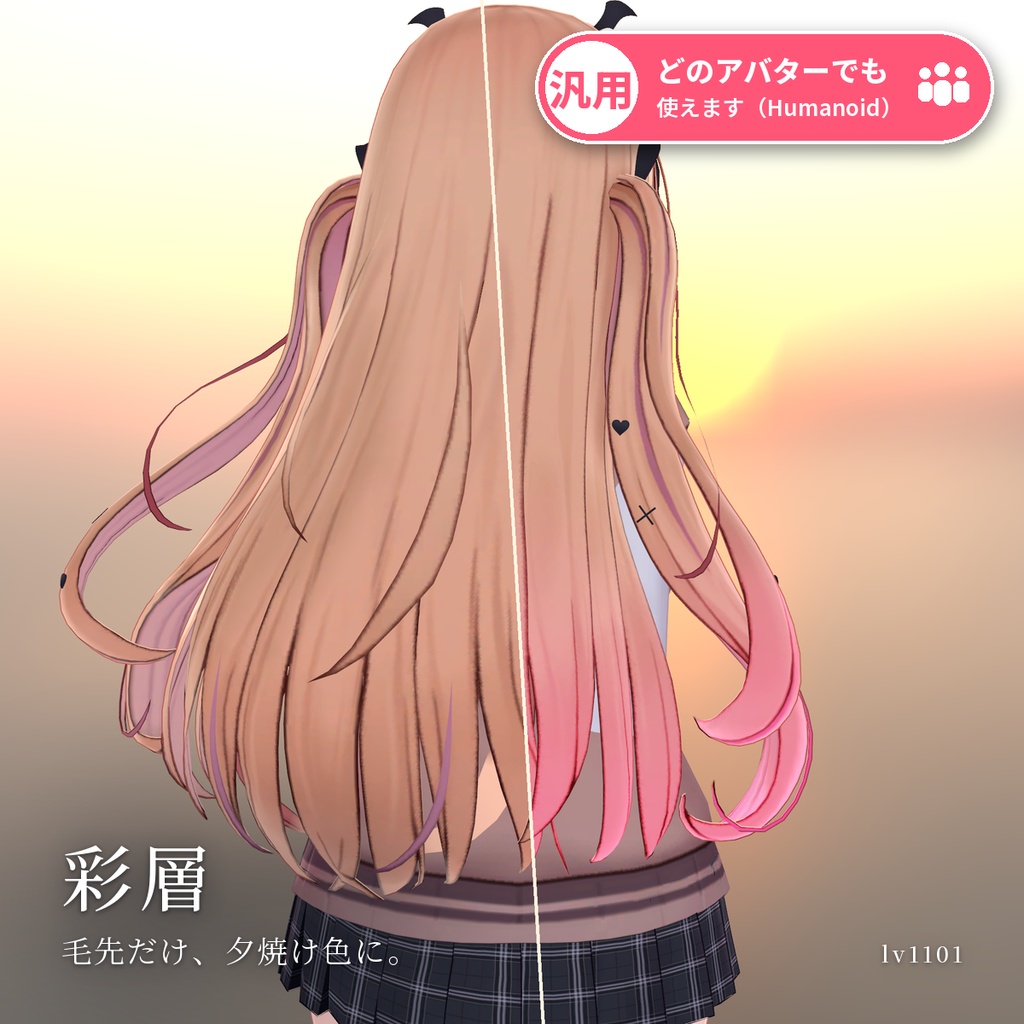
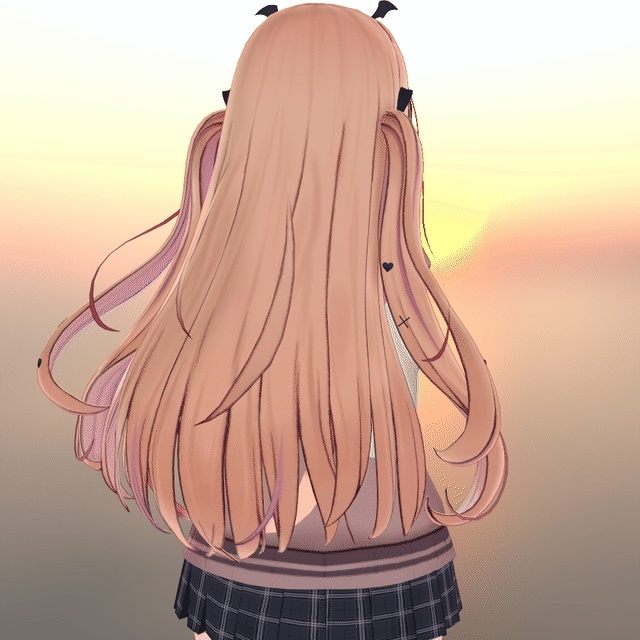
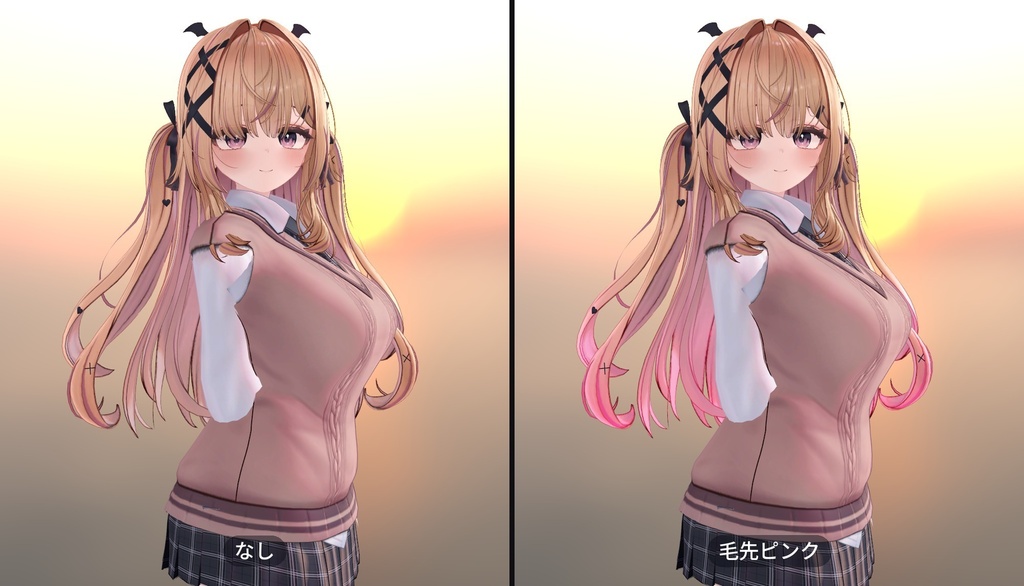
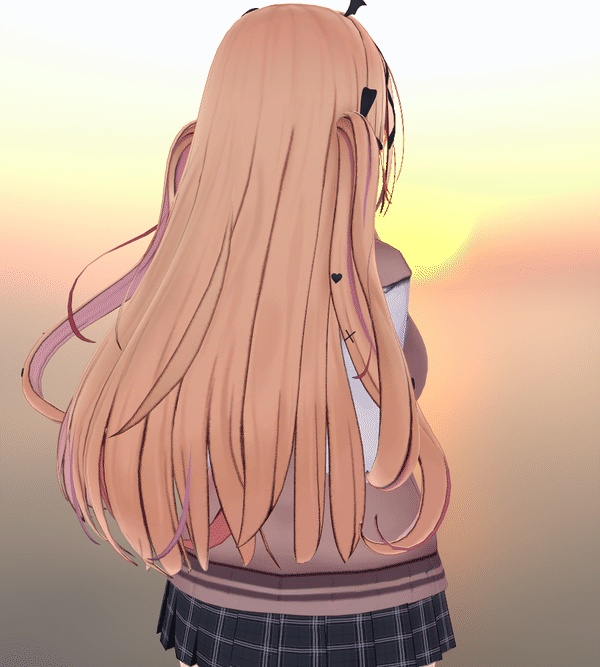
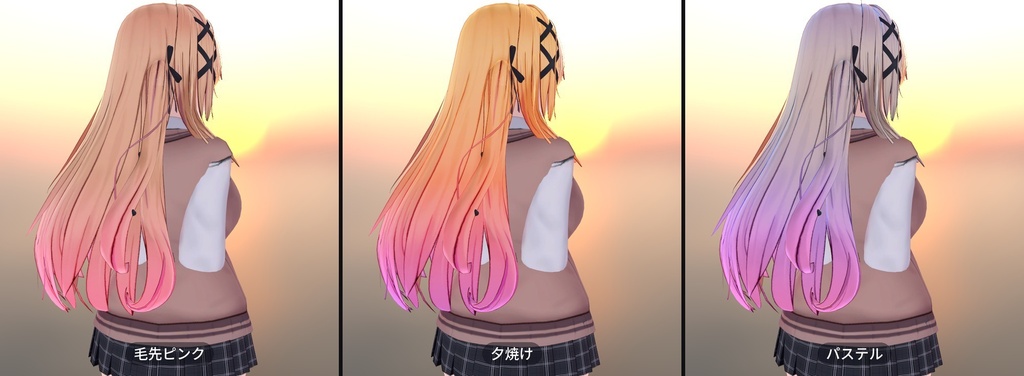
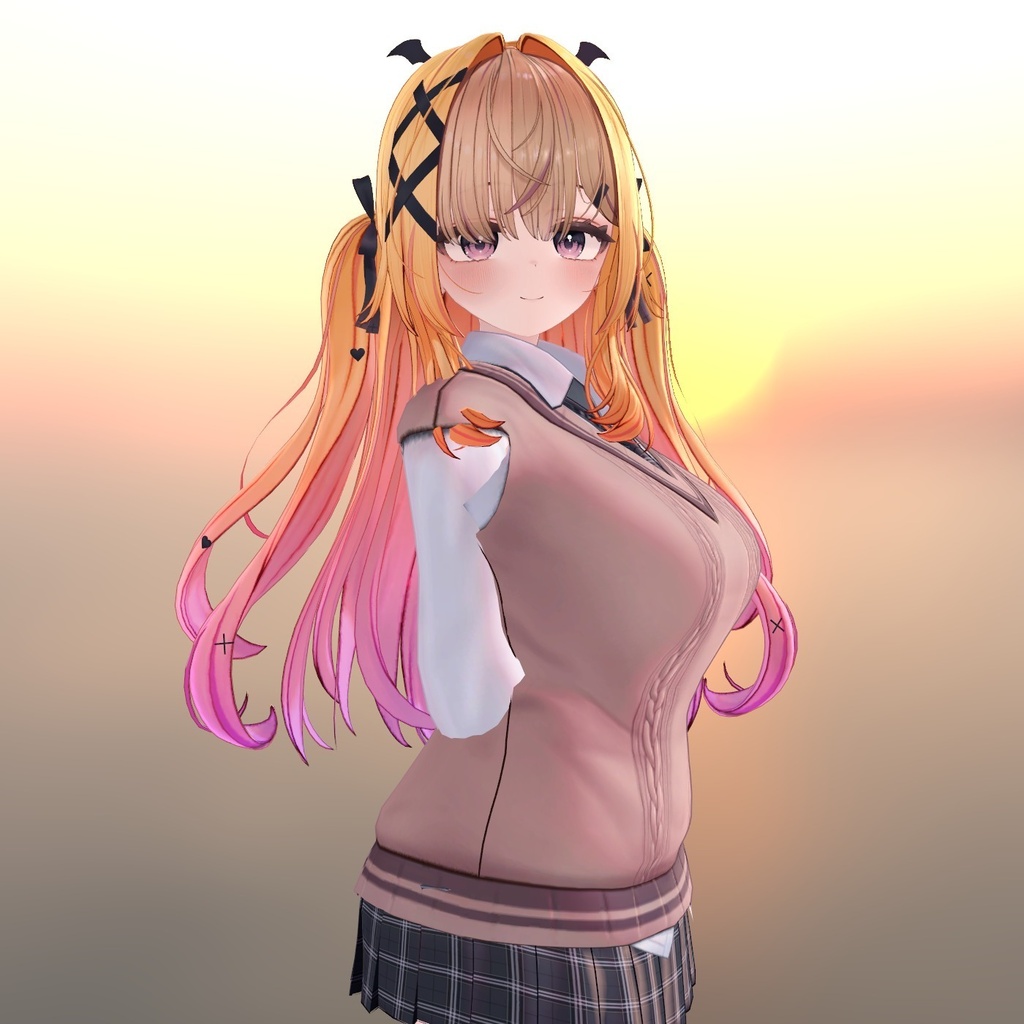
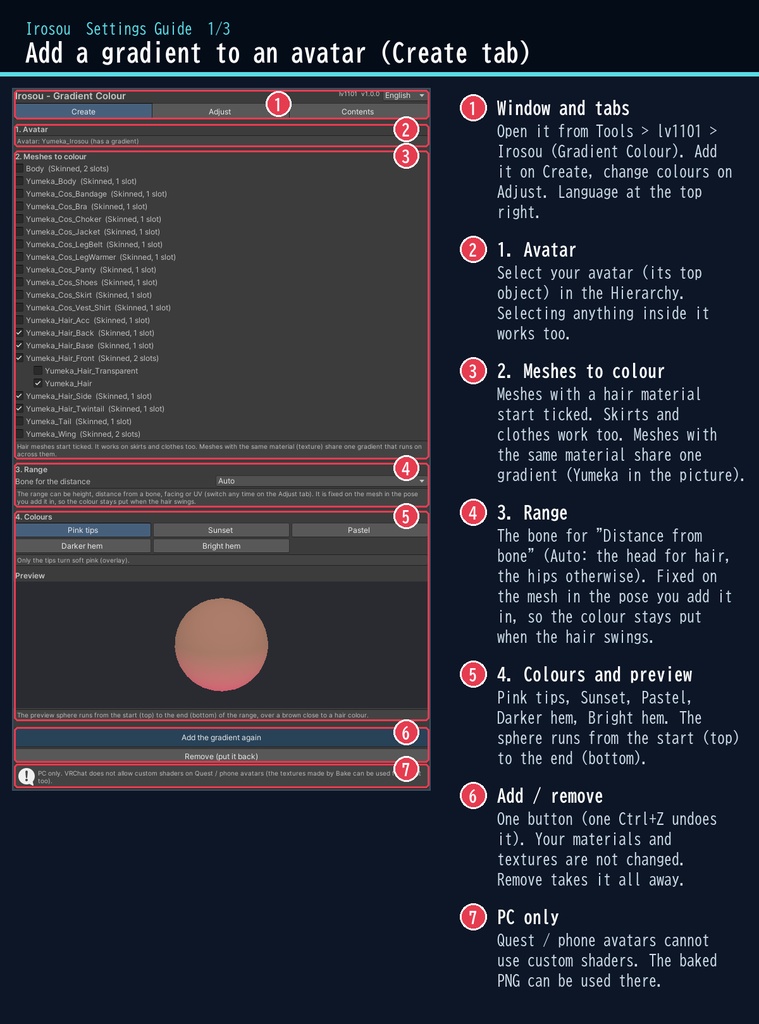
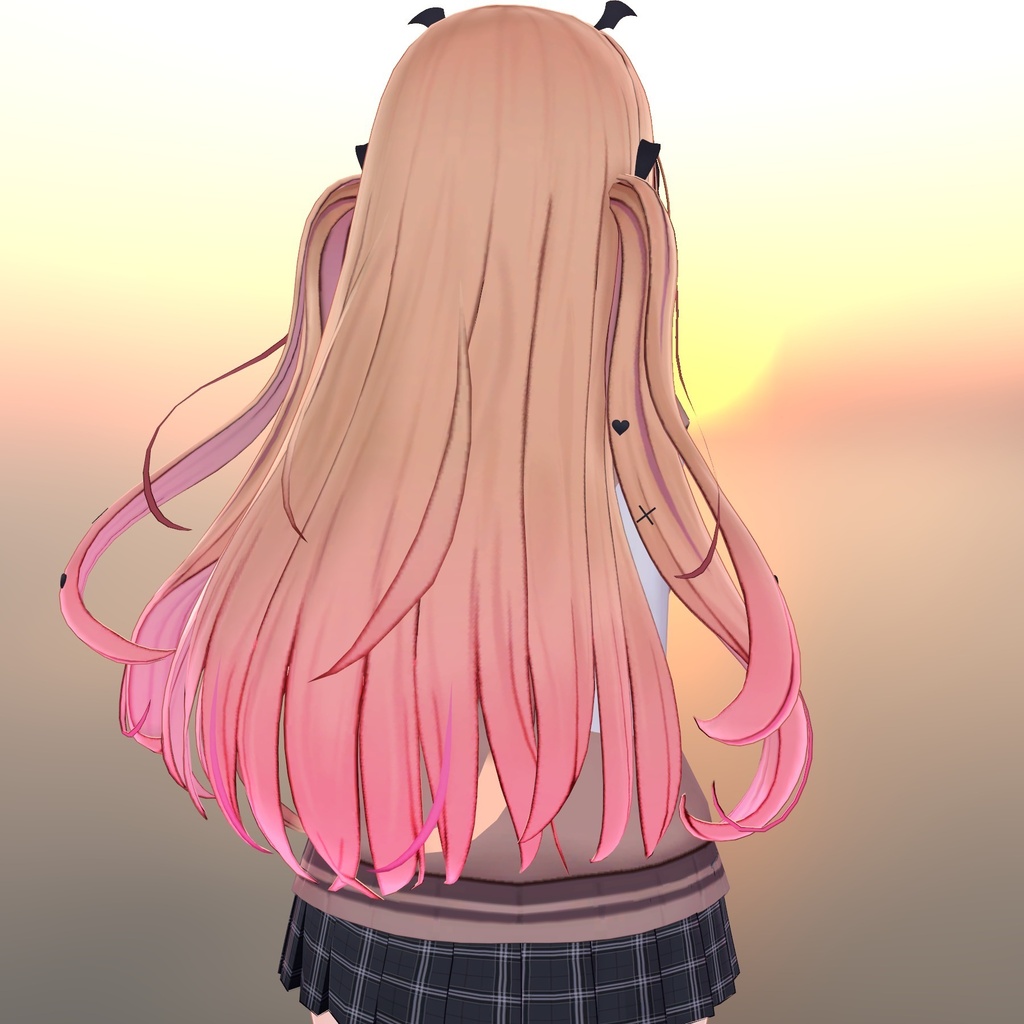
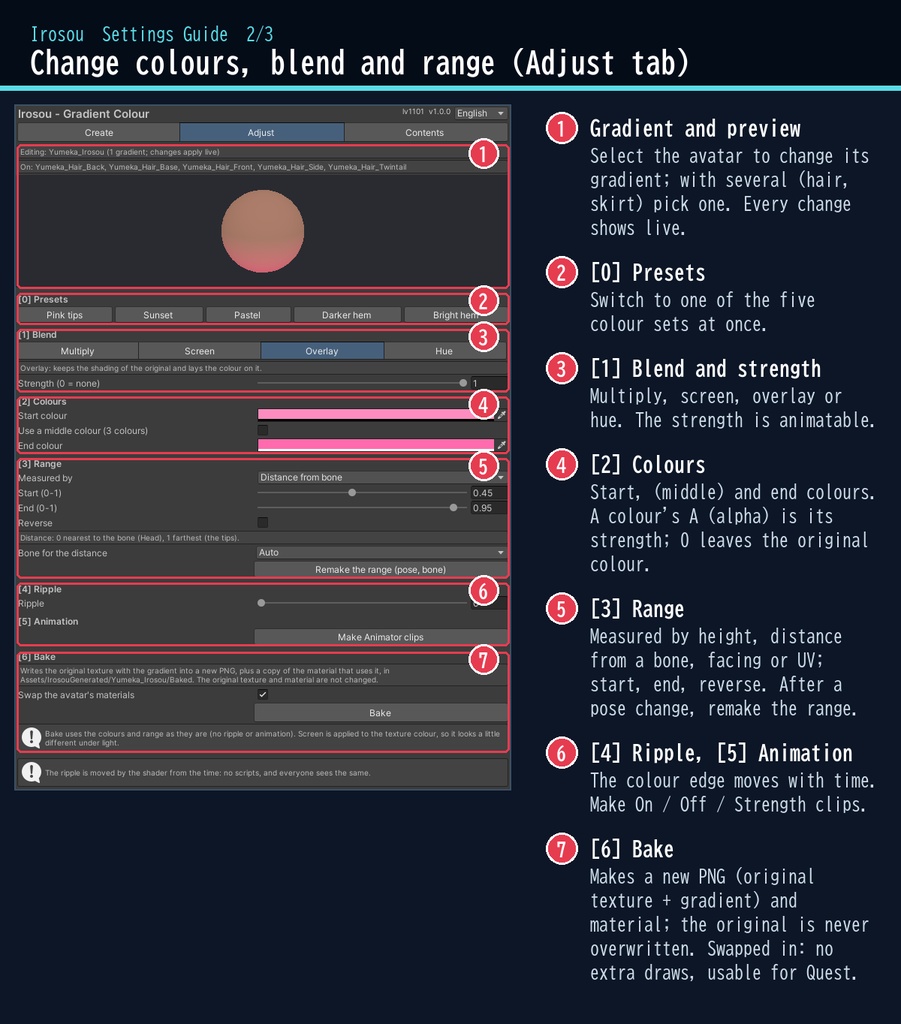
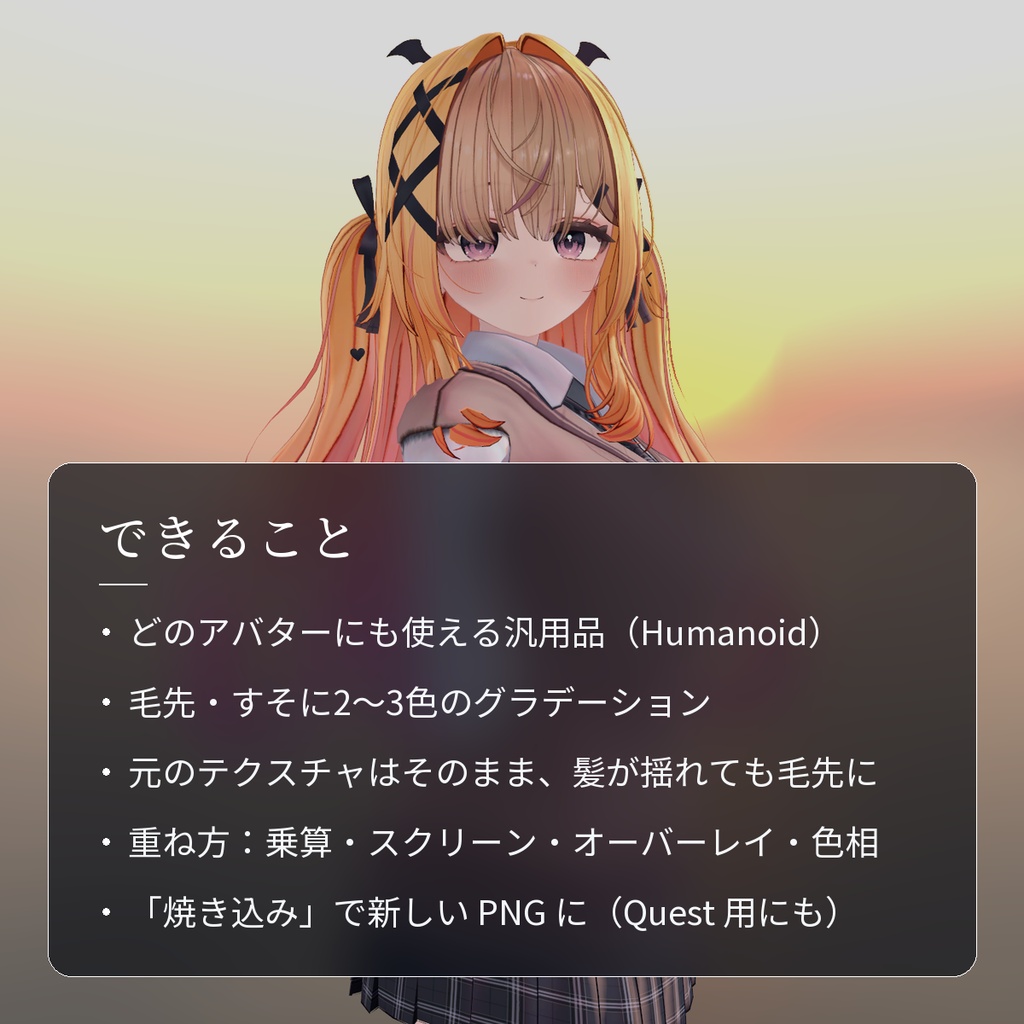
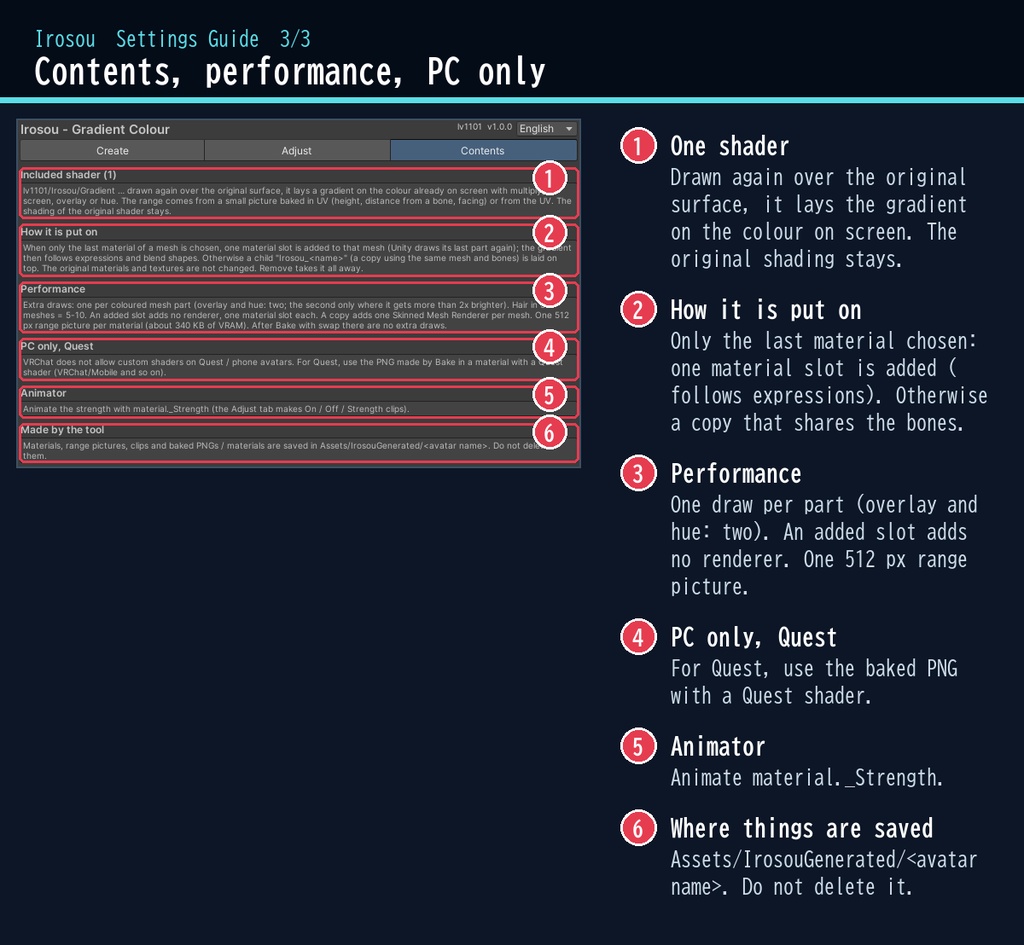
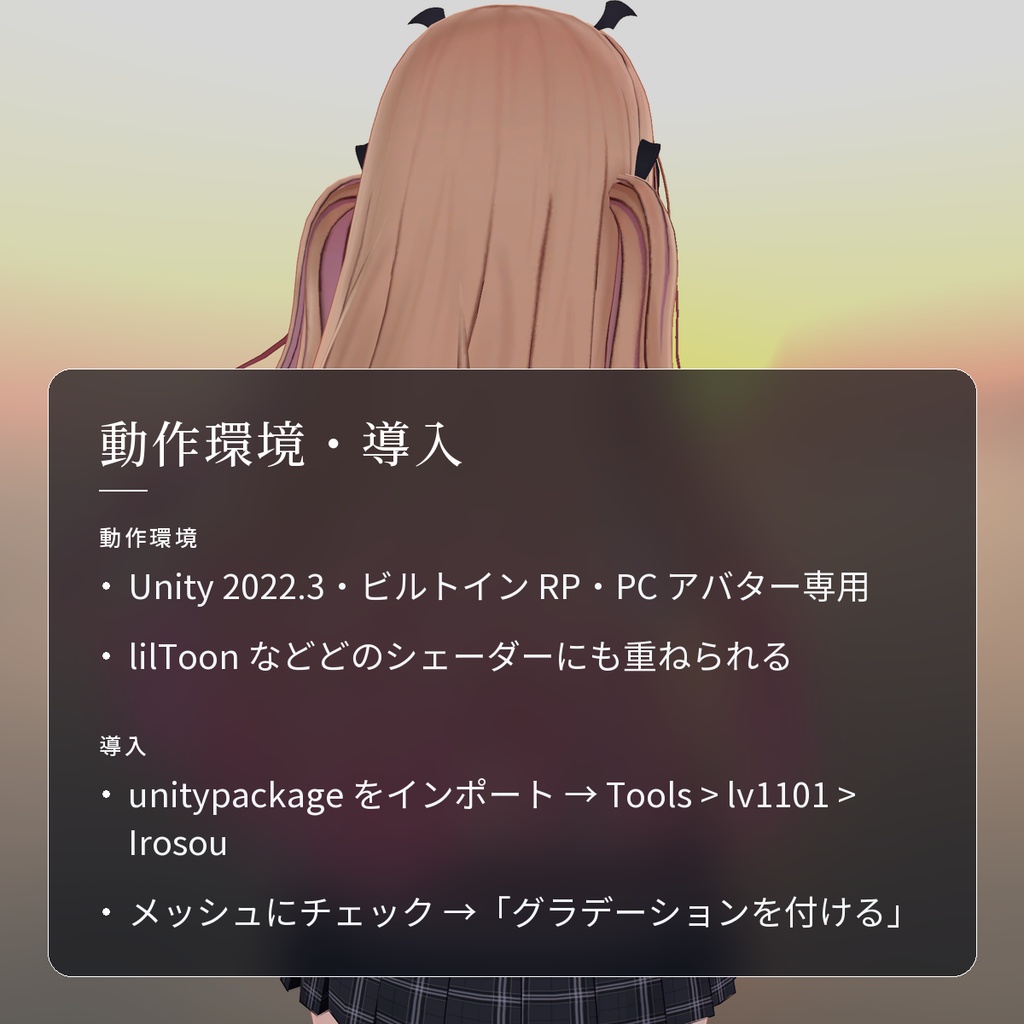
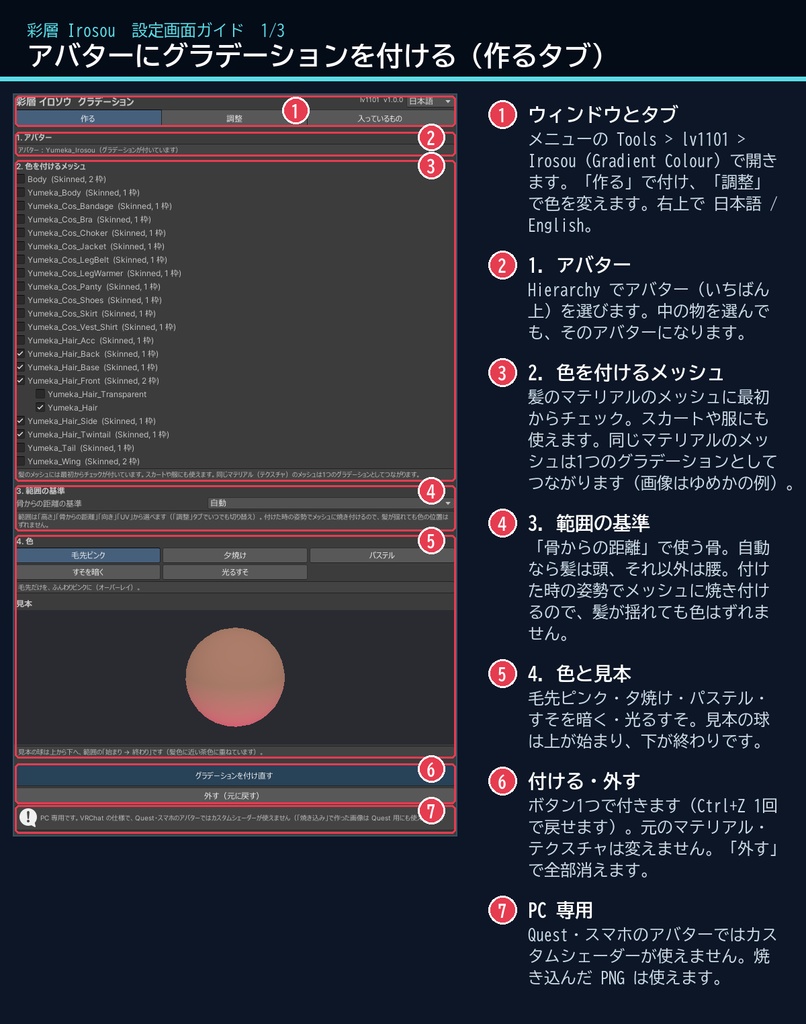
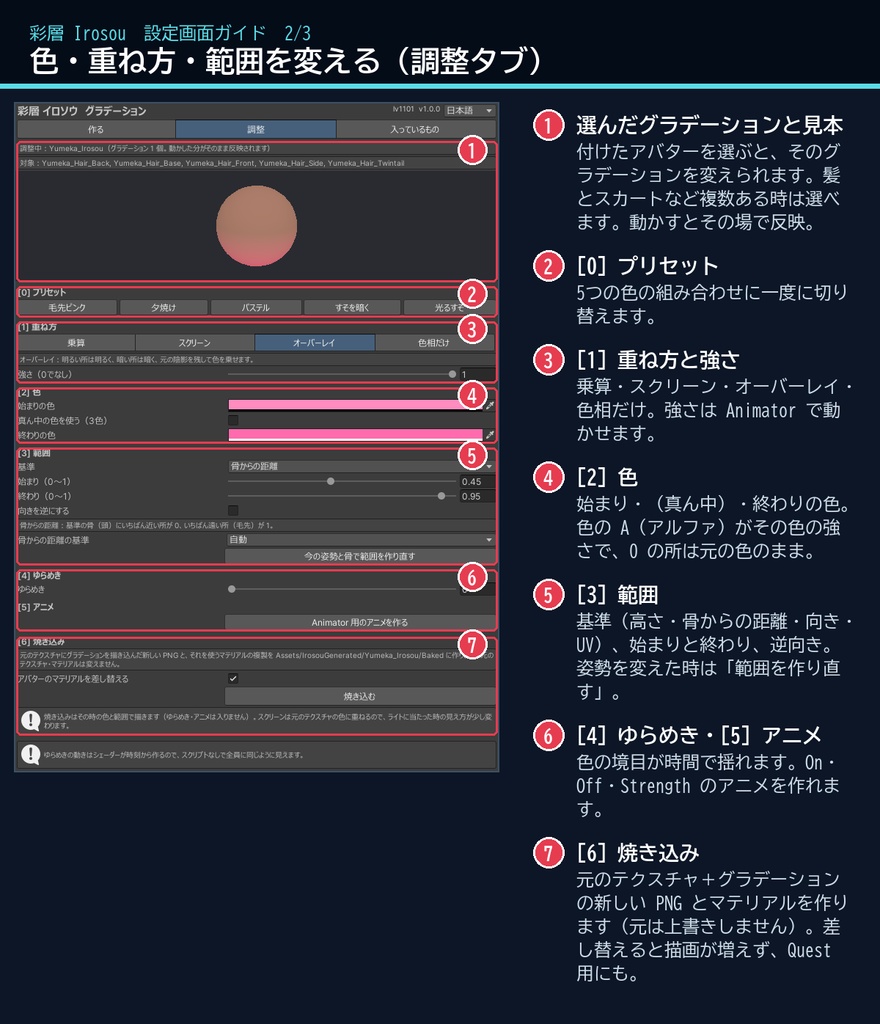
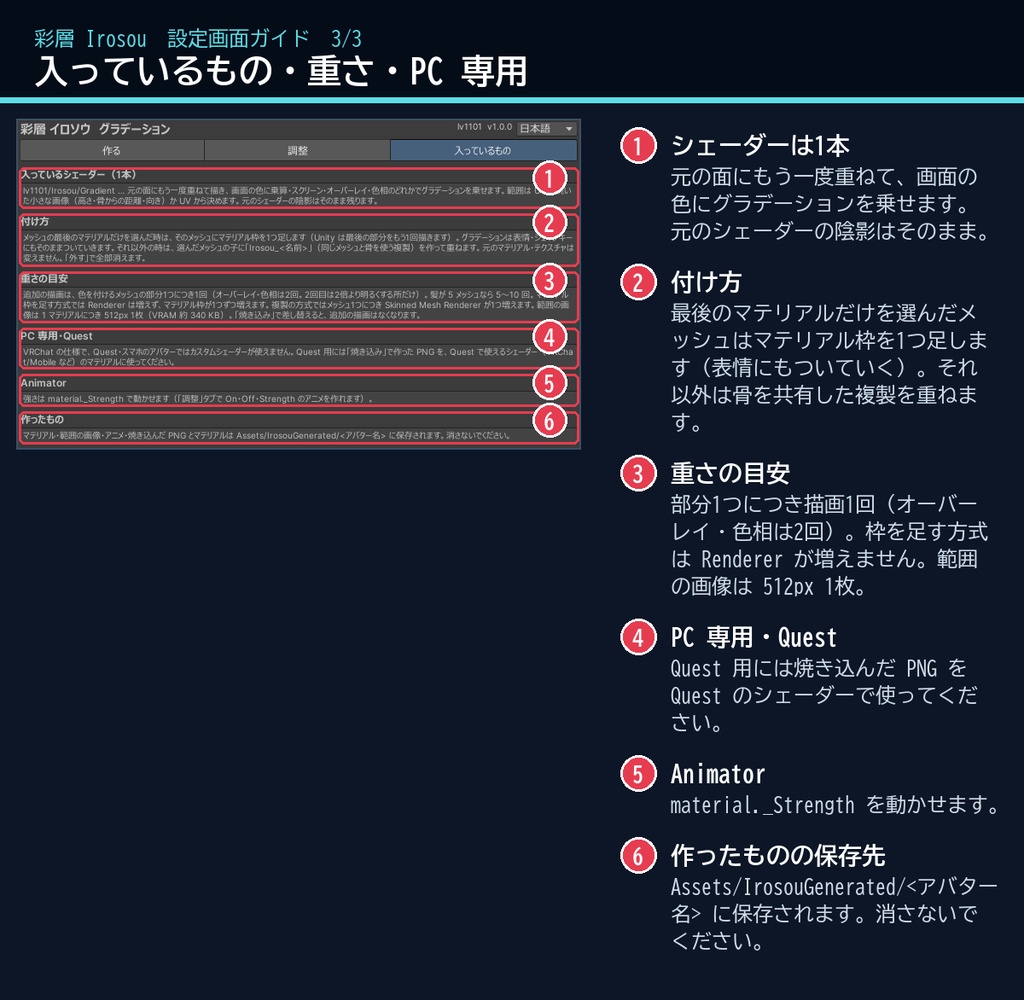


髪の毛先だけ、夕焼けの色に染めてみる。 「彩層」は、髪の毛先やスカートのすそに、2〜3色のグラデーションを重ねるシェーダーとツールです。 元のテクスチャは描き換えません。色の範囲は付けた時の姿勢でメッシュに焼き付けるので、髪が揺れても色は毛先についていきます。 ■ ポイント ・ゆめか専用ではありません。Humanoid のアバターなら、どのアバターにも使える汎用品です ・毛先・すそ・服に2〜3色のグラデーション(色ごとに強さも) ・乗算 / スクリーン / オーバーレイ / 色相だけ。lilToon の陰影はそのまま ・プリセット:毛先ピンク / 夕焼け / パステル / すそを暗く / 光るすそ ・「焼き込み」で元のテクスチャ+グラデーションの新しい PNG を作れる(Quest 用アバターにも) ・スクリプト(U#)なしで全員に同じ見え方。日本語 / English のウィンドウ ↓ 色が乗る様子は2枚目の GIF、くわしくは下へ。 ■ くわしく ・グラデーション:始まり・(真ん中)・終わりの 2〜3色。色ごとに強さ(アルファ)を決められます ・重ね方:乗算(深く・暗く)/ スクリーン(明るく)/ オーバーレイ(陰影を残して色を乗せる)/ 色相だけ(明るさはそのまま)。画面にある元の色(lilToon などの陰影・ライト込み)に乗せるので、元のシェーダーの見た目はそのままです ・範囲:高さ(下ほど)・骨からの距離(頭から遠いほど=毛先)・向き(上向きほど)・UV。始まり・終わり・向きの反転 ・同じマテリアルのメッシュは1つのグラデーションとしてつながります(髪がいくつのメッシュに分かれていても)。髪とスカートなど、マテリアルごとに別のグラデーションを付けられます ・揺れても毛先についていきます。メッシュの最後のマテリアル(ゆめかの髪など)は、マテリアル枠を足す方式でシェイプキー・表情にもそのままついていきます ・ゆらめき:色の境目が時間でゆっくり揺れます ・強さ(_Strength)は Animator で動かせます。On / Off / Strength のアニメをボタン1つで作れます。調整はその場で反映されます ・焼き込み:元のテクスチャ+グラデーションの新しい PNG と、それを使うマテリアルの複製を作ります(元のテクスチャは上書きしません)。インポート設定も引き継ぎます。差し替えると追加の描画がなくなり、Quest 用アバターのテクスチャにも使えます ・非破壊:マテリアル枠を1つ足すか、同じメッシュと骨を使う複製を子に作って重ねる方式。元のマテリアル・テクスチャは変えません。「外す(元に戻す)」で全部外せます(焼き込んで差し替えた所も元に戻ります)。付けるのも Ctrl+Z 1回で取り消せます 気をつけること ※範囲は付けた時の姿勢で決まります。姿勢やメッシュを変えた時は「今の姿勢と骨で範囲を作り直す」を押してください。 ※UV が重なっている所(左右で同じ UV の髪など)は同じ色になります。焼き込みでは、同じテクスチャの場所を使う別の部分も同じ色になります。 ※オーバーレイ・色相で明るくする量はシェーダーでは最大 4 倍です(とても暗い色をとても明るくする時は焼き込みの方が正確です)。 ※色相だけは、白・黒・灰色の所では色が変わりにくいです。 ■ 動作環境 ・対応アバター:汎用。Humanoid のアバターならどれでも使えます(画像はゆめかで撮影。lilToon 2.3.4 で確認) ・Unity 2022.3(VRChat で使うバージョン)・ビルトイン レンダーパイプライン ・PC 専用(VRChat の仕様で、Quest・スマホのアバターではカスタムシェーダーが使えません。焼き込んだ PNG は使えます) ・VRChat SDK3 Avatars(なくてもコンパイルできます。Modular Avatar も不要です) ・lilToon など、どのシェーダーのアバターにも重ねられます(元のマテリアルの _MainTex を使います) ・深度テクスチャは使わないので、どのワールドでも同じように見えます ■ 導入 1. unitypackage を Unity にドラッグ&ドロップしてインポート 2. メニューの Tools > lv1101 > Irosou (Gradient Colour) でウィンドウを開く 3. Hierarchy でアバターを選び、色を付けるメッシュにチェックを付けて「グラデーションを付ける」を押す 使い方は同梱の README_ja.txt に、設定画面の説明は商品画像の「設定画面ガイド」(日本語・英語)にあります。ウィンドウ右上で 日本語 / English を切り替えられます(Auto は PC の言語に合わせます)。 ■ 重さの目安 色を付けるメッシュの部分1つにつき、描画が1回増えます(オーバーレイ・色相は2回。2回目は2倍より明るくする所だけ描きます)。ゆめかの髪(5 メッシュ)なら 5〜10 回です。 マテリアル枠を足す方式では Renderer は増えません(マテリアル枠が1つずつ増えます)。複製の方式では、メッシュ1つにつき Skinned Mesh Renderer が1つ増えます(パフォーマンスランクの数に入ります)。 範囲の画像は 1 マテリアルにつき 512px 1枚(VRAM 約 340 KB)。焼き込んで差し替えると、追加の描画はなくなります。 ■ 内容物 ・Irosou_1.0.0.unitypackage(README_ja.txt / README_en.txt 入り) ・利用規約.txt / TermsOfUse_en.txt ※画像は Unity 上(Linear)で撮影したものです。髪がよく見えるように、アバターの羽としっぽの飾りは外して撮っています。 ※画像のアバター:ゆめか Yumeka(©Arka_X / https://booth.pm/ja/items/8672657 )。商品には含みません。 ※背景の素材:Poly Haven(CC0)。商品には含みません。 ■ 利用規約(概要) ・VRChat のアバター(Public/商用・有料イベントでの使用を含む)で使えます ・改変できます ・シェーダー・スクリプトの再配布、転売はできません(改変したものも含む) ・焼き込みで作った画像は、ご自身のアバターに使えます(元のテクスチャの規約にも従ってください) ・クレジット表記は任意です(書いていただけると嬉しいです) 詳しくは同梱の 利用規約.txt をご覧ください。 ■ English Works with any avatar (universal, Humanoid avatars) - the images just use Yumeka. Irosou (Gradient Colour) is a gradient colour shader and tool for VRChat avatars (PC only, Built-in RP, Unity 2022.3). It lays a 2-3 colour gradient on hair tips, skirt hems or clothes without changing the original texture. The range is fixed on the mesh in the pose you add it in, so the colour stays on the tips when the hair swings. Choose height, distance from a bone (the tips), facing or UV, with start, end and reverse. Blend: multiply, screen, overlay or hue only. It works on the colour already on screen (with the shading of lilToon or any other shader), so the original look is kept. Every change shows live. No Udon / U#: everyone sees the same. "Bake" writes the original texture with the gradient into a new PNG, plus a copy of the material that uses it (the original texture is never overwritten). Swapped in, it adds no draws and the PNG can also be used for a Quest avatar. Select your avatar in the dedicated window, tick the meshes and press one button. It is non-destructive: a material slot is added (the gradient then follows blend shapes and expressions) or a copy that shares the mesh and bones is laid on top; your materials and textures are not changed. "Remove" takes it all off. Presets: Pink tips / Sunset (3 colours) / Pastel / Darker hem / Bright hem. Meshes with the same material share one gradient; different materials (hair, skirt) get their own. Ripple, and _Strength is animatable with On / Off / Strength clips made by one button. PC avatars only: VRChat does not allow custom shaders on Quest / mobile avatars. No depth texture is used. Performance: one extra draw per coloured mesh part (overlay and hue: two); an added slot adds no renderer, a copy adds one Skinned Mesh Renderer per mesh; one 512 px range picture per material. After Bake with swap there are no extra draws. Avatar in the images: Yumeka (©Arka_X), not included (her wing and tail accessories are switched off so the hair shows). Background: Poly Haven (CC0), not included. • Full English UI: switch Auto / 日本語 / English at the top right of the window • English README (README_en.txt) and Terms of Use (TermsOfUse_en.txt) included • English settings guide images are included in the product images Install: import the unitypackage, open Tools > lv1101 > Irosou (Gradient Colour), select your avatar, tick the meshes and press "Add gradient". Terms (summary): usable on VRChat avatars, including public use, commercial use and paid events; modification allowed; redistribution or resale of the shader / scripts (including modified versions) is not allowed; textures you bake can be used on your own avatars (follow the original texture's terms too); credit is optional. ■ 更新履歴 / Version history 1.0.0 最初の版 / First release