

【YUMEKA・狛乃対応】窓映し MADOUTSUSHI|窓が映り込む瞳【PC VRChat】
- Digital100 JPY
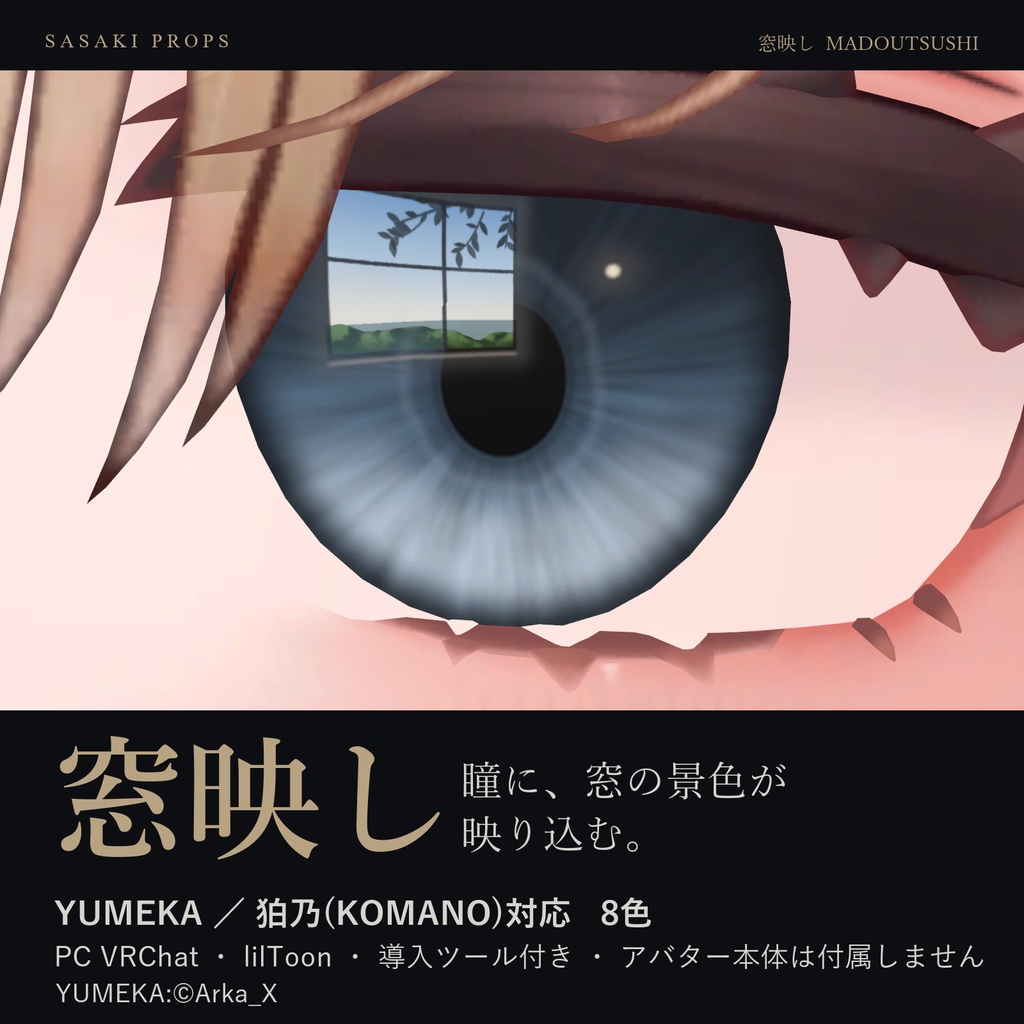
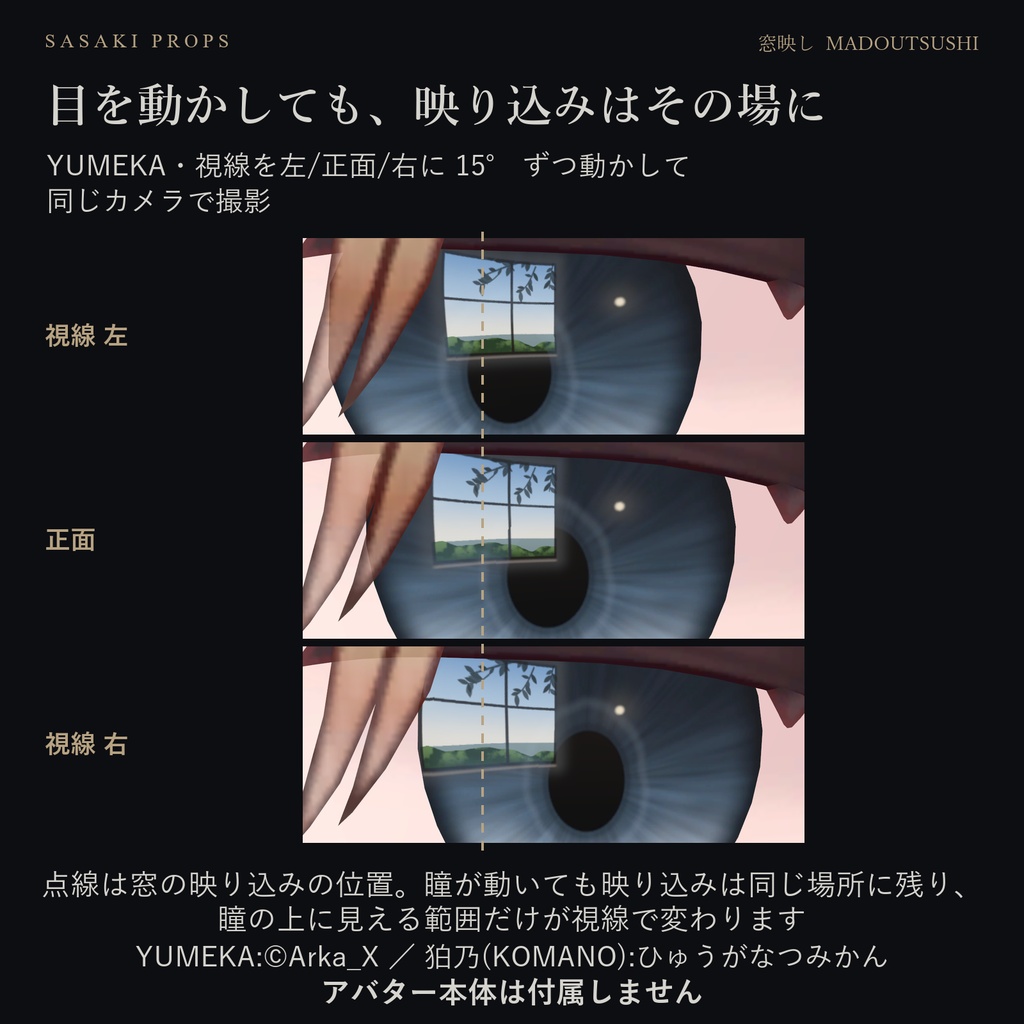
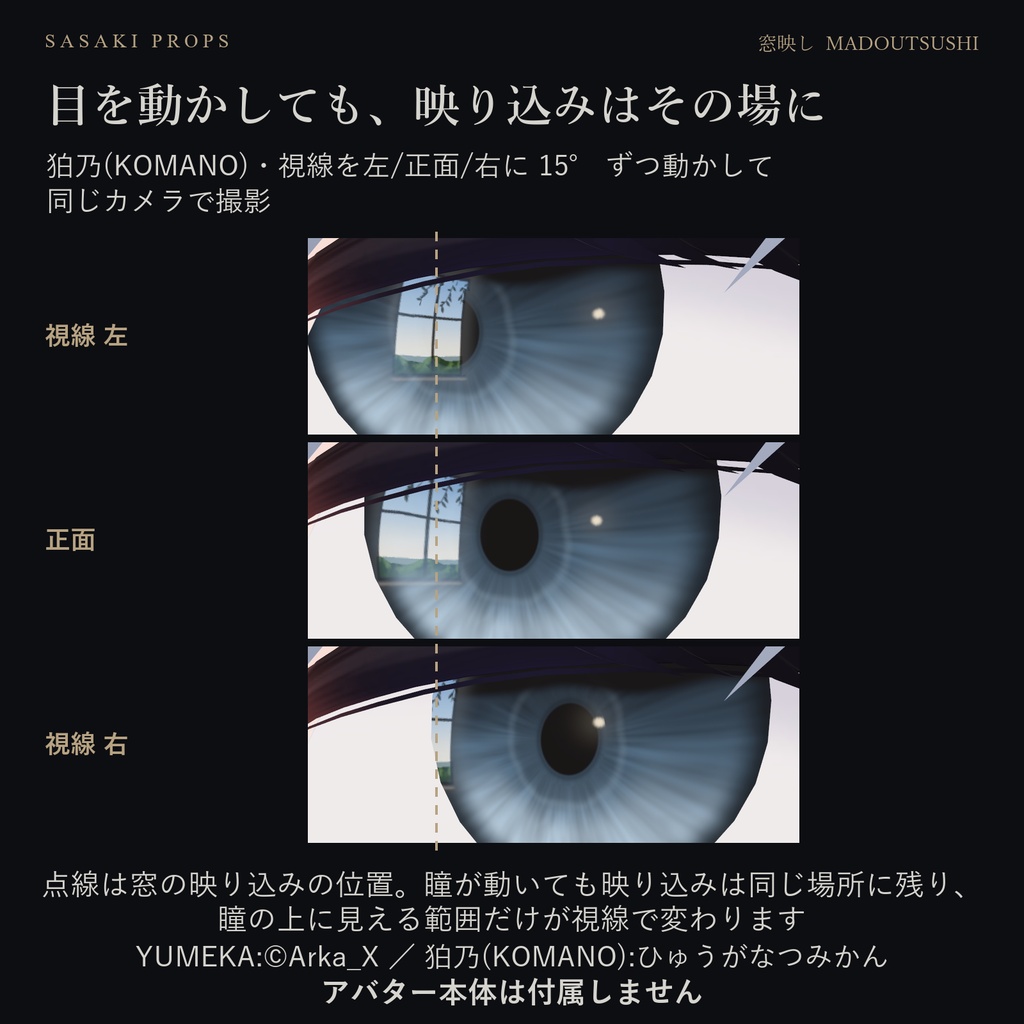
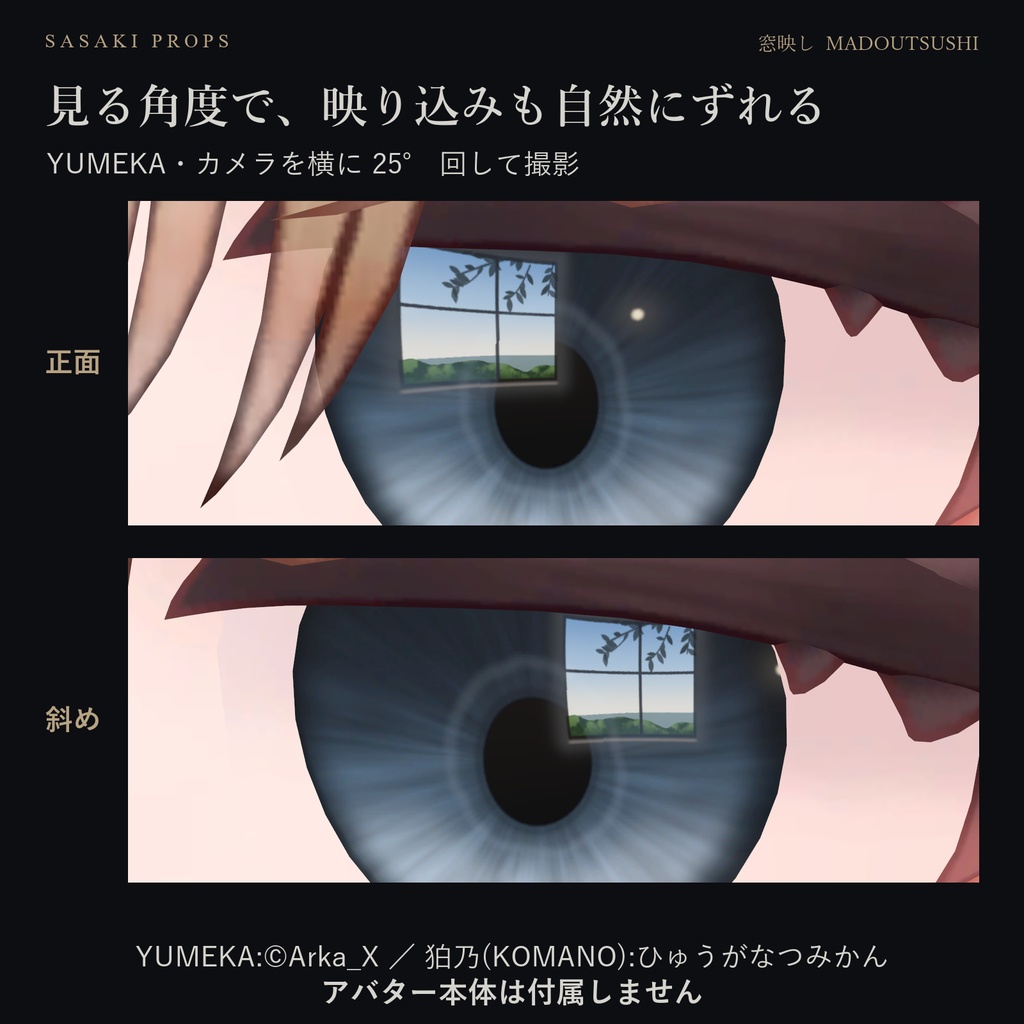
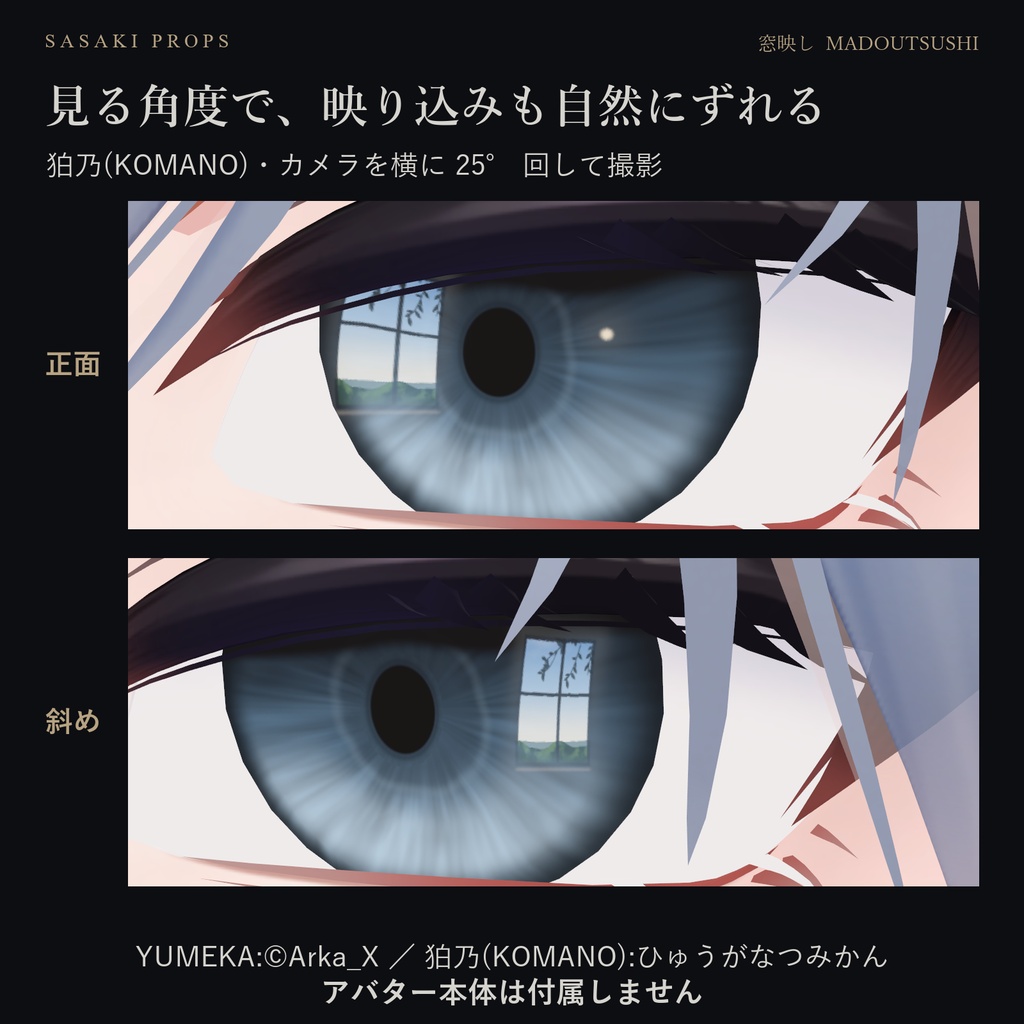
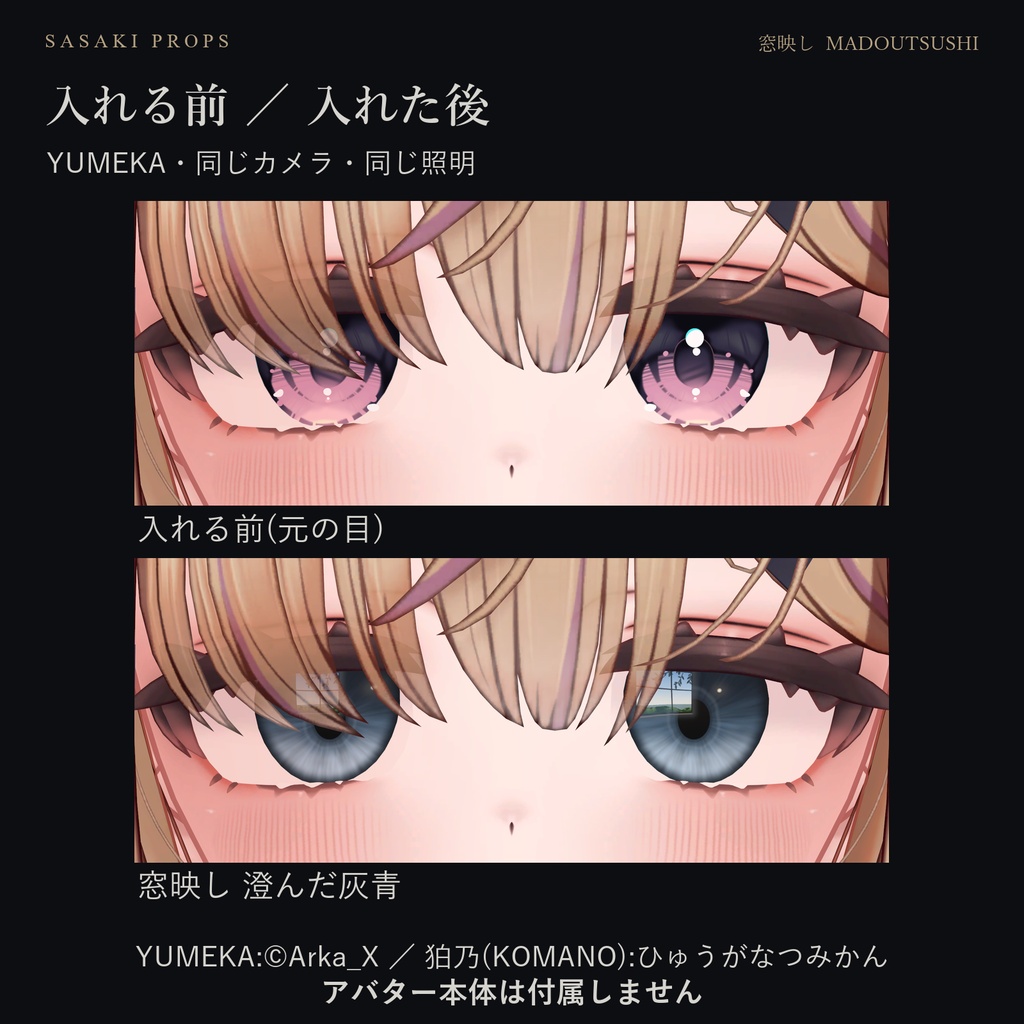
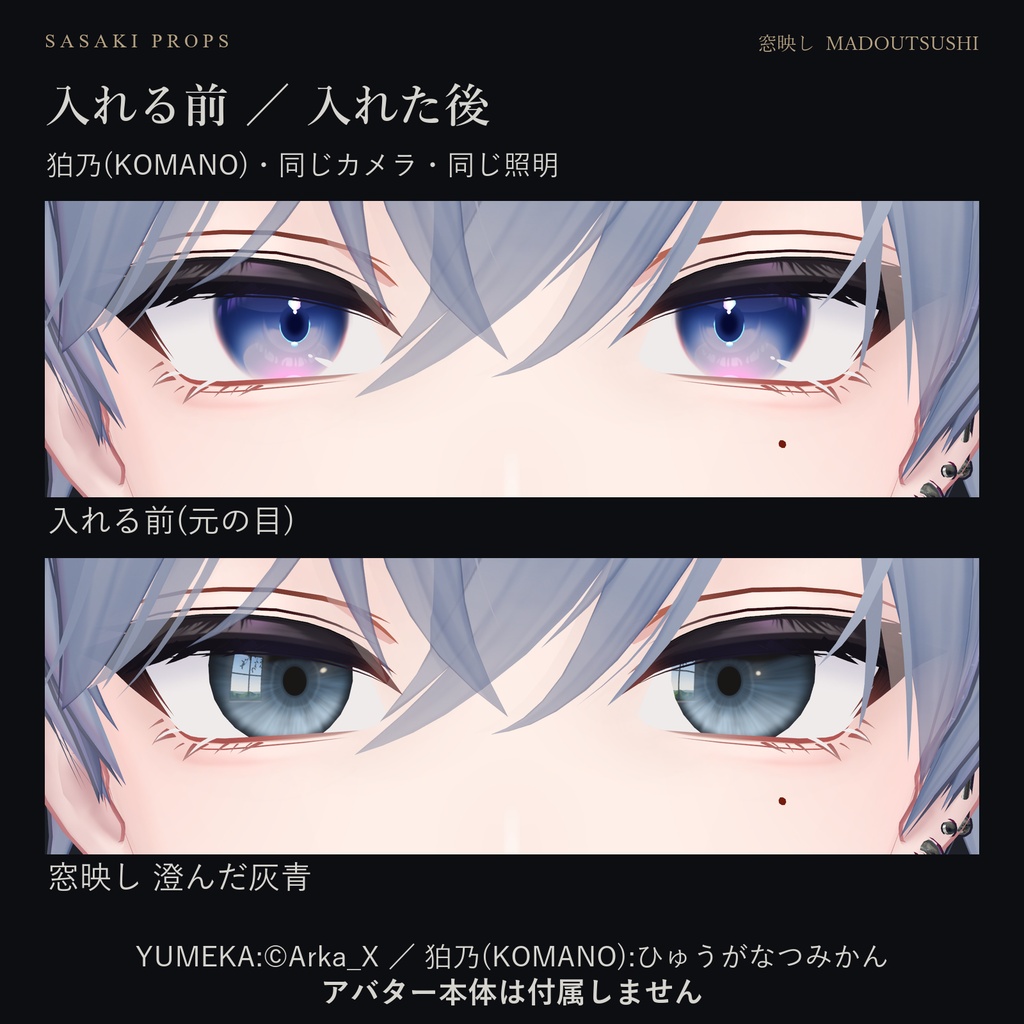
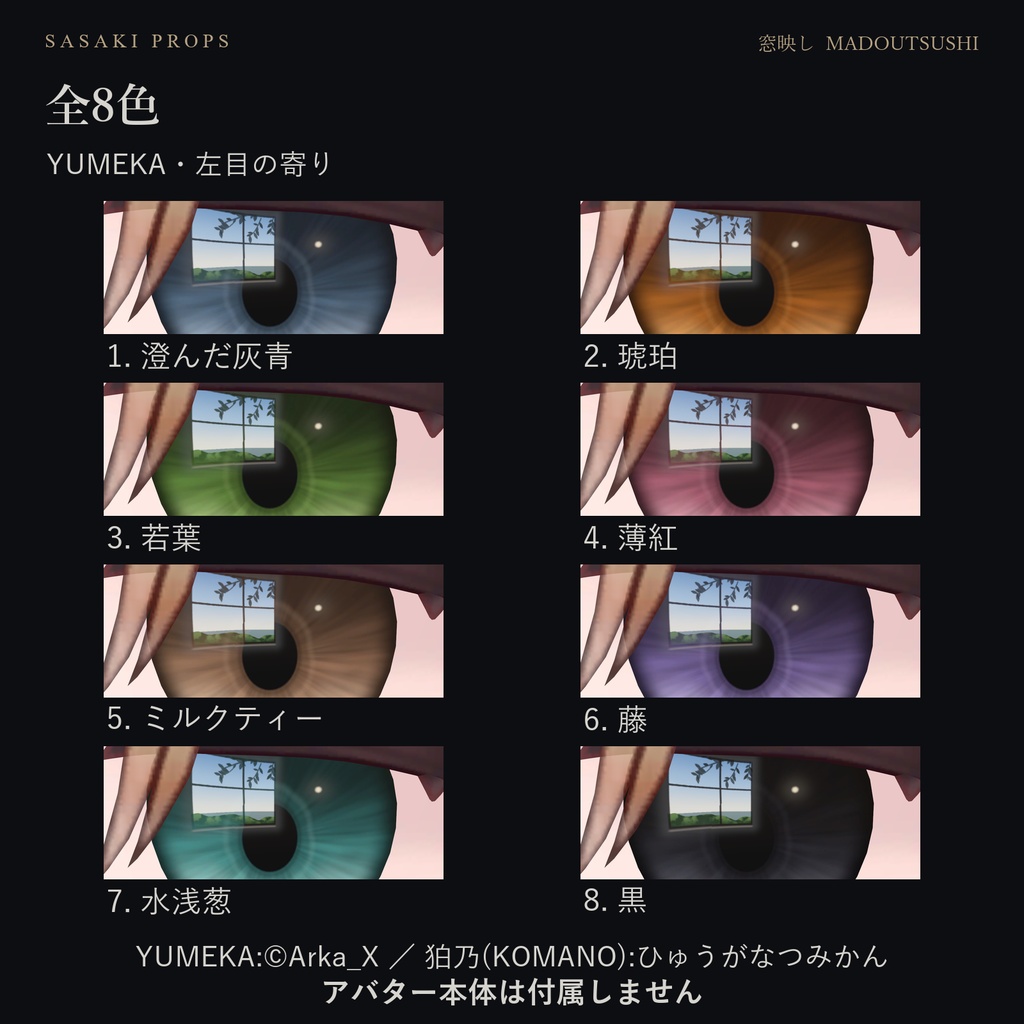
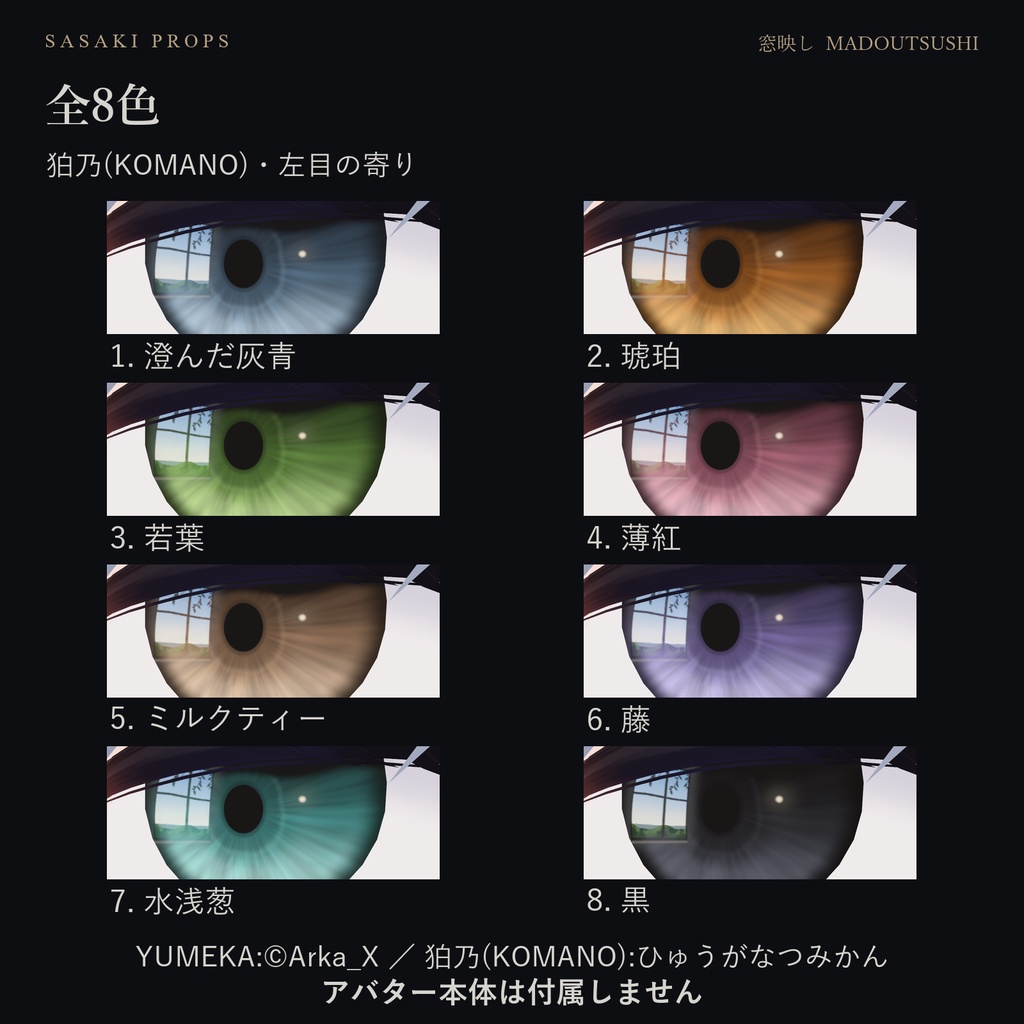
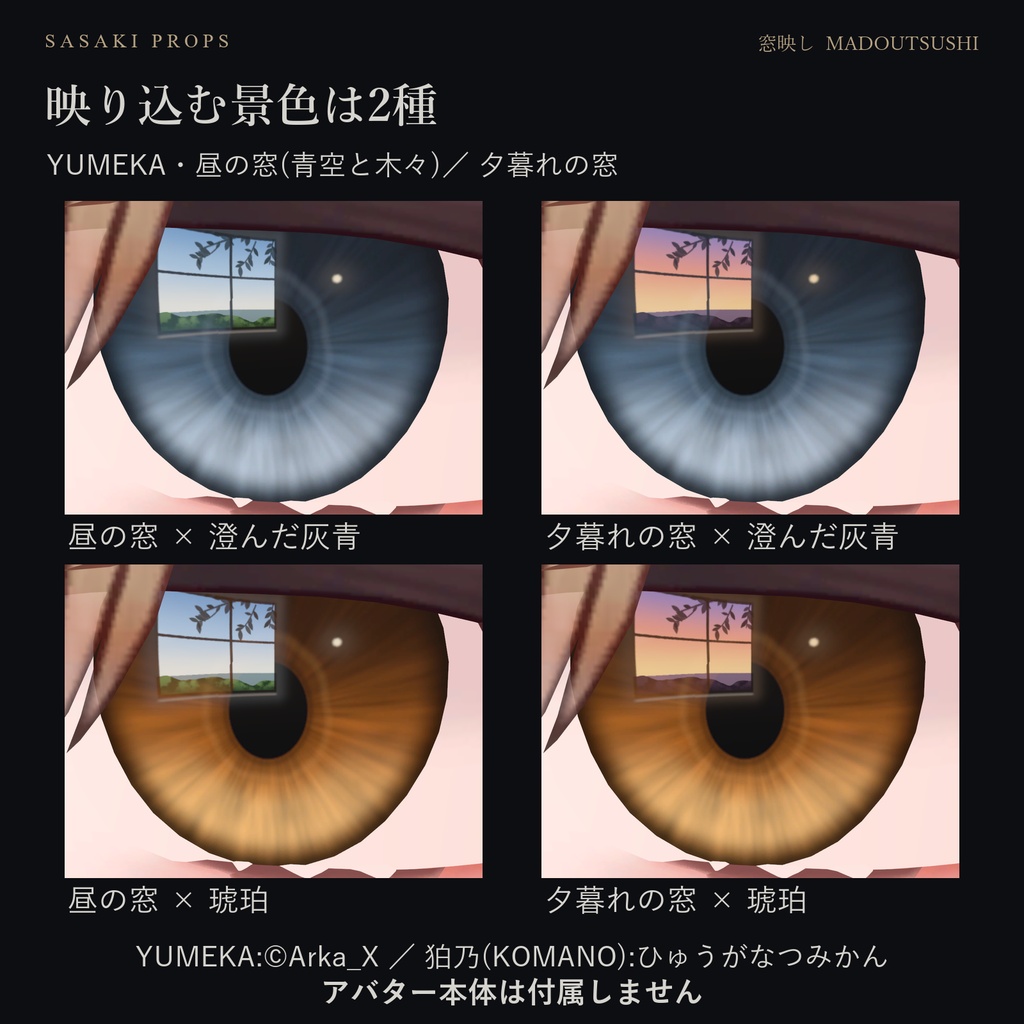
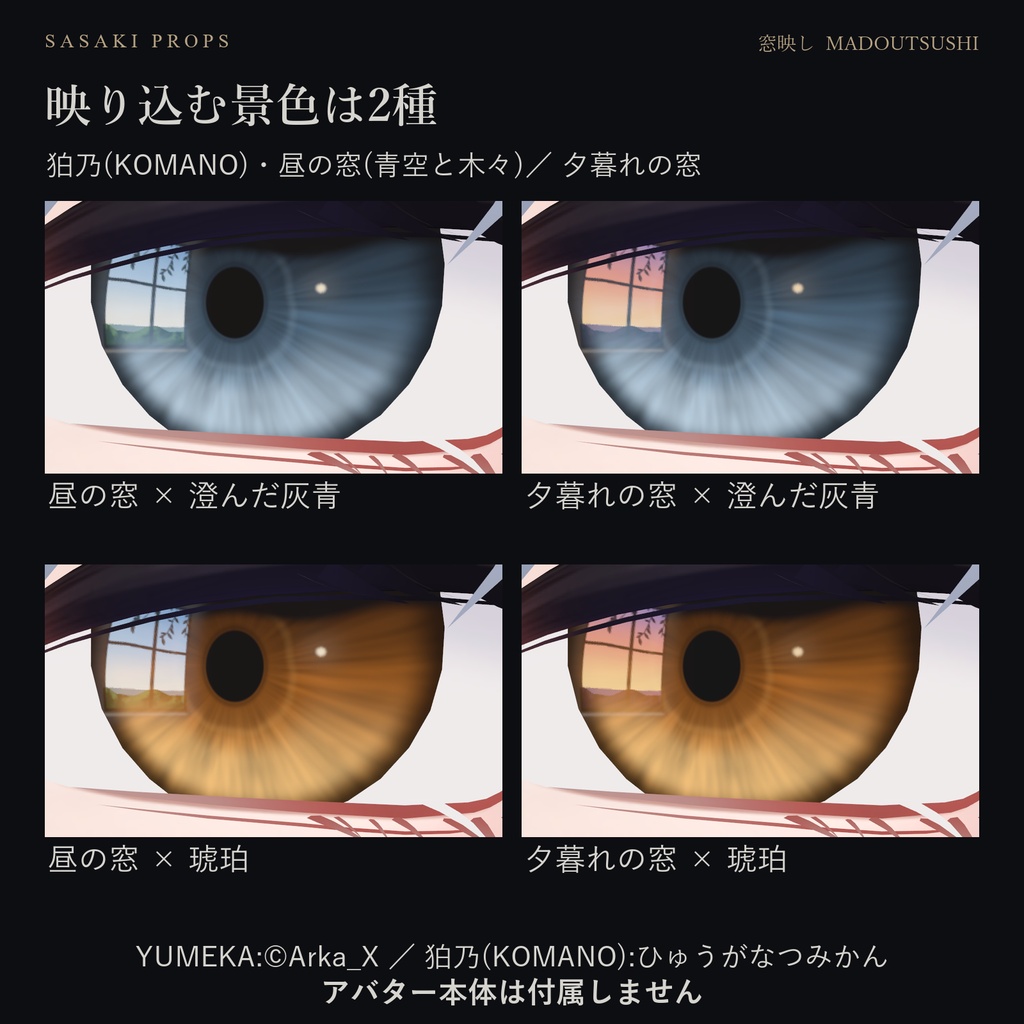
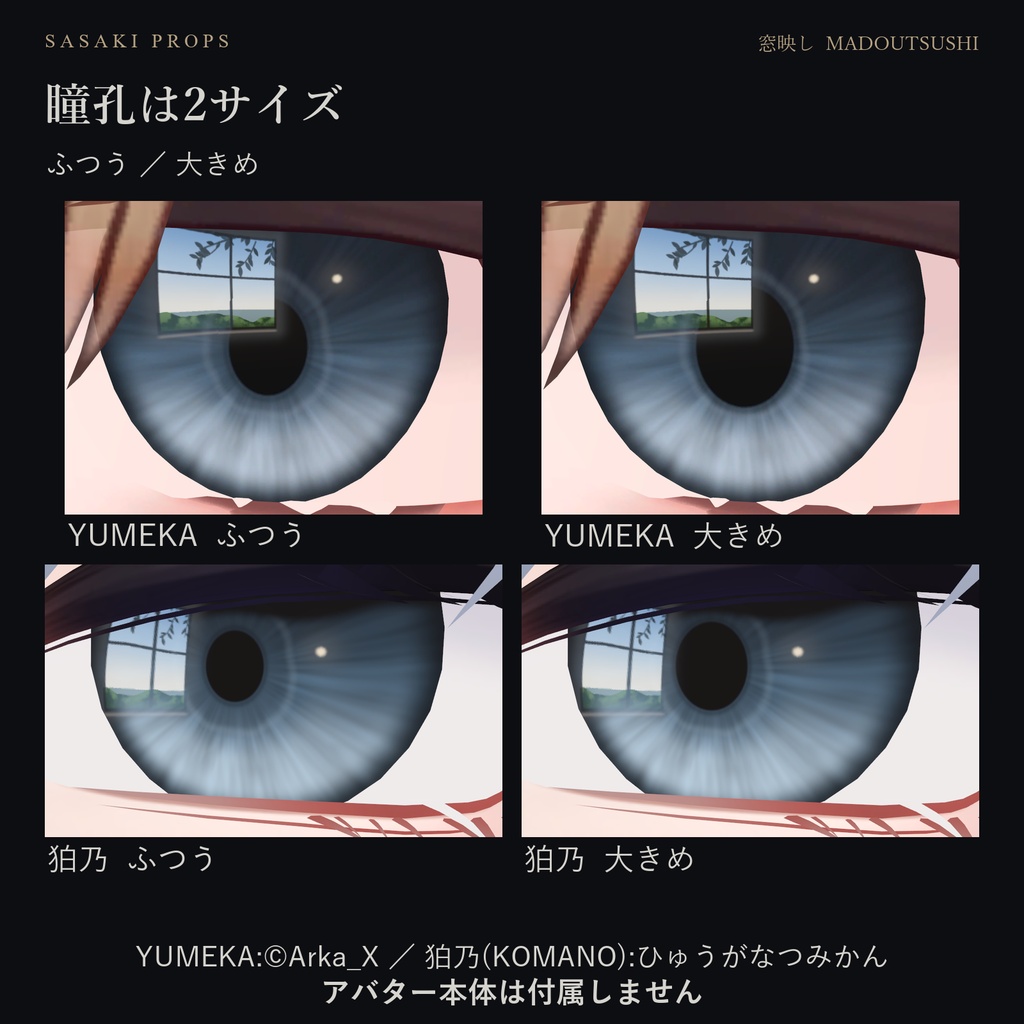
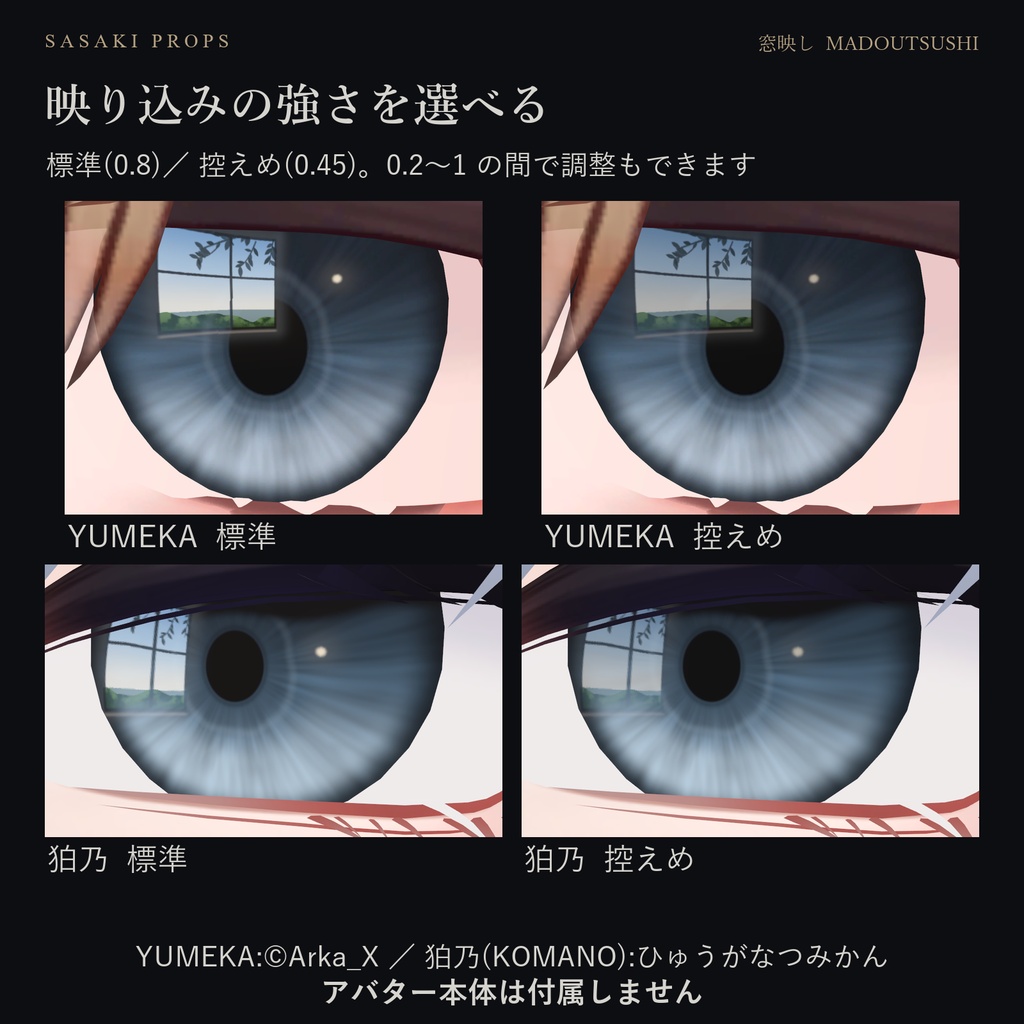
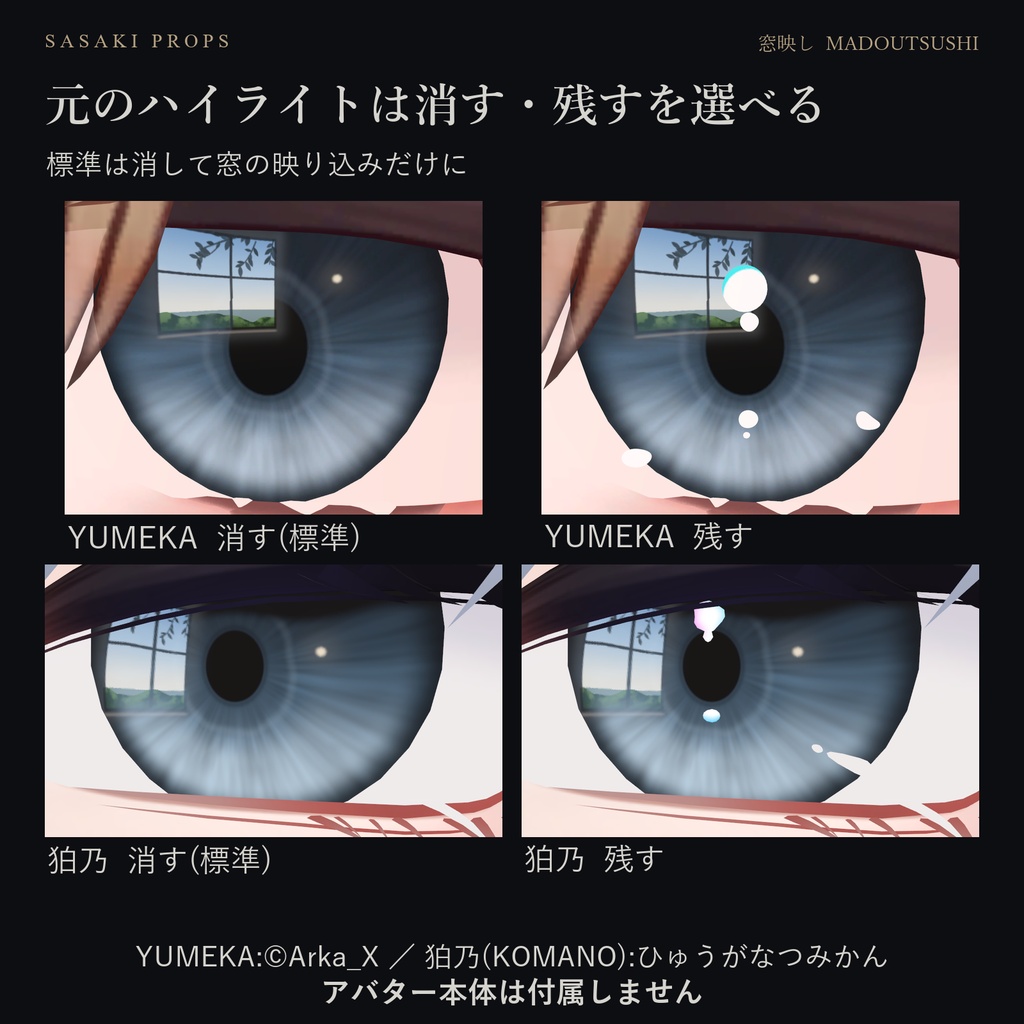
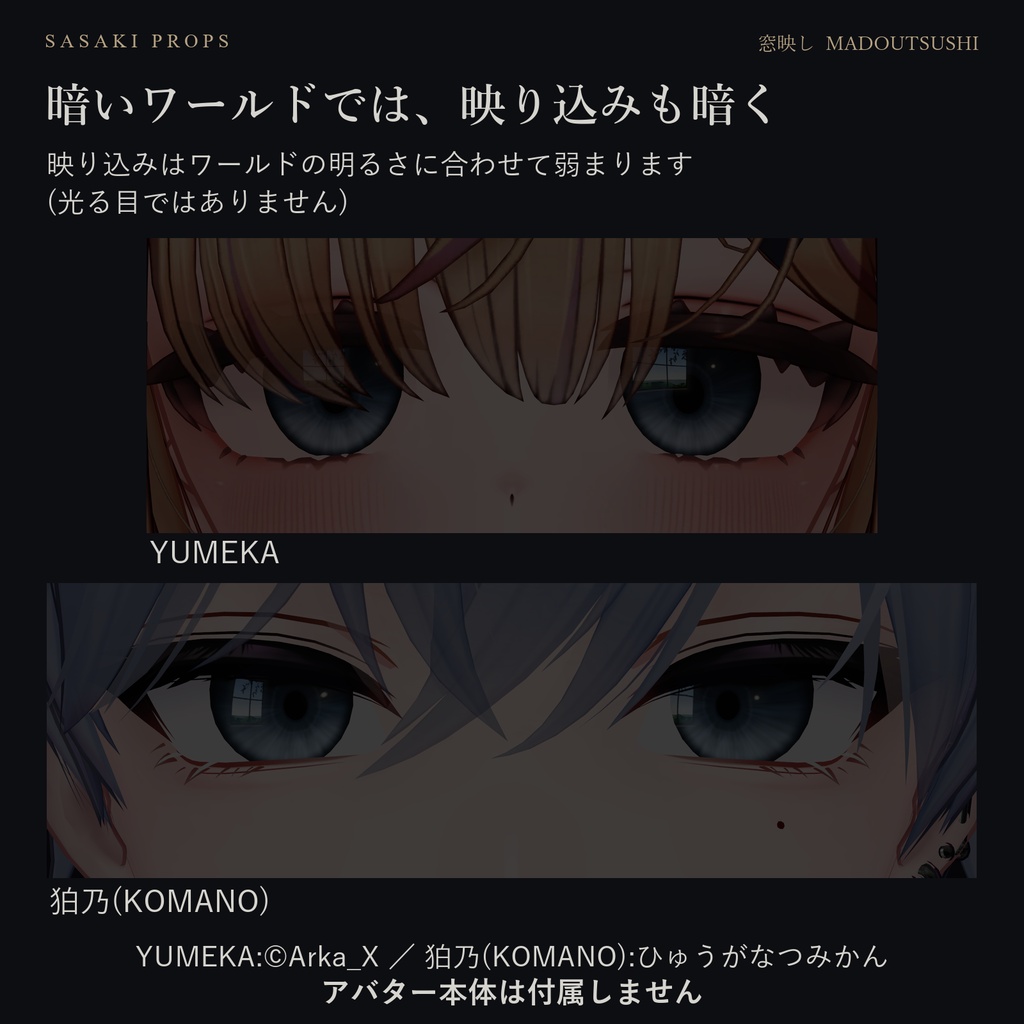
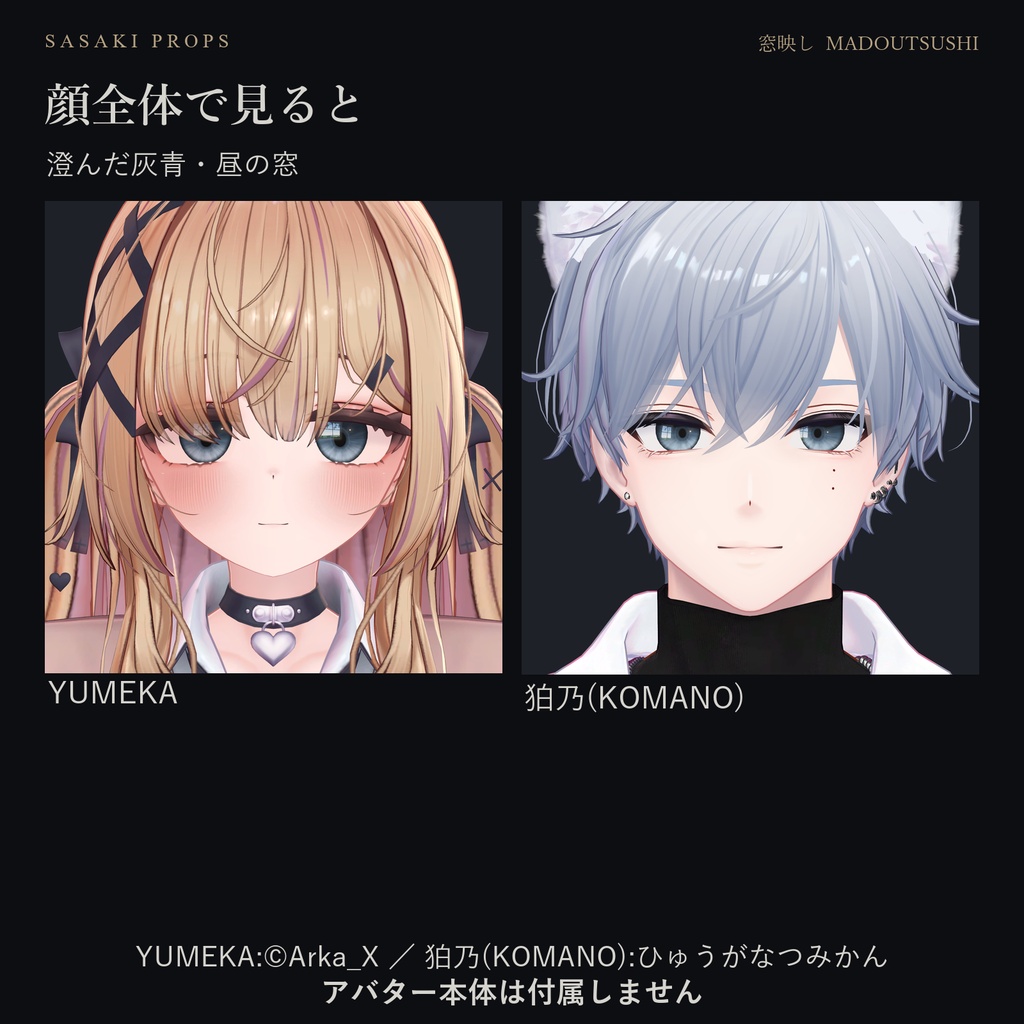
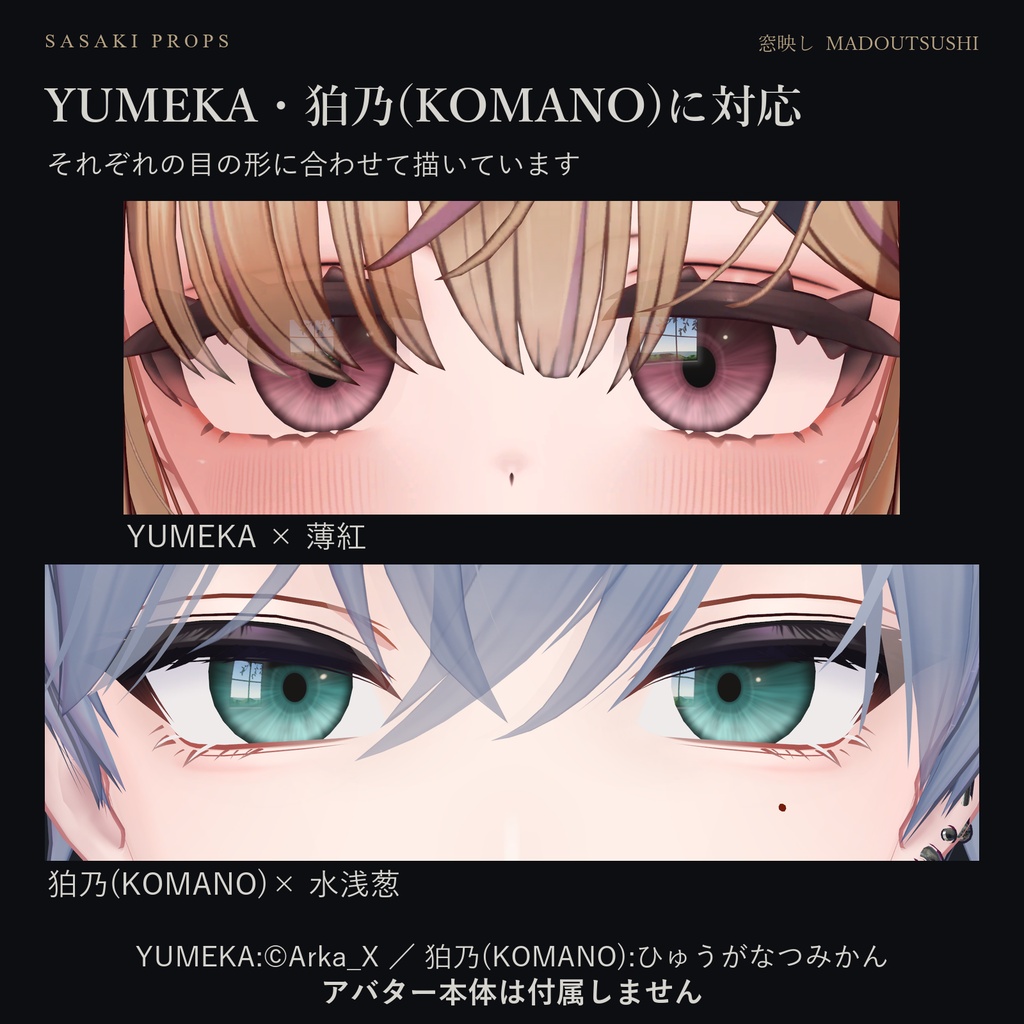
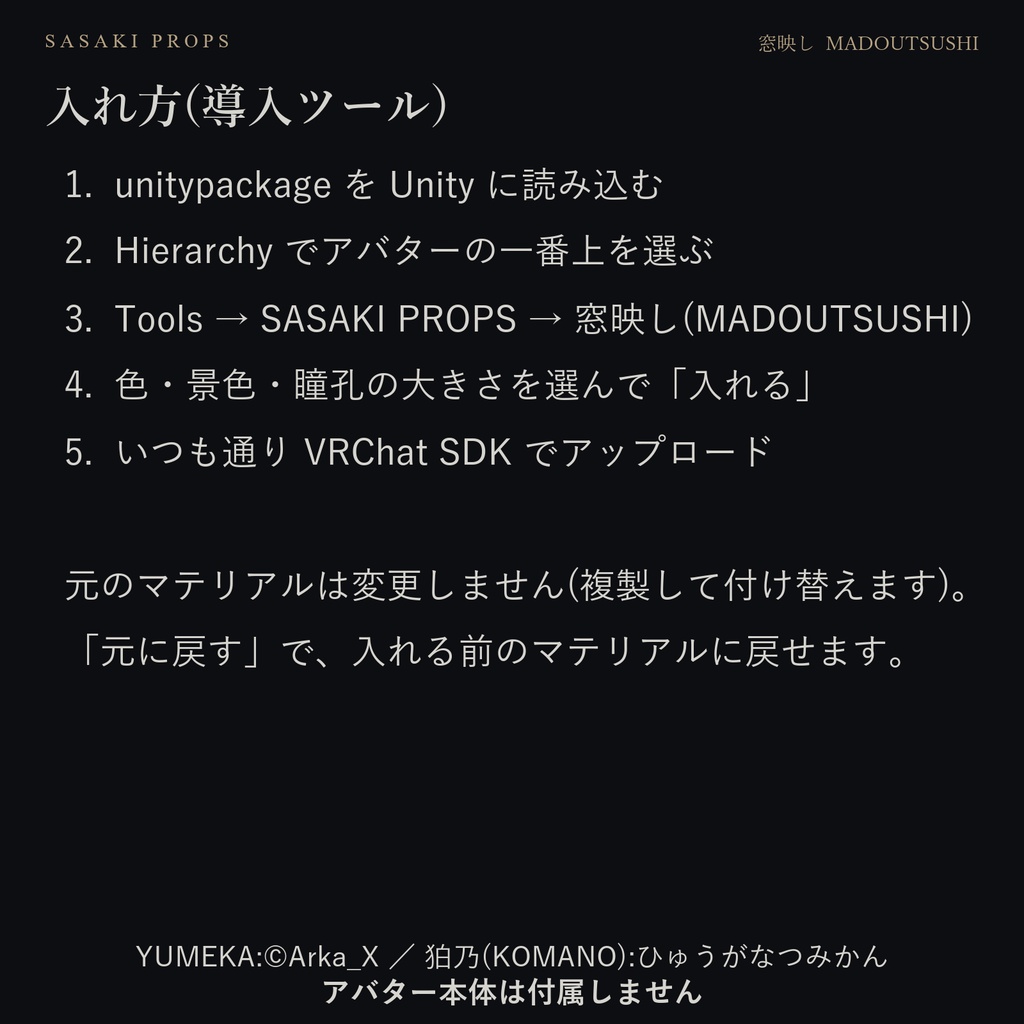
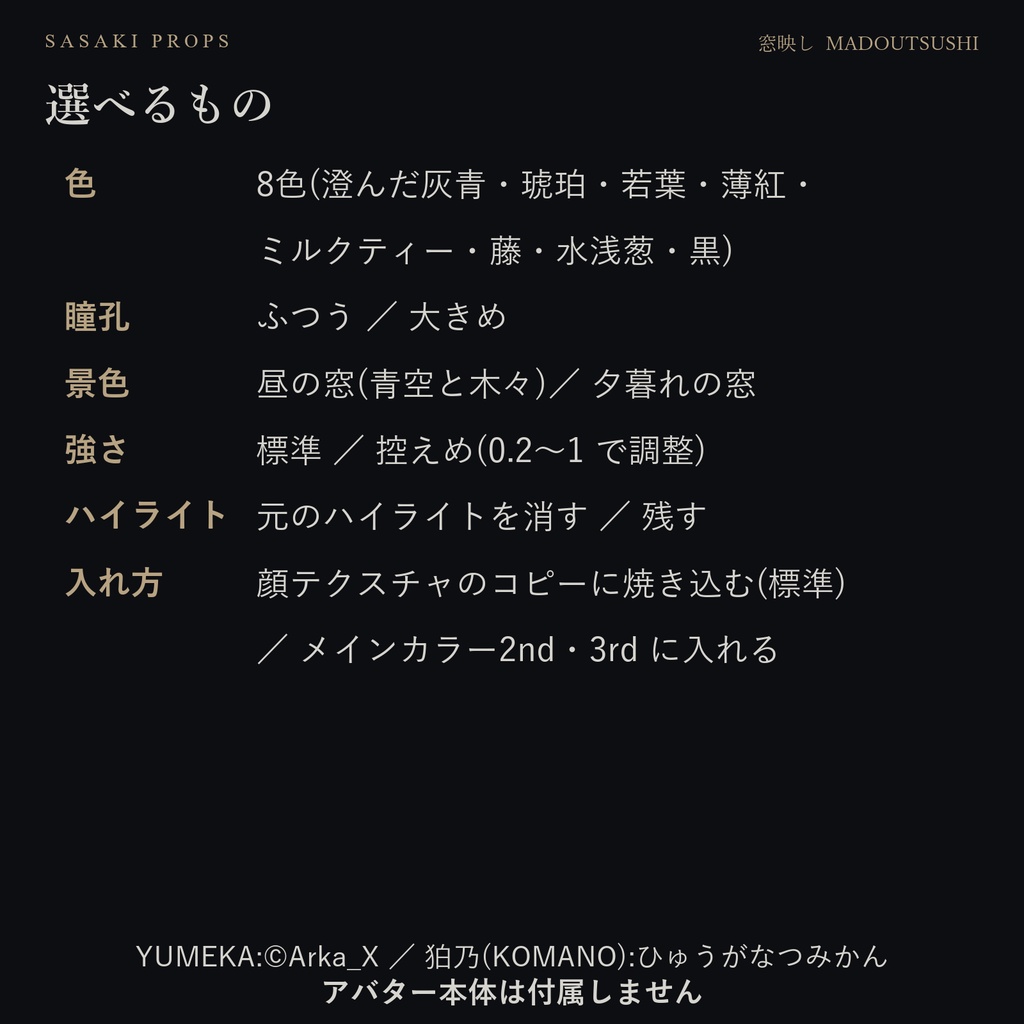
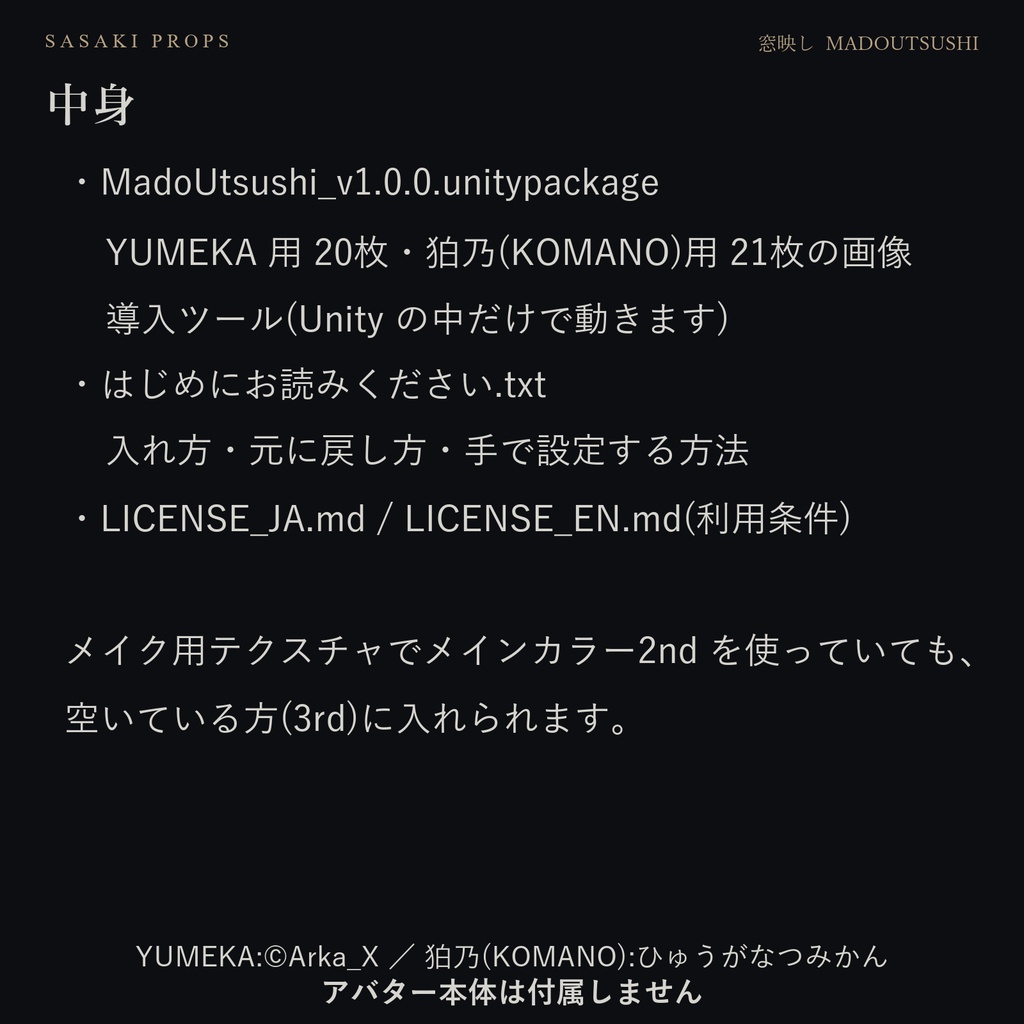
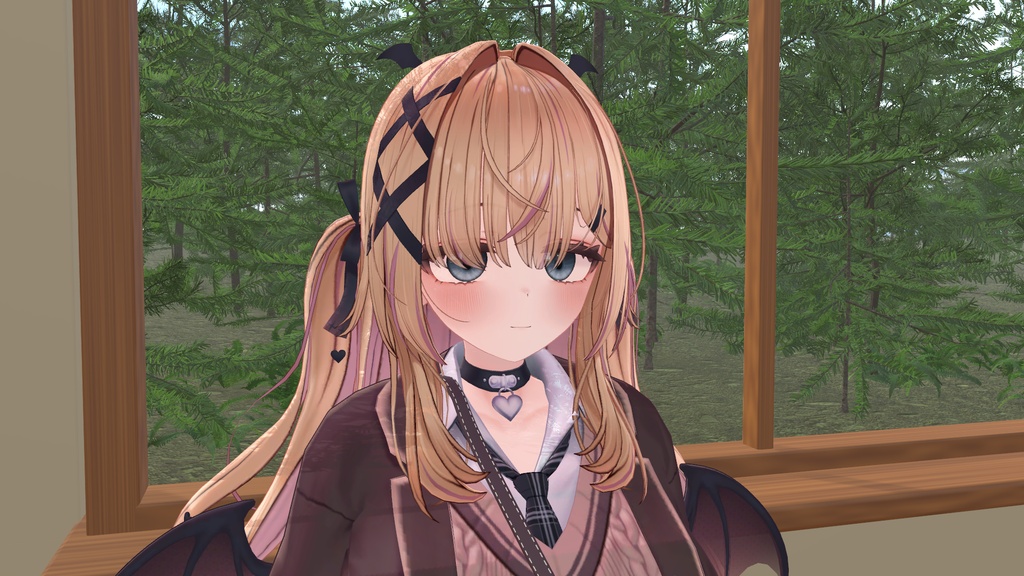
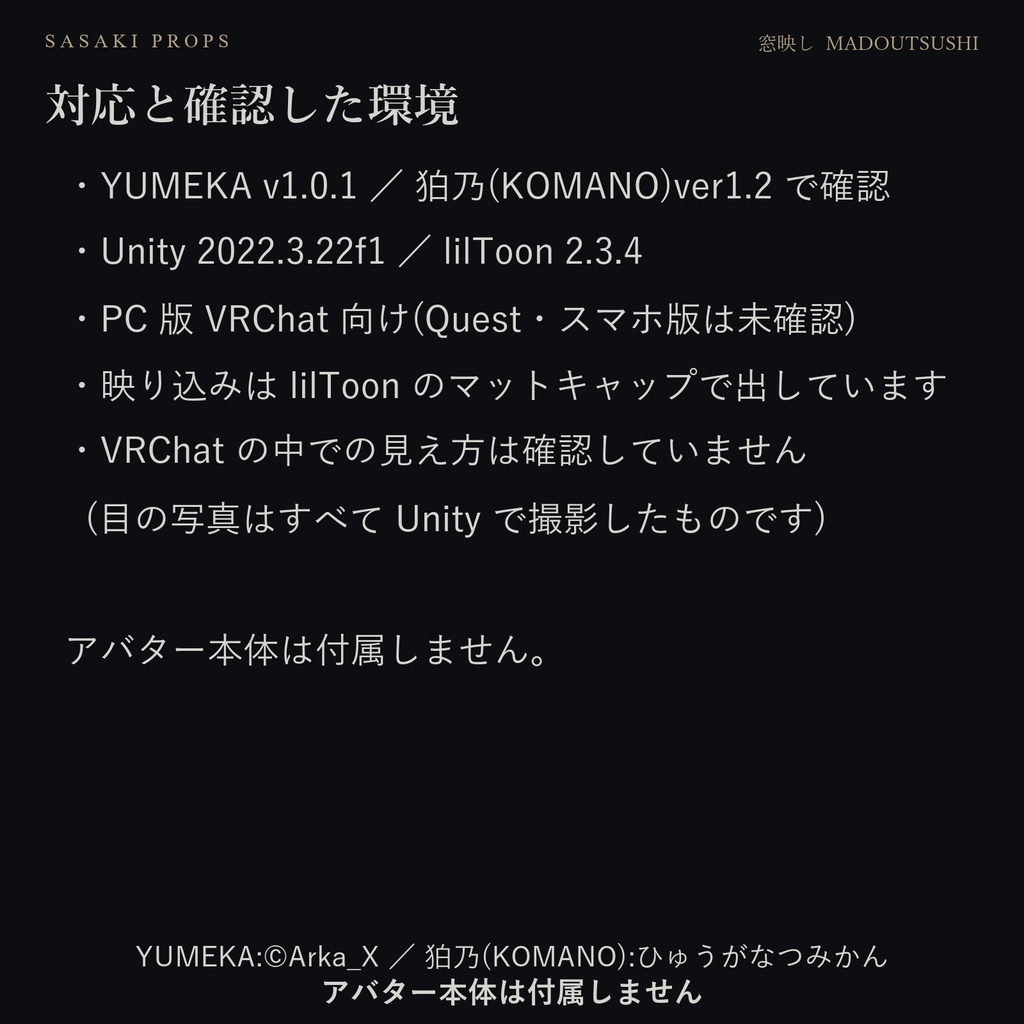
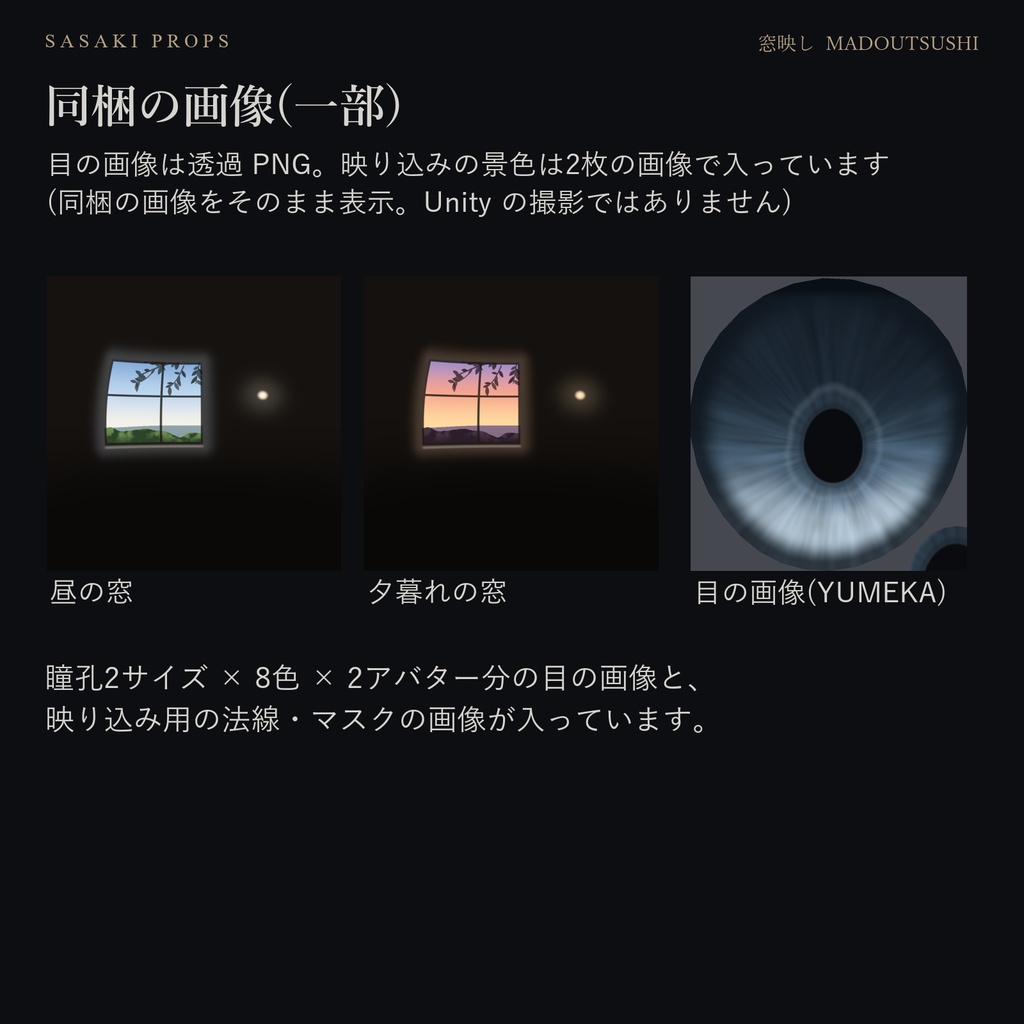
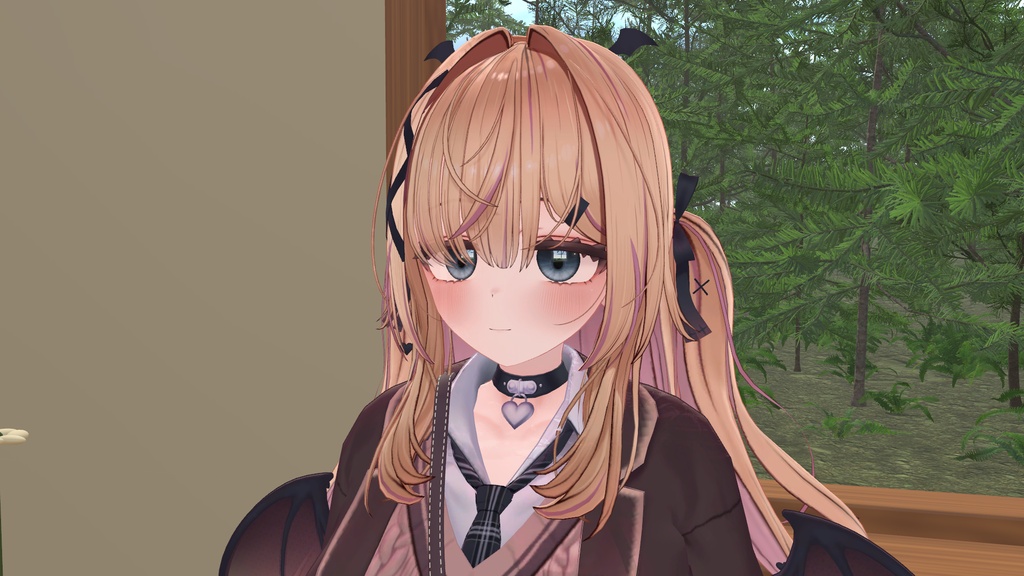
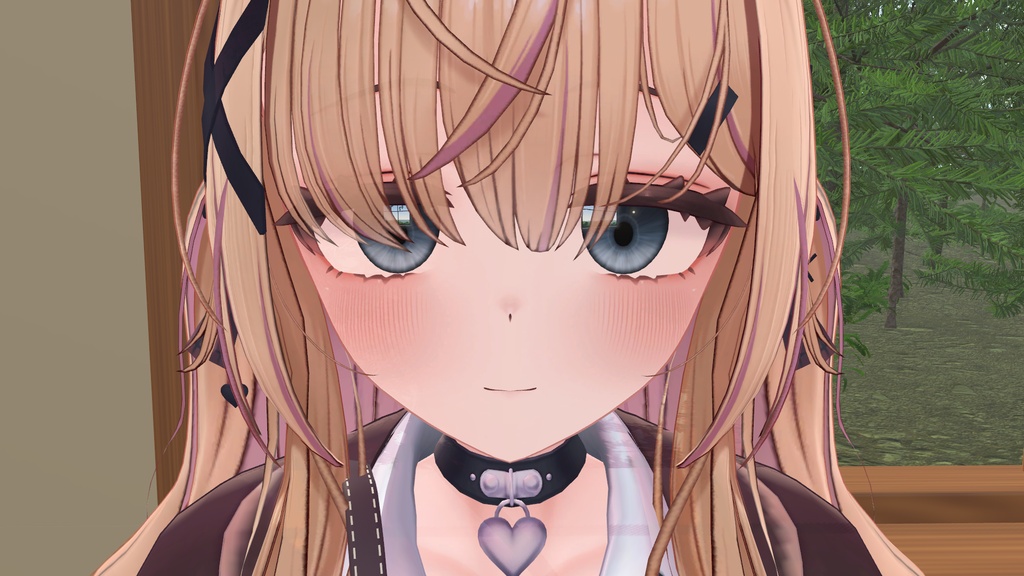


瞳に、窓の光と空・木々が映り込むアイテクスチャです。 映り込みは目を動かしてもその場に残り、見る角度を変えると自然にずれます。 (瞳のほうは動くので、映り込みが瞳の上に見える範囲は視線によって変わります) 描いたハイライトのように目と一緒に動くのではなく、目の表面に景色が映っているように見えます。 映り込みは同梱画像を使う lilToon の MatCap 表現です。周囲の景色をリアルタイムに映す鏡ではありません。 ※ アバター本体は付属しません。YUMEKA / 狛乃(KOMANO)を別途ご用意ください。 ■ できること ・目を左右に動かしても、窓の映り込みは同じ場所に残ります(瞳の上に見える範囲は視線で変わります) ・見る角度を変えると、映り込みが自然にずれます ・暗いワールドでは映り込みも暗くなります(光る目ではありません) ・導入ツール付き。アバターを選んで色を選び、ボタンを押すだけで入ります ・元のマテリアルは変更しません。「元に戻す」ボタンで入れる前に戻せます ■ 選べるもの ・色 8色:澄んだ灰青 / 琥珀 / 若葉 / 薄紅 / ミルクティー / 藤 / 水浅葱 / 黒 ・瞳孔 2サイズ:ふつう / 大きめ ・映り込む景色 2種:昼の窓(青空と木々)/ 夕暮れの窓 ・映り込みの強さ:標準 / 控えめ(0.2〜1 の間で調整できます) ・元のアバターのハイライト:消す(標準)/ 残す ■ 入れ方 1. unitypackage を Unity に読み込みます 2. Hierarchy でアバターの一番上のオブジェクトを選びます 3. Tools → SASAKI PROPS → 窓映し(MADOUTSUSHI)を開きます 4. 色・景色・瞳孔の大きさを選んで「入れる」を押します 5. いつも通り VRChat SDK からアップロードします 目の画像は、あなたのプロジェクトにある顔テクスチャのコピーに焼き込みます(元の画像は変えません)。 焼き込みを使わない場合は、lilToon のメインカラー2nd か 3rd の空いている方に入れます。 メイク用テクスチャでメインカラー2nd を使っていても、3rd に入れられます。 手で設定する方法も説明書に書いてあります。 ■ 内容物 ・MadoUtsushi_v1.0.0.unitypackage(YUMEKA 用 20枚・狛乃用 21枚の画像と、導入ツール) ・はじめにお読みください.txt(入れ方・元に戻し方・手で設定する方法) ・LICENSE_JA.md / LICENSE_EN.md(利用条件。日本語と英語) アバター本体、lilToon、VRChat SDK は付属しません。 ■ 対応・確認した環境 ・YUMEKA v1.0.1、狛乃(KOMANO)ver1.2 で確認しました。後発版と UV 改変は未確認です ・Unity 2022.3.22f1 / lilToon 2.3.4 ・PC 版 VRChat 向けです。Quest・スマホ版での見え方は確認していません ・目の写った商品画像はすべて Unity で撮影したものです。収録画像の一覧も掲載しています。 2026年10月8日、製作者がPC版VRChatの確認用アバターで見え方を最終確認しました。 映り込みの見え方はワールドの明るさによって変わります ・映り込みは lilToon のマットキャップ(1st か 2nd の空いている方)を使います。 両方とも使っている場合は、どちらかを空けてから入れてください ■ 権利表記 YUMEKA:©Arka_X 狛乃(KOMANO):ひゅうがなつみかん 同梱の画像(目・映り込み・法線・マスク)はすべて自作です。アバターの元のテクスチャは含んでいません。 ■ 利用条件 正式な条件は、同梱の LICENSE_JA.md(英語版は LICENSE_EN.md。SASAKI PROPS Asset License 1.1)です。要点は次のとおりです。 ・使える人: 購入者本人、または購入した1法人・1団体(その中の方が、その法人・団体の仕事で使う場合を含みます)。無料で提供された場合も同じ条件です。 ・対象: ZIP に入っている、本商品のために作ったファイルすべて。YUMEKA・狛乃のアバター本体・元の顔や目のテクスチャ・lilToon・Unity・VRChat の権利は含みません(それぞれの利用規約に従ってください)。 ・できること: 正規に使えるアバター・ワールドへの組み込みと VRChat へのアップロード(公開・非公開とも)/個人・商用のゲーム・アプリなどの作品への組み込みと、その作品の配布・販売/色・形・配置などの改変、解像度や形式の変換、最適化/複数のアバター・ワールド・作品での繰り返し使用(作品ごとの追加料金はありません)/個人・商用の写真・映像・配信での使用と収益化/組み込んだアバター・ワールドの画像・映像の投稿/同じ作品の制作に必要な範囲での共同制作者とのデータの共有(共同制作者も同じ条件を守り、別の作品に使う場合は各自でご入手ください)。クレジット表記は任意です。 ・禁止: 元のデータや改変したデータを、素材として第三者へ再配布・再販売すること(素材集・ダウンロードファイル・アバターやワールドのデータ一式としての配布を含みます)/第三者が本商品のデータを素材として入手できるようにすることを目的とした組み込み・配布/元の顔・目のテクスチャと合成した画像を配布すること(アバターの利用規約もご確認ください)/本商品の制作者を偽ること(組み込んで作ったアバター・ワールド・作品自体を自作と表示するのは問題ありません)。 ・そのほか: 著作権は SASAKI PROPS に残ります(購入は使う許可で、譲渡ではありません)。Unity・VRChat SDK の版や導入先によっては、再設定が必要になることがあります。返金などは BOOTH の手続きと適用されるルールに従います。購入時に同梱された条件が、その購入データの条件です(あとで条件を変えても、前に購入した方には購入時の条件が適用されます)。 YUMEKA・狛乃のアバター本体の利用規約もあわせてお守りください。本商品はアバターの公式商品ではありません。 制作:SASAKI PROPS 不具合のご連絡は BOOTH のショップメッセージへ、アバター名と使用環境を添えてお願いします。 ■ English MADOUTSUSHI — Window-reflection eye textures for YUMEKA and KOMANO Give your avatar's eyes the appearance of a window, sky and trees reflected on their surface. The window reflection stays in place as the eyes look around; the part visible over the iris changes with the gaze. Its appearance also changes with the viewing angle and lighting. This is a lilToon MatCap effect using supplied images, not a real-time mirror of the surrounding world. It does not make the eyes glow. Both supported avatars are included in one purchase. The avatars themselves are not included. Options • 8 colours: clear grey-blue, amber, fresh green, pale rose, milk tea, wisteria, light aqua and black. • 2 pupil sizes: normal and large. • 2 reflection images: daytime window and sunset window. • Reflection strength: standard or subtle, with adjustment from 0.2 to 1. • Hide or retain the avatar's original highlights. Installation Import MadoUtsushi_v1.0.0.unitypackage into your avatar project, select the avatar's root in the Hierarchy, then open Tools → SASAKI PROPS → 窓映し(MADOUTSUSHI). Choose your settings and press the install button. The installer copies the face material; the original material is not changed. By default, it bakes the eye texture onto a copy of the face texture already in your project. Alternatively, it uses an available lilToon Main Color 2nd or 3rd layer. The Restore button returns the material and highlight setting to their previous state. The included Japanese manual also explains manual setup and removal. Requirements and tested scope • Tested with YUMEKA v1.0.1 and KOMANO ver1.2, Unity 2022.3.22f1 and lilToon 2.3.4. Later avatar versions and modified UVs have not been tested. • Intended for PC VRChat. The creator reviewed the appearance on review avatars on 8 October 2026. Appearance on Quest or mobile has not been tested. • An available MatCap 1st or 2nd slot is required. If both are already in use, free one before installing. • The avatar, lilToon and VRChat SDK must be obtained separately; none is included. • Eye photos are real Unity captures. The video was recorded continuously in a Unity filming scene; it is not a VRChat client recording. Lighting affects the appearance. Included • One unitypackage with the installer and 20 images for YUMEKA / 21 images for KOMANO. • Japanese installation, restoration and manual-setup instructions. • LICENSE_JA.md and LICENSE_EN.md (SASAKI PROPS Asset License 1.1). License See the included LICENSE_EN.md (SASAKI PROPS Asset License 1.1) for the full terms. Redistribution or resale of original or modified files as assets is prohibited. Avatar credits: YUMEKA ©Arka_X / KOMANO by ひゅうがなつみかん. This is an unofficial product. No original avatar textures are included. For support, contact the BOOTH shop with the product version, avatar, environment and details of the issue.