

【VRChat・汎用】瞳に奥行きと光を足す目のシェーダー「瞳」(アバター用・PC)
- Digital600 JPY
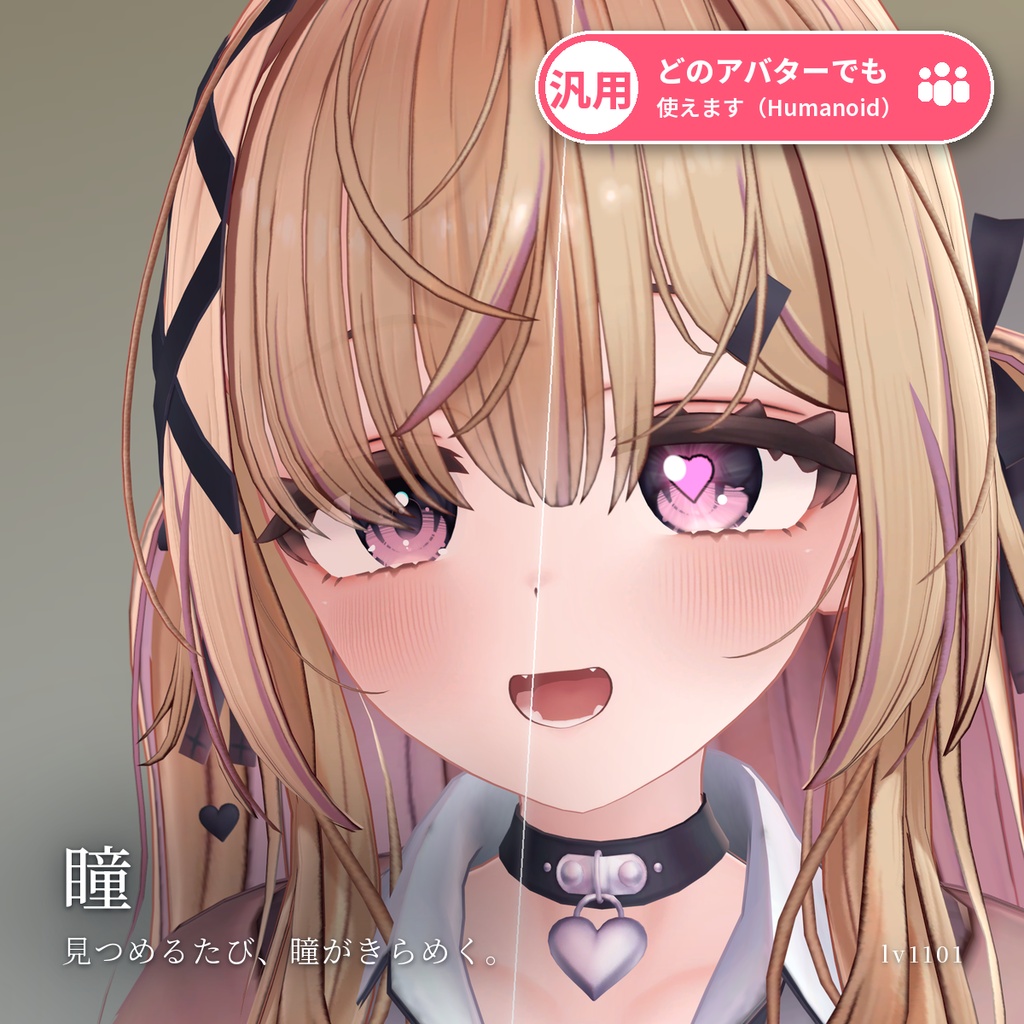
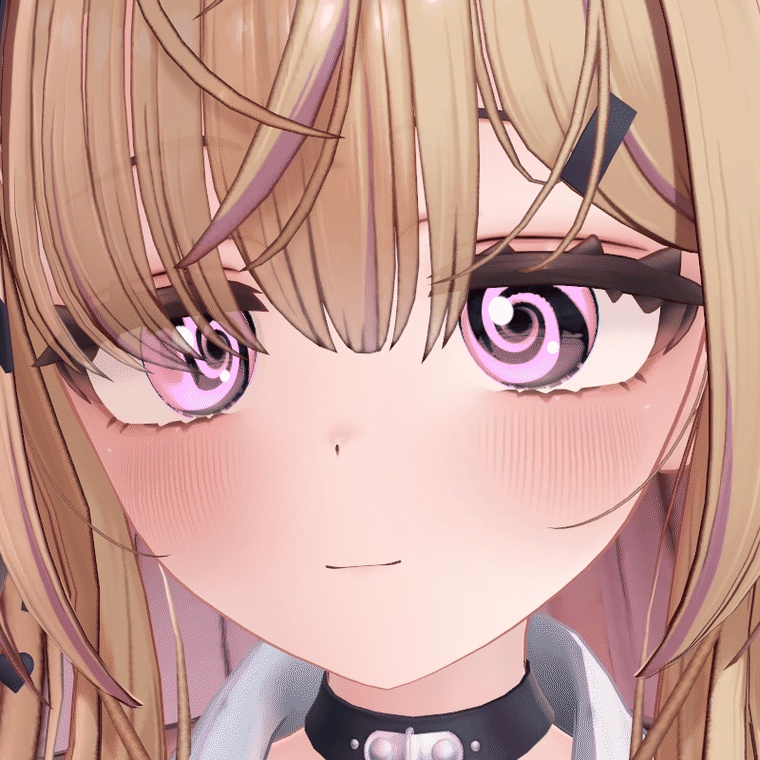
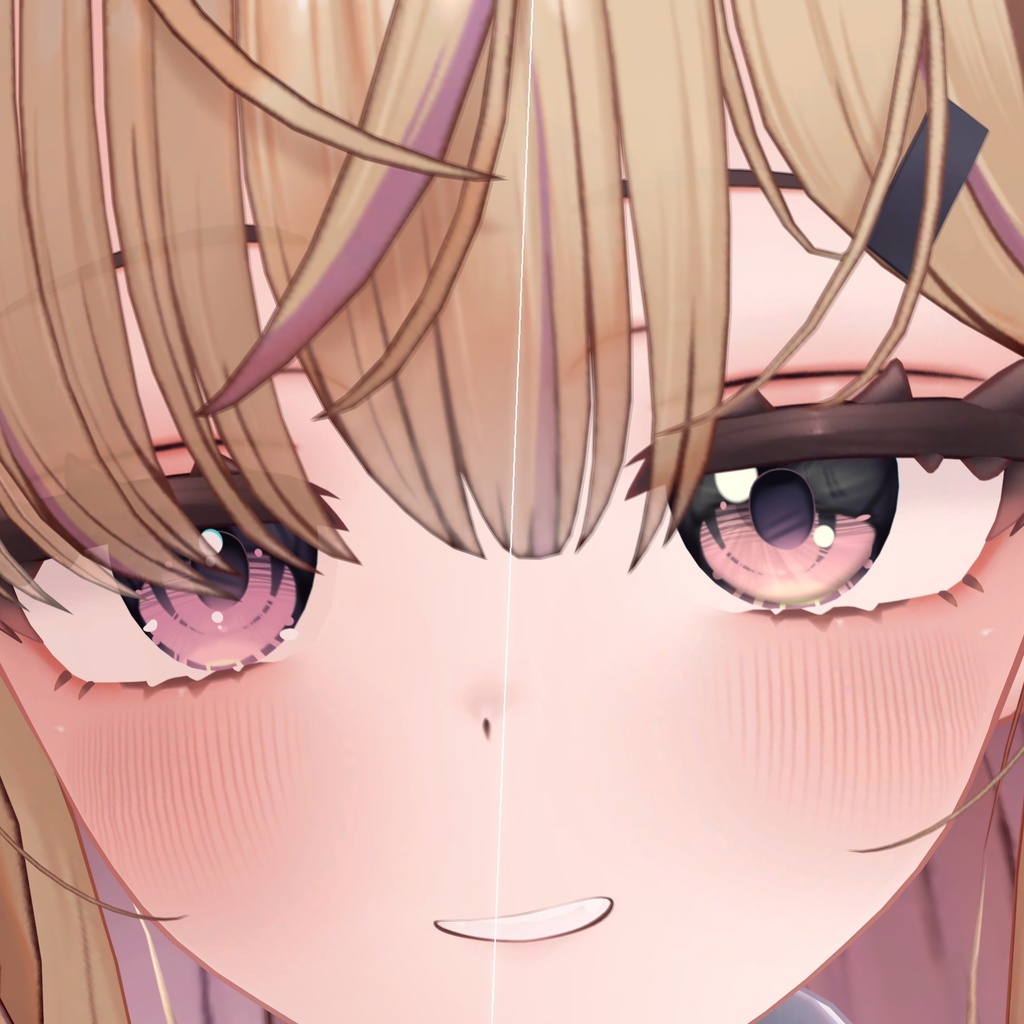
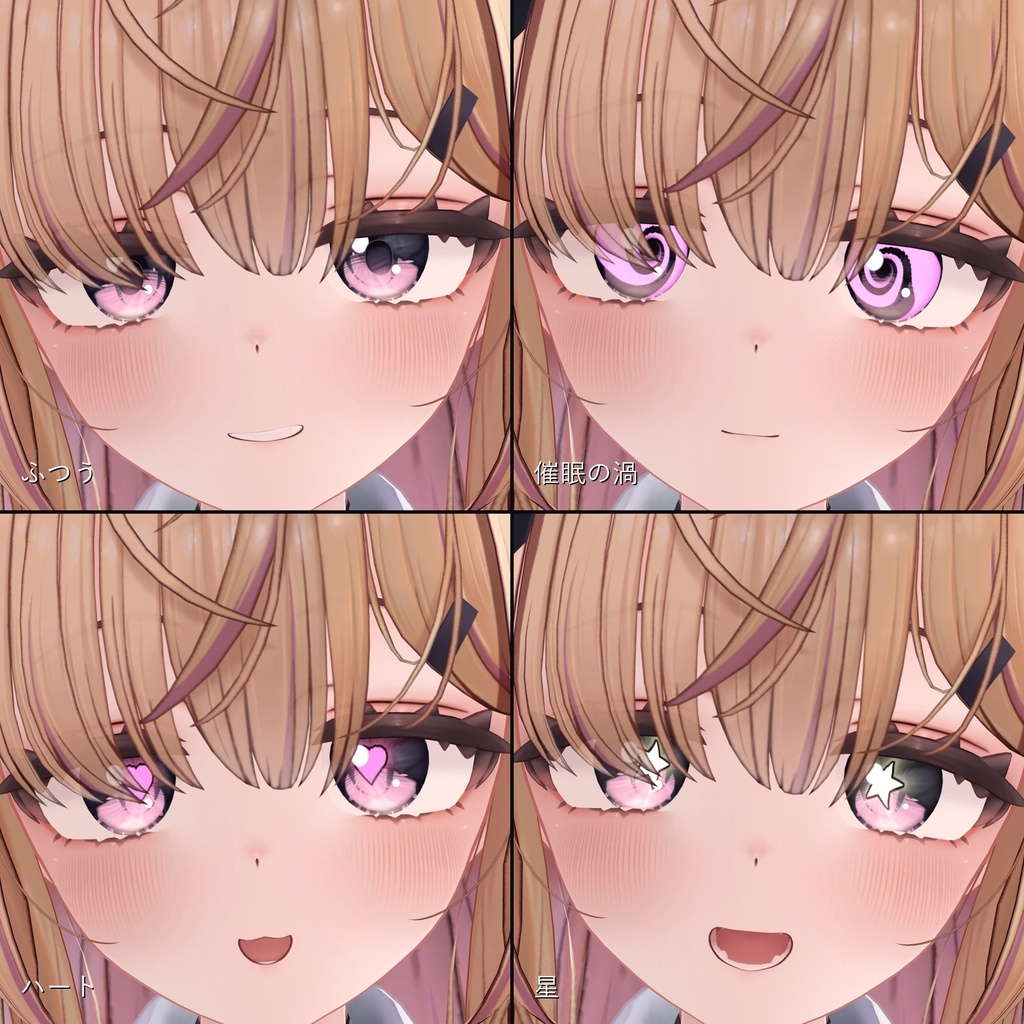
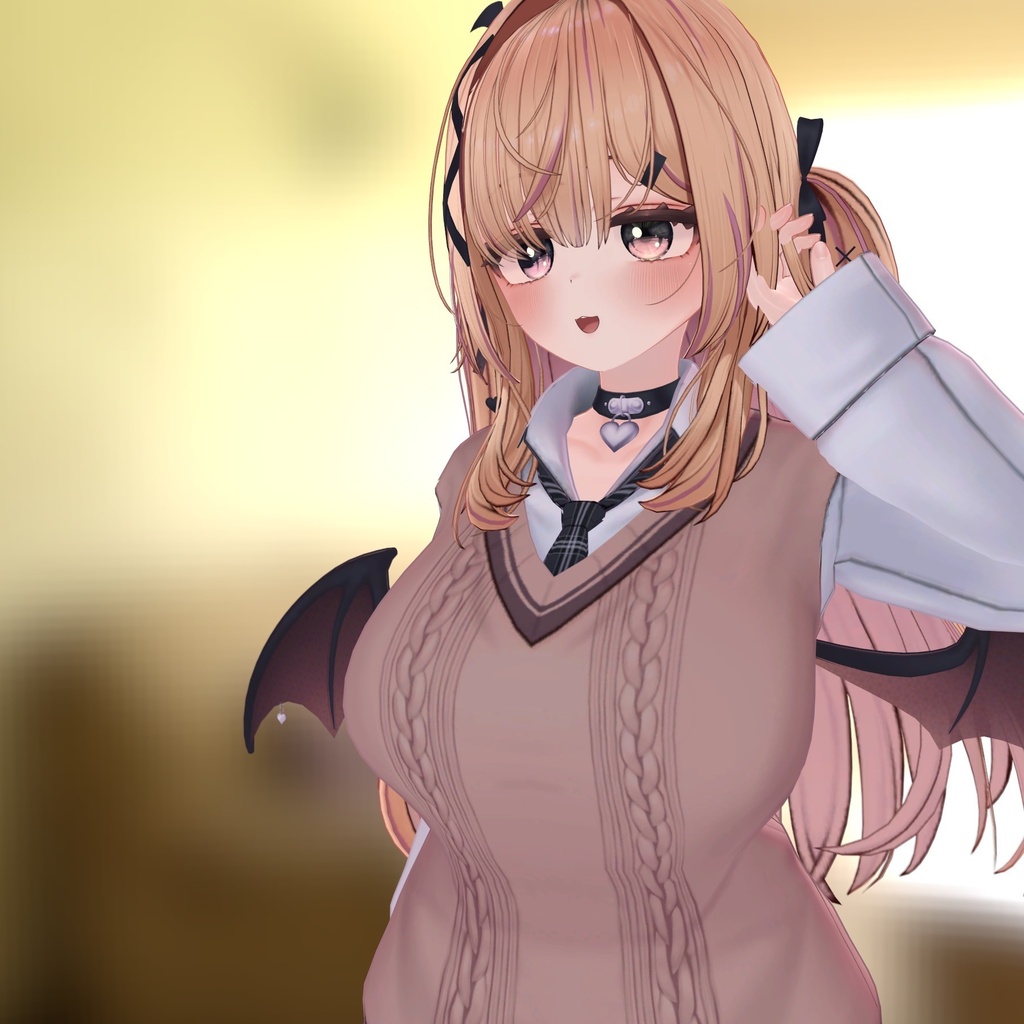
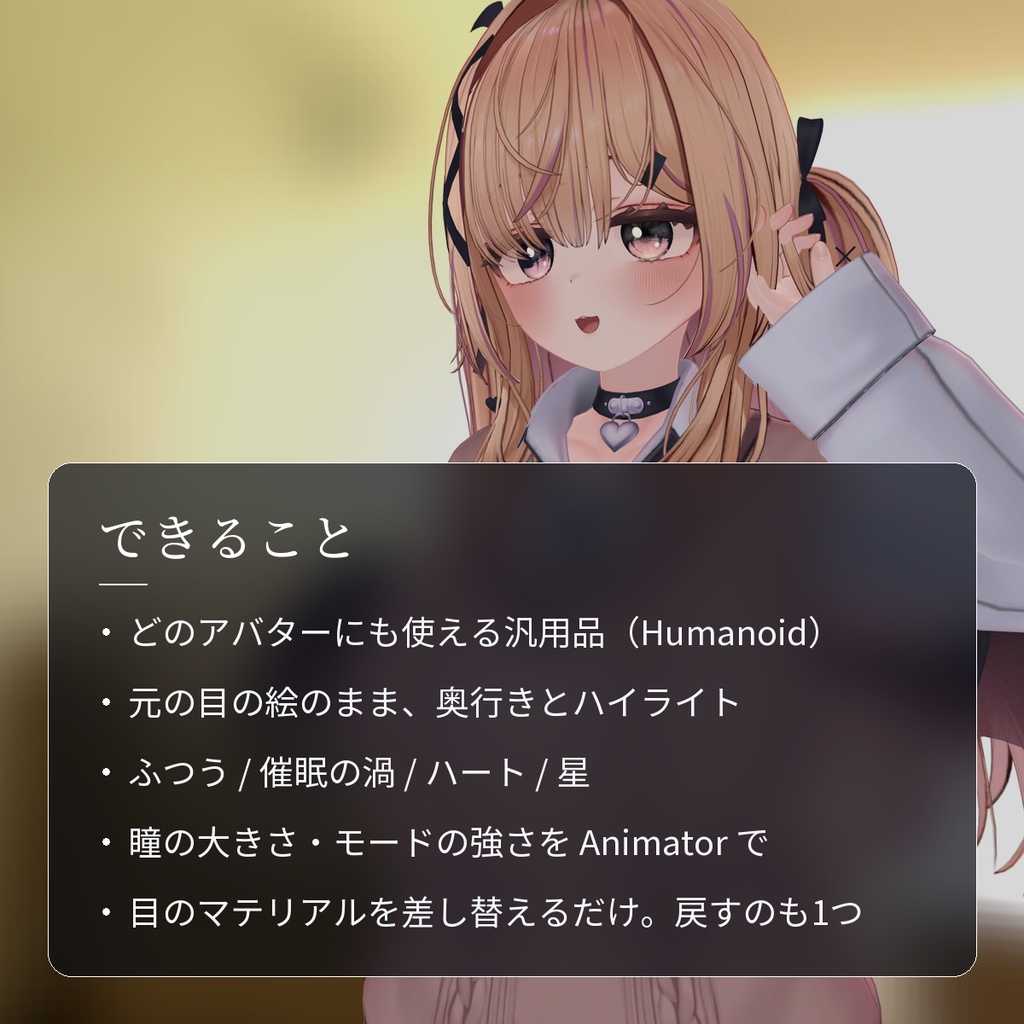
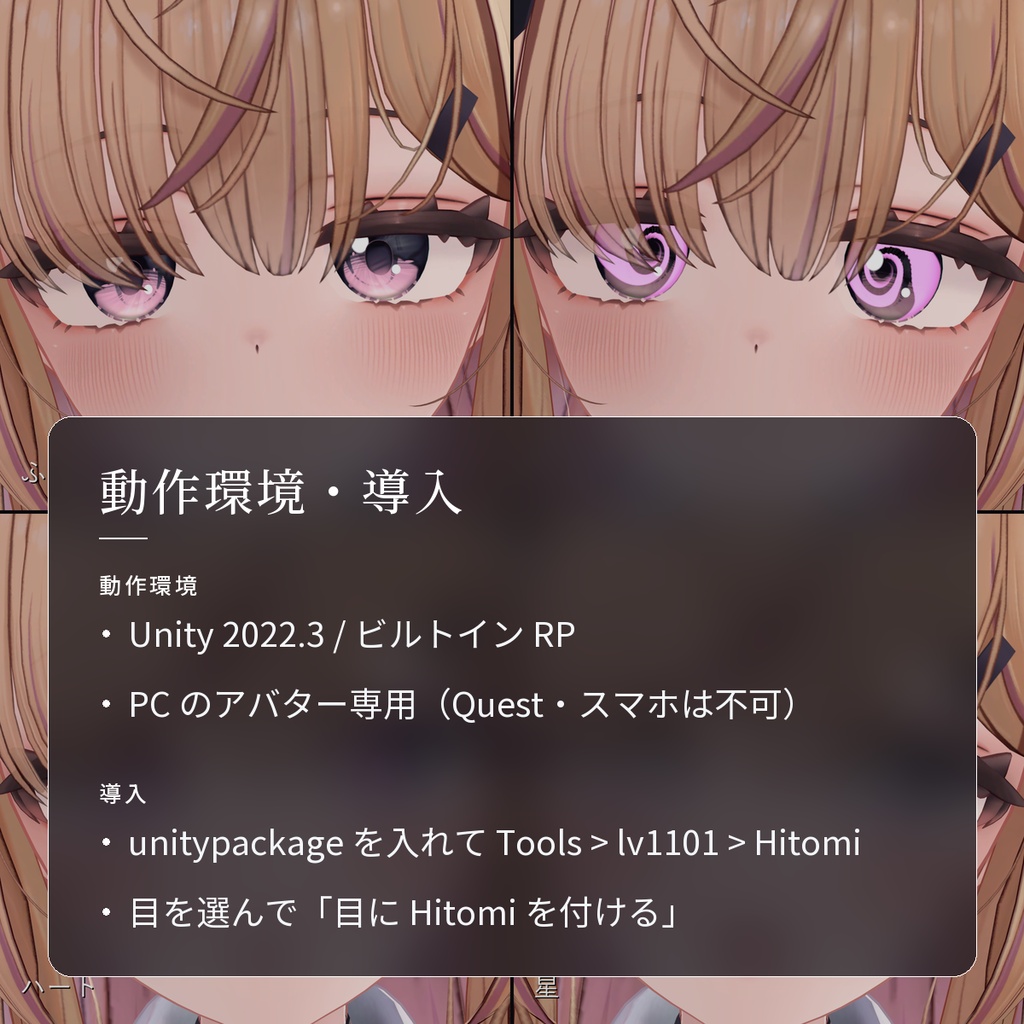
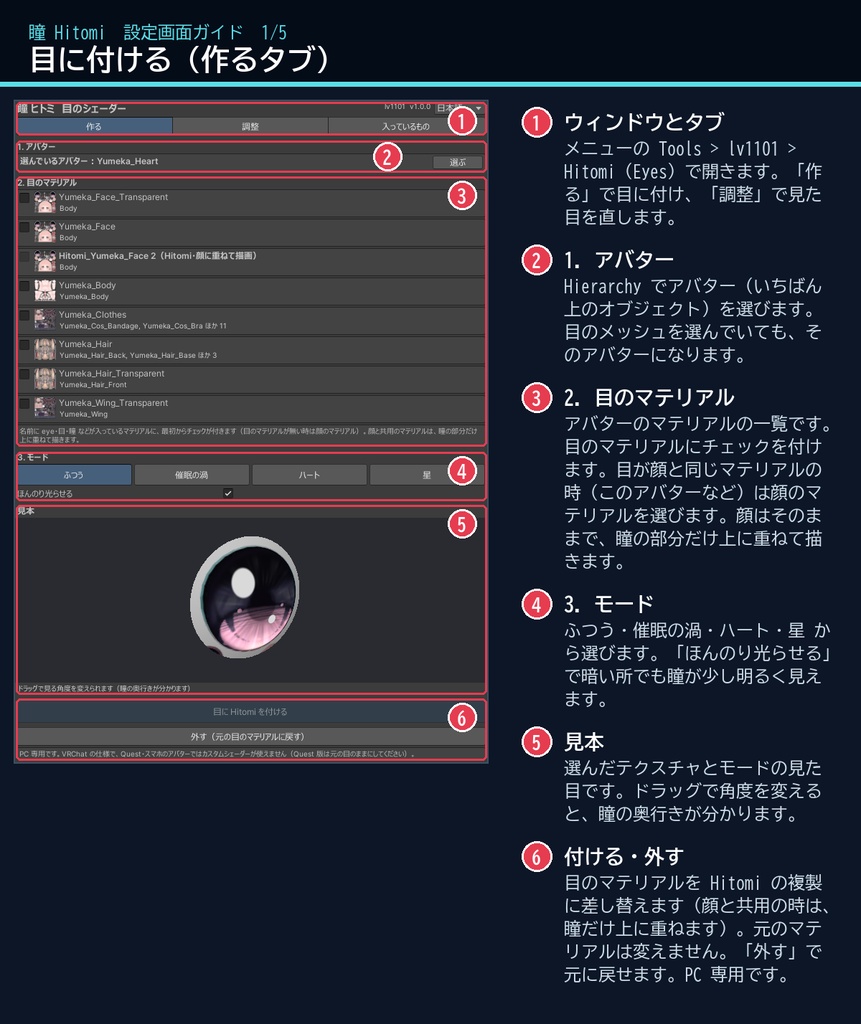
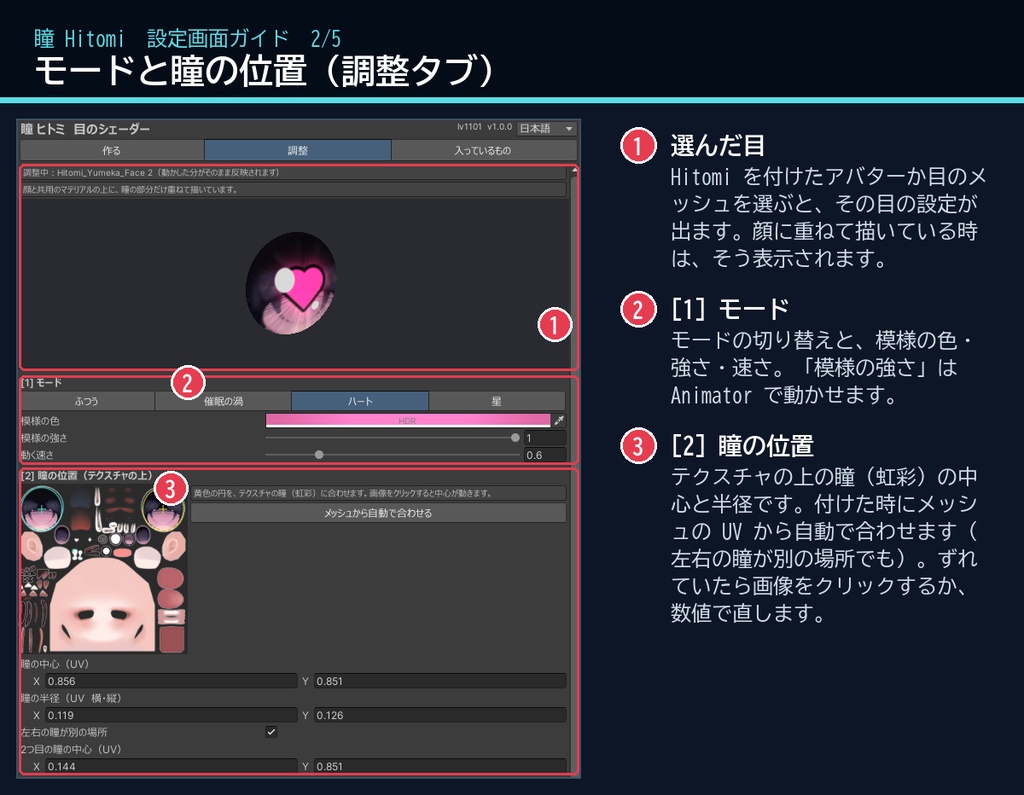
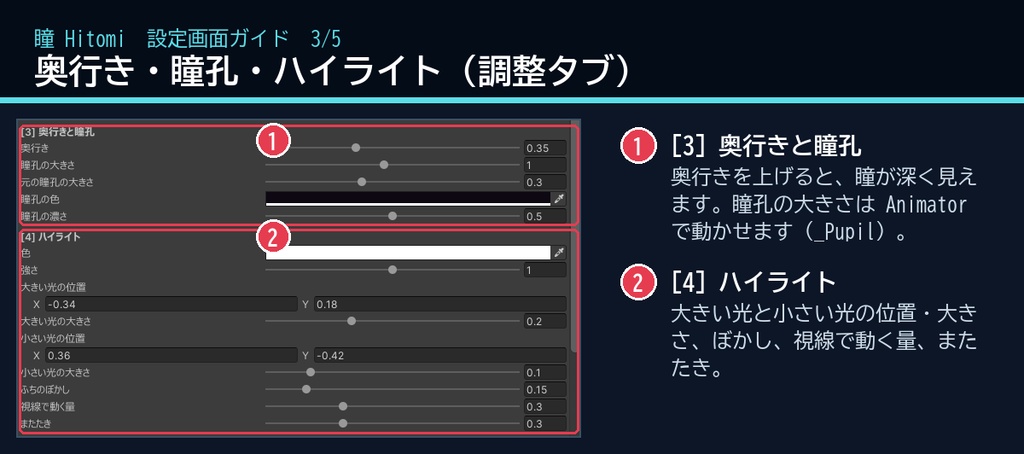
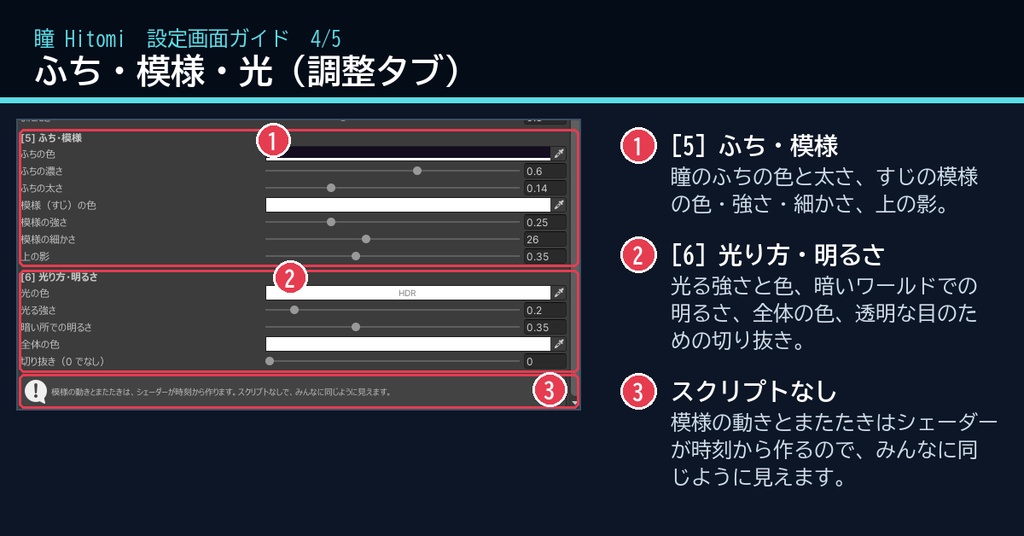
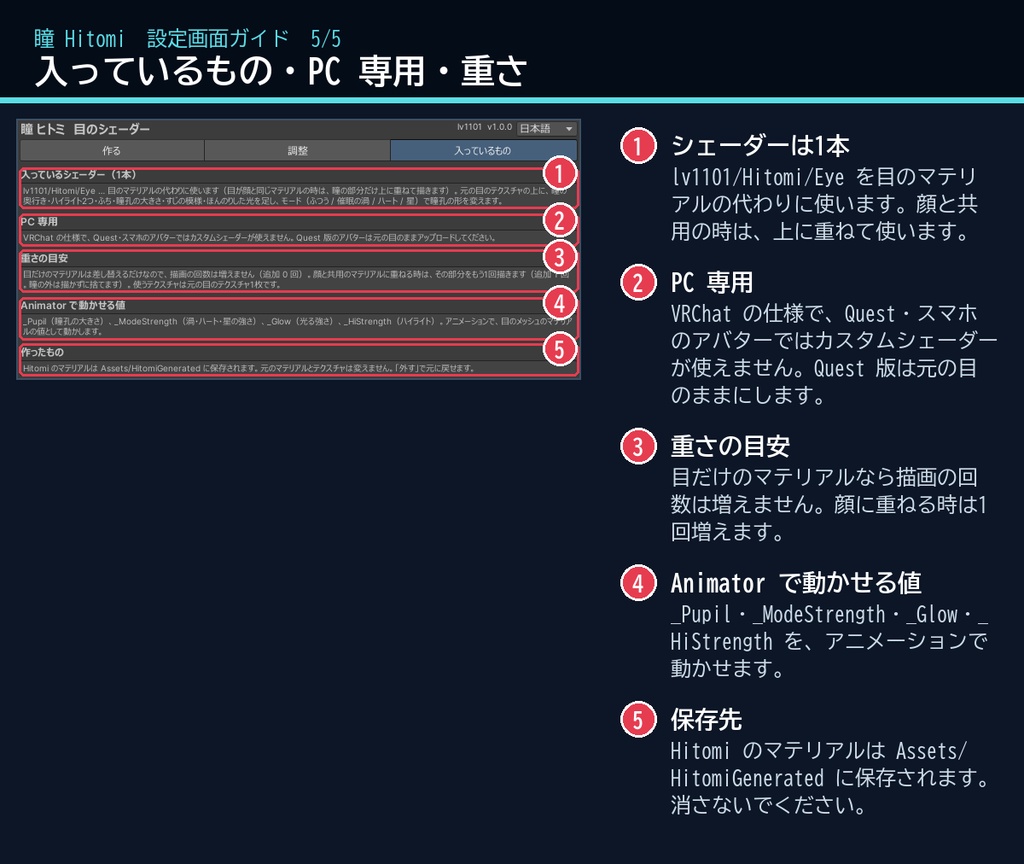
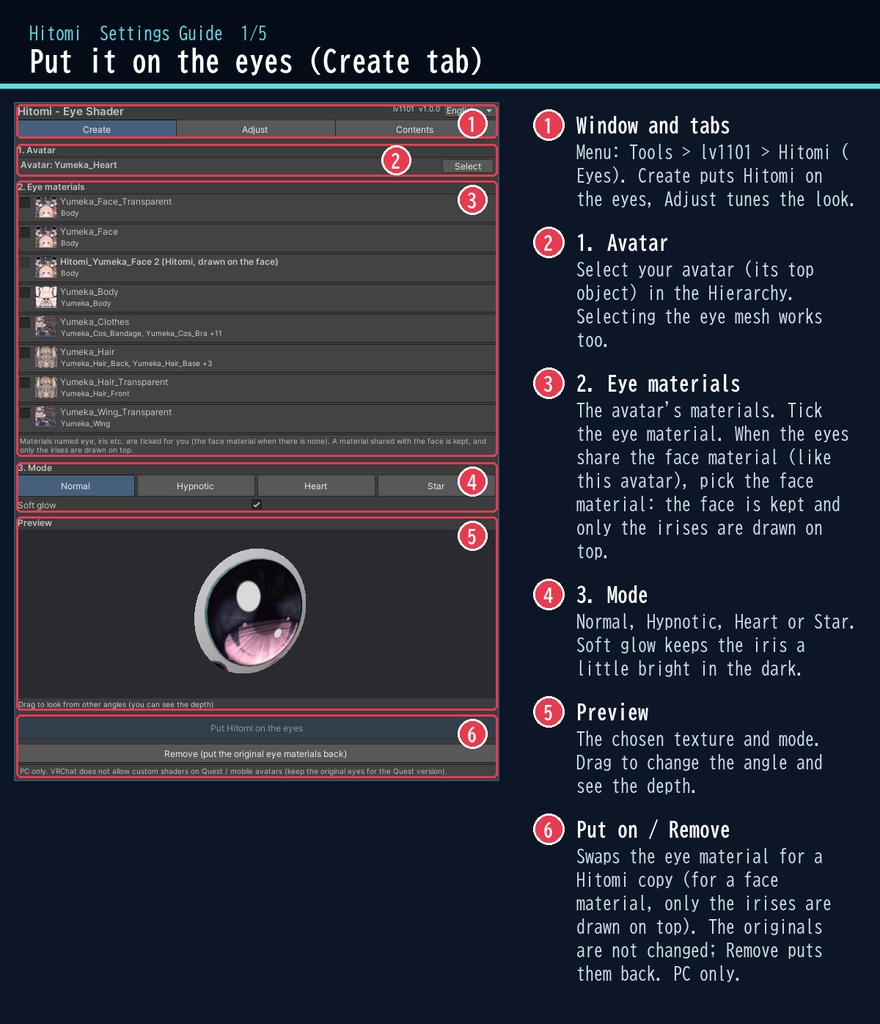
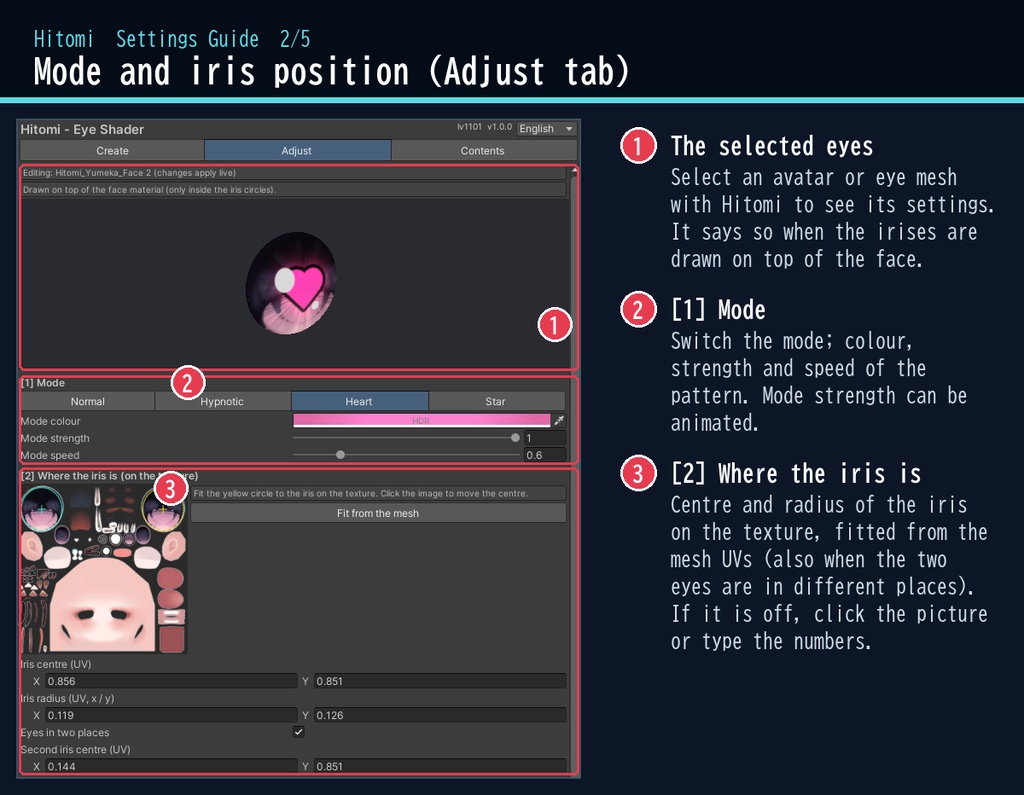
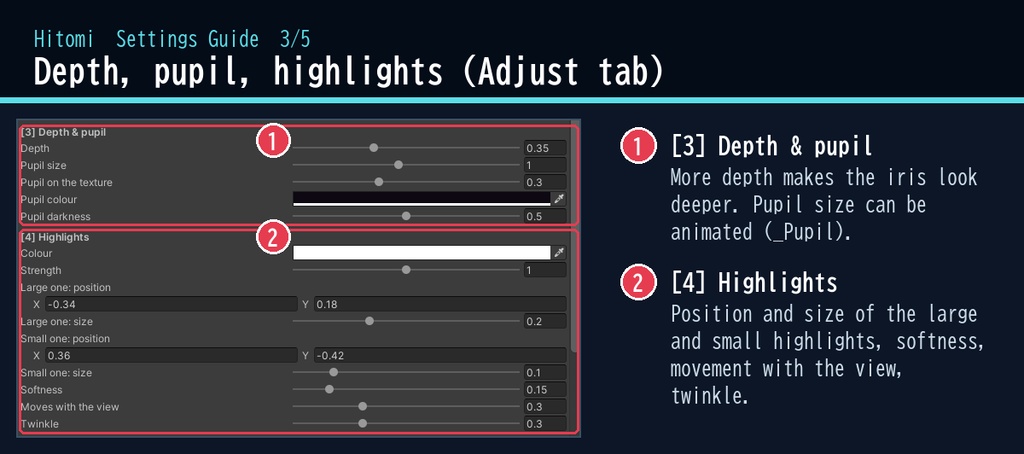
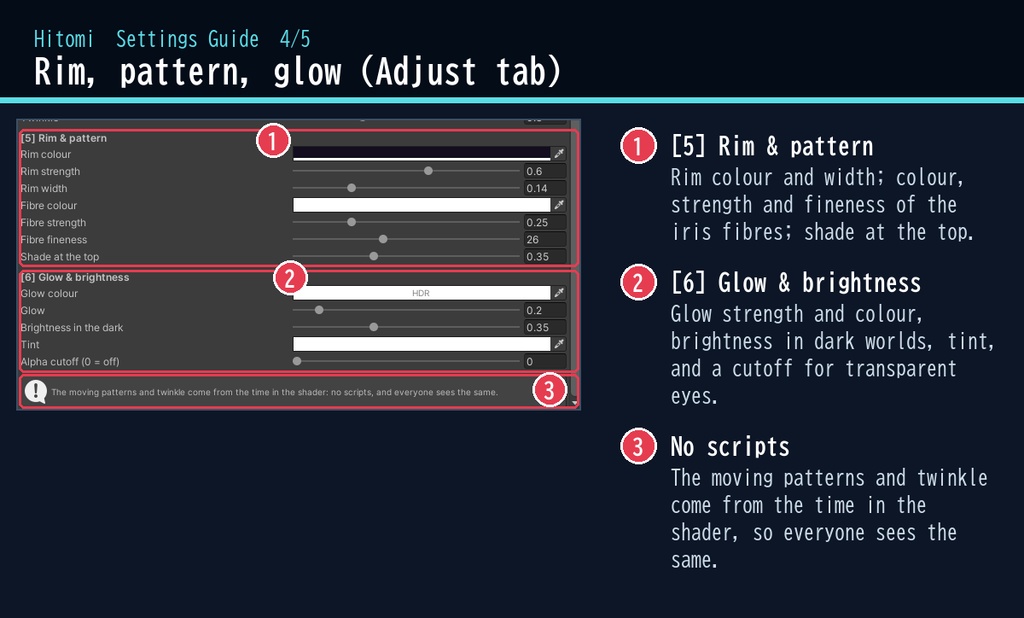
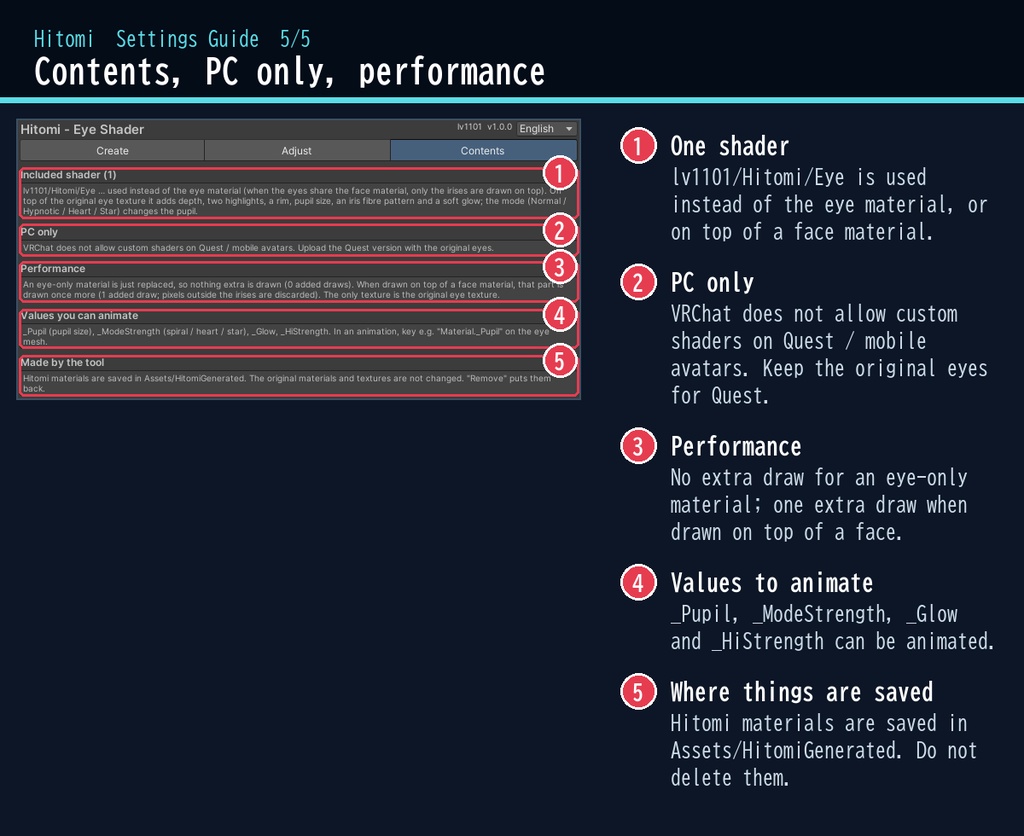


目が合った瞬間、その瞳に吸い込まれる。 「瞳」は、VRChat のアバターの目に、奥行きとハイライトを足すシェーダーです。 元の目のテクスチャはそのままに、虹彩がレンズの奥にあるように見る角度でずれて、きらっとした光が入ります。ハート・星・催眠の渦の目にも切り替えられます。 ■ ポイント ・ゆめか専用ではありません。Humanoid のアバターなら、どのアバターにも使える汎用品です ・元の目の絵のまま、瞳に奥行きとハイライト ・ふつう / 催眠の渦 / ハート / 星 のモード ・瞳の大きさとモードの効き具合は Animator で動かせる ・目のマテリアルを差し替えるだけ。元に戻すのもボタン1つ ・日本語 / English の専用ウィンドウ ↓ 動きは2枚目の GIF、くわしくは下へ。 ■ くわしく VRChat アバター向けの、目のシェーダーです(PC 専用)。 アバターの目のマテリアルを差し替えるだけで、元の目のテクスチャはそのままに、瞳に奥行きとハイライトが加わります。 専用ウィンドウで、アバターを選んでボタン1つで付けられます(日本語 / English 対応)。 瞳は角膜の奥にあるように、見る角度でずれて見えます(視差)。 モードを選ぶと、瞳孔が「催眠の渦」「ハート」「星」に変わります。 模様の動きやまたたきはシェーダーが時刻から作るので、スクリプトなしで、みんなに同じように見えます。 元のマテリアルとテクスチャは変えません。「外す」ボタンでいつでも元に戻せます。 ・瞳の奥行き:角膜の下に虹彩があるように、見る角度で瞳がずれます ・ハイライト2つ:位置・大きさ・ぼかし・視線で動く量・またたき ・瞳のふち(リム)、すじの模様の追加、上の影、ほんのりした光 ・瞳孔の大きさ:Animator で動かせます(_Pupil) ・モード:ふつう / 催眠の渦 / ハート / 星(色・強さ・速さ。強さも Animator で動かせます) ・アバターの Renderer から目のマテリアルを選ぶ一覧(名前に eye・目・瞳 があれば自動でチェック) ・目が顔と同じマテリアルのアバターにも対応:顔はそのままで、瞳の部分だけ上に重ねて描きます(まばたき・表情もそのまま) ・テクスチャの上の瞳の位置は、メッシュの UV から自動で合わせます(左右の目が別の場所でも対応) ■ 動作環境 ・対応アバター:汎用。Humanoid のアバターならどれでも使えます(画像はゆめかで撮影。lilToon 2.3.4 で確認) ・Unity 2022.3(VRChat で使うバージョン) ・ビルトイン レンダーパイプライン ・PC 専用です。VRChat の仕様で、Quest・スマホのアバターではカスタムシェーダーが使えません(Quest・スマホ版は元の目のままアップロードしてください) ・VRChat SDK3 Avatars・Modular Avatar はなくても動きます ■ 導入 1. unitypackage を Unity にドラッグ&ドロップしてインポート 2. メニューの Tools > lv1101 > Hitomi (Eyes) でウィンドウを開く 3. Hierarchy でアバターを選び、目のマテリアルにチェックを付けて「目に Hitomi を付ける」を押す 詳しい使い方は同梱の README_ja.txt をご覧ください。 設定画面の説明は、商品画像の「設定画面ガイド」(日本語・英語)にあります。 ウィンドウ右上で 日本語 / English を切り替えられます(Auto は PC の言語に合わせます)。 ■ 重さの目安 ・目だけのマテリアルは差し替えだけで描画の追加なし。顔と共用のマテリアルに重ねる時は追加 1 回 ■ 内容物 ・Hitomi_1.0.1.unitypackage(README_ja.txt / README_en.txt 入り) ・利用規約.txt / TermsOfUse_en.txt ※画像のアバター:ゆめか Yumeka(©Arka_X / https://booth.pm/ja/items/8672657 )。商品には含みません。 ※背景の素材:Poly Haven(CC0)。商品には含みません。 ※アバター向けのシェーダーです(PC 専用)。 ■ 利用規約(概要) ・VRChat のアバター(Public/商用・有料イベントを含む)で使えます ・改変できます ・シェーダー・スクリプトの再配布、転売はできません(改変したものも含む) ・クレジット表記は任意です(書いていただけると嬉しいです) 詳しくは同梱の 利用規約.txt をご覧ください。 ―――――――――――――――― ■ English Works with any avatar (universal, Humanoid avatars) - the images just use Yumeka. Hitomi is an eye shader for VRChat avatars (PC only, Built-in RP, Unity 2022.3). It replaces your avatar's eye material and keeps the original eye texture: the iris gets depth under the cornea (parallax), two highlights, a dark rim, an iris fibre pattern and a soft glow. Modes turn the pupil into a hypnotic spiral, a heart or a star. Pupil size and mode strength can be animated from an Animator. No Udon / U# needed: the moving patterns are driven by time, so everyone sees the same. An eye-only material is just swapped (no extra draw); for eyes drawn by the face material, only the irises are drawn on top (one extra draw), so the face, blinking and expressions stay as they are. Select your avatar, tick the eye materials and press one button. The original materials are not changed, and "Remove" puts them back. PC only: VRChat does not allow custom shaders on Quest / mobile avatars. • Full English UI: switch Auto / 日本語 / English at the top right of the window • English README (README_en.txt) and Terms of Use (TermsOfUse_en.txt) included • English settings guide images are included in the product images Avatar in the images: Yumeka (©Arka_X), not included. Background assets: Poly Haven (CC0), not included. Install: import the unitypackage, open Tools > lv1101 > Hitomi (Eyes), select your avatar and press "Put Hitomi on the eyes". Terms (summary): usable on VRChat avatars including public / commercial use and paid events; modification allowed; redistribution or resale of the shader / scripts (including modified versions) is not allowed; credit is optional. ■ 更新履歴 / Version history 1.0.0 最初の版 / First release 1.0.1 ミラーでの瞳の奥行き・斜めから見た時の映り込みを修正、2回付けても重ならないように / Fixed iris depth in mirrors and texture bleeding at side angles; no double overlay