
しなりゆび - 撫でると、指がやわらかくしなる【JA,EN,KO】
- 日本語版Digital700 JPY
- EnglishDigital700 JPY
- 한국어판Digital700 JPY
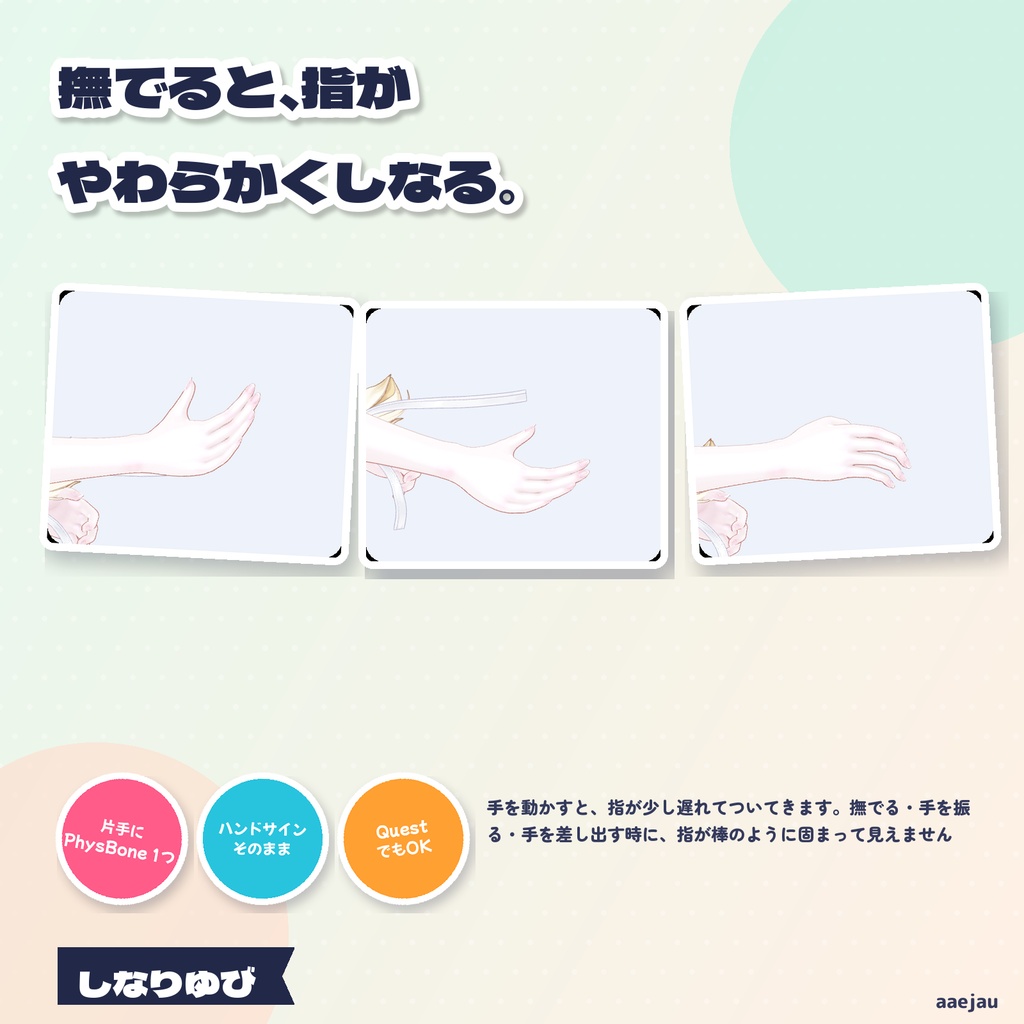
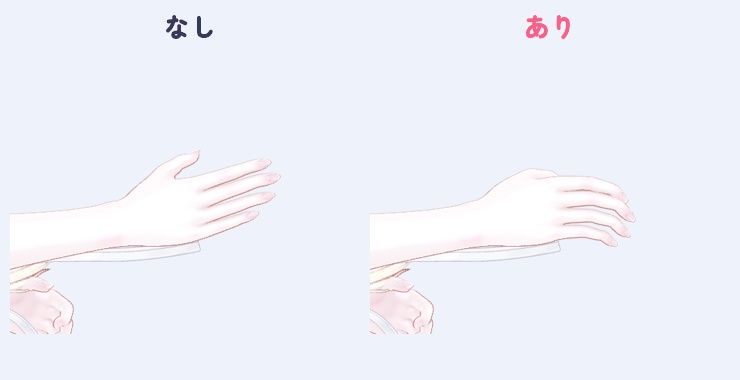
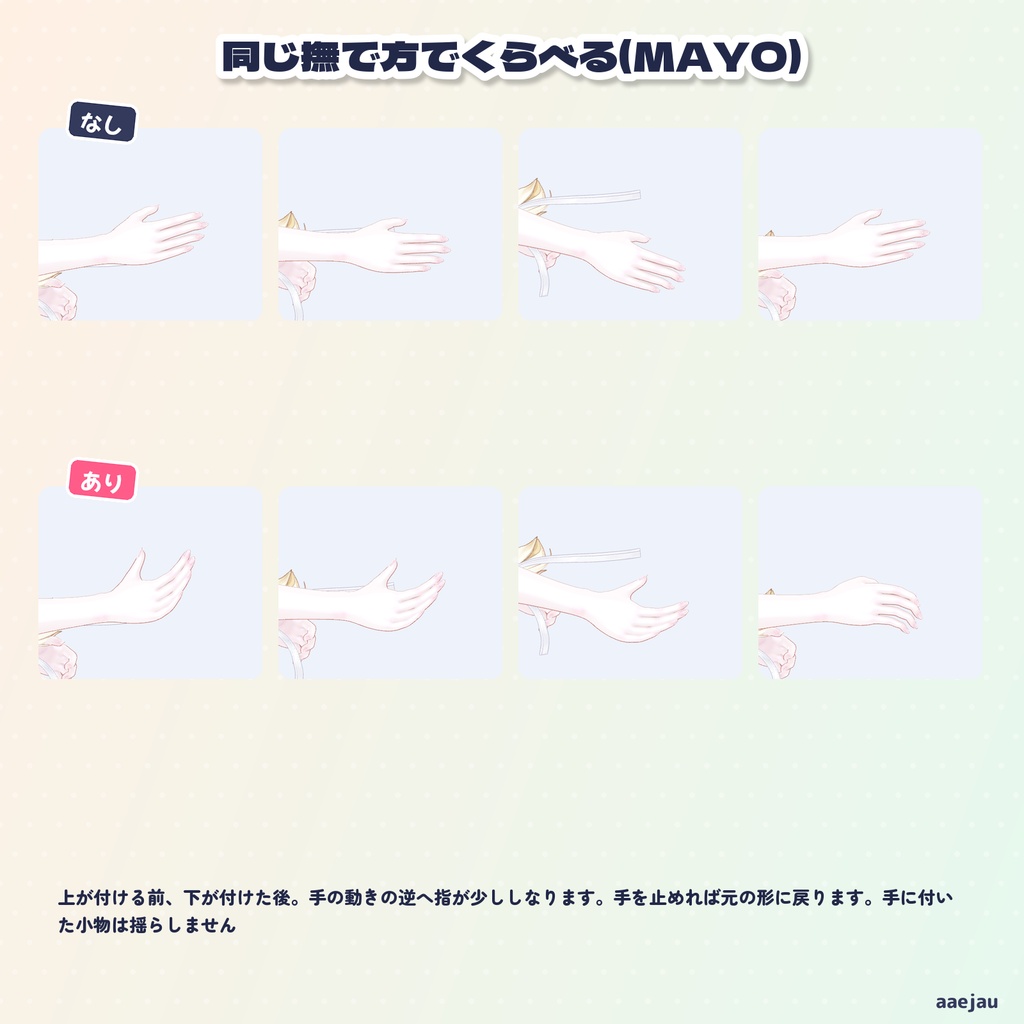
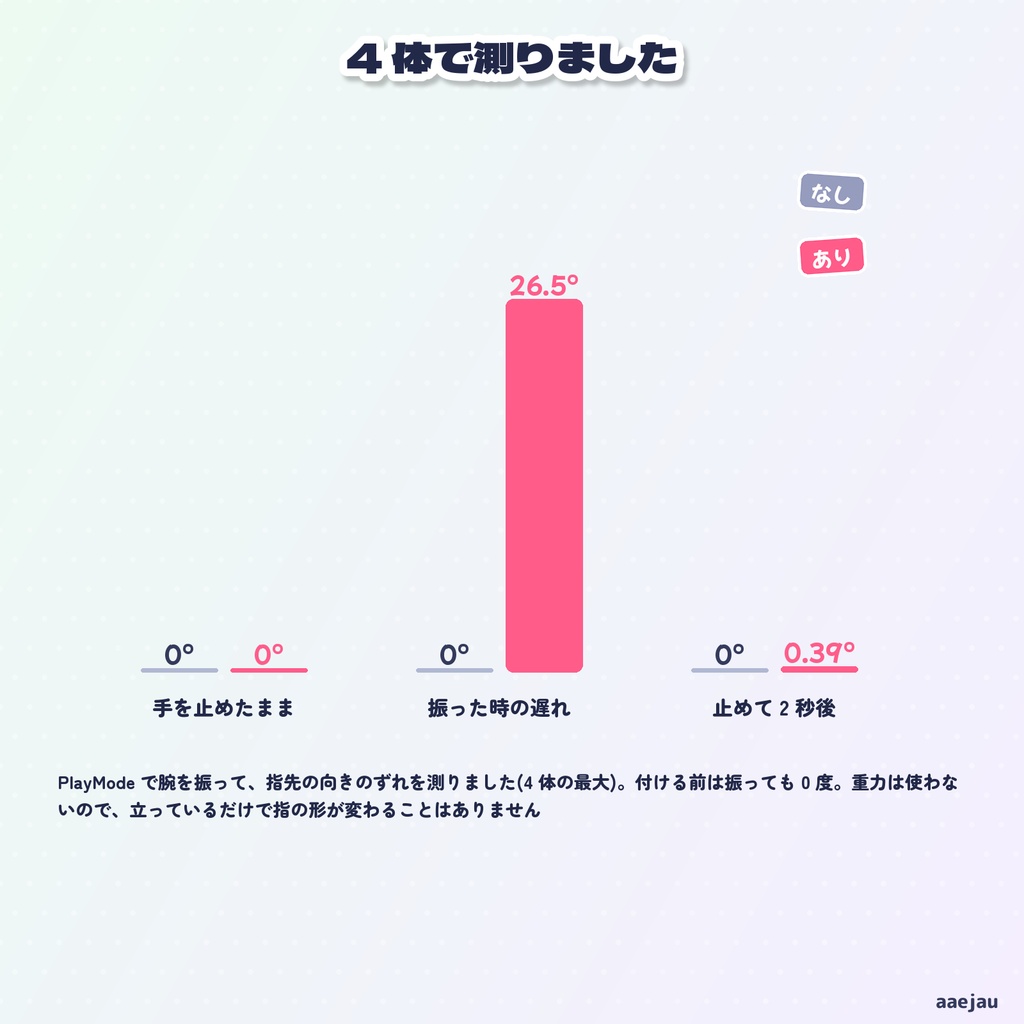
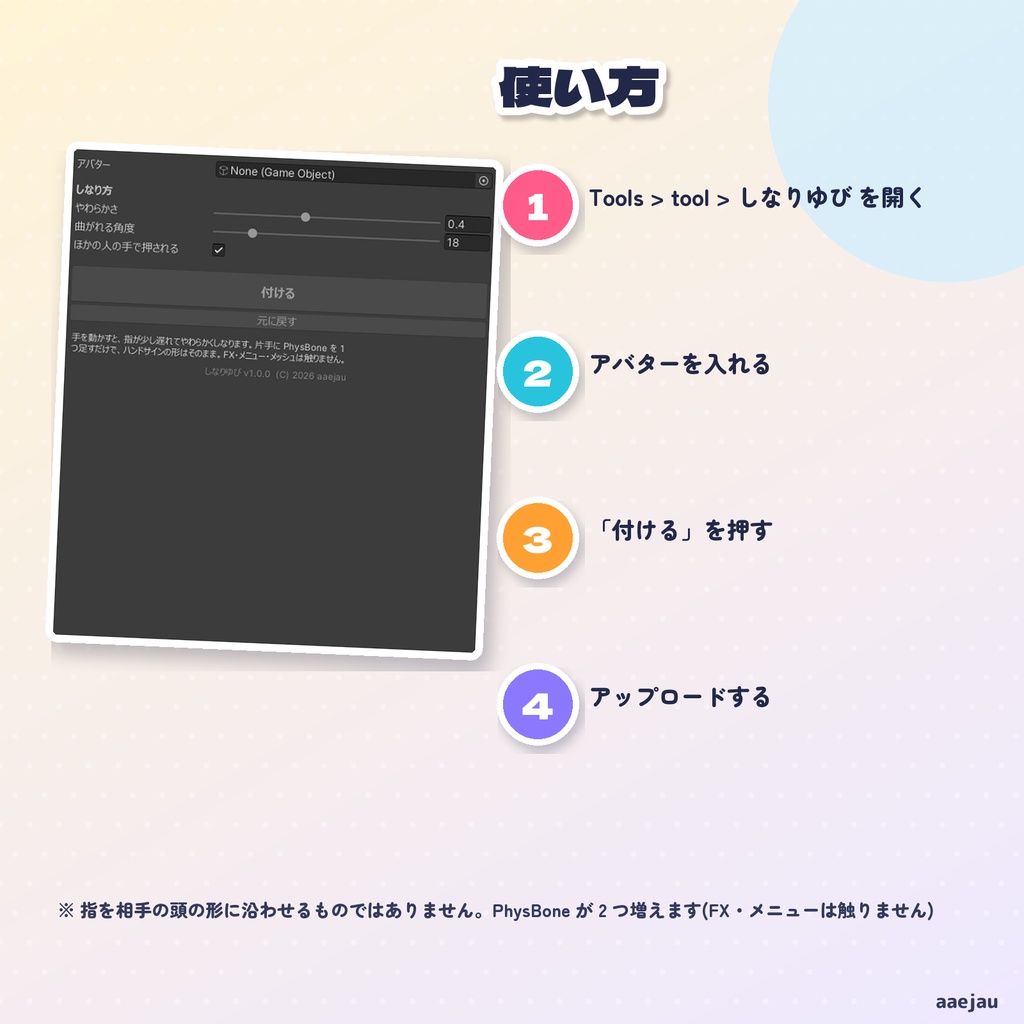
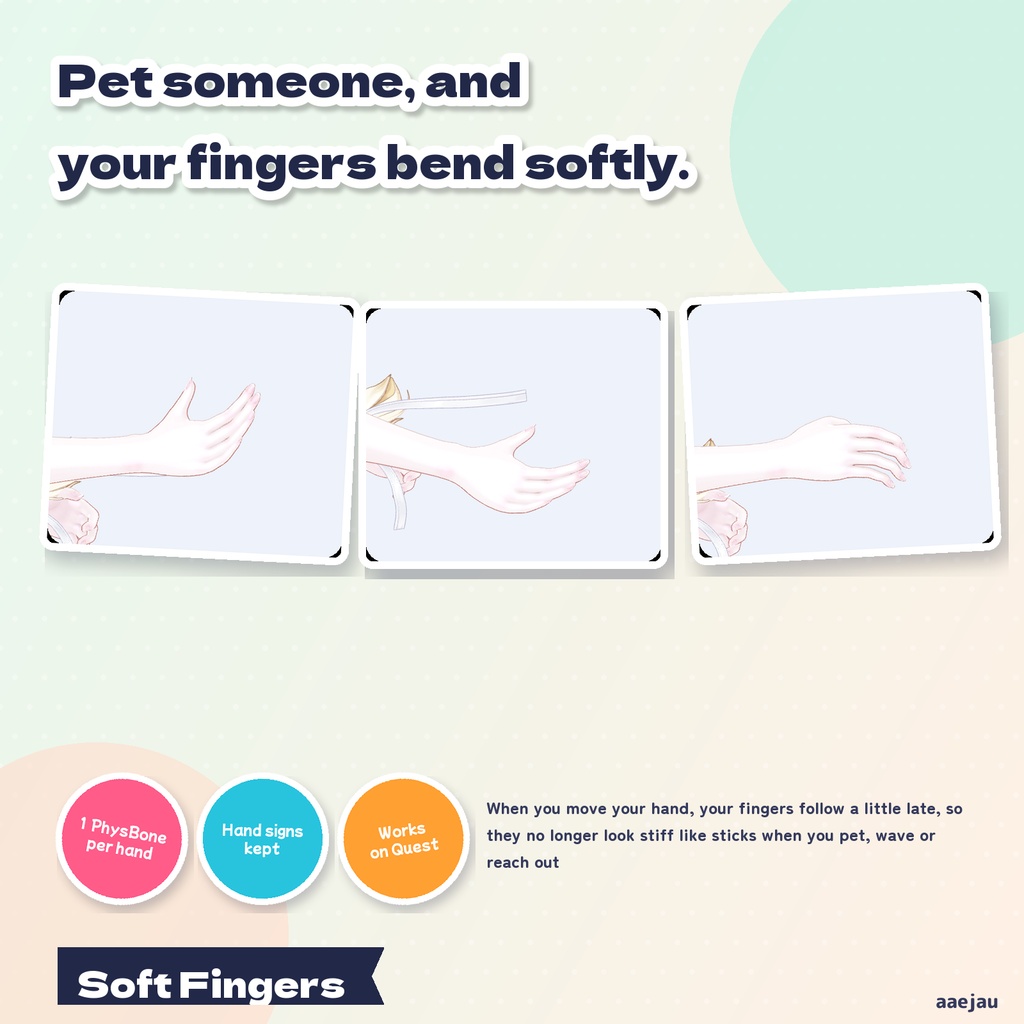
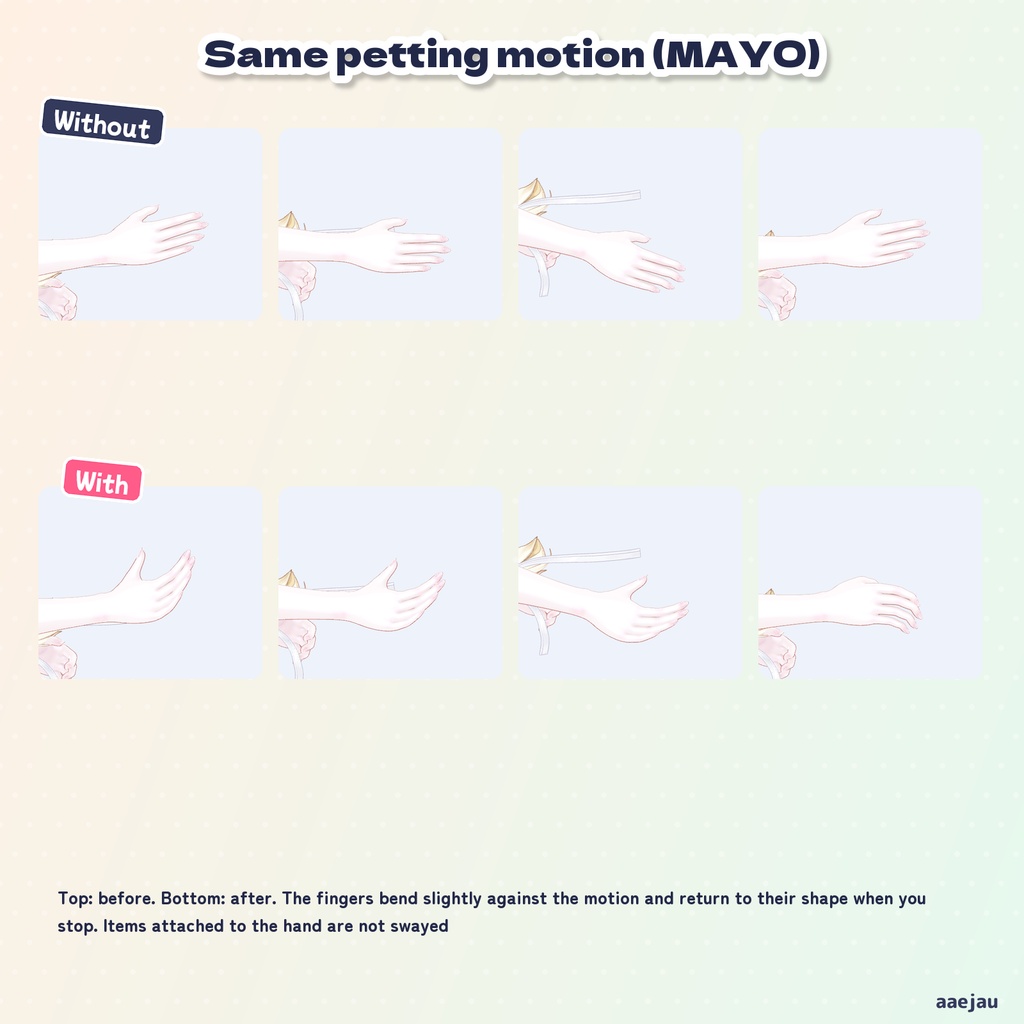
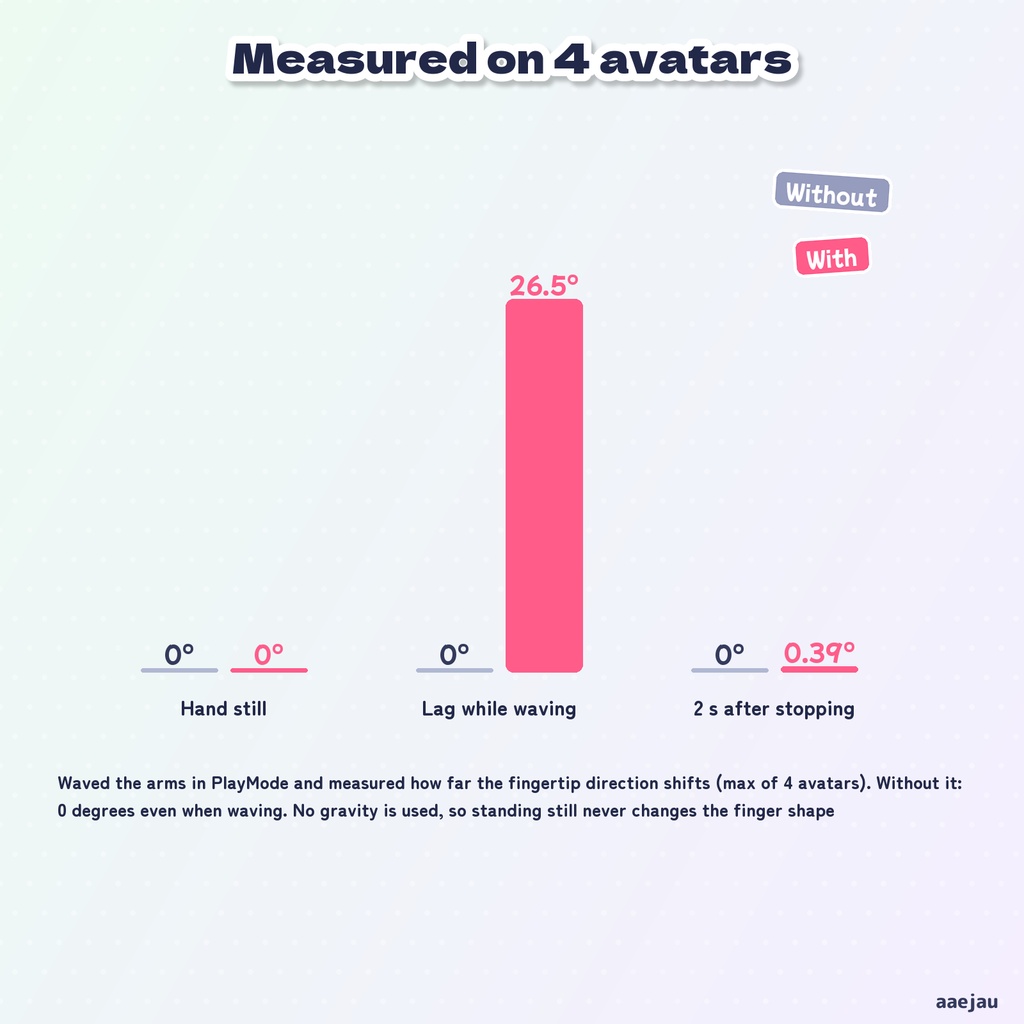
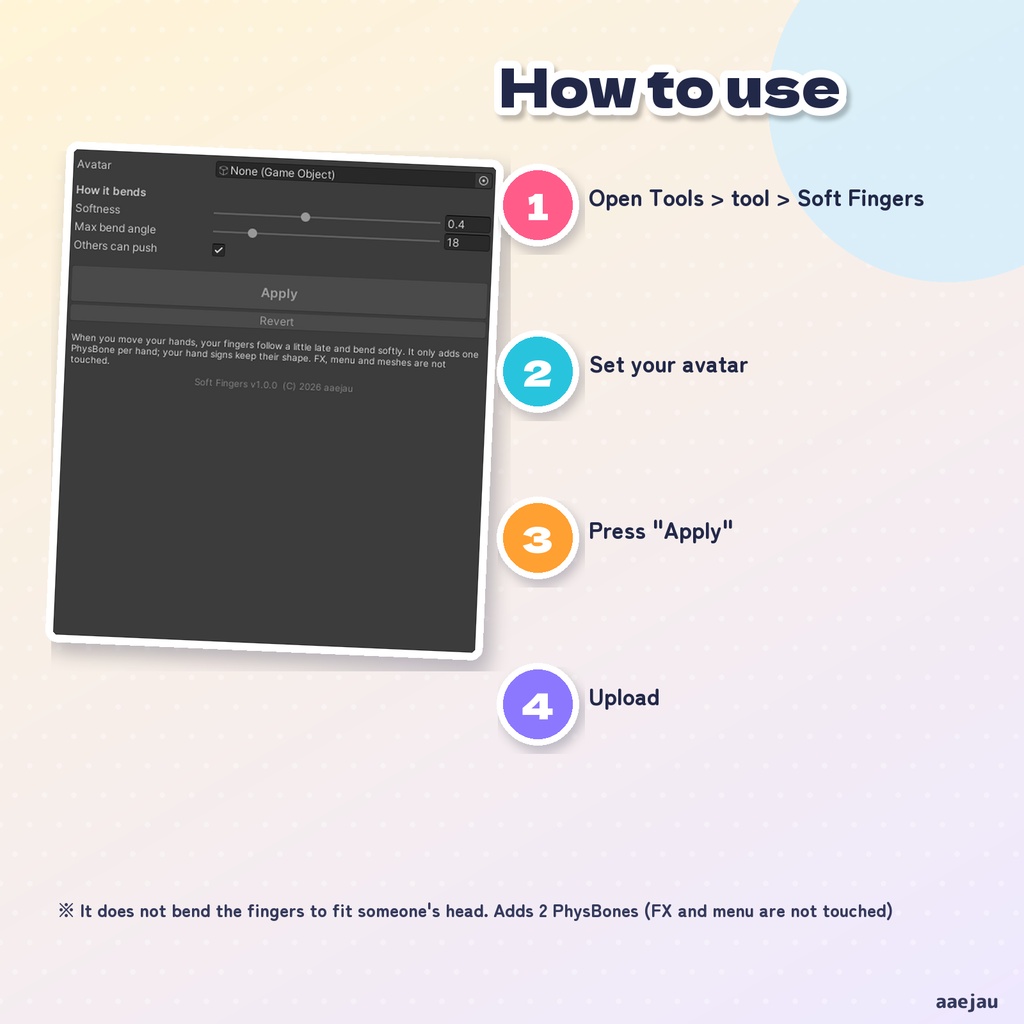
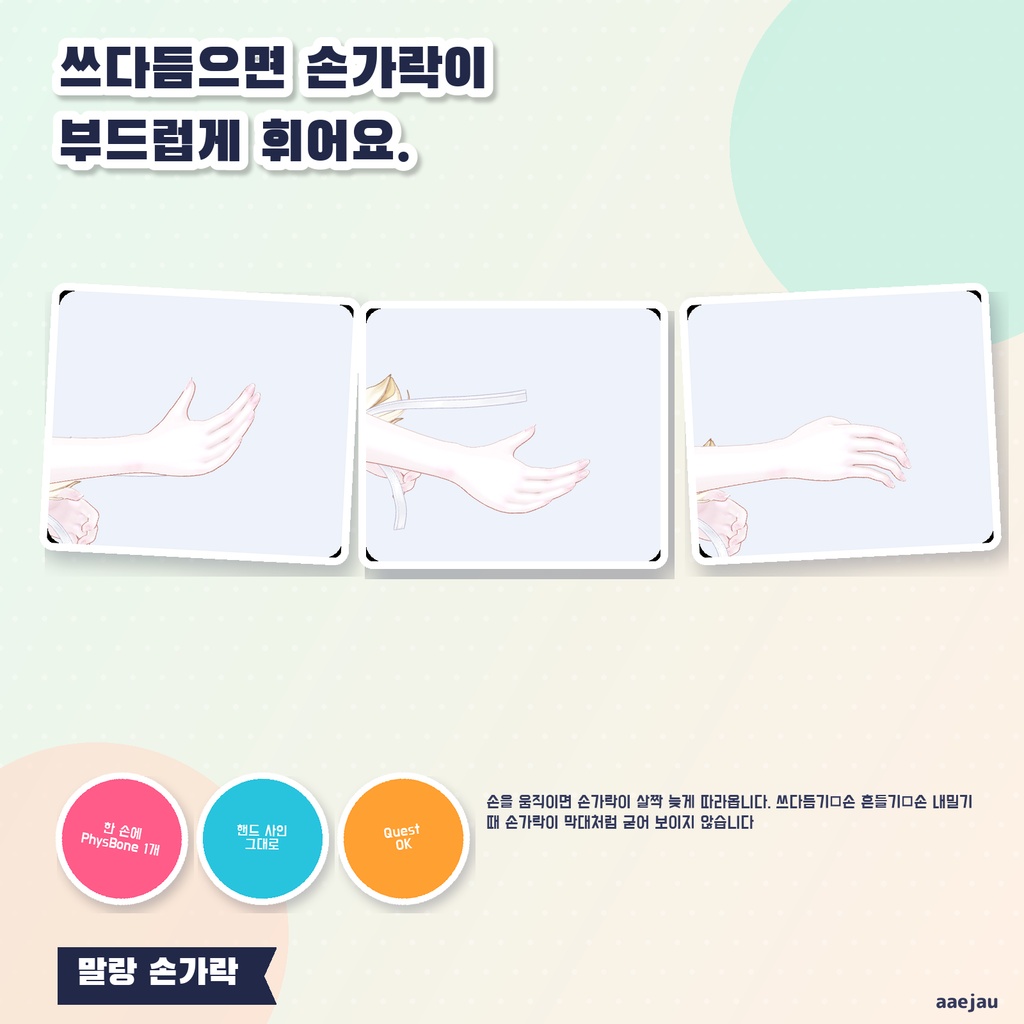
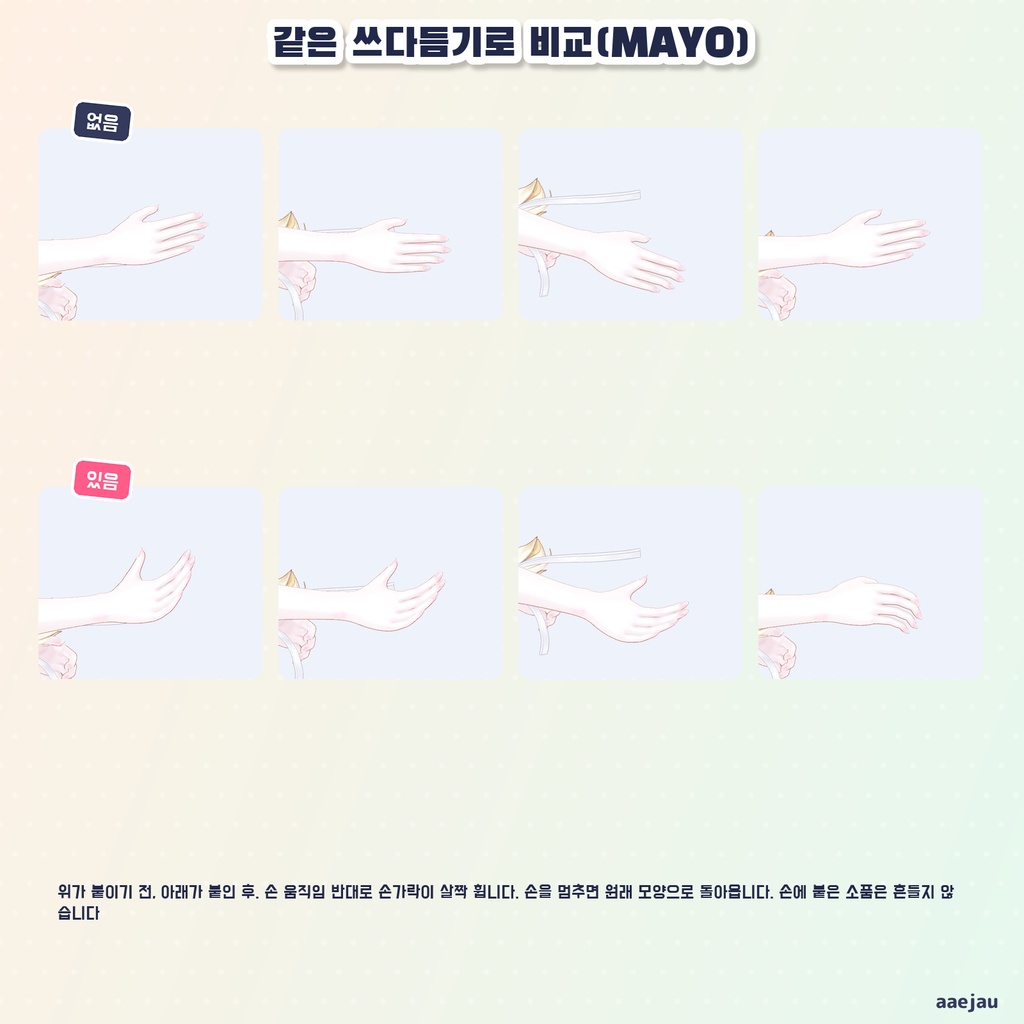
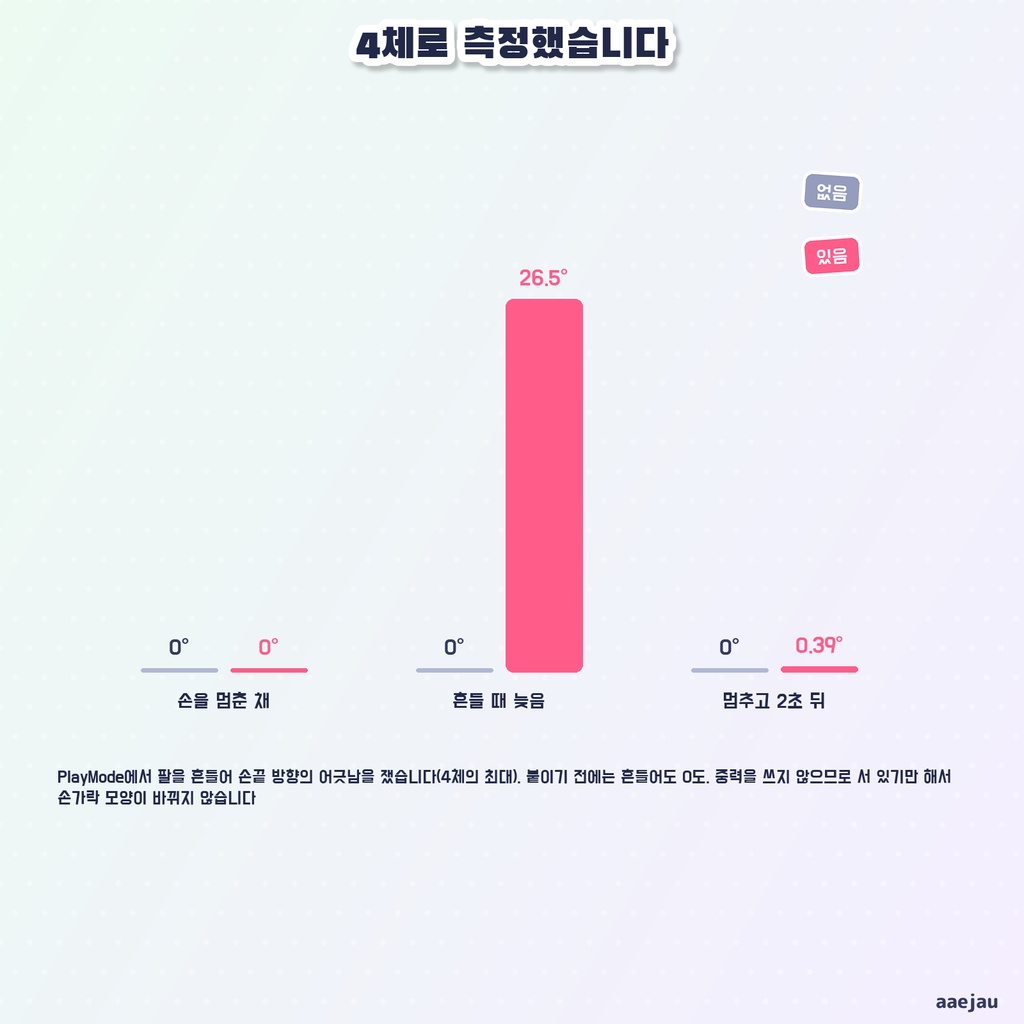
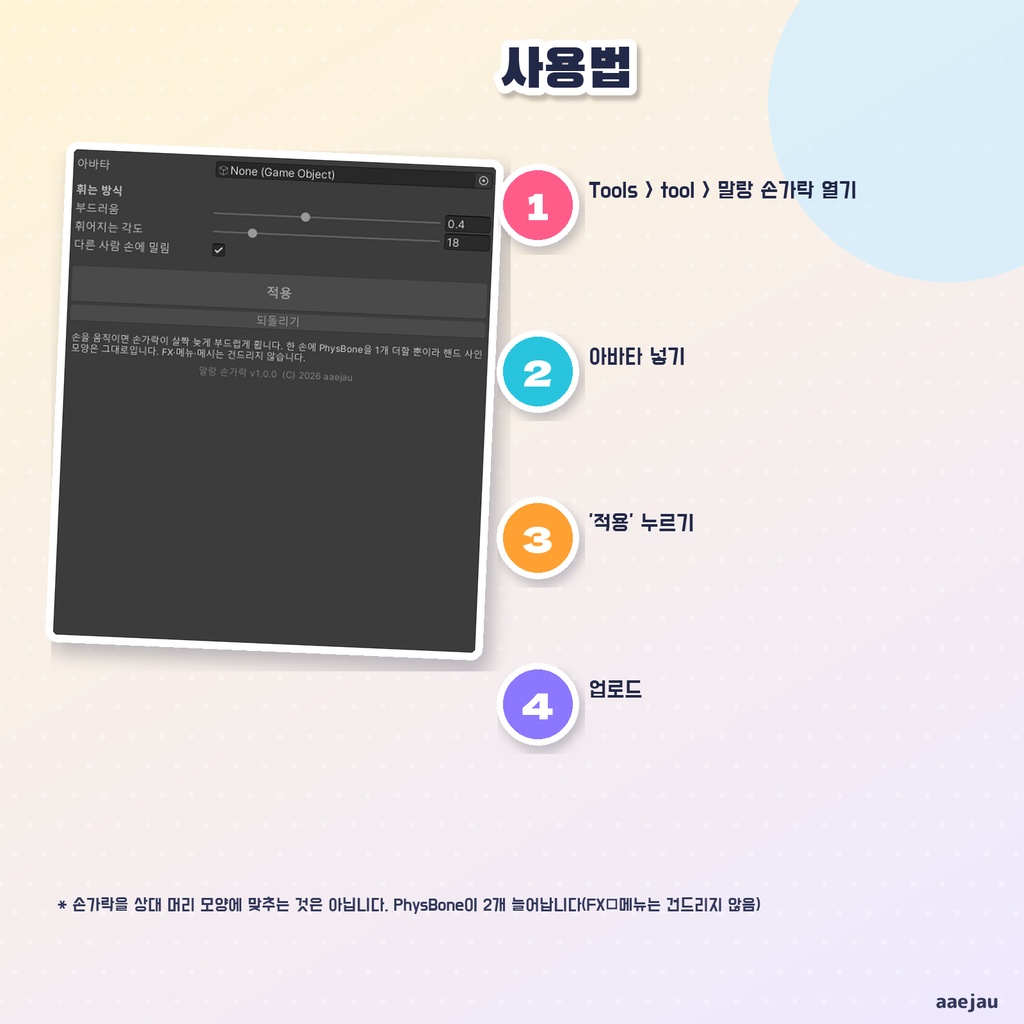


「頭を撫でているのに、指が棒みたいにまっすぐなまま」 しなりゆびは、手を動かすと指が少し遅れて、やわらかくしなるようにする Unity Editor ツールです。撫でる・手を振る・手を差し出す時に、指が固まって見えなくなります。アバターを入れて「付ける」を押すだけです。Blender も Modular Avatar も使いません。 ◆ 片手に PhysBone を 1 つ足すだけ 根元は手の骨で、揺らすのは 5 本の指だけです。手に付いている小物(スマホ・小物の骨など)は揺らしません。FX・メニュー・パラメーター・メッシュは触りません。 ◆ ハンドサインの形はそのまま 指はハンドサインで動く骨として扱います。グーやピースの形はそのままで、その上でしなります。 ◆ 止まれば元の形 手を止めれば、指は元の形に戻ります。重力は使わないので、立っているだけで指の形が変わることはありません。 ◆ ほかの人の手で押されます ほかの人の手が当たると指が押されます。自分の手どうしでは押しません。窓で切ることもできます。 ◆ やわらかさは窓で やわらかさ(0〜1)と曲がれる角度を窓で変えられます。既定はやわらかさ 0.4・角度 18 度です。 ◆ 使い方 1. メニューの Tools > tool > しなりゆび を開く 2. 「アバター」にあなたのアバターを入れる 3. 「付ける」を押す 4. アップロードする ◆ 4 体で測りました しなの・MAYO・ミルフィ・Felis に付けて、Unity の中で腕を振り、付ける前と後で指先の向きのずれを測りました。手を止めたままでは 0.00 度、振ると指先が最大 25〜27 度遅れてしなり(付ける前は 0 度)、止めて 2 秒で 0.4 度以内に戻りました。撫でる動きをコマ撮りして、折れたような形にならないことも見ました。 ※ 指を相手の頭や体の形に沿わせて曲げるものではありません。手の動きに少し遅れてしなるだけです ※ すでに指を揺らす PhysBone が入っているアバターでは、二重に揺れることがあります(窓で知らせます) ※ PhysBone が 2 つ、揺れる骨が約 30 本増えます。パフォーマンスランクの PhysBone の数に入ります ※ 速く手を振ると、指先が既定のやわらかさで 26 度ほど遅れます ※ 指の骨が Humanoid に割り当てられていないアバターには付けられません 内容物: unitypackage / README / CHANGELOG / TEST_REPORT / LICENSE / 画面のスクリーンショット ━━━━━━━━━━━━━━━━━━━━ English ━━━━━━━━━━━━━━━━━━━━ "I am petting someone's head, and my fingers stay straight like sticks." Soft Fingers is a Unity Editor tool that makes your fingers follow a little late and bend softly when you move your hands, so they no longer look stiff when you pet, wave or reach out. Just set your avatar and press "Apply". No Blender, no Modular Avatar. ◆ One PhysBone per hand Rooted at the hand bone, it sways only the 5 fingers. Items attached to the hand are not swayed. FX, menu, parameters and meshes are not touched. ◆ Hand signs keep their shape The fingers are treated as animated bones, so fist or peace keep their shape and bend on top of that. ◆ Back to shape when you stop When your hand stops, the fingers return to their shape. No gravity is used, so standing still never changes the finger shape. ◆ Other people's hands push them Other people's hands push your fingers; your own hands do not. This can be turned off. ◆ How to use 1. Open Tools > tool > Soft Fingers 2. Set your avatar in "Avatar" 3. Press "Apply" 4. Upload * It does not bend the fingers to fit the shape of someone's head * Adds 2 PhysBones and about 30 swaying bones (counted in the performance rank) * Avatars that already sway the fingers with PhysBones may sway twice ━━━━━━━━━━━━━━━━━━━━ 한국어 ━━━━━━━━━━━━━━━━━━━━ "머리를 쓰다듬는데 손가락이 막대처럼 곧은 채로" 말랑 손가락은 손을 움직이면 손가락이 살짝 늦게 부드럽게 휘게 하는 Unity Editor 툴입니다. 쓰다듬기·손 흔들기·손 내밀기 때 손가락이 굳어 보이지 않게 됩니다. 아바타를 넣고 '적용'을 누르기만 하면 됩니다. ◆ 한 손에 PhysBone 1개 뿌리는 손 본, 흔드는 것은 손가락 5개뿐입니다. 손에 붙은 소품은 흔들지 않습니다. FX·메뉴·파라미터·메시는 건드리지 않습니다. ◆ 핸드 사인 모양은 그대로 주먹이나 브이 모양은 그대로이고 그 위에서 휩니다. 손을 멈추면 원래 모양으로 돌아옵니다. ◆ 사용법 1. Tools > tool > 말랑 손가락 열기 2. '아바타'에 내 아바타 넣기 3. '적용' 누르기 4. 업로드 * 손가락을 상대 머리 모양에 맞춰 구부리는 것은 아닙니다 * PhysBone 2개, 흔들리는 본 약 30개가 늘어납니다
