

ぴたっとてのひら - 撫でる手も、壁につく手も、表面でぴたっと止まる【JA,EN,KO】
- 日本語Digital700 JPY
- EnglishDigital700 JPY
- 한국어Digital700 JPY
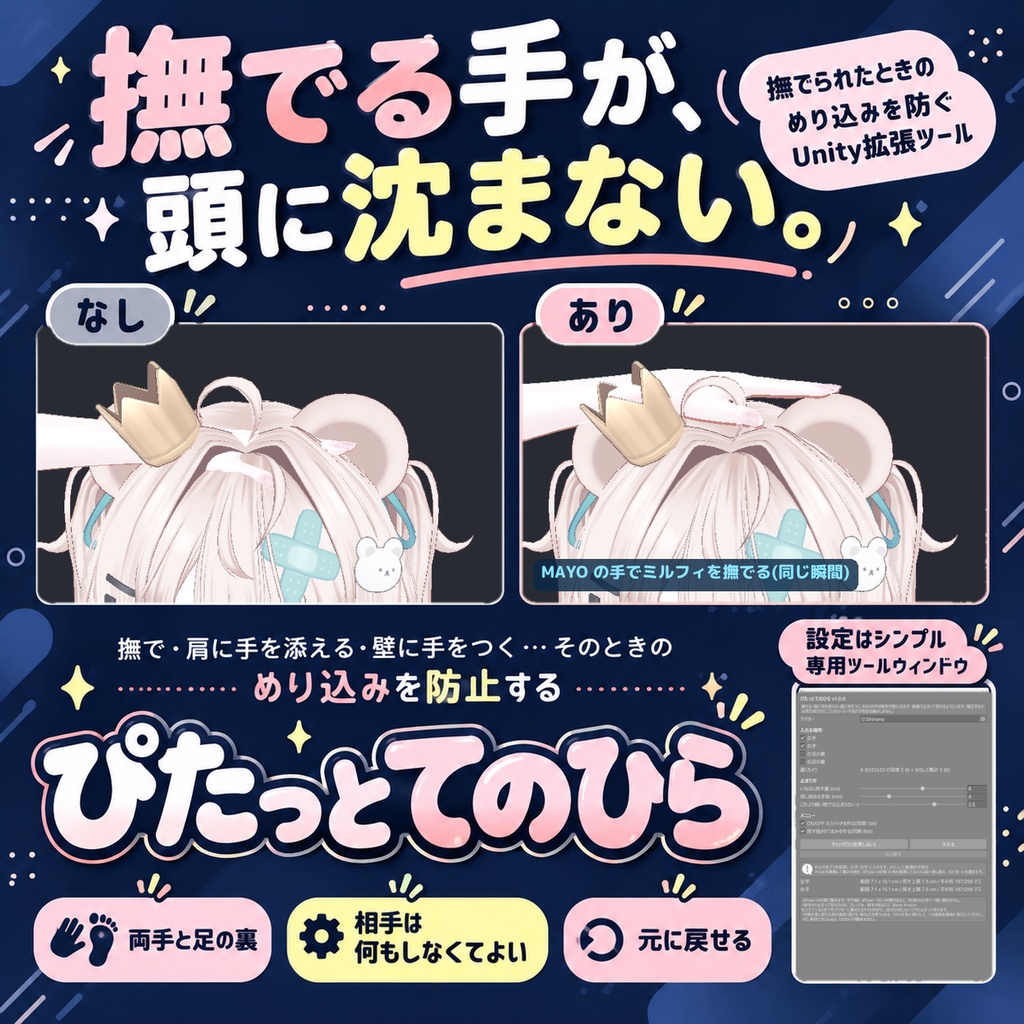
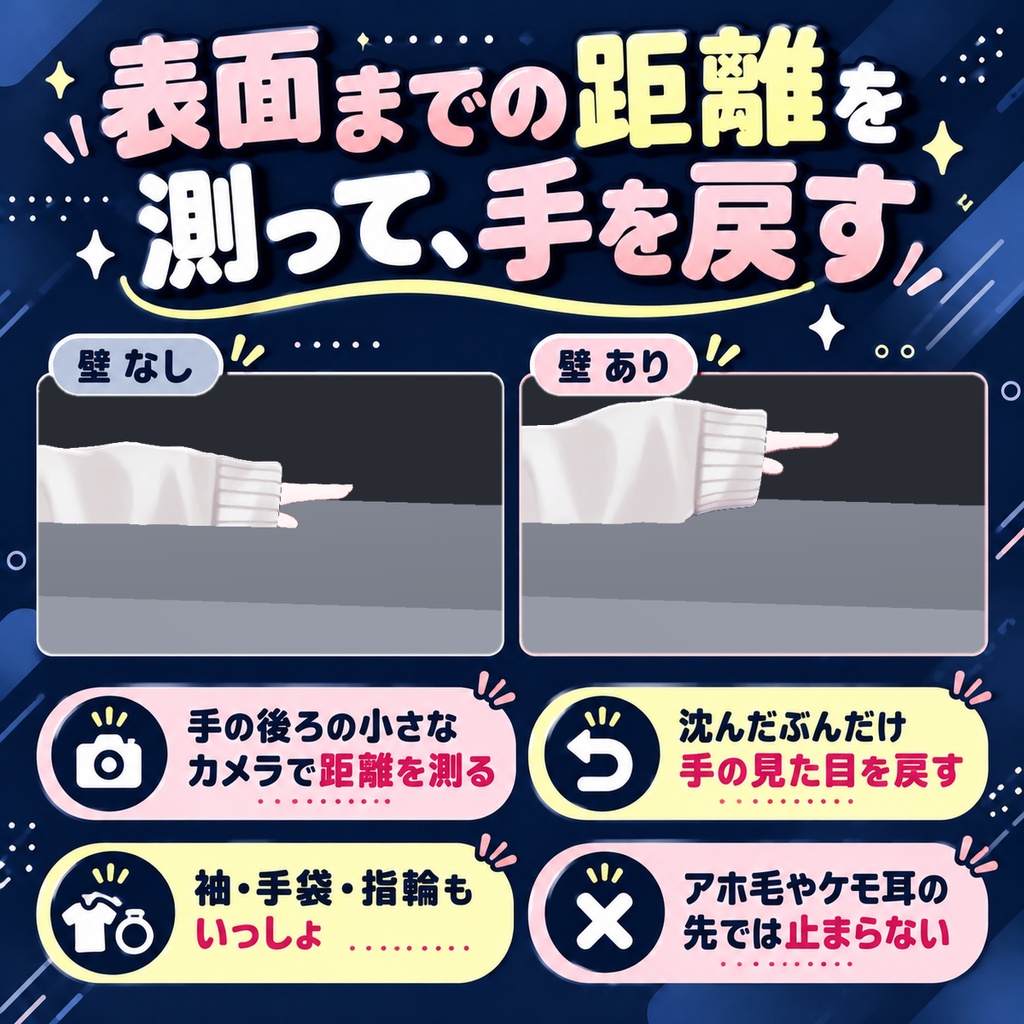
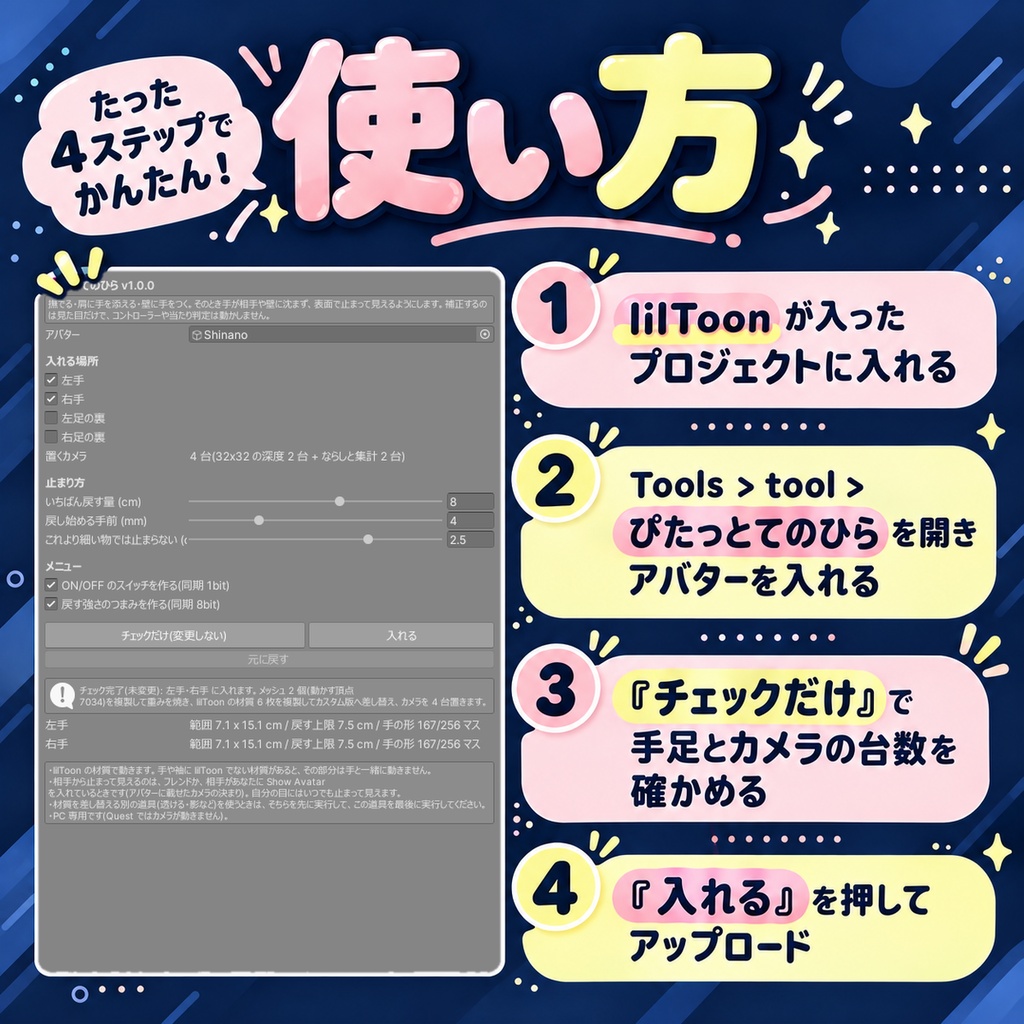
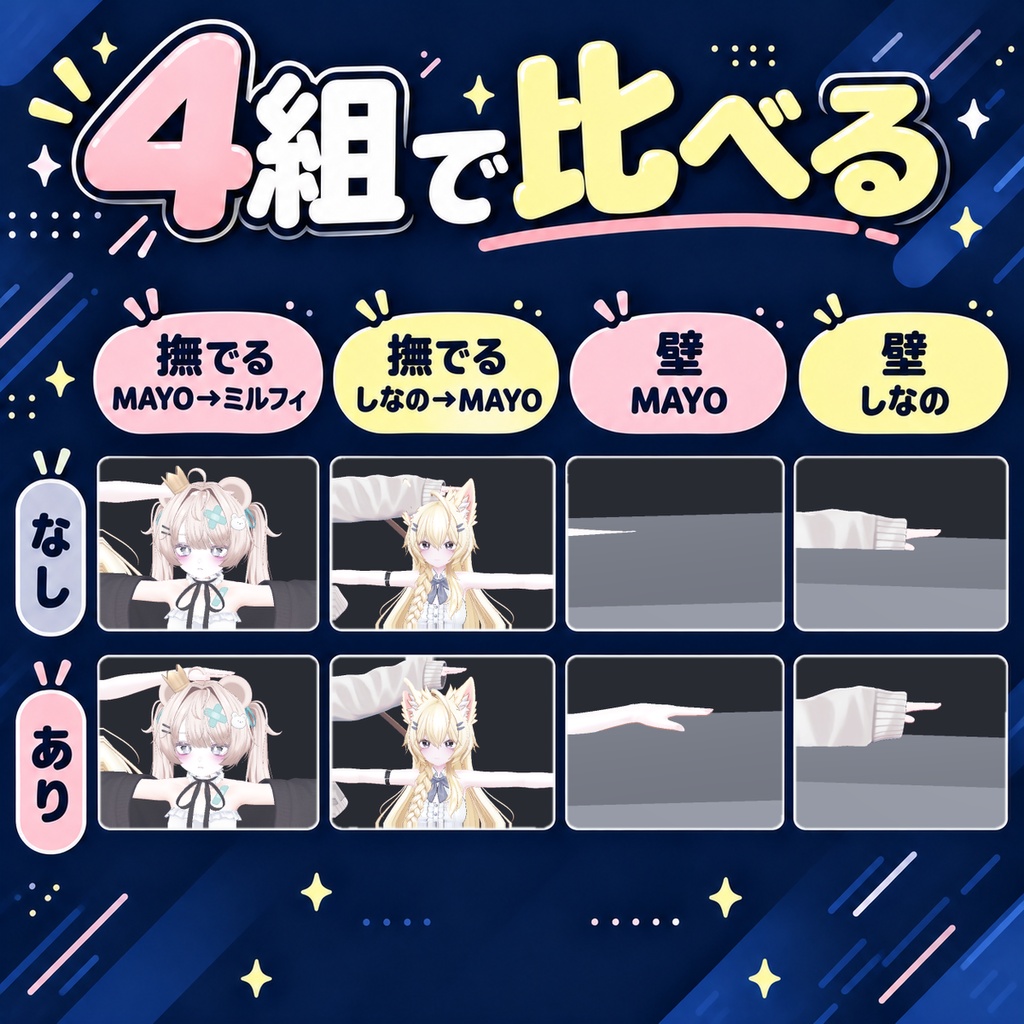
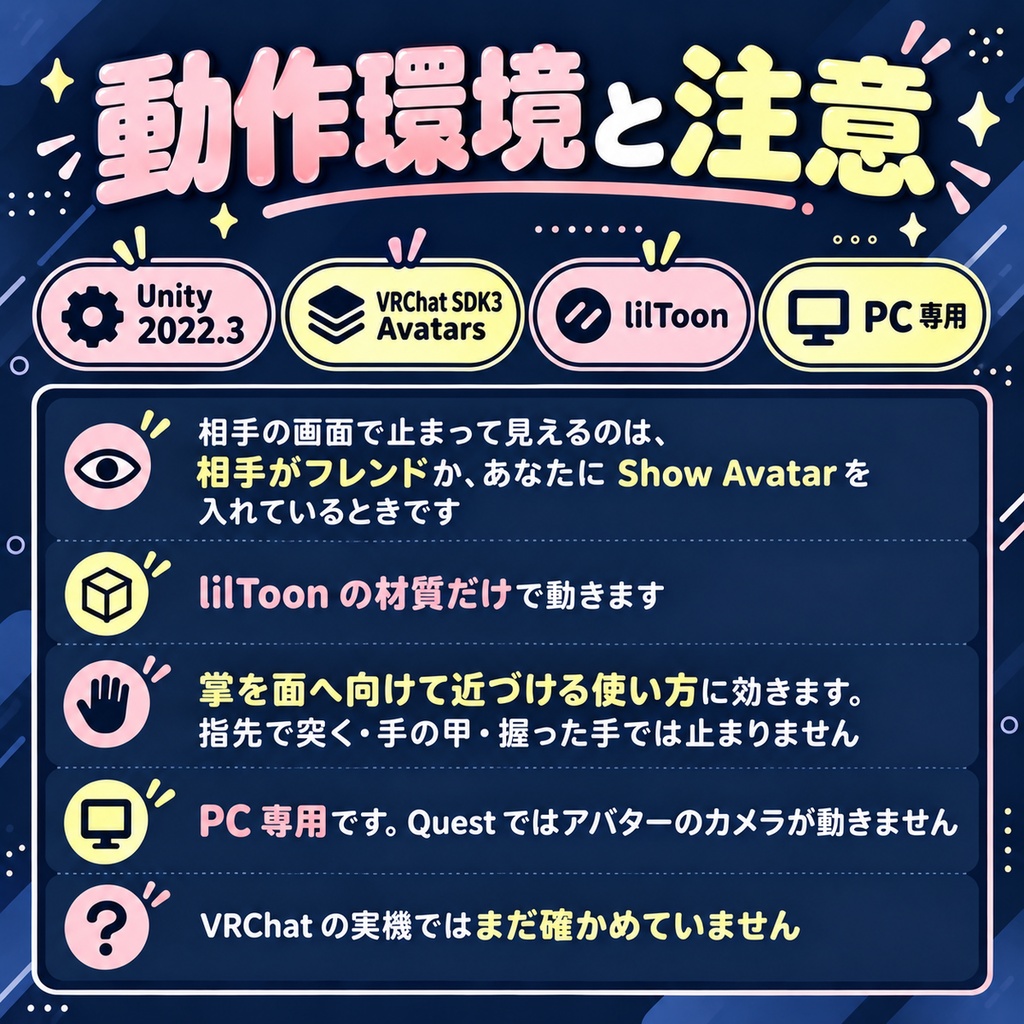
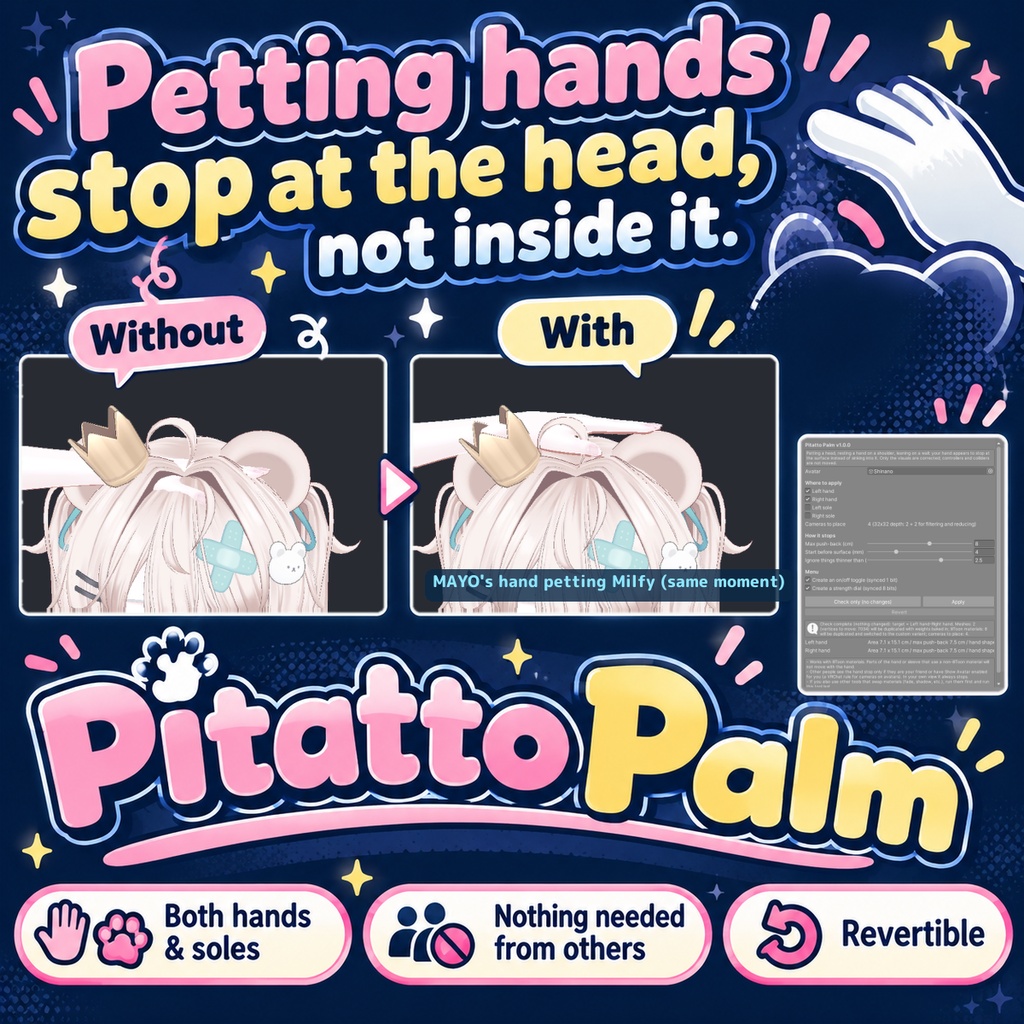
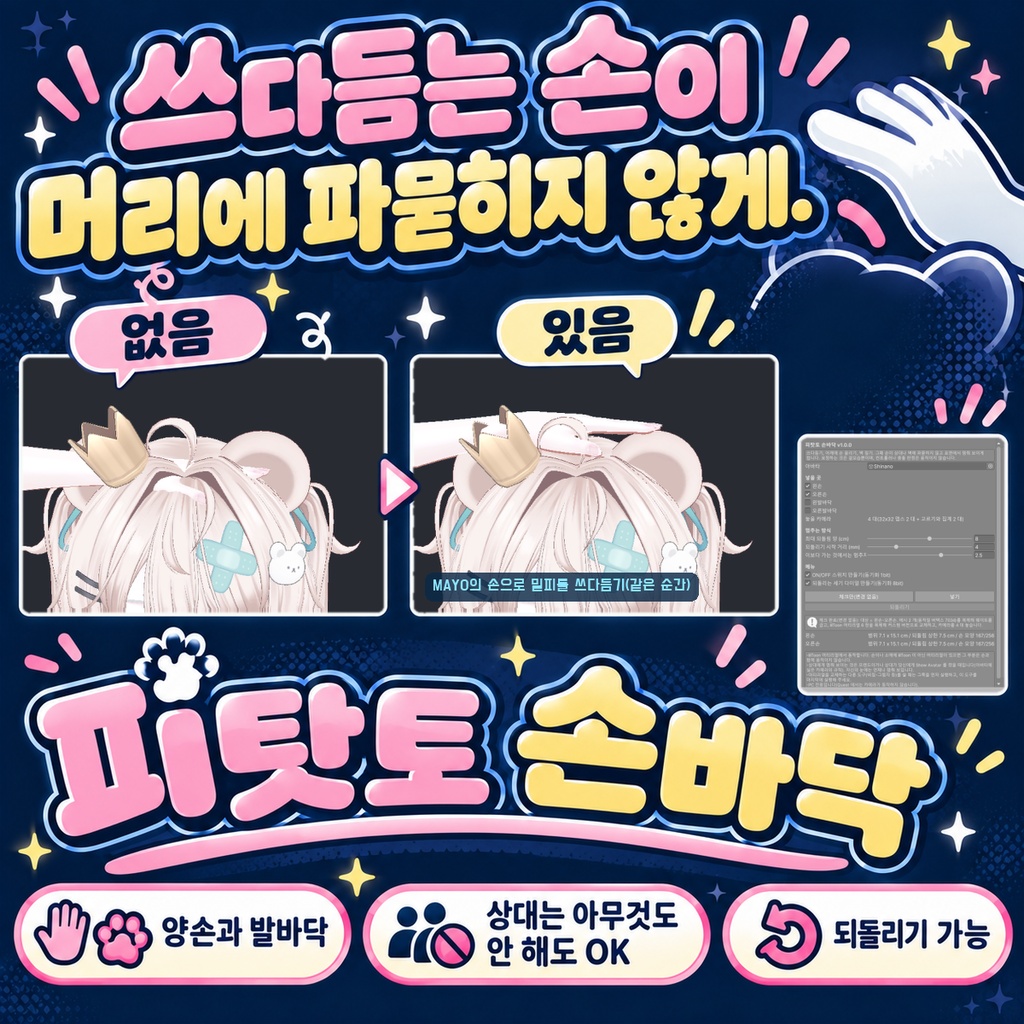


「撫でようとした手が、相手の頭にずぶっと沈む」 ぴたっとてのひらは、撫でる手・肩に添える手・壁につく手が、相手や壁に沈まず表面で止まって見えるようにする Unity Editor ツールです。両手と、足の裏まで。相手に何かを入れてもらう必要はありません。Blender も Modular Avatar も使いません。 ◆ 手の後ろの小さなカメラが、表面までの距離を測ります 手の骨の下に小さなカメラを置き、相手や壁の表面までの距離を撮ります。同梱の lilToon カスタム版が、沈んだぶんだけ手の頂点を戻します。動くのは見た目だけで、コントローラーの位置や当たり判定は変えません。 ◆ 指の曲がりや袖口ごと、手の形のまま止まります あなたのアバターの手の形から凹凸の表を作り、いちばん先に当たる所で止めます。手袋・袖・指輪も手と一緒に動きます。 ◆ アホ毛やケモ耳の先では止まりません 幅 2.5cm より細い物は無視するので、撫でる手は耳の先ではなく頭の面で止まります(窓で変えられます)。 ◆ 入れた人どうしでも、互いの手に触れます カメラは入れるたびに変わる識別値で見分けます。二人ともこの道具を入れていても、互いの手は普通に止まります。自分のアバターは自分のカメラに写さないので、自分の体や服を表面と読み違えることもありません(腕を下ろした姿勢で測って 0.00mm)。 ◆ メニューで ON/OFF と強さを変えられます 表情メニューに「ぴたっとてのひら」が入り、ON/OFF と戻す強さ(0〜100%)を変えられます。置くカメラは手足の数 + 2 台です。 ◆ 元に戻せます メッシュと材質は複製して差し替え、元のファイルは触りません。FX も複製してから足します。「元に戻す」で、メッシュ・材質・カメラ・FX・パラメーター・メニューが戻ります。 ◆ 使い方 1. lilToon が入ったプロジェクトに unitypackage を入れる 2. Tools > tool > ぴたっとてのひら を開き、アバターを入れる 3. 「チェックだけ(変更しない)」で、入れる手足とカメラの台数を確かめる 4. 「入れる」を押して、アップロードする ◆ 5 種類の素体で測りました しなの・Felis・MAYO・ミルフィ・試作の素体の 40 とおりに両手両足で入れ、本物の VRChat SDK と lilToon 2.3.4 でカメラを実際に回しました。入れられたのは 38、失敗 0、対象外 2(lilToon の材質が無い・手足のメッシュが無い)。壁を 7 とおりの深さに置いて測った戻す量は、置いた深さからの計算と最大 0.00mm の差でした。壁に約 3cm 沈めた手は、切ると見えている画素が中央値 71.4% に減り、入れると 100.6% に戻りました。 ※ 相手の画面で止まって見えるのは、相手がフレンドか、あなたに Show Avatar を入れているときです。自分の画面ではいつでも止まって見えます ※ lilToon の材質だけで動きます。手や袖に lilToon でない材質があると、その部分は手と一緒に動きません ※ 掌を面へ向けて近づける使い方に効きます。指先で突く・手の甲・握った手では止まりません ※ PC 専用です。Quest ではアバターのカメラが動きません ※ VRChat の実機ではまだ確かめていません。数字は Unity の中でカメラを回して測ったものです 内容物: unitypackage / README / CHANGELOG / TEST_REPORT / LICENSE / 画面のスクリーンショット --- English --- "I reach out to pat them and my hand sinks straight into their head." Pitatto Palm is a Unity Editor tool that makes your hand appear to stop at the surface of other avatars and world walls instead of sinking in. Both hands, and the soles of both feet. The other person installs nothing. No Blender, no Modular Avatar. ◆ A small camera behind the hand measures the distance A camera under the hand bone records the distance to the surface. A bundled custom lilToon variant pushes the hand vertices back by the amount they sank. Only the visuals change; controller positions and collision are not moved. ◆ It stops in your hand's real shape A profile built from your avatar's own hand (curled fingers, cuffs) makes it stop where it touches first. Gloves, sleeves and rings move with the hand. ◆ Ahoge and ear tips are ignored Things thinner than 2.5 cm are skipped, so a patting hand rests on the head, not on the ears (adjustable). ◆ On/off and strength from the menu "Pitatto Palm" in the expression menu turns it on/off and sets the strength (0-100%). It adds cameras for the hands/feet + 2. ◆ Revertible Meshes, materials and the FX controller are duplicated; your files are untouched. "Revert" restores everything. ◆ How to use 1. Import the unitypackage into a project with lilToon 2. Open Tools > tool > Pitatto Palm and set your avatar 3. Press "Check only (no changes)" to see the hands/feet and cameras 4. Press "Apply" and upload ◆ Measured on 5 base bodies 40 cases (Shinano, Felis, MAYO, Milfy and a prototype body), both hands and feet, real VRChat SDK and lilToon 2.3.4 with the cameras running: 38 applied, 0 failed, 2 not applicable. Push-back against a wall at 7 depths matched the computed value within 0.00 mm. With the hand about 3 cm into a wall, visible hand pixels went from a median 71.4% (off) to 100.6% (on). * Others see the hand stop only if they are your friend or have Show Avatar on for you. In your own view it always stops * Works only with lilToon materials * Works when the palm faces the surface. Fingertip pokes, the back of the hand and a fist do not stop * PC only. Avatar cameras do not run on Quest * Not yet checked in the VRChat client; the numbers were measured in Unity --- 한국어 --- "쓰다듬으려던 손이 상대 머리에 푹 파묻힌다" 피탓토 손바닥은 쓰다듬는 손・어깨에 올린 손・벽 짚는 손이 상대나 벽에 파묻히지 않고 표면에서 멈춰 보이게 하는 Unity Editor 툴입니다. 양손과 발바닥까지. 상대가 무언가를 넣을 필요는 없습니다. Blender도 Modular Avatar도 쓰지 않습니다. ◆ 손 뒤의 작은 카메라가 표면까지의 거리를 잽니다 동봉한 lilToon 커스텀판이 파묻힌 만큼 손의 버텍스를 되돌립니다. 움직이는 것은 겉모습뿐이며 충돌 판정은 바꾸지 않습니다. ◆ 손 모양 그대로 멈춥니다 굽은 손가락・소매까지 손 모양 그대로 멈춥니다. 바보털이나 귀 끝(폭 2.5cm 미만)에서는 멈추지 않습니다. ◆ 메뉴에서 ON/OFF와 세기 표정 메뉴의 "피탓토 손바닥"에서 ON/OFF와 세기(0~100%)를 바꿉니다. "되돌리기"로 모두 원래대로 돌아갑니다. ◆ 사용법 1. lilToon이 있는 프로젝트에 unitypackage 넣기 2. Tools > tool > 피탓토 손바닥 을 열고 아바타 넣기 3. "체크만(변경 없음)"으로 확인 4. "넣기"를 누르고 업로드 ◆ 소체 5종으로 측정했습니다 시나노・Felis・MAYO・밀피・시작 소체의 40가지에 양손양발로 넣고, 실제 VRChat SDK와 lilToon 2.3.4로 카메라를 돌렸습니다. 넣음 38, 실패 0, 대상 외 2. 벽에 약 3cm 묻은 손의 보이는 픽셀은 끄면 중앙값 71.4%, 켜면 100.6%였습니다. * 상대 화면에서 멈춰 보이는 것은 프렌드이거나 Show Avatar를 켰을 때입니다 * lilToon 머티리얼에서만 동작합니다. PC 전용입니다 * VRChat 실기에서는 아직 확인하지 않았습니다