

hr-osc (HeartRate OSC with Pulsoid for VRChat)
- Freeダウンロード商品¥ 0
- Support (same content)ダウンロード商品¥ 500
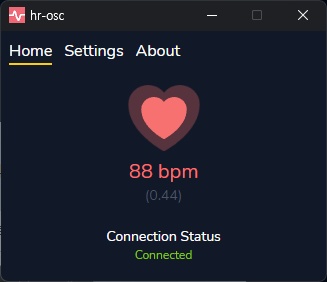
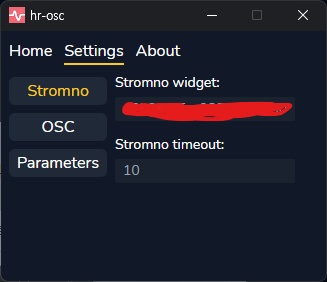
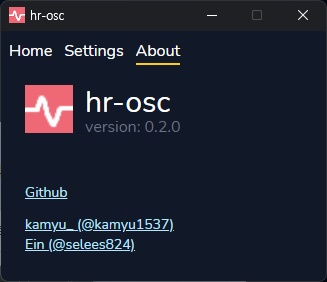


VRChatでの使用を前提としたプログラムです。PulsoidまたはStromnoを通じて、心拍数をVRChatに送信できます。 ==================== A program designed for use with VRChat. It sends your heart rate to VRChat via Pulsoid or Stromno. ==================== VRChat에서 사용하는 것을 전제로 만든 프로그램입니다. Pulsoid 또는 Stromno를 통해 심박수를 VRChat으로 보낼 수 있습니다.
ドキュメント / Documentation
https://kamyu1537.github.io/hr-osc/ アバター側の設定: ==================== Avatar setup: ==================== 아바타 설정: https://savory-advantage-23c.notion.site/OSC-HeartRate-in-Avatar-3-0-5a61198e60054852be904d165b3791ea
使い方 / How to use
1. hr-osc.zip を解凍します。 2. hr-osc.exe を実行します。 3. Settings タブを開きます。 4. Stromno または Pulsoid の Widget ID を設定します。 ※ 詳しい使い方はドキュメントをご確認ください。 ==================== 1. Unzip hr-osc.zip. 2. Run hr-osc.exe. 3. Open the Settings tab. 4. Enter your Stromno or Pulsoid Widget ID. ※ See the documentation for details. ==================== 1. hr-osc.zip 압축을 풉니다. 2. hr-osc.exe 를 실행합니다. 3. Settings 탭으로 이동합니다. 4. Stromno 또는 Pulsoid의 Widget ID를 설정합니다. ※ 자세한 사용법은 문서를 확인해주세요.
パラメーター / Parameters
- hr_connected : Bool - hr_percent : Float ※ Settings タブの Parameters で変更できます。 ==================== ※ Can be changed under Parameters in the Settings tab. ==================== ※ Settings 탭의 Parameters에서 변경할 수 있습니다.
バリエーション / Options
※ 支援版は無料版と内容は同じです。応援していただける方向けです。 ==================== ※ The Support option has the same content as the Free option. It's for those who'd like to support me. ==================== ※ 서포트 옵션은 무료 옵션과 내용이 같으며, 후원을 원하시는 분을 위한 옵션입니다.
ライセンス / License
本ソフトウェア hr-osc は MIT License でライセンスされています。 ライセンス: https://opensource.org/license/mit ソースコード: https://github.com/kamyu1537/hr-osc ==================== hr-osc is licensed under the MIT License. License: https://opensource.org/license/mit Source code: https://github.com/kamyu1537/hr-osc ==================== hr-osc 는 MIT License로 라이선스됩니다. 라이선스: https://opensource.org/license/mit 소스 코드: https://github.com/kamyu1537/hr-osc