

Shape Key Transfer
- Freeダウンロード商品¥ 0
- Support (same content)ダウンロード商品¥ 500
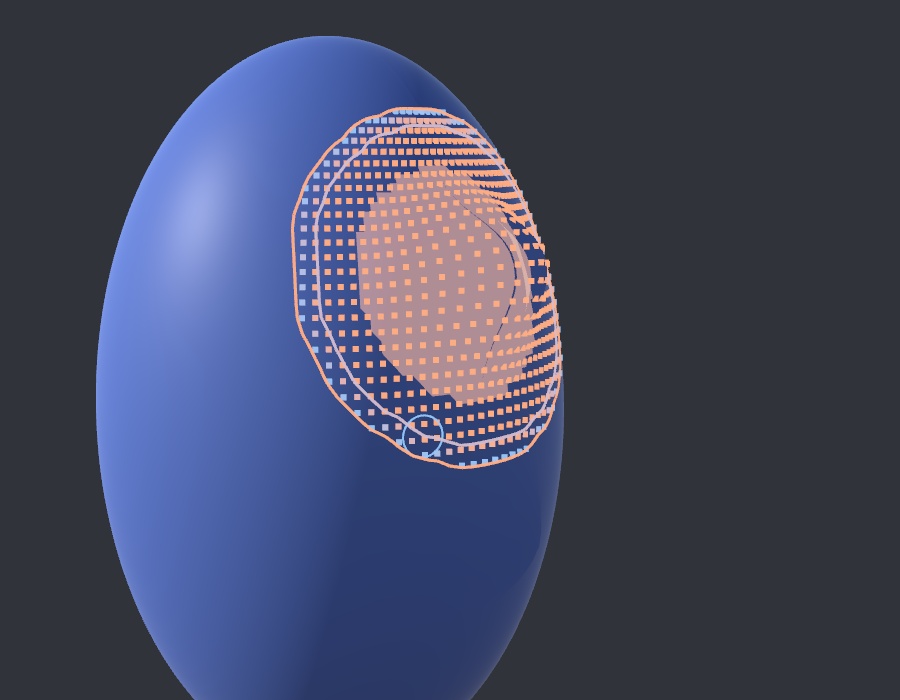

ボディのシェイプキーを衣装にも同じシェイプキーとして作る NDMF ツールです。アバターのビルド時に作成され、元のメッシュファイルは変更されません。 ==================== An NDMF tool that transfers a body shape key onto clothing as a shape key of its own. NDMF creates it when the avatar is built, and the original mesh files are not changed. ==================== 바디의 쉐이프키를 옷에도 같은 쉐이프키로 만들어 주는 NDMF 툴입니다. 아바타를 빌드할 때 만들어지며, 원본 메시 파일은 바뀌지 않습니다.
ドキュメント / Documentation
https://kamyu1537.github.io/shape-key-transfer/
動作環境 / Requirements
- Unity 2022.3 LTS - NDMF 1.14 以上(Modular Avatar を使うプロジェクトには含まれています) - VRChat Avatars SDK ※ VCC / ALCOM で追加すると、必要なパッケージも自動で追加されます。 ==================== - Unity 2022.3 LTS - NDMF 1.14 or later (already included in projects that use Modular Avatar) - VRChat Avatars SDK ※ If you add it with VCC / ALCOM, the required packages are added automatically. ==================== - Unity 2022.3 LTS - NDMF 1.14 이상 (Modular Avatar를 쓰는 프로젝트에는 이미 들어 있습니다) - VRChat Avatars SDK ※ VCC / ALCOM으로 추가하면 필요한 패키지도 자동으로 함께 추가됩니다.
導入方法 / How to install
【VCC / ALCOM(推奨)】 1. ShapeKeyTransfer-0.1.3.zip を解凍し、中の .url ファイルを開くか、下記のリンクから VCC にリポジトリを追加します。 vcc://vpm/addRepo?url=https%3A%2F%2Fkamyu1537.github.io%2Fvcc-listing%2Findex.json 2. NDMF のリポジトリ(https://vpm.nadena.dev/vpm.json)が無い場合は、それも追加します。 3. アバタープロジェクトの Manage Project から Shape Key Transfer を追加します。(NDMF 1.14 以上が必要です) 【unitypackage】 1. Unity でアバターのプロジェクトを開きます。NDMF 1.14 以上がインストールされている必要があります。 2. Assets > Import Package > Custom Package から me.kamyu.shapekeytransfer-0.1.3.unitypackage を選び、Import します。 3. Packages/me.kamyu.shapekeytransfer に入ります。衣装の Add Component で Shape Key Transfer を検索できればインストール完了です。 ※ 詳しくはドキュメントをご確認ください。 ==================== [VCC / ALCOM (recommended)] 1. Unzip ShapeKeyTransfer-0.1.3.zip and open the .url file inside, or add the repository to VCC from the link below. vcc://vpm/addRepo?url=https%3A%2F%2Fkamyu1537.github.io%2Fvcc-listing%2Findex.json 2. If you don't have the NDMF repository (https://vpm.nadena.dev/vpm.json), add it too. 3. Open Manage Project for your avatar project and add Shape Key Transfer. (NDMF 1.14 or later is required.) [unitypackage] 1. Open your avatar project in Unity. NDMF 1.14 or later must be installed. 2. Choose Assets > Import Package > Custom Package, select me.kamyu.shapekeytransfer-0.1.3.unitypackage, and click Import. 3. It lands in Packages/me.kamyu.shapekeytransfer. If Add Component on clothing can find Shape Key Transfer, it is installed. ※ See the documentation for details. ==================== 【VCC / ALCOM (권장)】 1. ShapeKeyTransfer-0.1.3.zip 압축을 풀고 안의 .url 파일을 열거나, 아래 링크로 VCC에 저장소를 추가합니다. vcc://vpm/addRepo?url=https%3A%2F%2Fkamyu1537.github.io%2Fvcc-listing%2Findex.json 2. NDMF 저장소(https://vpm.nadena.dev/vpm.json)가 없으면 함께 추가합니다. 3. 아바타 프로젝트의 Manage Project에서 Shape Key Transfer를 추가합니다. (NDMF 1.14 이상 필요) 【unitypackage】 1. Unity에서 아바타 프로젝트를 엽니다. NDMF 1.14 이상이 설치되어 있어야 합니다. 2. Assets > Import Package > Custom Package에서 me.kamyu.shapekeytransfer-0.1.3.unitypackage를 고르고 Import합니다. 3. Packages/me.kamyu.shapekeytransfer에 들어갑니다. 옷의 Add Component에서 Shape Key Transfer가 검색되면 설치 완료입니다. ※ 자세한 내용은 문서를 확인해주세요.
使い方 / How to use
1. Hierarchy で、シェイプキーを作りたい衣装のオブジェクト(SkinnedMeshRenderer があるオブジェクト)を選択します。 2. Add Component から Shape Key Transfer を追加します。 3. Body renderer にアバターのボディを設定します。Choose from this avatar を押すと、シェイプキーを持つレンダラーの一覧が表示されます。 4. Add shape key を押して、転送するボディのシェイプキーを選びます。 5. 項目の Preview スライダーを動かして、衣装がどう追従するかを確認します。必要なら Movement range / Movement fade / Smoothing range を調整します。 6. アバターをアップロードするか NDMF でビルドすると、衣装にシェイプキーができます。 ※ 衣装に同じ名前のシェイプキーがすでにある場合は、後ろに番号を付けて Name1、Name2 のように作ります。 ※ 詳しくはドキュメントのクイックスタートをご確認ください。 ==================== 1. In the Hierarchy, select the clothing object (the object with the SkinnedMeshRenderer) that should get the shape key. 2. Add Shape Key Transfer with Add Component. 3. Set the avatar's body in Body renderer. Click Choose from this avatar to list the renderers that have shape keys. 4. Click Add shape key and choose the body shape key to transfer. 5. Move the Preview slider on the entry to see how the clothing follows. Adjust Movement range / Movement fade / Smoothing range if needed. 6. Upload the avatar or build it with NDMF, and the clothing gets the shape key. ※ If the clothing already has a shape key with the same name, a number is appended (Name1, Name2, …). ※ See the documentation Quick start for details. ==================== 1. Hierarchy에서 쉐이프키를 만들 옷 오브젝트(SkinnedMeshRenderer가 있는 오브젝트)를 선택합니다. 2. Add Component에서 Shape Key Transfer를 추가합니다. 3. 바디 렌더러에 아바타의 바디를 넣습니다. 이 아바타에서 고르기를 누르면 쉐이프키가 있는 렌더러 목록이 나옵니다. 4. 쉐이프키 추가를 누르고 옮길 바디 쉐이프키를 고릅니다. 5. 항목의 미리보기 슬라이더를 움직여 옷이 어떻게 따라오는지 봅니다. 필요하면 움직임 범위 / 움직임 페이드 / 부드러움 범위를 조절합니다. 6. 아바타를 업로드하거나 NDMF로 빌드하면 옷에 쉐이프키가 생깁니다. ※ 옷에 같은 이름의 쉐이프키가 이미 있으면 뒤에 번호를 붙여 이름1, 이름2처럼 만듭니다. ※ 자세한 내용은 문서의 빠른 시작을 확인해주세요.
バリエーション / Options
※ 支援版は無料版と内容は同じです。応援していただける方向けです。 ==================== ※ The Support option has the same content as the Free option. It's for those who'd like to support me. ==================== ※ 서포트 옵션은 무료 옵션과 내용이 같으며, 후원을 원하시는 분을 위한 옵션입니다.
ライセンス / License
本ソフトウェアは MIT License でライセンスされています。 ライセンス: https://opensource.org/license/mit ご質問は BOOTH のメッセージ、または X(@kamyu1537)の DM でご連絡ください。 ==================== This software is licensed under the MIT License. License: https://opensource.org/license/mit For questions, contact me via BOOTH message or X (@kamyu1537) DM. ==================== 본 소프트웨어는 MIT License로 라이선스됩니다. 라이선스: https://opensource.org/license/mit 문의는 BOOTH 메시지 또는 X(@kamyu1537) DM으로 연락해주세요.
更新履歴 / Changelog
2026-10-12 v0.1.3 - Changed: the names of this tool's passes in NDMF windows and error reports follow the language selected in NDMF (English or Korean). 2026-10-10 v0.1.2 - Added: Apply to mesh on each entry and Apply all to mesh (saves a copy of the clothing mesh with the previewed shape keys under Assets/ShapeKeyTransfer/Applied/) - Changed: the preview is on from the start 2026-10-09 v0.1.1 - Added: GitHub Sponsors link in the inspector; Scene view influence dots / range lines; faster preview and build calculation - Changed: curve UI (thin strip under each slider) - Fixed: Modular Avatar Shape Changer / Scale Adjuster / skinning scale / Keep outside the body / Multiplier and related preview issues 2026-10-07 v0.1.0 - Initial release: Shape Key Transfer component, Movement range / fade / strength curves, Keep outside the body, NDMF preview, animation conversion, scale-independent transfer Full notes: https://kamyu1537.github.io/shape-key-transfer/en/release-notes