
CharacterToolbox 0.1.1
- ダウンロード商品¥ 1,100
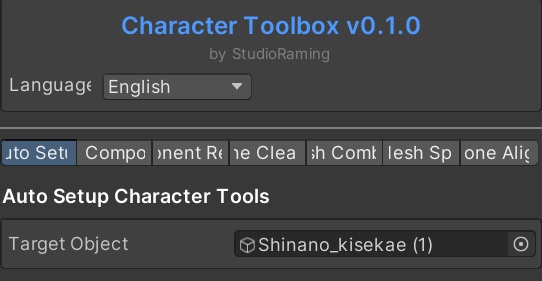

-Video Guide- https://www.youtube.com/watch?v=SXpc2_WZBnQ A comprehensive tool that collects features for simple virtual avatar tasks in Unity. Function - Automatic conversion of pistesbone (for VRC) springbone (VRM) - Copy components (automatically copy to name or something) (Materials/Transforms/Others) - Component Removal (automatically remove components) (Script for VRC/Missing Script/Springbone/Magica Closse/Other) - This organizational function Remove unused bons or even the bons and meshes associated with the selected mesh - Mesh combining function (select multiple meshes and combine them) - Mesh separation (Separate the mesh selected by link from one mesh into another mesh) - Alignment and name change (easy to respond to non-visual clothes) (Automatically aligns the name based on humanoid avatars, aligns + moves only one copy) -Guided Video- Please refer to the tool's internal guide and demonstration video for use examples! Compatible Unity versions 21.3.14 ~ 21.3.44f It does not guarantee compatibility with other versions. It provides machine translation in three languages. - How to Install - After importing the attached Unity package Once imported properly, the Studio Raming tab appears in the top bar Click this tab to start the Character Toolbox. This product was developed with the help of code-generation AI. - Terms and Conditions of Use - Permit commercial activities using the utility. Do not redistribute files containing the utility (Unity Project, Unity Package) Prohibiting resale of such utility Please share this utility removed when sharing projects such as commissions. Alternatively, other parties to which the file is provided must also have permission to purchase and use this utility.
추가 FAQ / Additional FAQ / 追加FAQ
자주 묻는 질문 · CharacterToolbox Q. VRC→VRM 작업 중 AutoDefineSymbols.cs 안내나 오류가 나타나요. A. 이 안내만으로 원인을 단정하기 어렵습니다. Unity와 CharacterToolbox 버전, 함께 사용하는 VRChat SDK·UniVRM 버전, 실행한 기능과 Console의 첫 번째 오류 전문을 알려주세요. 프로젝트를 백업한 상태에서 문의해 주세요. Q. 피직스본을 변환했는데 콜라이더가 중복되거나 예상과 다르게 움직여요. A. 변환 전 프로젝트를 보관하고, 어떤 메쉬·본에서 차이가 생기는지 확인해 주세요. 문의 시 변환 전후의 해당 본과 콜라이더 컴포넌트 화면, 사용 버전과 변환 순서를 보내 주세요. ━━━━━━━━━━━━━━━━━━━━ FAQ · CharacterToolbox Q. I see an AutoDefineSymbols.cs message or an error during VRC-to-VRM work. A. That message alone is not enough to identify the cause. Please provide your Unity, CharacterToolbox, VRChat SDK and UniVRM versions, the operation you ran and the full first Console error. Please keep a backup of the project when contacting us. Q. After PhysBone conversion, colliders are duplicated or movement looks different. A. Keep the pre-conversion project and check which meshes or bones are affected. For support, include screenshots of the relevant bones and collider components before and after conversion, your versions and the conversion steps. ━━━━━━━━━━━━━━━━━━━━ よくある質問 · CharacterToolbox Q. VRC→VRM作業中にAutoDefineSymbols.csの案内やエラーが表示されます。 A. その表示だけでは原因を特定できません。Unity、CharacterToolbox、VRChat SDK、UniVRMのバージョン、実行した機能、Consoleの最初のエラー全文をお知らせください。プロジェクトをバックアップした状態でお問い合わせください。 Q. PhysBone変換後にコライダーが重複したり、動きが変わったりします。 A. 変換前のプロジェクトを保管し、どのメッシュ・ボーンに違いがあるかをご確認ください。お問い合わせ時は、変換前後の該当ボーンとコライダーの画面、使用バージョン、変換手順をお送りください。
