

WorldLightingPreview - Unity上でワールドライトのプレビューが簡単に出来るツール
- WorldLightingPreviewダウンロード商品¥ 100
- 開発支援(Donation) 中身は通常版と同じです!ダウンロード商品¥ 300
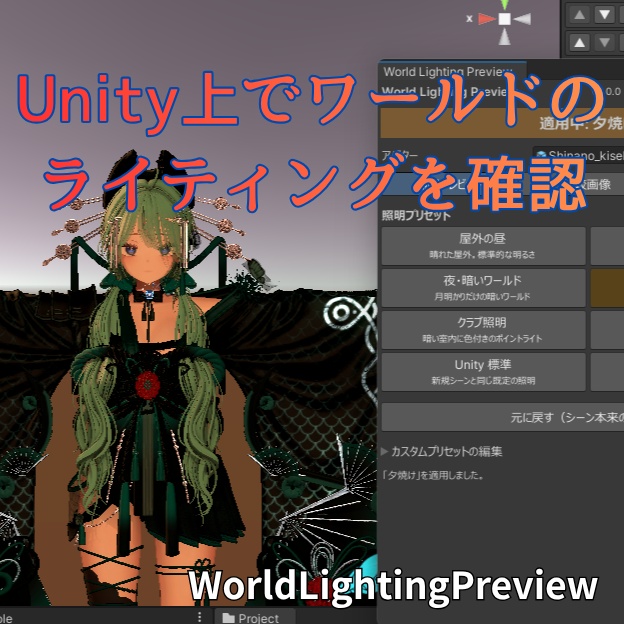
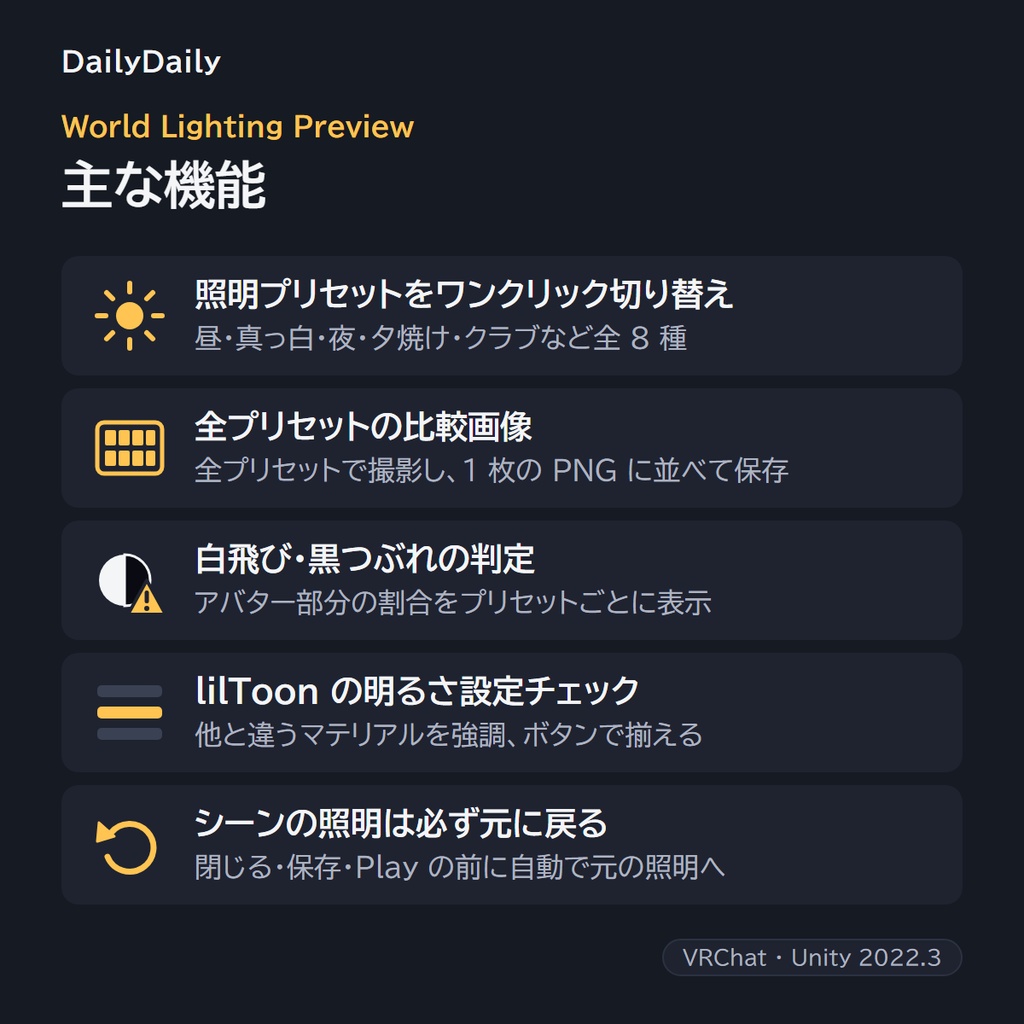
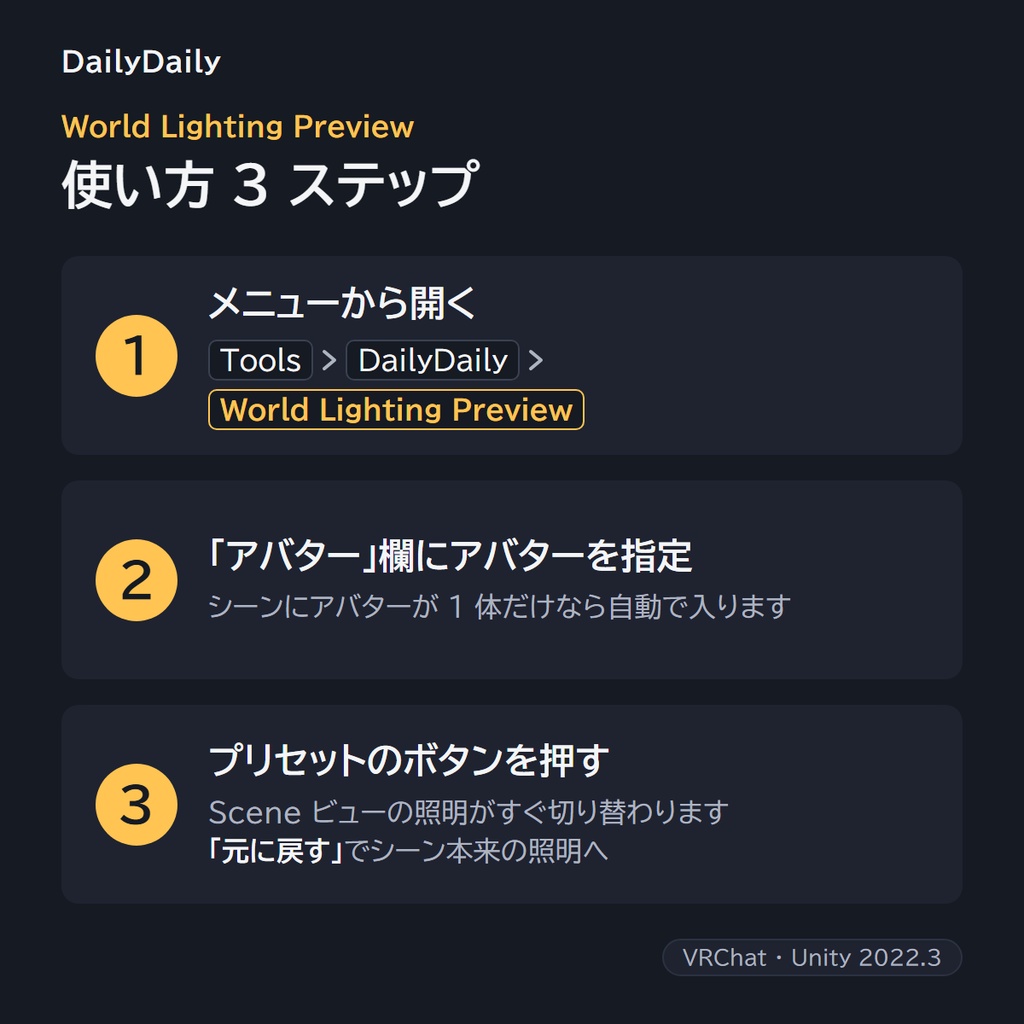
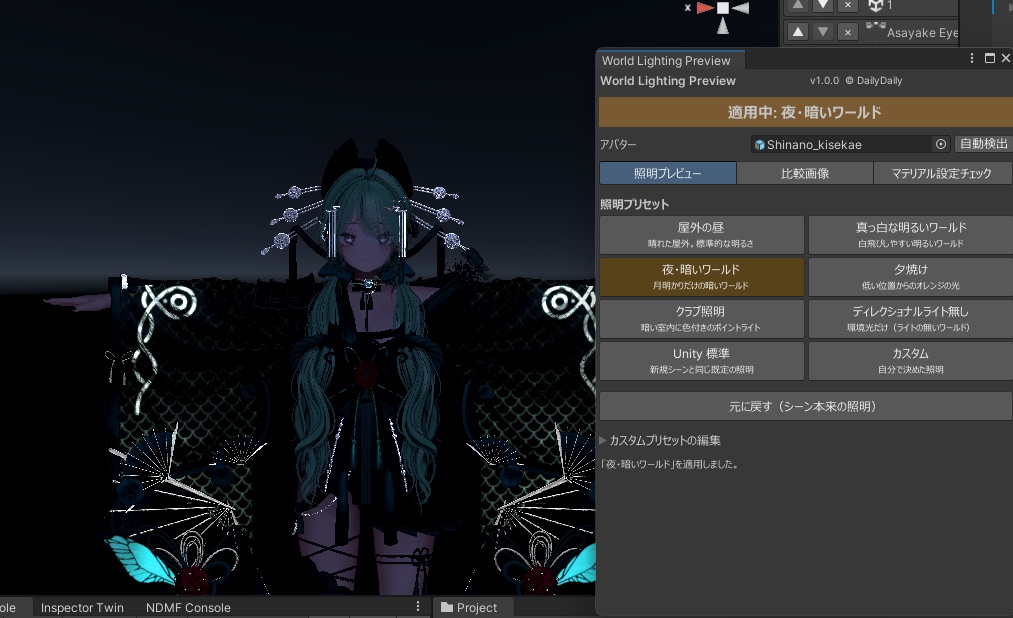
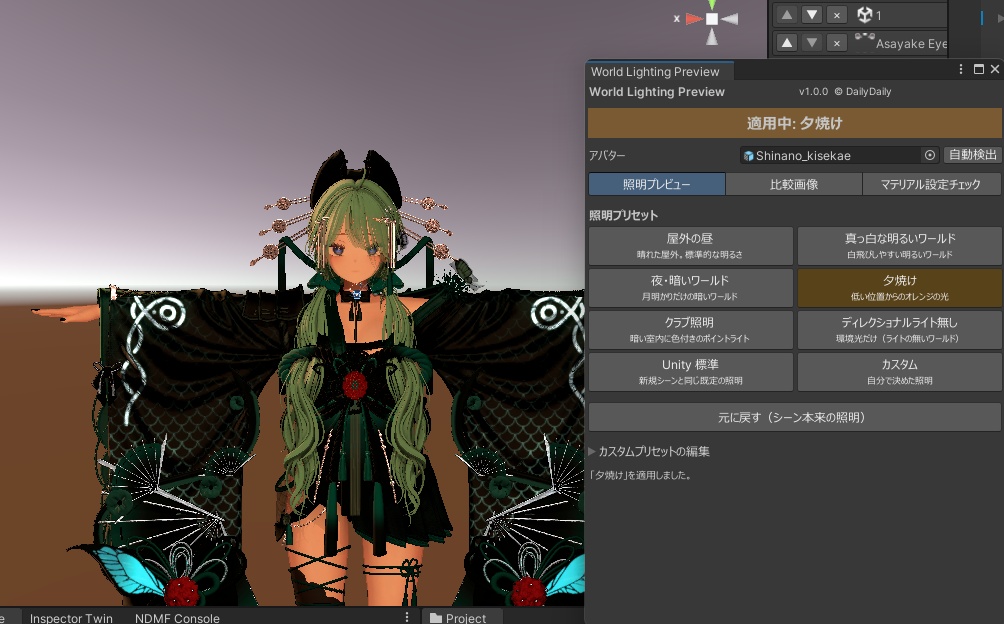
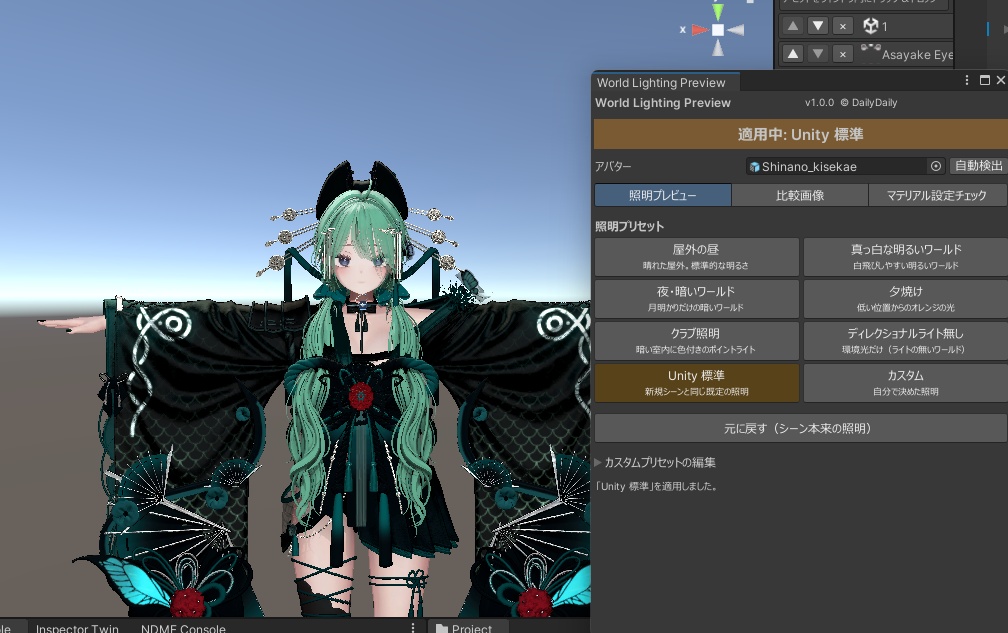
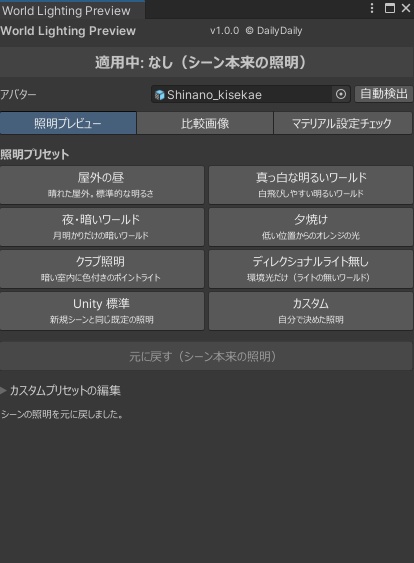


「Unity では綺麗なのに、VRChat の白いワールドだと白飛びする」「暗いワールドで服だけ真っ黒」—— それ、アップロードして確かめに行く前に Unity で分かります。 World Lighting Preview は、VRChat でよくある照明を Scene ビューにワンクリックで再現するエディタ拡張です。 ■ できること ・照明プリセットのワンクリック切り替え 屋外の昼/真っ白な明るいワールド/夜・暗いワールド/夕焼け/クラブ照明/ディレクショナルライト無し/Unity 標準/カスタム ・全プリセットの比較画像 今の Scene ビューの視点(またはアバターの正面)から全プリセットで撮影し、1枚の PNG に並べて書き出します。設定変更の前後比較に。 ・白飛び・黒つぶれの判定 アバター部分の白飛び・黒つぶれの割合をプリセットごとに表示し、多いものに ⚠ を付けます。 ・lilToon の明るさ設定チェック 最低明るさ・最大明るさ・単色化などが他と違うマテリアルを一覧で強調。「服だけ暗い」の原因がすぐ見つかります。ボタン1つで多数派の値に揃えることもできます(Undo 可)。 ■ 安心して使えるように ・適用前のシーン照明を記録し、「元に戻す」・ウィンドウを閉じたとき・シーン保存の直前・Play 開始時に必ず元へ戻します。 ・追加するライトは保存されない一時オブジェクトなので、シーンやアップロードしたアバターに混ざりません。 ■ こんな方に ・衣装やマテリアルを変えるたびにアップロードして明るさを確かめている方 ・Light Limit Changer や lilToon の明るさ設定を詰めたい方(併用前提です) ・複数の衣装・アクセサリーで、一部だけ明るさが浮いていないか確かめたい方 ■ 動作環境 Unity 2022.3 / VRChat SDK - Avatars(lilToon は任意。マテリアルチェックは lilToon が対象) ※ プリセットは VRChat のワールドの代表的な傾向を再現した目安です。すべてのワールドの見え方を保証するものではありません。 (English) "It looks fine in Unity, but blows out in white worlds and turns pitch-black in dark ones." Check that in the Unity editor before you upload. World Lighting Preview applies typical VRChat world lighting to your Scene view with one click. - One-click lighting presets: Daylight / Bright white world / Night (dark world) / Sunset / Club lights / Ambient only / Unity default / Custom - Comparison sheet: captures your avatar under every preset from the current Scene view (or an automatic front view) and exports a single PNG grid - Clipping check: shows the percentage of blown-out and crushed pixels on the avatar for each preset, with warnings - lilToon brightness check: lists lilToon materials whose Min/Max brightness, monochrome lighting, etc. differ from the majority, so you can spot "only the outfit looks dark" at a glance. One click aligns them to the majority (undoable) - Safe by design: the original scene lighting is always restored (Restore button, closing the window, before saving the scene, entering Play mode). Temporary lights are never saved into the scene or your avatar Requirements: Unity 2022.3, VRChat SDK - Avatars (lilToon optional). Presets are approximations of typical VRChat worlds, not exact reproductions of any specific world.